

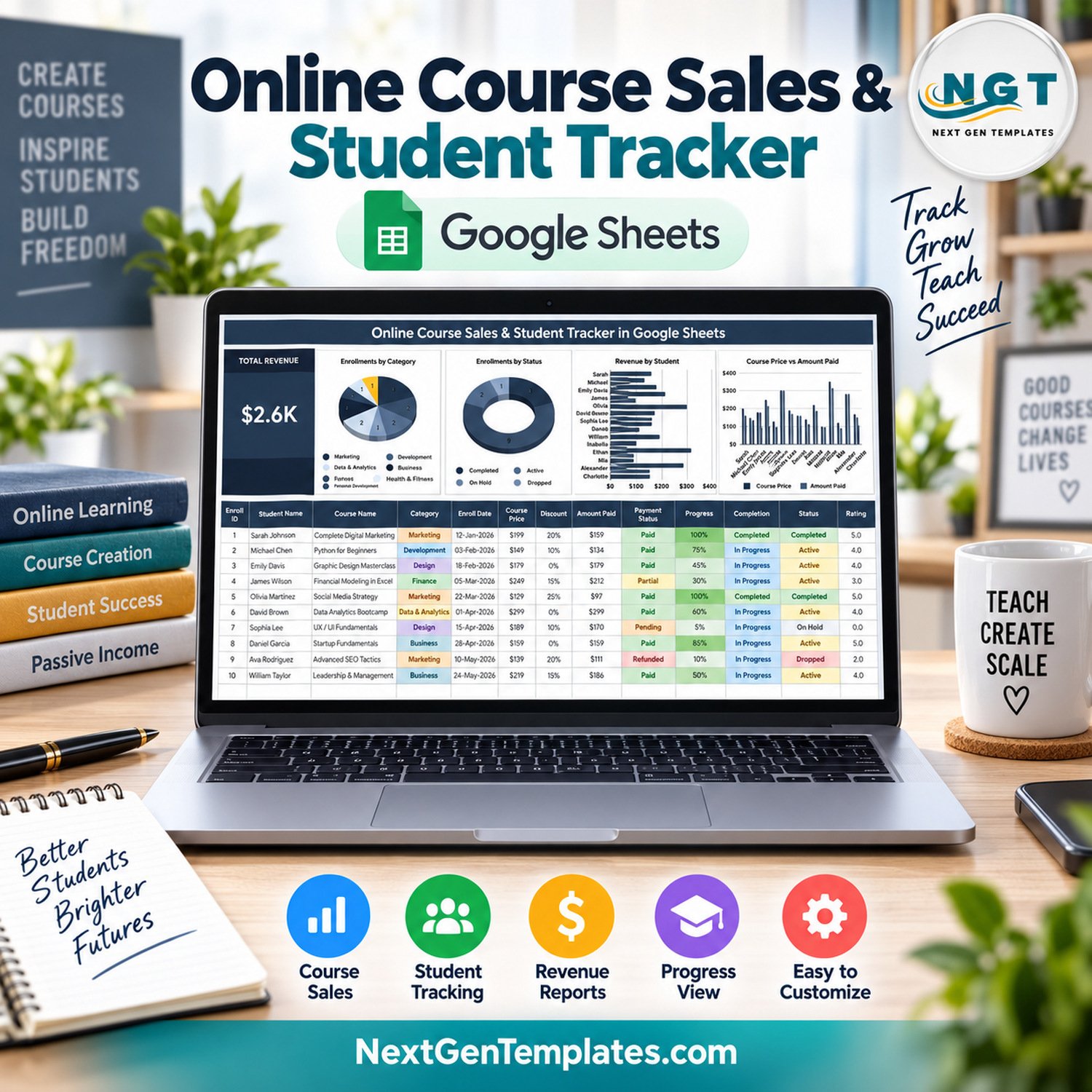
The Online Course Sales & Student Tracker in Google Sheets is an online course sales tracker and student log in one tab. Every enrollment goes into a 16-column table that works out the amount paid, completion, revenue rank and days enrolled for you, while a Total Revenue card and 4 live charts summarise sales and student progress above it. It ships with 15 fictional sample enrollments across 9 course categories, adding up to $2.6K, so every chart is already working before you type your first student.
🎯 Course creators, coaches and small academies get one place to see who bought which course, what they paid after discount, whether the payment is settled and how far each student has progressed.
✅ Instant download · One-time payment · No subscription · No per-user fees · Lifetime access
🔑 Key Features of the Online Course Sales Tracker
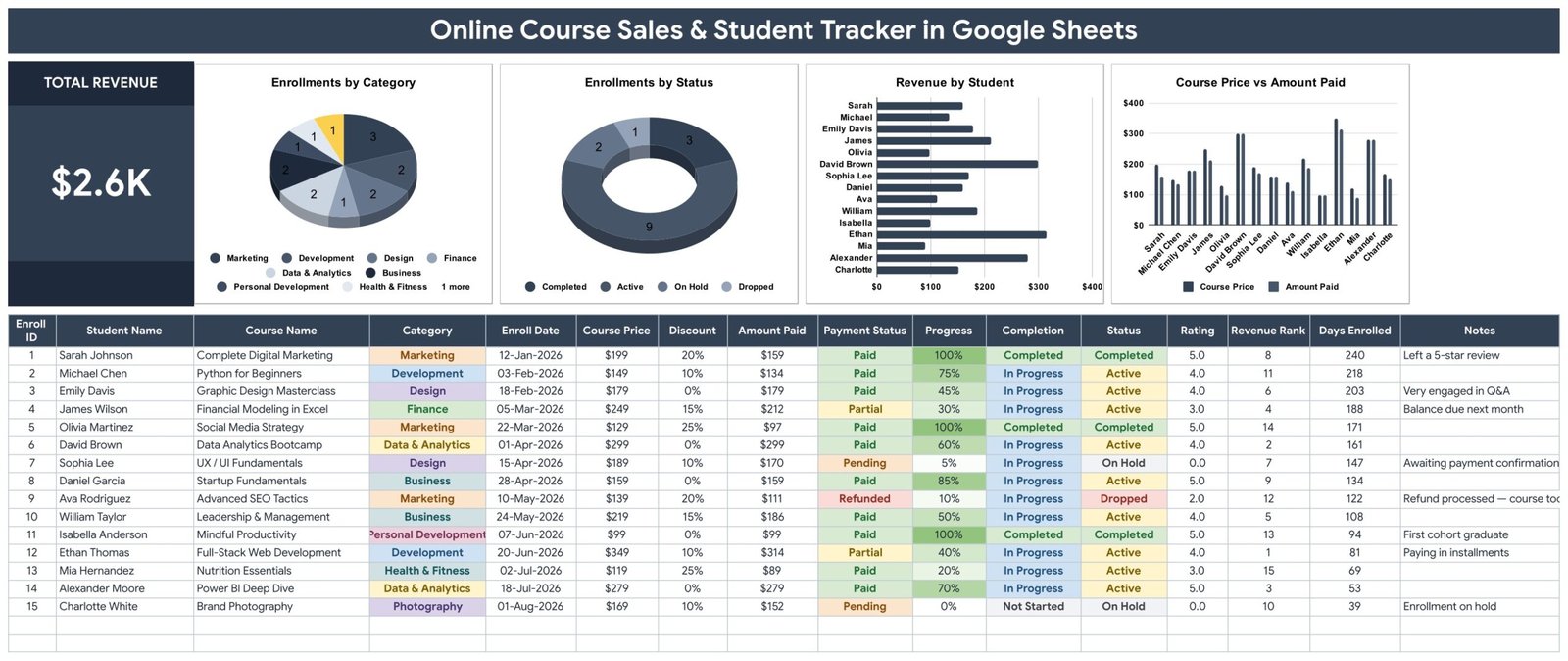
💰 Total Revenue card – A large headline card adds up the Amount Paid column across every enrollment. With the sample data it reads $2.6K and updates as soon as you add or edit a row.
🥧 Enrollments by Category – Shows how enrollments split across categories such as Marketing, Development, Design, Finance, Data & Analytics, Business, Personal Development, Health & Fitness and Photography.
🍩 Enrollments by Status – Counts Active, Completed, On Hold and Dropped students. In the sample, 9 students are Active, 3 have Completed, 2 are On Hold and 1 has Dropped.
📊 Revenue by Student – Ranks what each student has paid, so your highest-value enrollments stand out. In the sample, Ethan Thomas leads with $314 for Full-Stack Web Development.
📈 Course Price vs Amount Paid – Places list price and the amount paid after discount side by side for every student, which makes the real cost of your coupons and launch discounts easy to see.
🧮 Automatic columns – Enroll ID, Amount Paid (Course Price minus Discount), Completion (from Progress), Revenue Rank and Days Enrolled are formulas. Enter Progress as a percentage and 100% flips Completion to Completed.
💳 Payment Status tracking – Mark every enrollment as Paid, Partial, Pending or Refunded, with colour-coded cells so unpaid balances are easy to spot.
⭐ Rating and Notes – Record each student’s course rating and a short note, such as “Paying in installments” or “Very engaged in Q&A”.
🔽 Dropdowns that expand – Category, Payment Status and Enrollment Status pull their options from a List tab (rows 2-500). The Category list already includes Music, Language and Other for courses not in the sample.
⚡ Charts that grow with your data – All 4 charts read the data columns directly (rows 16-1000) with the built-in Aggregate option, so there are no hidden helper tables to maintain.
📦 What’s Inside the Online Course Sales & Student Tracker in Google Sheets
Page 1: Course Sales Tracker – Total Revenue Card, 4 Charts and Enrollment Log
The main tab places the Total Revenue card and the charts Enrollments by Category, Enrollments by Status, Revenue by Student and Course Price vs Amount Paid above a 16-column enrollment log: Enroll ID, Student Name, Course Name, Category, Enroll Date, Course Price, Discount, Amount Paid, Payment Status, Progress, Completion, Status, Rating, Revenue Rank, Days Enrolled and Notes.
Page 2: How to Use
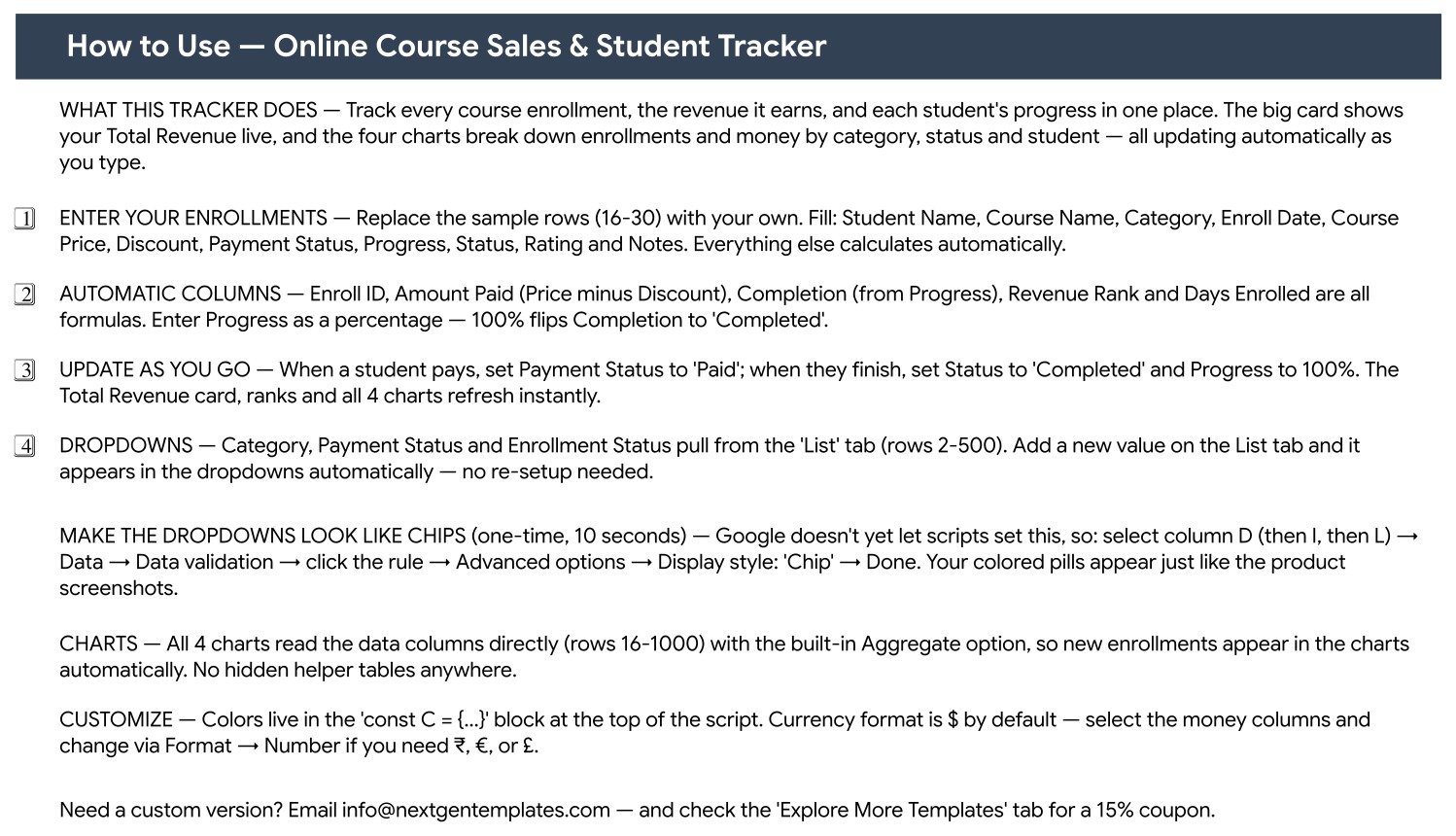
Step-by-step instructions covering which columns you fill in, which ones calculate automatically, how to update payments and progress as you go, how the List-driven dropdowns work, how to switch dropdowns to Google’s chip display style, and how to change the currency symbol.
Page 3: Explore More Templates
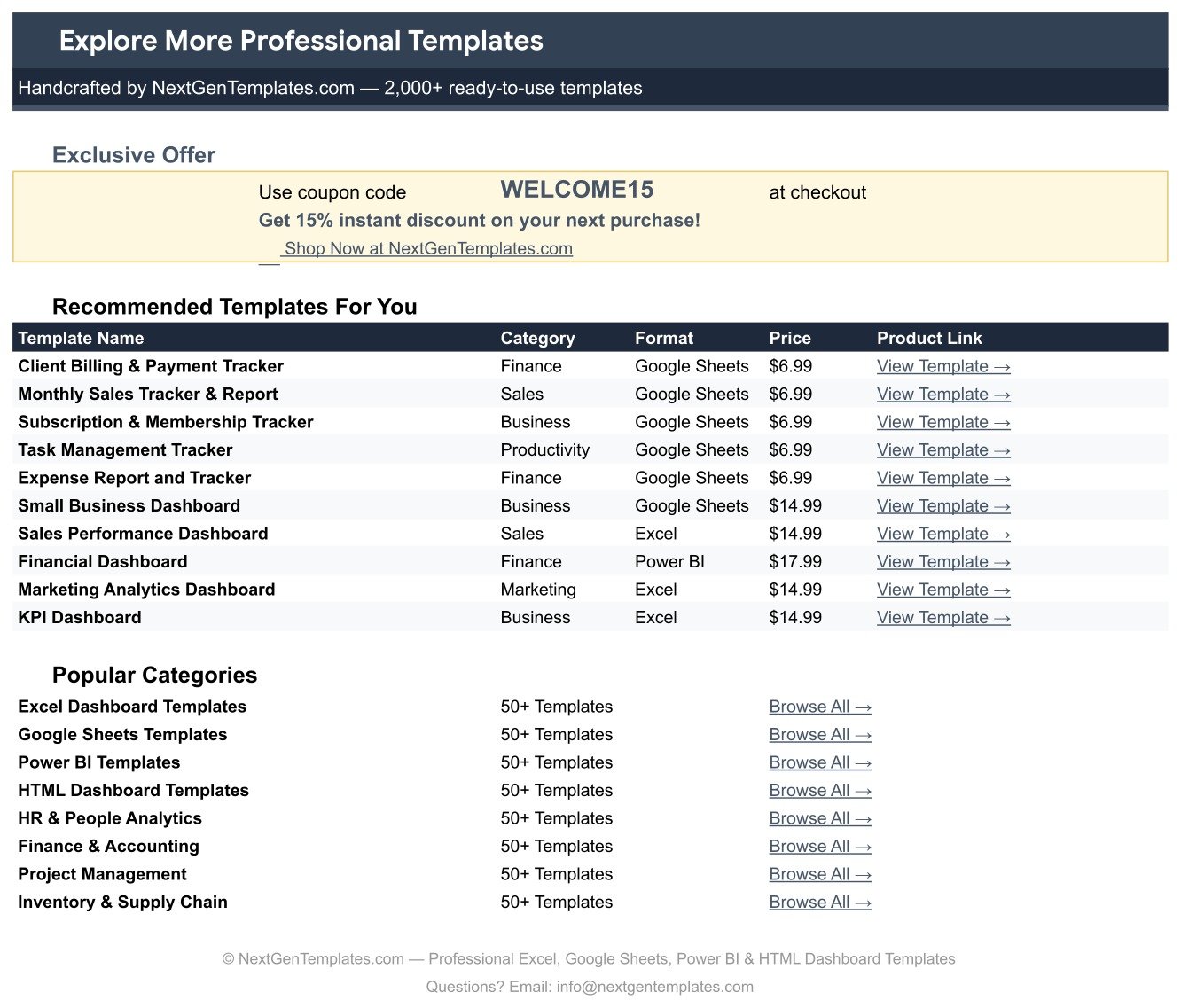
A list of recommended NextGenTemplates templates plus the WELCOME15 coupon code for 15% off your next purchase. A separate List tab holds the Course Category, Payment Status and Enrollment Status options behind the dropdowns.
📊 Google Sheets Course Tracker vs. Excel Workbook vs. Course Platform Reports — Where It Fits
| Feature | Online Course Sales & Student Tracker in Google Sheets | Microsoft Excel course tracker | Built-in reports of a paid course platform |
|---|---|---|---|
| Cost | ✅ $6.99 one-time | Excel licence plus the time to build it | Included in a recurring platform plan |
| Platform | ✅ Any browser with a free Google account | Excel desktop or Microsoft 365 | Vendor dashboard |
| Setup time | ✅ Make a copy and replace 15 sample rows | Build columns, formulas and charts yourself | Ready once your courses are hosted there |
| Data entry | Manual – you type each enrollment | Manual | ✅ Automatic for sales made on that platform |
| Sales from several platforms in one view | ✅ Yes – log every source in one table | Yes, if you build it | Only that platform’s sales |
| Real-time team collaboration | ✅ Built-in sharing and live co-editing | Co-authoring through OneDrive or SharePoint | Extra admin seats depend on the plan |
| Mobile access | ✅ Google Sheets mobile app | Excel mobile app | Vendor app or browser |
| Customizable fields | ✅ Edit columns, categories and statuses freely | Fully editable | Limited to the vendor’s fields |
| Year-1 cost at 5 users | ✅ $6.99 once | 5 Excel licences | 12 months of the platform plan |
For course creators who sell on more than one channel, or who want a simple student and payment log they fully own, this Google Sheets tracker sits in the sweet spot.
👥 Who This Template Is For — and Who It’s Not For
✅ This template is built for:
- Independent course creators selling a handful of courses who want sales and student progress in one sheet
- Coaches and trainers running paid cohorts who need to follow partial payments and installments
- Small online academies tracking enrollments, completion and ratings across course categories
- Creators who sell through several channels and want one combined revenue number
❌ This template is NOT for:
- Anyone who needs enrollments imported automatically – there is no connection to Teachable, Thinkific, Udemy, Kajabi, Stripe or any other platform
- Schools that need a learning management system with lessons, quizzes or certificates
- Businesses that need accounting, invoicing, tax or payout reconciliation
⚙️ How to Use the Online Course Sales Tracker
- Open the PDF in your download and click its link to make your own editable copy in Google Drive.
- Replace the sample rows (16-30) with your enrollments: Student Name, Course Name, Category, Enroll Date, Course Price, Discount, Payment Status, Progress, Status, Rating and Notes.
- Leave Enroll ID, Amount Paid, Completion, Revenue Rank and Days Enrolled alone – they are formulas.
- When a student pays, set Payment Status to Paid; when they finish, set Progress to 100% and Status to Completed.
- Add new categories or statuses on the List tab and they appear in the dropdowns.
- Optional: switch the dropdowns to chip style under Data → Data validation → Advanced options (see Google’s data validation help).
💼 Real-World Use Cases
Priya sells three design courses on her own website. She logs each purchase with the launch discount she offered. Course Price vs Amount Paid shows how much the 25% launch coupon really cost her, and Revenue by Student shows which buyers chose her premium masterclass.
Marcus runs a paid coding cohort with installment plans. He marks students Partial until the balance clears and uses the Notes column for due dates. Enrollments by Status shows at a glance how many students are Active, On Hold or have Dropped.
A two-person online academy teaches marketing and finance. Enrollments by Category shows which subject area brings in the most students, while the Rating column and Completion status flag courses where learners stall early.
❓ Frequently Asked Questions
Does the tracker connect to Teachable, Thinkific, Udemy or Stripe?
No. There is no API connection or automatic import. You type each enrollment, or paste it from your platform’s export. Amount Paid, Completion, Revenue Rank, Days Enrolled, the Total Revenue card and all 4 charts then update from what you enter.
How is Total Revenue calculated?
Total Revenue adds up the Amount Paid column, and Amount Paid is Course Price minus Discount. It does not change with Payment Status, so Pending, Partial and Refunded rows still count at their discounted price. Adjust or remove those rows if you want the card to show cash actually received.
Can I add my own course categories?
Yes. The Category, Payment Status and Enrollment Status dropdowns read rows 2-500 of the List tab. The Category list ships with 12 options, including Music, Language and Other, and anything you add there appears in the dropdown straight away.
Can I use a currency other than US dollars?
Yes. The money columns use $ by default. Select them and change the format under Format → Number to ₹, €, £ or any other currency.
How long does setup take?
There is nothing to install. Make a copy from the link in the PDF, overwrite the 15 fictional sample rows with your own students, and the formulas and charts do the rest.
Is the sample data real?
No. All 15 students, courses, prices and ratings are fictional and are there to show how the formulas and charts work. Teachable, Thinkific, Udemy, Kajabi and Stripe are trademarks of their respective owners; NextGenTemplates is not affiliated with any of them.
👤 About the Author
Built by PK — Microsoft Certified Professional with 15+ years of Excel, Google Sheets, and Power BI experience. Founder of NextGenTemplates, reaching 300K+ subscribers across YouTube channels (@PKAnExcelExpert, @NextGenTemplates, @NeoTechNavigators). Every template is hand-built and tested before release.
🔗 Explore Related Templates
🎓 Online Learning Platforms Dashboard in Google Sheets – step up to a full analytics dashboard for an e-learning business.
📅 E-learning Course Calendar in Google Sheets – schedule course launches, live sessions and cohort dates.
🧑🏫 Coaching & Tutoring Dashboard in Google Sheets – analyse a coaching or tutoring business in more depth.
💼 Side Hustle Income Tracker in Google Sheets – follow course income alongside your other income streams.
📺 YouTube Channel Performance Tracker in Google Sheets – track the channel that promotes your courses.
🗂️ Browse every Google Sheets tracker template or the full Google Sheets template collection.
📖 Click here to read the Detailed Blog Post
🎥 Visit our YouTube channel for step-by-step video tutorials
👉 YouTube.com/@NextGenTemplates
Watch the step-by-step video Demo:
📅 Last updated: September 2026

























Reviews
There are no reviews yet.