

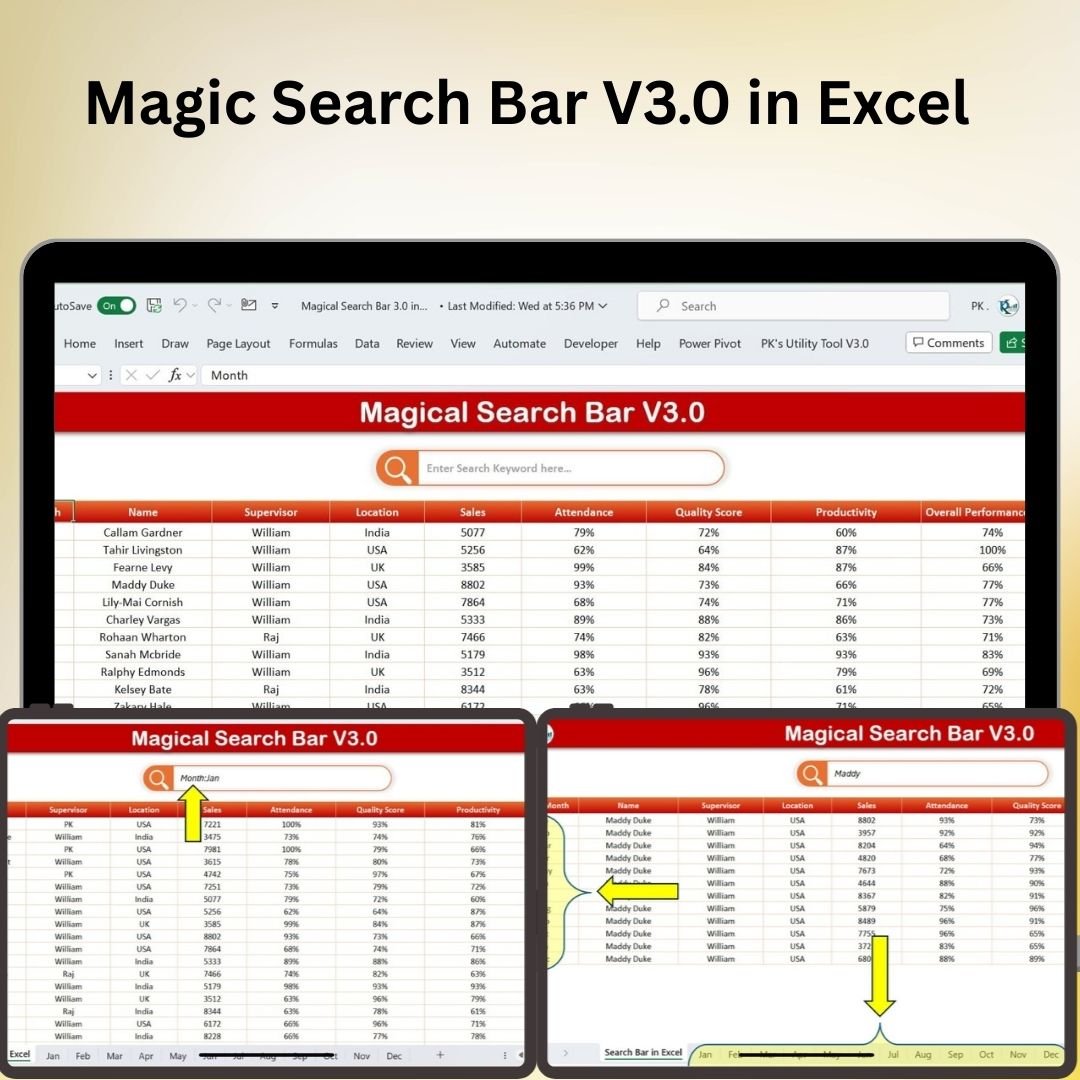




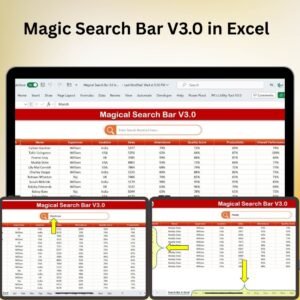
The Magic Search Bar V3.0 in Excel is a free search tool for finding data across multiple worksheets and within specific columns. Use the search scope to narrow a query to the relevant parts of a workbook. The linked walkthrough and video show the V3.0 search interface in use.
Designed for both beginner and advanced users, this feature enhances your ability to find specific data, functions, or information in large, complex Excel files without manually searching through each sheet or column. Whether you’re working with financial reports, project data, or business analytics, the Magic Search Bar V3.0 Reloaded allows you to perform comprehensive searches across your entire workbook in just a few clicks.

Key Features of the Magic Search Bar V3.0 Reloaded:
🔍 Search Across Multiple Worksheets
Easily search for data across multiple sheets within a workbook. The Magic Search Bar V3.0 allows you to find specific entries, formulas, or data without switching between worksheets.
⚡ Search by Specific Columns
Refine your search by limiting it to specific columns. This is ideal for users who need to search within particular datasets or fields, enhancing the accuracy and speed of your search.
🔄 Instant Results
Get real-time results as you type your query. The search bar instantly highlights the relevant data, making it quick and easy to jump to the specific location you need.
📈 Find Functions and Formulas
Quickly locate Excel functions and formulas across multiple worksheets and columns, saving time and ensuring that you can work more efficiently.
💡 Simple User Interface
With its simple and user-friendly interface, the Magic Search Bar V3.0 is easy to use, even for those with limited Excel experience. Navigate complex data sets with ease and speed.
🚀 Why You’ll Love the Magic Search Bar V3.0 Reloaded:
✅ Boost Productivity – Spend less time searching for data and more time analyzing and working with your information.
✅ Speed Up Your Workflow – Easily search across multiple sheets and specific columns, helping you find what you need in a fraction of the time.
✅ Simplify Data Management – Eliminate the hassle of manually searching through large Excel files. Perform comprehensive searches instantly with just a few clicks.
✅ Make Data Navigation Effortless – Jump directly to the information you need, saving time and increasing efficiency when working with complex workbooks.
✅ Customizable and Flexible – Tailor the search feature to suit your specific needs, whether you’re searching within specific columns or across entire workbooks.
✅ Perfect for Large Data Sets – Ideal for users managing large workbooks with multiple worksheets, ensuring you can find data quickly across your entire file.
What’s Inside the Magic Search Bar V3.0 Reloaded:
- Search Across Multiple Worksheets: Instantly search through all sheets in your workbook to find specific data or information without needing to switch between sheets.
- Search Within Specific Columns: Narrow your search to specific columns, perfect for datasets with multiple fields or categories.
- Real-Time Search Results: See results as you type, making it easy to quickly navigate through your data.
- Formula and Function Search: Locate formulas and functions across worksheets with ease, saving you time and effort.
- User-Friendly Interface: Simple to use, even for Excel beginners, with no complicated setup or learning curve.
How to Use the Magic Search Bar V3.0 Reloaded:
1️⃣ Download the Template – Download the free Excel file from this product page.
2️⃣ Enter Your Search Query – In the search bar, type the data, function, or formula you’re looking for.
3️⃣ Refine Your Search – Use filters to limit your search to specific columns or worksheets.
4️⃣ Navigate to Results – Quickly jump to the data you’re looking for within the relevant sheet or column.
5️⃣ Save Time and Boost Efficiency – Use the tool to work more efficiently and find what you need in seconds.
Who Can Benefit from the Magic Search Bar V3.0 Reloaded:
- Data Analysts
- Business Analysts
- Project Managers
- Financial Analysts
- HR Managers
- Admin Assistants
- Excel Power Users
- Anyone working with large, complex Excel workbooks
The Magic Search Bar V3.0 Reloaded is the ultimate tool to supercharge your Excel workflow. It’s the ideal solution for anyone working with large datasets, multiple worksheets, or complex formulas who wants to find specific data quickly and efficiently.
Click here to read the Detailed blog post
Visit our YouTube channel to learn step-by-step video tutorials
Youtube.com/@PKAnExcelExpert
Watch the step-by-step video tutorial:
Compatibility and Requirements
- Works in Microsoft Excel desktop (Excel 2016 or later, or Microsoft 365).
- It is a free Excel download, so there is nothing to install beyond Excel itself.
- Microsoft explains drop-down lists, which help keep searchable data tidy, in Create a drop-down list.
Frequently Asked Questions
Is the Magic Search Bar V3.0 free?
Yes. You can download the Excel file from this page at no cost.
Can it search more than one worksheet?
Yes. V3.0 searches across multiple worksheets in the workbook, so you do not have to switch sheets to find an entry.
Can I limit a search to certain columns?
Yes. You can narrow the search to specific columns, which helps when a dataset has many fields.
Do results update as I type?
Yes. The search bar shows results in real time and highlights the matching data so you can jump to it.
Related Excel Search Tools
- Magic Search Bar V1.0 in Excel: the first free version with keyword and function search
- Universal Searchable Drop-down List in Excel: filter a long drop-down list by typing
- Data Entry Form with Picture Box in Excel VBA: add and look up records through a form
Browse all Excel tools or the Excel utilities and converters.

























Reviews
There are no reviews yet.