

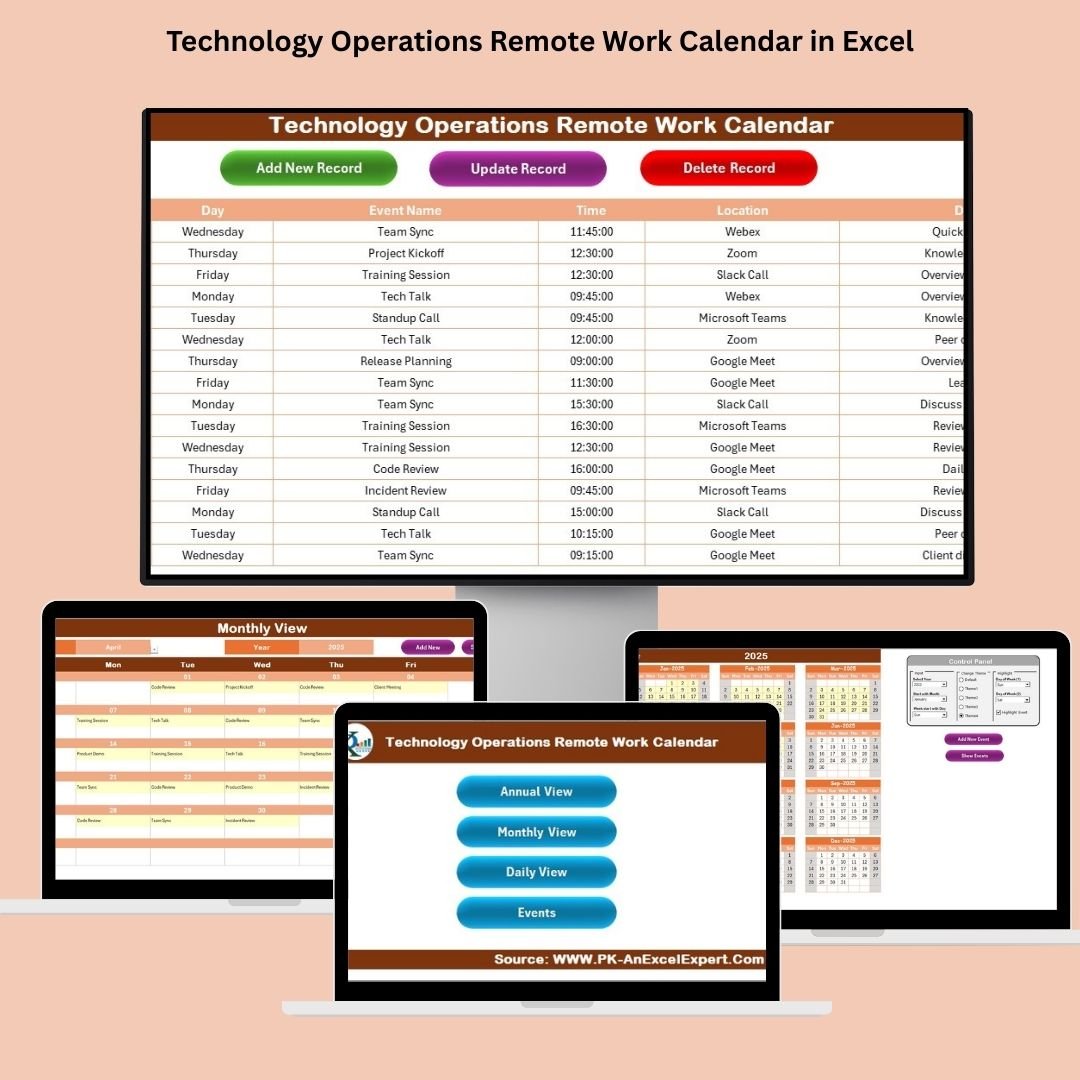


In the modern workplace, managing remote work schedules has become more important than ever. Teams are spread across time zones, projects are handled asynchronously, and flexibility is now a key factor in productivity. With this in mind, we have created a Technology Operations Remote Work Calendar in Microsoft Excel that is not only functional but also easy to use, highly customizable, and visually appealing.
This ready-to-use Excel template is designed to simplify scheduling, tracking, and managing remote work events and activities—whether it’s for daily standups, maintenance windows, team check-ins, or project deadlines. Let’s explore this powerful calendar in detail.
Key Features of the Remote Work Calendar Template
This calendar template is divided into five smartly organized worksheets, each designed to offer a unique perspective of your work schedule:
Home Sheet Tab
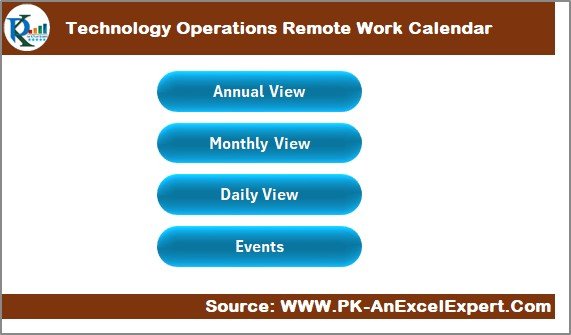
This sheet acts as the central navigation hub. It includes four clickable buttons that instantly take you to:
- Annual View
- Monthly View
- Daily View
- Events Database
Instead of scrolling or searching, you can jump to the exact section you need with a single click.
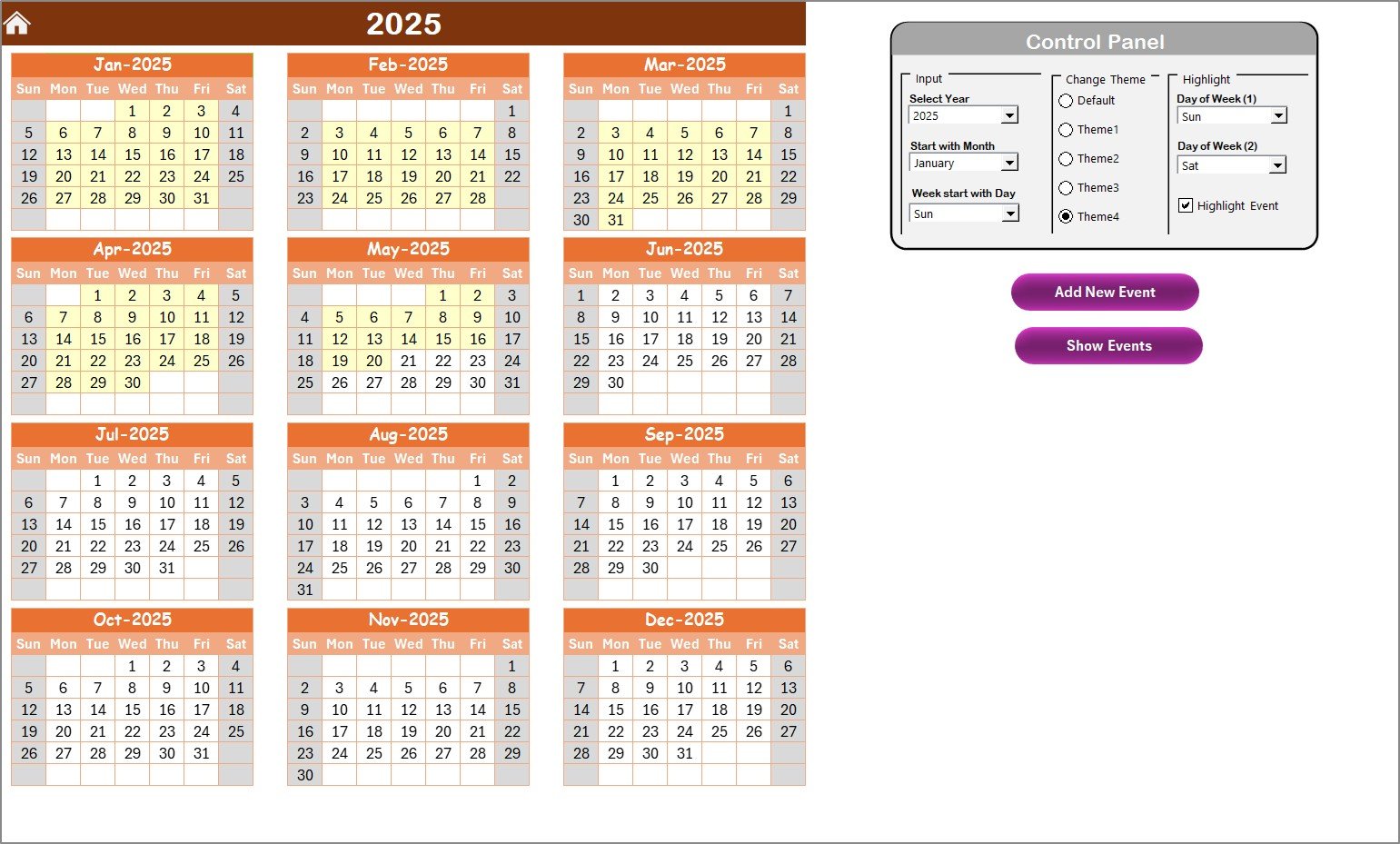
Annual View Sheet Tab
This view gives you the entire year at a glance, displayed in a 12-month calendar layout. It’s ideal for planning long-term projects, holidays, or major milestones.
Control Panel Features:
- Input Group: Select the year, the starting month, and the starting day of the week to customize your calendar.
- Change Theme Group: Choose from five color themes to personalize the look of your workbook.
Highlight Group:
- Highlight up to two days of the week, such as weekends.
- Highlight event dates in yellow for easy identification.
Buttons:
- Add New Event: Select a date and add a new event through a simple form.
- Show Events: Instantly view events scheduled for the selected date.
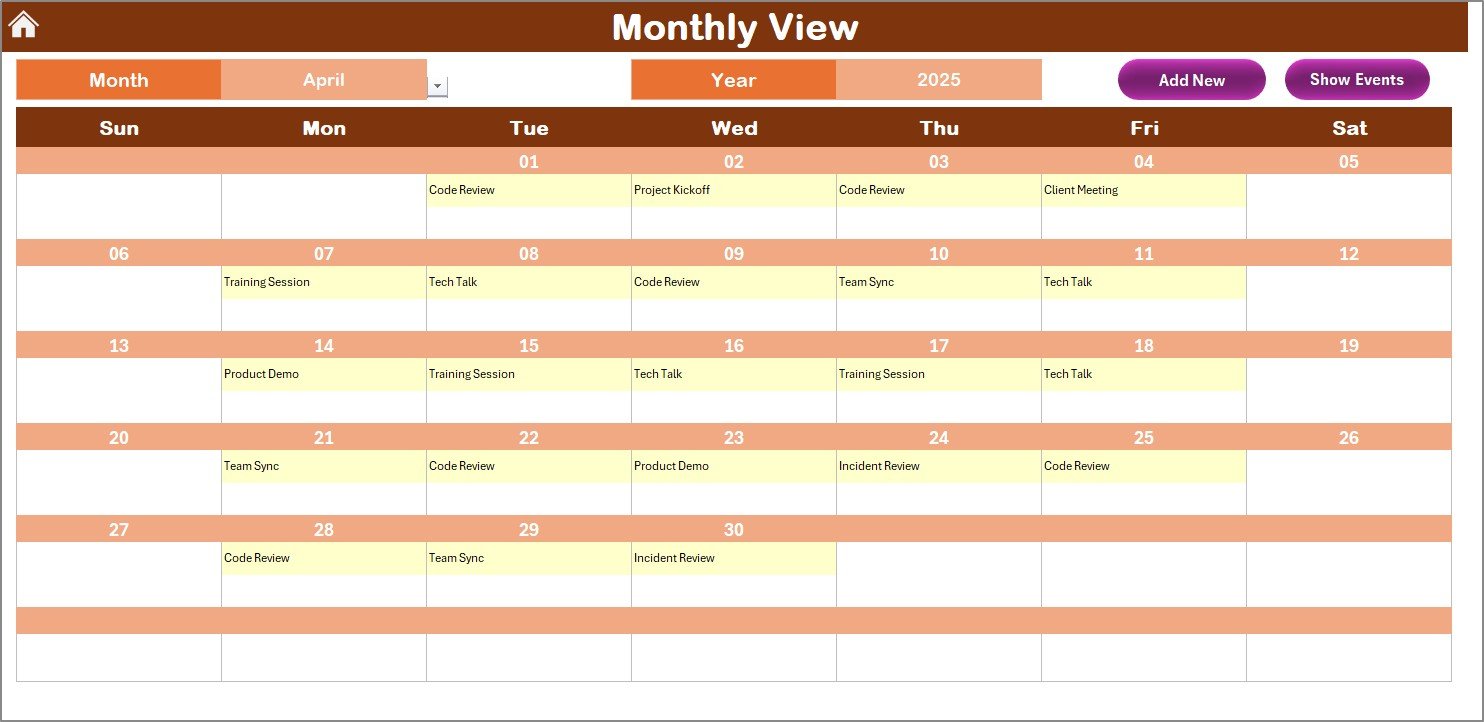
Monthly View Sheet Tab
Here, you’ll see a single-month calendar for more focused planning. Simply select the month and year from the top dropdowns.
- Displays one event directly in the calendar view.
- If multiple events exist on a single date, it displays “more than 1…” for clarity.
Top Buttons:
- Add New Event: Quickly add a new event for a selected day.
- Show Events: View all events on the chosen date.
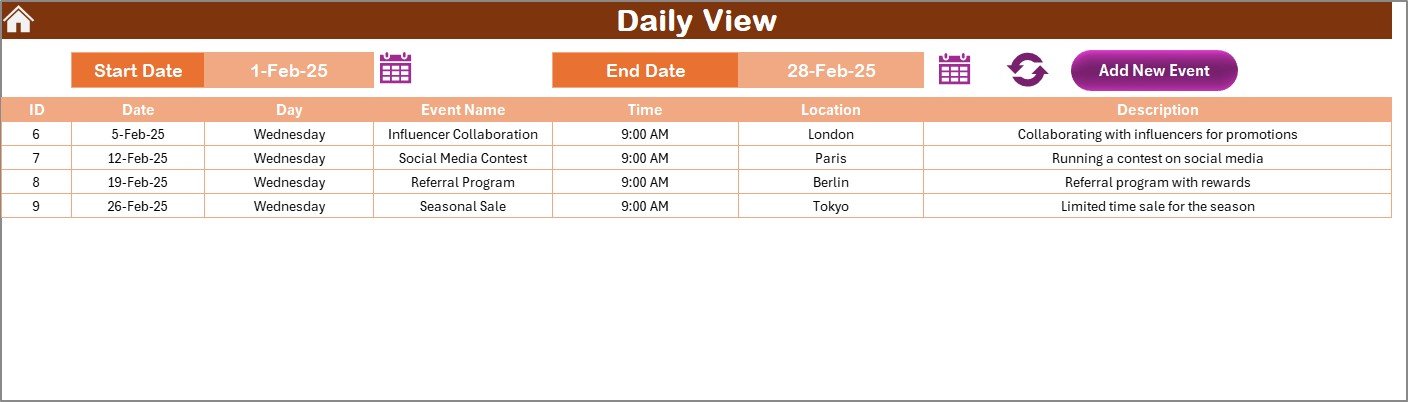
Daily View Sheet Tab
If you need a granular look at activities, this view shows event details by date range.
- Set your Start Date and End Date using calendar icons.
- Click Refresh to update the view.
- Use Add New Event to input new entries for any day in the selected range.
Events Sheet Tab (Database)
This sheet holds the complete event database, including:
- ID (Auto-generated)
- Date
- Day (e.g., Monday, Tuesday)
- Event Name
- Time
- Location
- Description
Functional Buttons:
- Add New Record: Opens a form to enter a new event.
- Update Existing Record: Pre-fill an existing event for editing by selecting the ID.
- Delete Record: Select the event ID to delete that entry.
Advantages of Using a Remote Work Calendar in Excel
Using this Excel template offers multiple benefits that can enhance productivity and coordination:
- 🔢 Simple to Use: No complex software or coding needed—just Excel.
- 🌎 Customizable: From color themes to calendar structure, personalize everything.
- ⏰ Time-Efficient: Navigate and update events quickly with form-based inputs.
- 📋 Centralized Event Management: Keep all remote work activities in one place.
- 🔍 Multiple Views: Switch between annual, monthly, and daily modes effortlessly.
Best Practices for Managing Remote Work Calendars
To make the most of this powerful tool, here are some expert tips:
- Update Regularly: Keep your calendar up to date to avoid scheduling conflicts.
- Use Consistent Naming: Standardize event names for easier filtering and searching.
- Leverage Highlighting: Use the highlight feature to call out weekends, deadlines, or holidays.
- Backup Your File: Save multiple versions or use cloud storage to avoid data loss.
- Assign Responsibility: Designate a team member to manage the calendar.
❓ Frequently Asked Questions (FAQs)
1. Can I use this calendar without any Excel knowledge?
Yes! It’s beginner friendly. Just click, select, and type—no coding or formulas required.
2. How do I change the theme of the calendar?
Go to the Annual View tab, locate the “Change Theme” group in the control panel, and choose your preferred color.
3. Is it possible to highlight only specific weekdays?
Absolutely! You can choose any two days in the Highlight Group section to visually distinguish them.
4. Can I print the calendar views?
Yes, all views are print-ready. You can also export them as PDF for sharing.
5. Is the calendar compatible with older versions of Excel?
Yes, it works with Excel 2013 and above. For best performance, use Excel 2016 or later.
6. Can I share this calendar with my team?
Yes! Share the file via OneDrive or Google Drive for team collaboration.
Final Thoughts
Managing remote teams can feel overwhelming, but with the Technology Operations Remote Work Calendar in Excel, things just got a whole lot simpler. Whether you’re overseeing a tech team across multiple locations or just trying to keep your remote work life organized, this tool can dramatically improve scheduling, planning, and productivity.
🔗 Click here to read the Detailed blog post
Visit our YouTube channel to learn step-by-step video tutorials
Watch the step-by-step video tutorial:
Compatibility and Requirements
- Needs Excel desktop on Windows with macros enabled. The Add New Event, Show Events and record buttons and the event form run on macros, so the file does not work in Excel for the web, Google Sheets or mobile apps.
- Microsoft explains how to enable macros in Microsoft 365 files.
Related Remote Work Templates
- Remote Work KPI Dashboard in Excel: measure remote team performance
- Technology IT Remote Work Calendar in Excel: the same calendar for IT teams
- Operations Remote Work Calendar in Excel: a remote work calendar for operations teams
- Technology Operations AI Implementation Calendar in Excel: plan AI projects for tech operations
- Calendar & Planner Pack: 12 Excel and Google Sheets calendars and planners
Browse all Excel calendar templates or the Excel operations templates.

































Reviews
There are no reviews yet.