

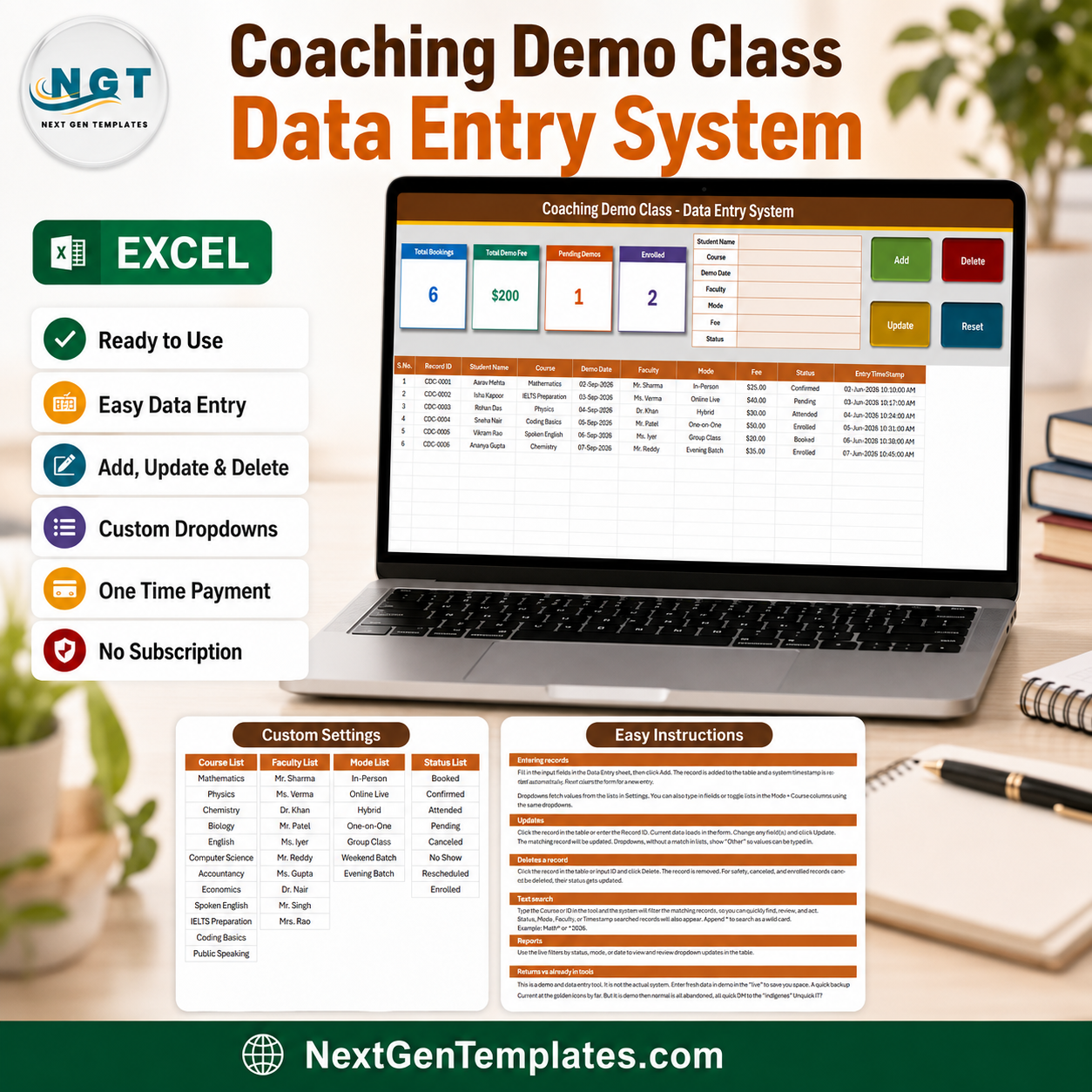

The Coaching Demo Class Data Entry System in Excel logs every free trial lesson your centre gives away, from the first booking to the moment the student enrols. A 7-field VBA form with Add, Update, Delete and Reset buttons feeds a 10-column register, and four live KPI cards keep Total Bookings, Total Demo Fee, Pending Demos and Enrolled current as you type. Setup takes under 10 minutes — unzip, enable macros, swap the four dropdown lists for your own courses and faculty, and start entering demos.
🌍 Join 8,400+ teams in 40+ countries using NextGenTemplates to replace paid SaaS tools with one-time-purchase Excel, Google Sheets, Power BI, and HTML templates.
✅ Instant download · One-time payment · No subscription · No per-user fees · Lifetime access
🔑 Key Features of the Coaching Demo Class Data Entry System
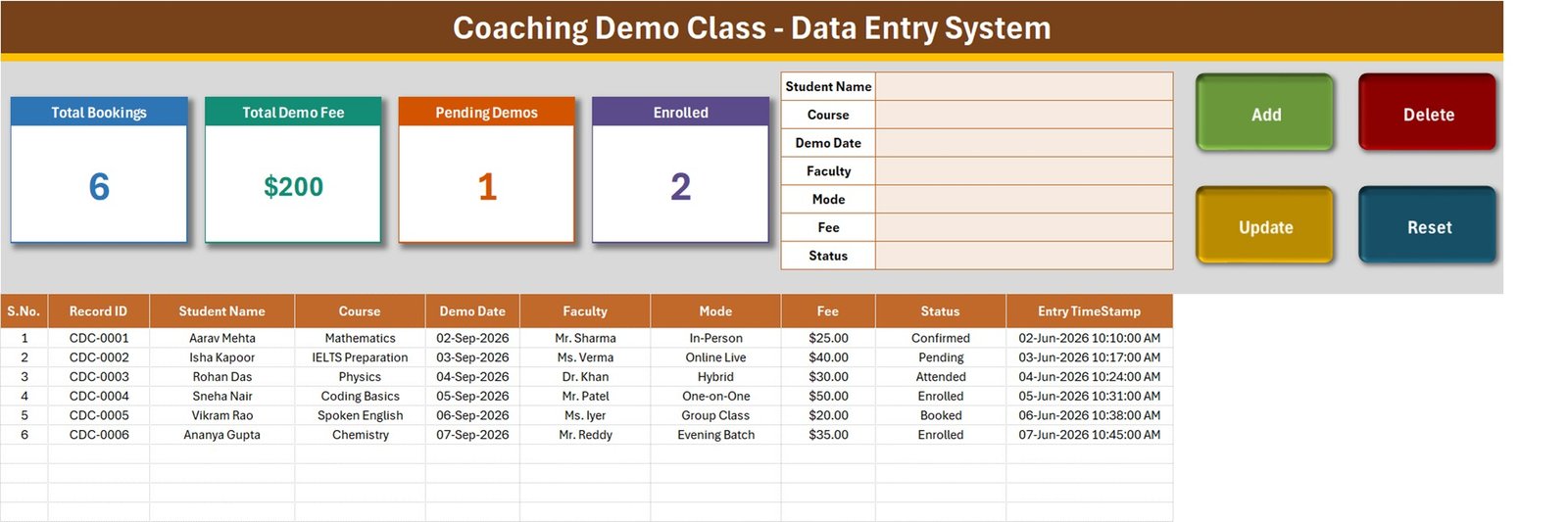
📝 A real entry form, not a sheet you type into. The form at the top of the Data Entry sheet carries seven fields — Student Name, Course, Demo Date, Faculty, Mode, Fee and Status — with four live VBA buttons beside it: Add, Delete, Update and Reset. Click Add and the demo drops into the register below with its Record ID and Entry TimeStamp already filled in.
🆔 Record IDs that never collide. Every demo gets a sequential reference in the CDC-0001 format the moment it is created, and the workbook remembers the highest ID it has issued, so numbers stay unique even after rows are deleted. Update and Delete find the record by that ID rather than by row position — sorting or inserting rows breaks nothing.
📊 Four KPI cards that keep themselves current. Total Bookings, Total Demo Fee, Pending Demos and Enrolled sit across the top of the Data Entry sheet. They are linked pictures of live cards on the Setting sheet, so they recalculate as you work — the sample file shows 6 bookings, $200 in demo fees, 1 pending demo and 2 students enrolled. Restyle a card on the Setting sheet and the picture on the Data Entry sheet follows.
🎯 The conversion question, answered by the register itself. A demo class is a sales step, not just a lesson. Because Status carries Booked, Confirmed, Attended, Pending, Cancelled, No Show, Rescheduled and Enrolled, the same eight-value list covers the whole journey — and the Enrolled card tells you how many trials actually turned into students.
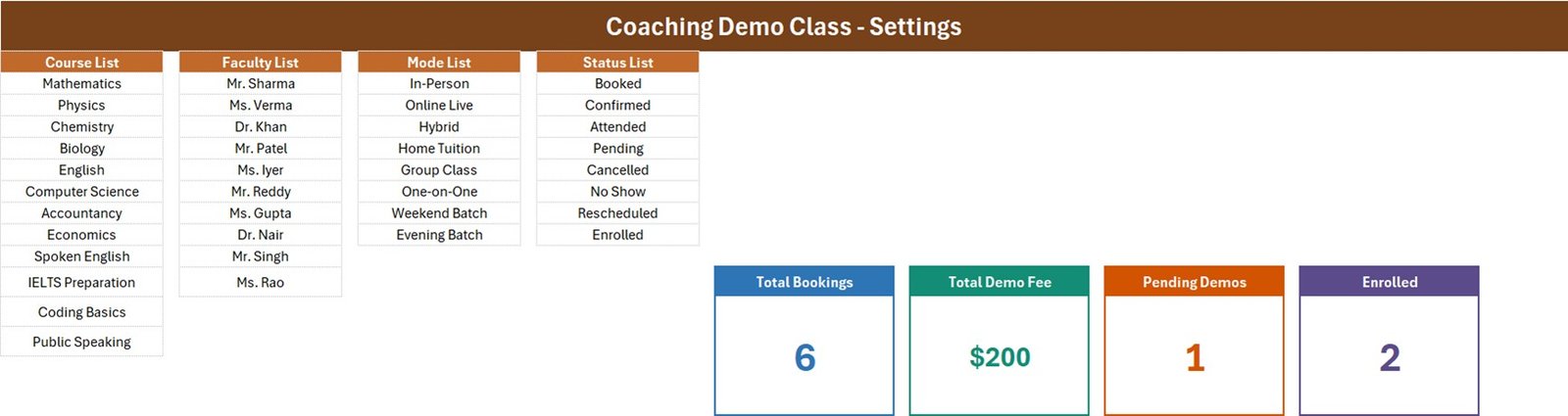
🗒️ Four dropdown lists you control. The Setting sheet holds the Course List, Faculty List, Mode List and Status List. Add or remove a row there and every dropdown — in the form and in the table columns — updates on its own. The sample file ships with 12 courses (Mathematics through Public Speaking, including IELTS Preparation and Coding Basics), 10 faculty members, 8 delivery modes and 8 status values.
🏫 Delivery modes that match how coaching actually runs. In-Person, Online Live, Hybrid, Home Tuition, Group Class, One-on-One, Weekend Batch and Evening Batch are all in the Mode List out of the box, so a centre running classroom and online trials side by side does not have to invent its own vocabulary.
✏️ Editing without hunting for the row. Double-click any record to load it into the form. Its ID is remembered behind the scenes, so you change what you need, click Update, and the right record is saved wherever it sits in the table. You never have to click back on the row first.
🗑️ Deletes that ask first. Delete loads the record, shows you its Record ID, and waits for confirmation before removing it — so a busy front desk cannot wipe the wrong booking in a hurry.
💵 Paid trials tracked properly. Many centres charge a small demo fee and refund or credit it on enrolment. The Fee column and the Total Demo Fee card make that money visible instead of leaving it in a notebook. If you later want charts and slicers on top of this data, our Excel dashboard templates pick up where the register leaves off.
📦 What’s Inside the Coaching Demo Class Data Entry System
Sheet 1: Data Entry
The working sheet. Four KPI cards (Total Bookings, Total Demo Fee, Pending Demos, Enrolled) sit beside the seven-field entry form and the Add / Delete / Update / Reset buttons, with the 10-column register underneath — S.No., Record ID, Student Name, Course, Demo Date, Faculty, Mode, Fee, Status and Entry TimeStamp — pre-filled with six sample demo bookings.
Sheet 2: Setting
Where the system is configured. Four master lists — Course List, Faculty List, Mode List and Status List — feed every dropdown in the workbook, and the four live KPI cards that the Data Entry sheet mirrors are built here. Change a card here and the linked picture on the Data Entry sheet updates with it.
Sheet 3: How To Use
A written guide inside the workbook covering entering records, updating without re-selecting the row, deleting safely, how the stat cards are wired, editing the dropdown lists, and the one-time step of enabling macros — including unblocking the file if it arrived by email or download. A fourth sheet, Get More Templates, links back to the rest of the NextGenTemplates library.

📊 Coaching Demo Class Data Entry System vs. a Notebook or Spreadsheet vs. Coaching CRM Software — Where This Fits
| Feature | Coaching Demo Class Data Entry System | Notebook or plain spreadsheet | Coaching / tuition CRM software |
|---|---|---|---|
| Cost | $6.99 one-time ✅ | Free | Roughly $20-100 per month, per branch or per user |
| Platform | Microsoft Excel, works offline ✅ | Paper or a blank sheet | Cloud SaaS, needs internet |
| Setup time | Under 10 minutes ✅ | Instant, but rebuilt every term | Days, plus onboarding and data import |
| Guided entry form | 7-field VBA form with 4 buttons ✅ | No — free typing, inconsistent spellings | Yes ✅ |
| Automatic record IDs | Yes — CDC-0001 format ✅ | Manual numbering | Yes ✅ |
| Live demo-to-enrolment counts | 4 KPI cards, always current ✅ | Counted by hand | Yes ✅ |
| Demo fee total | Yes — Total Demo Fee card ✅ | Added up at month end | Yes, inside a billing module ✅ |
| Data stays on your machine | Yes — one .xlsm file ✅ | Yes ✅ | Vendor’s servers |
| Student / parent portal, SMS, payments | No | No | Yes ✅ |
| Year-1 cost for one coaching centre | $6.99 total ✅ | $0 | $240-1,200+ |
For a coaching centre, tuition institute or independent tutor that runs demo classes every week and wants a proper record of them — without paying a monthly fee for a full CRM — the Coaching Demo Class Data Entry System sits in the sweet spot.
👥 Who This Template Is For — and Who It’s Not For
✅ This template is built for:
- Coaching centres and tuition institutes that offer free or paid trial classes
- Front-desk and admissions staff logging enquiries that turn into demo bookings
- Independent tutors and IELTS / spoken-English trainers running one-on-one trials
- Online coaching businesses tracking Online Live, Hybrid and recorded demo sessions
- Centre owners who want to see how many demos actually convert to enrolments
- Anyone who wants Add / Update / Delete behaviour without building a database
❌ This template is NOT for:
- Centres that need a student or parent login portal, SMS reminders or online payments
- Teams on Mac Excel or Google Sheets — the buttons rely on Windows VBA macros
- Automatic scheduling or clash detection across faculty — this records demos, it does not plan them
- Several people editing the same file at the same time; it is a single workbook, not a shared database
- Full attendance, fee-collection or exam records — those are separate systems, linked below
⚙️ How to Use the Coaching Demo Class Data Entry System
- Unzip the download and open Coaching_Demo_Class_System.xlsm in Microsoft Excel.
- Click Enable Content on the yellow security bar. If the file came by email, right-click it first, choose Properties, and tick Unblock.
- Open the Setting sheet and replace the sample Course, Faculty, Mode and Status lists with your own.
- Go back to the Data Entry sheet and delete the six sample demo rows.
- Fill the form — Student Name, Course, Demo Date, Faculty, Mode, Fee, Status — and click Add. The Record ID and Entry TimeStamp fill themselves.
- When a demo is attended, double-click its row, change Status to Attended or Enrolled, and click Update. The Enrolled card moves on its own.
- To remove a booking, load it and click Delete, then confirm the Record ID shown. Click Reset any time to clear the form for a fresh entry.
💼 Real-World Use Cases
Priya runs a competitive-exam coaching centre with ten faculty members. Every enquiry that agrees to a trial goes in through the form with a Demo Date, a faculty member and a mode. At the end of the week she looks at Total Bookings against Enrolled and knows exactly how the trial pitch is landing — no spreadsheet formula, no counting by hand.
Sameer teaches IELTS and spoken English online. He charges a small fee for the first session, so every demo is entered with its fee and Online Live as the mode. The Total Demo Fee card is his weekly trial income, and the Pending Demos card reminds him which sessions are still unconfirmed.
Meera manages the front desk at a tuition institute. Bookings arrive by phone all day. She types the student’s name, picks the course and faculty from the dropdowns, and clicks Add — the Record ID and timestamp mean two staff members can never argue about who booked what, or when. Cancelled and No Show demos stay in the register instead of being deleted, so the month-end picture is honest.
❓ Frequently Asked Questions
What does the Coaching Demo Class Data Entry System record?
It stores 10 fields per demo class — S.No., Record ID, Student Name, Course, Demo Date, Faculty, Mode, Fee, Status and Entry TimeStamp — entered through a seven-field form and saved to a running register on the Data Entry sheet.
Do I need to enable macros?
Yes. The Coaching Demo Class Data Entry System is a macro-enabled .xlsm workbook and the Add, Update, Delete and Reset buttons are VBA. Click Enable Content on the yellow bar the first time you open it, and unblock the file in Properties if it arrived by email or download.
How long does setup take?
Under 10 minutes. Unzip, enable macros, swap the four dropdown lists on the Setting sheet for your own courses, faculty, modes and statuses, delete the six sample demos, and the system is ready to use.
Can I add my own courses, faculty and delivery modes?
Yes. Every dropdown reads from the Setting sheet. Add or delete rows in the Course List, Faculty List, Mode List or Status List and the Coaching Demo Class Data Entry System updates all its dropdowns automatically — in the form and in the table columns.
Does it show how many demo classes converted into enrolments?
Yes, as a live count. The Enrolled KPI card counts records whose Status is Enrolled, and Total Bookings counts every demo logged, so the two together give you the conversion picture at a glance. The workbook does not draw a conversion chart — for that, pair it with one of our Excel dashboard templates.
Will it schedule the demo classes or warn me about faculty clashes?
No. The Coaching Demo Class Data Entry System records demo bookings rather than planning them, so two demos with the same faculty at the same time are not flagged. Sorting the register by Faculty and Demo Date makes clashes easy to spot by eye.
Does it work on Mac or in Google Sheets?
It is built for Microsoft Excel on Windows. The register and dropdowns will open elsewhere, but the Add, Update, Delete and Reset buttons depend on Windows VBA and will not run in Google Sheets or reliably on Mac Excel.
Is student data stored anywhere online?
No. Everything lives in the single .xlsm file on your own machine or network drive. Nothing is uploaded, and there is no account, login or cloud sync of any kind.
👤 About the Author
Built by PK — Microsoft Certified Professional with 15+ years of Excel, Google Sheets, and Power BI experience. Founder of NextGenTemplates, reaching 300K+ subscribers across YouTube channels (@PKAnExcelExpert, @NextGenTemplates, @NeoTechNavigators). Every template is hand-built and tested before release.
🔗 Explore Related Templates
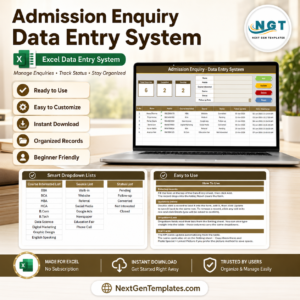
- Admission Enquiry Data Entry System in Excel — the step before this one: log the enquiry, then book the demo.
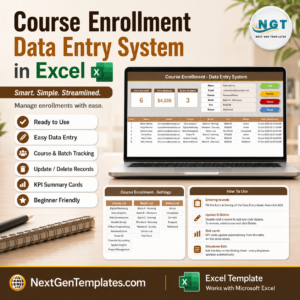
- Course Enrollment Data Entry System in Excel — the step after: turn an enrolled demo into a paid seat.
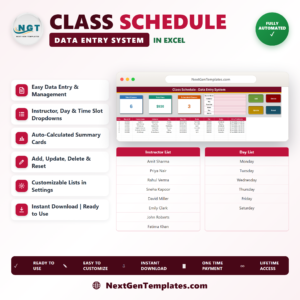
- Class Schedule Data Entry System in Excel — build the timetable those students then join.
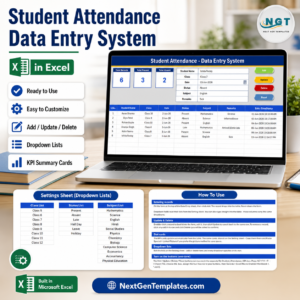
- Student Attendance Data Entry System in Excel — daily attendance once the term is running.
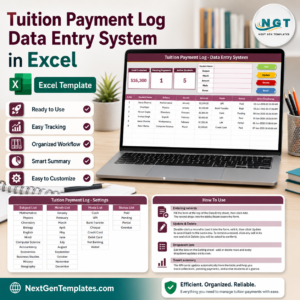
- Tuition Payment Log Data Entry System in Excel — the fee side of the same student record.
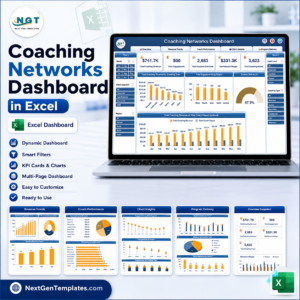
If you want charts and slicers rather than a register, the Coaching Networks Dashboard in Excel and the Career Counseling Centers Dashboard in Excel show how the same kind of data looks as a full analytical dashboard. Note that this listing is the data entry system — a form and a register — not a dashboard and not a KPI scorecard.
📖 Click here to read the Detailed Blog Post
🎥 Visit our YouTube channel for step-by-step video tutorials
👉 YouTube.com/@NextGenTemplates
Watch the step-by-step video Demo:
📅 Last updated: September 2026
Compatibility and Requirements
- Works in Microsoft Excel desktop on Windows with macros enabled. The Add, Update, Delete and Reset buttons are VBA, so the file does not run in Excel for the web, Google Sheets or on mobile.
- Excel explains how to turn macros on in Enable or disable macros in Microsoft 365 files.




















Reviews
There are no reviews yet.