

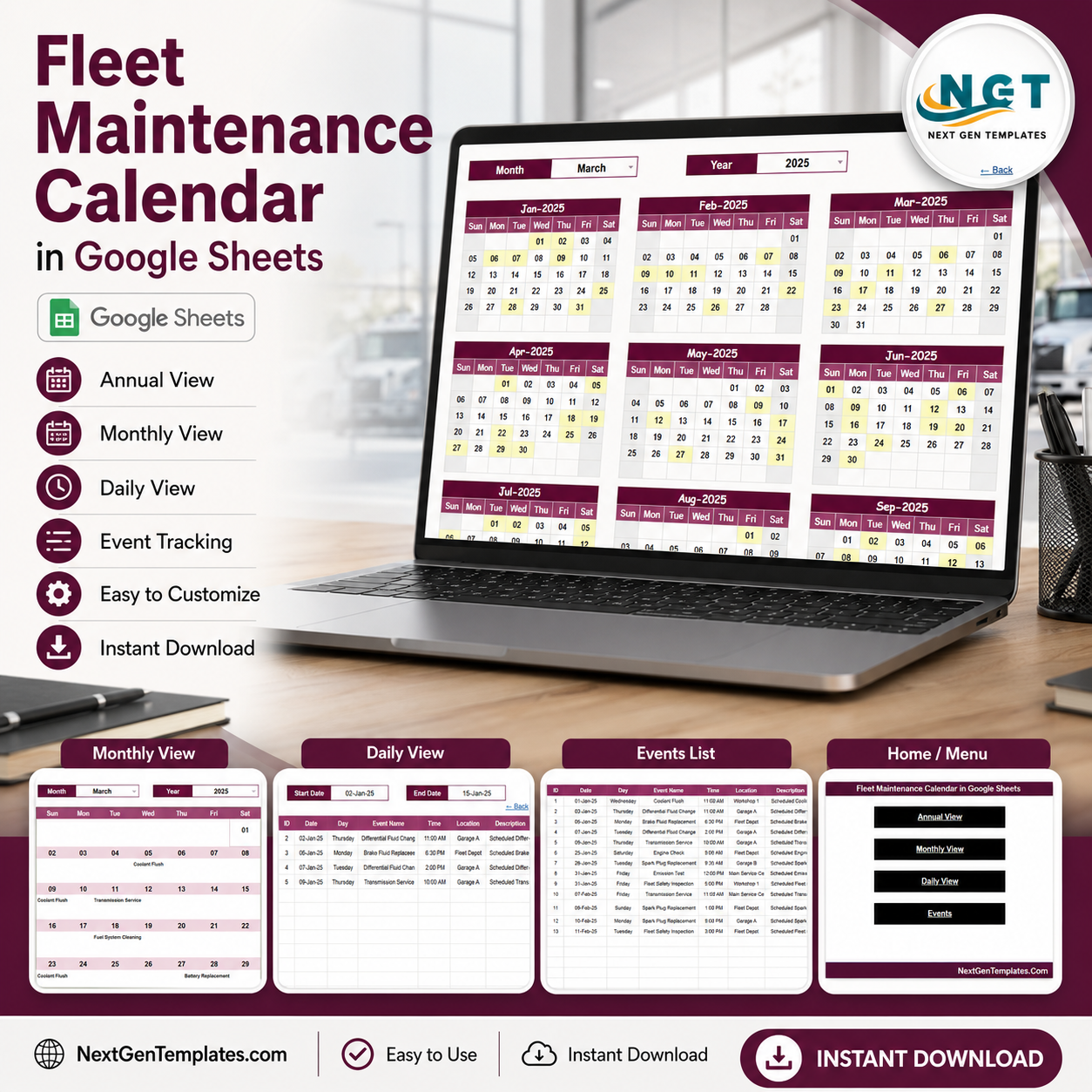
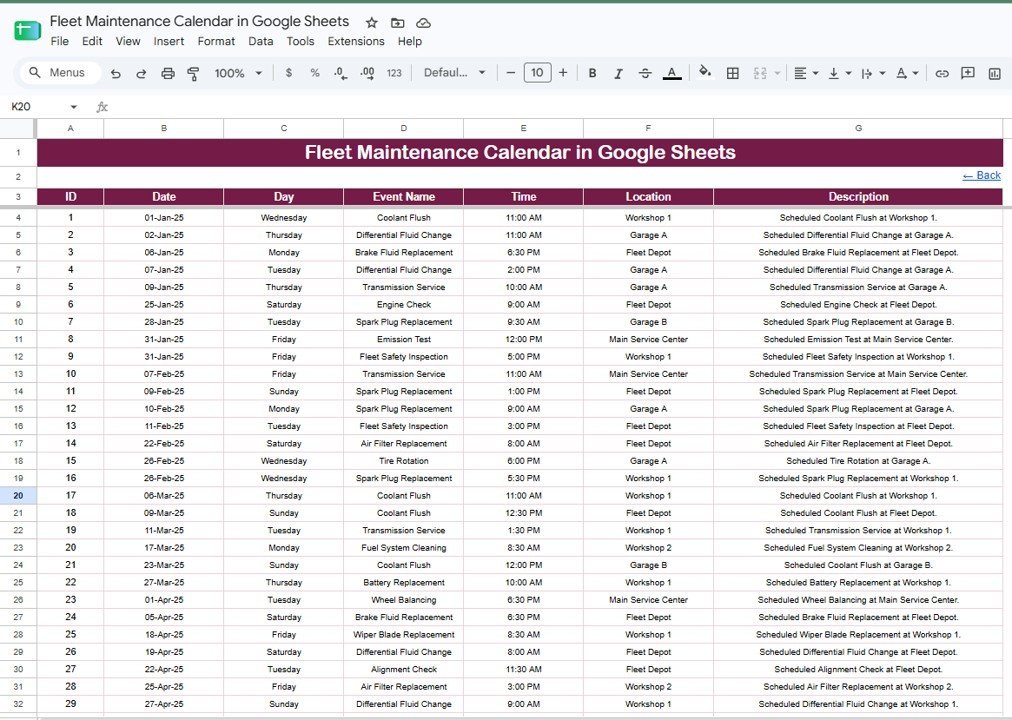

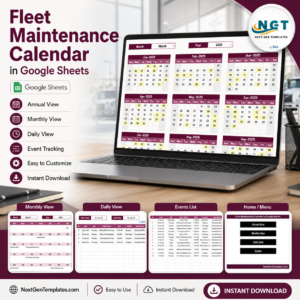
The Fleet Maintenance Calendar in Google Sheets turns one central Events sheet into four linked views — an Annual 12-month grid, a Monthly planner, a filtered Daily list, and the master data sheet. Enter each service once and every view updates on its own. Setup takes under 10 minutes: make your copy, replace the sample events, and start scheduling.
🌍 Join 8,400+ teams in 40+ countries using NextGenTemplates to replace paid SaaS tools with one-time-purchase Excel, Google Sheets, Power BI, and HTML templates.
✅ Instant download · One-time payment · No subscription · No per-user fees · Lifetime access
🔑 Key Features of the Fleet Maintenance Calendar in Google Sheets
This Google Sheets calendar is built for fleet and workshop teams who schedule recurring vehicle service. Every feature below works with native Google Sheets — no add-ons, no macros to enable.
- 🔹 Four linked views – The Annual, Monthly, and Daily views all read from one Events sheet, so a single entry appears everywhere automatically.
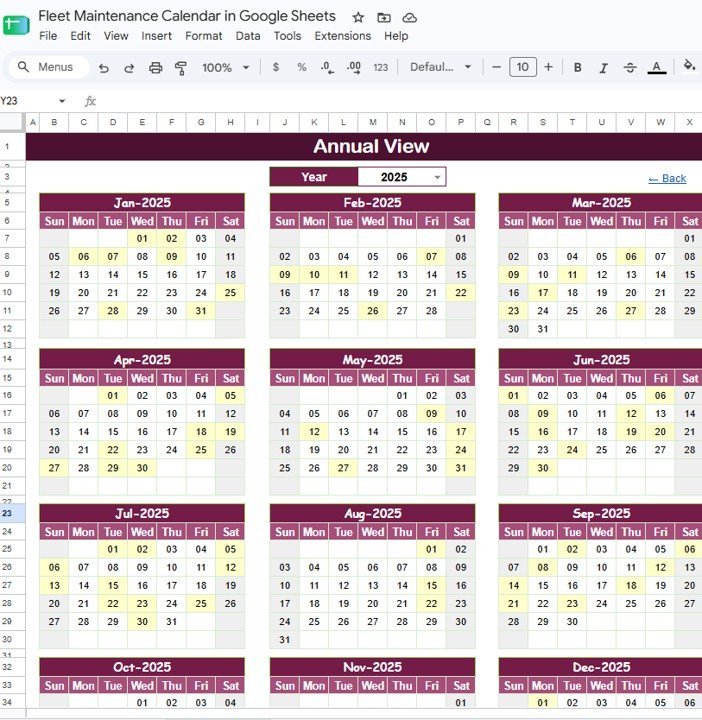
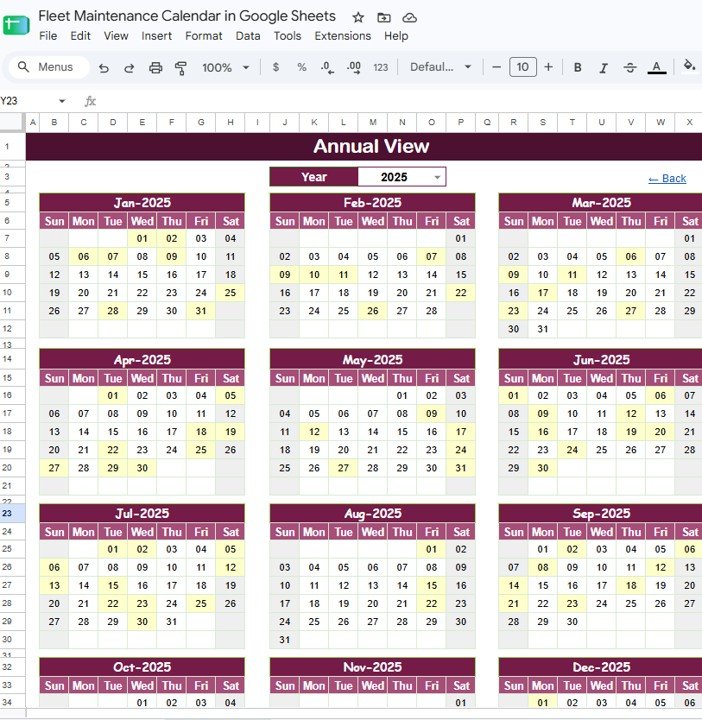
- 🔹 Annual View with Year dropdown – See all 12 months on one screen and change the year from a single cell to plan a full service schedule ahead of time.
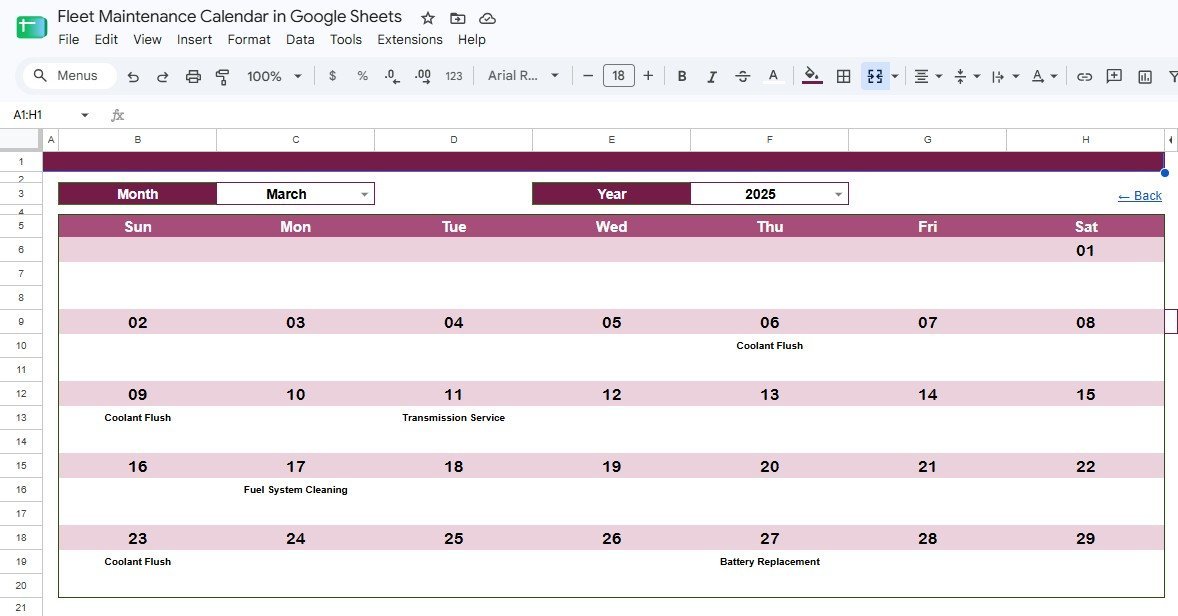
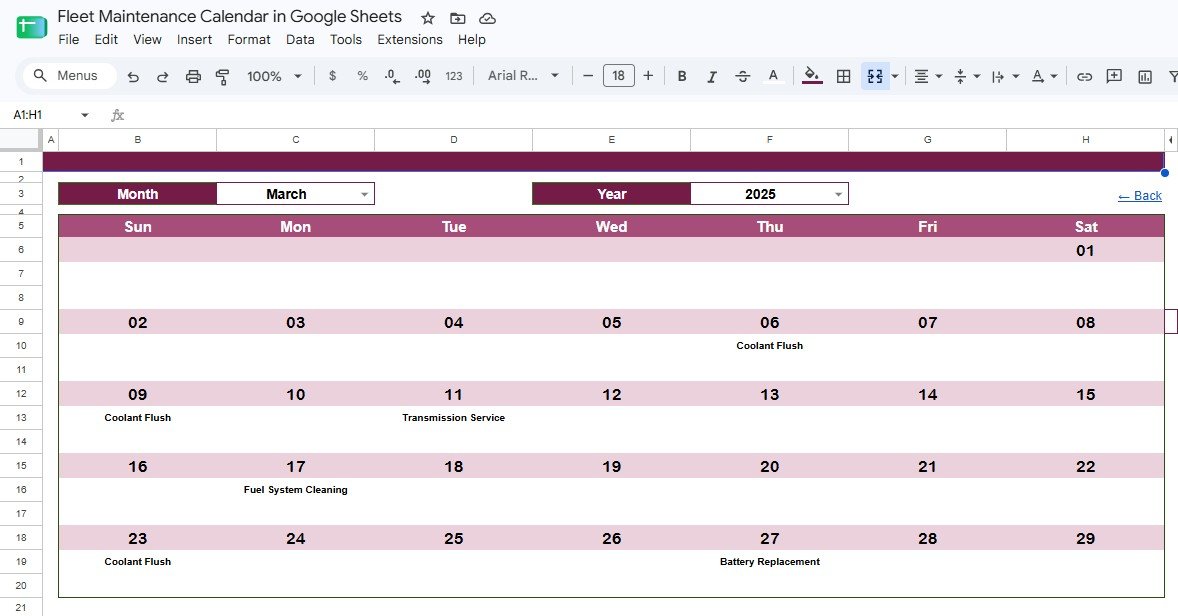
- 🔹 Monthly View with Month + Year filters – Pick any month and year to see service tasks (Coolant Flush, Transmission Service, Battery Replacement, and more) placed on the correct day.
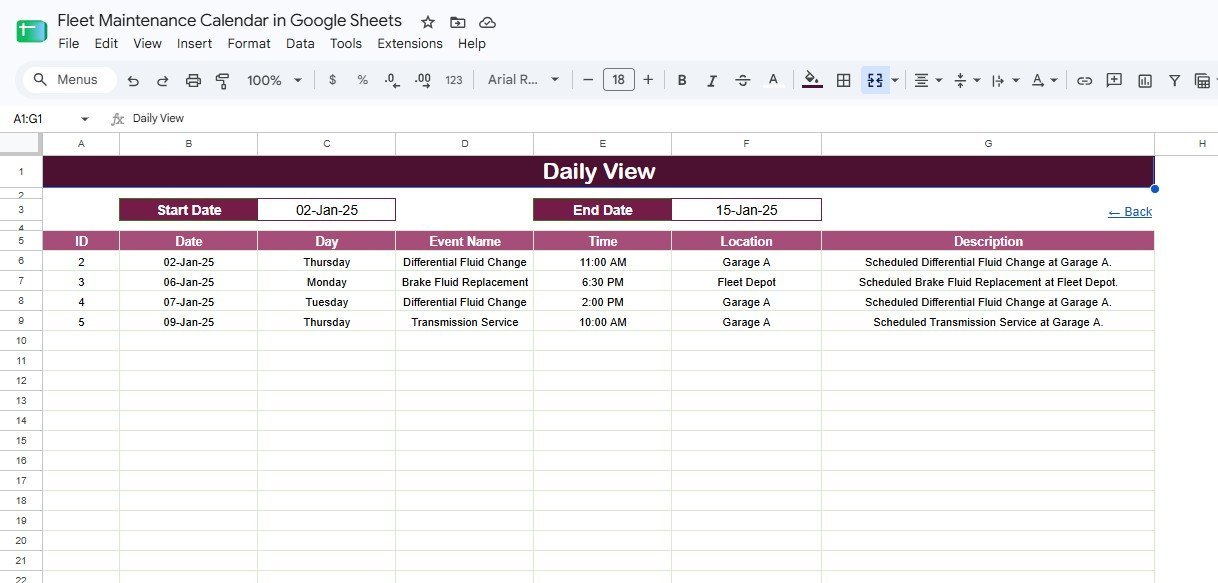
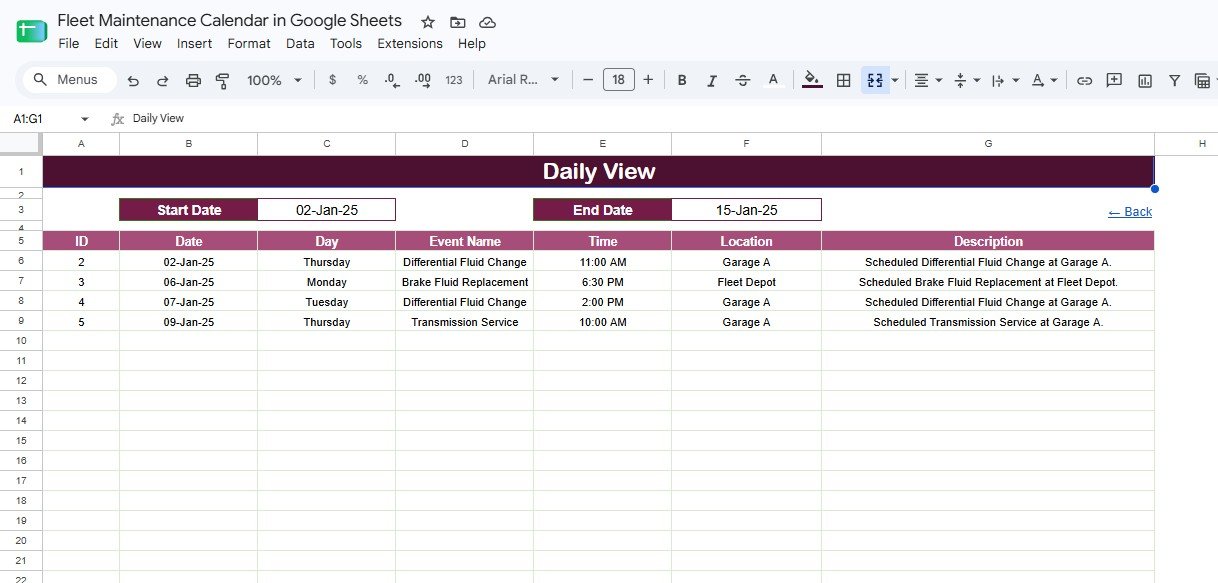
- 🔹 Daily View with date range – Enter a Start Date and End Date to pull an exact list of jobs with Date, Day, Event Name, Time, Location, and Description.
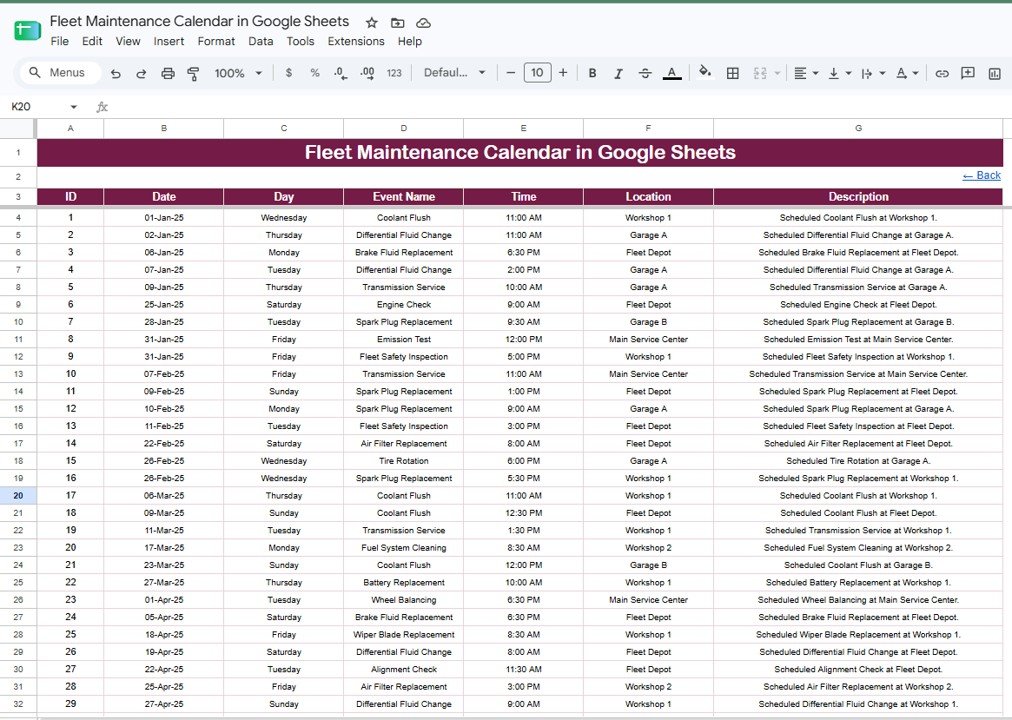
- 🔹 One Events data sheet – Add every service in a simple table with ID, Date, Day, Event Name, Time, Location, and Description columns.
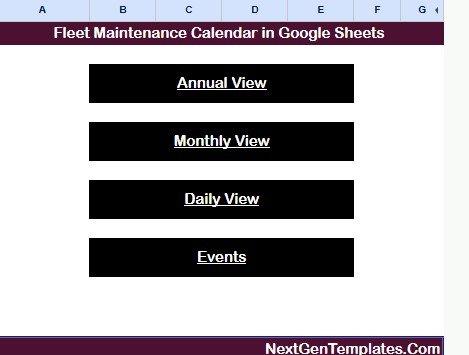
- 🔹 Home navigation menu – One-click buttons jump between Annual View, Monthly View, Daily View, and Events.
The template records seven fields per service and drives three calendar views from a single source table, so your Annual, Monthly, and Daily screens can never drift out of sync.
📦 What’s Inside the Fleet Maintenance Calendar
Home Navigation Menu
The landing sheet holds the template title and four large buttons — Annual View, Monthly View, Daily View, and Events — so any user can move between screens without scrolling or hunting for tabs.
Annual View
A full 12-month grid for the selected year, with each month laid out Sunday-to-Saturday. A Year dropdown at the top switches the whole grid, and days that have a scheduled service are highlighted so busy periods stand out at a glance.
Monthly View
A single-month calendar controlled by Month and Year dropdowns. Each service from the Events sheet appears on its correct day with the task name — for example Coolant Flush, Fuel System Cleaning, Transmission Service, or Battery Replacement.
Daily View
Enter a Start Date and End Date to filter the Events sheet into a clean job list showing ID, Date, Day, Event Name, Time, Location, and Description. This is the view your workshop or driver hands out for the week.
Events Data Sheet
The master table where every service is recorded once. Columns include ID, Date, Day, Event Name, Time, Location, and Description. This single sheet feeds the Annual, Monthly, and Daily views, so you only ever type a job in one place.
📊 Fleet Maintenance Calendar vs. Microsoft Excel vs. Paid Fleet Software — Where This Fits
| Feature | Fleet Maintenance Calendar (Google Sheets) | Excel Calendar Version | Fleetio / Whip Around / Simply Fleet |
|---|---|---|---|
| Cost | $4.99 one-time | $4.99 one-time | $5–$12 / vehicle / month |
| Platform | Google Sheets (browser) | Microsoft Excel | Web + mobile app |
| Setup time | Under 10 minutes ✅ | Under 10 minutes ✅ | Hours of onboarding |
| Real-time team collaboration | Yes — native sharing ✅ | Needs OneDrive | Yes ✅ |
| Mobile access | Google Sheets app ✅ | Excel app | Dedicated app ✅ |
| Editable fields | Fully open ✅ | Fully open ✅ | Fixed to vendor plan |
| Share with link | Yes ✅ | Limited | Yes ✅ |
| Year-1 cost at 10 vehicles | $4.99 total ✅ | $4.99 total ✅ | $600–$1,440 / year |
For teams that want a clear service schedule without paying per vehicle every month, the Fleet Maintenance Calendar sits in the sweet spot.
👥 Who This Template Is For — and Who It’s Not For
✅ This template is built for:
- Small and mid-size fleet owners tracking service for 5–100 vehicles
- Workshop managers and service coordinators planning recurring maintenance
- Logistics, delivery, transport, and rental businesses that want a shared calendar
❌ This template is NOT for:
- Large fleets needing GPS telematics, fuel cards, and live vehicle diagnostics
- Teams that require automated SMS reminders or a dedicated mobile driver app
⚙️ How to Use the Fleet Maintenance Calendar in Google Sheets
- Open the PDF in your download and click the Google Sheets copy link to save your own editable copy.
- Go to the Events sheet and enter each service — ID, Date, Day, Event Name, Time, Location, and Description.
- Open Monthly View and pick the Month and Year to see those services on the calendar.
- Use Annual View to plan the full year, and change the Year dropdown to look ahead.
- Use Daily View with a Start and End Date to print or share a job list for any period.
💼 Real-World Use Cases
Raj runs a 24-vehicle delivery fleet. He logs every oil change, tire rotation, and brake service in the Events sheet, then checks the Annual View each quarter to spread jobs evenly and avoid having six vans off the road in the same week.
Meera manages a small bus workshop. Every Monday she sets the Daily View to that week’s dates and hands each mechanic a printed job list with time, location, and description — no more chasing service records across notebooks.
A car rental branch uses the Monthly View to book coolant flushes and battery replacements between rentals, keeping every vehicle road-ready without paying for Google Sheets-replacing fleet software.
❓ Frequently Asked Questions
What views does the Fleet Maintenance Calendar in Google Sheets include?
The Fleet Maintenance Calendar in Google Sheets includes four linked screens: a Home menu, an Annual 12-month View, a Monthly View, and a date-range Daily View. All three calendar views read from one Events sheet, so each service is entered only once.
How long does setup take?
Setup takes under 10 minutes. Make your own copy from the included link, replace the sample records in the Events sheet with your own service data, and the Annual, Monthly, and Daily views update automatically.
Do I need any add-ons or macros?
No. The Fleet Maintenance Calendar in Google Sheets uses native Google Sheets features and formulas only. There are no add-ons to install and no scripts to authorize, so it works the moment you make your copy.
Can my team use it at the same time?
Yes. Because it lives in Google Sheets, you can share the file with your workshop or drivers and everyone works on the same calendar in real time, on desktop or the Google Sheets mobile app.
How does this compare to paid fleet software like Fleetio?
Paid fleet apps charge per vehicle every month. The Fleet Maintenance Calendar in Google Sheets is a one-time $4.99 purchase with no per-vehicle fees, making it a low-cost way to schedule maintenance for small and mid-size fleets.
Can I use it for equipment or assets other than vehicles?
Yes. The Events sheet is generic, so you can schedule any recurring service — generators, machinery, or facility assets — by changing the Event Name and Location entries.
👤 About the Author
Built by PK — Microsoft Certified Professional with 15+ years of Excel, Google Sheets, and Power BI experience. Founder of NextGenTemplates, reaching 300K+ subscribers across YouTube channels (@PK-AnExcelExpert, @NextGenTemplates, @NeoTechNavigators). Every template is hand-built and tested before release.
🔗 Explore Related Templates
- Warranty Expiration Calendar in Google Sheets — track warranty end dates alongside your service schedule.
- Fleet Management KPI Dashboard in Power BI — turn your fleet data into cost and utilization analytics.
- Product Release Testing Calendar in Google Sheets — the same calendar engine for planning releases.
Also browse all Google Sheets Calendars for more ready-to-use planners.Fleet Maintenance Calendar in Google Sheets
📖 Click here to read the Detailed Blog Post
🎥 Visit our YouTube channel for step-by-step video tutorials
👉 YouTube.com/@NextGenTemplates
Watch the step-by-step video Demo:
📅 Last updated: August 2026
Compatibility and Requirements
- Works in Google Sheets. You need a free Google account and a web browser.
- You pick the year, month and date range from dropdowns and date cells on the Annual, Monthly and Daily views. Google explains dropdowns in Create an in-cell dropdown list.
Related Fleet and Maintenance Templates
- Fleet Maintenance Calendar in Excel: the same calendar for Excel users
- Vehicle Maintenance Checklist in Google Sheets: a checklist for each vehicle service
- Equipment Maintenance Log Tracker in Google Sheets: a log for completed maintenance work
- Fleet Management Dashboard in Excel: a dashboard view of fleet data
Browse all Google Sheets calendars or the full Google Sheets collection.
































Reviews
There are no reviews yet.