



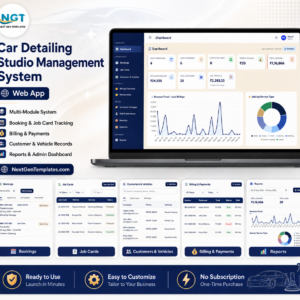
Car Detailing Management System Web App gives a detailing studio a 16-screen browser workspace for bookings, job cards, bay scheduling, invoices, memberships, staff attendance, inventory, expenses, reports, audit logs, users, list values, and settings. It replaces scattered sheets, paper cards, and payment follow-ups with one login-based workflow. NextGenTemplates is used by 10,000+ professionals worldwide, and every template is built by PK with 15+ years of spreadsheet and dashboard experience. You get a one-time downloadable web app template with sample data, setup guidance, and no monthly SaaS subscription from NextGenTemplates.
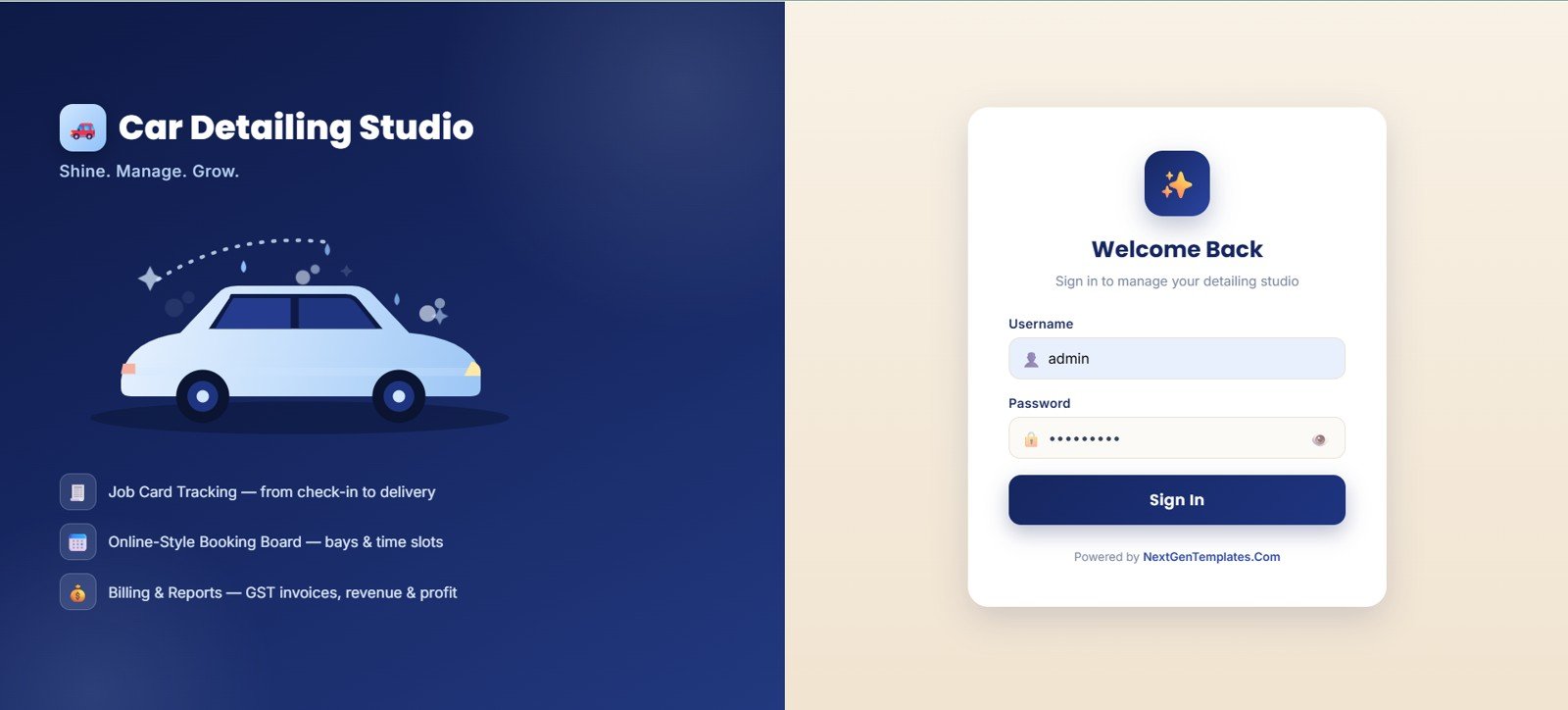
🚀 Try the Live Demo Before You Buy
We have deployed this web app in our own Google account so you can test every page, every role — Admin, Manager, Cashier, and Staff (Detailer) — with real sample data — before purchasing. No signup, no email required.
🔑 Test Login Credentials
Sign in as admin for full system control (Settings, User Management, List Management, Audit Log, Database Archive), as manager for all operations plus reports, as cashier for bookings, billing & payments, customers, and memberships, or as arjun / vikram to see the Staff (Detailer) view — assigned job cards, status updates, and customer lookup only.
💡 What you get after purchase: The full source code (Code.gs + Index.html) plus a step-by-step deployment guide so you can deploy your own private instance in your own Google account in under 15 minutes.
Key Features of Car Detailing Studio Management System Web App
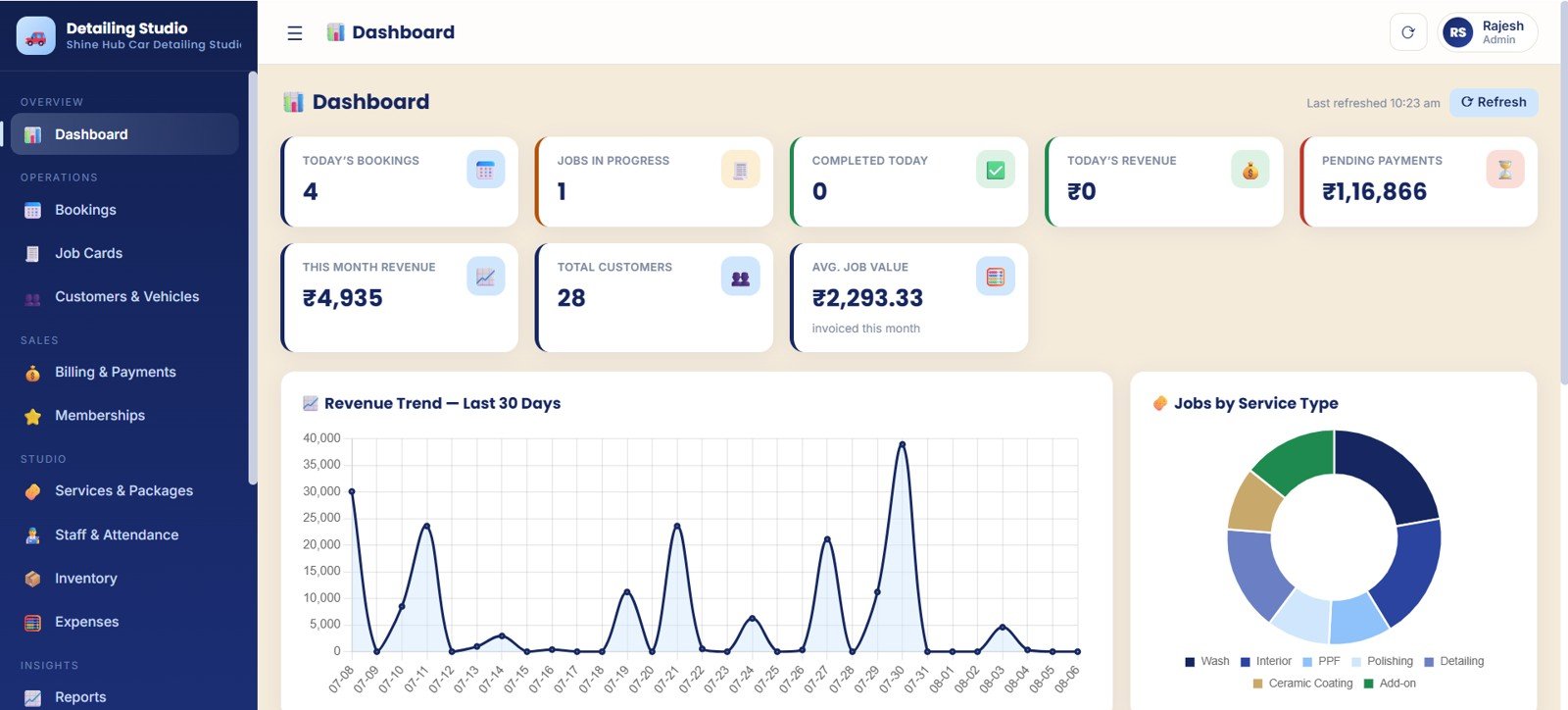
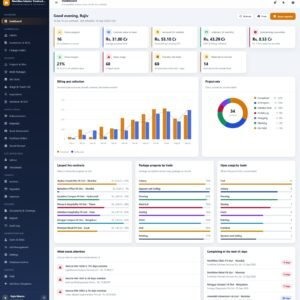
- Daily overview dashboard: Track bookings, active jobs, revenue, pending payments, customers, and average job value.
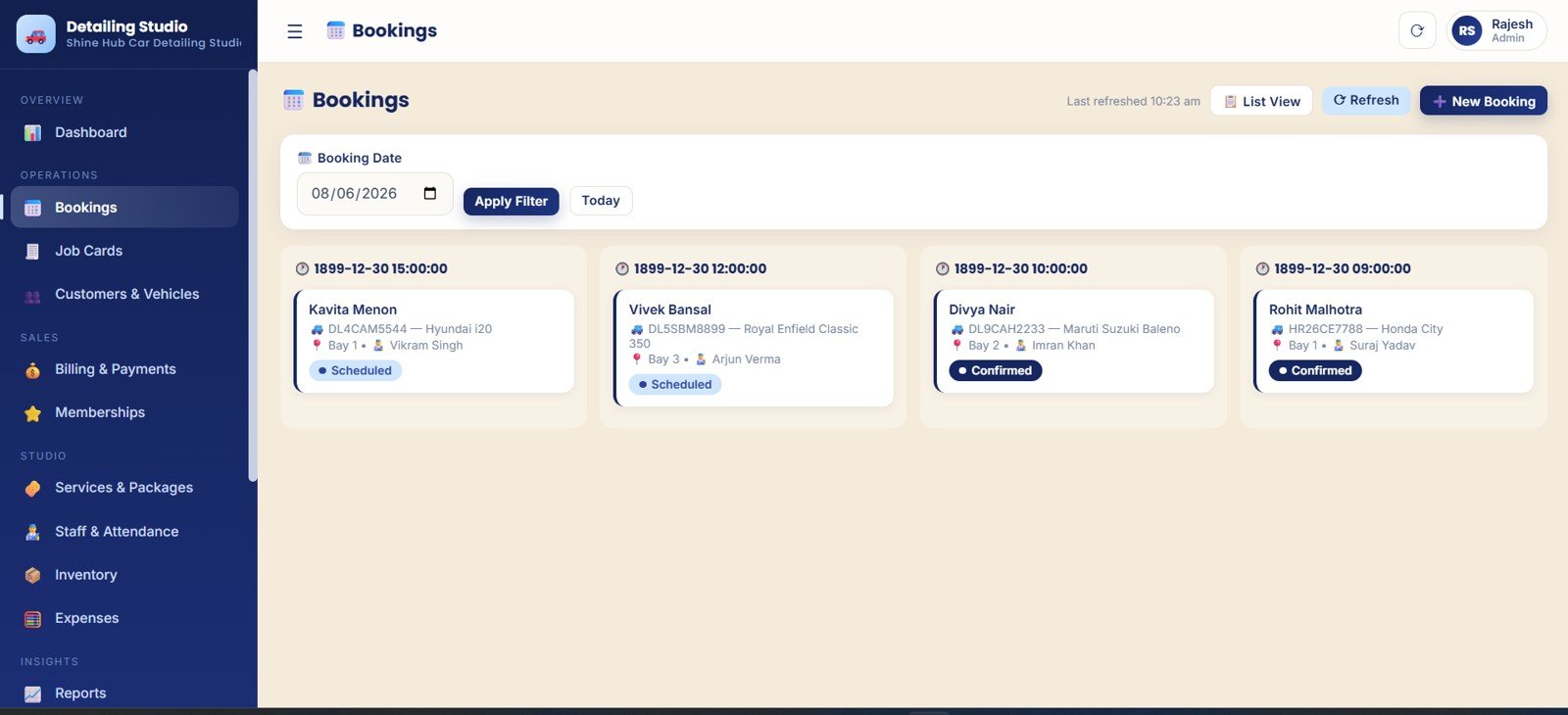
- Booking board: Manage dates, time slots, customers, vehicles, bays, status, and detailer assignment.
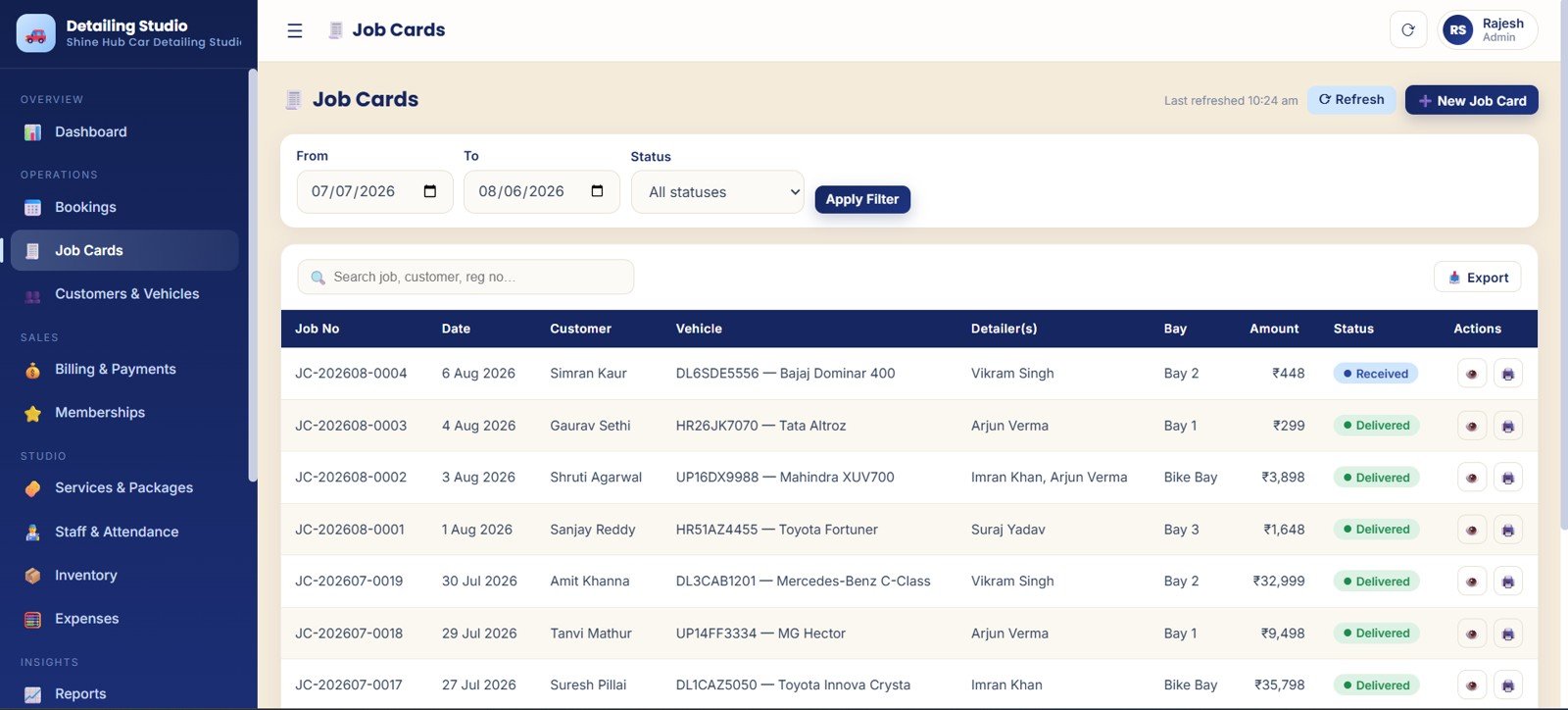
- Job card workflow: Follow every vehicle from check-in to delivery with status, bay, amount, and staff details.
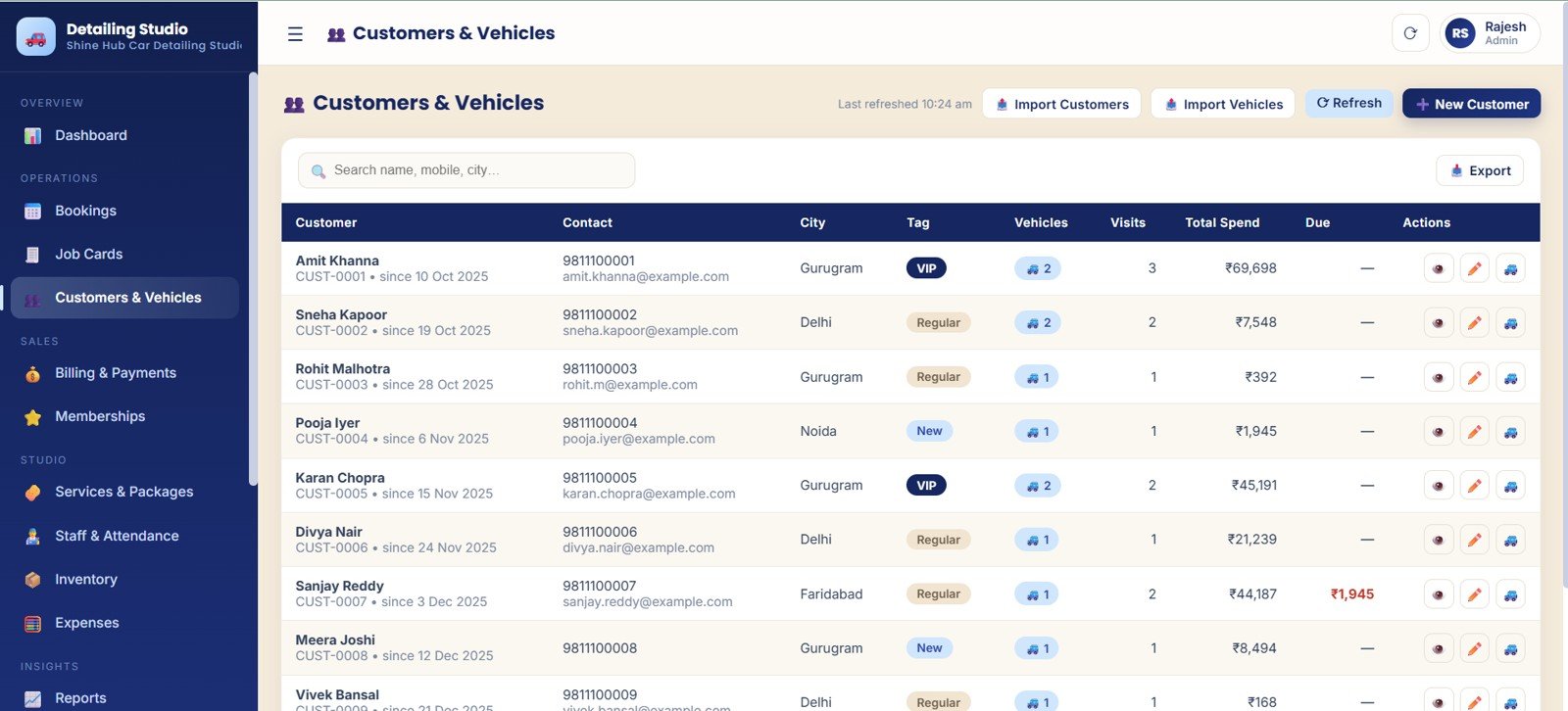
- Customer and vehicle database: Store tags, visits, vehicle records, total spend, and due amount.
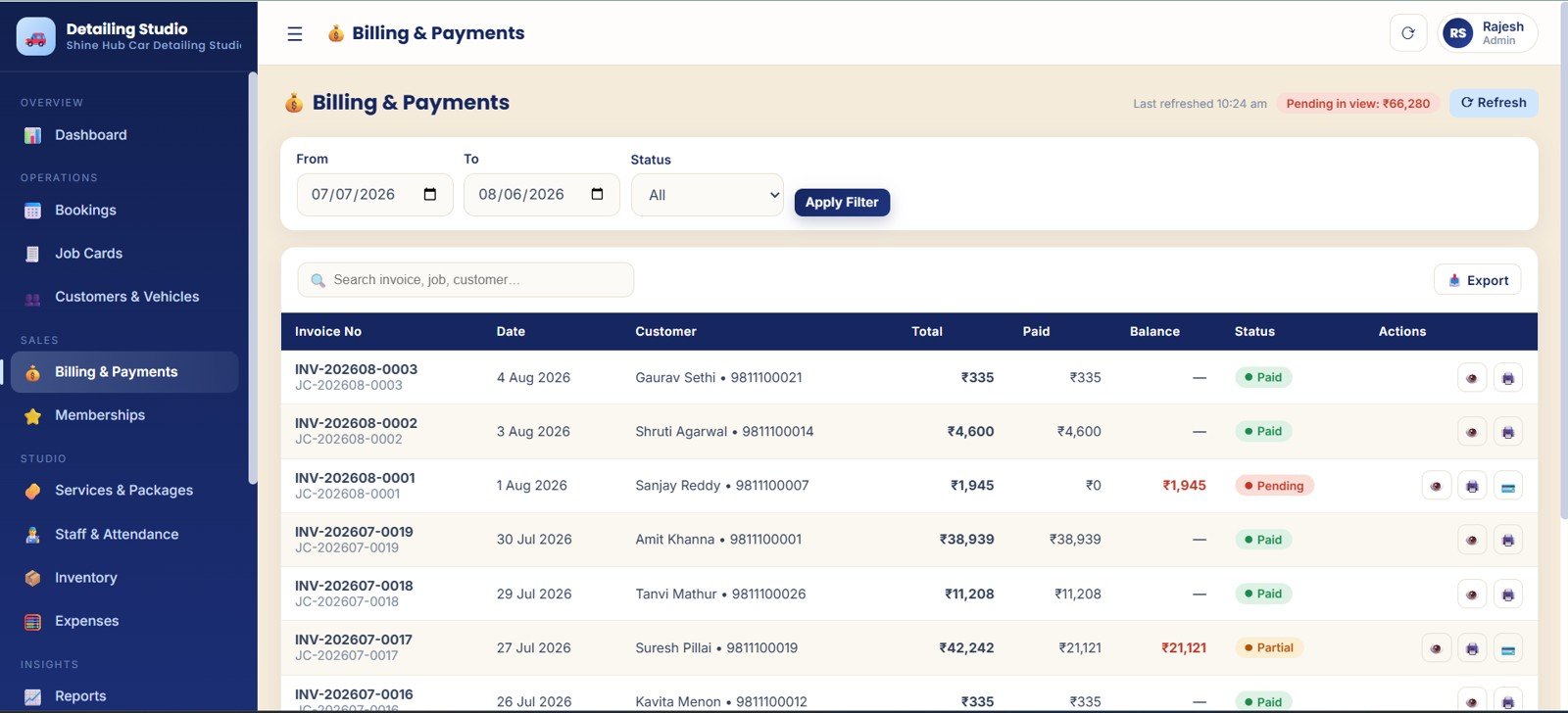
- Billing and payments: Monitor invoices, paid amounts, balances, payment status, and pending collections.
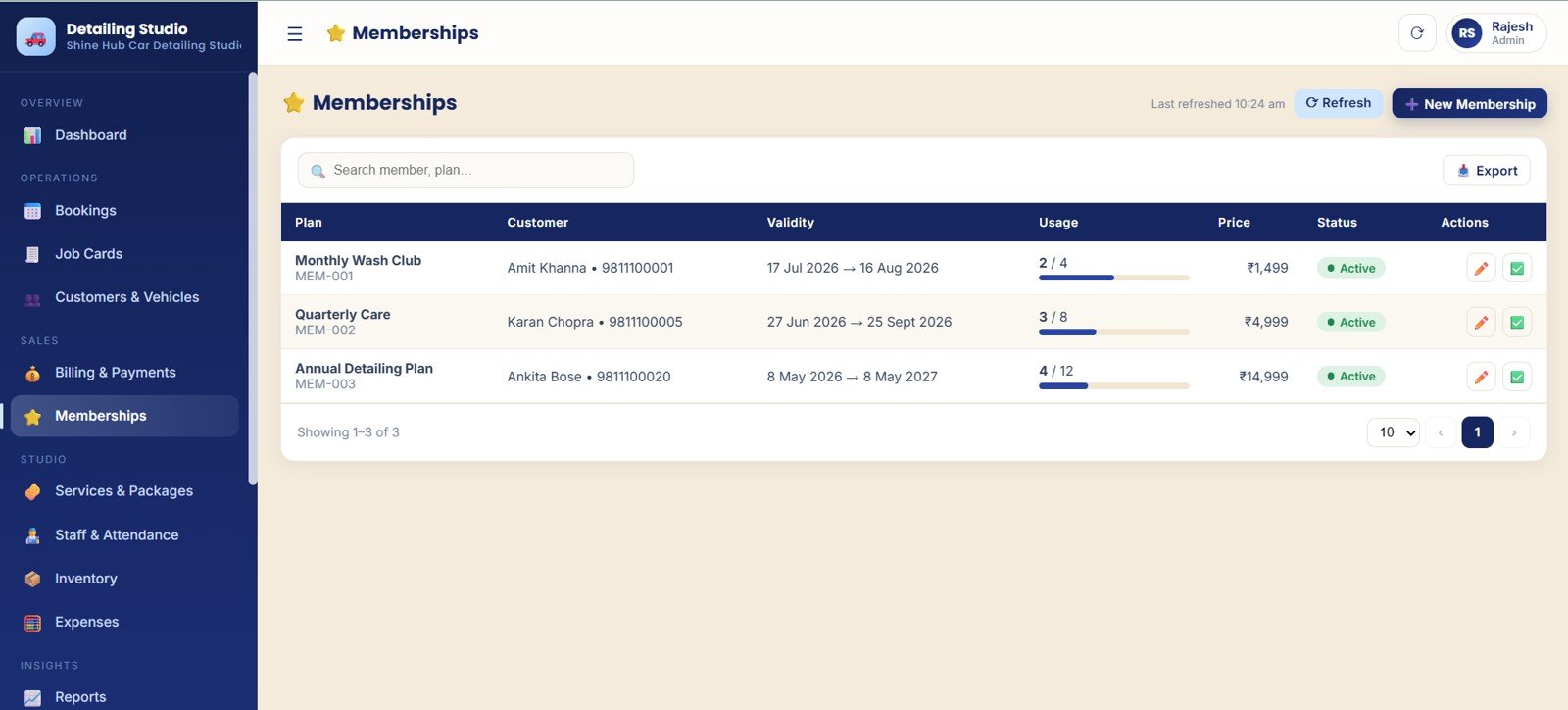
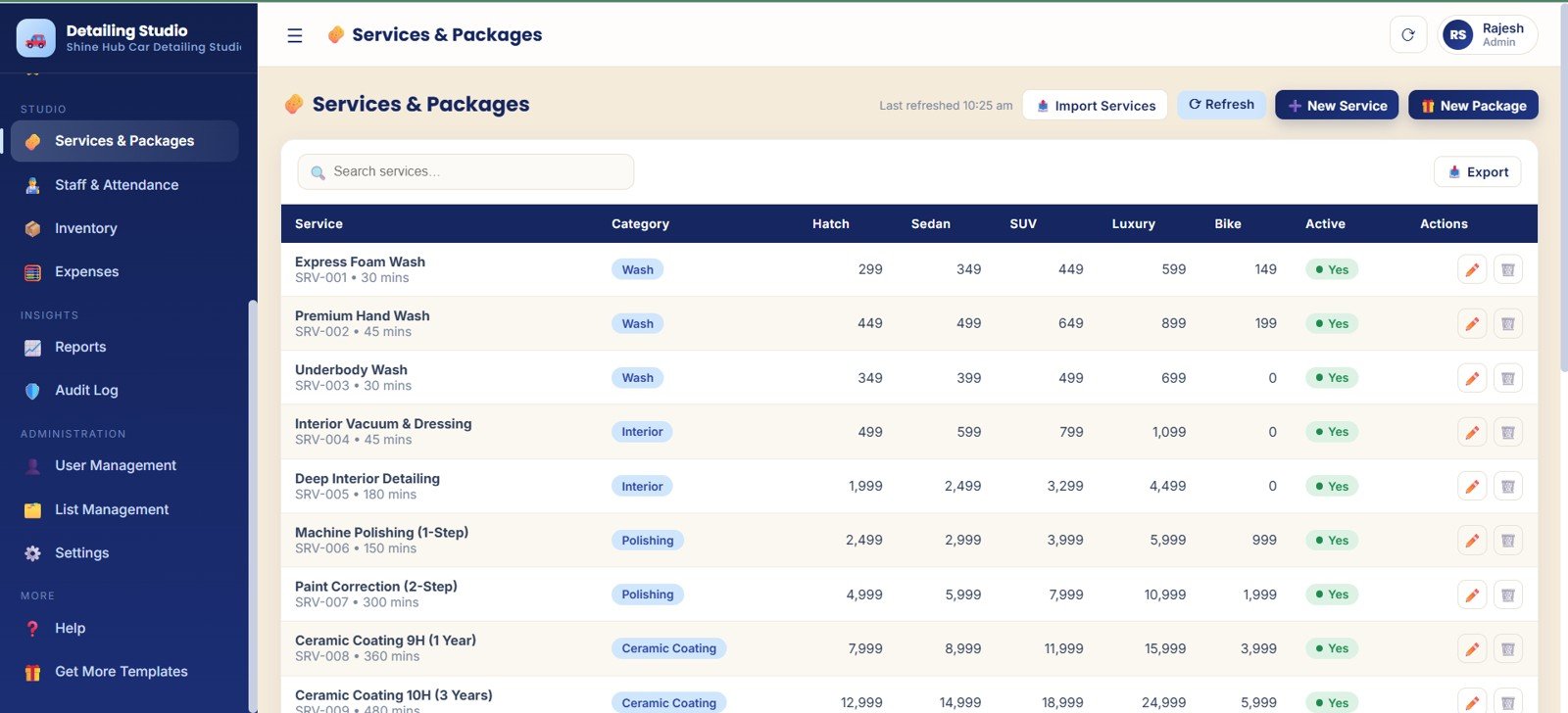
- Memberships and services: Manage plans, usage, categories, durations, prices, and packages.
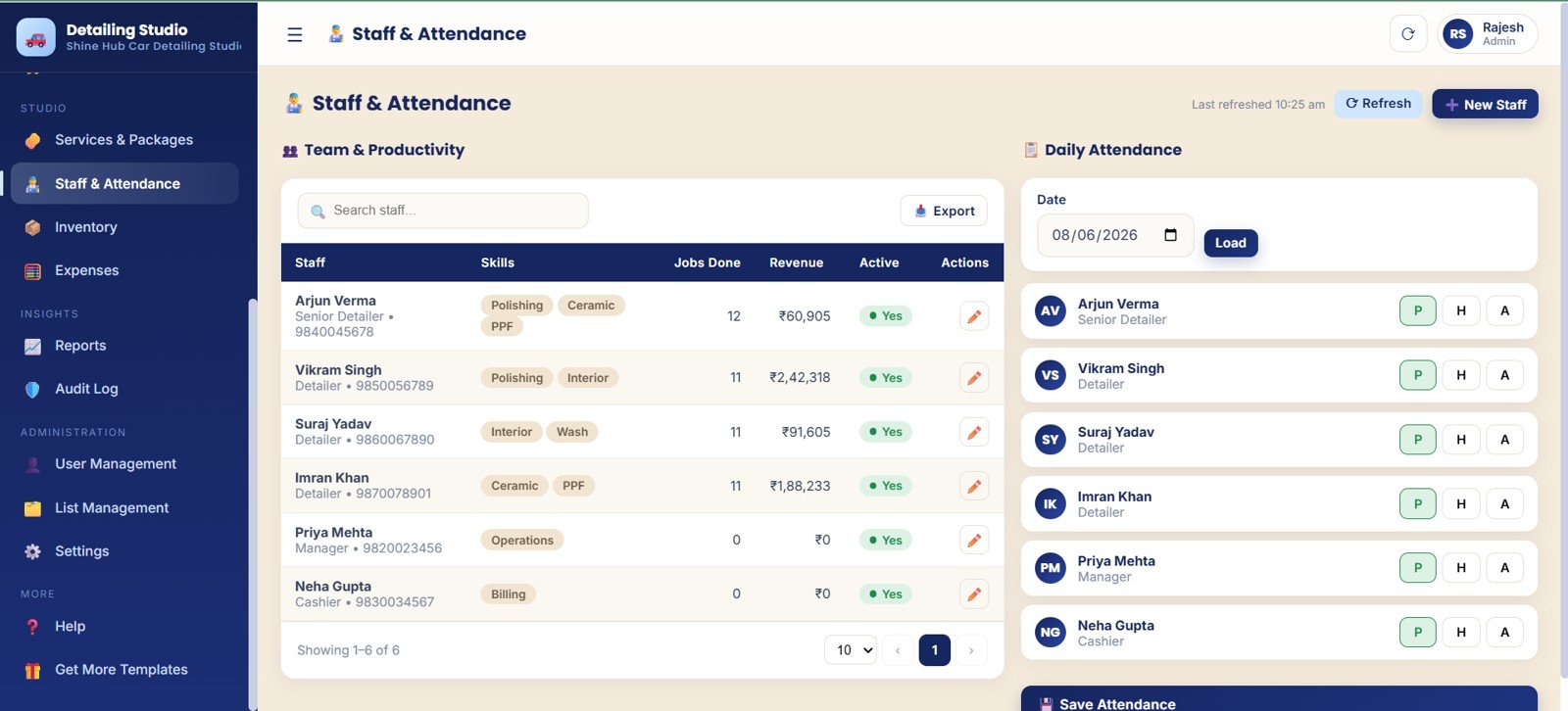
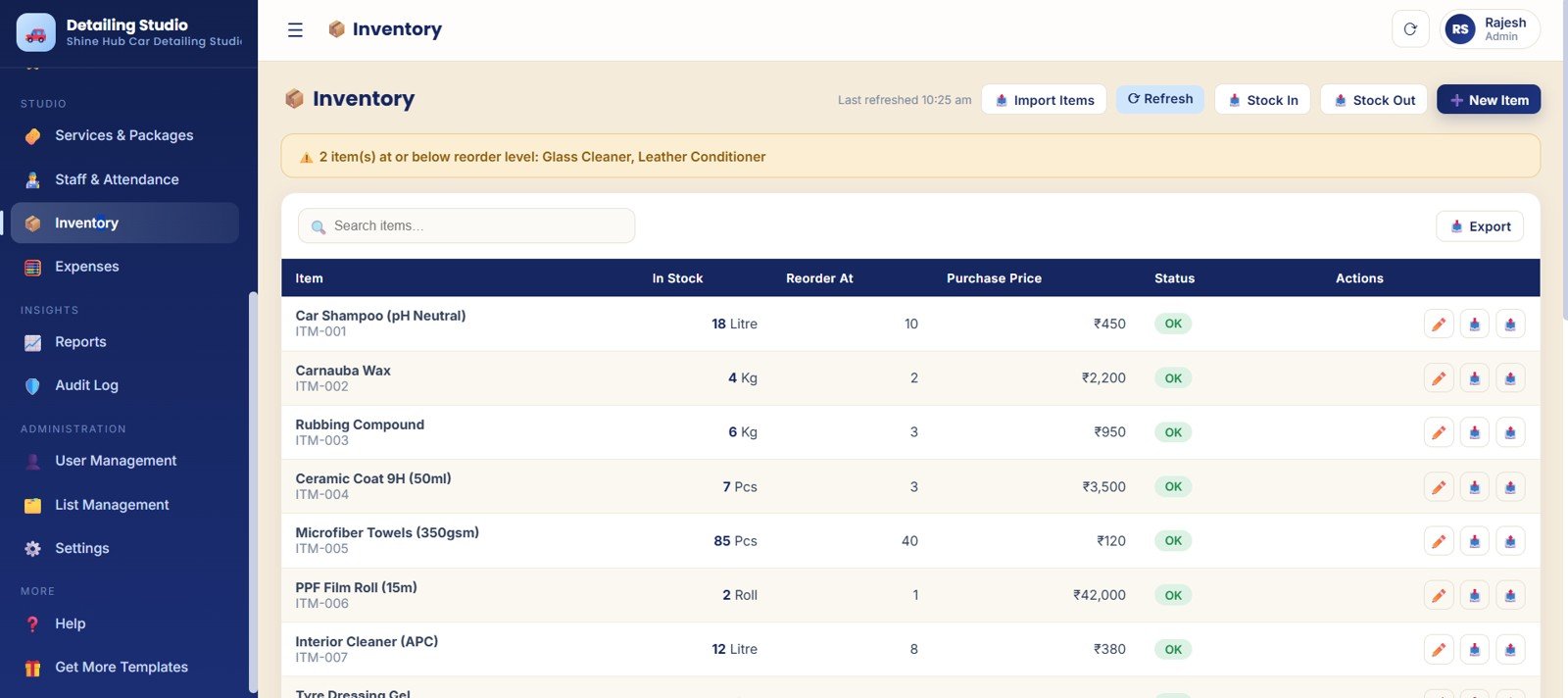
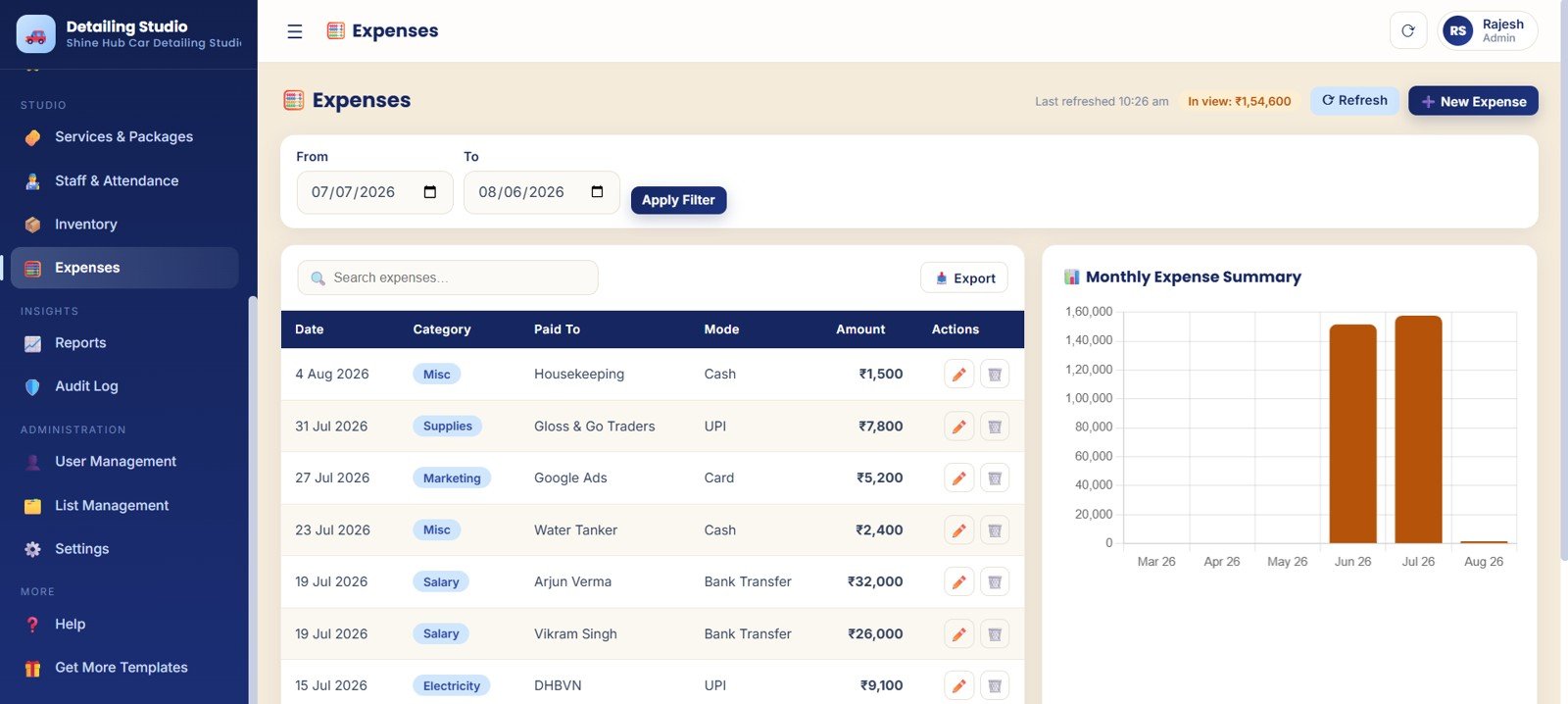
- Staff, inventory, and expenses: Track attendance, staff revenue, stock alerts, purchases, and monthly costs.
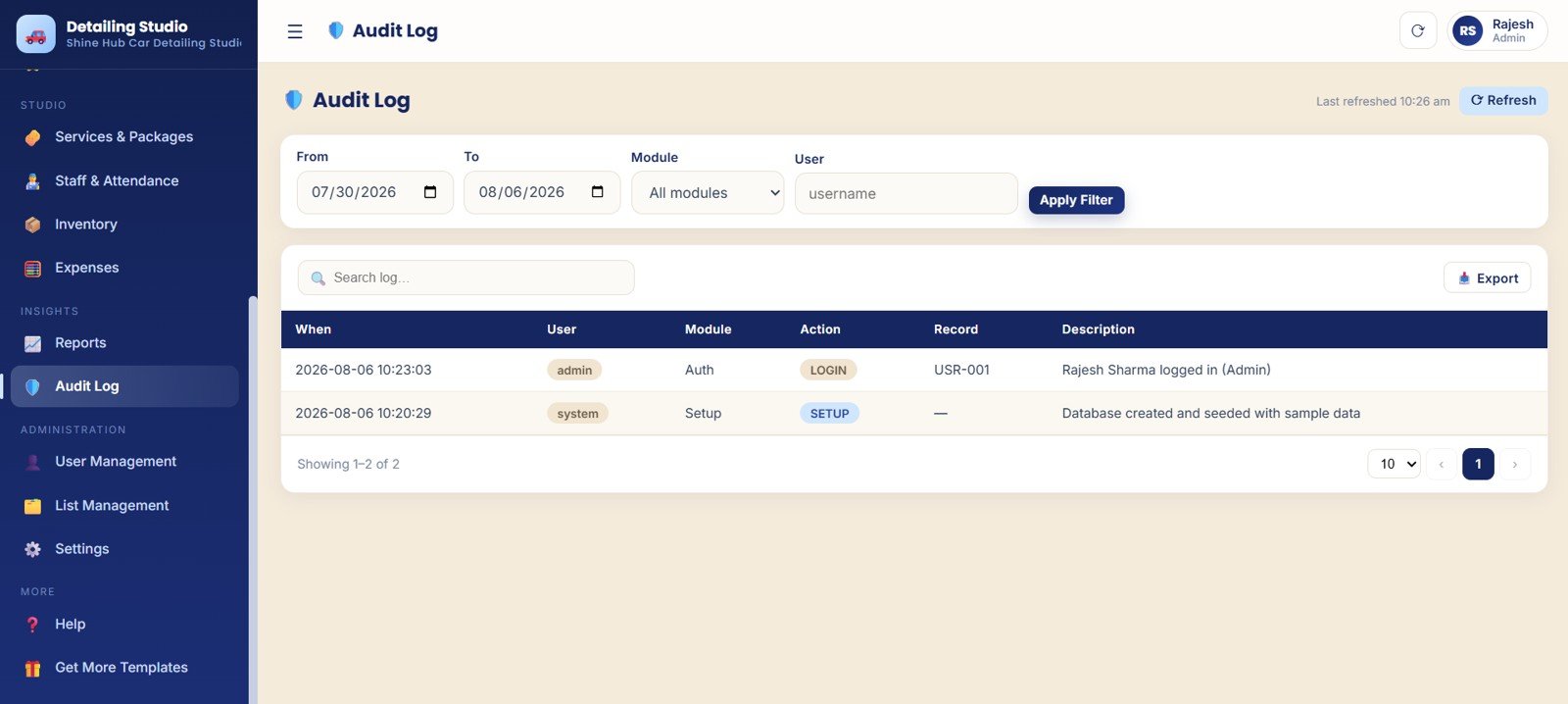
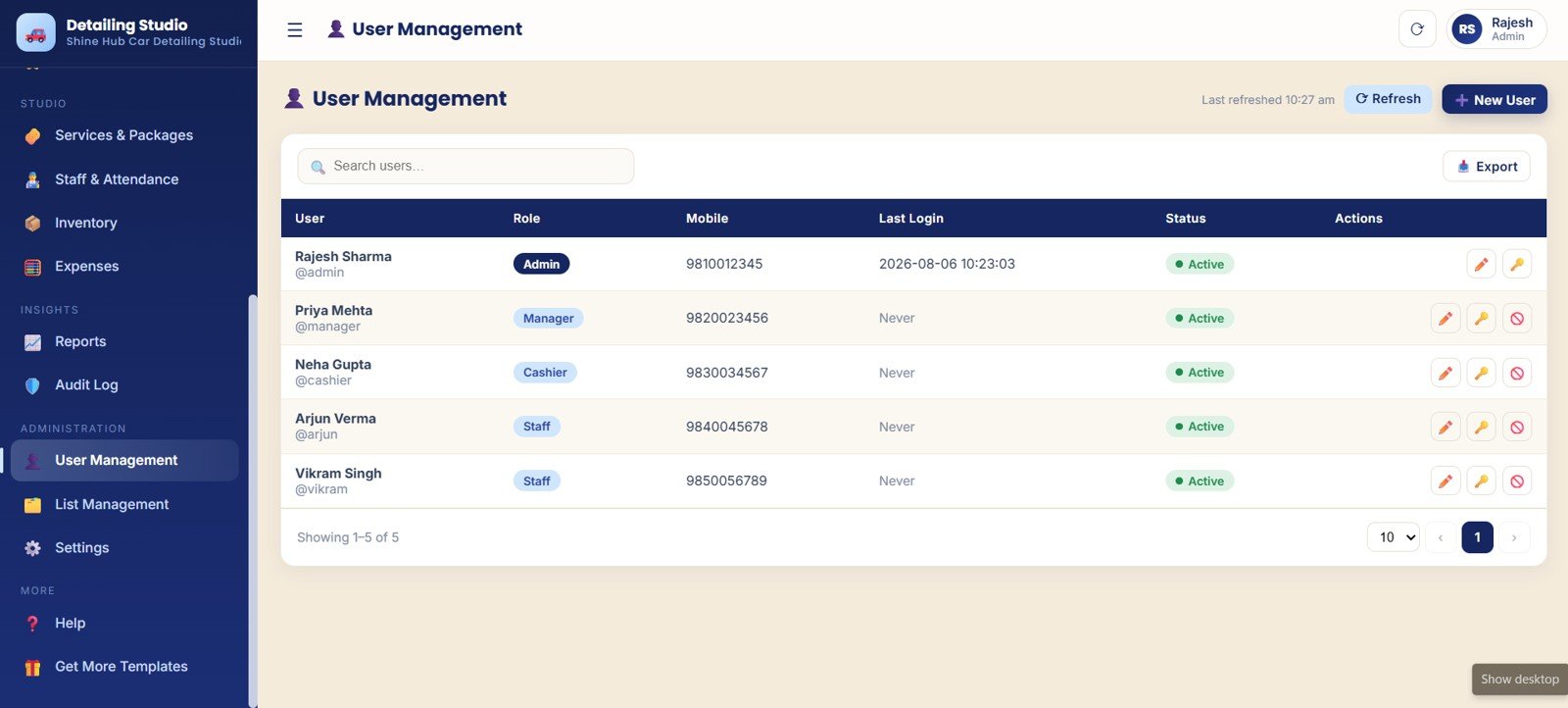
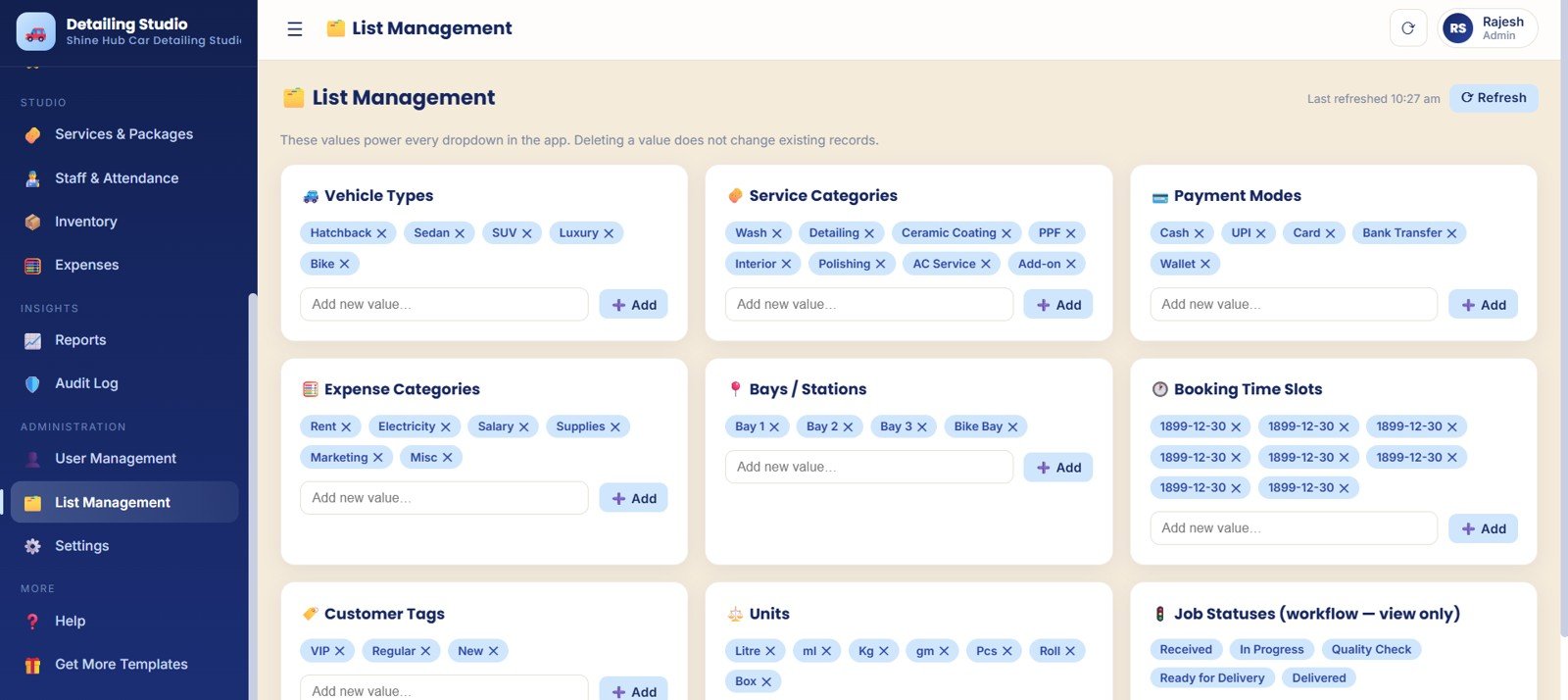
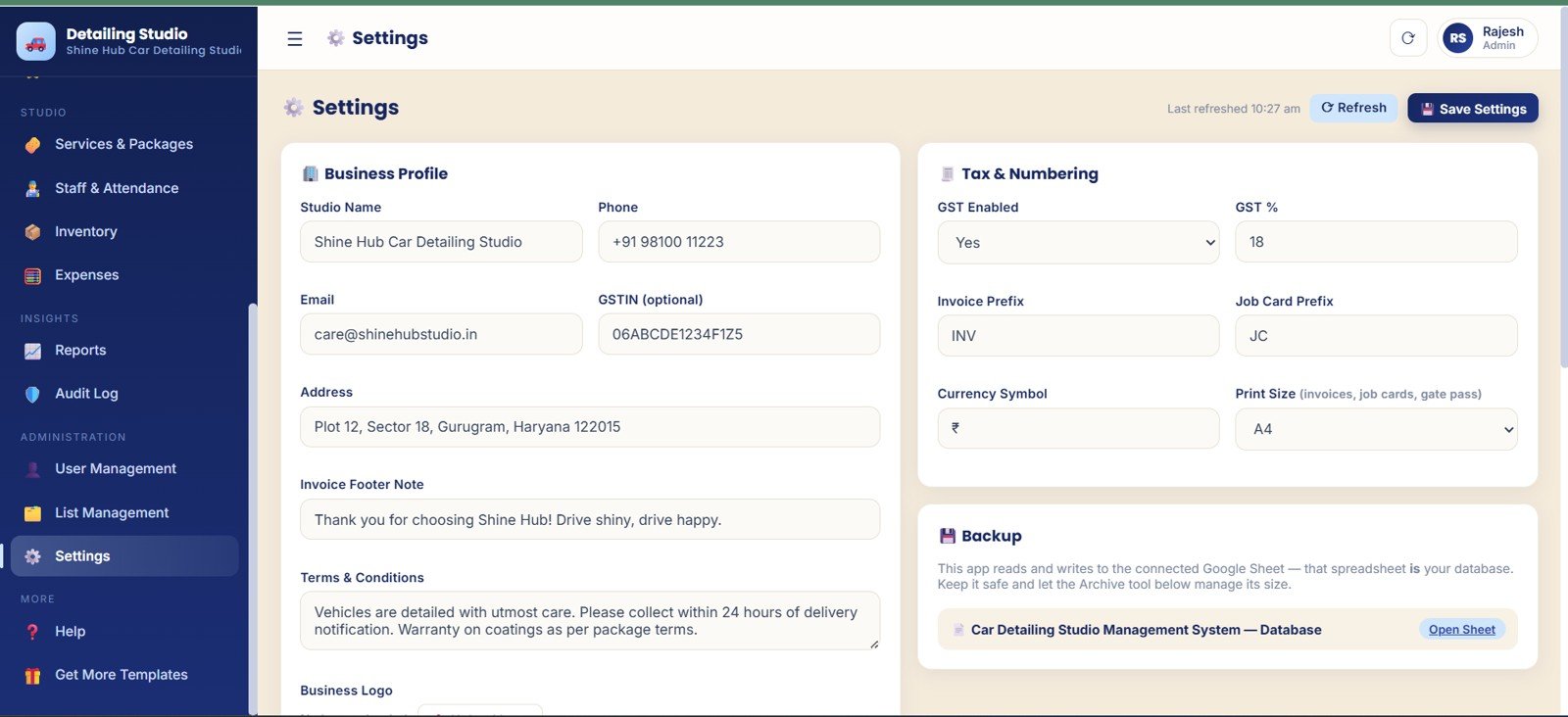
- Admin controls: Use audit logs, users, lists, and settings for controlled daily operation.
What’s Inside the Car Detailing Studio Management System Web App
The template is arranged like a detailing studio control room. The Overview page gives management a quick read on the day, while the operating modules handle the front desk, service floor, billing desk, stock room, and admin setup.
Overview Page
The Overview page surfaces 8 cards for bookings, jobs, revenue, payments, customers, and average job value. Charts cover revenue trend, service mix, booking load, pending payments, customer records, and monthly invoice job value.
Bookings
Job Cards
Customers and Vehicles
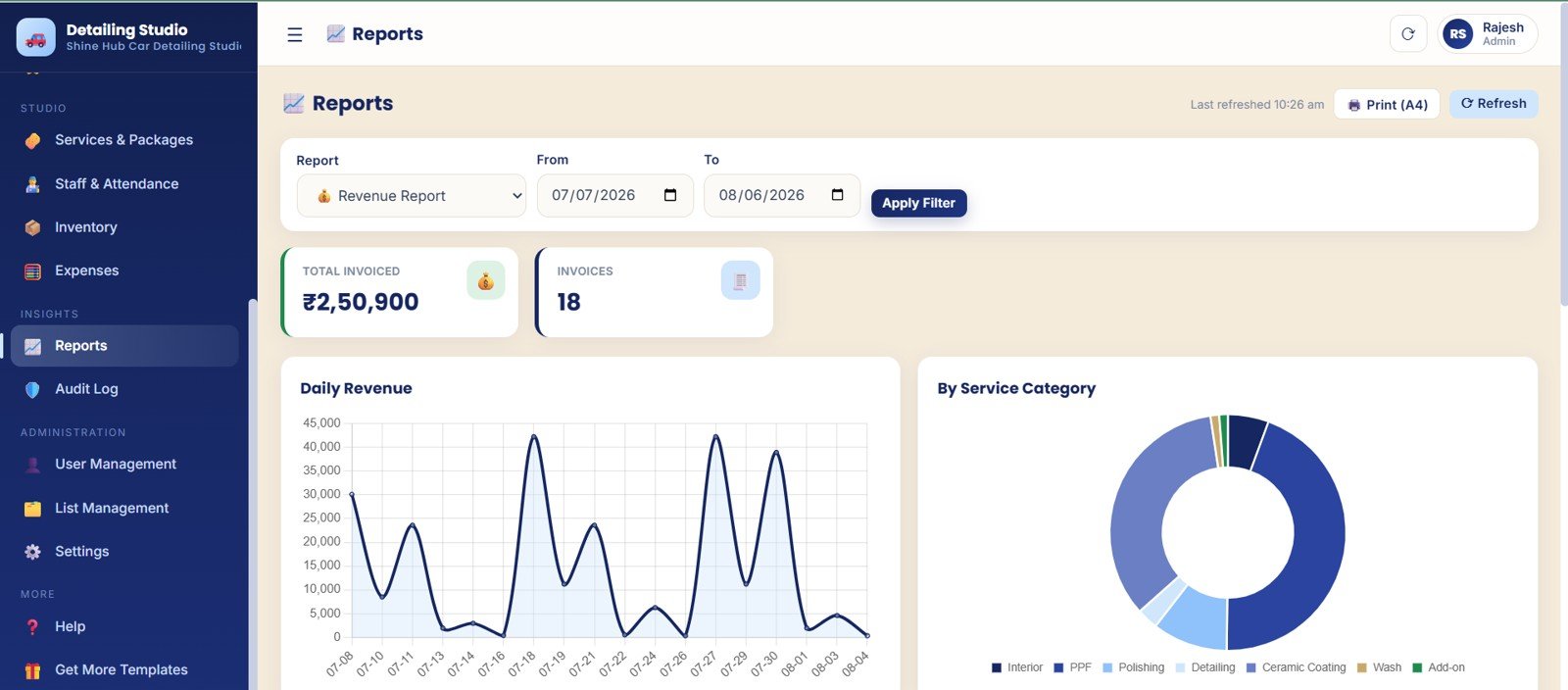
Billing, Memberships, Staff, Inventory, Reports, and Admin
The remaining pages cover invoice balances, memberships, service packages, staff work, attendance, inventory, expenses, reports, audit history, users, dropdown lists, and studio settings.
Car Detailing Studio Management System Web App vs. Spreadsheet Tracker vs. Paid CRM/SaaS – Where This Fits
| Feature | This web app template | Spreadsheet tracker | Paid detailing SaaS |
|---|---|---|---|
| Cost | $39.99 one-time sale price | $0 to $30 one-time, often manual | $30 to $200+ per month depending on plan and users |
| Platform | Google Sheets + Apps Script web app in a browser | Excel or Google Sheets file | Hosted SaaS account |
| Setup time | Copy, configure, add users, update lists, and start | Fast, but limited controls | Longer setup |
| Real-time team collaboration | Designed for team web app access | Possible, but fragile | Usually included |
| Mobile access | Runs in a modern browser | Limited by spreadsheet layout | Usually included |
| Customizable fields | Lists, settings, services, packages, users, and studio details can be edited | Editable, but structure is fragile | Depends on plan tier |
| Share with link | Deploy and share the web app link with approved users | Share the spreadsheet file | Invite paid users |
| Year-1 cost at 5 users | $39.99 from NextGenTemplates | Low cash cost, high manual effort | Often $1,800+ per year |
| Job cards and bay workflow | Built in | Requires custom build | Usually included |
| Audit and user controls | Built in for admin review | Rare | Plan-dependent |
Who This Template Is For – and Who It’s Not For
This template is for car detailing studios, car wash businesses, ceramic coating shops, premium auto spas, and small vehicle care teams that need one place to manage appointments, job cards, invoices, memberships, stock, staff, and reports.
It is not the best fit if you need native mobile apps, automated SMS, payment gateways, VIN scanning, or a managed cloud support team.
How to Use the Car Detailing Studio Management System Web App
- Purchase and download the ZIP file from NextGenTemplates.
- Open the setup guide and copy the Google Sheet or deployment files into your own account.
- Update Settings with business profile, tax configuration, numbering, print setup, and backup settings.
- Add services, packages, bays, time slots, payment modes, expense categories, customer tags, units, and job statuses.
- Create user accounts for admin, front desk, billing, and detailing staff.
- Enter bookings, create job cards, raise invoices, record payments, and review daily performance on the Overview page.
Real-World Use Cases
Ravi, owner of a two-bay detailing studio, uses Overview and Bookings each morning to assign bays and follow up pending payments.
Meera, front desk manager at an auto spa, uses Customer and Vehicle records to review repeat visits before creating a new job card.
Daniel, manager of a ceramic coating shop, uses Staff, Inventory, and Reports to check productivity, stock, expenses, and service revenue.
Frequently Asked Questions
What is the Car Detailing Studio Management System Web App?
It is a browser-based template for detailing studios covering bookings, job cards, customers, billing, memberships, inventory, reports, users, lists, and settings.
Do I need to pay a monthly fee?
No. This is a one-time digital download from NextGenTemplates. You do not pay a monthly subscription to NextGenTemplates for this template.
Can I customize the service list and prices?
Yes. Services, packages, vehicle types, payment modes, bays, time slots, customer tags, units, and job statuses are managed through List Management.
Does this handle customer vehicles?
Yes. The Customers and Vehicles page connects customer records with city, tags, vehicle details, visits, total spend, and due amounts.
Is this a replacement for enterprise auto detailing software?
It can replace basic spreadsheets and paper workflows for many small studios, but it is not meant to replace enterprise SaaS features such as mobile apps, payment gateways, SMS, or dealership integrations.
About the Author
Built by PK – Microsoft Certified Professional with 15+ years of Excel, Google Sheets, and Power BI experience. Founder of NextGenTemplates, reaching 300K+ subscribers across YouTube channels. Every template is hand-built and tested before release.
Explore Related Templates
- Browse Mini Web Apps for more browser-based business systems.
- Car Wash Management System Web App for wash queues, memberships, billing, and reports.
- Service Center and Repair Shop Management System Web App for job cards, estimates, parts, and delivery.
- Parking Management System Web App for slots, vehicle entry, passes, and revenue reports.
- Car Rental Management System Web App for booking, hand-over, return, invoices, and deposits.
Download the Car Detailing Studio Management System Web App today and bring bookings, job cards, billing, memberships, stock, staff, reports, and admin controls into one practical workspace.
Watch the step-by-step video Demo:
Last updated: August 6, 2026.






















Reviews
There are no reviews yet.