

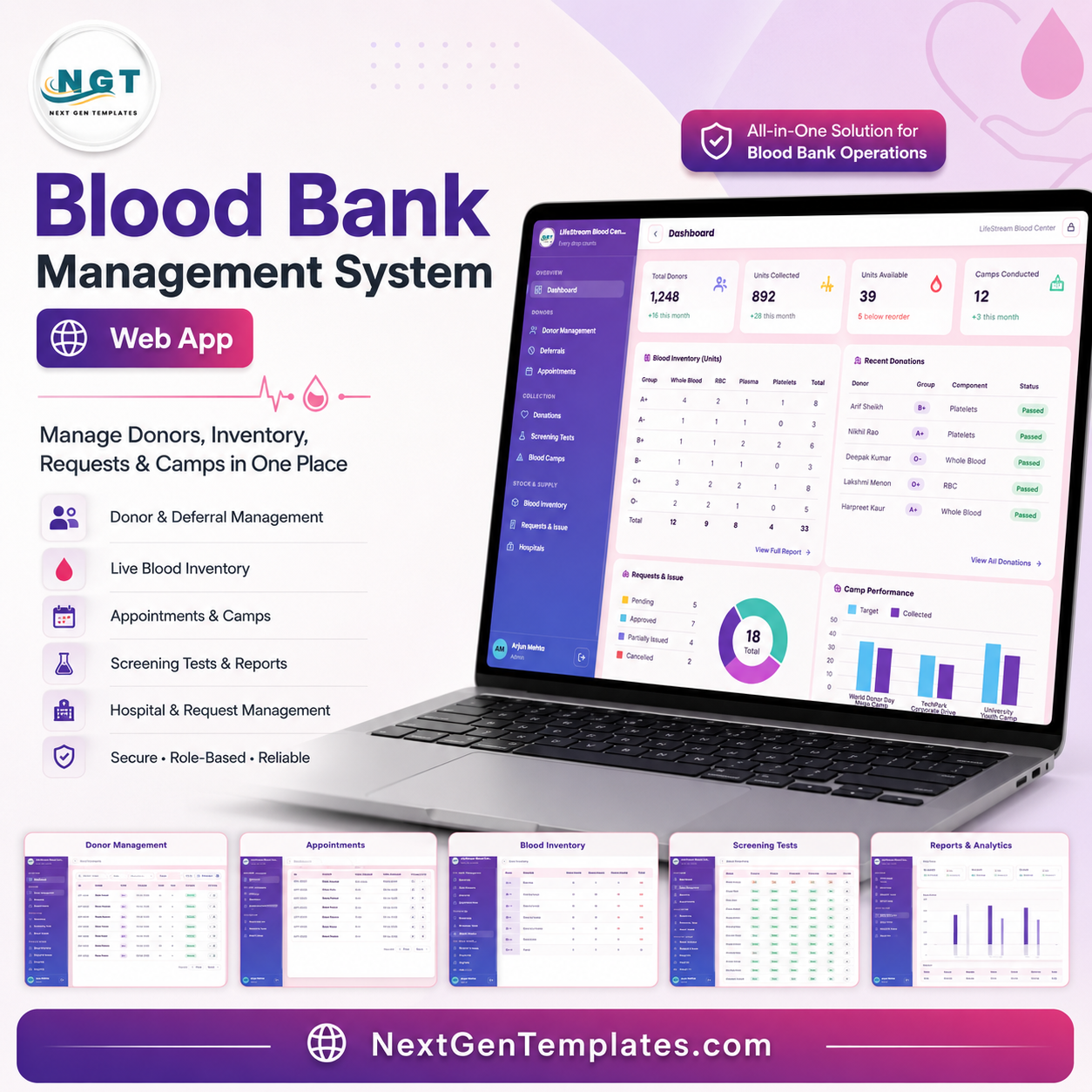


Blood Bank Management System Web App gives blood centers and hospital blood-bank teams one organized browser workflow for donors, deferrals, appointments, donations, screening tests, camps, inventory, hospital requests, reporting, user permissions, archive review, and audit logs. The American Red Cross reports that someone in the U.S. needs blood or platelets every 2 seconds and about 29,000 red blood cell units are needed daily, so clean tracking matters. Built by PK for a 300K+ subscriber training audience, this editable web app template gives buyers a one-time ZIP download, 17 review screenshots, and a practical alternative to monthly software lock-in.
Sources: American Red Cross blood supply facts and Google Apps Script web app documentation.
🚀 Try the Live Demo Before You Buy
We have deployed this web app in our own Google account so you can test every page, every role — Admin, Lab Technician and Front Desk — with real sample data — before purchasing. No signup, no email required.
🔑 Test Login Credentials
Sign in as admin for full system control, as tech or tech2 to run day-to-day blood bank operations, or as frontdesk for donor registration and appointment scheduling.
💡 What you get after purchase: The full source code (Code.gs + Index.html) plus a step-by-step deployment guide so you can deploy your own private instance in your own Google account in under 15 minutes.
Key Features of Blood Bank Management System Web App
- Secure sign in: Controlled email or username and password access for the LifeStream Blood Center workspace.
- Donor management: Review donors by blood group, city, last donation, eligibility, active status, and reminder workflow.
- Deferral tracking: Monitor temporary and permanent deferrals by donor, type, reason, date range, status, and lift actions.
- Appointment scheduling: Track donor appointments by date, time slot, camp or center, status, and scheduled-record actions.
- Donation records: Connect donors, blood bag numbers, components, volume, screening status, and donation actions.
- Screening checklist: Track HIV, HBsAg, HCV, VDRL, malaria, overall screening status, tested date, and technician fields.
- Blood camp control: Analyze organizers, venues, cities, targets, collected units, completion status, and camp performance.
- Live inventory: Review stock by blood group and component, reorder levels, expiry, storage location, and request status.
- Request and issue workflow: Manage hospital requests, patient details, components, requested units, fulfilled units, priority, approval, and issue actions.
- Admin governance: User management, list management, settings, import/export, archive viewer, and audit log help keep the system maintainable.
What’s Inside the Blood Bank Management System Web App
The download is built around 17 connected pages. Each page supports a specific operational workflow so a small blood bank team can move from donor registration to stock review, issue approval, reporting, and administrative control without rebuilding a system from scratch.
1. Sign In Page
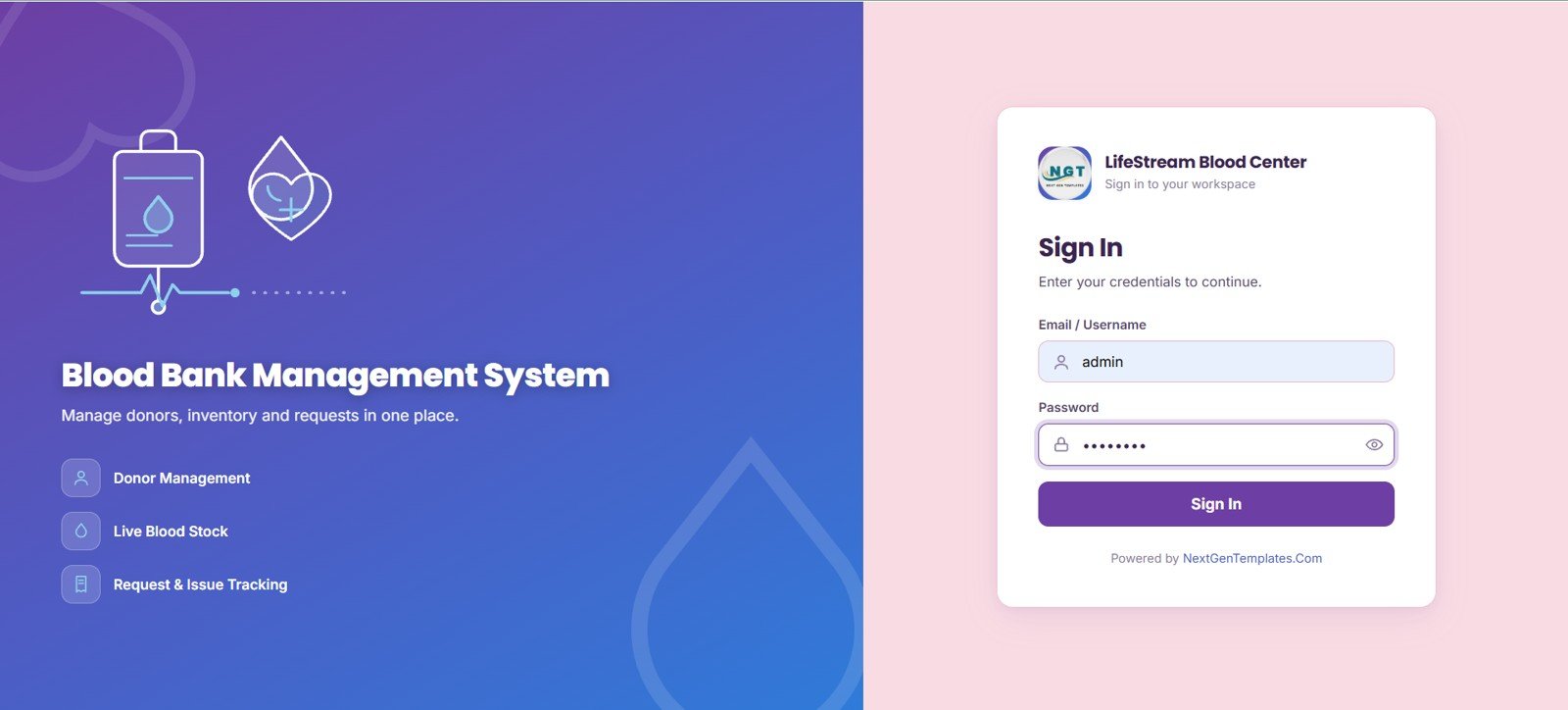
The Sign In page presents the Blood Bank Management System branding, LifeStream Blood Center workspace, email or username field, password field, and sign-in action. It frames secure login access by user credentials, shows the main workflow modules at a glance, and keeps the first step simple for staff users.
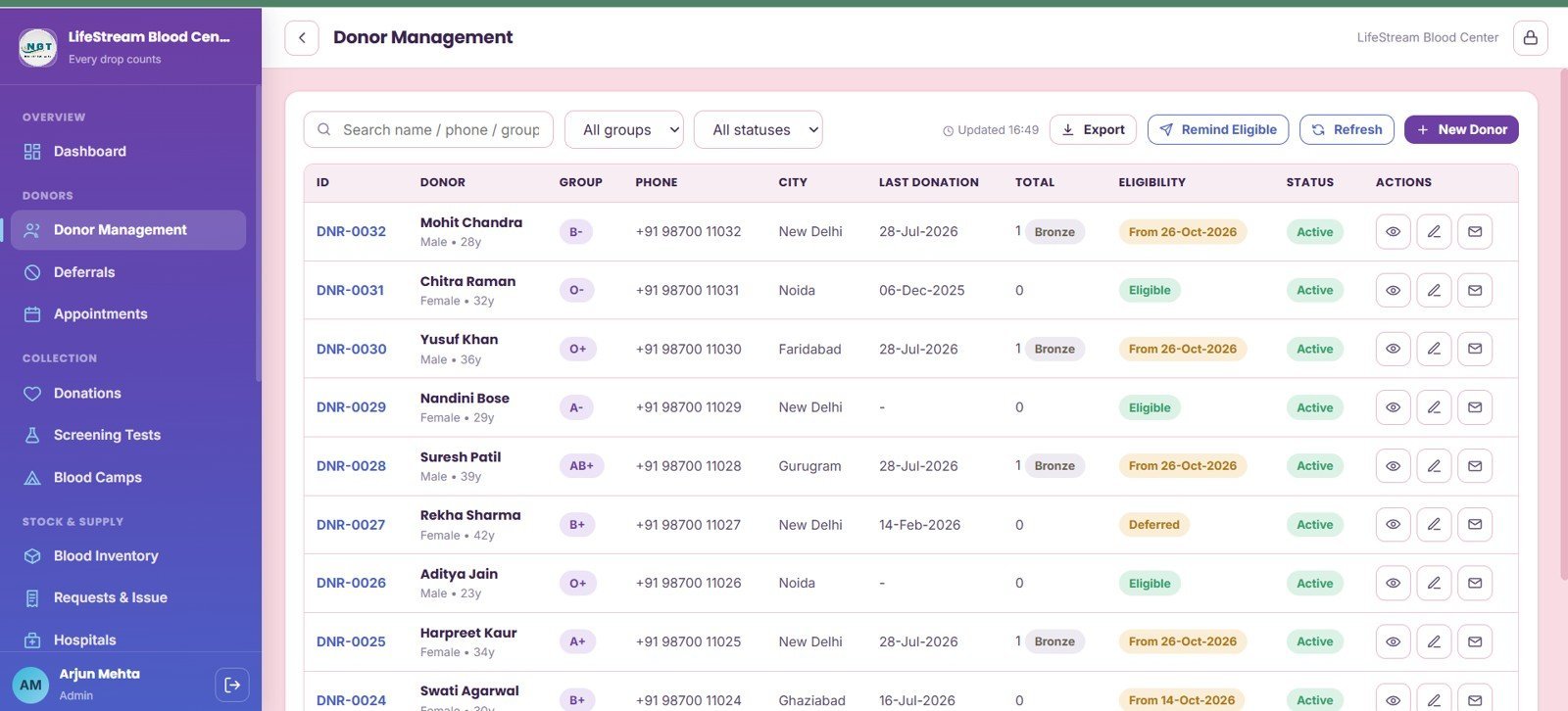
2. Donor Management
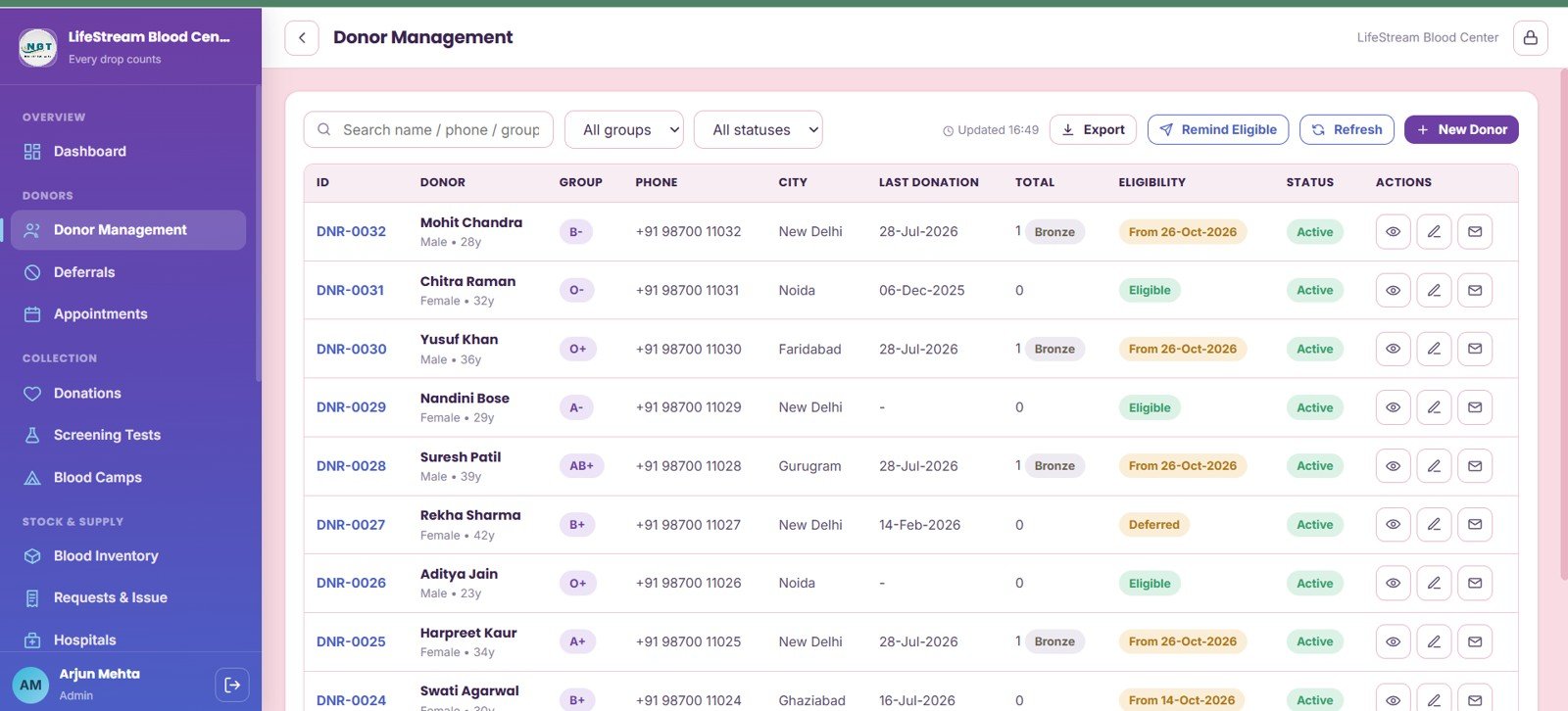
Donor Management organizes donor records by blood group, city, eligibility based on last donation, active-record status, donation total, reminder workflow, and action buttons. It is useful for finding eligible donors quickly before campaigns or urgent request follow-ups.
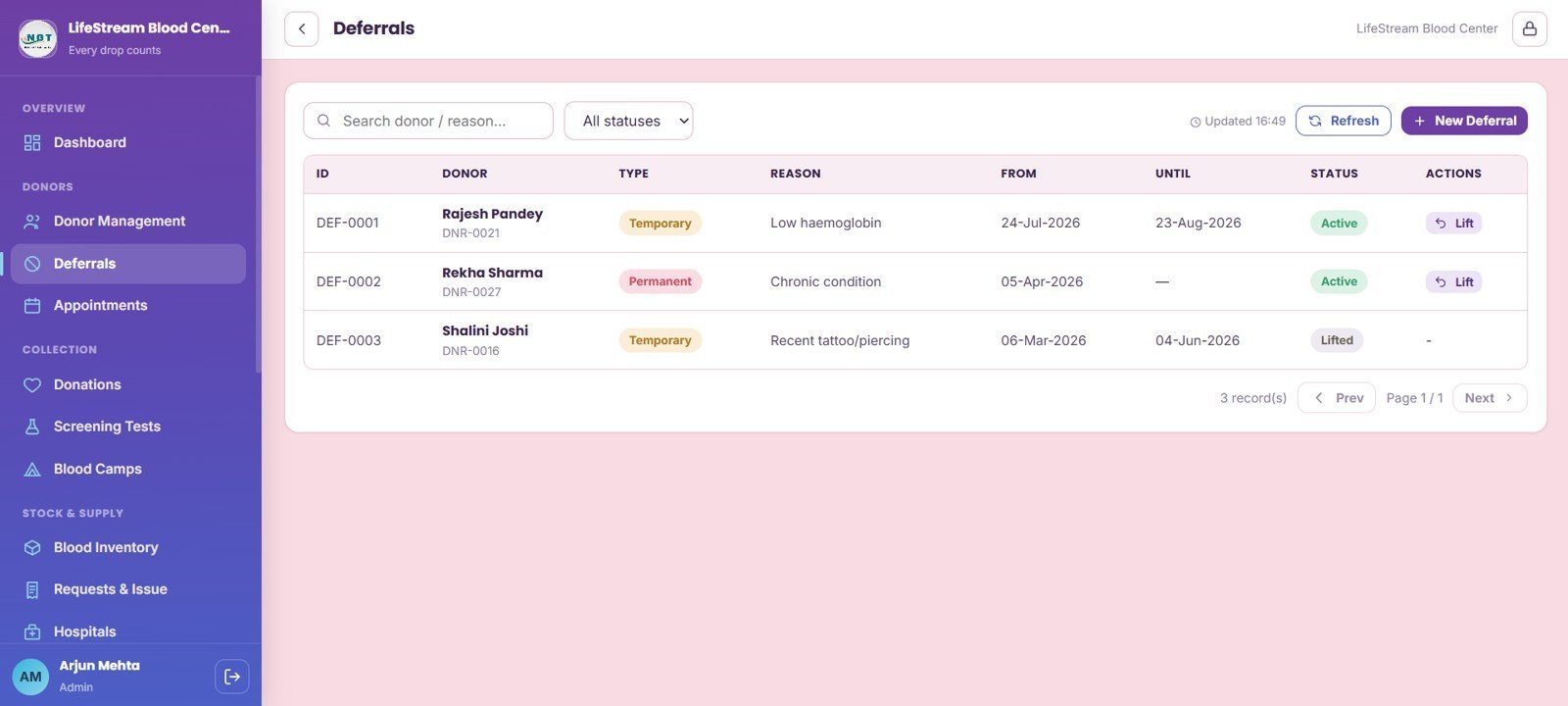
3. Deferrals
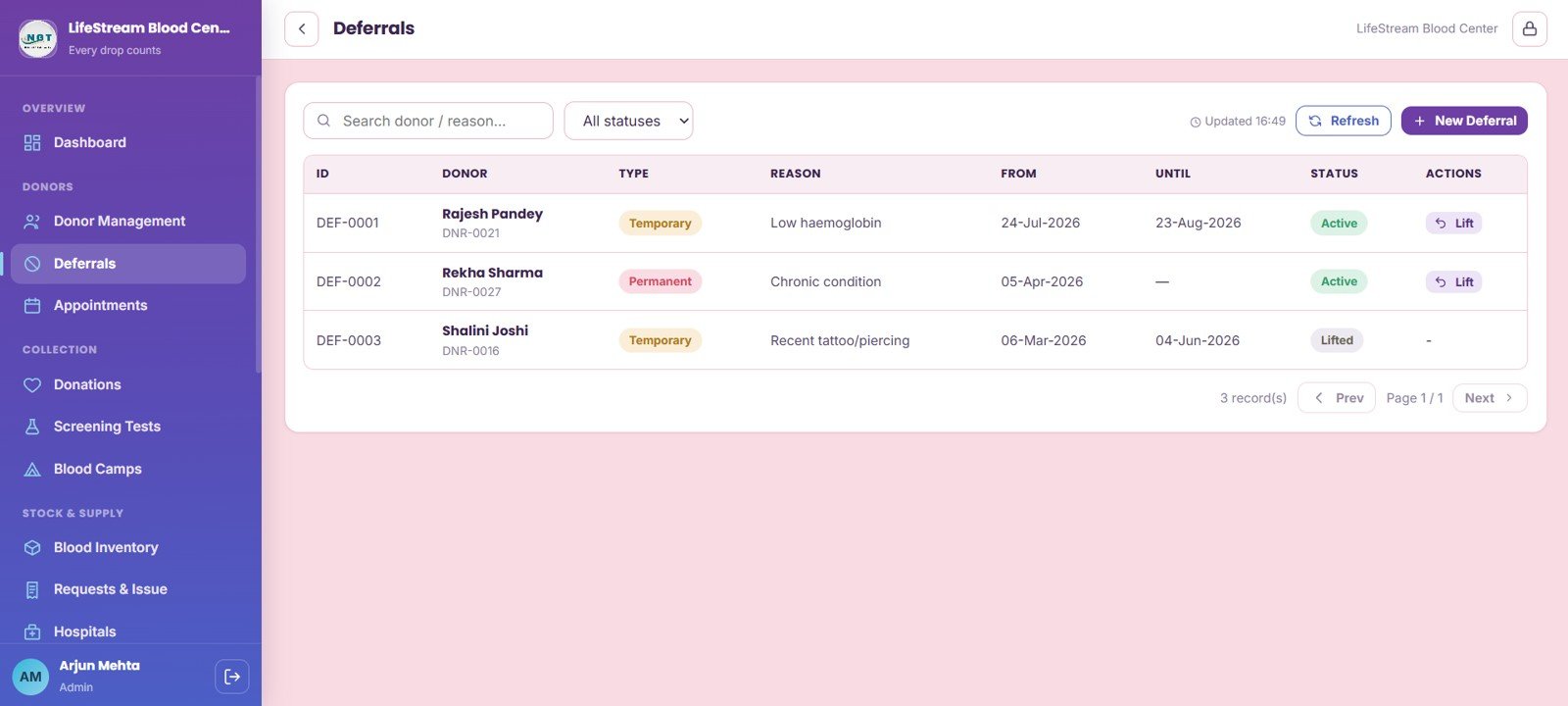
The Deferrals page tracks deferral records by donor, type, reason, date range, status, and active-deferral lift actions. This helps staff protect donor safety while keeping the eligible donor pool current.
4. Appointments
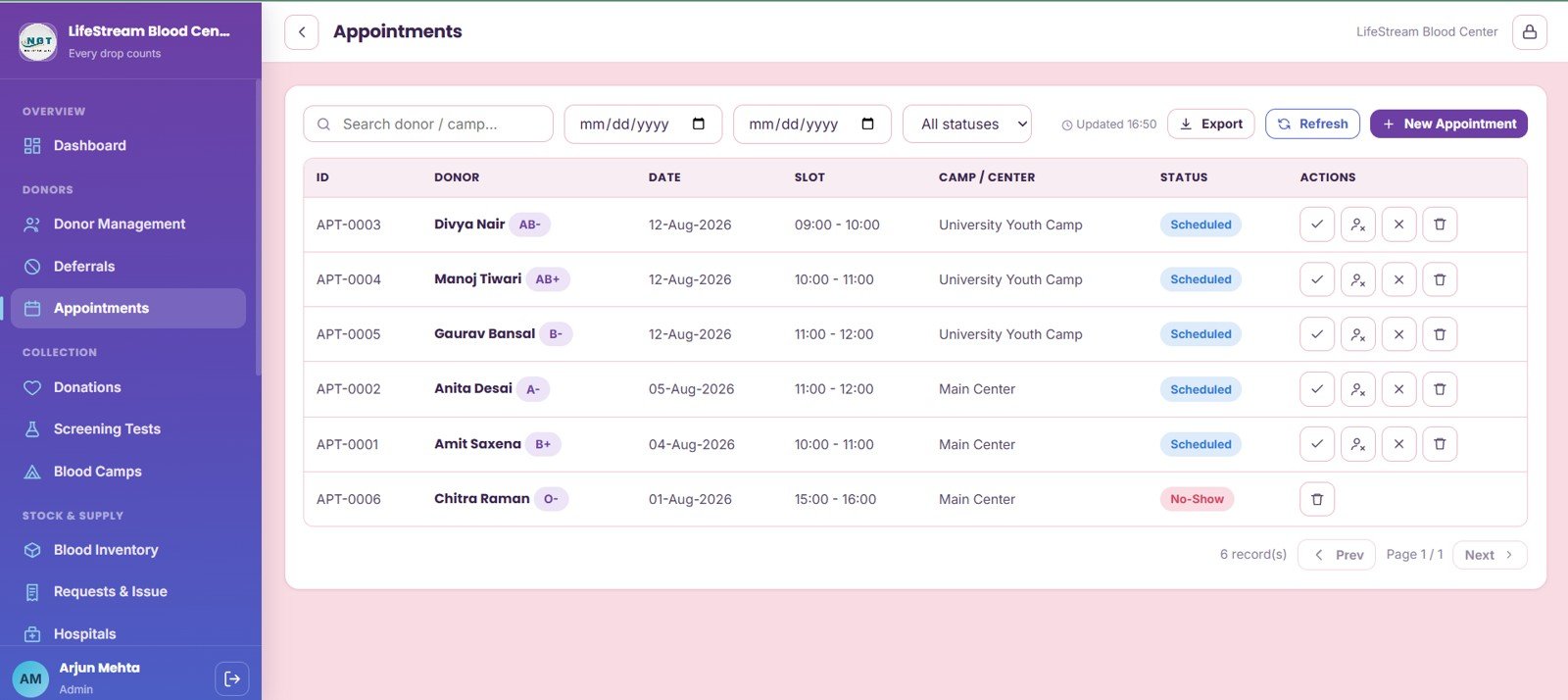
Appointments are reviewed by donor, appointment date, time slot, camp or center, status, and scheduled-record actions. The page gives reception or donor-relations staff a cleaner way to coordinate appointment flow.
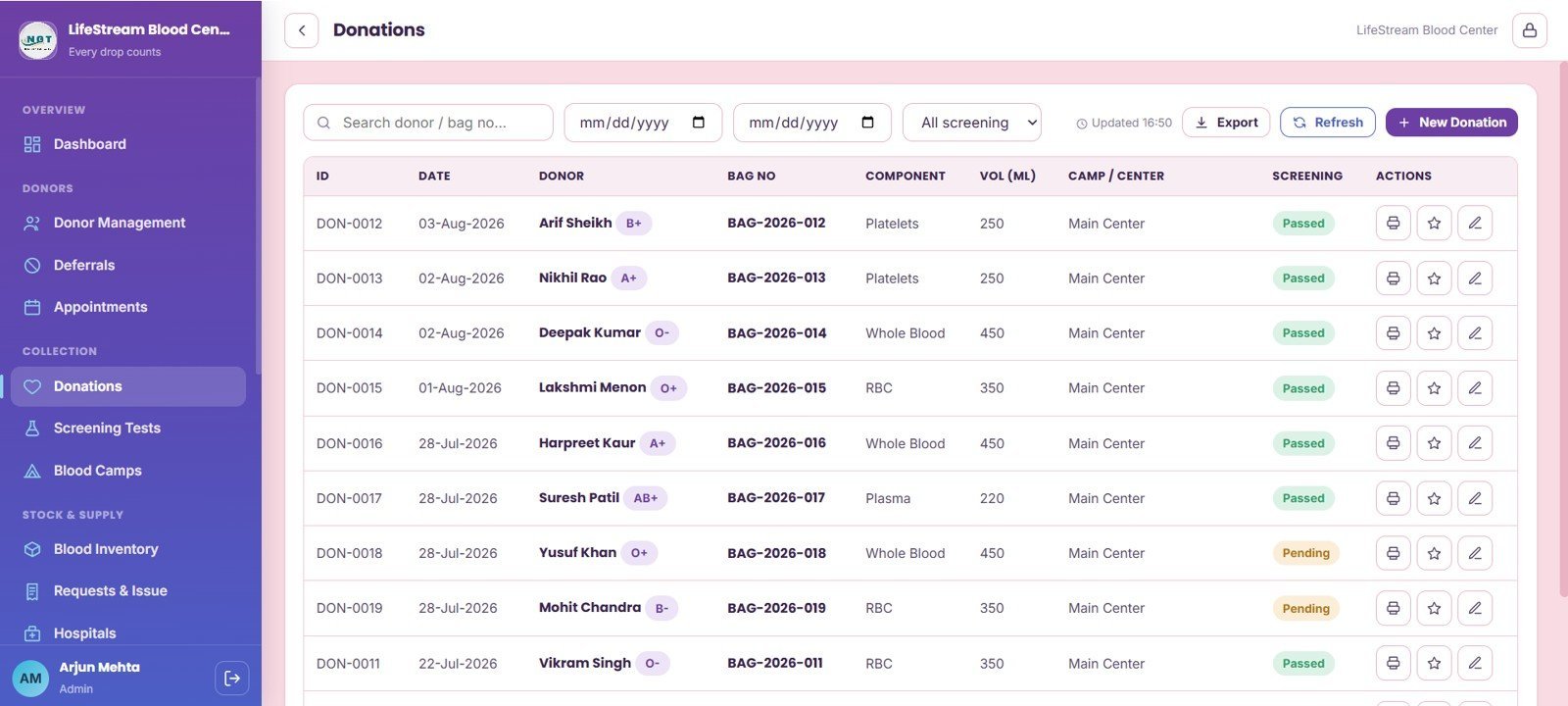
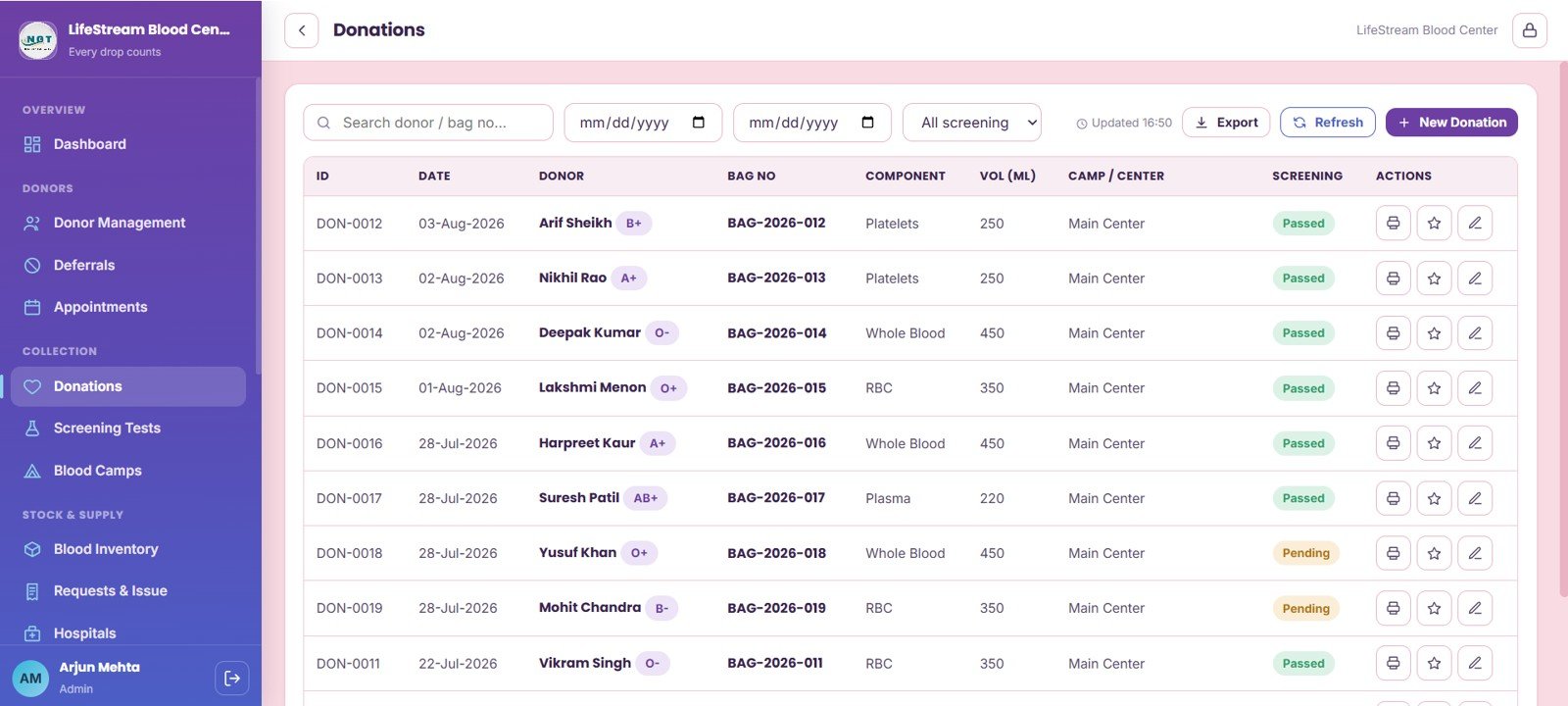
5. Donations
The Donations page connects donation date, donor, blood bag number, component, volume in ML, screening status, and donation-record actions. It helps staff maintain a traceable path from donation intake to component availability.
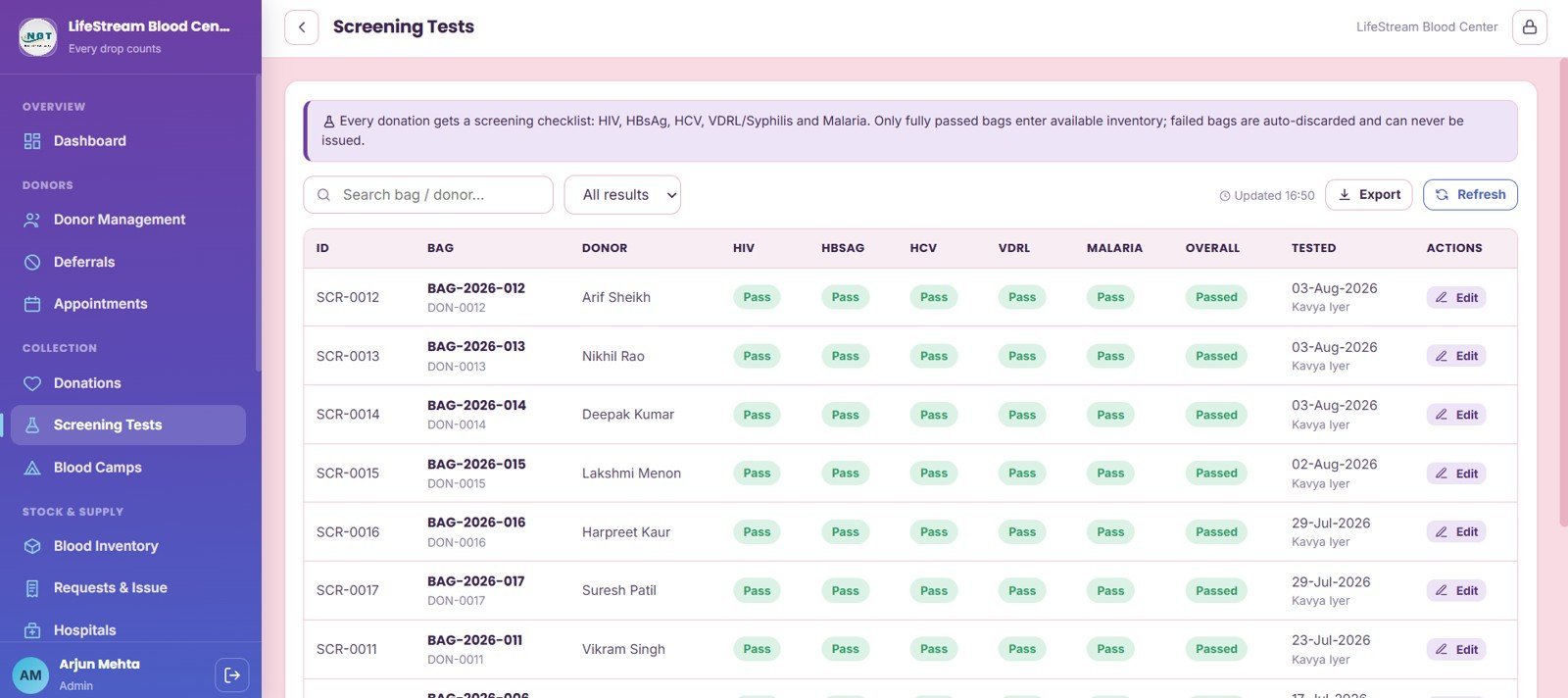
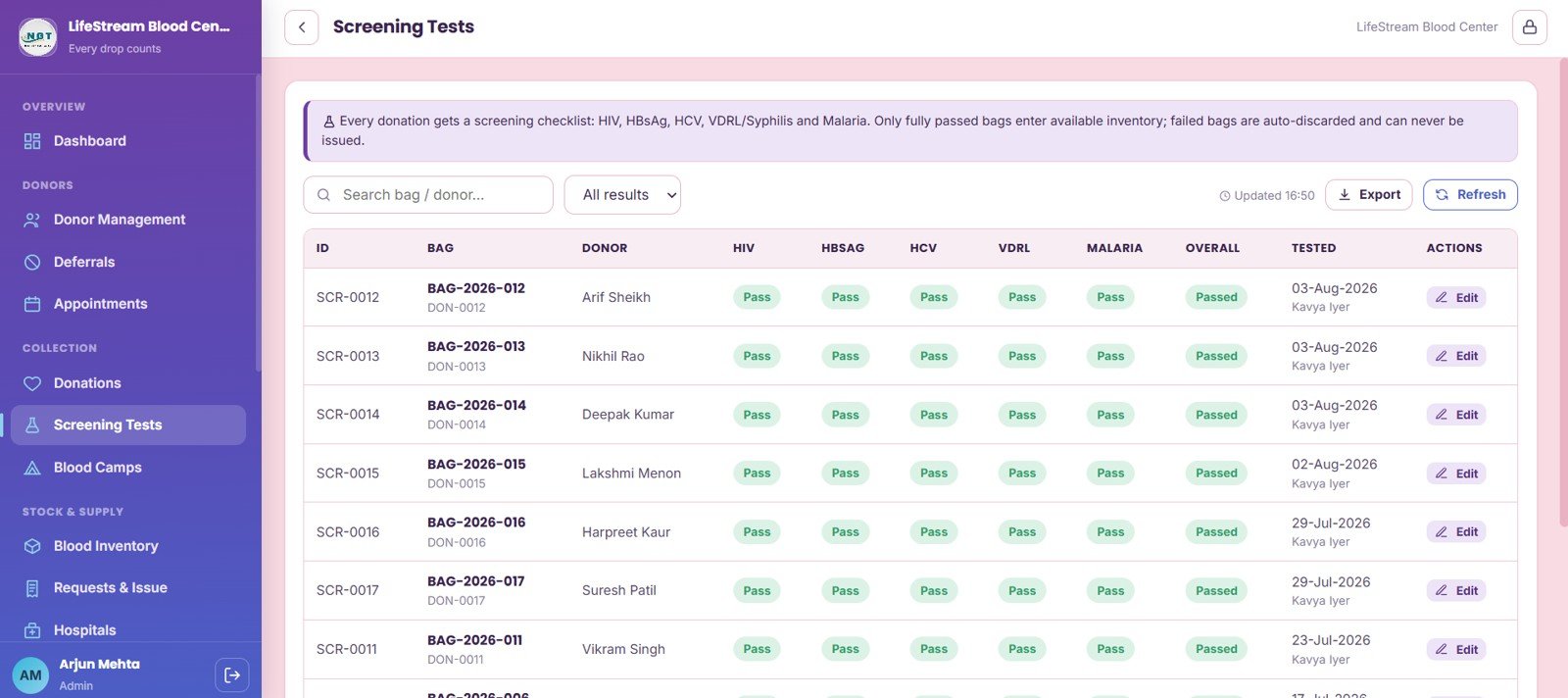
6. Screening Tests
Screening Tests provides a checklist by donation and blood bag, including HIV, HBsAg, HCV, VDRL, malaria, overall result, tested date, and technician details. It supports a consistent screening review before inventory is released for use.
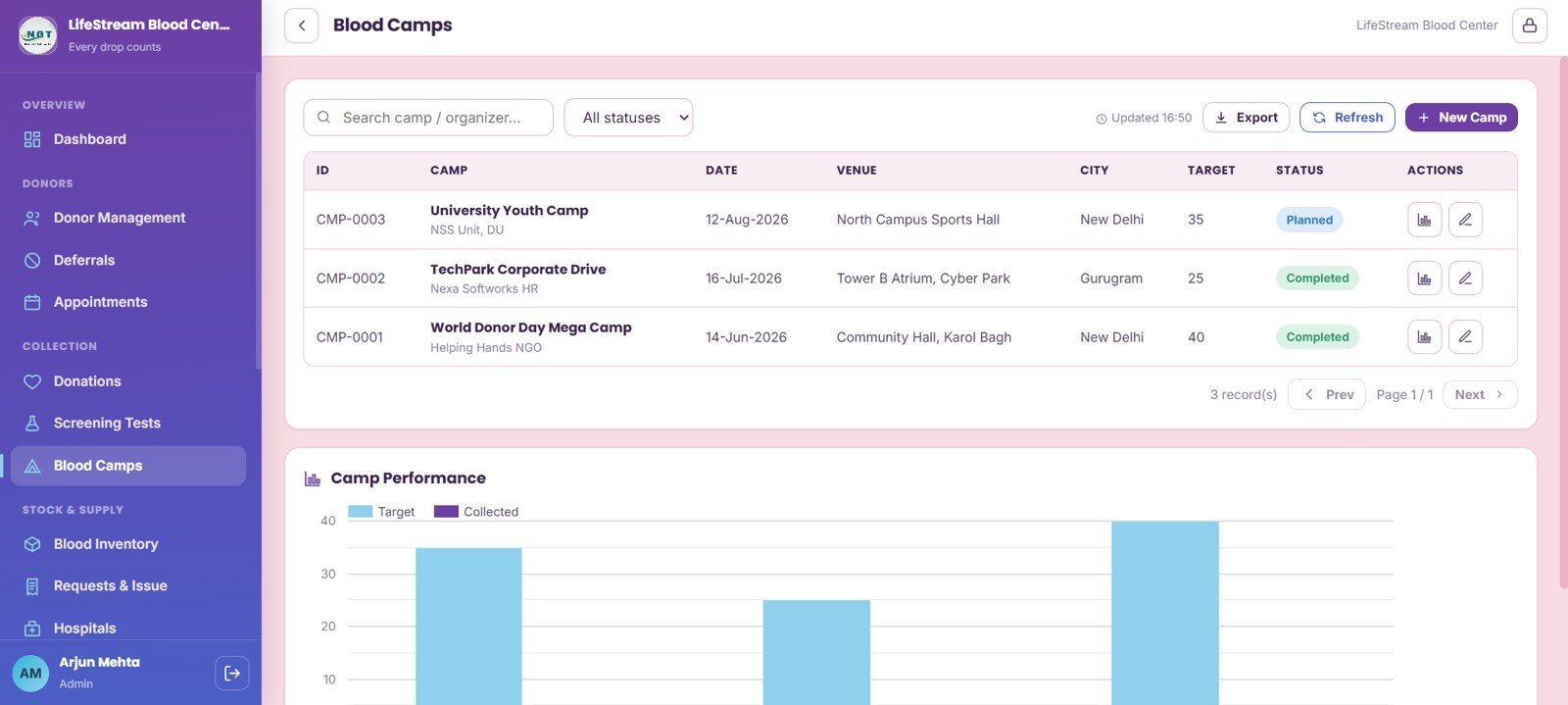
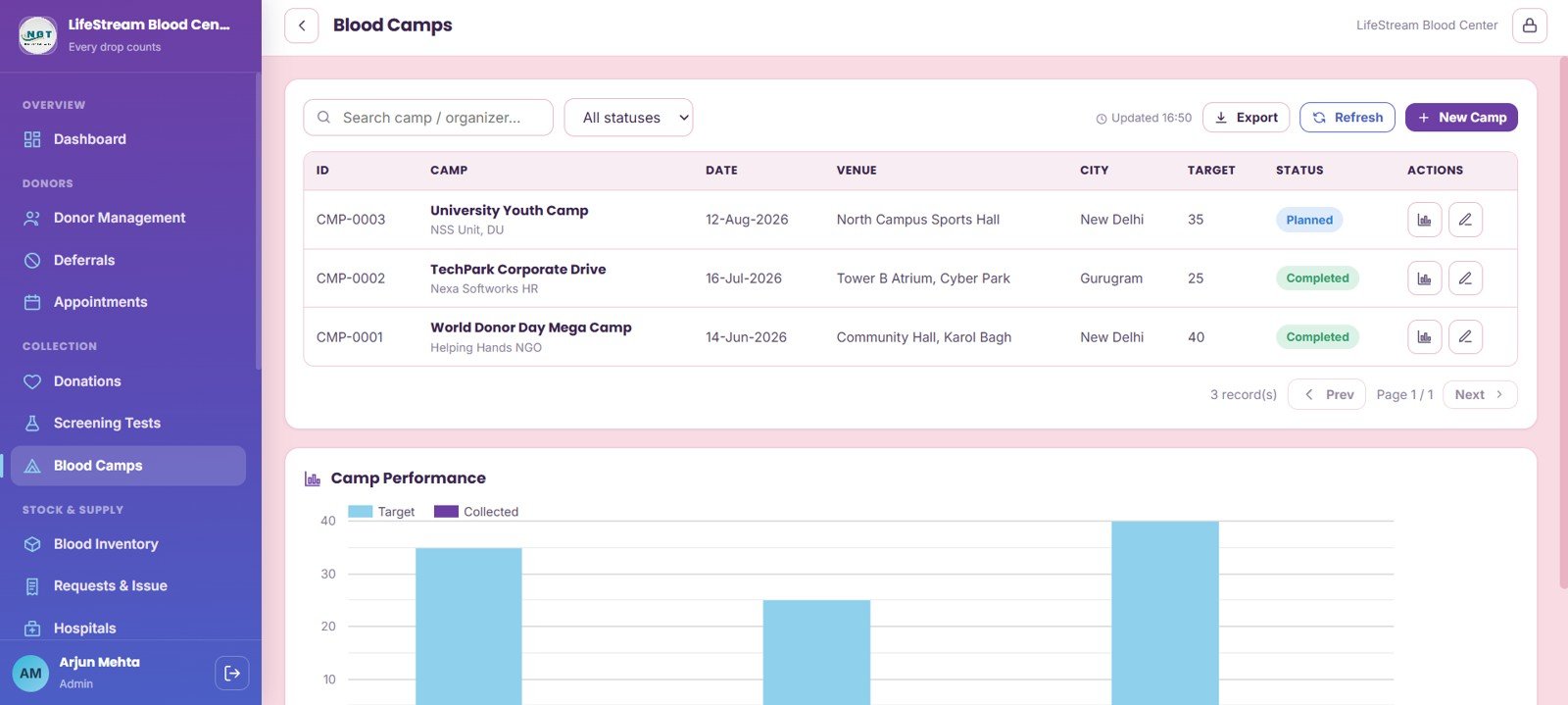
7. Blood Camps
Blood Camps summarizes organizers, dates, venues, cities, collection targets, camp completion status, and camp performance by target versus collected units. It is designed for planning and reviewing mobile donation drives.
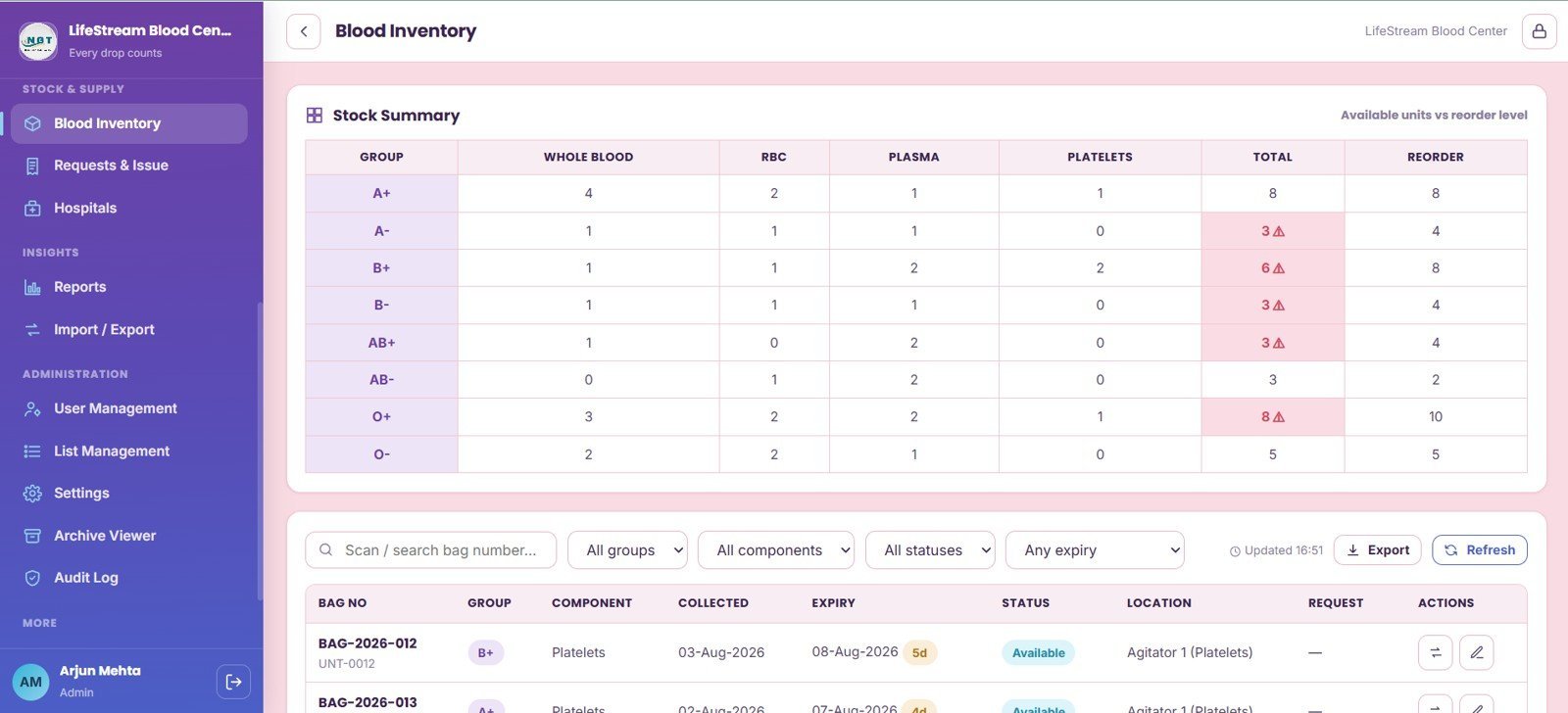
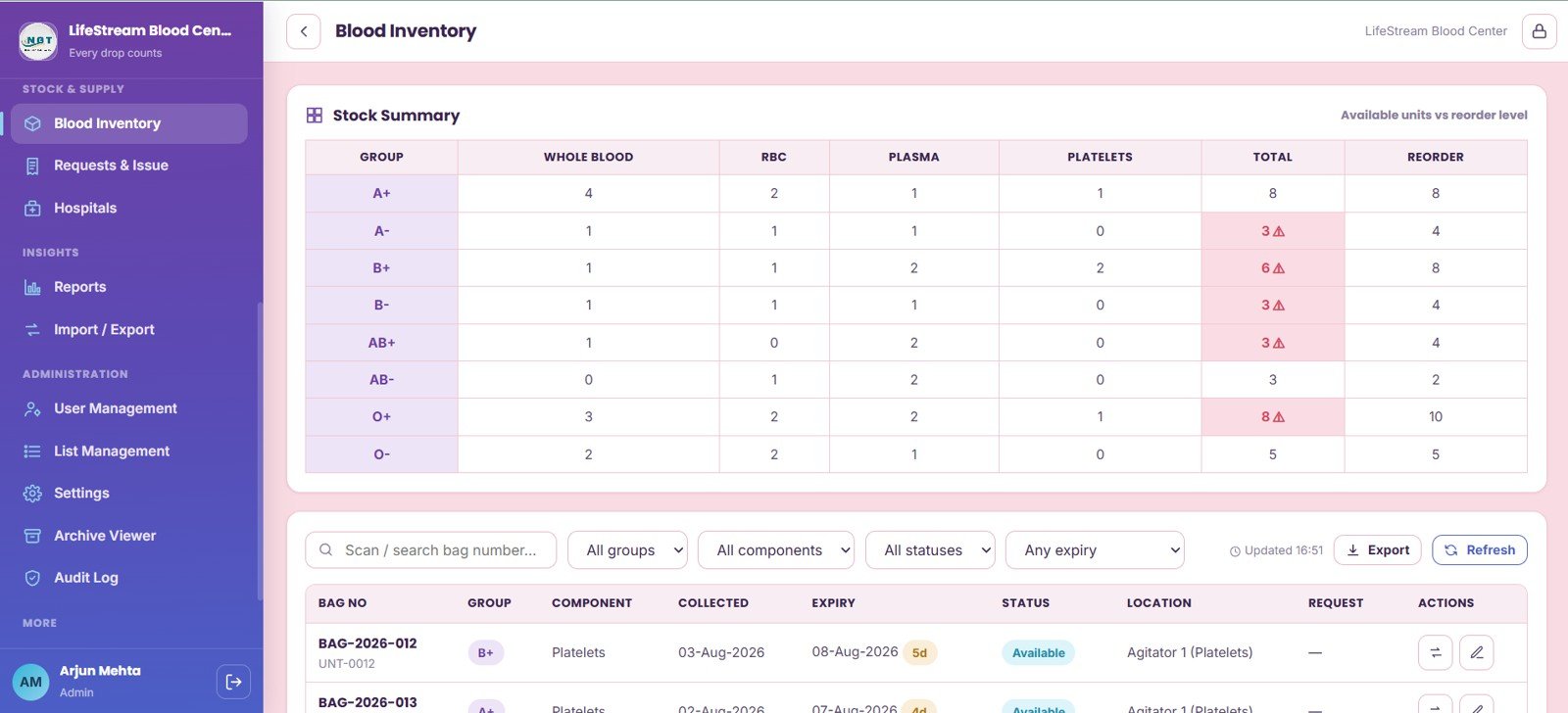
8. Blood Inventory
Blood Inventory shows stock by blood group, whole blood, RBC, plasma, platelets, total available units, reorder level, expiry, location, bag number, and request status. This is the central page for daily stock health review.
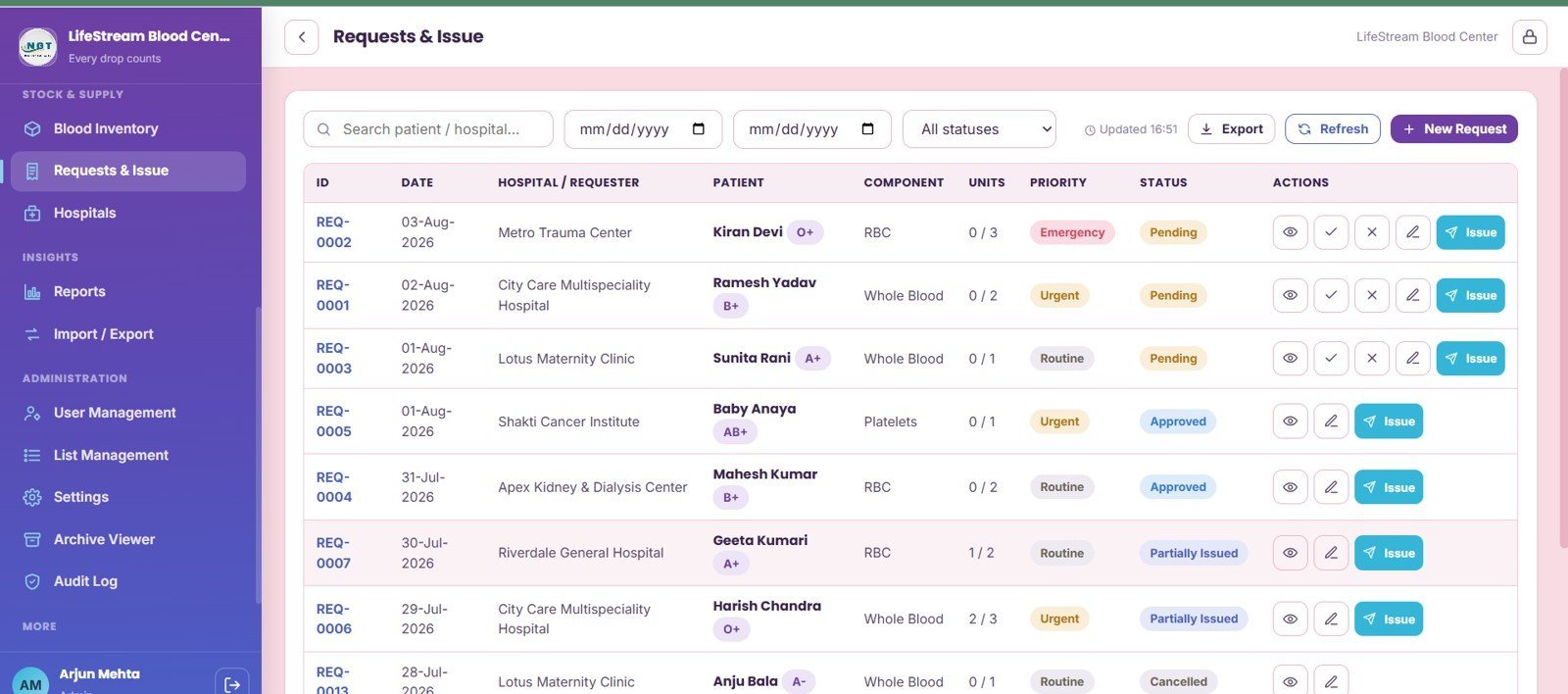
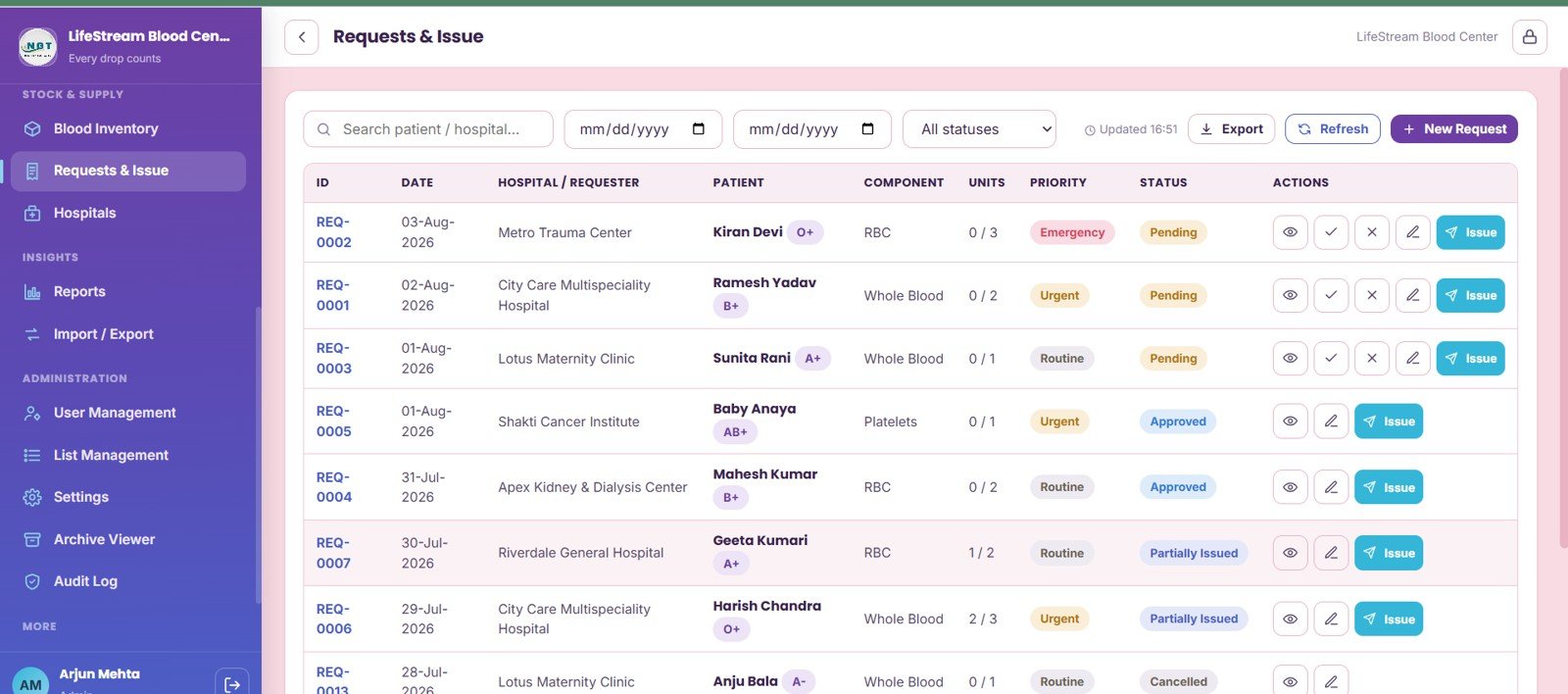
9. Requests and Issue
Requests and Issue tracks hospital, patient, component, requested units, fulfilled units, priority, request status, approval stage, and issue actions. It gives the blood bank team a structured handoff from request intake to unit issue.
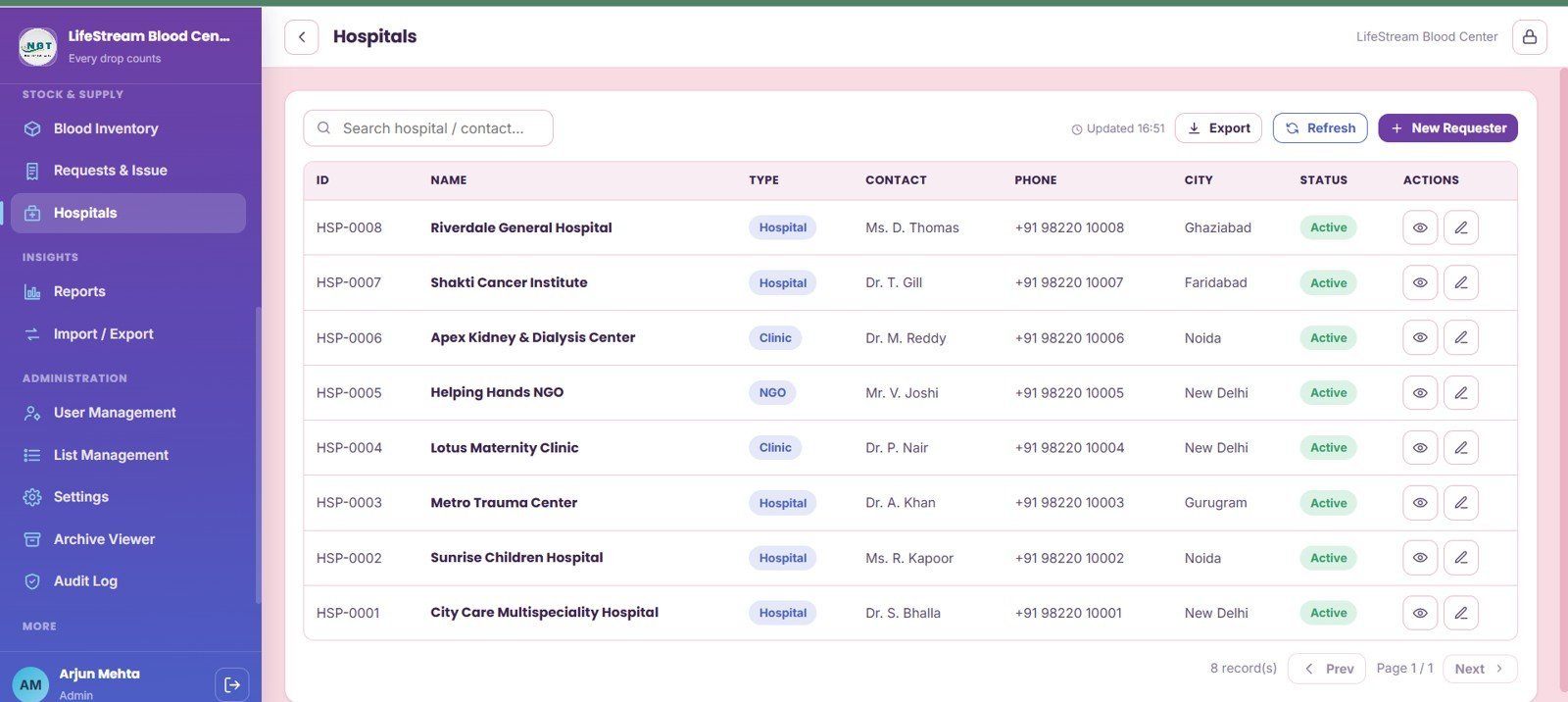
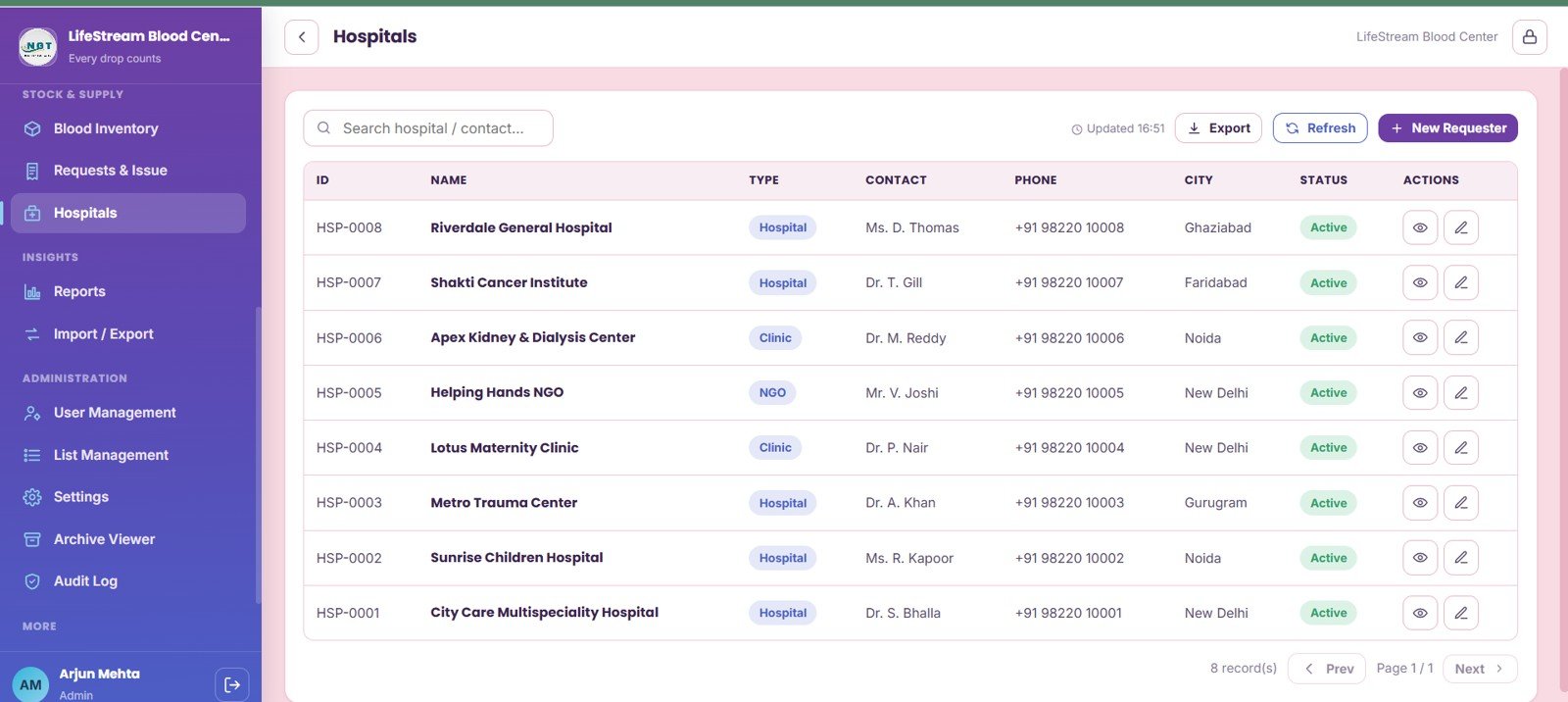
10. Hospitals
The Hospitals page maintains the requester directory by organization, hospital type, contacts, phone numbers, city, and active-record status. It keeps external requester information close to the request workflow.
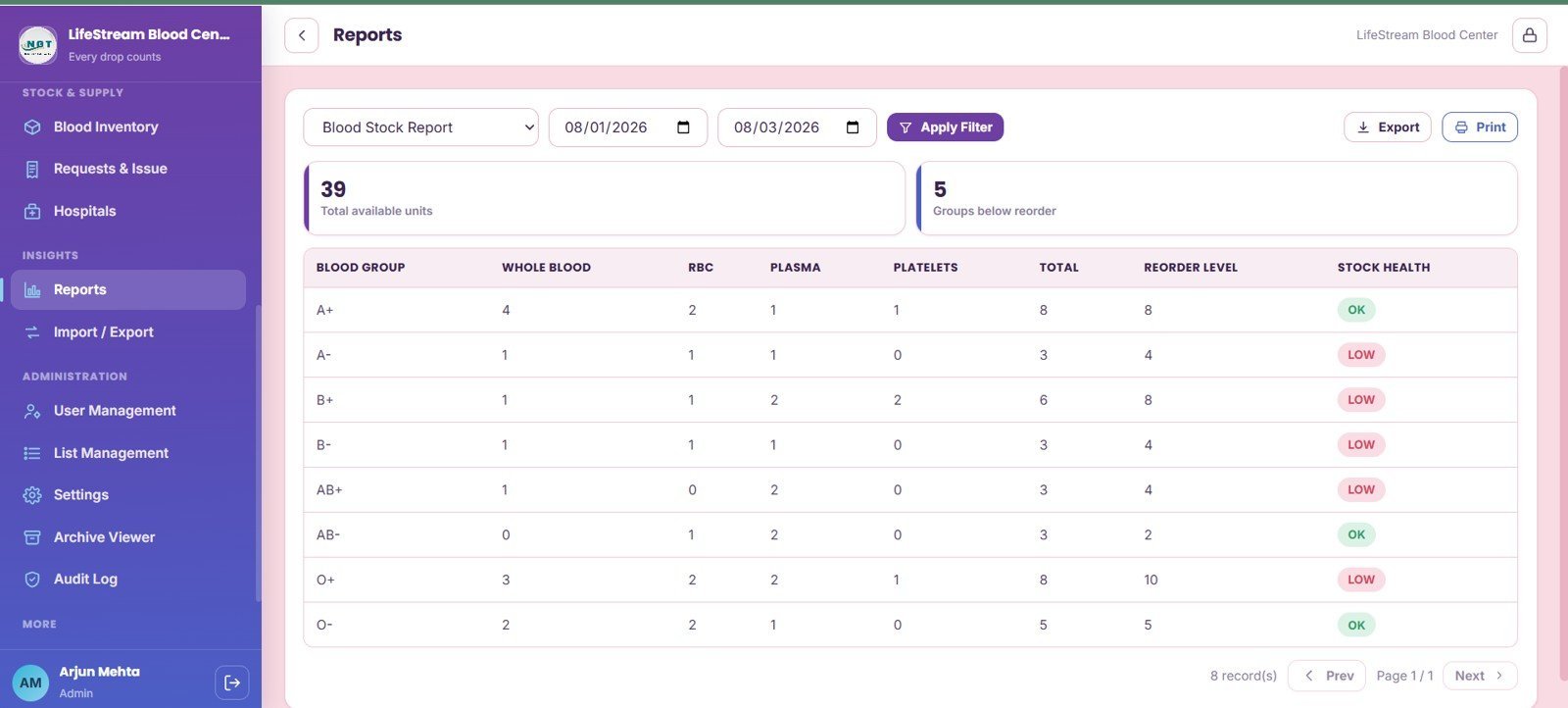
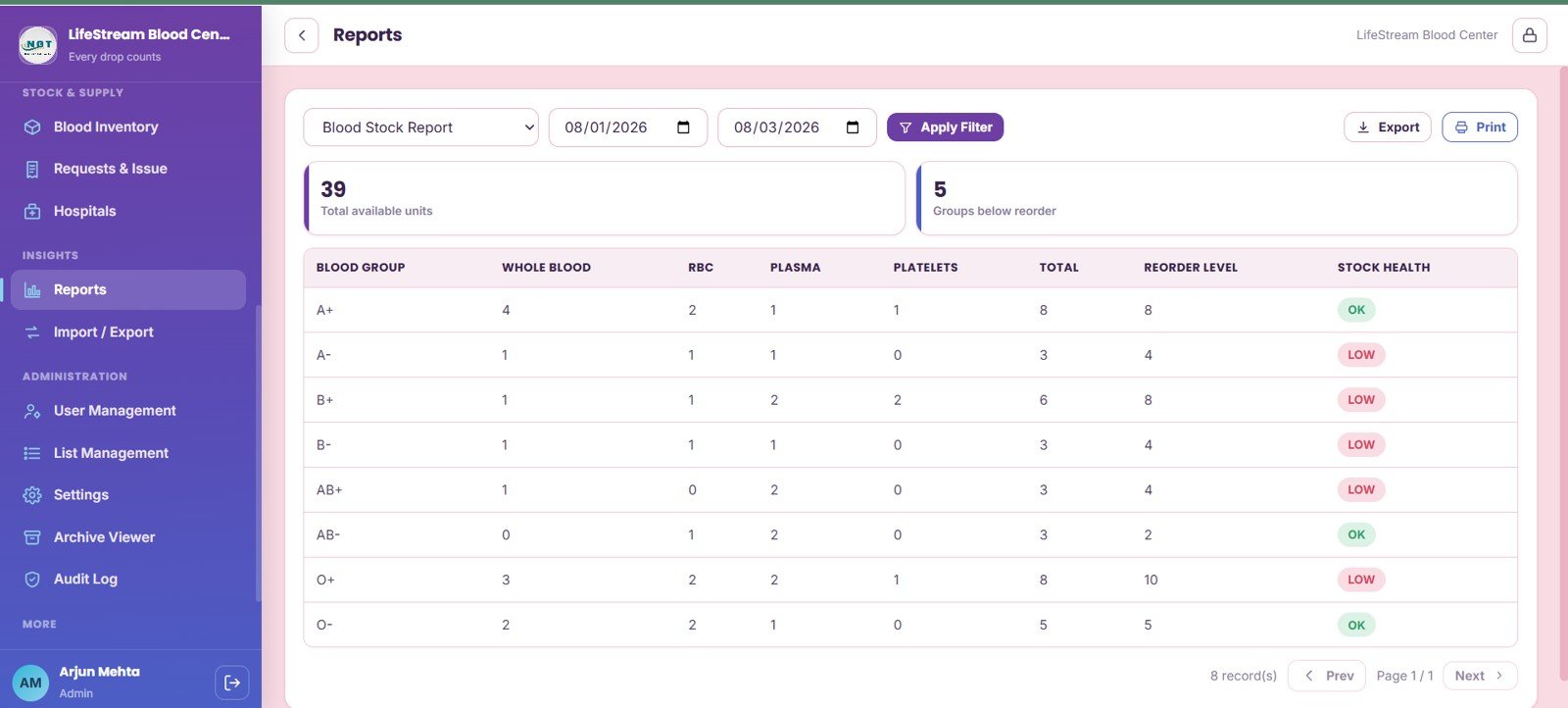
11. Reports
Reports summarizes stock by date range, total available units, groups below reorder level, component units by blood group, reorder level, and stock health. It supports management review and routine operating meetings.
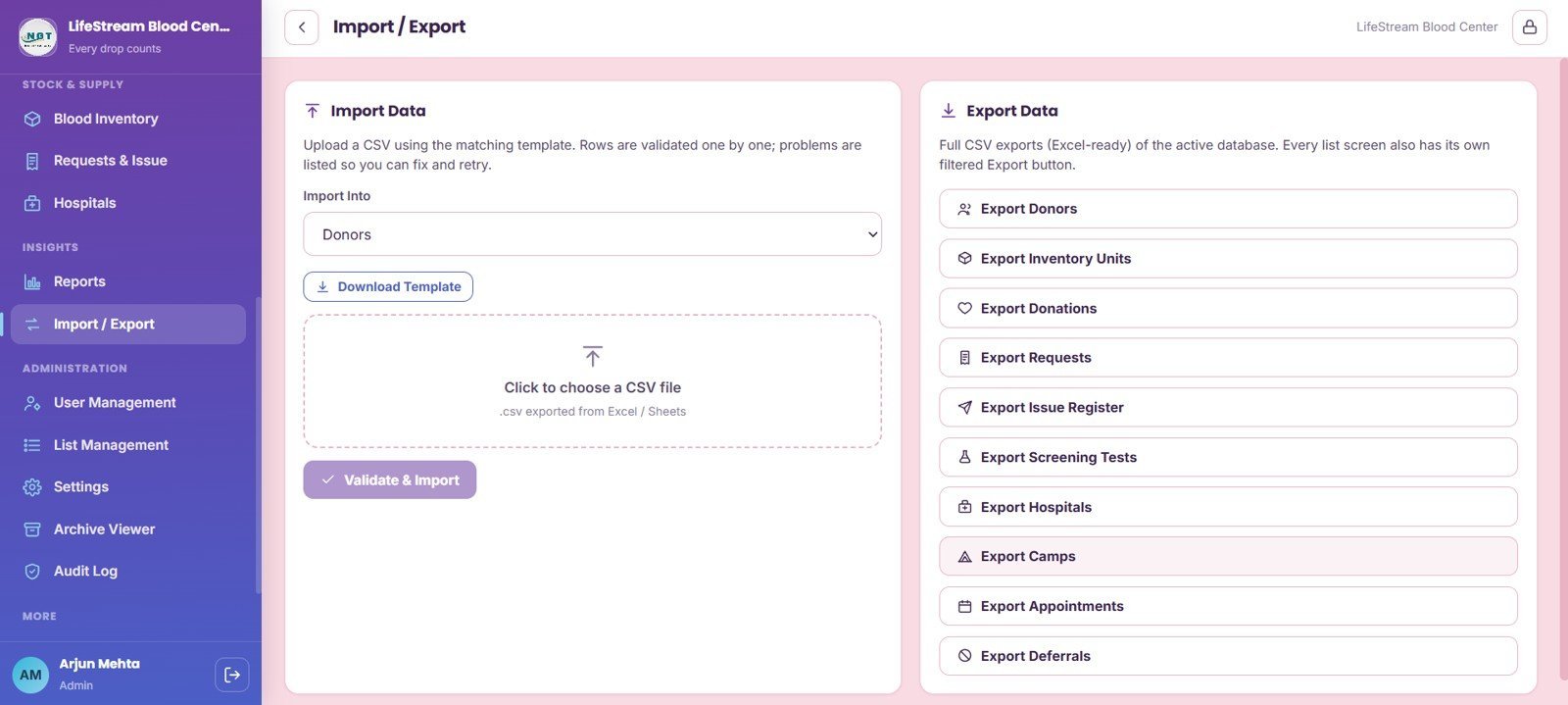
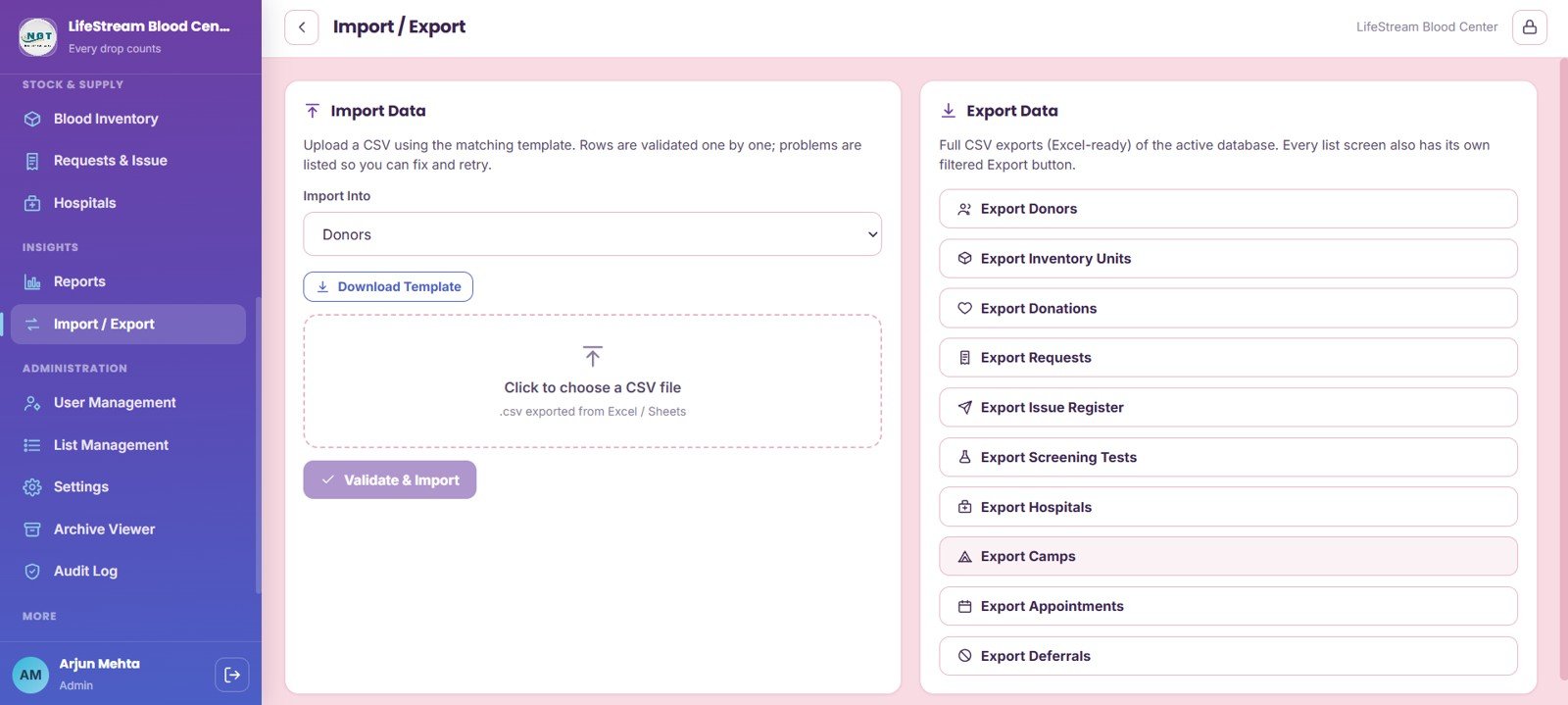
12. Import and Export
Import and Export includes module selection, CSV templates, validation results, and export tools for donors, inventory units, donations, requests, screening tests, hospitals, camps, appointments, and deferrals.
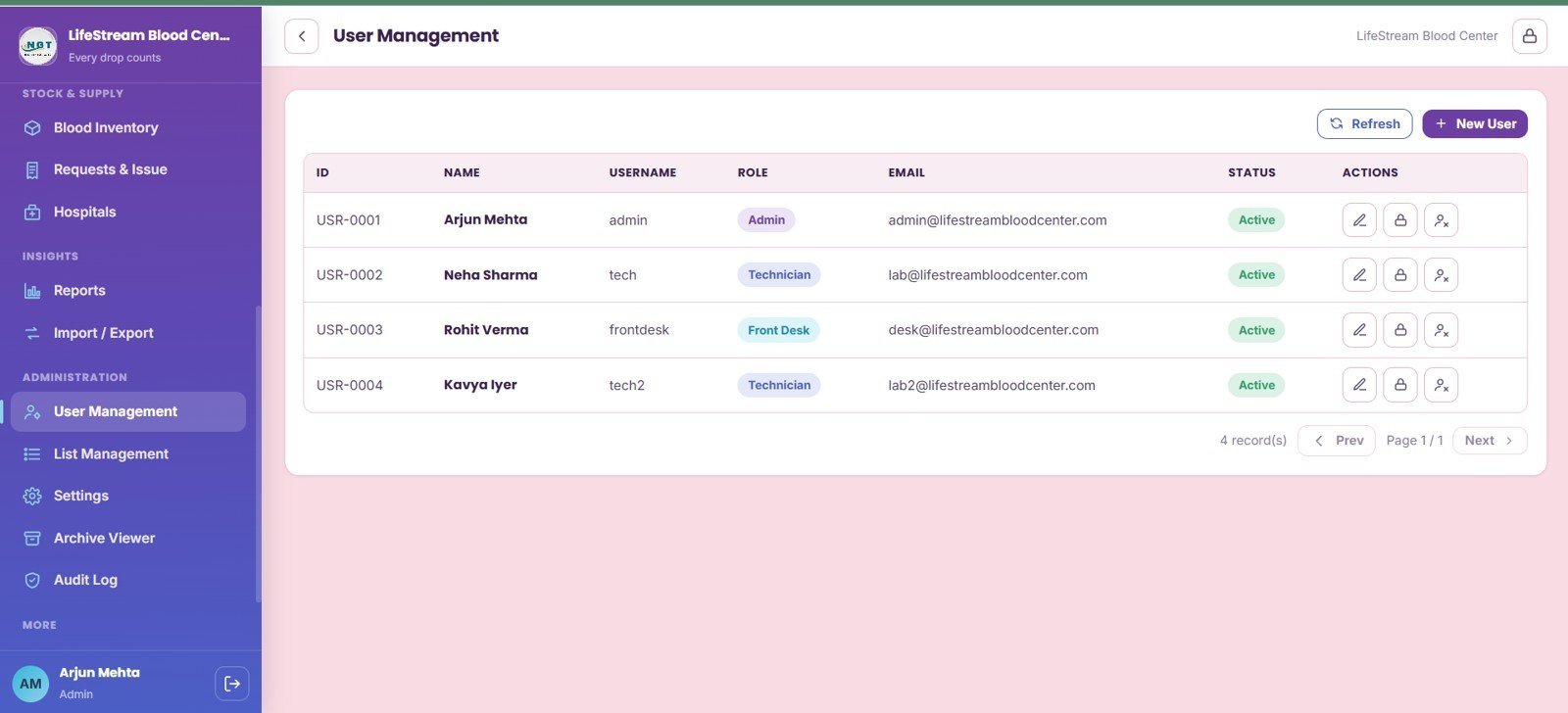
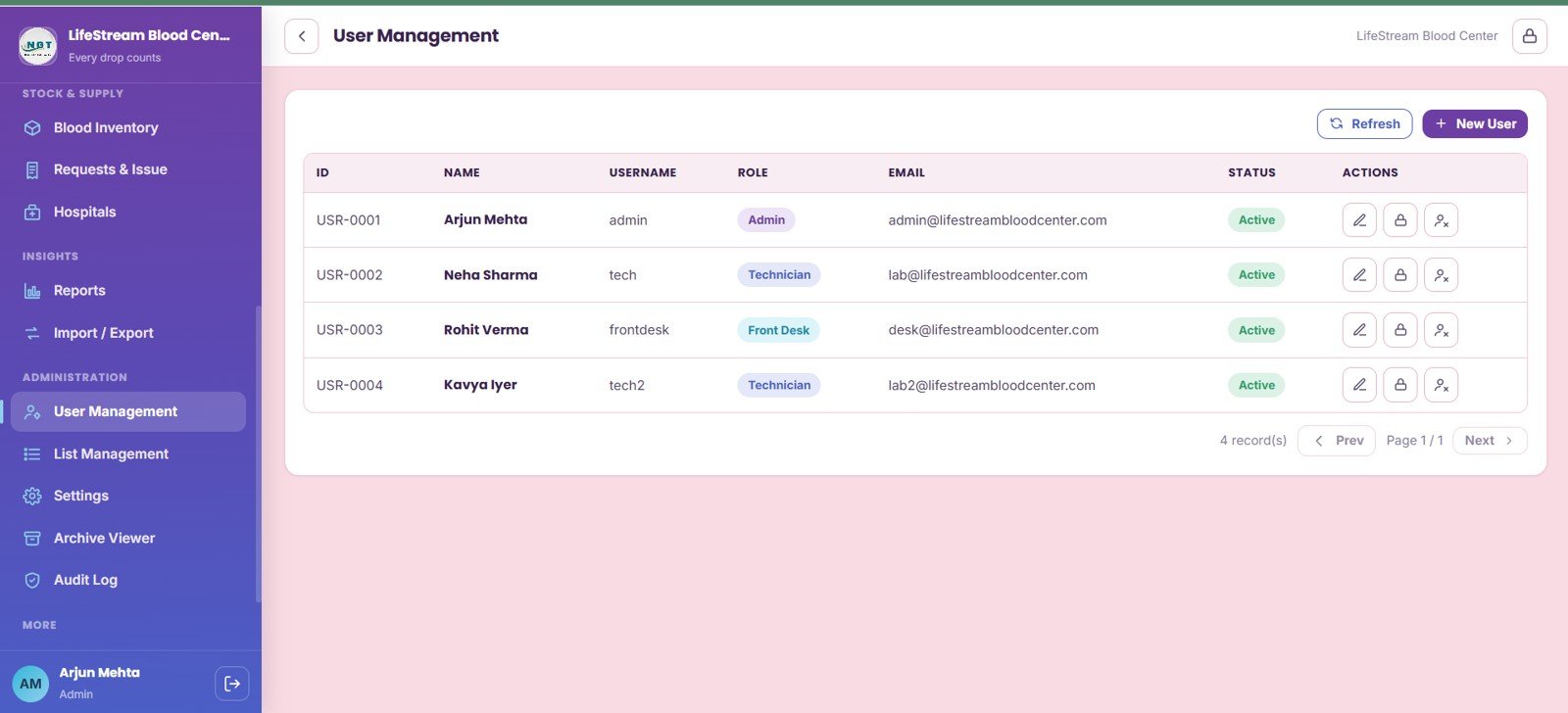
13. User Management
User Management tracks users by role, username, email, active-record status, and permission-control actions. It is useful when administrators need separate access for donor desk, lab, inventory, issue desk, and management users.
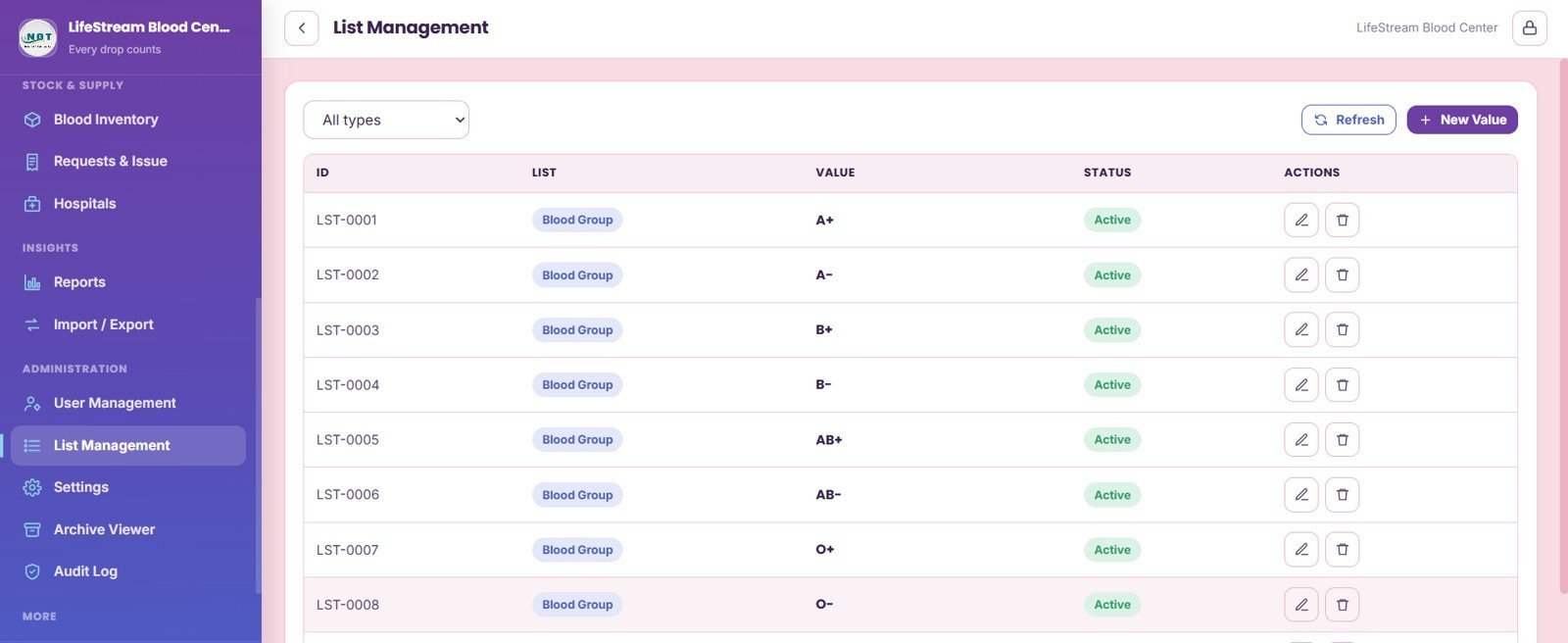
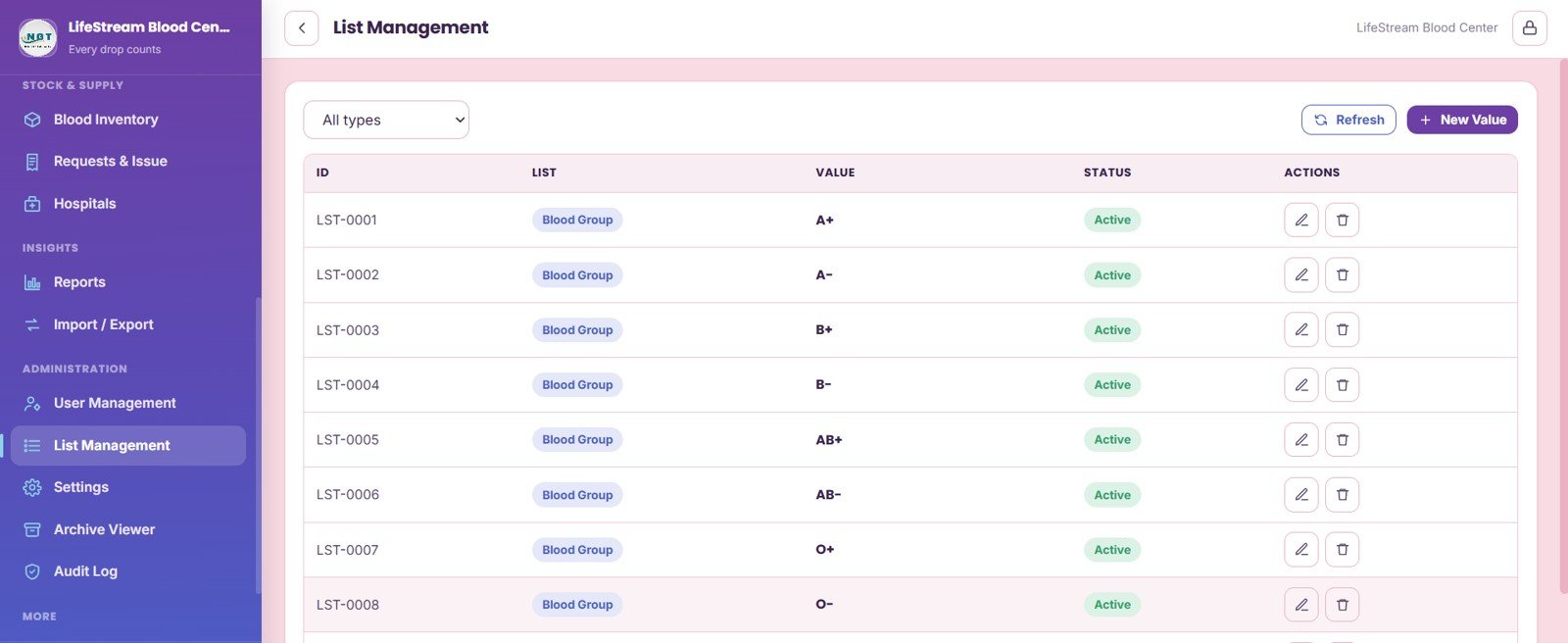
14. List Management
List Management maintains list values by type, blood group master values, active-list status, and admin actions. It helps keep dropdown values consistent across pages.
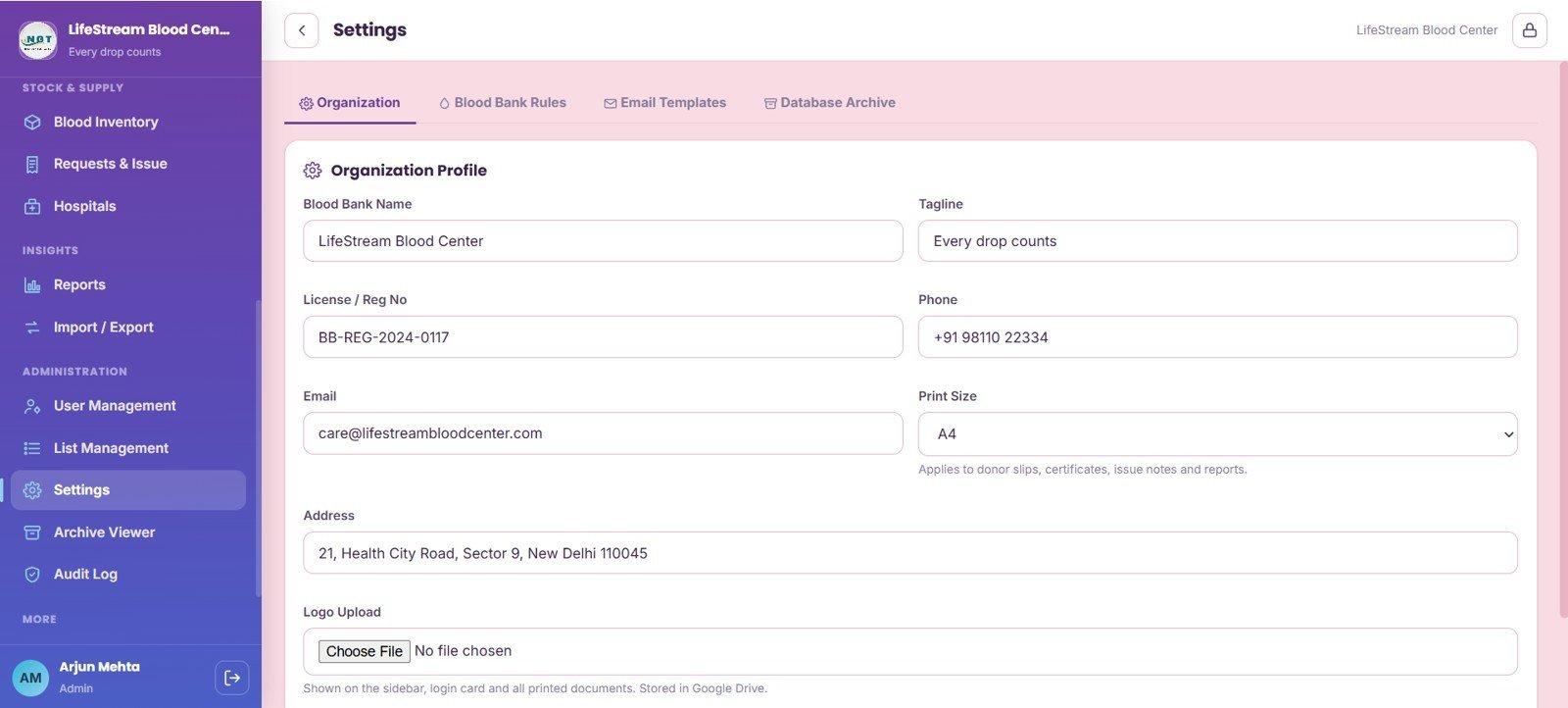
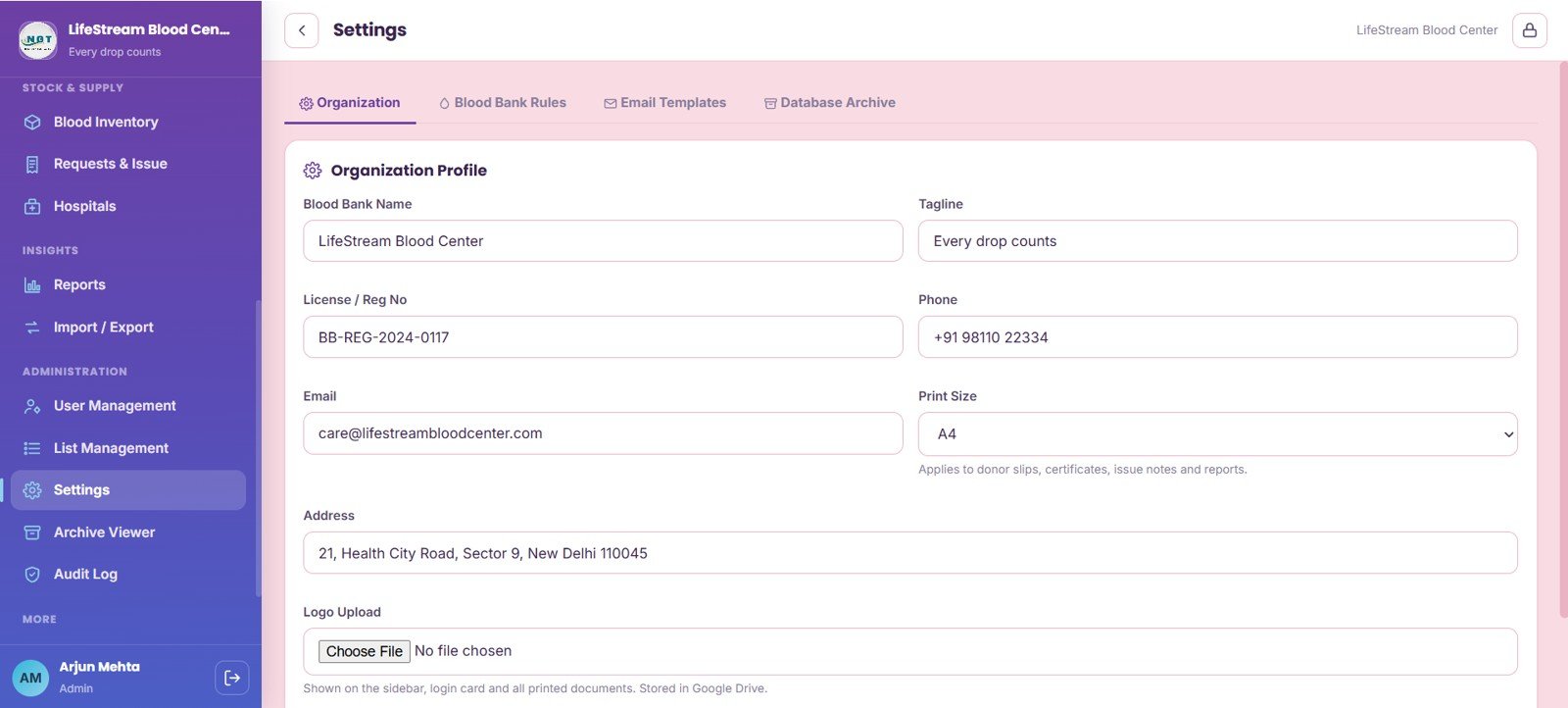
15. Settings
Settings handles organization profile, registration details, license number, phone, email, print size, address, logo upload, blood bank rules, email templates, and database archive configuration.
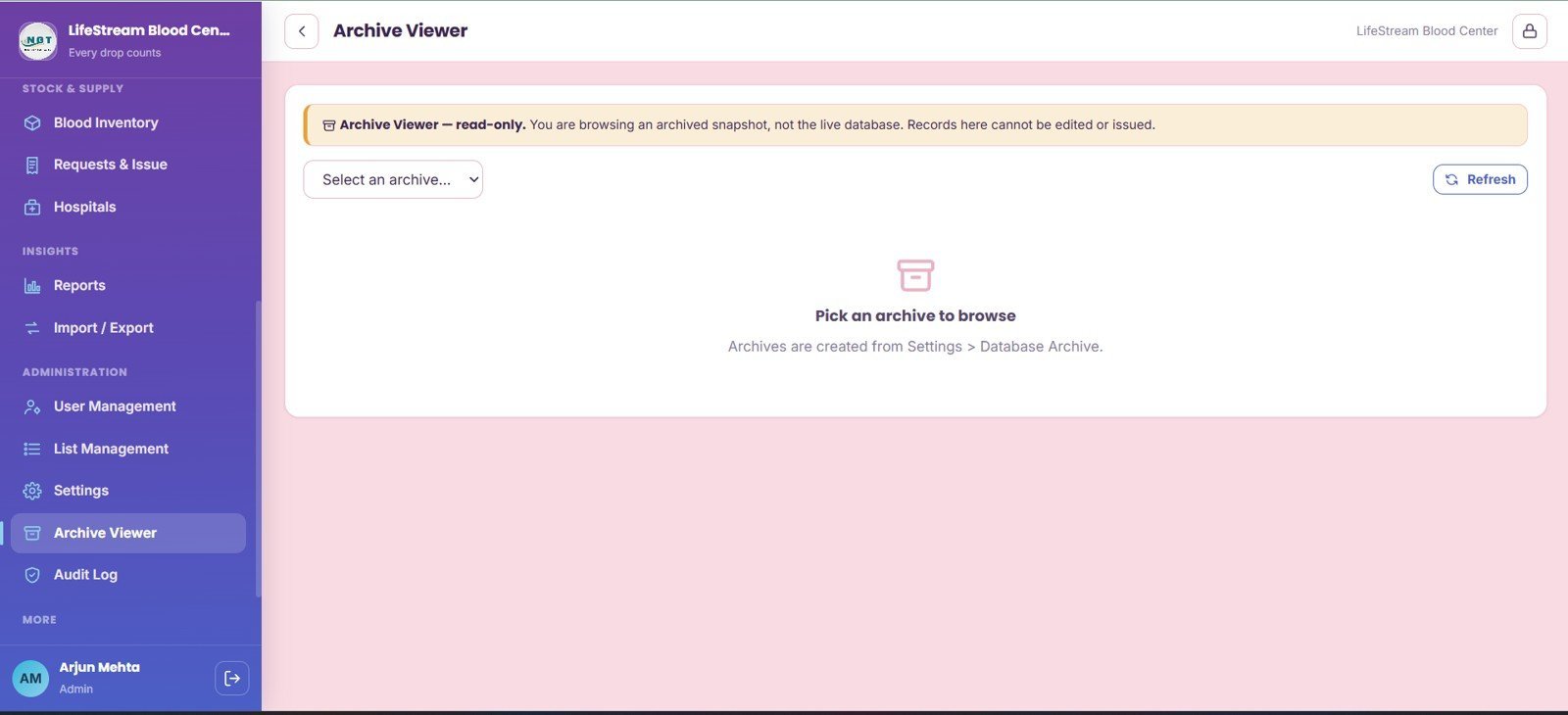
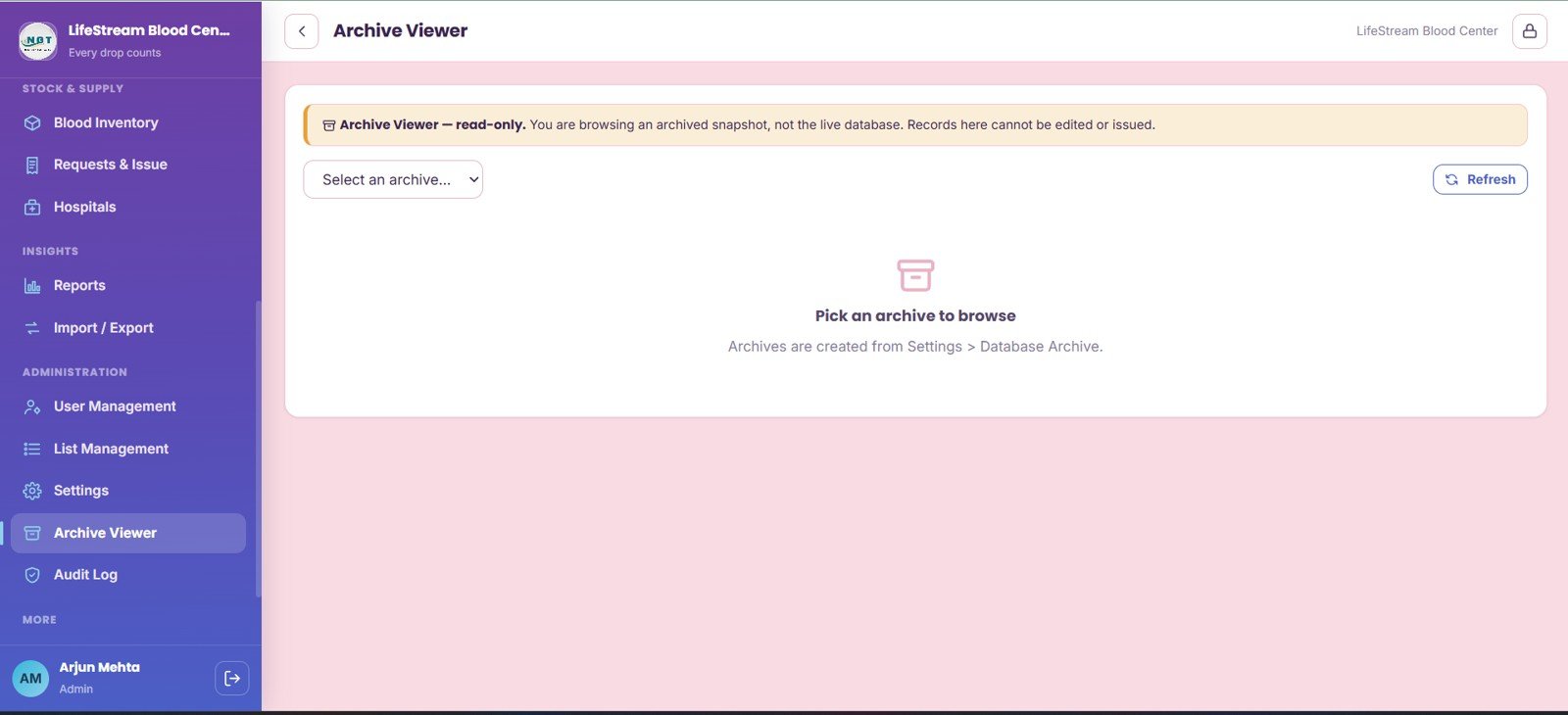
16. Archive Viewer
Archive Viewer supports archived snapshot selection, read-only archive records, archive refresh, and database archive review from the settings source. It gives administrators a safer way to inspect older snapshots.
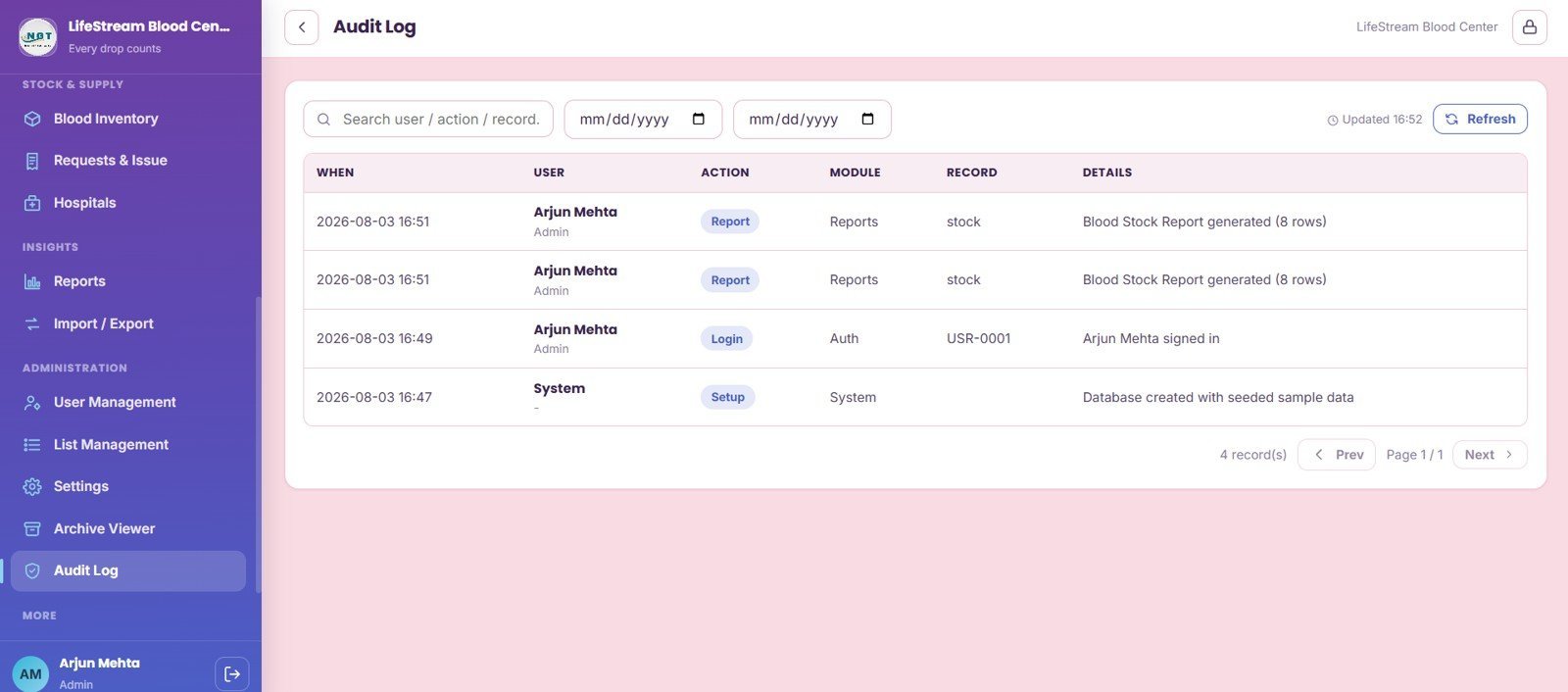
17. Audit Log
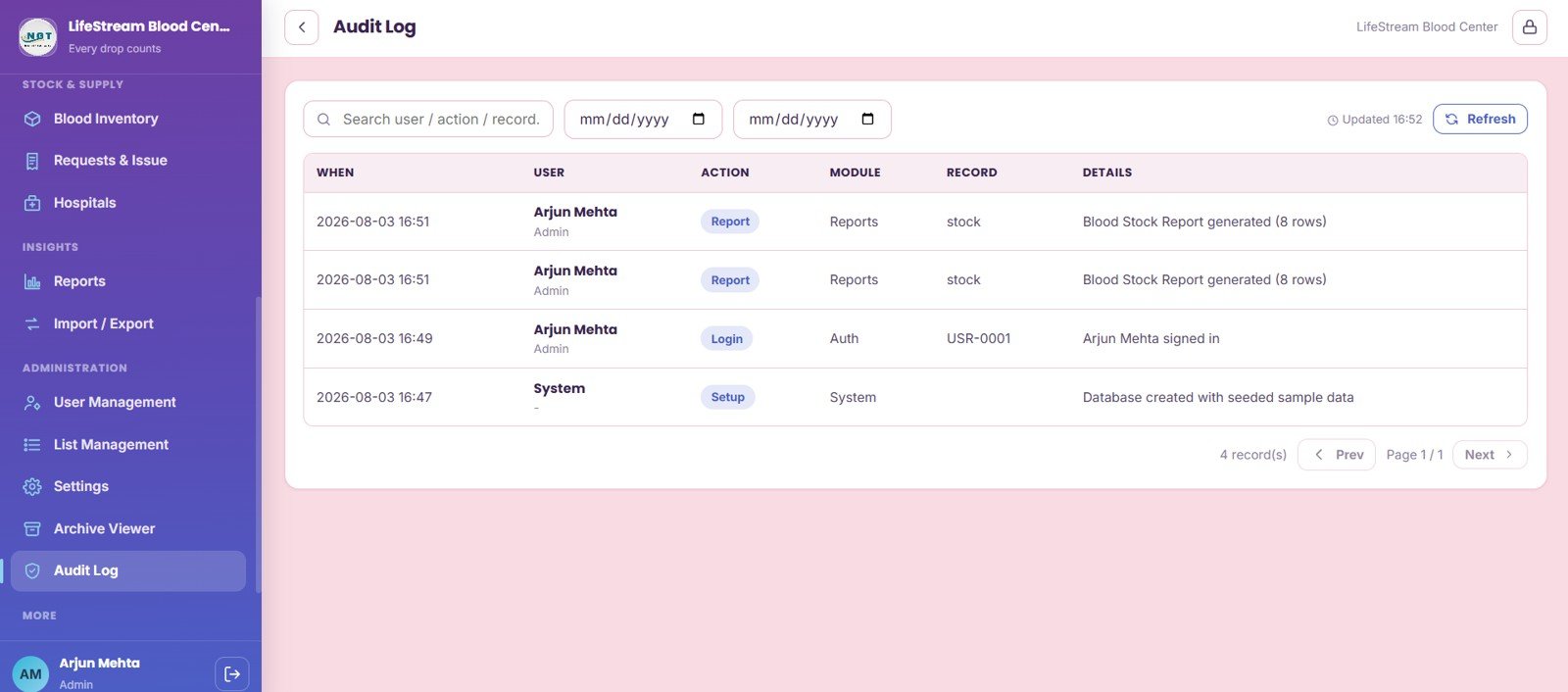
The Audit Log tracks events by date range, user, module, record, details, report generation, login activity, and system setup activity. It gives administrators a traceable history of important actions.
Blood Bank Management System Web App vs. Google Sheets Tracker vs. Paid Healthcare SaaS – Where This Fits
| Feature | This web app | Basic Google Sheets tracker | Paid healthcare SaaS |
|---|---|---|---|
| Cost | $39.99 sale price, one-time ZIP download | Low software cost, high setup time | Monthly or annual subscription |
| Platform | Browser-based web app with editable source files | Spreadsheet tabs and manual filters | Vendor-hosted system |
| Setup time | Deploy, configure settings, add users, import data | Build forms, formulas, permissions, and reports manually | Vendor onboarding and configuration |
| Real-time team collaboration | Supported after deployment and permission setup | Shared sheet editing | Usually included by plan |
| Mobile access | Browser access, depending on deployment settings | Spreadsheet mobile app | Usually app or browser based |
| Customizable fields | Editable source and lists | Editable but easier to break | Limited by vendor settings |
| Share with link | Yes, based on web app deployment permissions | Yes, through spreadsheet sharing | Usually account based |
| Year-1 cost at 5 users | $39.99 before any workspace or hosting cost | Low software cost plus internal build time | Often much higher with per-user pricing |
| Blood-bank workflow depth | Donors, deferrals, screening, inventory, requests, archive, audit log | Requires manual build | Usually deeper but less flexible and more expensive |
Who This Template Is For – and Who It’s Not For
This template is for small blood banks, hospital blood-bank departments, donor camp organizers, healthcare administrators, NGO donation centers, and operations teams that need a structured internal system for donors, appointments, donations, screening, inventory, requests, hospitals, reports, and audit history.
It is not a certified blood establishment computer system, laboratory information system, EHR, barcode scanner package, medical device, or regulatory validation service. Teams with strict accreditation, integration, hemovigilance, or real-time hospital-interface requirements should treat this as a customizable workflow template, not as a replacement for validated clinical software.
How to Use the Blood Bank Management System Web App
- Download and unzip the package after purchase.
- Follow the included setup guide to deploy the web app in your own account or hosting environment.
- Update organization profile, registration details, contact information, logo, rules, and email templates.
- Create staff users and assign roles for donor desk, lab, inventory, requests, reports, and administration.
- Import or enter donors, hospitals, camps, appointments, donations, screening tests, and inventory records.
- Use Reports, Archive Viewer, and Audit Log during weekly reviews and management checks.
Real-World Use Cases
Anita, blood center administrator: reviews live stock, groups below reorder level, and pending hospital requests before the morning allocation meeting.
Rahul, donor coordinator: filters eligible donors by blood group and city before a camp reminder campaign.
Meera, lab technician: checks screening status by blood bag so only cleared components move into available inventory.
Frequently Asked Questions
What is included in the Blood Bank Management System Web App?
It includes 17 pages covering sign in, donors, deferrals, appointments, donations, screening tests, blood camps, inventory, requests, hospitals, reports, import/export, users, lists, settings, archive viewer, and audit log.
Is this a monthly software subscription?
No. This is sold as a one-time downloadable web app template. Any separate workspace, hosting, email, or deployment costs depend on how you choose to run it.
Can I customize blood groups, statuses, and list values?
Yes. The List Management and Settings pages are designed for maintaining master values, organization rules, branding, and operating details.
Does it include donor eligibility and deferral tracking?
Yes. Donor Management includes eligibility by last donation and reminders, while Deferrals tracks donor, type, reason, date range, status, and lift actions.
Can it manage hospital blood requests?
Yes. The Requests and Issue page tracks hospital, patient, component, requested units, fulfilled units, priority, request status, approval stage, and issue actions.
Is this a certified clinical or regulatory system?
No. It is a customizable operations template. Blood banks with regulated validation, device integration, barcode scanning, or EHR requirements should complete their own compliance review before operational use.
About the Author
Built by PK – Microsoft Certified Professional with 15+ years of Excel, Google Sheets, and Power BI experience. Founder of NextGenTemplates, reaching 300K+ subscribers across YouTube channels. Every template is hand-built and tested before release.
Explore Related Templates
- Ayurvedic Or Homeopathy Clinic Management System Web App
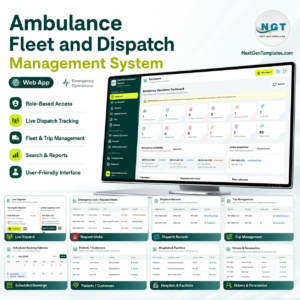
- Ambulance Fleet and Dispatch Management System Web App
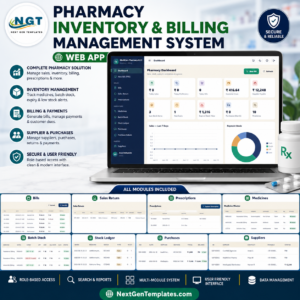
- Pharmacy Inventory and Billing Management System Web App
- Blood Banks Dashboard in Power BI
- Blood Banks Dashboard in Excel
- Browse more Web Apps and HTML templates.
Use the Blood Bank Management System Web App to manage donor records, deferrals, appointments, donations, screening, blood inventory, hospital requests, reports, archive snapshots, and audit history in one organized workflow.
Watch the step-by-step video Demo:
Last updated: August 4, 2026.





























Reviews
There are no reviews yet.