

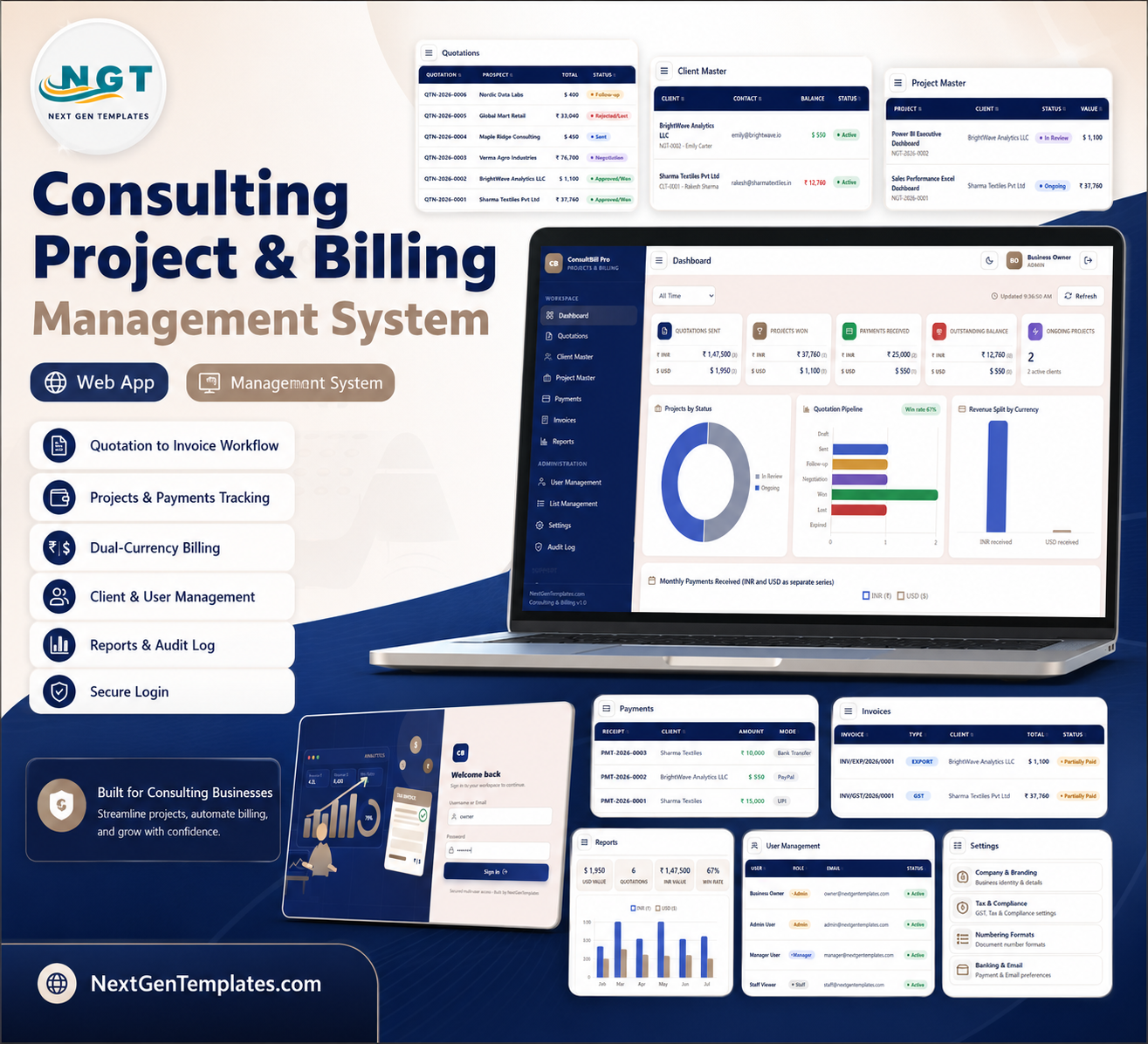


Consulting Project and Billing Management System Web App is built for consulting teams that need one place for quotations, project conversion, client records, invoices, payments, GST, export billing and reports. Wellingtone’s 2026 project management research reported that only 36% of organisations mostly or always complete projects on time, and Wellingtone also reports that 42% of respondents spend one or more days manually collating project reports. For a small consulting office, that gap shows up as missed follow-ups, slow invoicing and unclear receivables. Built by PK for NextGenTemplates’ 300K+ tutorial audience, this downloadable Google Apps Script web app gives you a one-time purchase starting point with no monthly SaaS fee.
Launch price: $39.99 sale price, regular price $69.99. This is a digital ZIP download for a browser-based Google Apps Script application.
Key Features of Consulting Project and Billing Management System Web App
- Secure login: Username or email sign-in, password visibility and a branded ConsultBill Pro entry screen.
- Quotation to project workflow: Track quotation status, follow-up date, approval and conversion into client and project records.
- Client master: Maintain client ID, contact person, country, currency, billed amount, receipts and balance.
- Project master: Track project value, status, timeline, received amount, balance amount and project documents.
- Payment tracking: Record receipt number, invoice reference, currency, mode, transaction number and payment amount.
- GST and export invoices: Manage GST invoice, export invoice, tax or LUT treatment, payment status and print/email actions.
- Reports: Filter quotations by date, currency and source, then review value, won count and win rate.
- Admin controls: Manage users, roles, dropdown values, company settings, numbering formats and audit history.
What’s Inside the Consulting Project and Billing Management System Web App
The system includes 12 prepared screens covering the consulting back office from first quotation to invoice collection and audit review. Each screen is designed for a specific business action, so users do not have to maintain separate quote sheets, client sheets, invoice trackers and payment files.
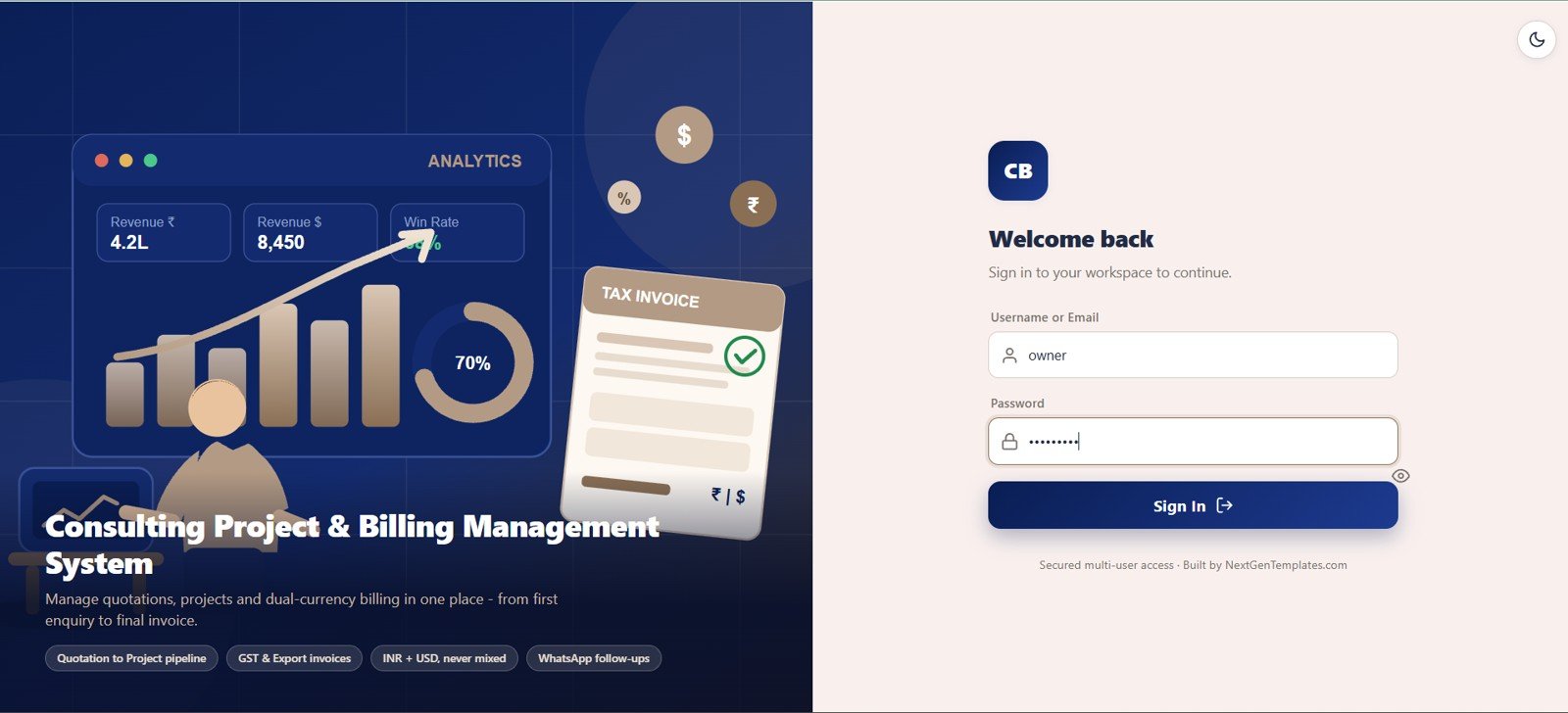
1. Secure Login
The login page gives the web app a protected entry point with username or email, password, password visibility and NextGenTemplates branding. The hero panel explains the quotation-to-project pipeline, GST and export invoice support, INR and USD billing, and WhatsApp follow-up workflow.
🚀 Try the Live Demo Before You Buy
We have deployed this web app in our own Google account so you can test every page, every role, and every report — with real sample data — before purchasing. No signup, no email required.
🔑 Test Login Credentials
Sign in as owner or admin to unlock everything — users, lists, settings, archive and delete rights. Log in as manager to work the day-to-day flow (quotations, clients, projects, payments, invoices and reports) without admin areas or delete rights, or as staff for a read-only view of dashboards and lists with the ability to add follow-up notes on quotations. 💡 Tip: open the same demo in two browser tabs with different roles to see exactly what each user can and cannot access.
💡 What you get after purchase: The full source code (Code.gs + Index.html) plus a step-by-step deployment guide so you can deploy your own private instance in your own Google account in under 15 minutes.
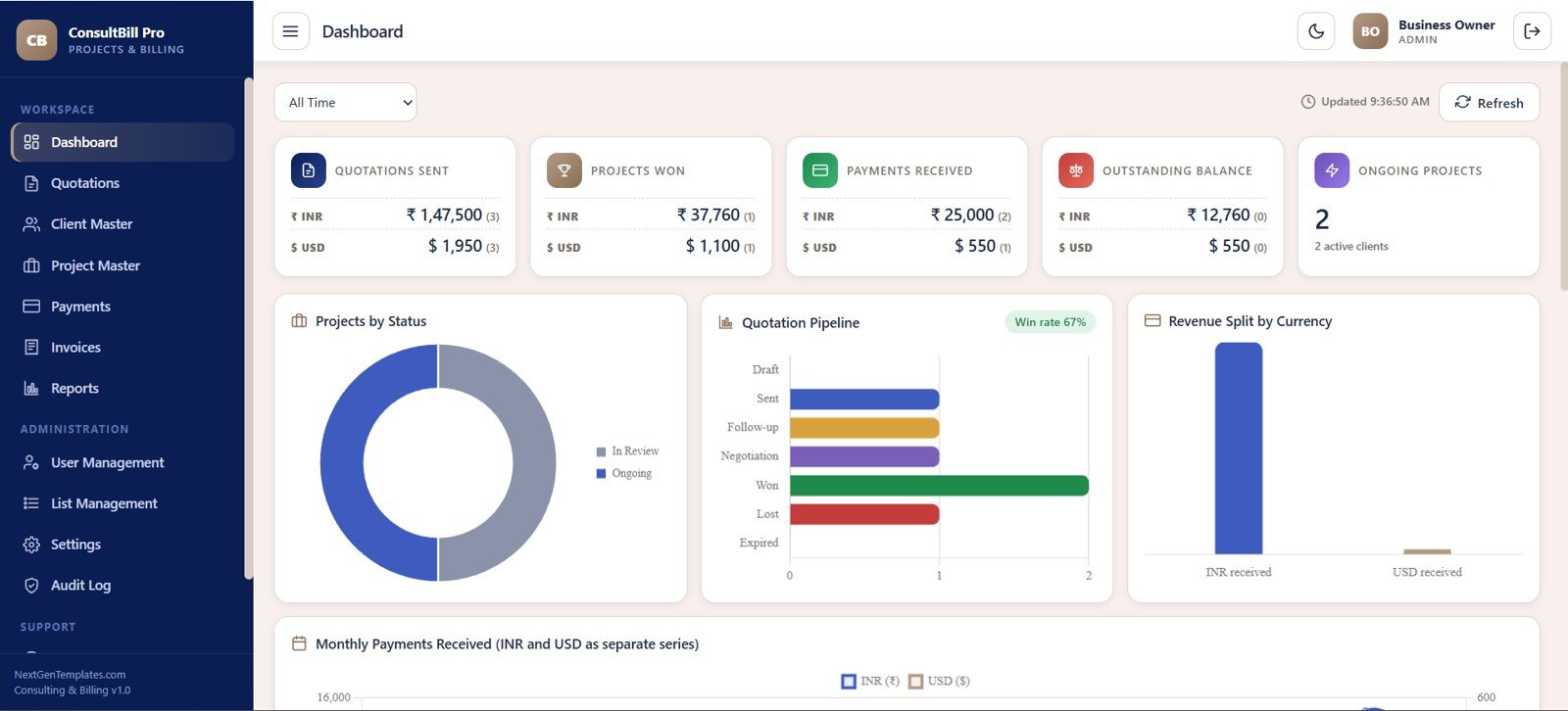
2. Dashboard
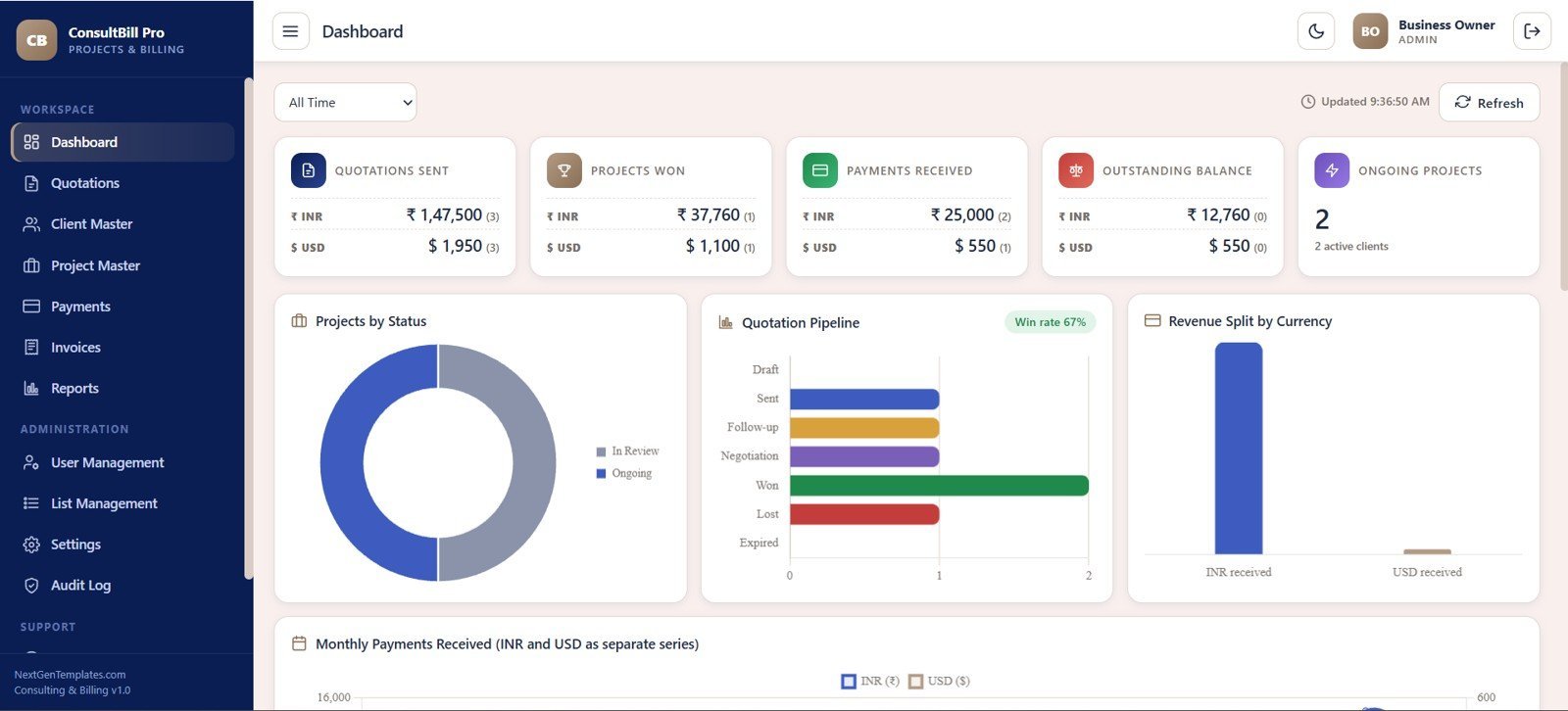
The dashboard opens with cards for quotations sent, projects won, payments received, outstanding balance and ongoing projects. Analysis panels show projects by status, quotation pipeline by stage, revenue split by currency and monthly payments received.
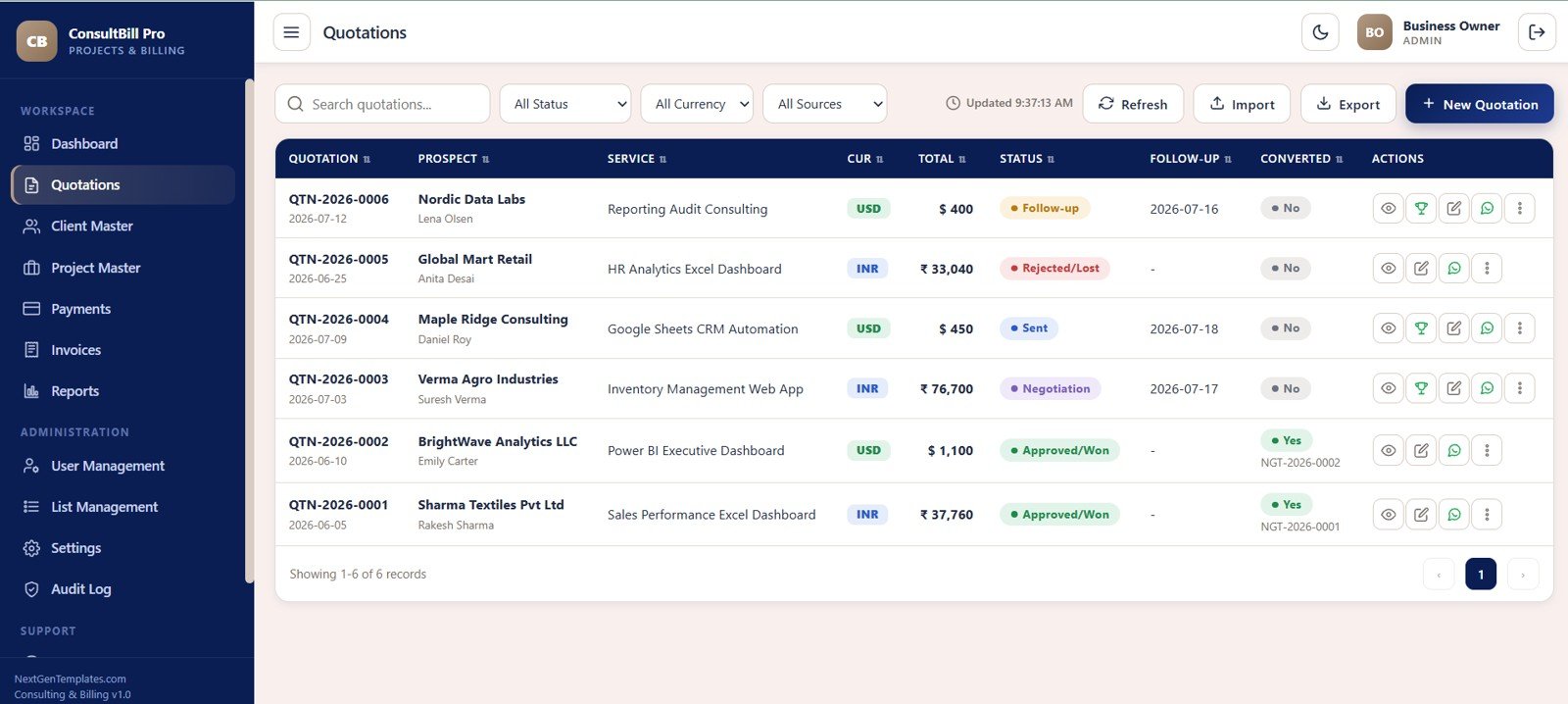
3. Quotations
The Quotations module manages quotation number, date, prospect, contact person, service, currency, total amount, source, status, follow-up date and converted status. Search, status filters, currency filters, import/export and actions for view, win conversion, edit and WhatsApp follow-up support the sales pipeline.
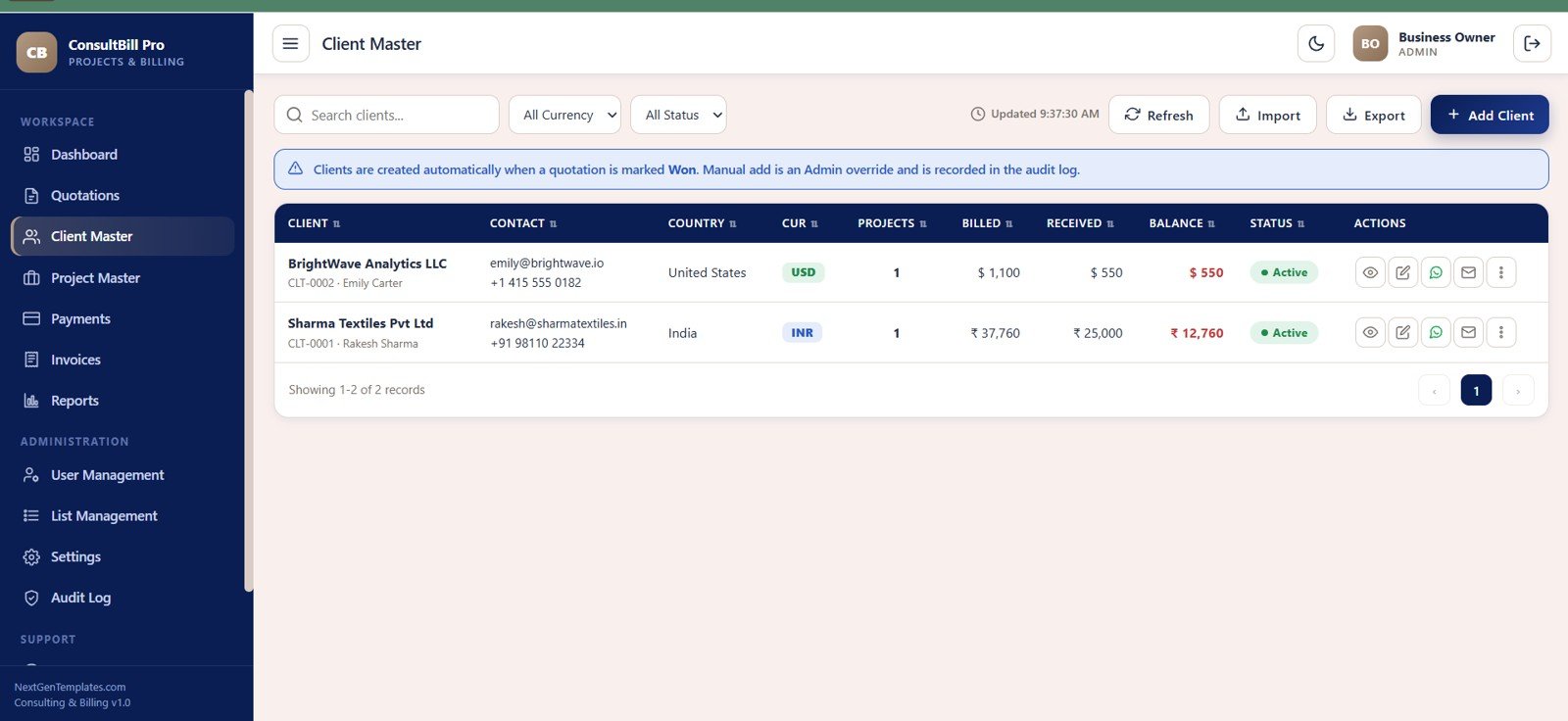
4. Client Master
Client Master stores client ID, client name, contact person, email, phone, country, currency, project count, billed amount, received amount and balance. Clients can be created automatically when a quotation is marked won, while manual additions are recorded for admin review.
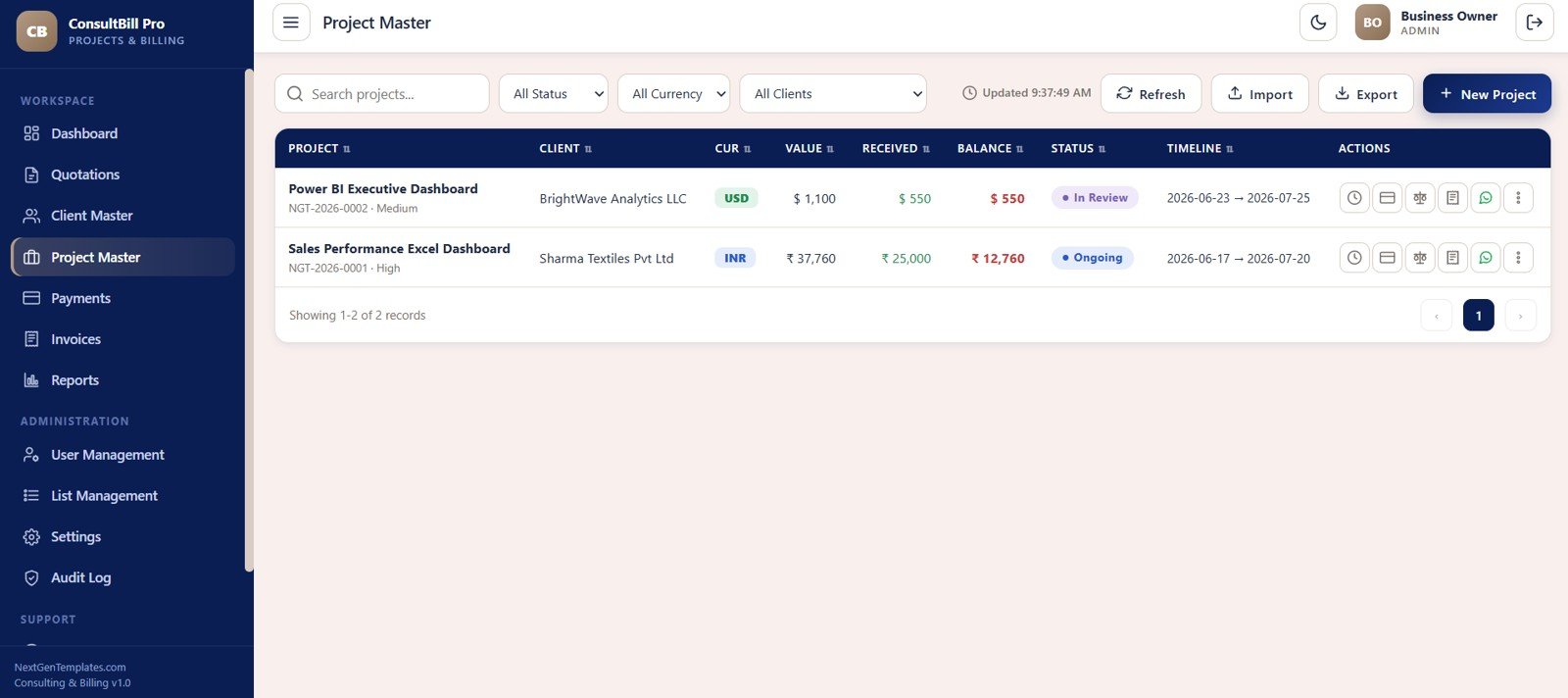
5. Project Master
Project Master keeps project name, project ID, client, currency, project value, received amount, balance, timeline and status such as In Review or Ongoing. It also includes schedule, invoice, balance, document and WhatsApp actions.
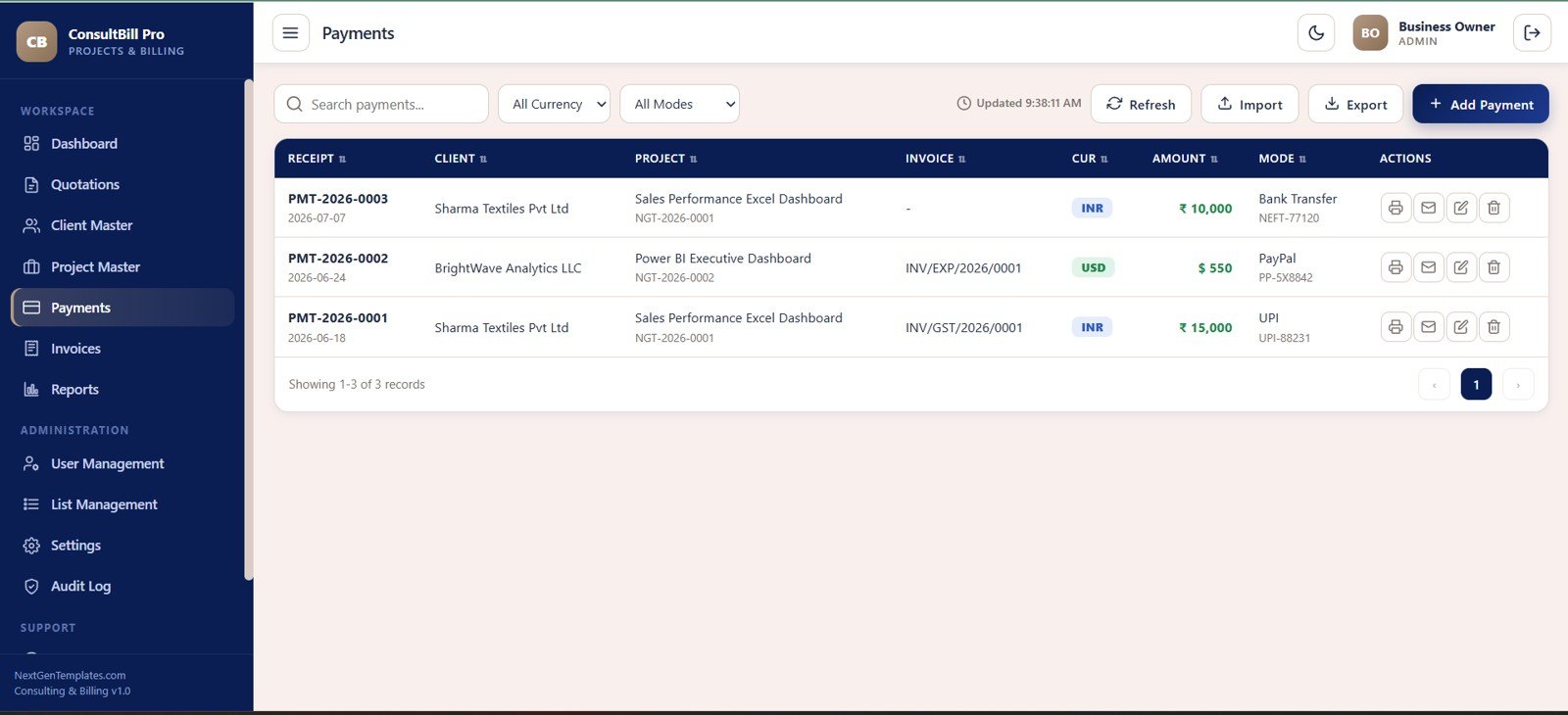
6. Payments
The Payments module records receipt number, receipt date, client, project, invoice reference, currency, amount, payment mode and transaction reference. Print, email, edit and delete actions help the accounts team reconcile collections.
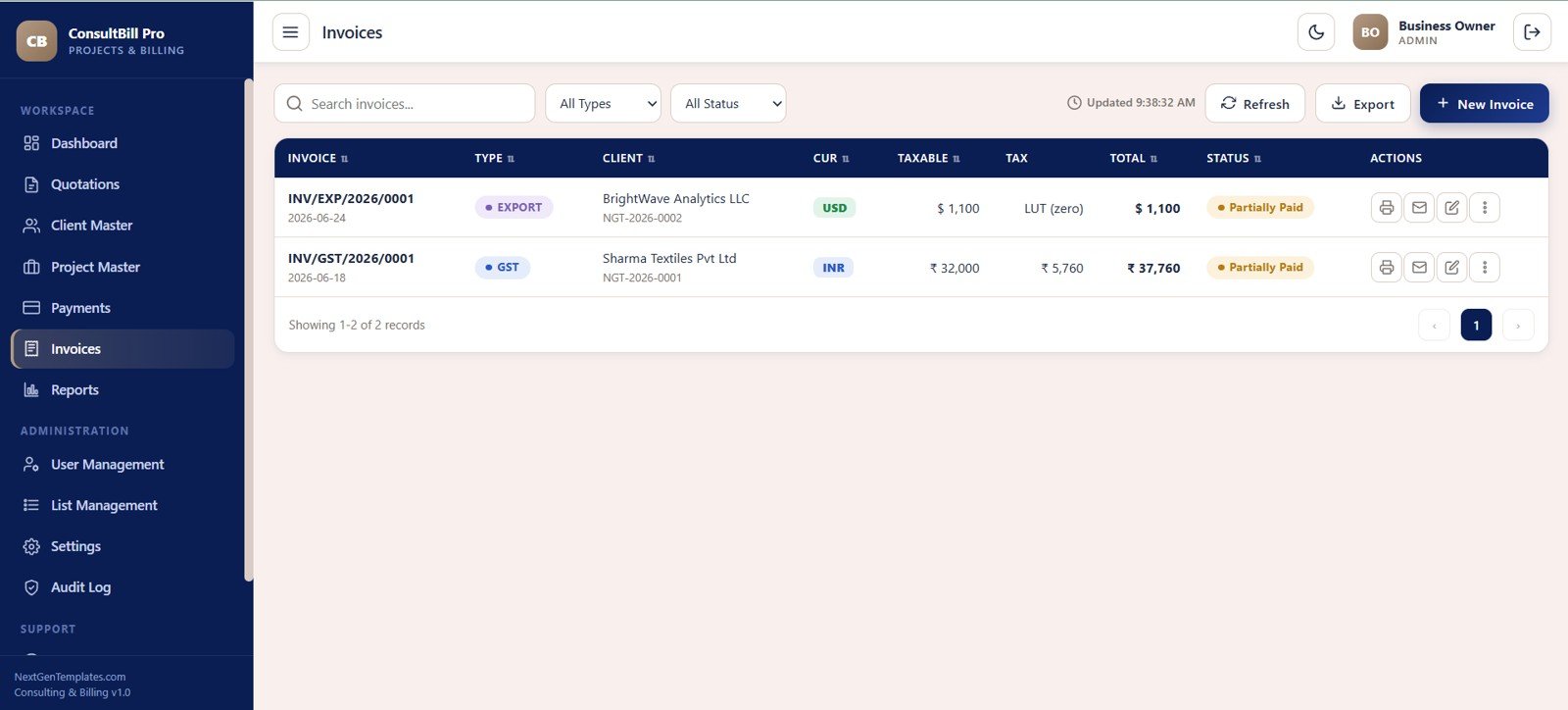
7. Invoices
The Invoices module supports GST and export invoice records with invoice date, type, client, project ID, currency, taxable amount, tax or LUT treatment, total amount and payment status. It includes search, type filters, status filters, print and email actions.
8. Reports
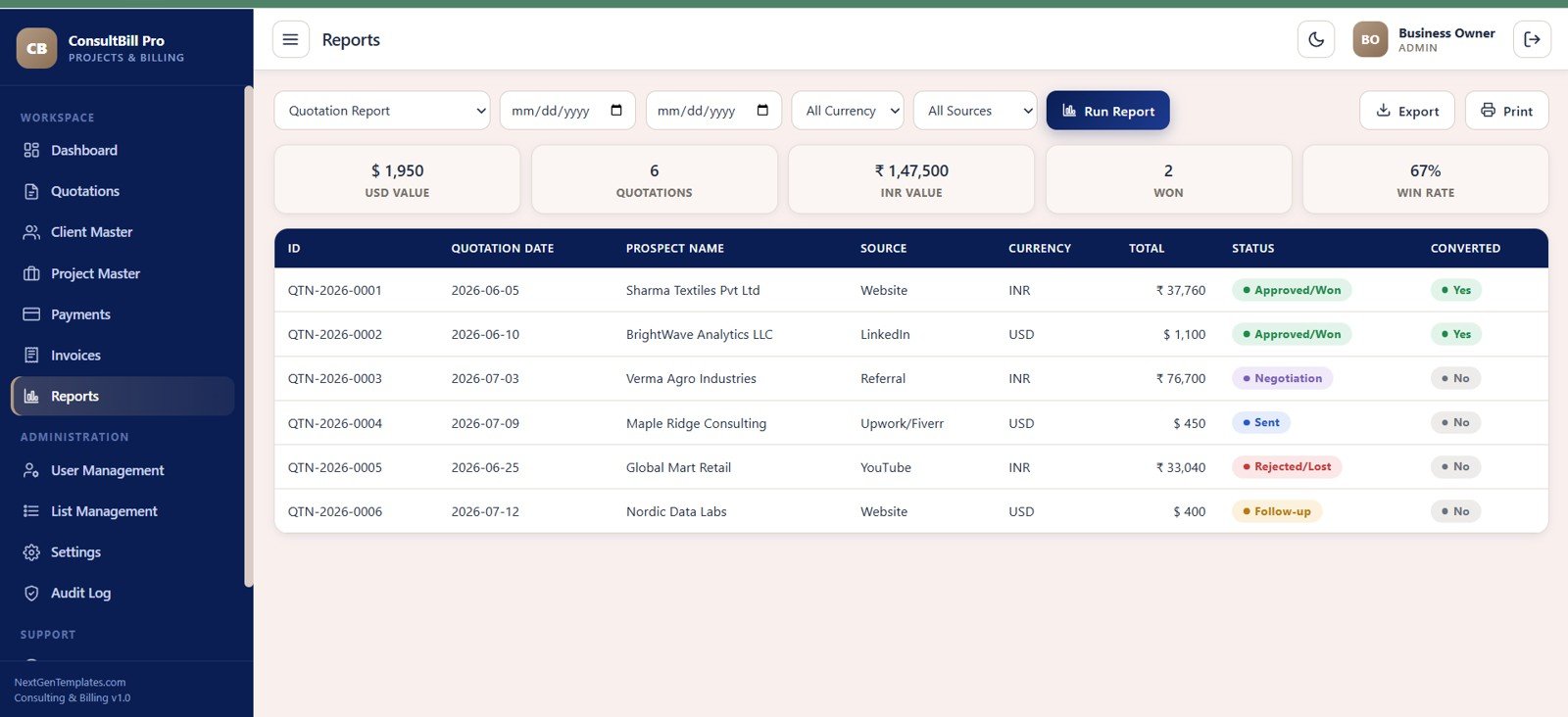
Reports include quotation report selectors, date range, currency and source filters, summary cards for USD value, quotation count, INR value, won count and win rate, plus a table with quotation ID, prospect, source, currency, total, status and conversion result.
9. User Management
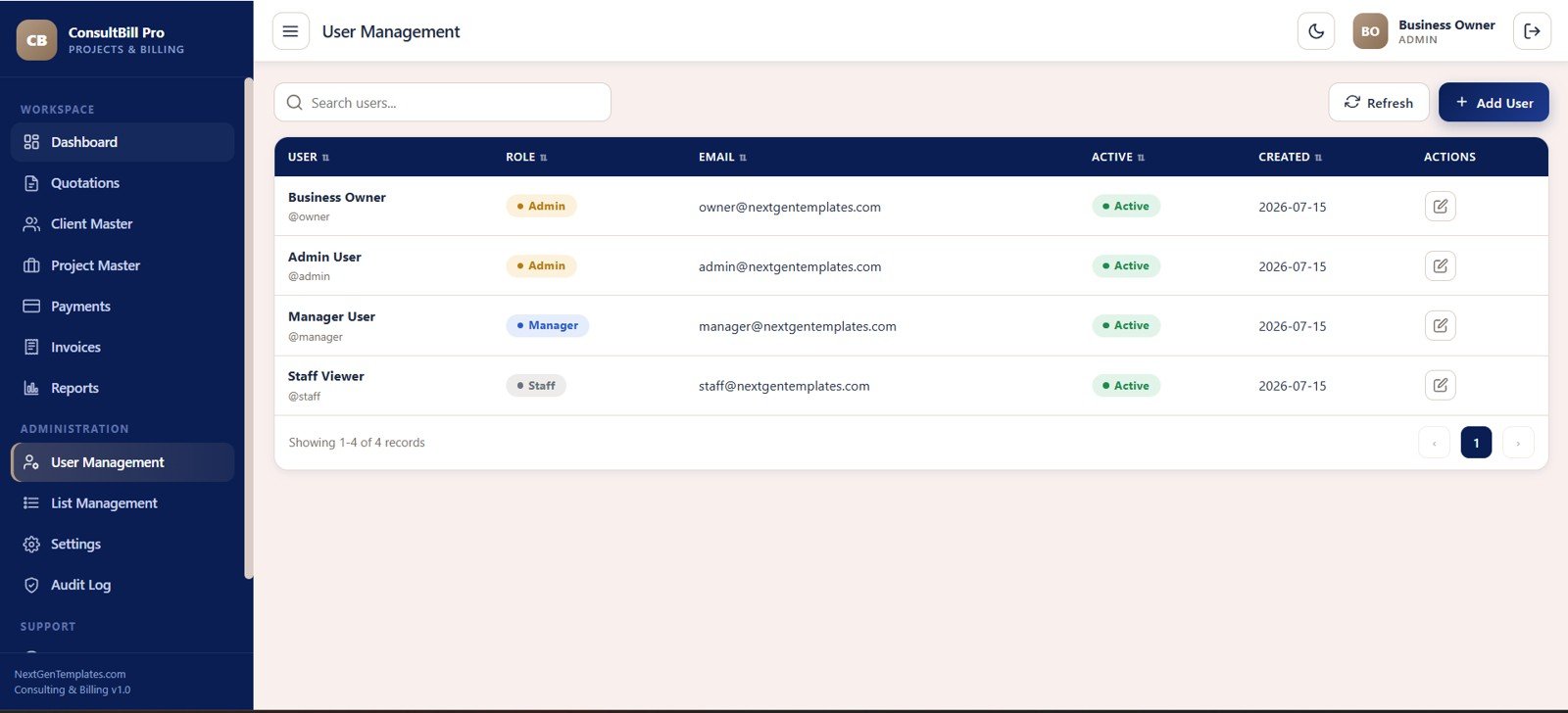
User Management shows name, username, role, email, active status and created date. Roles such as Admin, Manager and Staff help the owner separate setup access from daily user access.
10. List Management
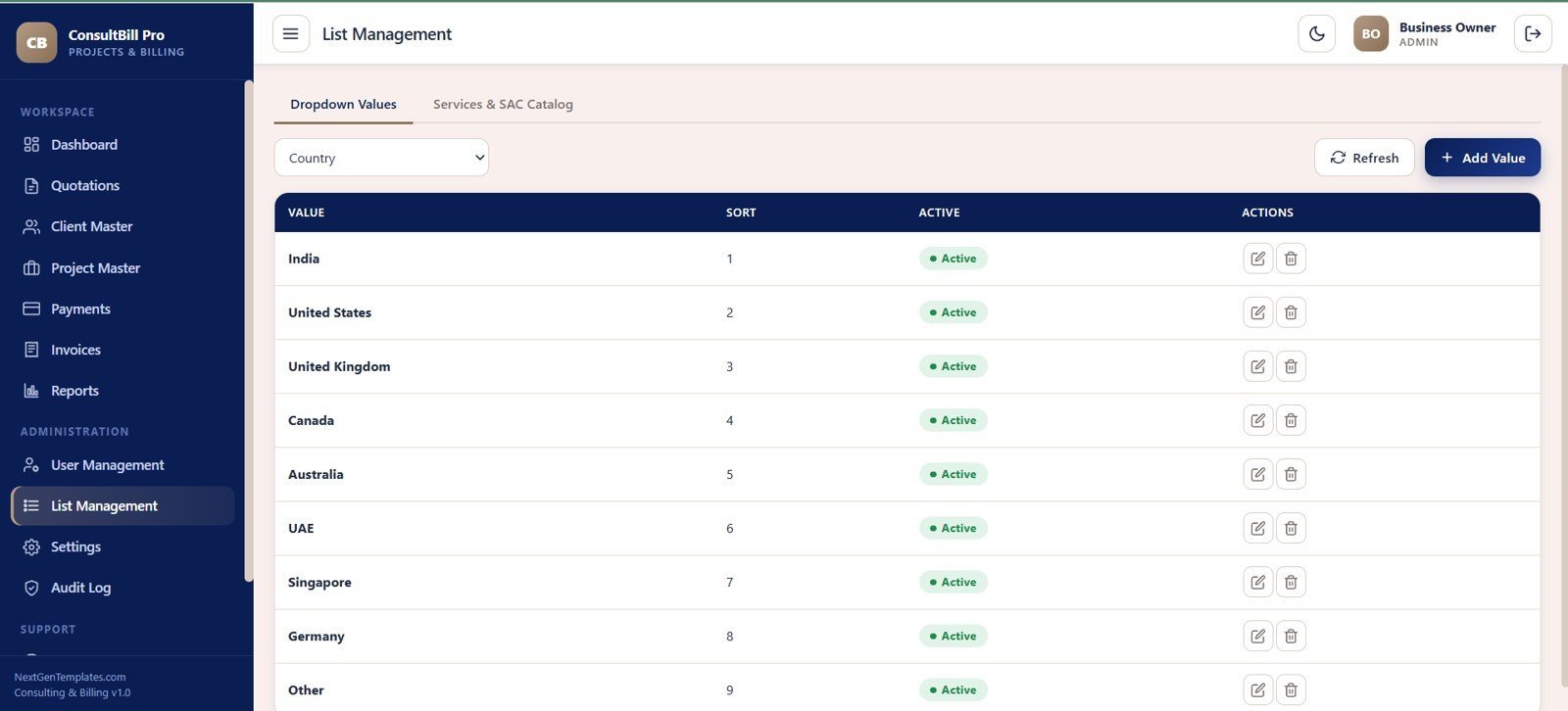
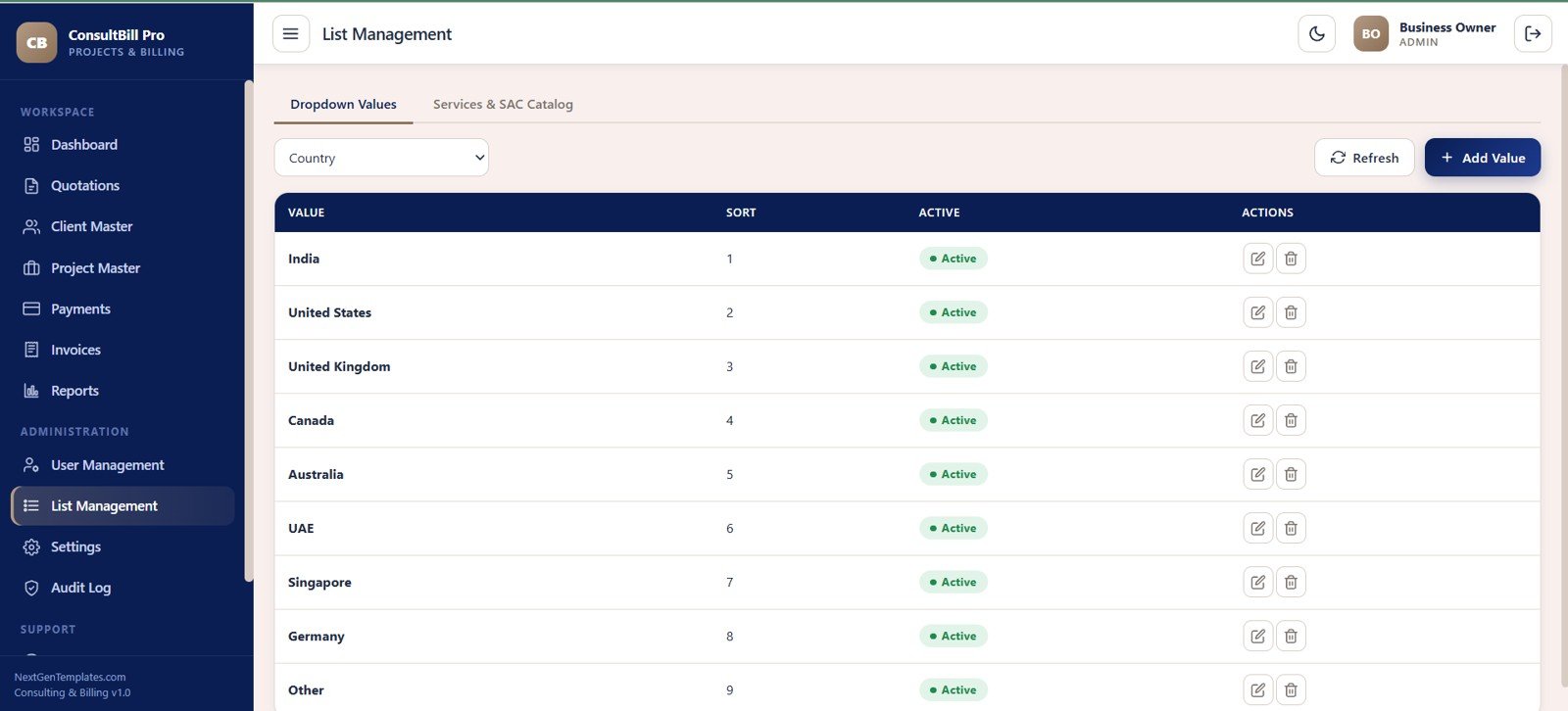
List Management controls dropdown values and services/SAC catalog data. Admins can manage country values, dropdown types, sort order and active status so the rest of the app stays consistent.
11. Settings
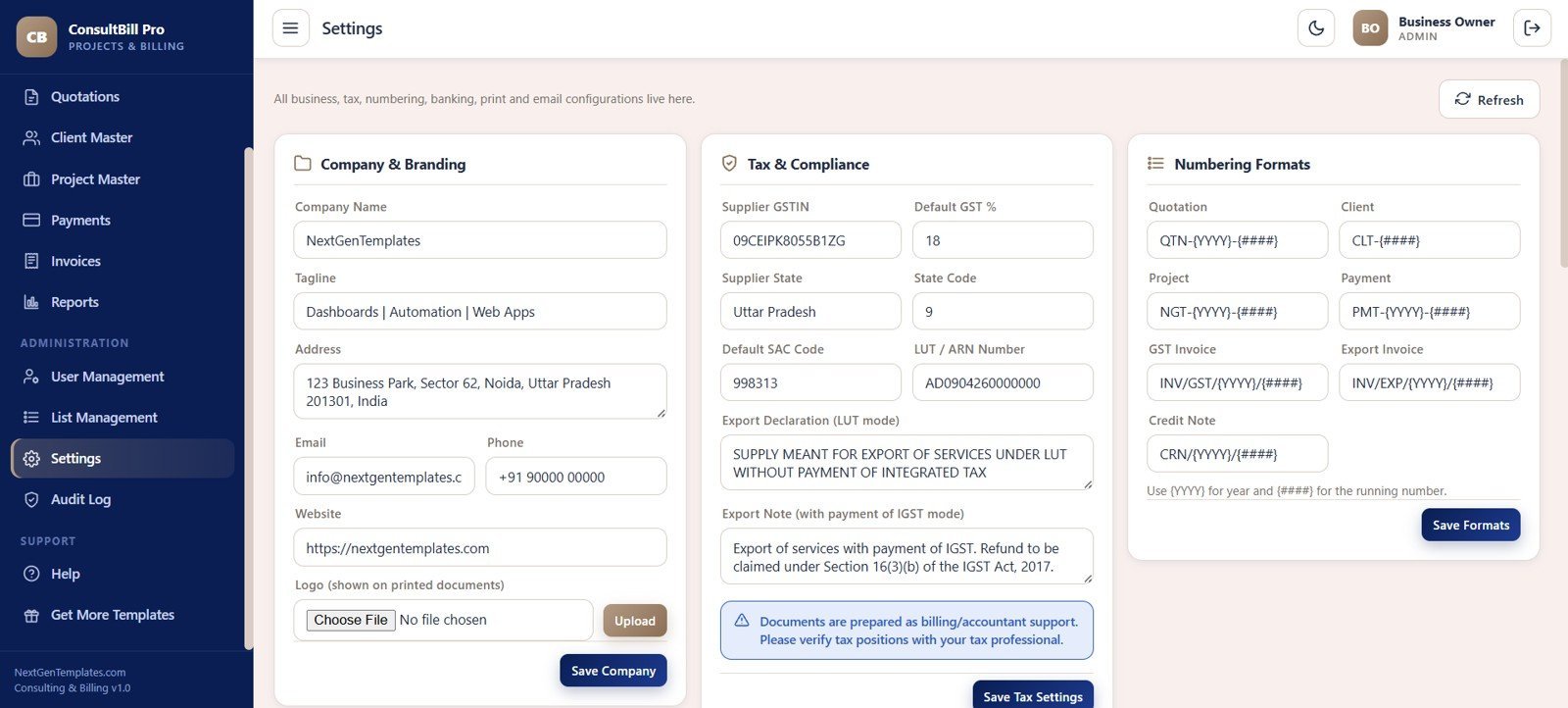
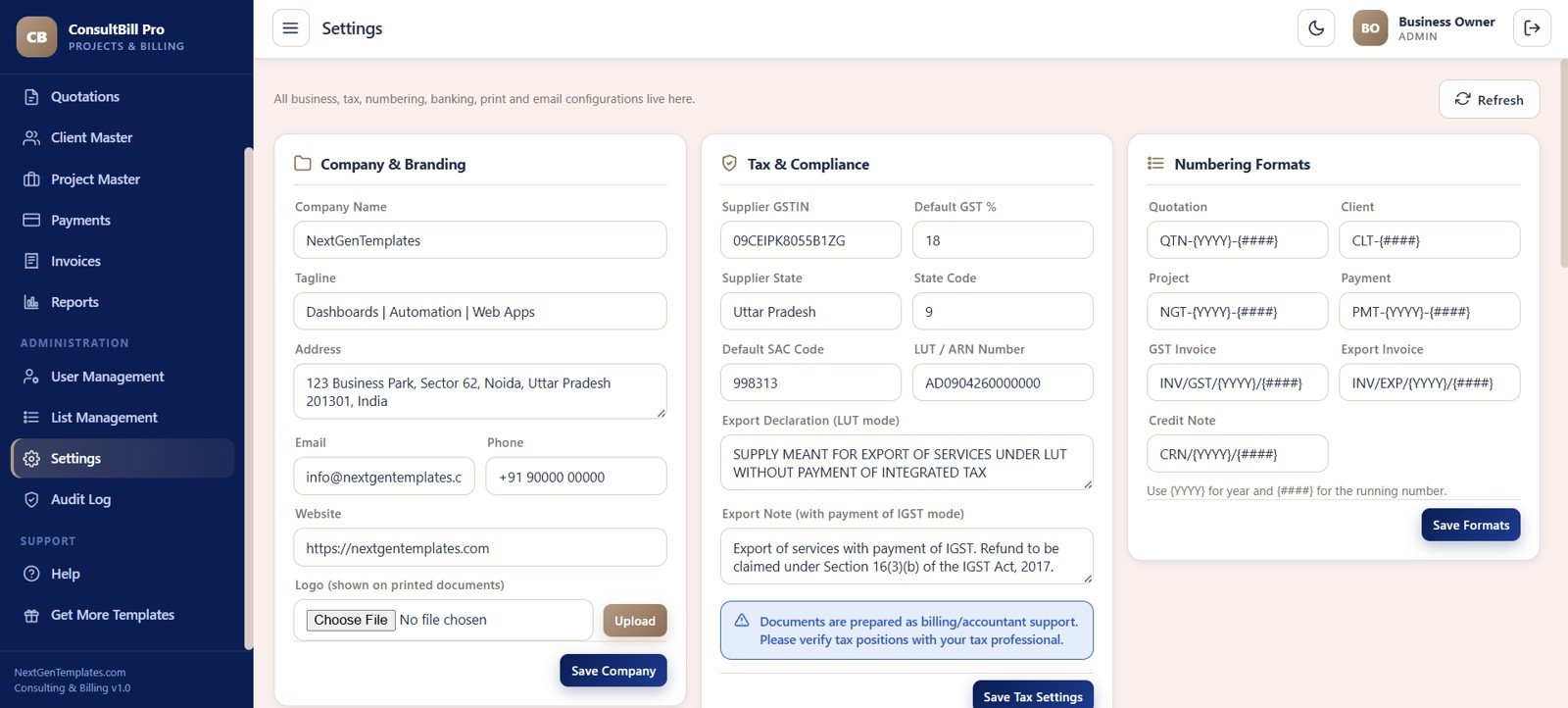
Settings cover company branding, address, email, phone, website, logo upload, supplier GSTIN, default GST percent, supplier state, SAC code, LUT/ARN number, export declaration notes and numbering formats for documents.
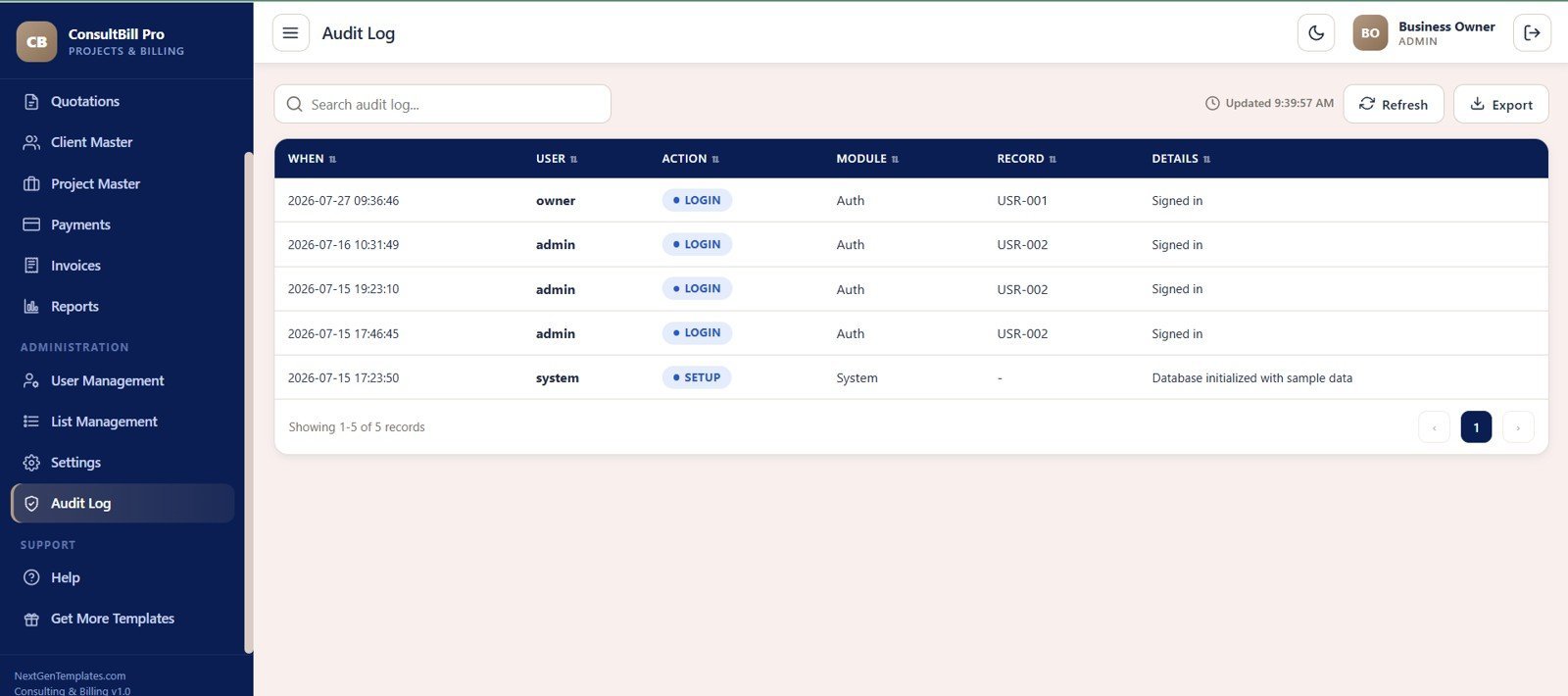
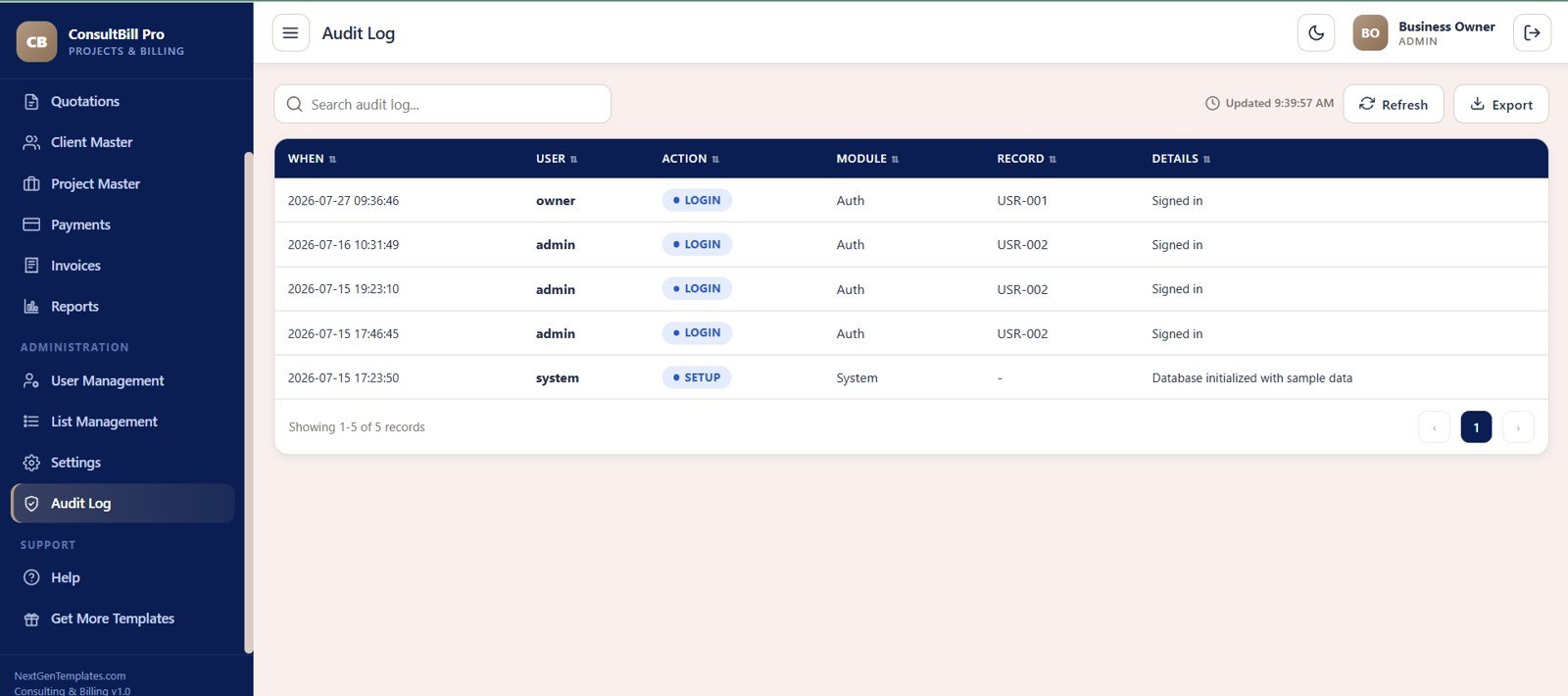
12. Audit Log
The Audit Log records event date and time, user, action, module, record and details. It is useful for reviewing login activity, setup changes, manual client creation and other administrative actions.
Consulting Project and Billing Management System Web App vs. Google Sheets Tracker vs. Paid CRM/SaaS – Where This Fits
| Feature | This web app template | Google Sheets tracker | Paid CRM/SaaS |
|---|---|---|---|
| Cost | $39.99 one-time sale price | Low cash cost, higher setup time | Monthly or annual subscription |
| Platform | Google Sheets database plus Apps Script browser app | Spreadsheet tabs | Vendor-hosted cloud software |
| Setup time | Start from 12 prepared screens | Build forms, formulas and reports manually | Onboarding and configuration |
| Real-time team collaboration | Supported after deployment and access setup | Shared editing | Usually included by plan |
| Mobile access | Browser access after deployment | Sheets app or browser | Usually app or browser |
| Customizable fields | Lists, settings, sheets and source code are editable | Editable cells and formulas | Plan and vendor dependent |
| Share with link | Possible through deployment settings | Yes | Usually account based |
| Year-1 cost at 5 users | $39.99 template cost | Template cost plus build time | Can become hundreds or thousands per year |
| Consulting workflow | Quotation, client, project, invoice, payment and audit flow | Only if custom built | Often broader, less editable |
Who This Template Is For – and Who It’s Not For
Best fit: independent consultants, consulting firms, implementation partners, agencies, trainers and project-based service teams that need quotation follow-up, project conversion, GST/export invoice records and payment tracking in one owned system.
Not the best fit: enterprises that need SSO, native accounting sync, payment gateway settlement, automated tax filing, SOC 2 controls, client portals or vendor-supported PSA software without customization.
How to Use the Consulting Project and Billing Management System Web App
- Unzip the download and follow the included deployment guide for your Google account.
- Set company branding, GST details, export declaration notes and numbering formats.
- Add users, roles, dropdown values, services and SAC catalog entries.
- Create quotations, follow up with prospects and mark won quotations for conversion.
- Review clients and projects, then create invoices and record payments against each project.
- Run reports by date, source and currency to monitor pipeline, wins, collections and outstanding balance.
Real-World Use Cases
Priya runs a boutique operations consulting firm. She tracks quotations by stage, follows up by date, converts won proposals into projects and reviews outstanding receivables before her weekly review.
Arjun manages ERP implementation work. He separates INR and USD projects, issues GST and export invoices and keeps project documents connected to each client record.
Nadia handles billing for a training consultancy. She records receipts, tracks partially paid invoices and uses the reports page to compare monthly payments received by currency.
Frequently Asked Questions
What does the Consulting Project and Billing Management System Web App include?
It includes 12 screens for login, dashboard, quotations, clients, projects, payments, invoices, reports, users, lists, settings and audit log.
Is this a subscription service?
No. It is a one-time ZIP download from NextGenTemplates. You deploy and customize your own copy after purchase.
Can it handle GST and export invoices?
Yes. The invoice and settings screens include GST invoice, export invoice, supplier GSTIN, default GST percent, LUT/ARN and export declaration fields.
Can it track INR and USD separately?
Yes. The system includes currency fields and revenue split by currency, so INR and USD billing can be reviewed without mixing currencies.
Does it create clients from won quotations?
Yes. The supplied workflow includes automatic client creation when a quotation is marked as won, plus manual client creation for admin override.
Can users have different access levels?
Yes. User Management includes role records such as Admin, Manager and Staff, so setup tasks and daily tasks can be separated.
About the Author
Built by PK – Microsoft Certified Professional with 15+ years of Excel, Google Sheets, and Power BI experience. Founder of NextGenTemplates, reaching 300K+ subscribers across YouTube channels. Every template is hand-built and tested before release.
Explore Related Templates
- Read the detailed blog walkthrough on NeoTechNavigators.
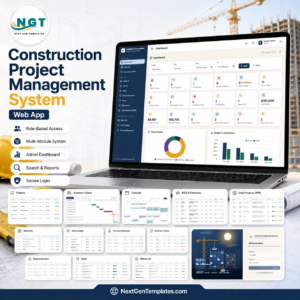
- Construction Project Management System Web App – deeper project execution workflow for contractors.
- Rental Equipment Management System Web App – operations, billing and asset workflow for rental businesses.
- Client Billing and Invoice Management Dashboard in Google Sheets – lighter dashboard for invoice and payment reporting.
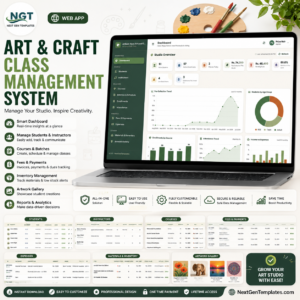
- Art and Craft Class Management System Web App – another multi-screen Google Apps Script management system.
- Browse all Web Apps and Google Sheets templates on NextGenTemplates.
Get the Consulting Project and Billing Management System Web App if your consulting team needs quotation control, project conversion, GST/export invoices, payment tracking and audit history in one editable Apps Script system.
Watch the step-by-step video Demo:
Instant download. One-time payment. No per-user subscription.
Last updated: July 27, 2026.






Reviews
There are no reviews yet.