

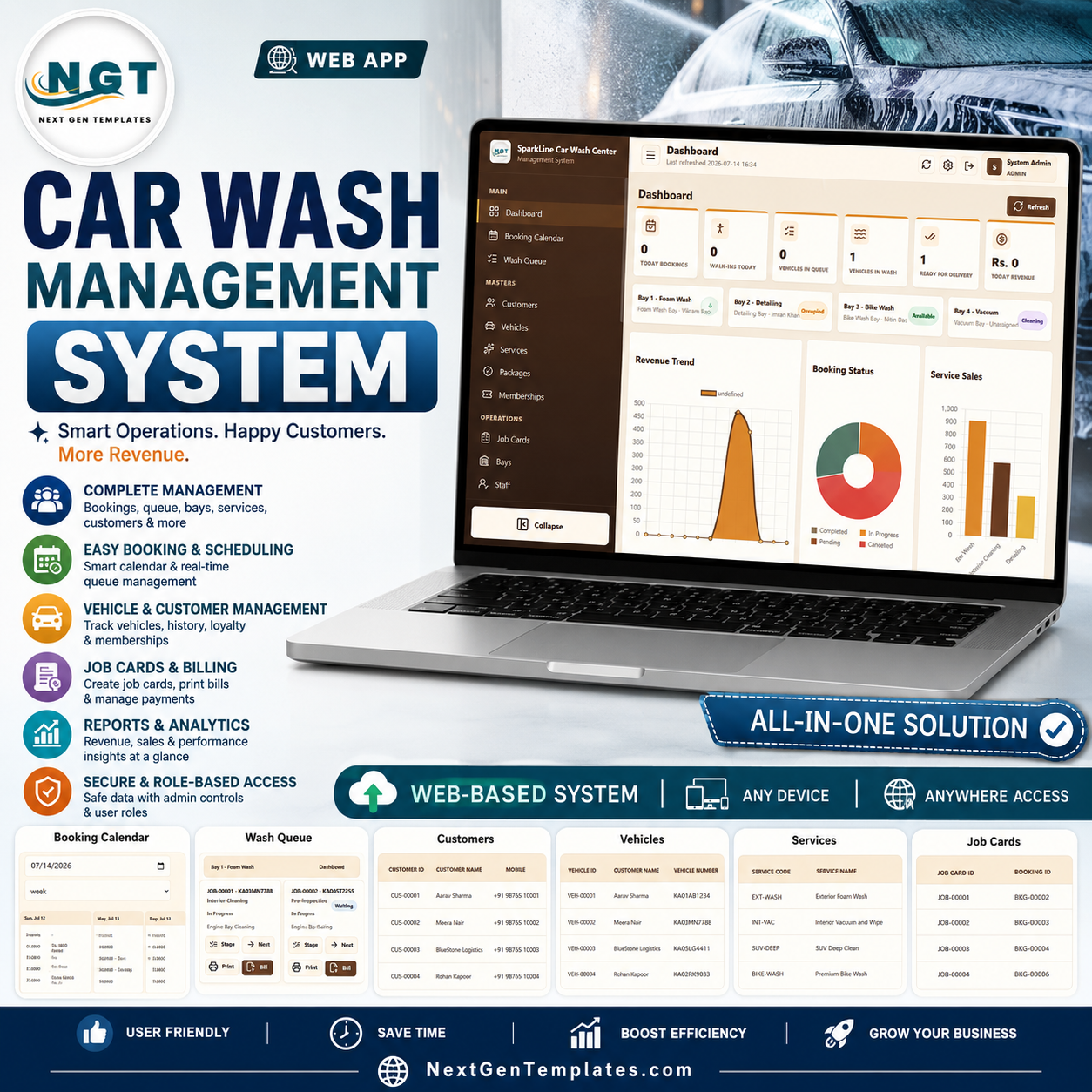

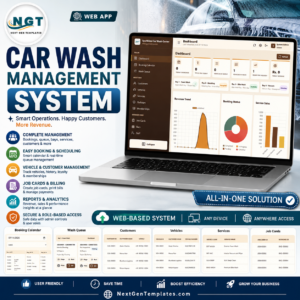
The Car Wash Management System Web App connects 24 operational and administration screens in one browser-based workspace. Six live KPI cards show today’s bookings, walk-ins, vehicles in queue, vehicles in wash, jobs ready for delivery, and today’s revenue; four bay panels show availability at a glance. Built for a one-time purchase rather than a per-user subscription, it brings booking, wash-stage control, job cards, invoices, payments, stock, memberships, and reporting together. Your purchase is an instant digital download, with no shipping and no recurring template fee.
Key Features of the Car Wash Management System Web App
- Live operating dashboard: six KPIs, four bay-status panels, and three charts summarize the current day.
- Booking and walk-in intake: create scheduled bookings or add an unscheduled vehicle directly to the wash queue.
- Bay-wise job flow: assign staff and bays, update the current stage, advance a job, print a job card, and create a bill.
- Customer and vehicle records: keep customer type, loyalty points, membership status, plate number, vehicle type, brand, model, and color together.
- Service, package, and membership masters: control price, duration, visit balance, expiry, and vehicle eligibility.
- Billing and expense control: manage invoices, partial payments, payment references, expenses, purchases, and supplier balances.
- Inventory traceability: monitor consumables, reorder levels, stock inward, and job-linked consumption.
- Role-based administration: manage users, editable dropdown lists, business profile, printing, archives, and passwords.
What’s Inside the Car Wash Management System Web App
1. Login
A branded sign-in screen gives authorized staff access to the shared car wash workspace.
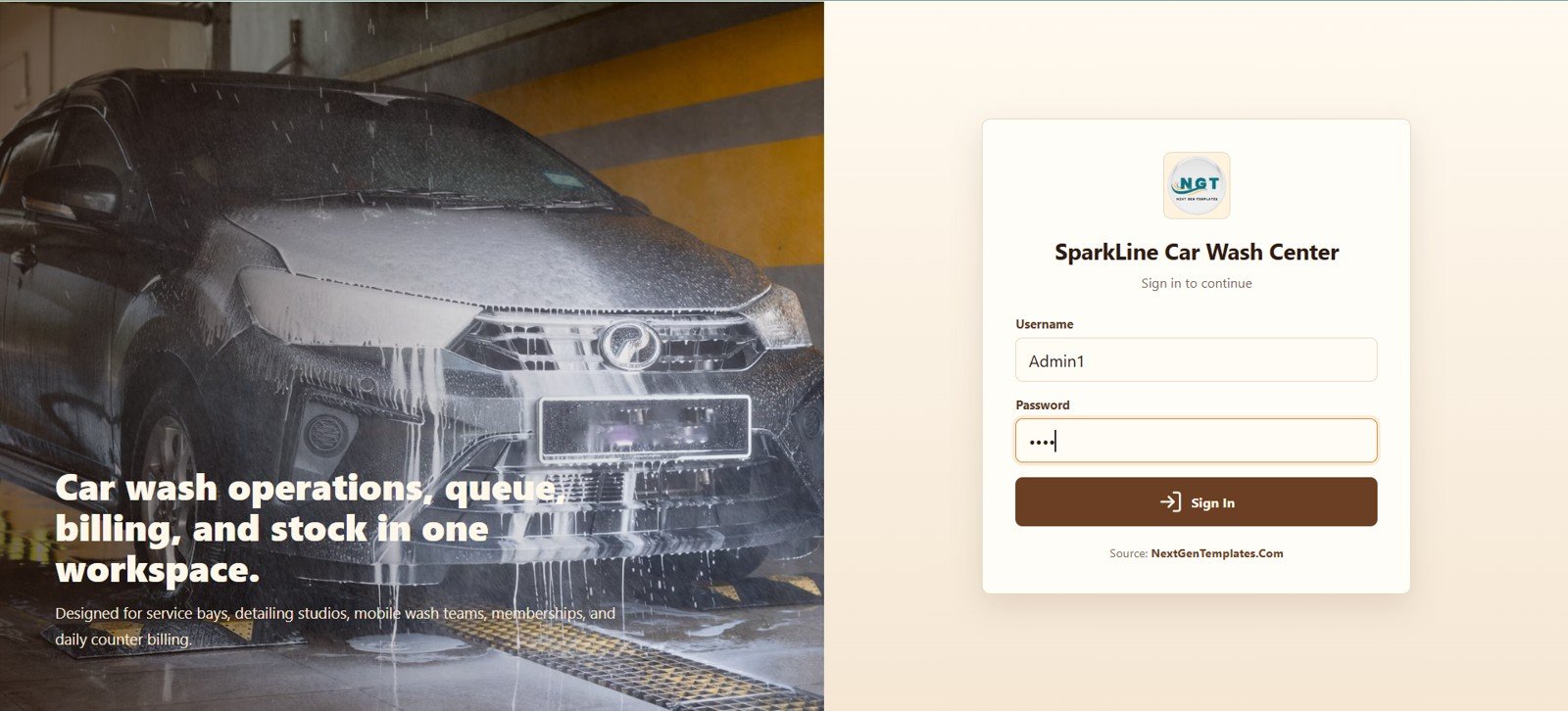
Car Wash Management System Web App Login
Try the Live Demo
Explore the Car Wash Management System in action. Log in with any test account below to see all features.
Test Login Credentials
| Role | Username | Password |
|---|---|---|
| Admin | Admin1 | abcd |
| Manager | Manager1 | abcd |
| Receptionist | Receptionist1 | abcd |
| Cashier | Cashier1 | abcd |
| Wash Supervisor | Supervisor1 | abcd |
| Washer/Technician | Washer1 | abcd |
| Inventory User | Inventory1 | abcd |
| Viewer | Viewer1 | abcd |
Note: This is a live demo environment. Feel free to explore all features and test the system with any of the above credentials. Changes will not be saved between sessions.
2. Dashboard Overview
The dashboard combines six high-level cards with live bay availability. Revenue Trend shows how collections move over time; Booking Status shows the current booking mix; Service Sales compares revenue generated by individual wash services.
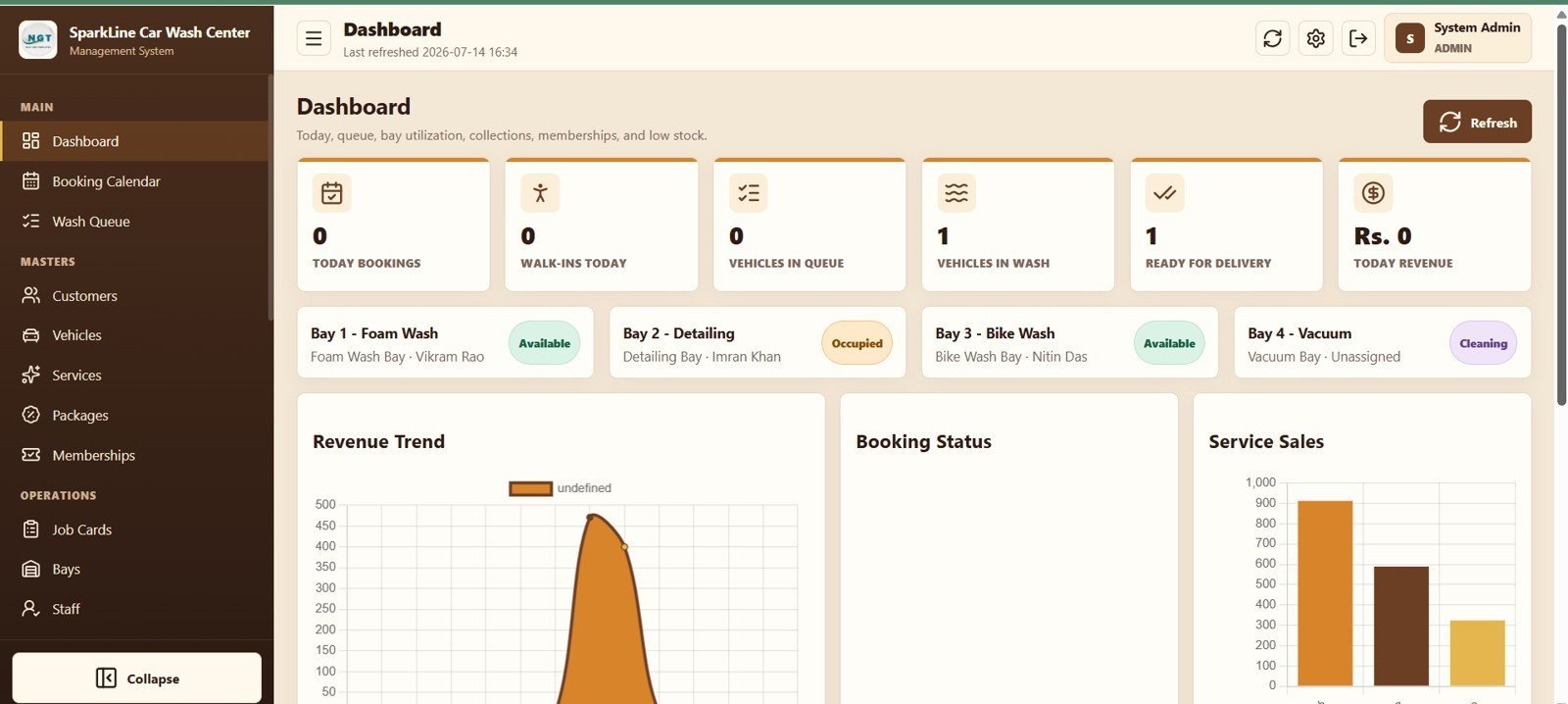
Car Wash Management System Web App Dashboard
3. Booking Calendar
Switch between day, week, month, and list views, choose a date, create a booking, and open booking actions from the calendar card.
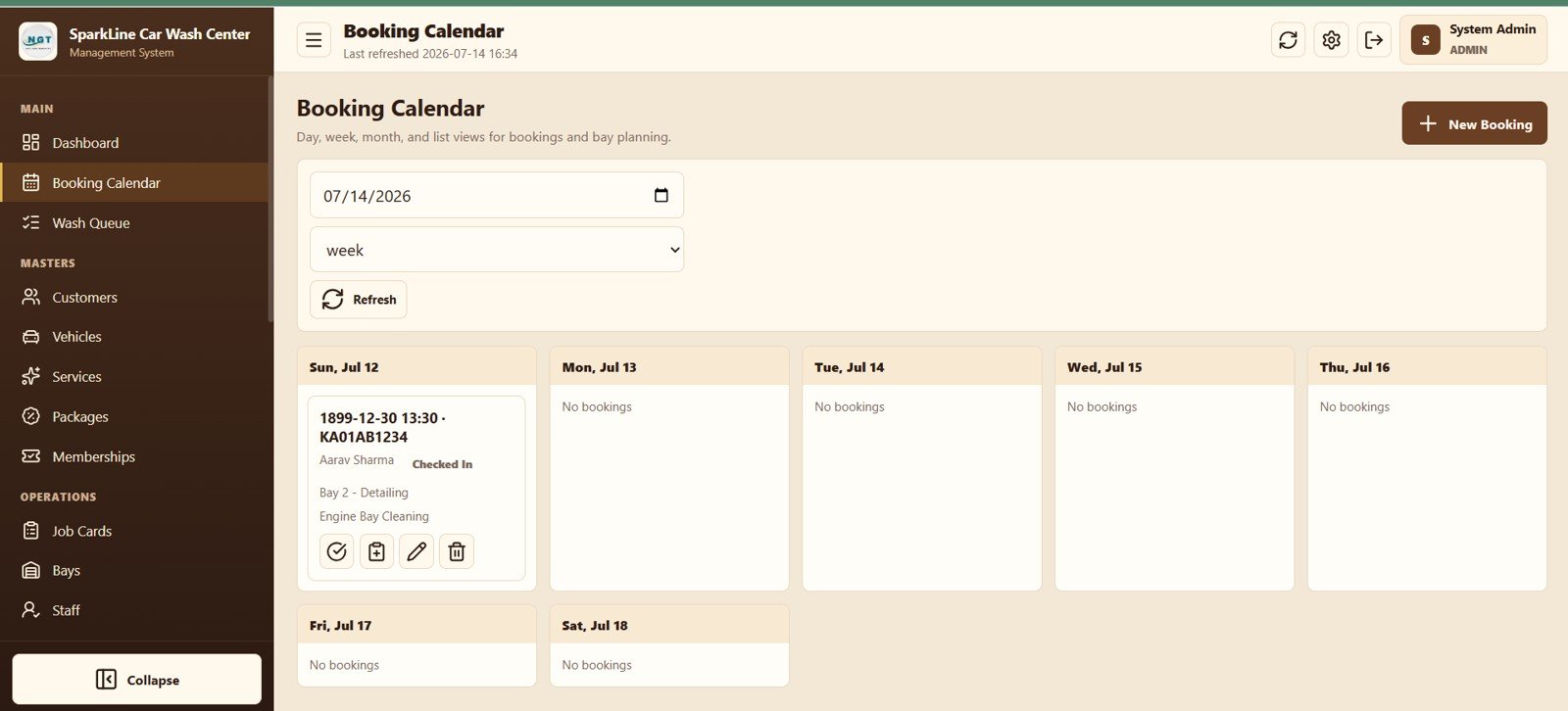
Booking Calendar View
4. Wash Queue
See bay-wise active jobs, customer and vehicle details, service stage, status, assigned staff, and quick actions for stage, next step, print, and billing.
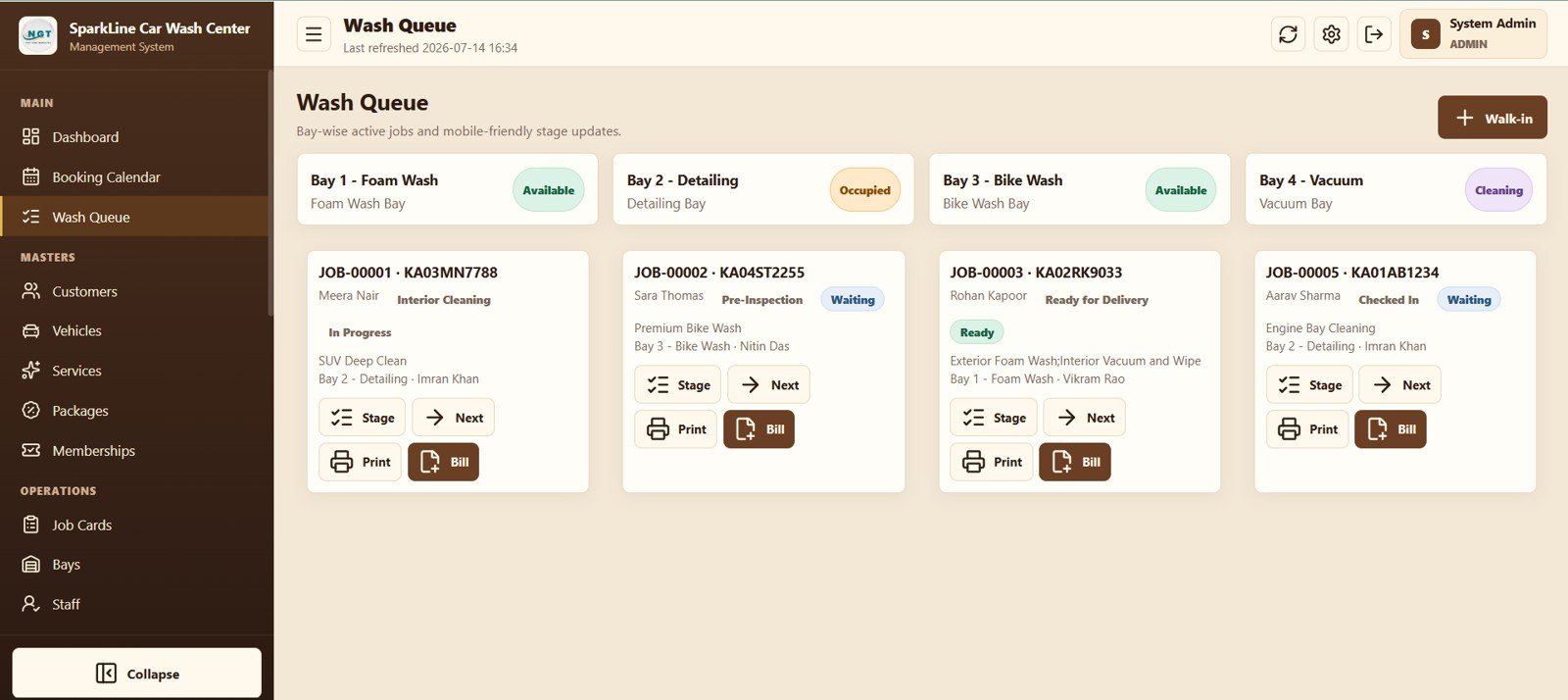
Wash Queue Management
5. Customers
Store customer type, loyalty points, membership status, contact information, and active status with search, import, template, and export controls.
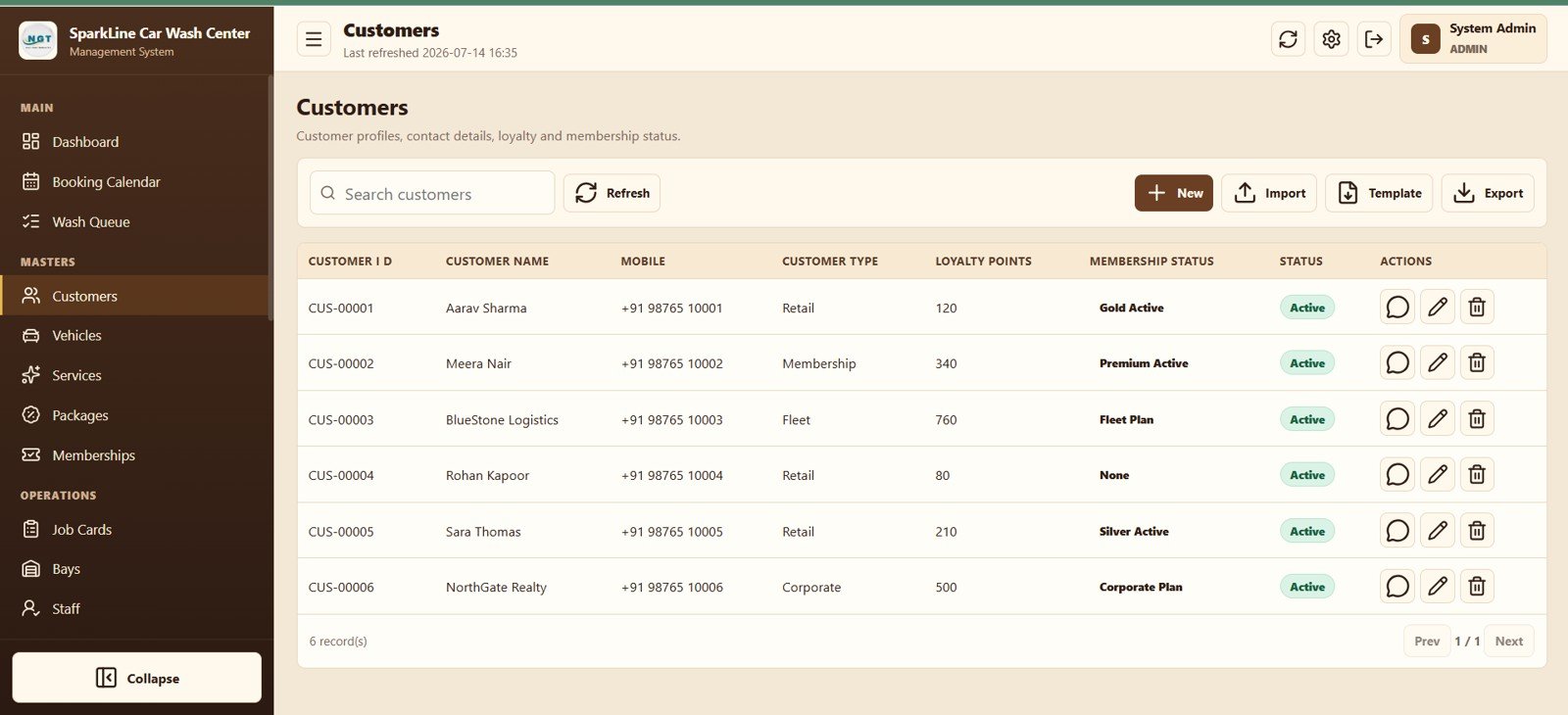
Customer Management Module
6. Vehicles
Link each vehicle to its owner and record the number plate, vehicle type, brand, model, color, and status.
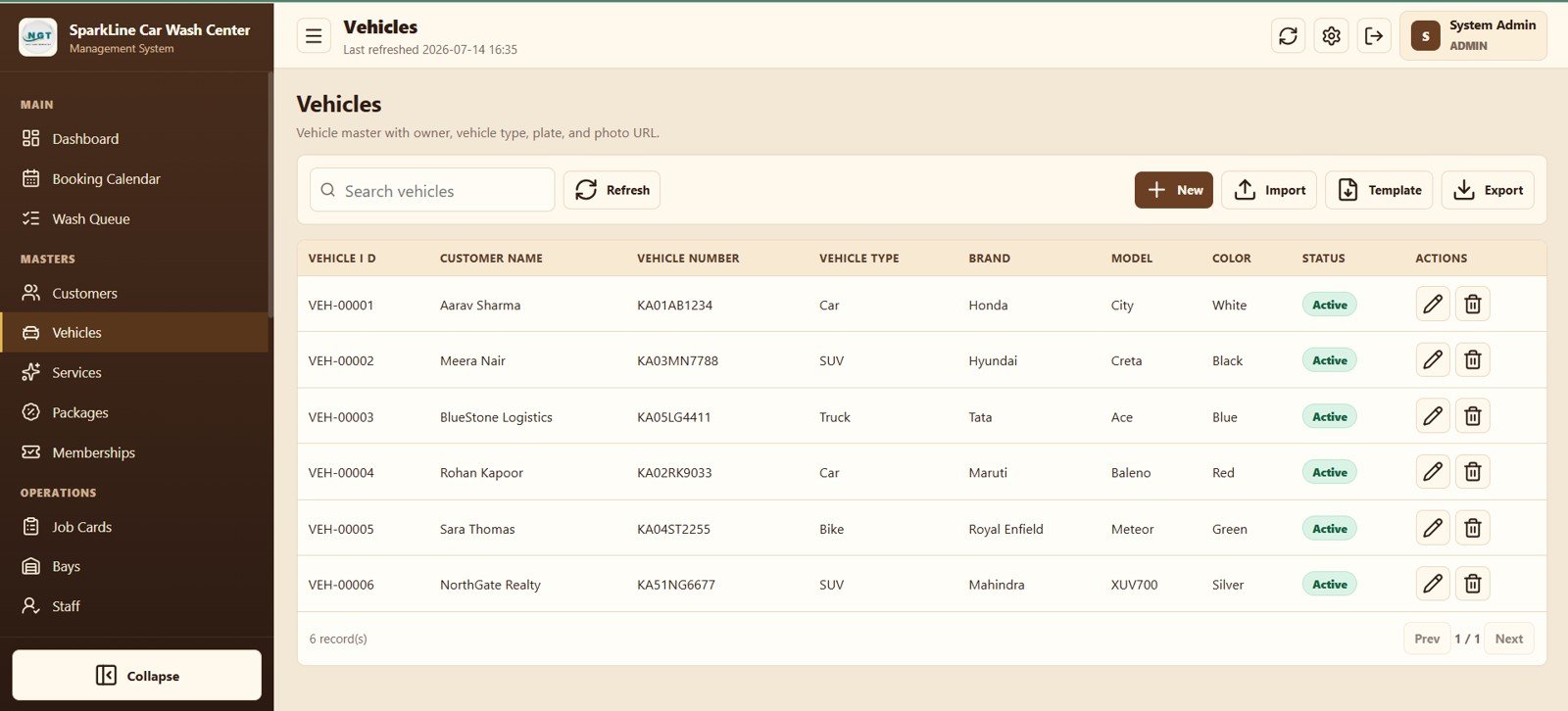
Vehicle Master Data
7. Services
Maintain service code, category, eligible vehicle type, duration, price, and active status for every wash or detailing service.
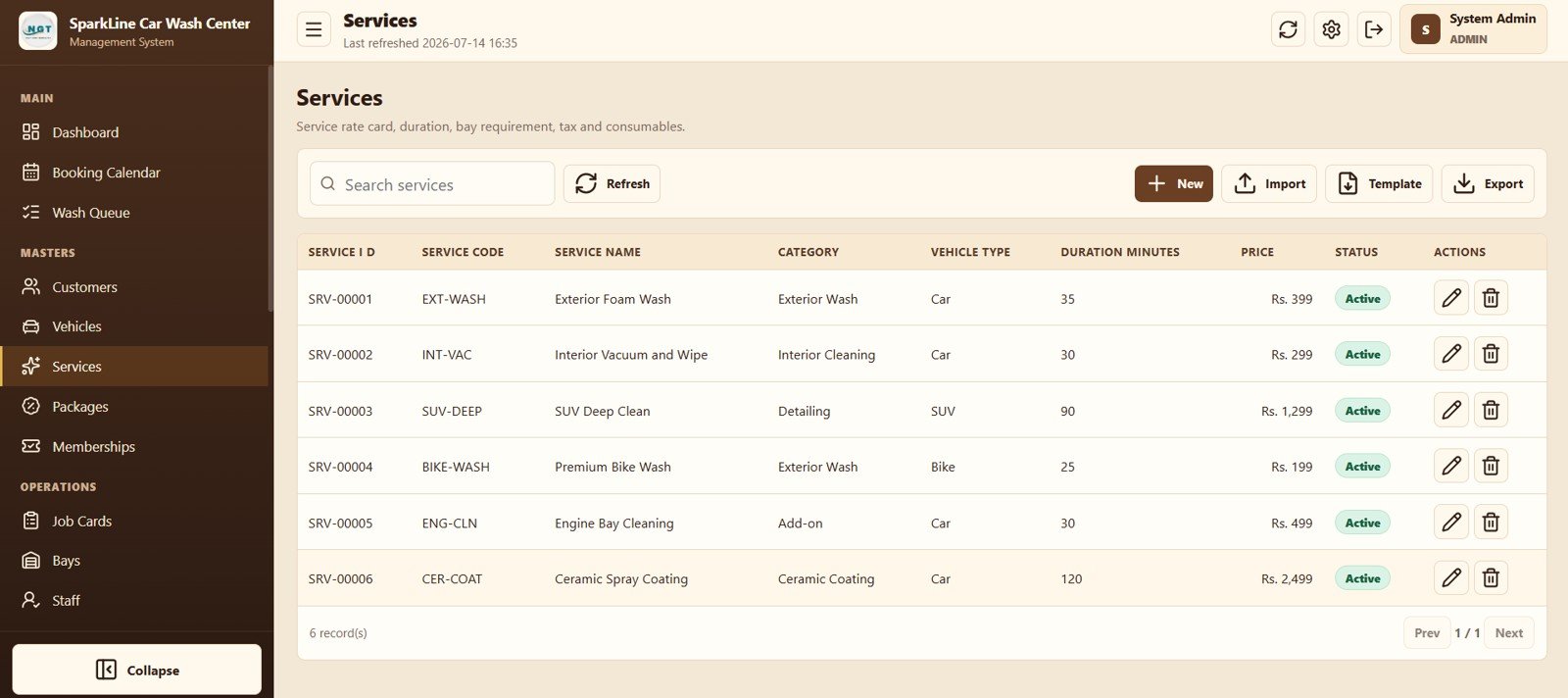
Services Master Data
8. Packages
Create prepaid wash packages by vehicle type with number of visits, validity days, package price, and status.
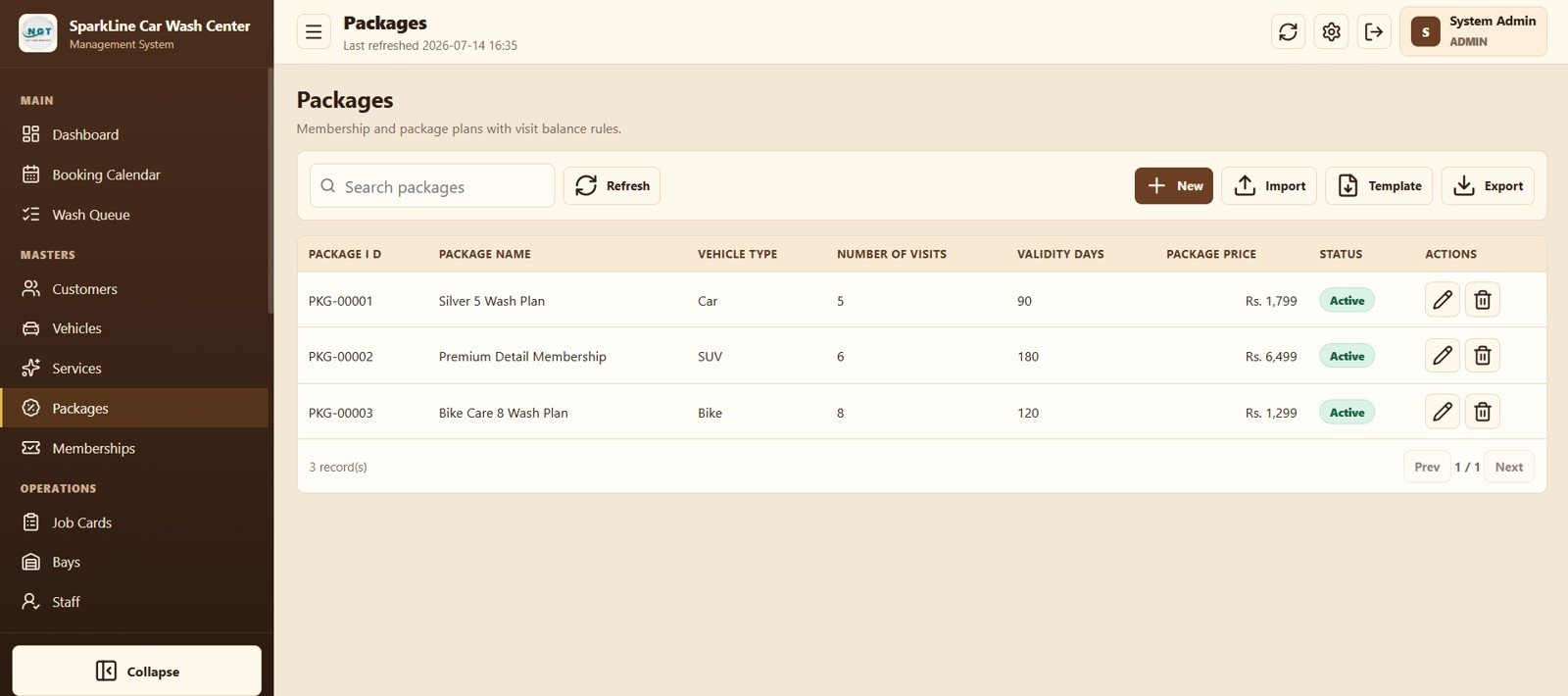
Wash Package Management
9. Memberships
Track customer package purchases, expiry dates, total visits, used visits, balance visits, and membership status.
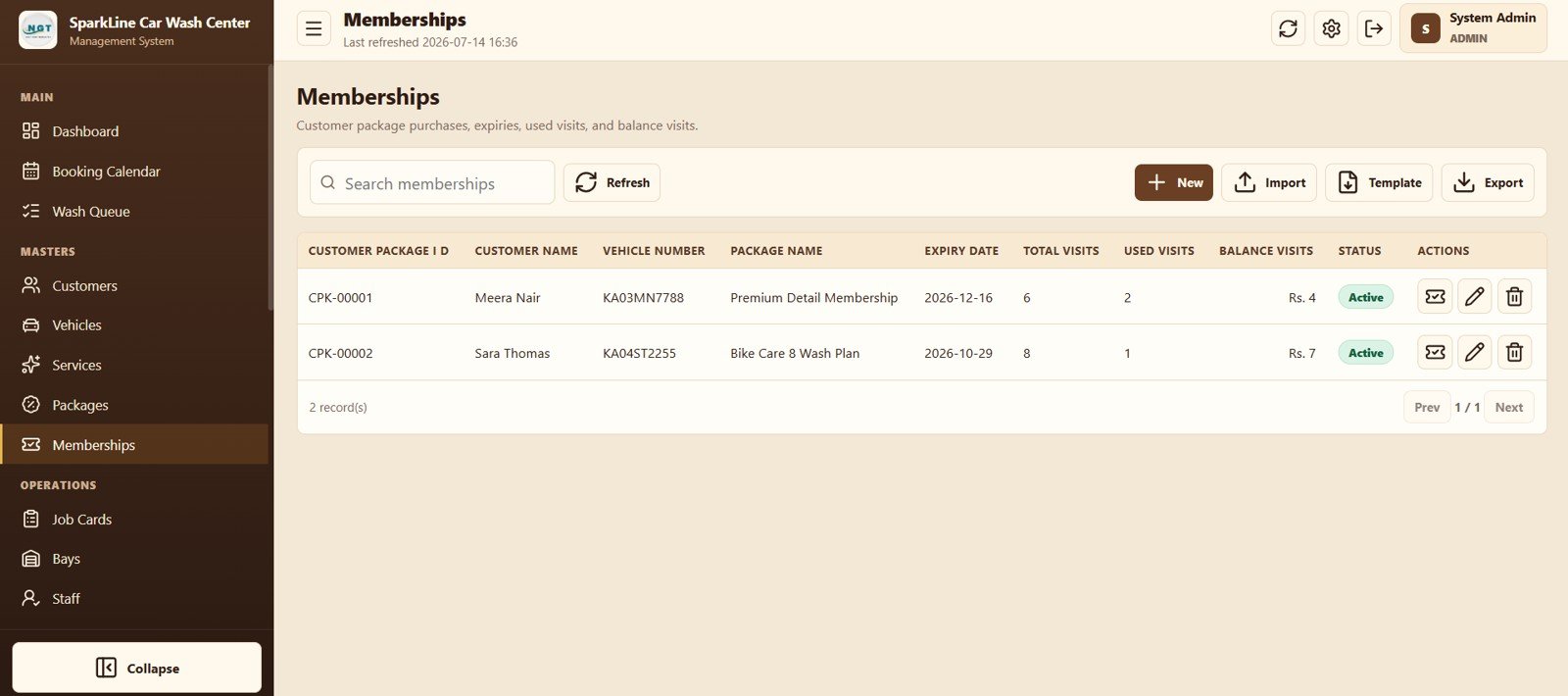
Membership Tracking
10. Job Cards
Control booking-linked wash jobs with assigned bay and staff, current stage, job status, printing, billing, editing, and deletion actions.
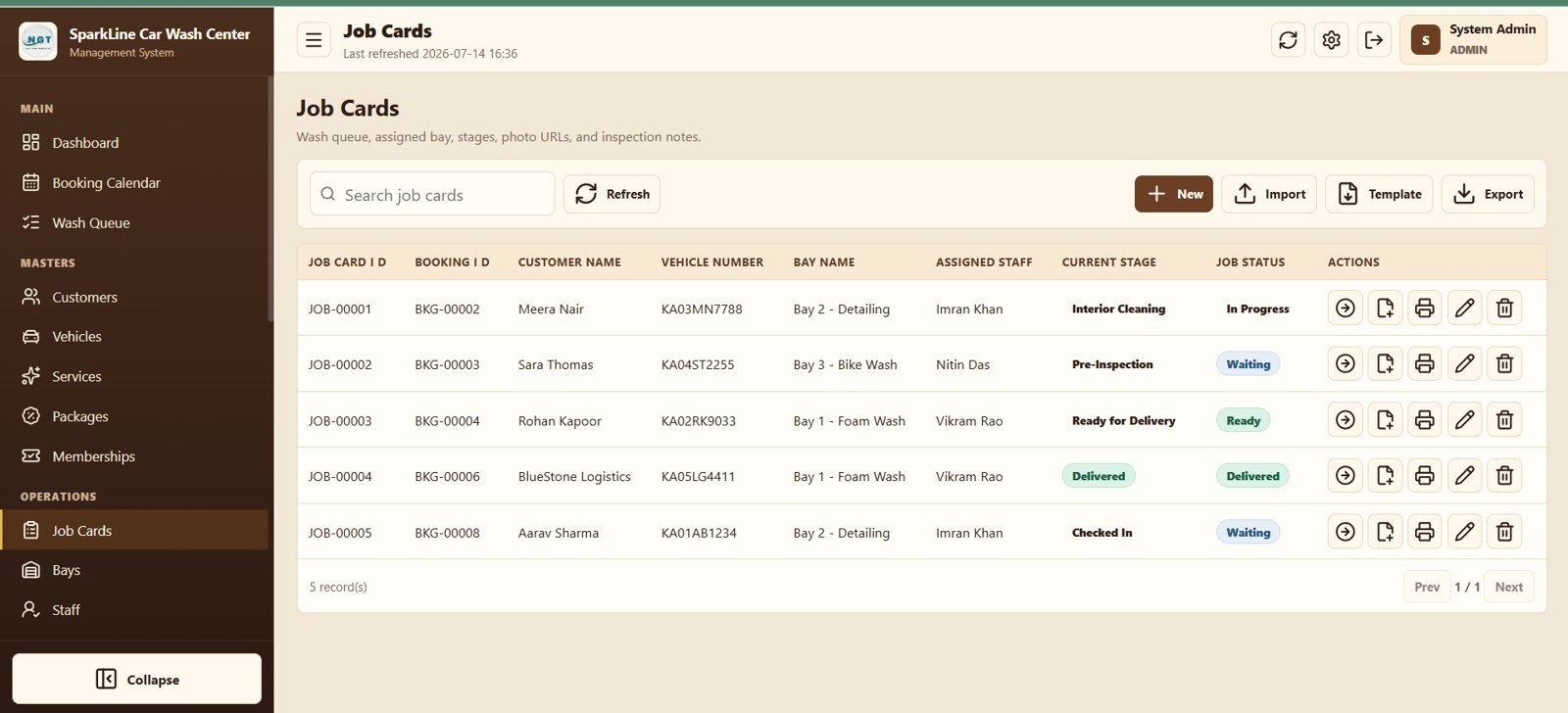
Job Card Operations
11. Bays
Define bay type and capacity while monitoring whether each bay is available, occupied, or being cleaned and who is assigned.
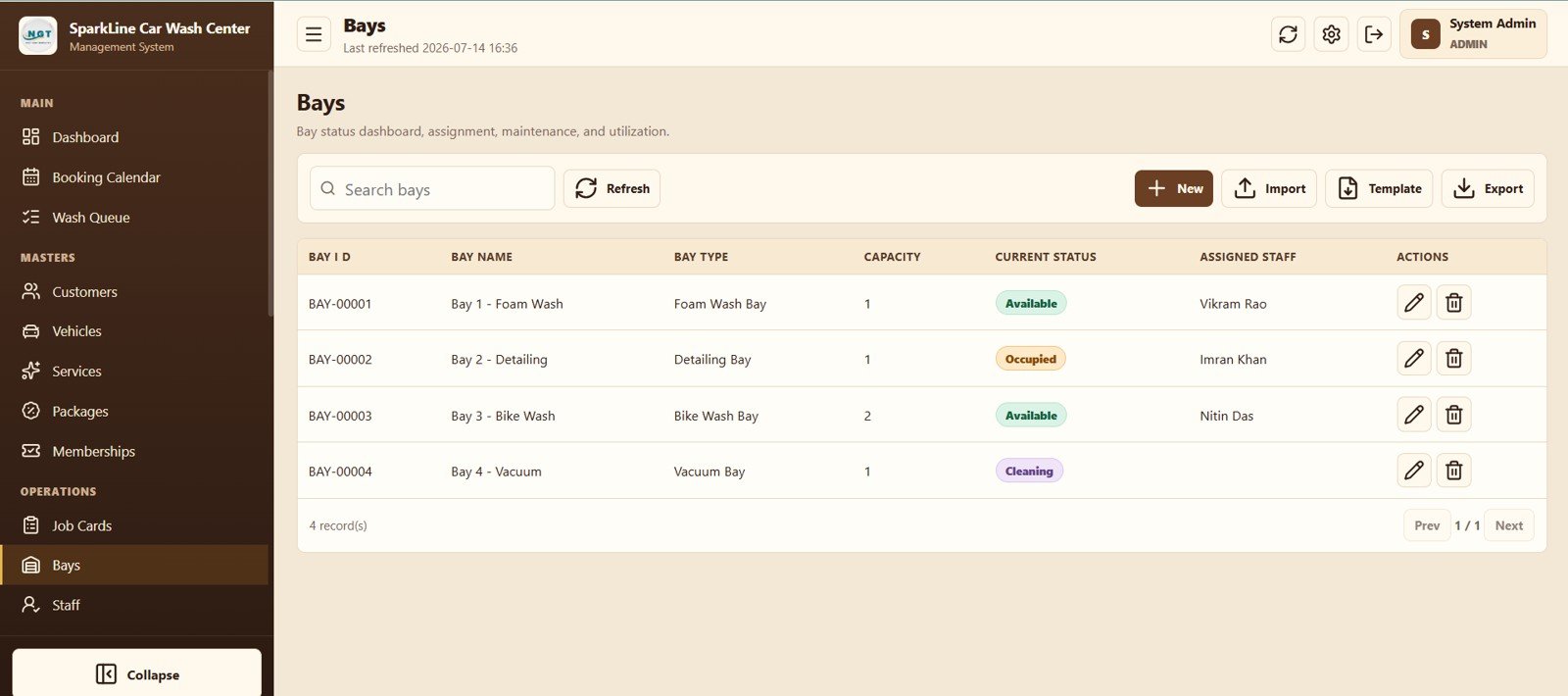
Bay Management
12. Staff
Keep roles, mobile numbers, service skills, work shifts, and active status for supervisors, technicians, receptionists, and cashiers.
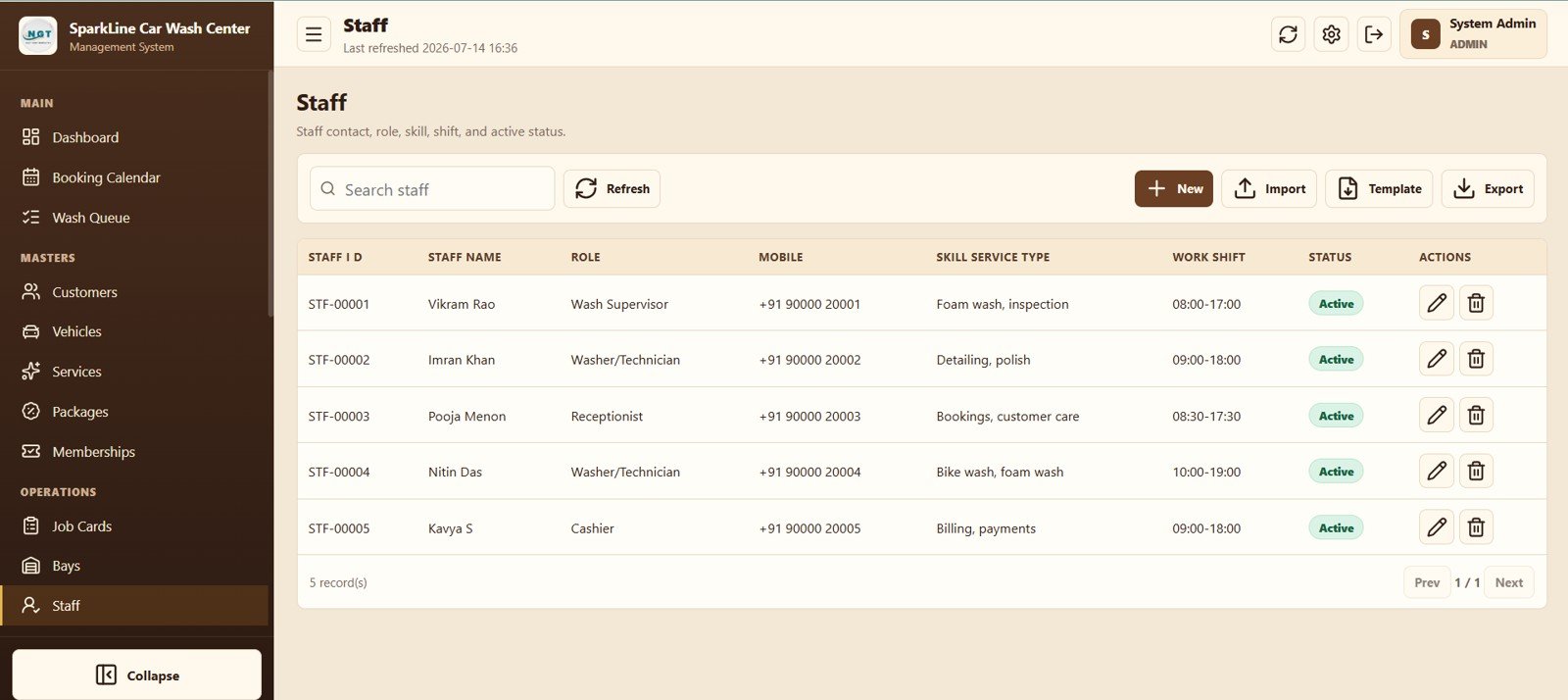
Staff Management
13. Invoices
Review invoice totals, paid amount, balance, payment status, and actions to receive payment, print, email, edit, or delete.
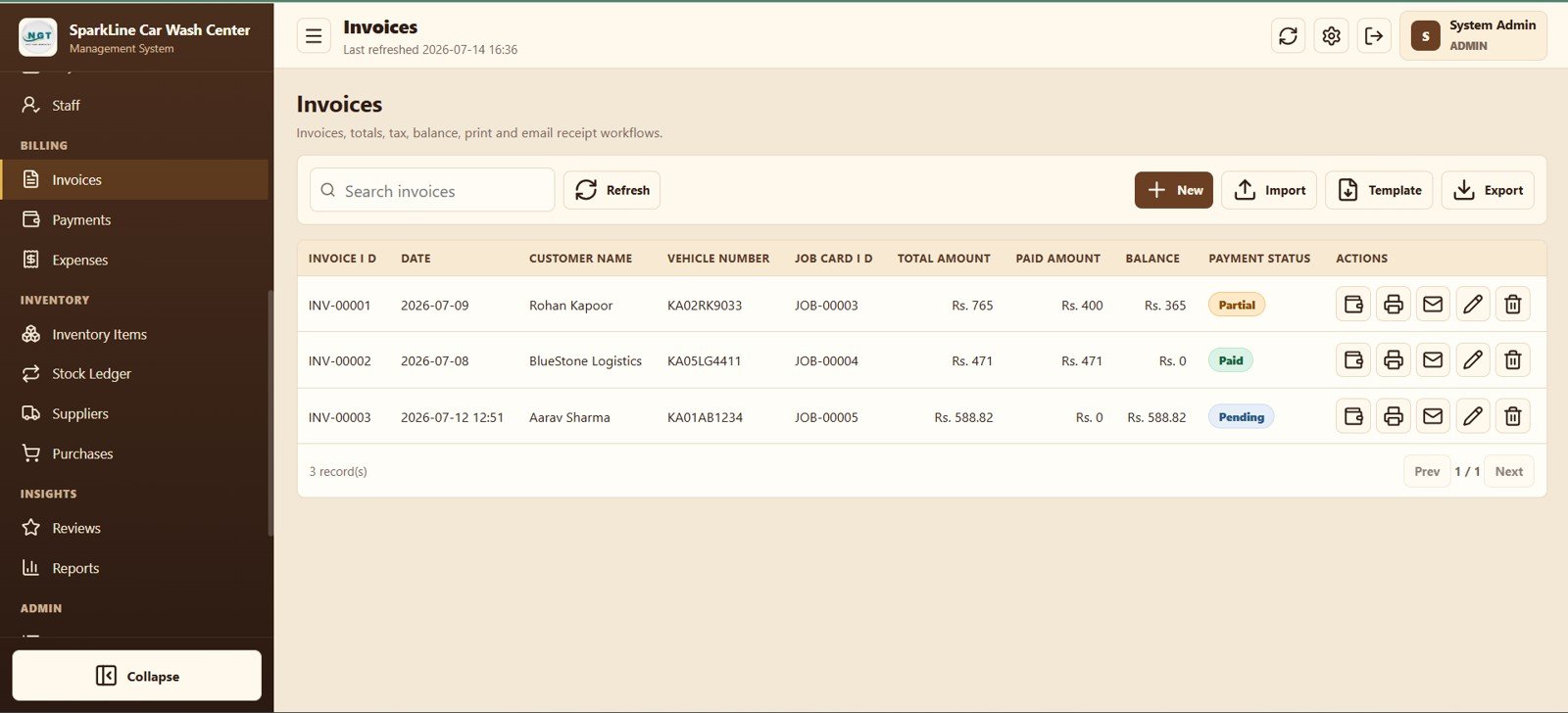
Invoice Management
14. Payments
Record partial or full payments with invoice reference, date, customer, amount, mode, status, and transaction reference.
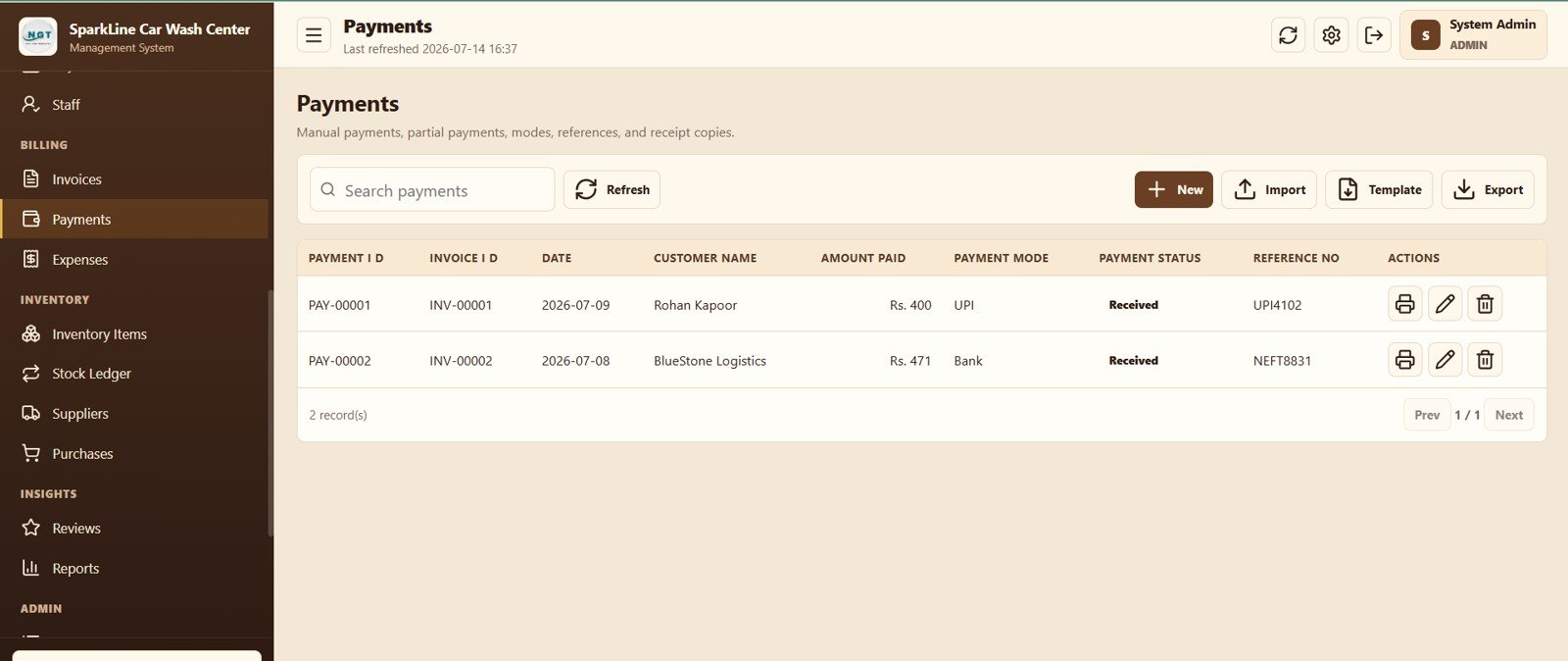
Payment Tracking
15. Expenses
Log daily spending for water, chemicals, rent, salaries, marketing, and maintenance with payment mode and paid status.
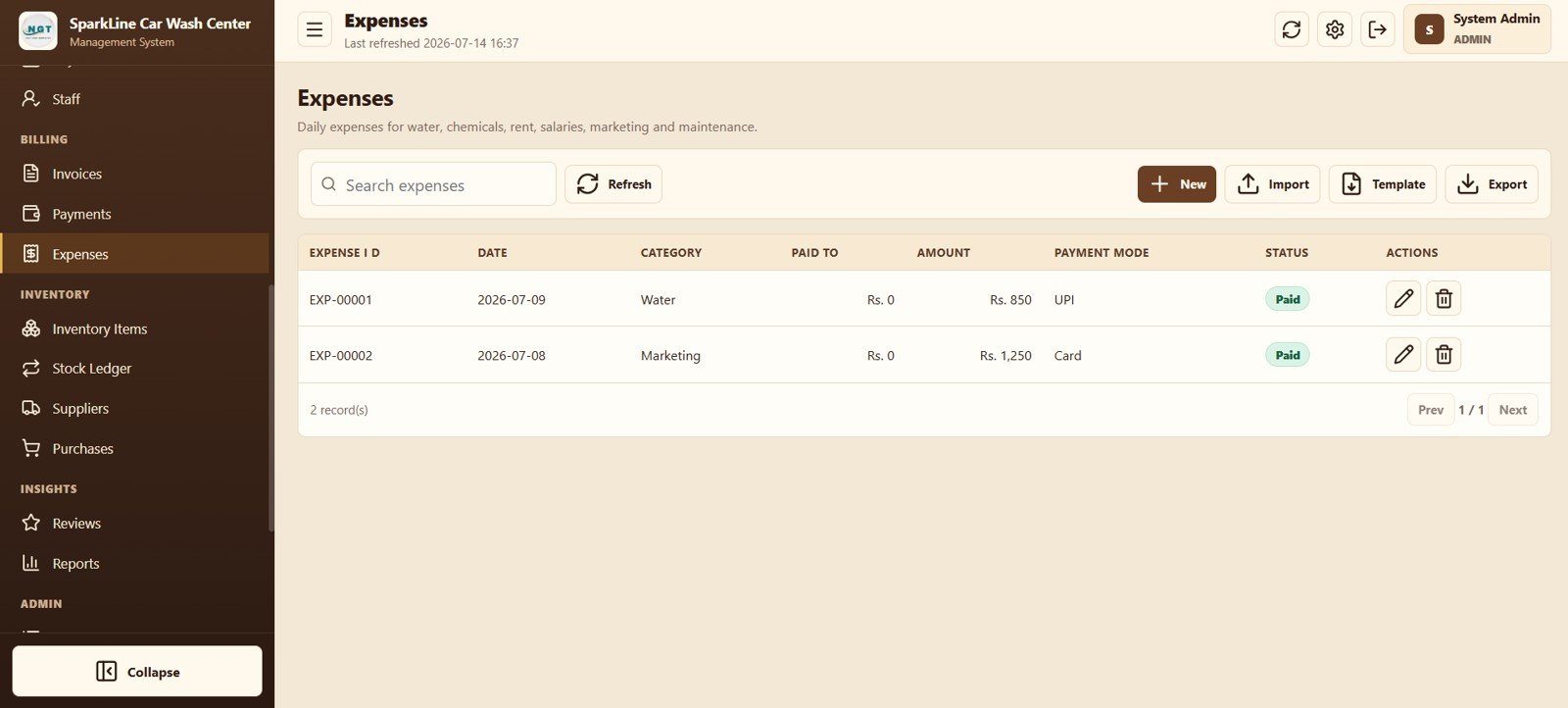
Expense Management
16. Inventory Items
Maintain consumables with unit, current stock, reorder level, supplier, and status so shortages are visible before operations are affected.
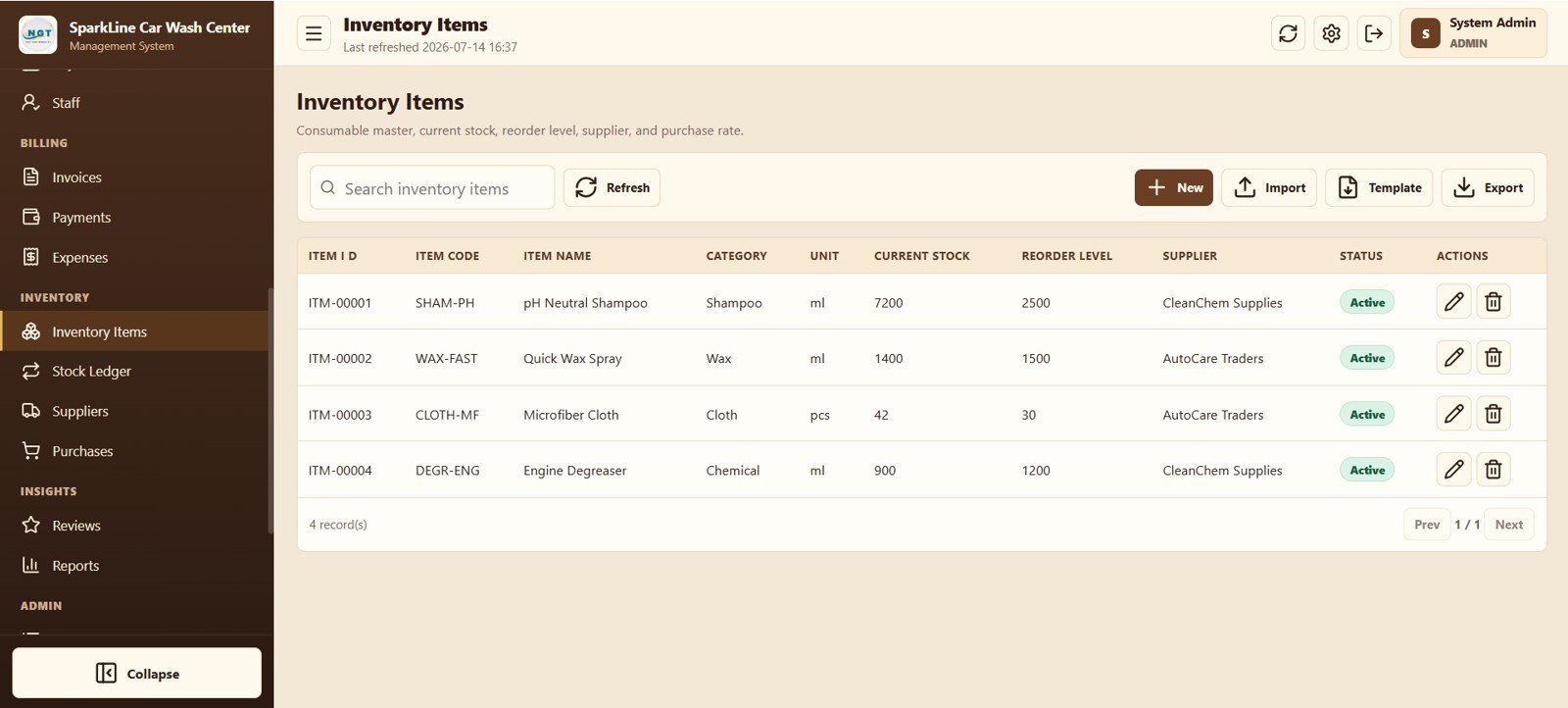
Inventory Item Master
17. Stock Ledger
Trace purchases, consumption, adjustments, damage, quantities in and out, and the related job card where applicable.
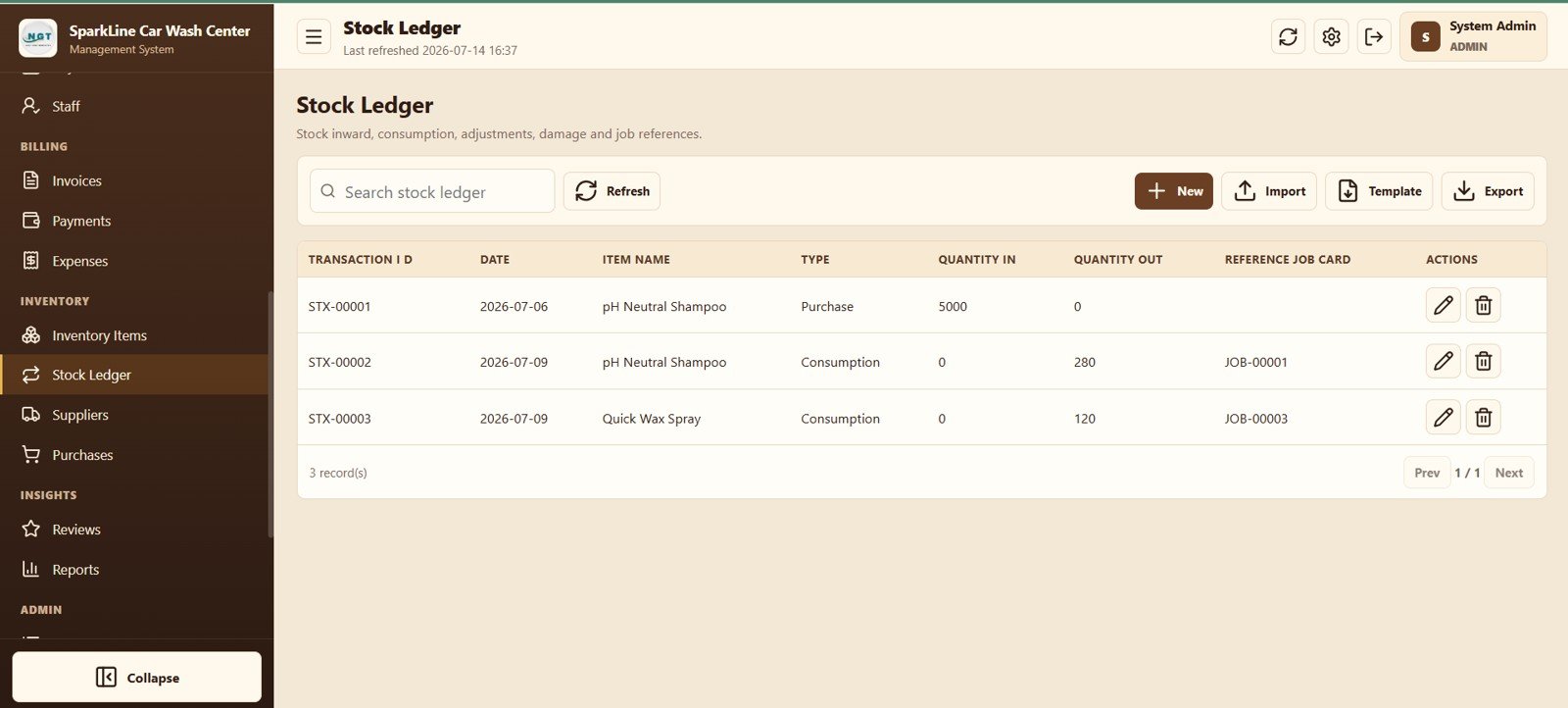
Stock Ledger
18. Suppliers
Keep supplier contacts, mobile numbers, payment status, and active status in one searchable master list.
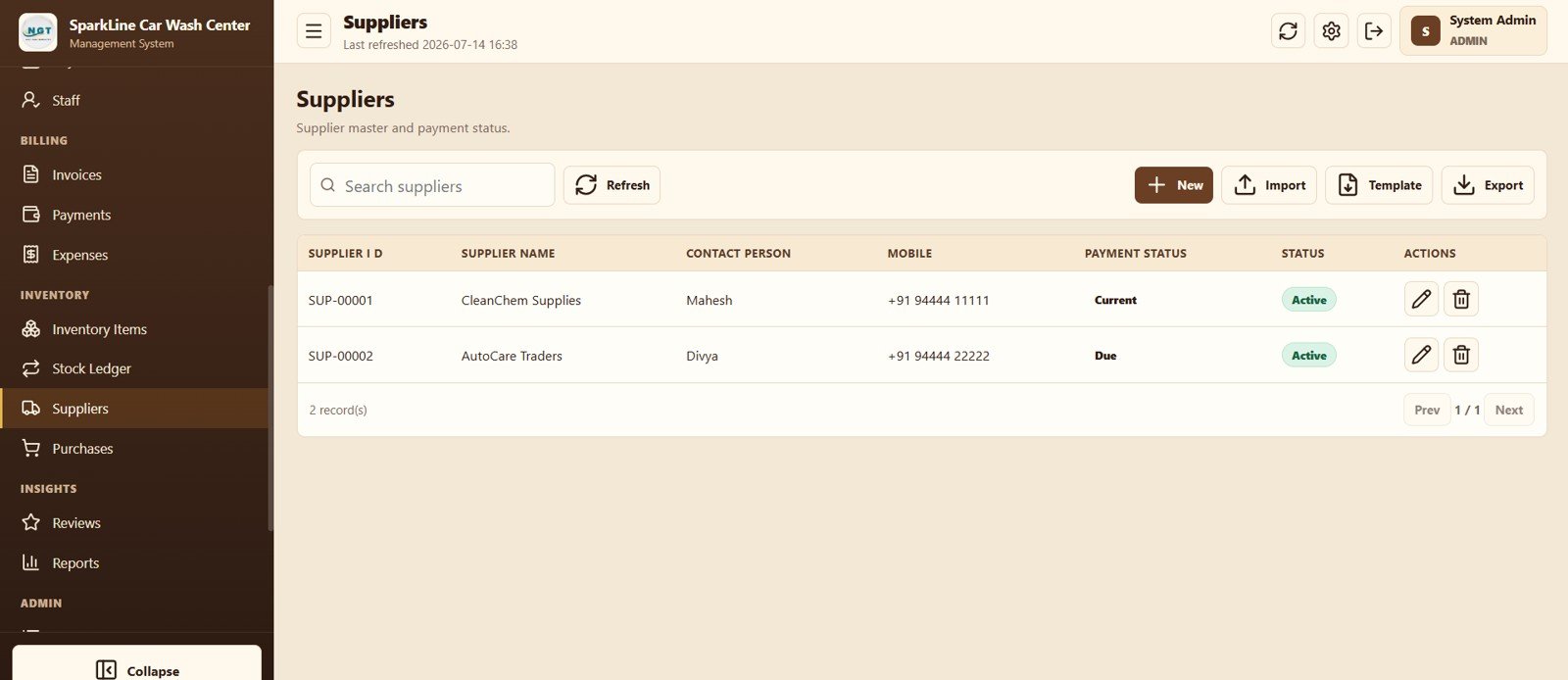
Supplier Management
19. Purchases
Record supplier bills, total and paid amounts, outstanding balance, and payment status for consumable purchases.
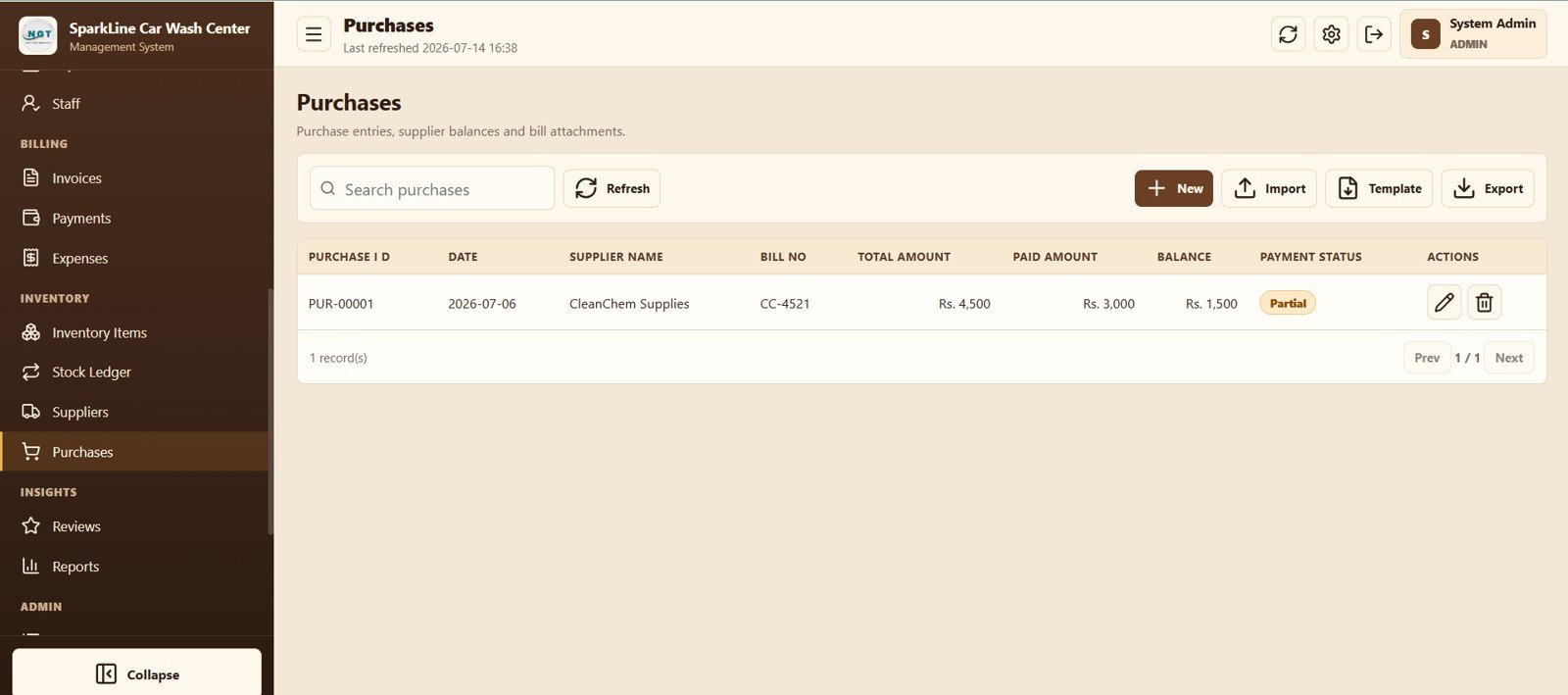
Purchase Management
20. Reviews
Capture job-linked customer ratings, assigned staff, follow-up requirements, and review status.
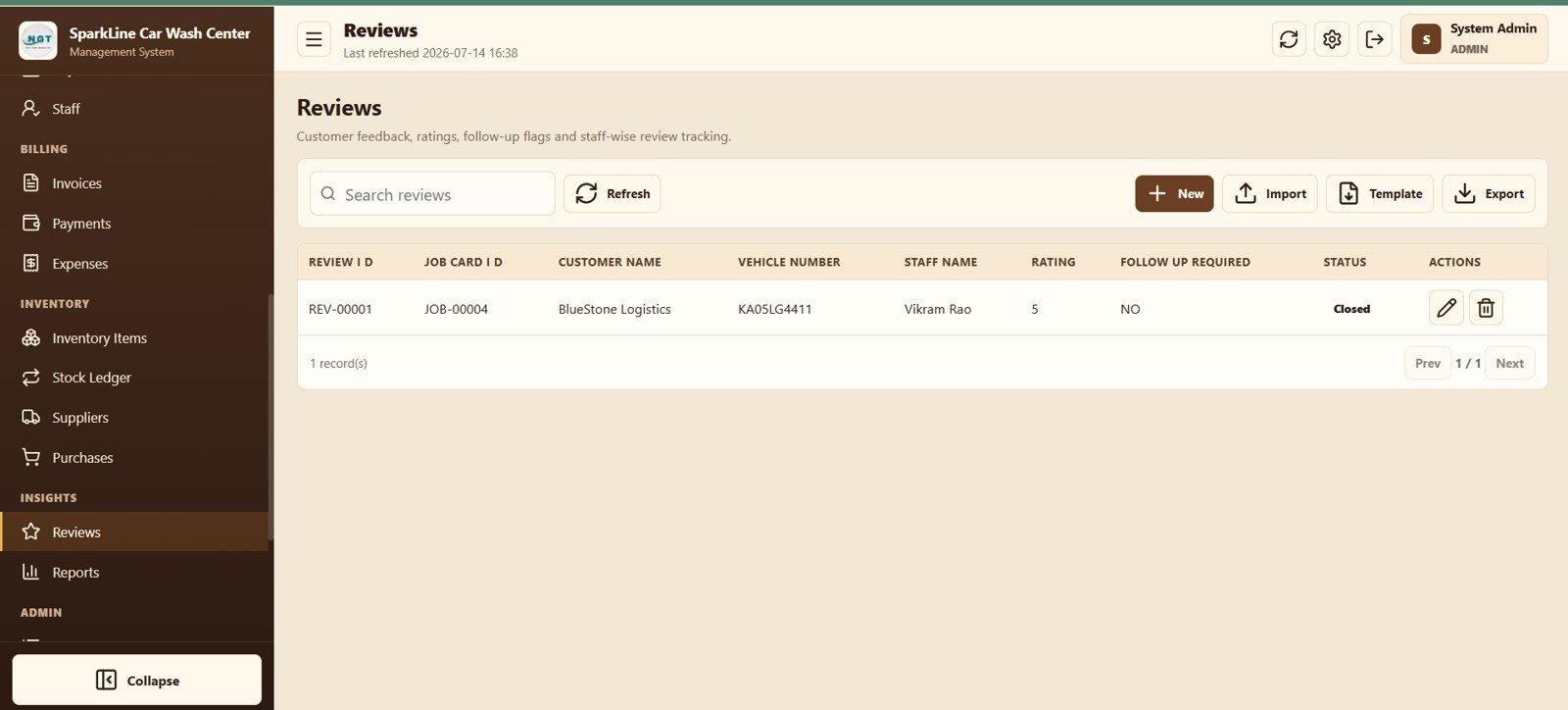
Customer Review Tracking
21. Reports
Select a report, date range, and run or export operational, billing, inventory, review, and audit records.
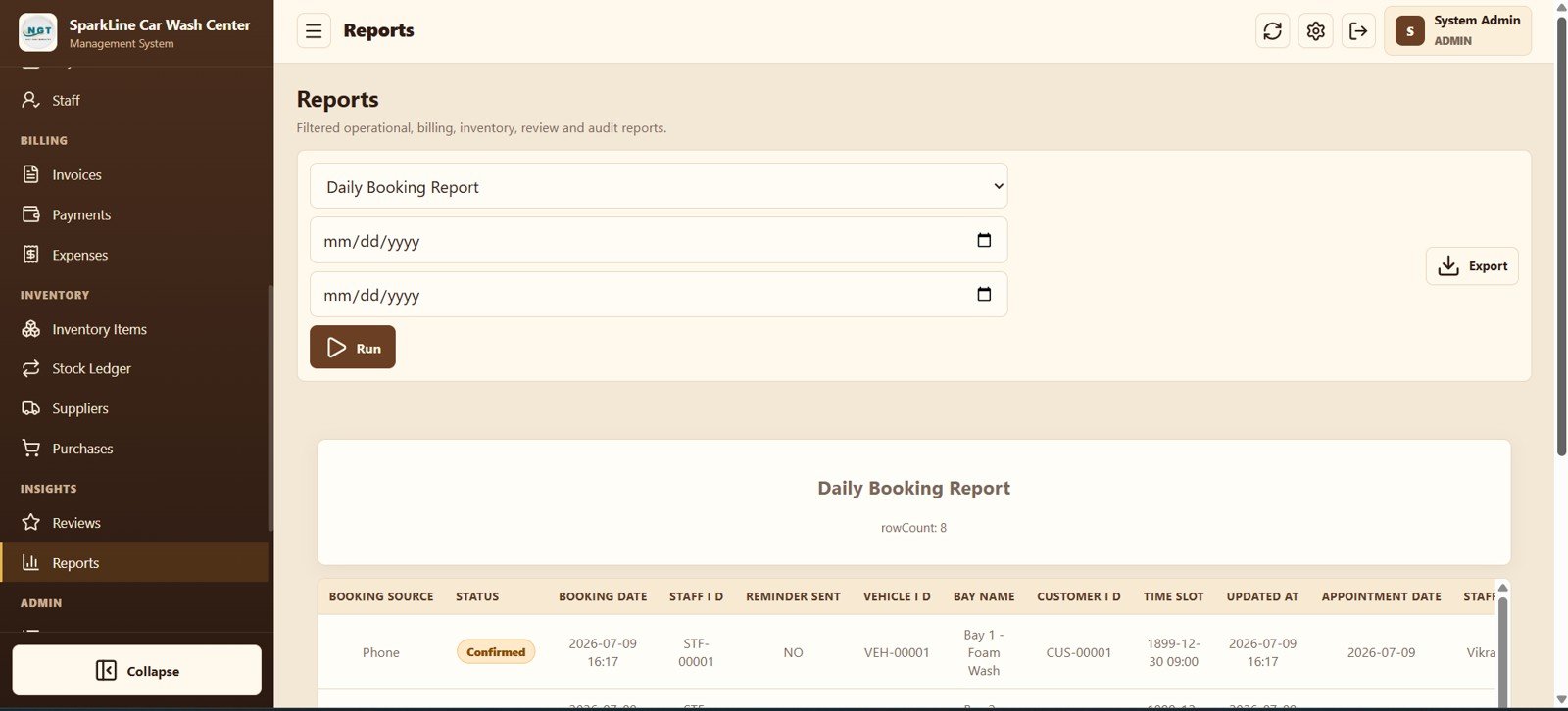
Reports and Export
22. List Management
Edit dropdown values used across vehicles, services, bookings, payments, and reports without changing source code.
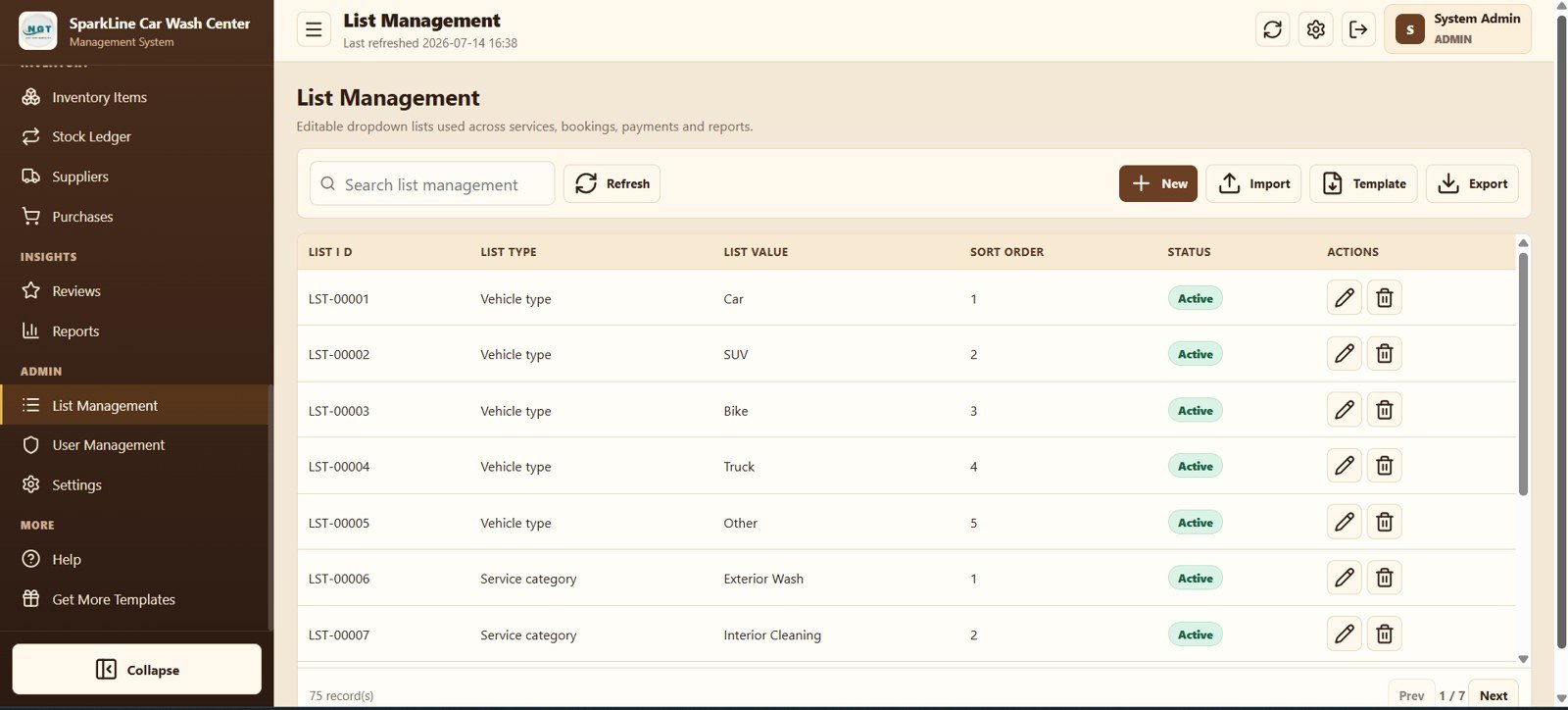
List Management
23. User Management
Manage usernames, roles, names, mobile numbers, email addresses, status, last login, password reset, and access notes.
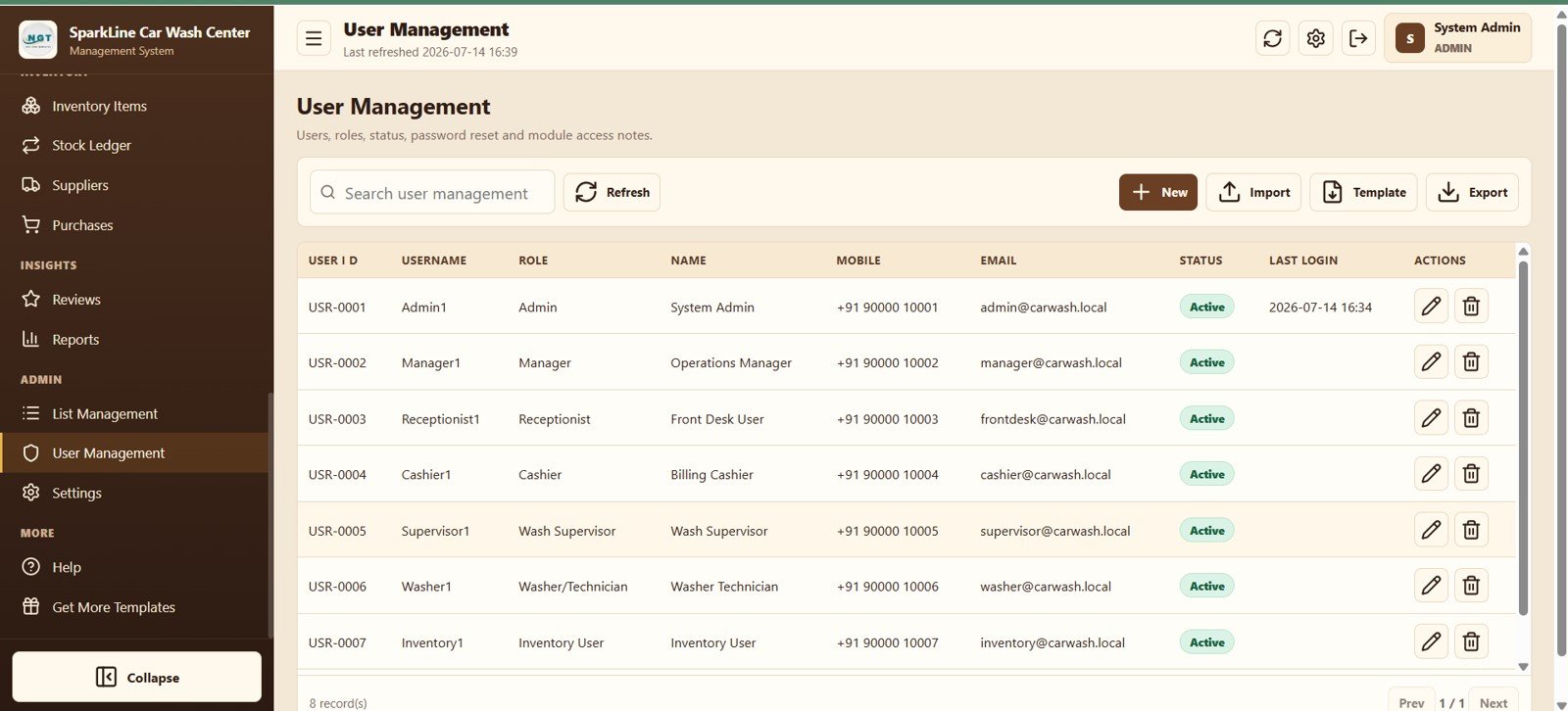
User and Role Management
24. Settings
Configure business profile, logo, login image, address, phone, email, tax, number prefixes, print size, archive, and password settings.
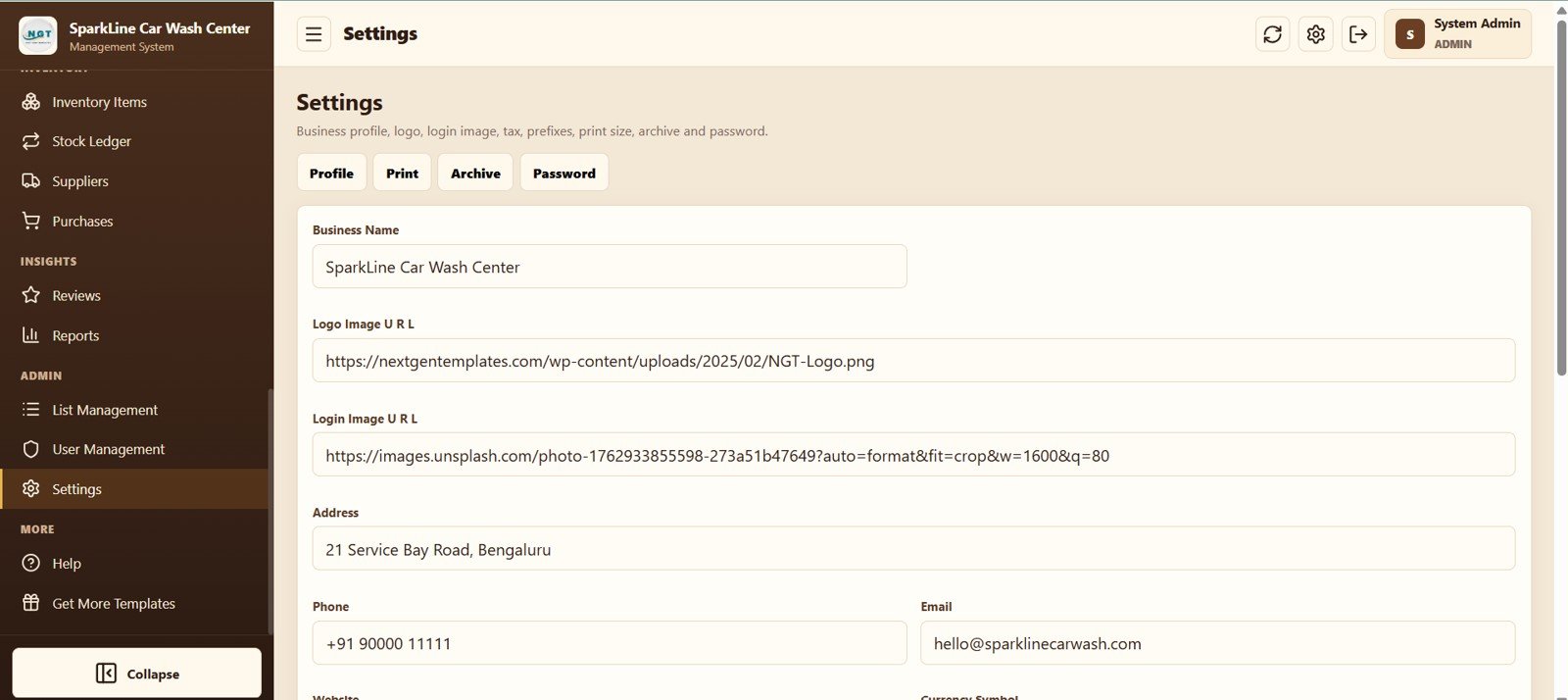
System Settings
Car Wash Management System Web App vs. Basic Google Sheets Tracker vs. Paid Car Wash SaaS – Where This Fits
| Feature | This Web App | Basic Google Sheets Tracker | Paid Car Wash SaaS |
|---|---|---|---|
| Cost | $39.99 one-time sale price | Low cost, but requires manual building | Recurring, plan-dependent |
| Platform | Google Apps Script in a browser | Spreadsheet grid | Vendor-hosted browser app |
| Setup time | Deploy, configure masters, and import data | Design tables and formulas first | Onboarding varies |
| Real-time collaboration | Shared web access with user roles | Shared sheet access | Usually included |
| Mobile access | Responsive browser workflow | Spreadsheet interface | Web or native app |
| Customizable fields | Editable masters and dropdown lists | Highly editable but manual | Limited by the selected plan |
| Share with link | Yes, after web-app deployment | Yes | Yes |
| Year-1 cost at 5 users | $39.99 template price | Your internal build time | Depends on vendor and plan |
| Queue and bay control | Built in | Requires custom design | Varies |
| Inventory consumption by job | Built in through the stock ledger | Requires linked tables | Varies |
Who This Template Is For – and Who It’s Not For
Best for: independent car washes, detailing studios, bike wash centers, mobile wash teams, and small multi-bay operations that want one shared system for daily work.
Not the right fit for: large franchises needing centralized multi-country infrastructure, businesses requiring an integrated payment gateway, or teams that do not use a Google account. Payments are recorded in the app; the screenshots do not show online card processing.
How to Use the Car Wash Management System Web App
- Deploy the supplied Google Apps Script project to your Google account.
- Set the business name, logo, contact details, tax, prefixes, and print preferences.
- Add services, packages, bays, staff, suppliers, and inventory items.
- Create or import customers and vehicles, then schedule bookings or add walk-ins.
- Move each job through its wash stages, print the job card, invoice the customer, and record payment.
- Review dashboard cards, stock levels, expenses, reviews, and exported reports regularly.
Real-World Use Cases
Arjun, an independent car wash owner, uses the calendar to plan appointments, the queue to prevent bay conflicts, and the dashboard to check ready vehicles before the evening rush.
Meera, a detailing studio manager, assigns technicians by skill, sells multi-visit packages, tracks consumables against jobs, and reviews service sales before updating the rate card.
Sameer, a fleet-wash operator, keeps corporate customers and multiple vehicles linked, monitors partial invoice payments, and exports reports for monthly client reconciliation.
Frequently Asked Questions
What is included in the Car Wash Management System Web App?
It includes 24 connected screens covering login, dashboard, booking, queue operations, customers, vehicles, services, memberships, job cards, billing, expenses, inventory, reviews, reports, users, and settings.
Does the app require a paid server?
The product is designed for deployment with Google Apps Script in your Google account. Google service limits and account policies still apply.
Can I manage both scheduled bookings and walk-ins?
Yes. Use Booking Calendar for appointments and the Walk-in action on Wash Queue for unscheduled customers.
Can it track partial payments?
Yes. Invoices show total, paid amount, balance, and payment status, while the Payments module stores individual payment records and references.
Does it manage chemicals and consumables?
Yes. Inventory Items stores current stock and reorder levels, and Stock Ledger records purchases, consumption, adjustments, damage, and job references.
Can I change dropdown values and business branding?
Yes. List Management controls shared dropdown options, while Settings controls the profile, logo, login image, contact details, print options, archive, and password.
About the Author
Built by PK – Microsoft Certified Professional with 15+ years of Excel, Google Sheets, and Power BI experience. Founder of NextGenTemplates, reaching 300K+ subscribers across YouTube channels. Every template is hand-built and tested before release.
Explore Related Templates
- Service Center and Repair Shop Management System Web App
- Universal Appointment Booking System Web App Template
- Dry Clean Service Management System Web App
- Parking Management System Web App
- General Store POS Web App
Browse more Web App templates or read the detailed Car Wash Management System Web App guide.
Ready to replace disconnected registers and spreadsheets? Download the Car Wash Management System Web App, deploy it in your Google account, and configure your first bay, service, and booking.
Watch the step-by-step video Demo:
Last updated: July 14, 2026




























Reviews
There are no reviews yet.