

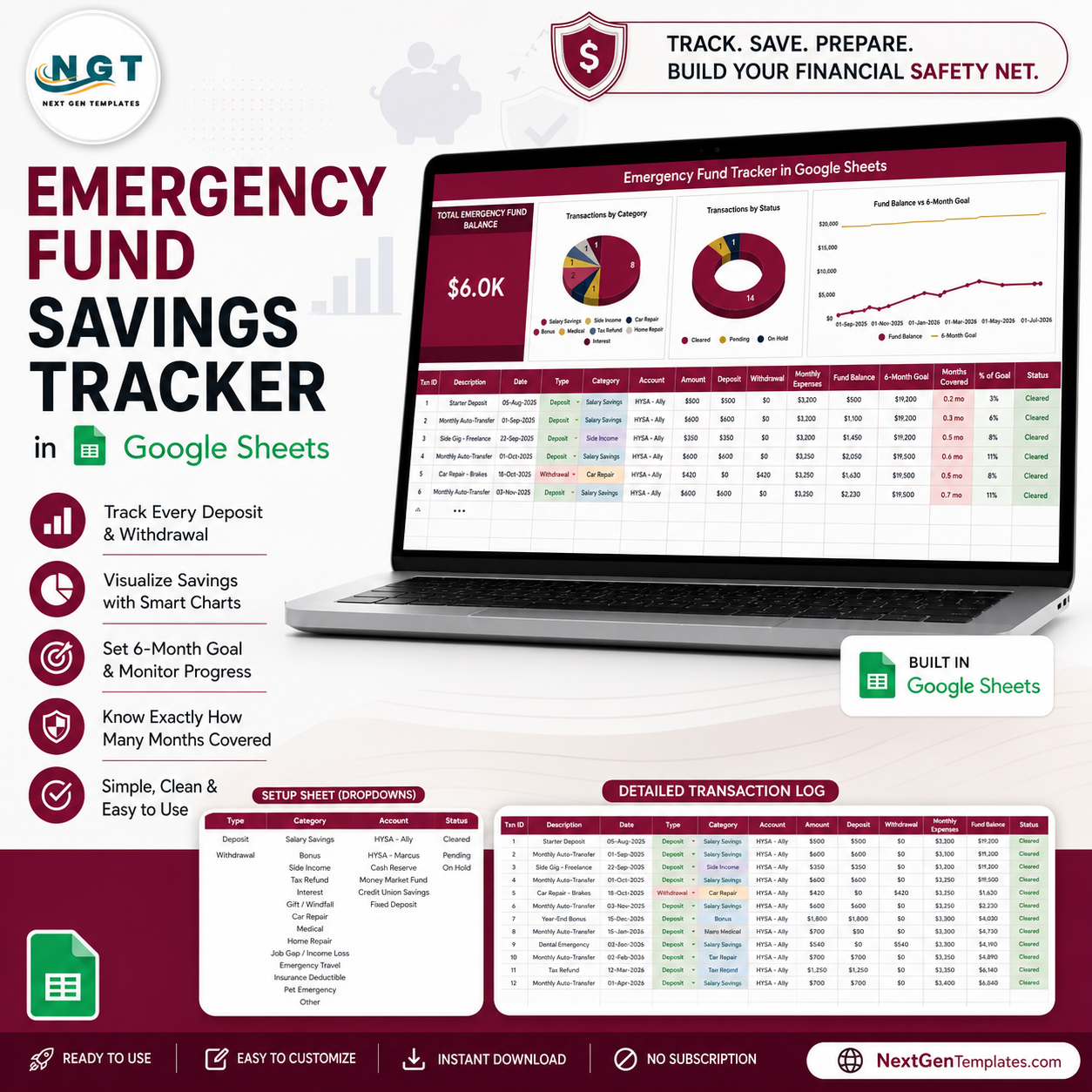

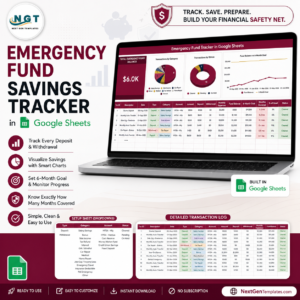
The Federal Reserve’s 2026 Economic Well-Being report found that 63% of adults could cover a $400 emergency expense with cash or its equivalent, while 59% had at least one major unexpected expense in the prior year. The Emergency Fund Savings Tracker in Google Sheets gives you a simple way to watch emergency savings, deposits, transaction status, and a 6-month goal from one editable dashboard. Built by PK, creator of spreadsheet templates for a 300K+ subscriber learning audience, it keeps the workflow private, manual, and subscription-free.
Key Features of Emergency Fund Savings Tracker in Google Sheets
- Total Emergency Fund Balance card: See the current emergency fund balance at the top of the Overview Page.
- Multiple slicers: Filter the dashboard quickly by date, category, status, account, or transaction type.
- Transaction category analysis: Understand where deposits and withdrawals are grouped.
- Status tracking: Separate completed, pending, planned, cancelled, or custom workflow stages.
- 6-month goal view: Compare fund balance against the savings target over time.
- Deposit trend chart: Review whether contributions are consistent across dates.
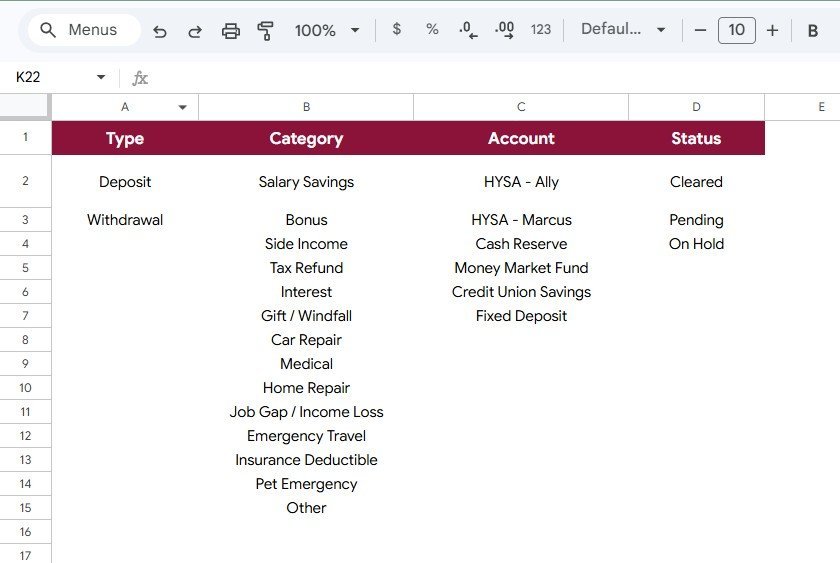
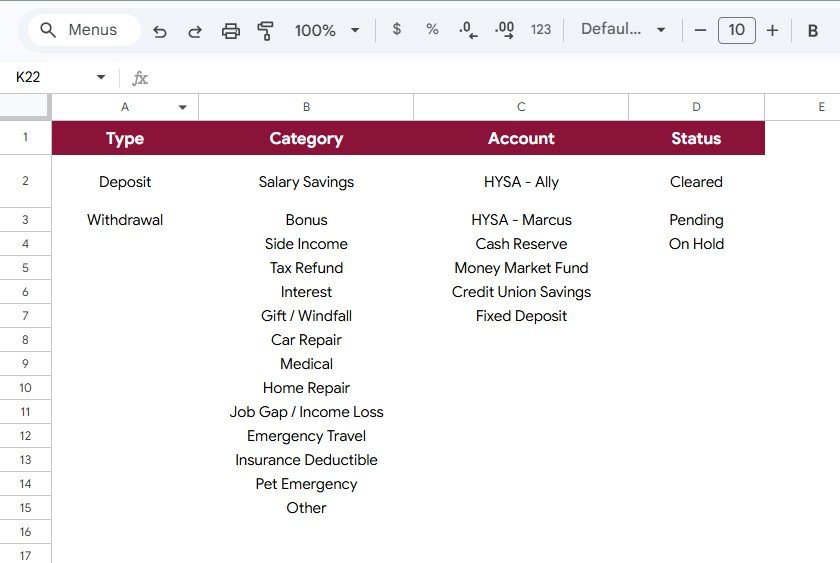
- Lists Tab: Maintain dropdown values for transaction types, emergency categories, savings accounts, and statuses.
- Google Sheets format: Copy to Drive, customize labels, and share with a trusted partner.
What’s Inside the Emergency Fund Savings Tracker in Google Sheets
Overview Page
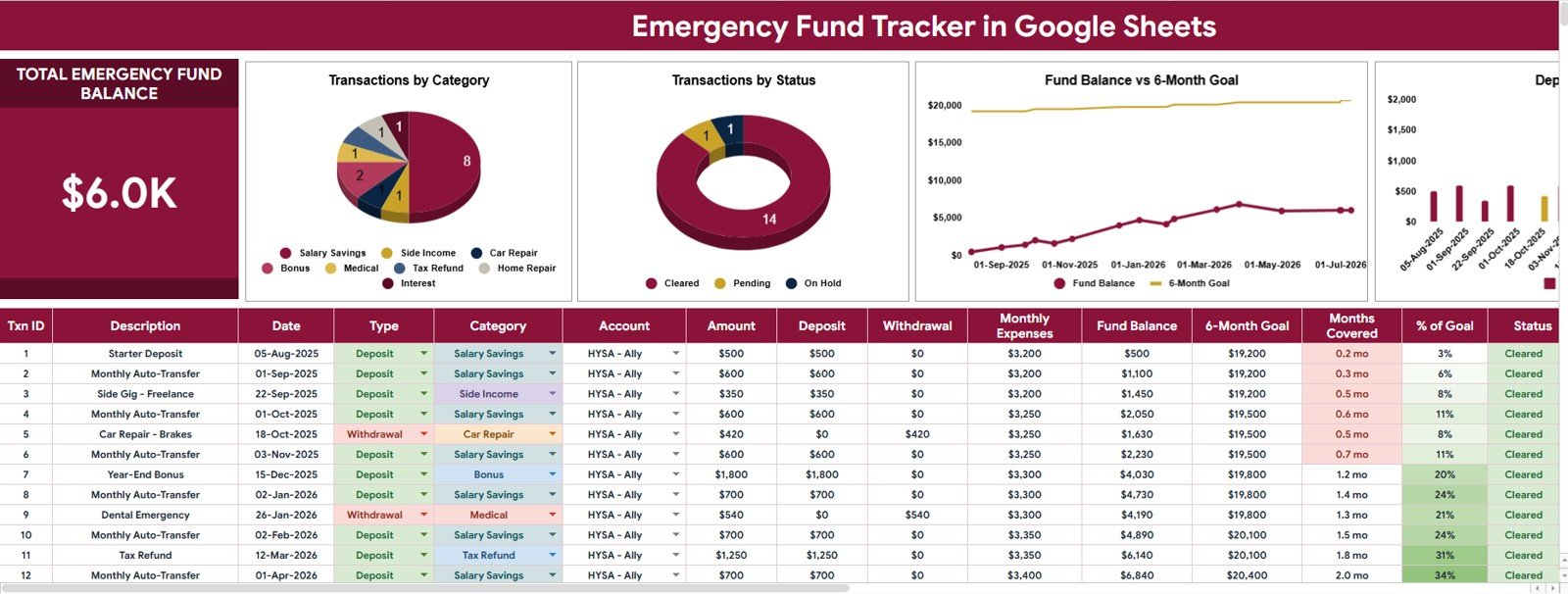
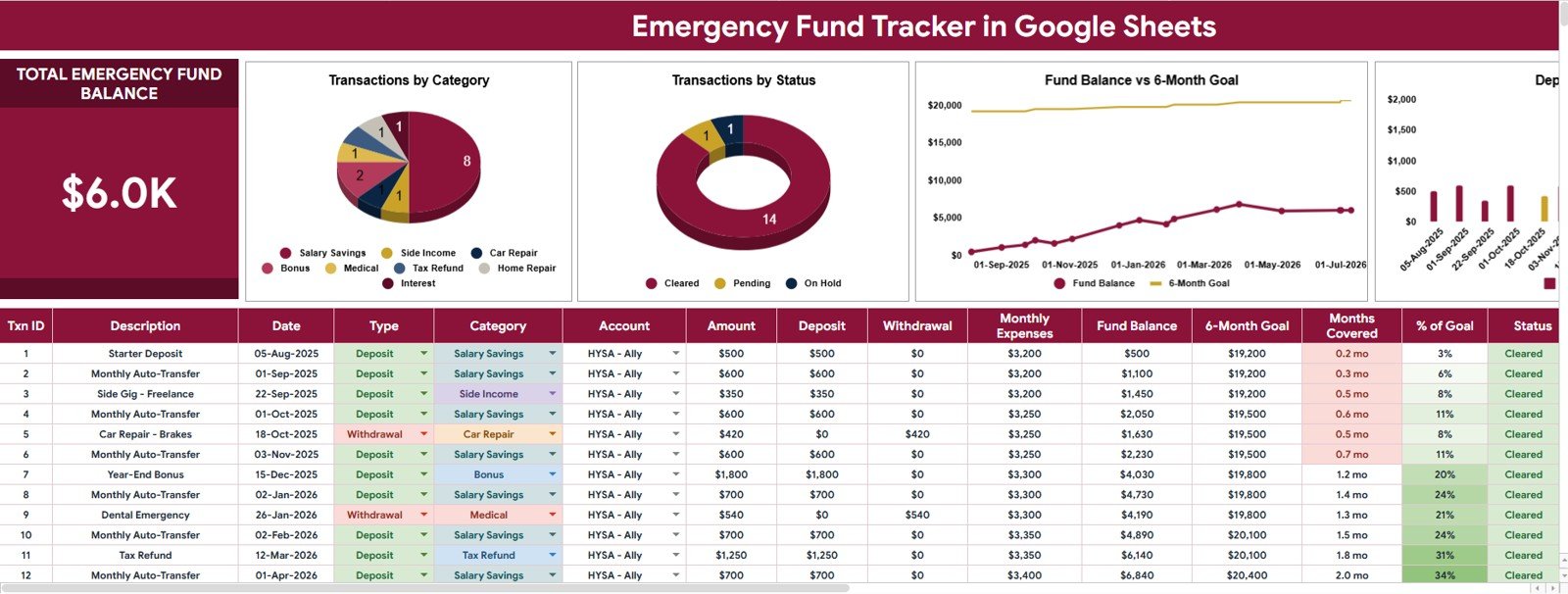
The Overview Page is the main emergency fund dashboard. The top card displays Total Emergency Fund Balance, giving you a fast answer before you review the charts.
Transactions by Category: This chart groups activity by emergency category, such as medical, car repair, job loss, home repair, or other custom needs. It helps you see which emergency reasons are affecting the fund most often.
Transactions by Status: This chart shows how many transactions sit in each workflow stage. Use it to separate completed deposits from pending, planned, cancelled, or review-needed entries.
Fund Balance and 6-Month Goal by Date: This chart compares your balance trend with the 6-month savings target. It helps you quickly see whether the fund is moving toward the goal or falling behind.
Deposits by Date: This chart shows deposit activity over time. It is useful for checking whether contributions are happening regularly after each paycheck or income event.
Lists Tab
The Lists Tab keeps the tracker clean by storing consistent dropdown and lookup values. It includes analysis for Transaction Type by Option, Emergency Category by Purpose, Savings Account by Account Name, and Transaction Status by Workflow Stage.
Emergency Fund Savings Tracker in Google Sheets vs. Microsoft Excel vs. Paid Budgeting SaaS – Where This Fits
| Feature | This Google Sheets tracker | Microsoft Excel alternative | Paid budgeting SaaS |
|---|---|---|---|
| Cost | $6.99 sale price, one-time | Template cost plus any Microsoft license | Usually monthly or annual |
| Platform | Google Sheets in Drive | Excel desktop or web | Vendor-hosted app |
| Setup time | Copy the file, edit lists, enter transactions | Open workbook and customize | Create account and configure categories |
| Real-time collaboration | Built into Google Sheets sharing | Available through Microsoft sharing tools | Depends on plan |
| Mobile access | Google Sheets mobile app | Excel mobile app | Usually included |
| Customizable fields | Edit lists, labels, accounts, categories, and statuses | Editable if workbook is unlocked | Often limited by app settings |
| Share with link | Yes, through Google Drive permissions | Yes, through OneDrive or SharePoint | Usually account-based |
| Year-1 cost at 5 users | $6.99 before any Google Workspace costs | Template plus license cost | Can rise with users or households |
| Emergency fund goal view | Balance and 6-month goal chart included | Must be built or customized | Depends on app design |
Who This Template Is For – and Who It’s Not For
This template is for individuals, couples, families, freelancers, and small business owners who want a visible emergency fund tracker without connecting bank accounts. It works well when you want to record deposits, withdrawals, categories, accounts, and statuses in a sheet you control.
It is not a bank-feed connector, investment tracker, tax planner, debt payoff engine, or replacement for professional financial advice. If you need automated account syncing or cash movement, use a dedicated finance app alongside this tracker.
How to Use the Emergency Fund Savings Tracker in Google Sheets
- Open the PDF guide from your download and copy the Google Sheets file to your Drive.
- Edit the Lists Tab so categories, accounts, transaction types, and statuses match your workflow.
- Enter deposits, withdrawals, dates, accounts, categories, and status values.
- Review the Total Emergency Fund Balance card and dashboard charts on the Overview Page.
- Use slicers during weekly or monthly money reviews to focus on the exact records you need.
Real-World Use Cases
Maya, a household budgeter: tracks deposits toward a 6-month emergency reserve and checks whether medical, car, or home repair withdrawals are reducing progress.
Daniel, a freelancer: adds deposits after paid invoices and uses the date chart to see whether irregular income is still building a steady safety net.
Priya, a small business owner: separates emergency reserves by savings account and status so planned transfers do not get mixed with completed deposits.
Frequently Asked Questions
What is included in this tracker?
It includes an Overview Page with a balance card, four dashboard charts, slicers, and a Lists Tab for controlled dropdown values.
Does this connect to my bank account?
No. This is a manual Google Sheets tracker, which helps keep the workflow simple and under your control.
Can I customize the emergency categories?
Yes. You can edit categories for medical, car repair, home repair, job loss, travel disruption, family support, or any custom purpose.
Can I track more than one savings account?
Yes. The Lists Tab supports savings account values so you can separate bank accounts, cash reserves, or other emergency fund locations.
Can two people use the same tracker?
Yes. After copying the file to Google Drive, you can share it with another person using view or edit permissions.
Can I reuse it next year?
Yes. Make a copy, clear sample data, and reuse the structure for a new year or a new emergency fund cycle.
About the Author
Built by PK – Microsoft Certified Professional with 15+ years of Excel, Google Sheets, and Power BI experience. Founder of NextGenTemplates, reaching 300K+ subscribers across YouTube channels. Every template is hand-built and tested before release.
Explore Related Templates
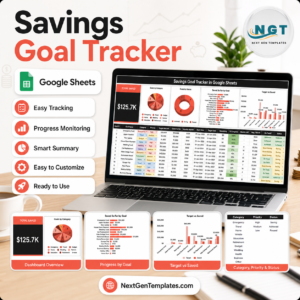
- Savings Goal Tracker in Google Sheets for broader goal-based savings.
- Sinking Funds Tracker in Google Sheets for planned irregular expenses.
- Bill Payment Tracker in Google Sheets for recurring due dates and payment status.
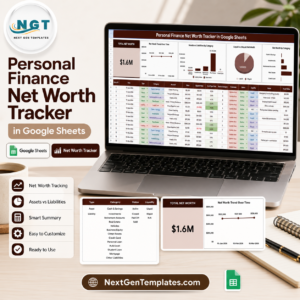
- Personal Finance Net Worth Tracker in Google Sheets for assets, liabilities, and net worth.
- Google Sheets tracker templates and Google Sheets financial tools.
Get the Emergency Fund Savings Tracker in Google Sheets and turn your emergency reserve into a visible, filterable savings system.
Watch the step-by-step video Demo:
Last updated: July 11, 2026.
Compatibility and Requirements
- Works in Google Sheets. You need a free Google account and a web browser.
- The Lists Tab holds the dropdown values for transaction types, categories, accounts and statuses. Google explains dropdowns in Create an in-cell dropdown list.
- You can open the sheet in the Google Sheets mobile app.

Reviews
There are no reviews yet.