

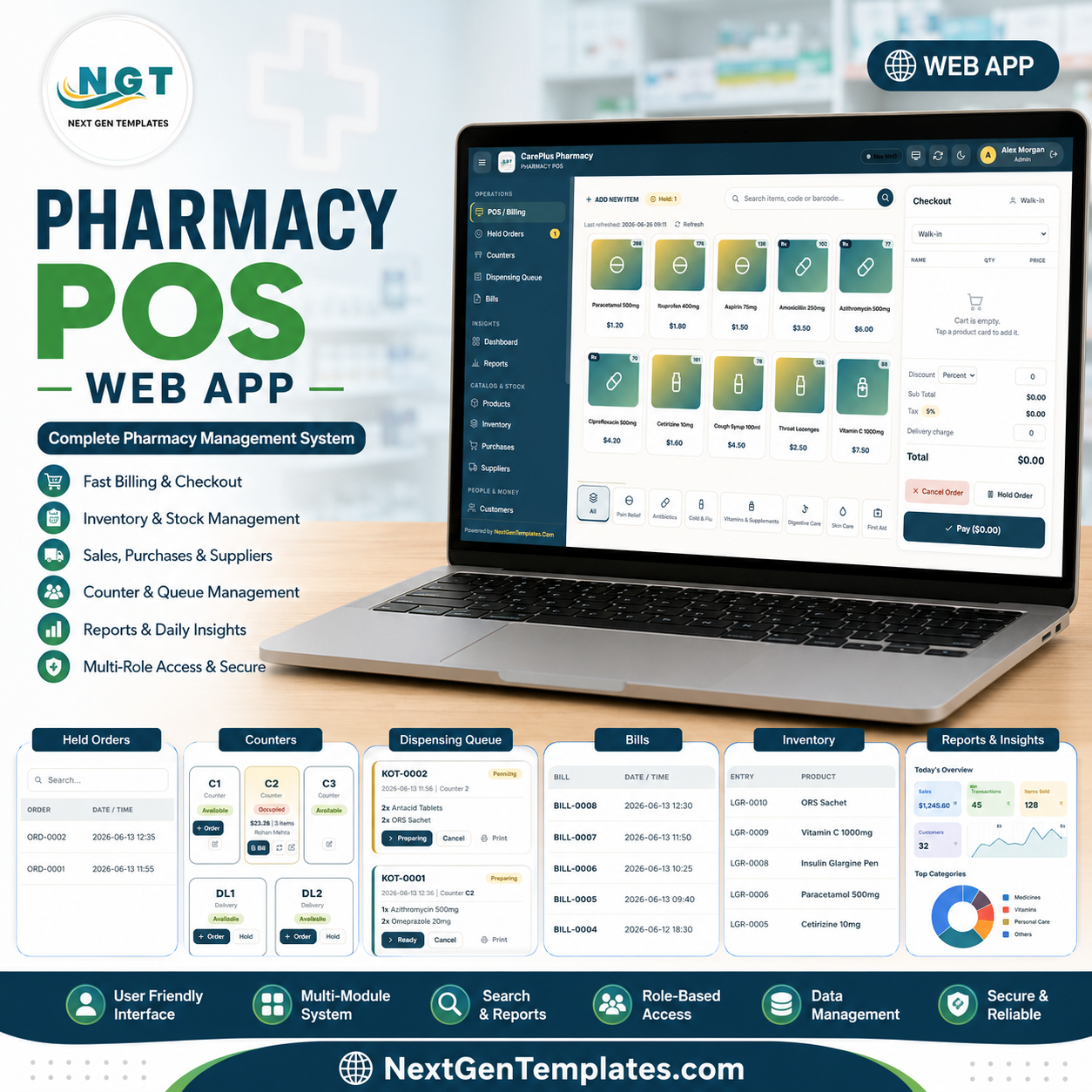
The Pharmacy POS Web App runs an entire medical store on Google Sheets — billing, stock, suppliers, customers, shifts and live dashboards — behind secure logins for 5 staff roles, with zero monthly fees. A cashier can search a medicine by name, code or barcode, build a cart, apply tax, and hold or settle a bill in under 15 seconds.
🌍 Join 8,400+ teams in 40+ countries using NextGenTemplates to replace paid SaaS tools with one-time-purchase Google Sheets, Excel, Power BI and HTML templates.
✅ Instant download · One-time payment · No subscription · No per-user fees · Lifetime access
🔑 Key Features of the Pharmacy POS Web App
The Pharmacy POS Web App is a multi-user point-of-sale and pharmacy management system built entirely on Google Sheets and Google Apps Script. It ships with role-based logins for 5 account types (Admin, Manager, Cashier, Inventory and Viewer), a touch-friendly billing grid, and a live dashboard that surfaces 9 KPI cards plus 7-day and hourly sales charts.
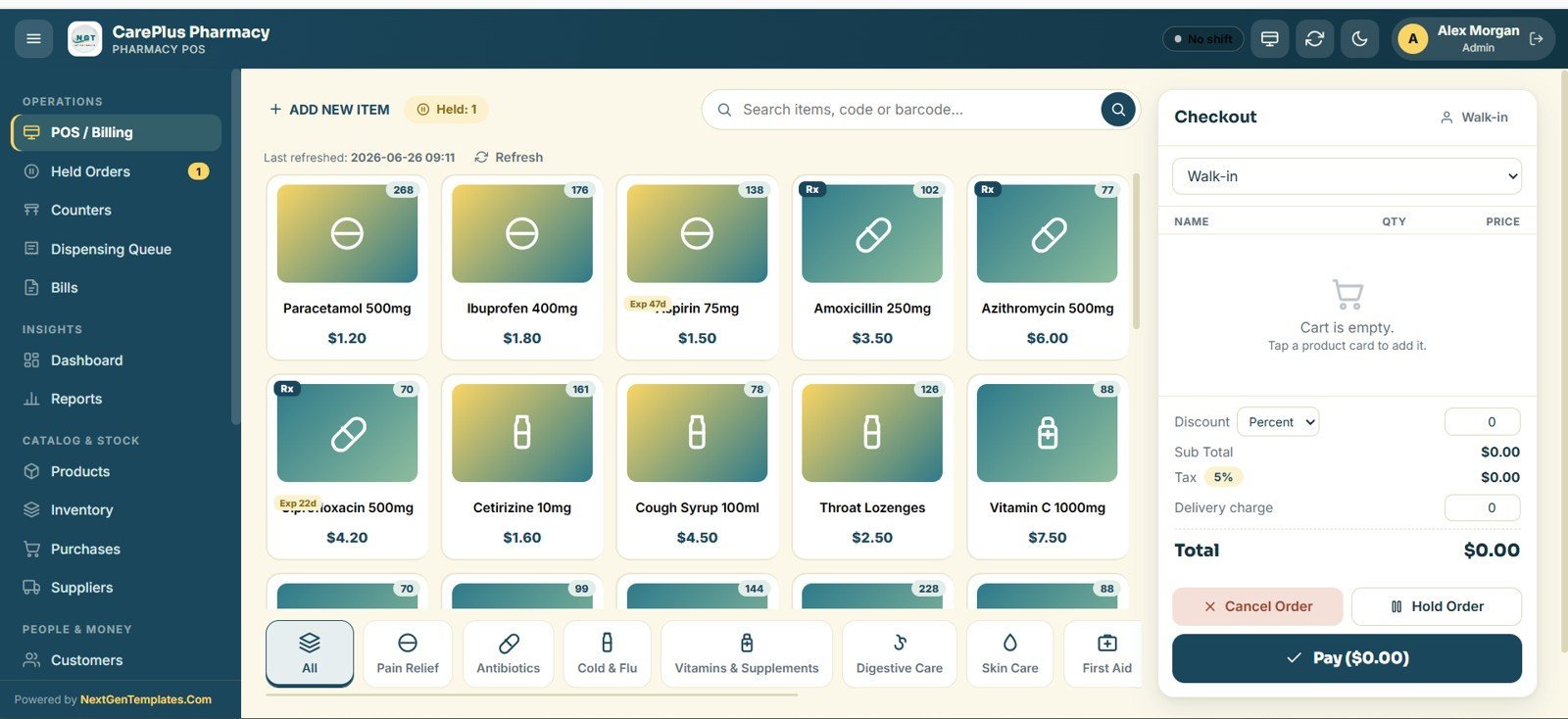
- Touch-first billing – product image cards, name/code/barcode search, quick-add cart, automatic tax, and one-tap Pay or Hold for fast counter service.
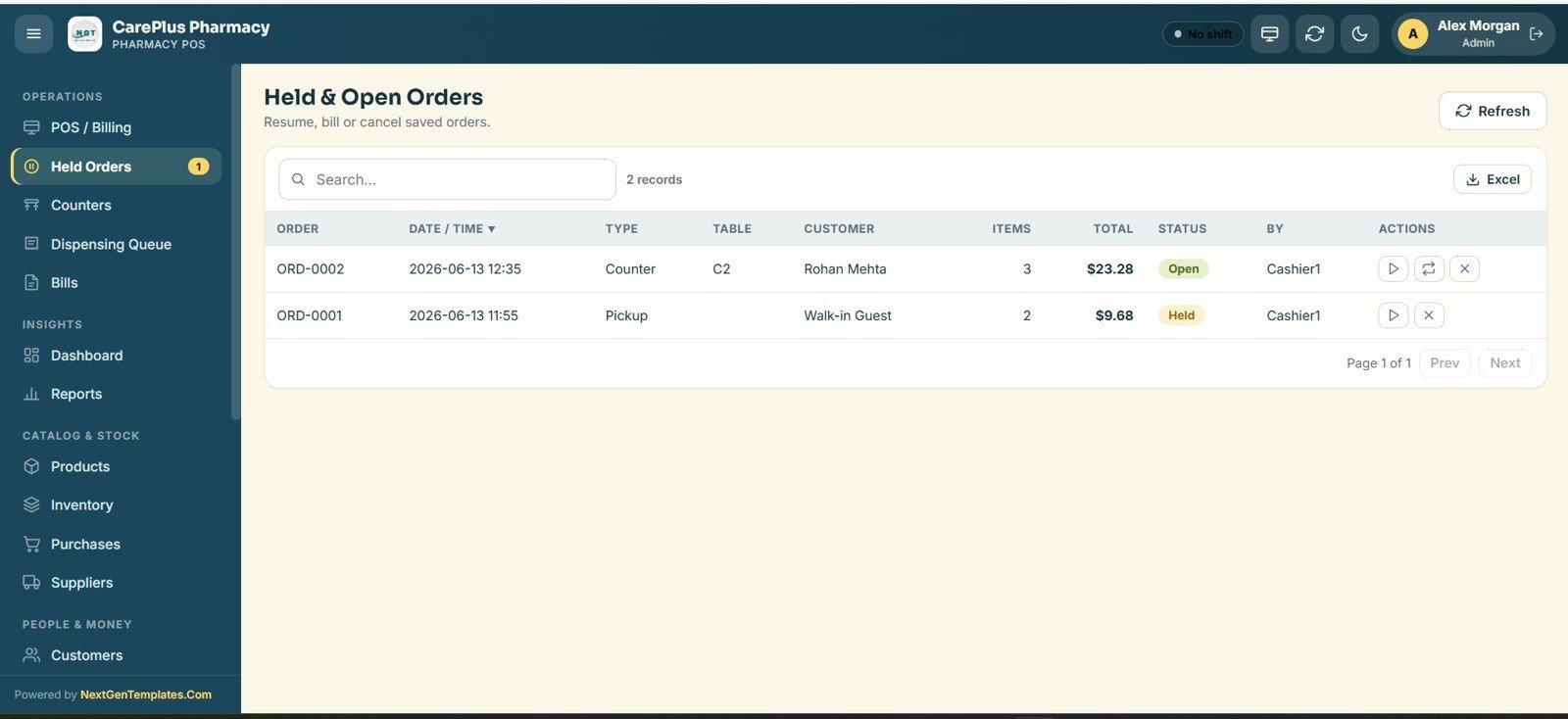
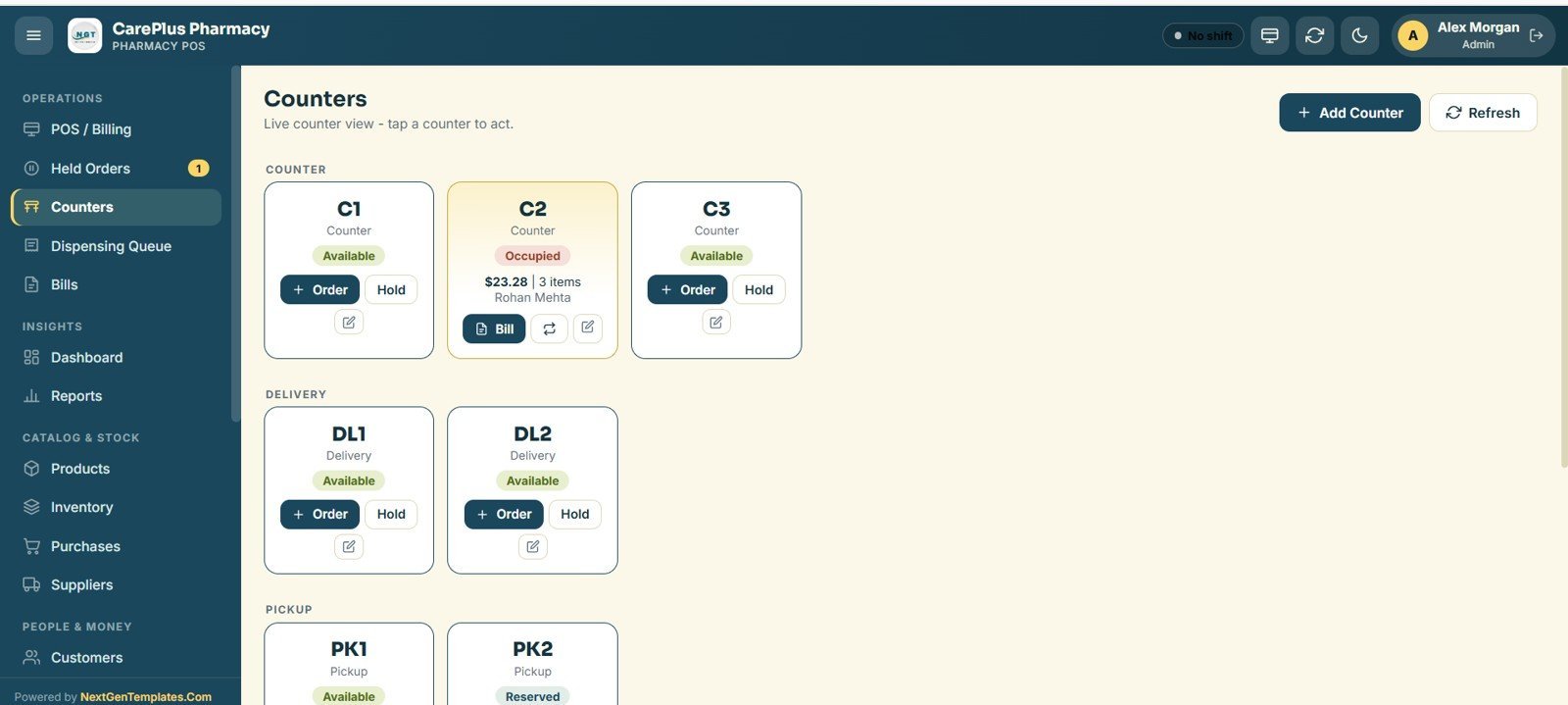
- Held & open orders – park a sale, switch counters, and resume or cancel it later without losing the cart.
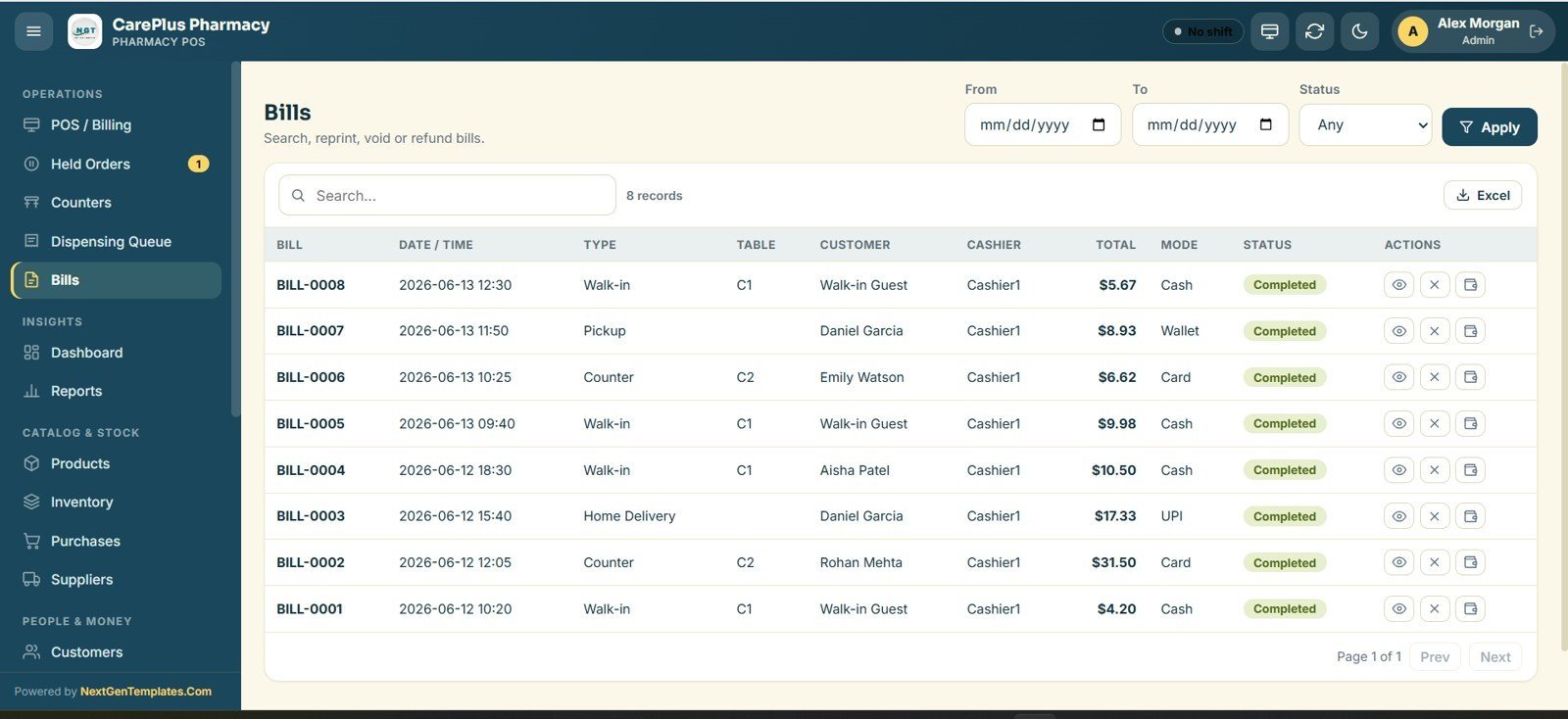
- Bills register – every receipt is searchable and can be reprinted, voided or refunded, with each action written to the audit log.
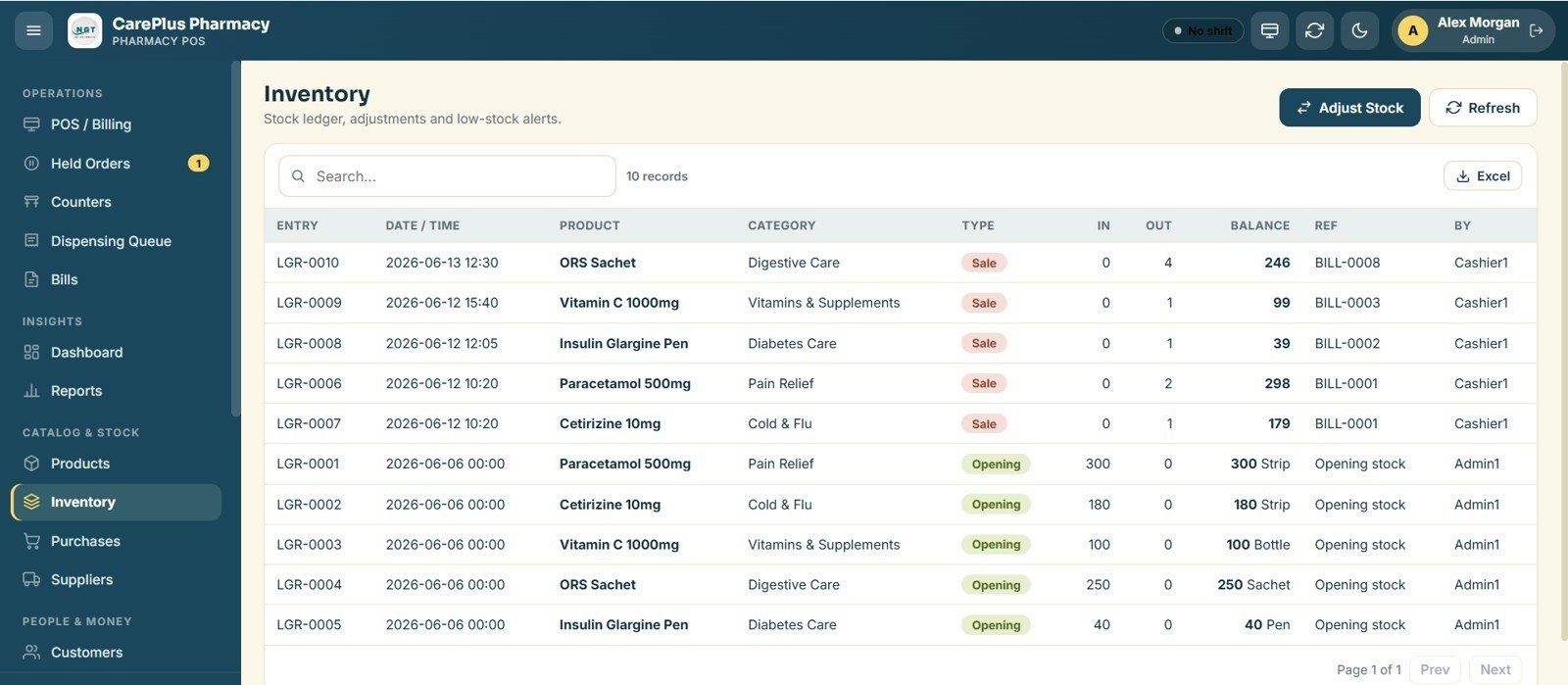
- Stock control – a medicine master with price, tax % and opening stock feeds an inventory ledger that records every in/out movement and flags low-stock items.
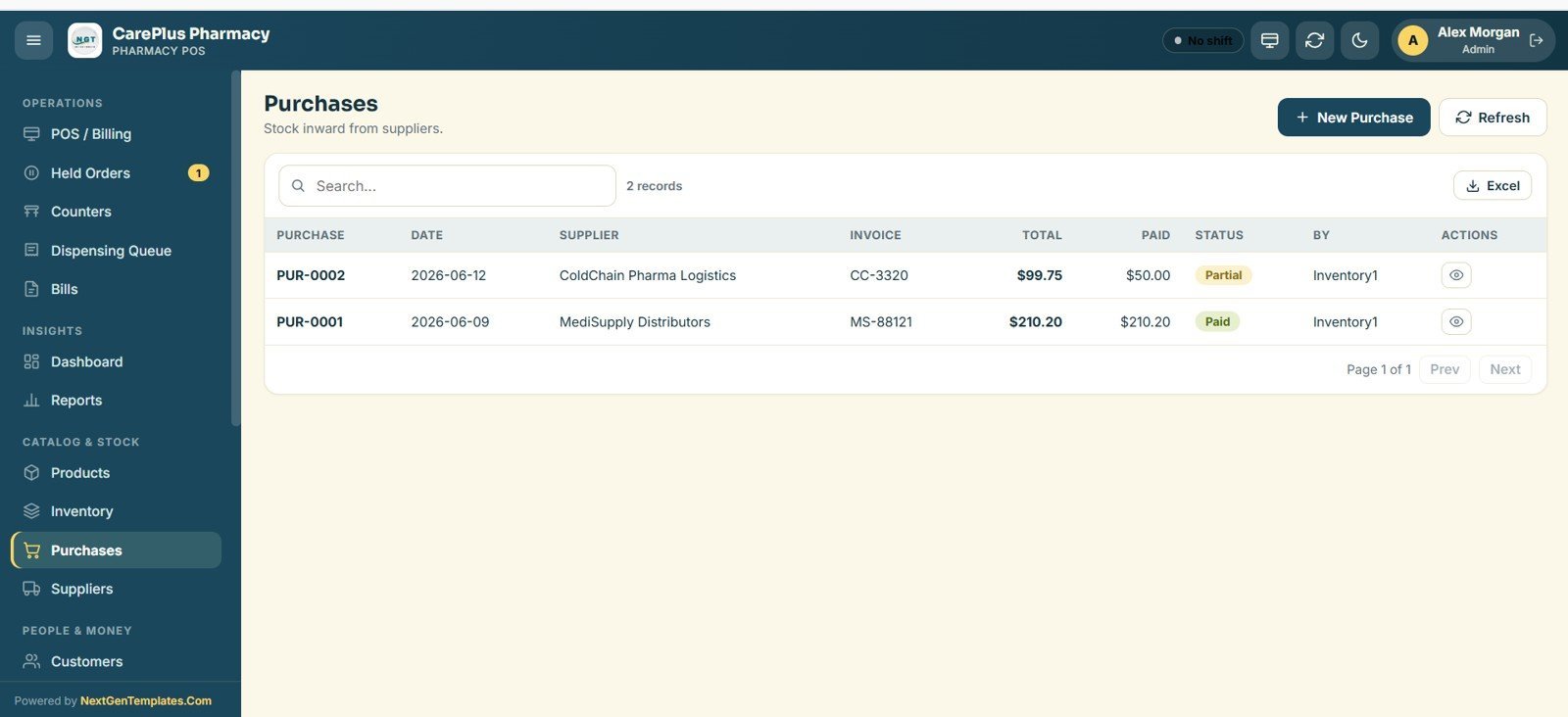
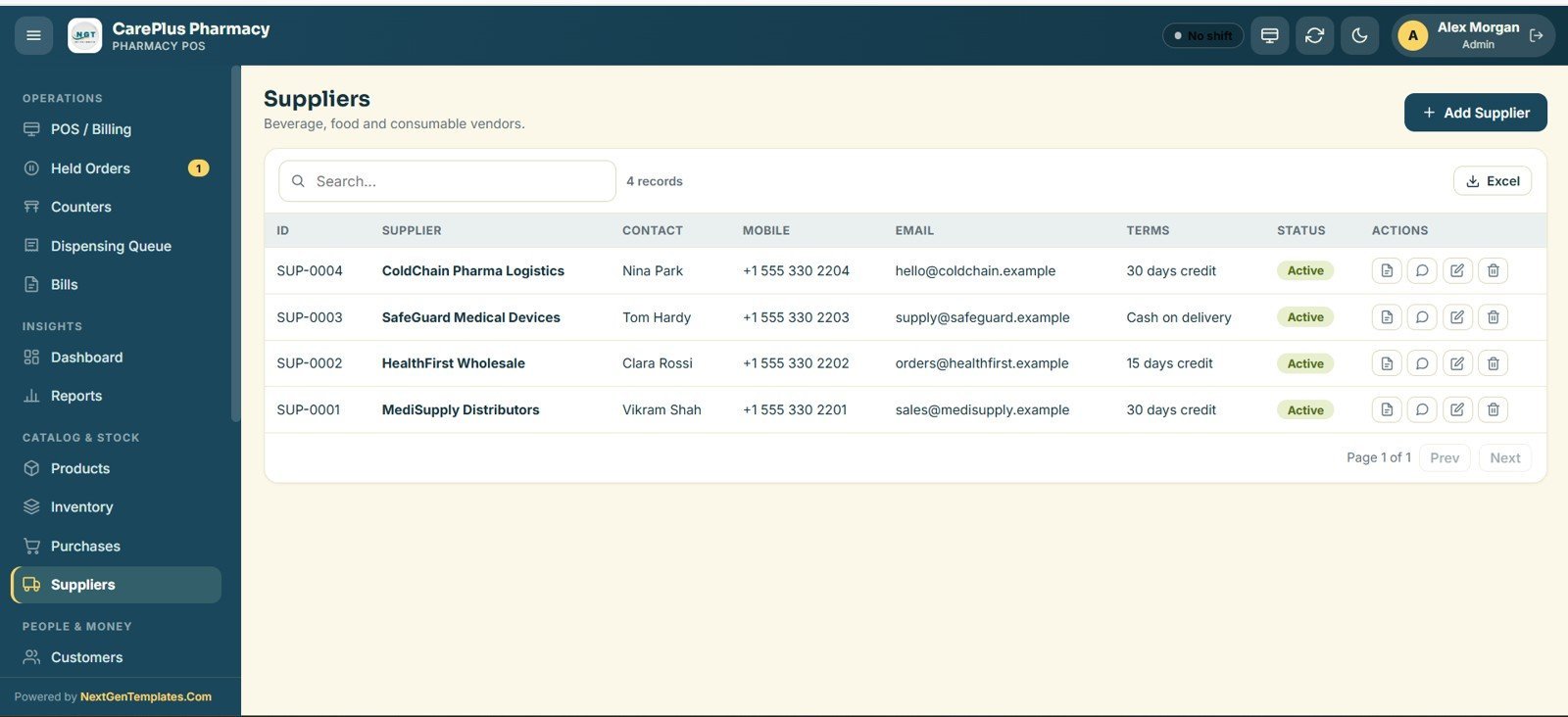
- Purchases & suppliers – log stock inward against suppliers and track invoice totals, paid amounts and payment terms.
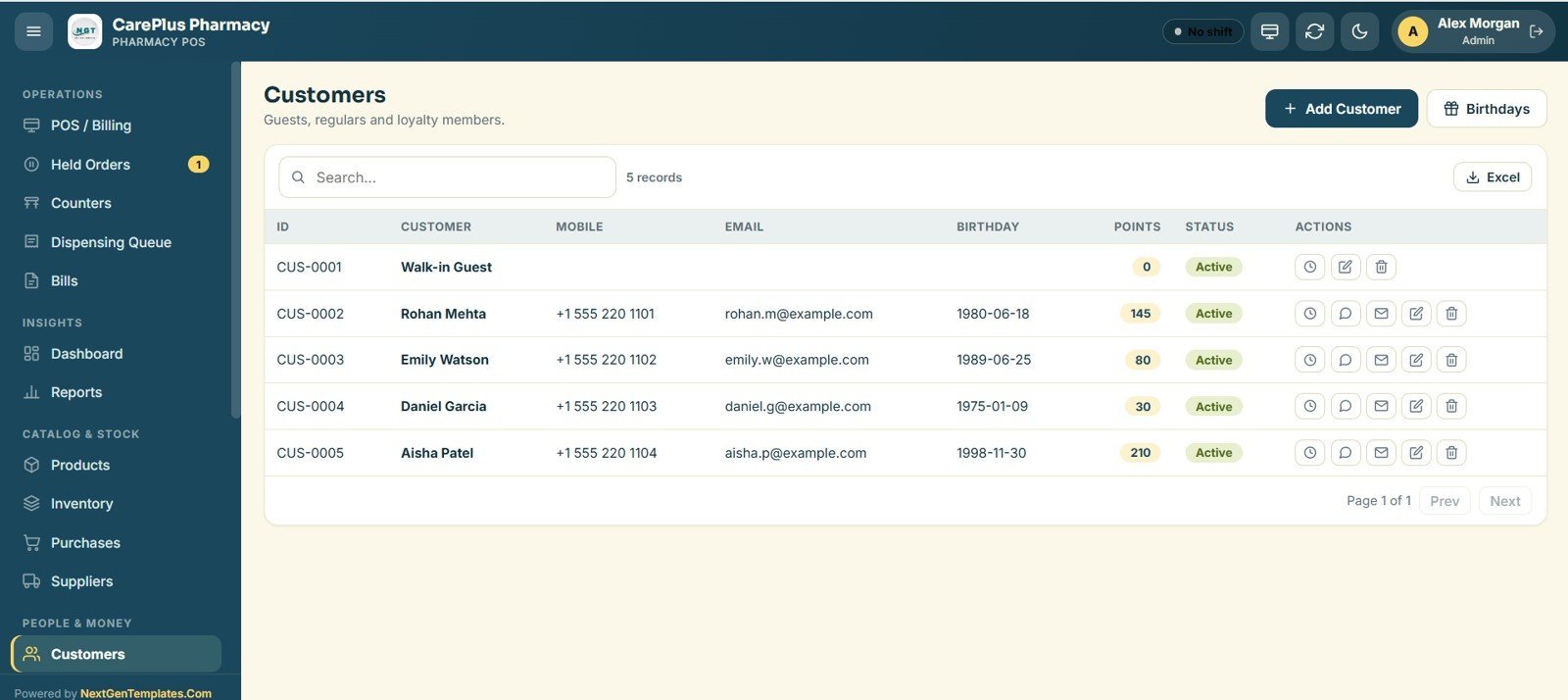
- Customers & loyalty – store patient contacts, birthdays and loyalty points for repeat-buyer marketing.
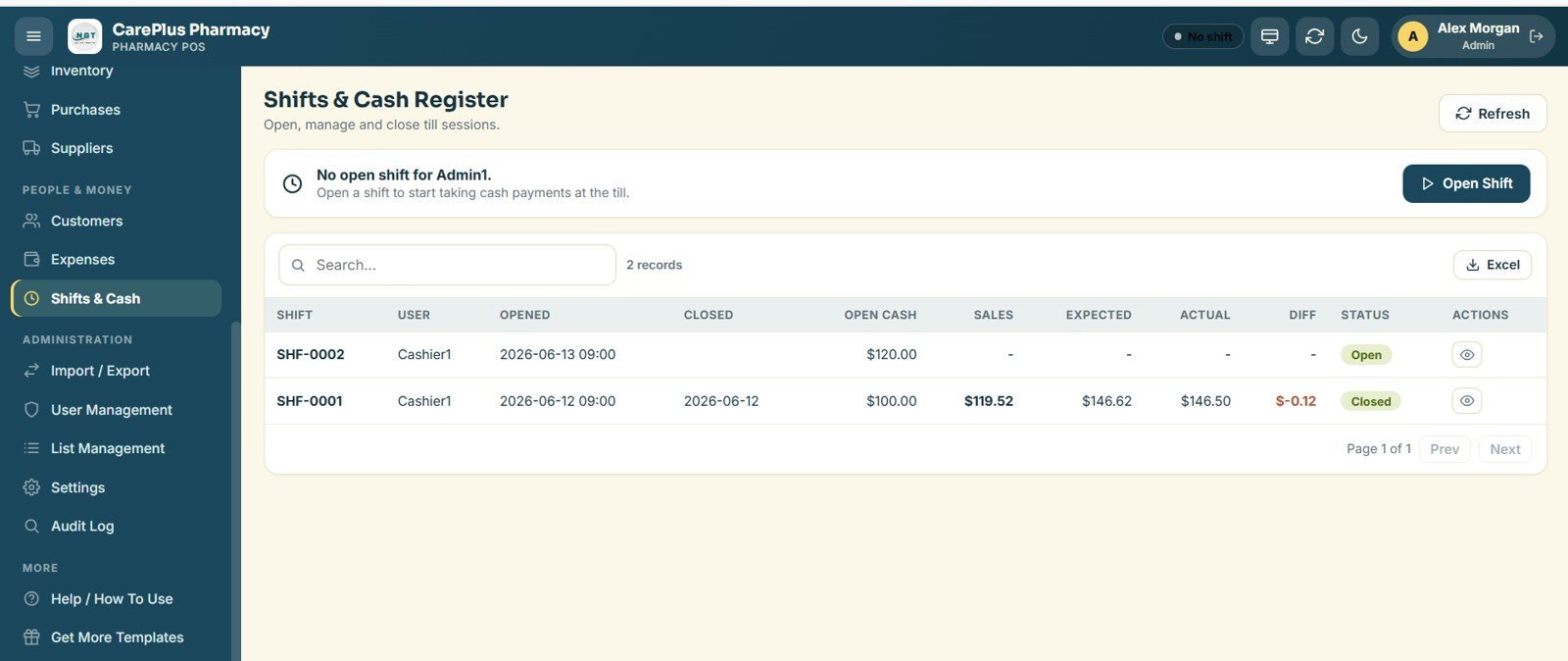
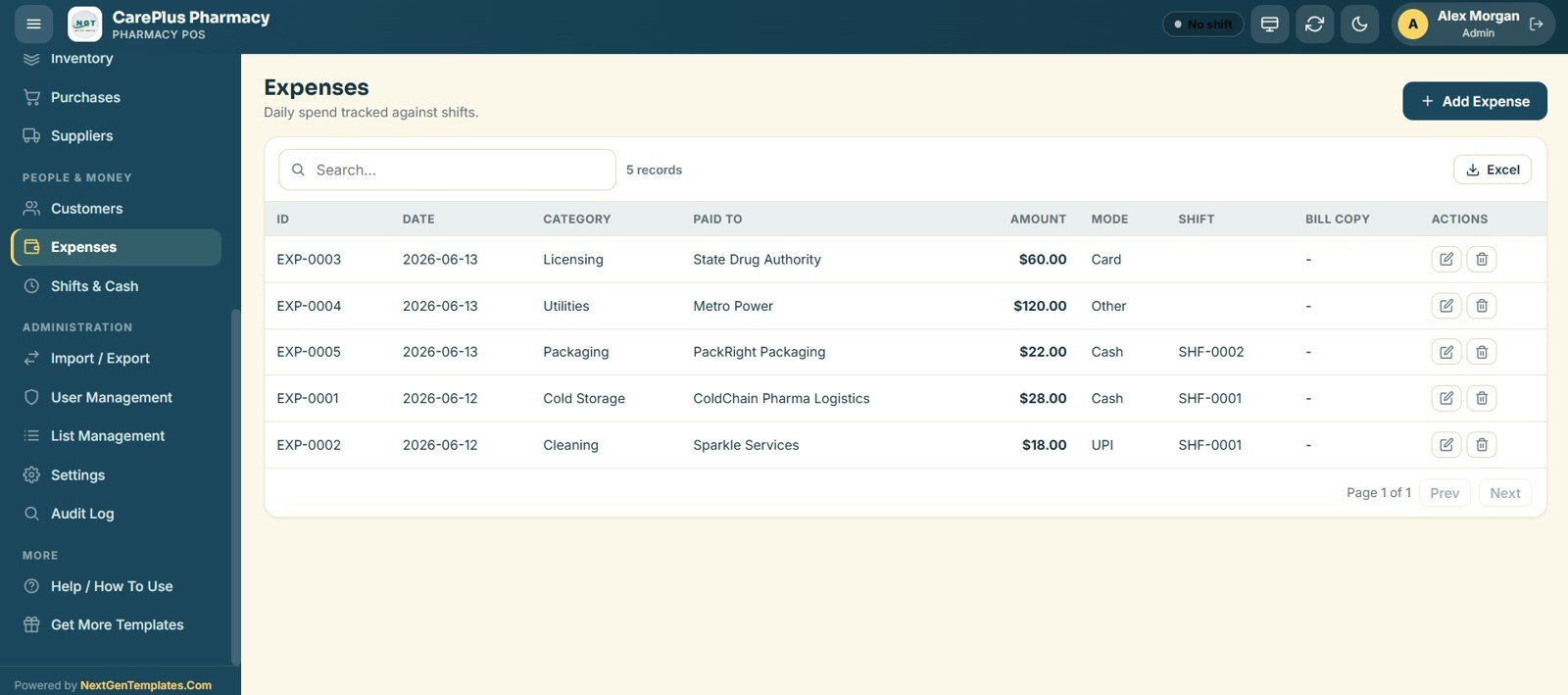
- Shifts & cash register – open and close till sessions with opening cash, expected-vs-actual reconciliation and per-shift expenses.
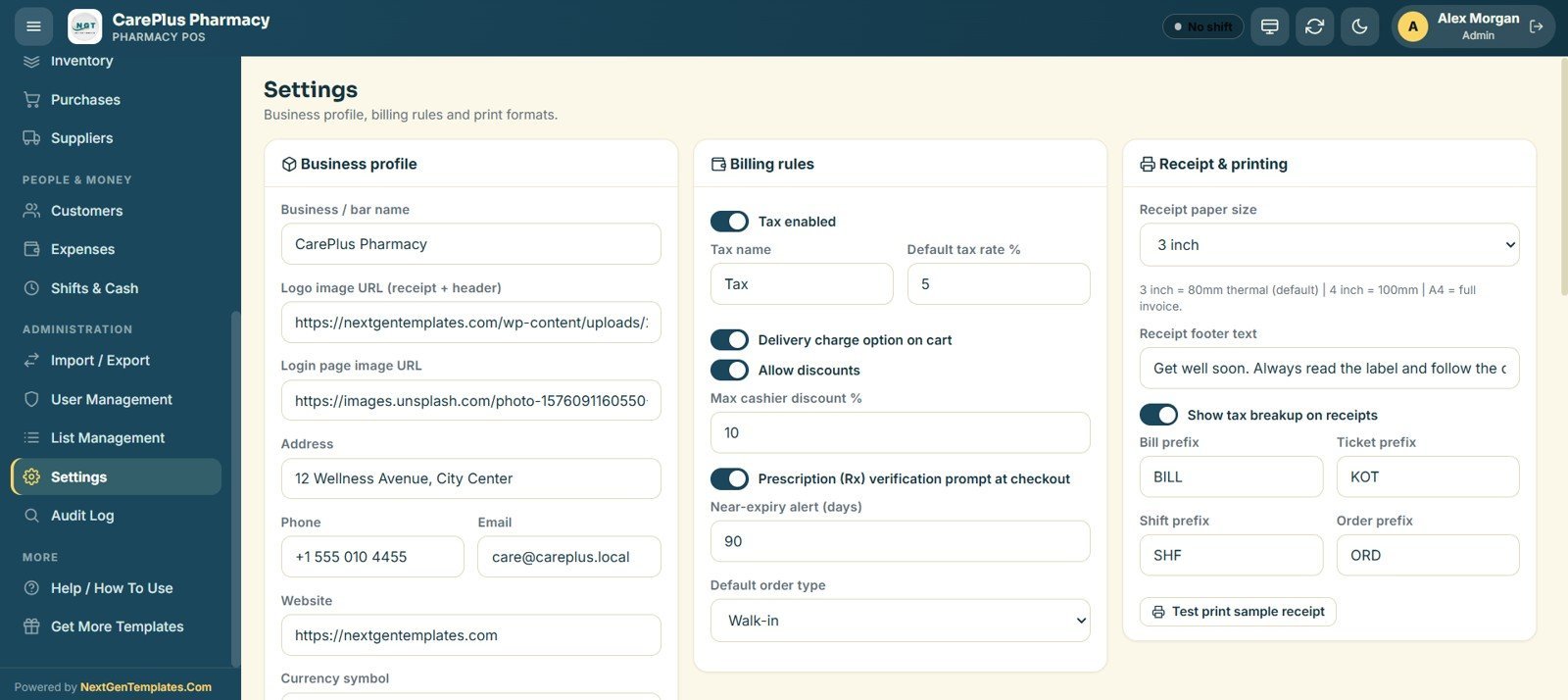
- Receipts your way – print on 80mm, 100mm or A4 with configurable bill, KOT, shift and order prefixes, tax breakup and footer text.
📦 What’s Inside the Pharmacy POS Web App
POS / Billing Counter
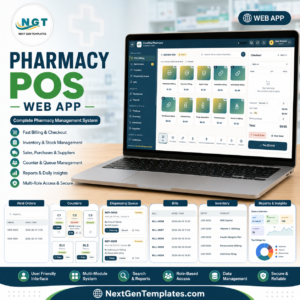
The main till lists every medicine as an image card with live stock counts. Staff search by name, code or barcode, tap to add to the cart, and the checkout panel calculates sub-total, tax and total before Hold, Cancel or Pay.
🚀 Try the Live Demo Before You Buy
We have deployed this web app in our own Google account so you can test every page, every role, every module — with real sample data — before purchasing. No signup, no email required.
🔑 Test Login Credentials
Sign in as Admin1 for full control of settings, users and reports, or try any other role below to see exactly what each staff member can access. Every role has its own permissions, so feel free to log in and out to compare them.
💡 What you get after purchase: The full source code (Code.gs + Index.html) plus a step-by-step deployment guide so you can deploy your own private instance in your own Google account in under 15 minutes.
Live Sales Dashboard
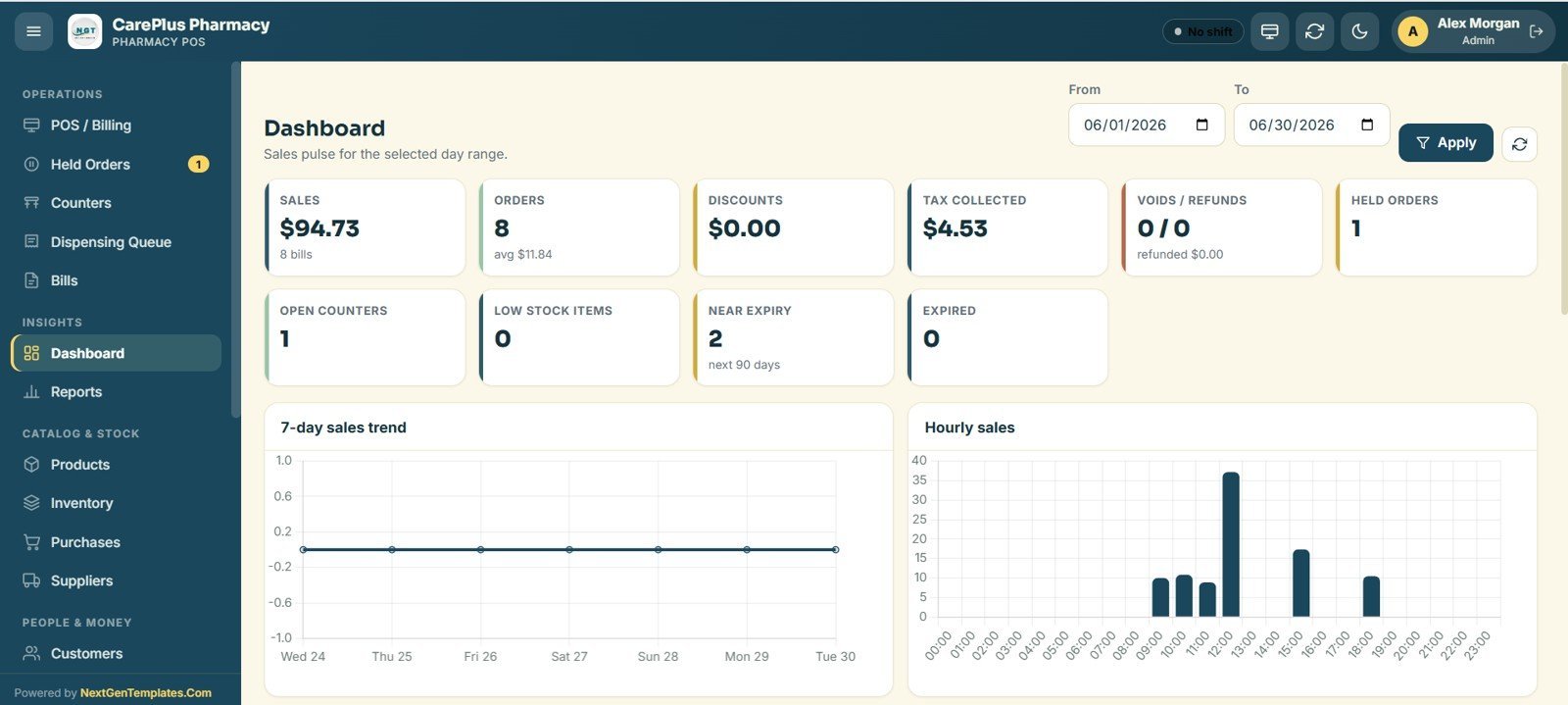
The dashboard shows 9 KPI cards — Sales, Orders, Discounts, Tax Collected, Tips, Voids/Refunds, Held Orders, Open Counters and Low-Stock Items — alongside a 7-day sales trend and an hourly sales chart for the selected date range.
Product & Medicine Master
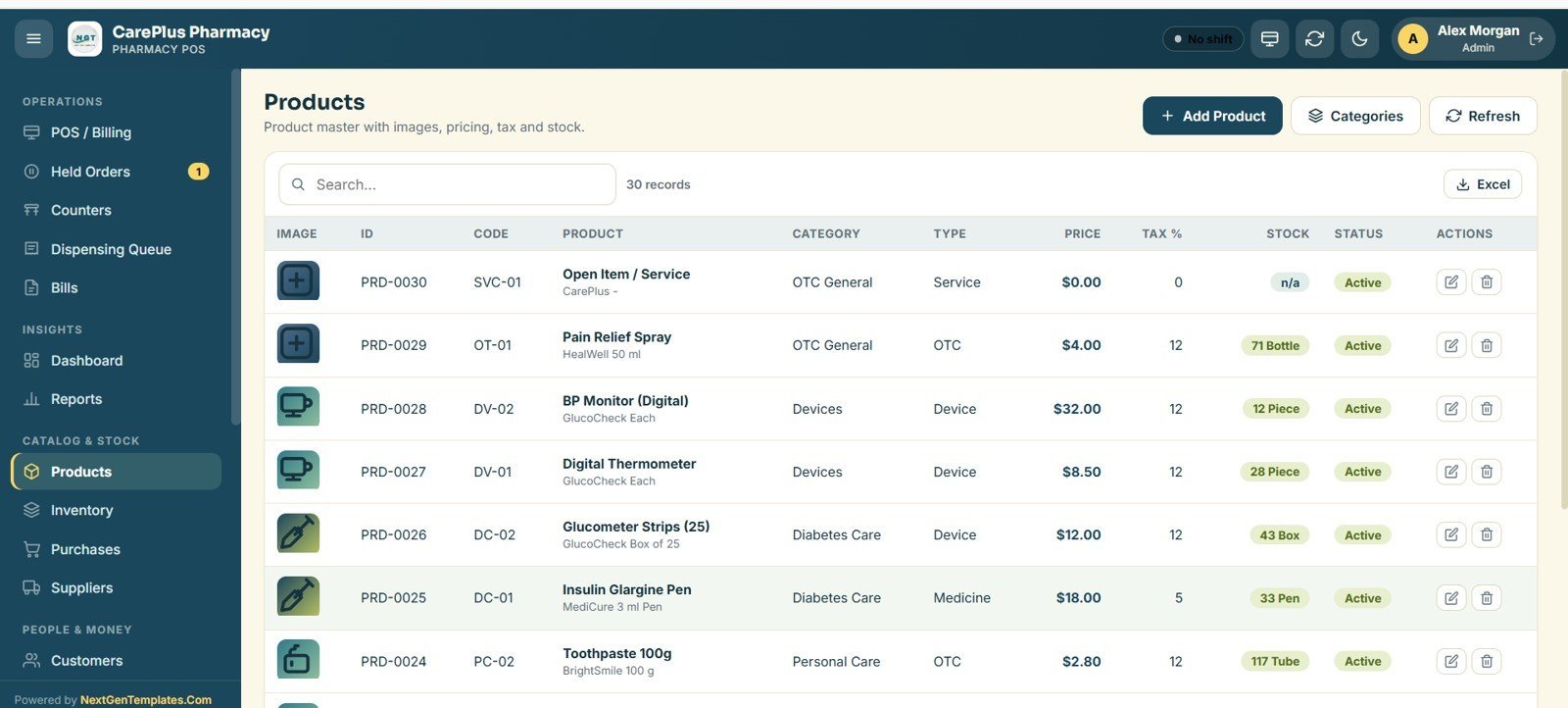
Every product carries an ID, code, category, type, price, tax % and stock status. Add items in seconds, attach an image, and mark them active or inactive — the same master powers the billing grid and the inventory ledger.
Inventory Ledger
The inventory page is a running stock ledger showing opening balances and every sale or adjustment across in, out and balance columns, with low-stock alerts so you reorder before a fast-moving medicine runs out.
Bills, Purchases & Suppliers
The Bills register lets you search, reprint, void or refund any receipt — pair it with the dedicated GST Billing System Web App if you need tax invoicing. Purchases record stock inward against suppliers with paid or partial status, and the Suppliers directory keeps contacts, mobile numbers and credit terms in one place.
Customers, Shifts & Audit Log
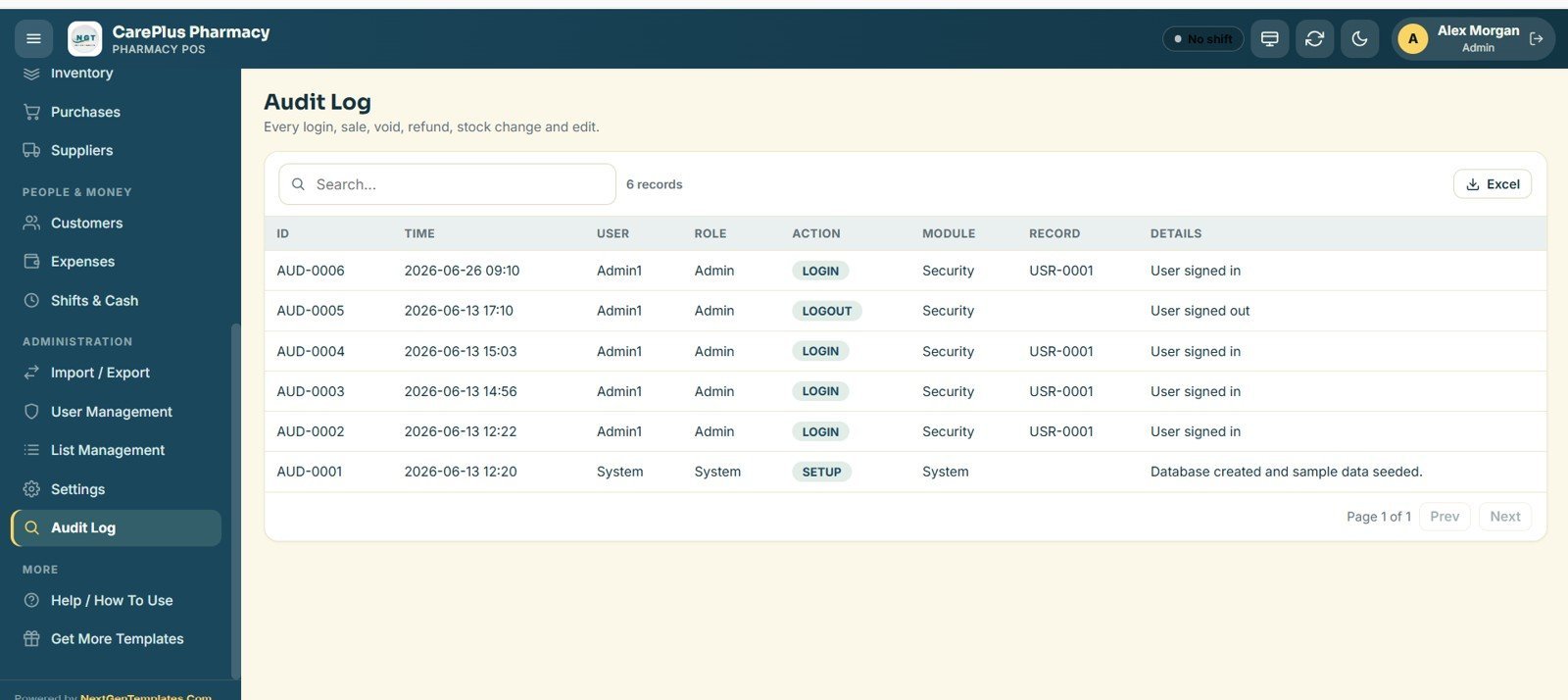
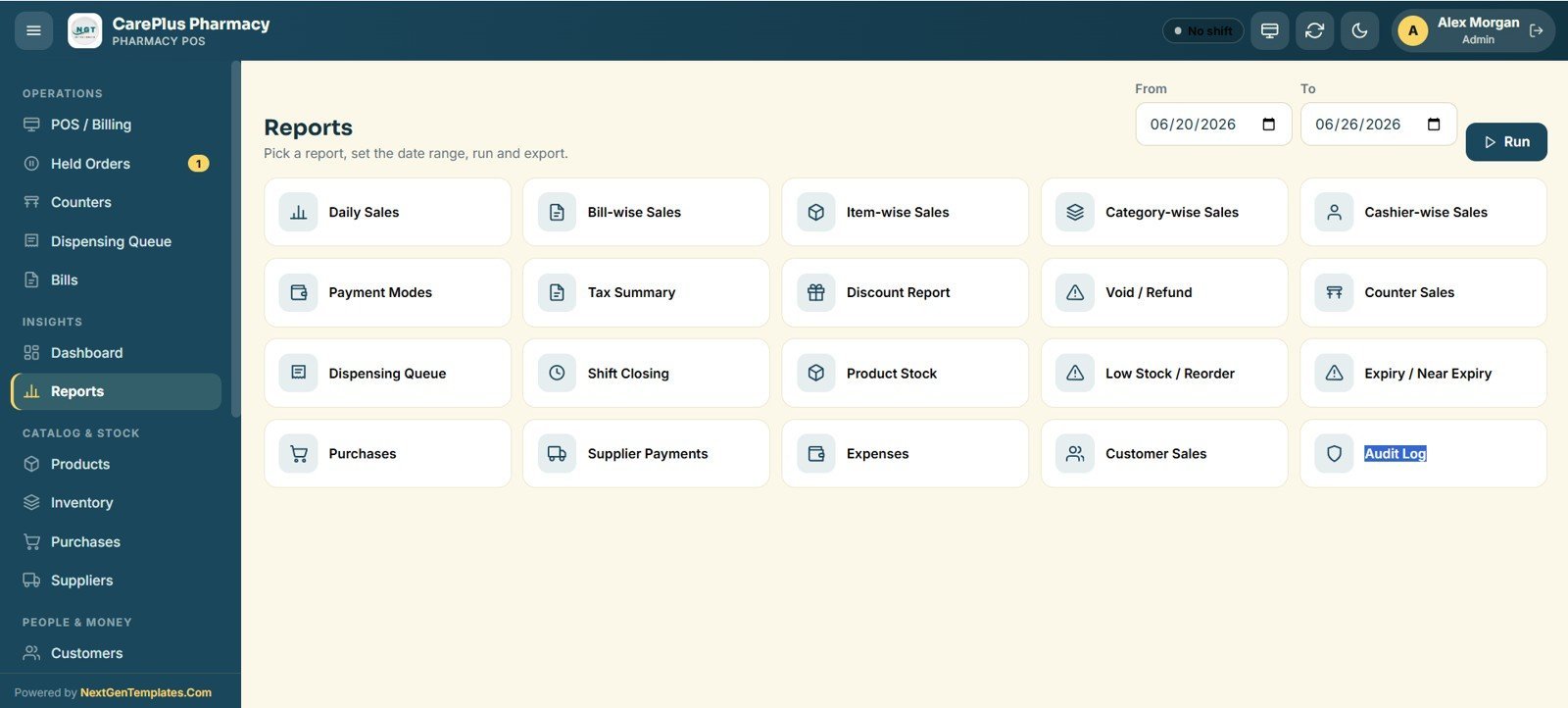
Customer records hold contacts, birthdays and loyalty points. The Shifts & Cash register opens and closes till sessions with cash reconciliation, while the Audit Log captures every login, sale, void, refund, stock change and edit by user and timestamp.
📊 Pharmacy POS Web App vs. Desktop Pharmacy Software vs. Cloud Pharmacy SaaS
| Feature | Pharmacy POS Web App | Desktop pharmacy software | Cloud pharmacy SaaS (Marg / GoFrugal) |
|---|---|---|---|
| Cost | $39.99 one-time | $150–$600 licence | $20–$80 / user / month |
| Platform | Google Sheets + Apps Script | Windows desktop only | Vendor cloud |
| Setup time | Under 30 minutes (Make a Copy) | Installer + activation | Account onboarding |
| Multi-user, real-time access | ✅ Yes, role-based | ❌ Single PC | ✅ Yes |
| Mobile / tablet access | ✅ Any browser | ❌ No | ✅ Yes |
| Customisable fields | ✅ Edit the sheet directly | ❌ Locked | ⚠️ Limited |
| Data ownership | ✅ Your Google Drive | ✅ Local | ❌ Vendor-hosted |
| Year-1 cost (3 users) | $39.99 total | $450+ | $720–$2,880 |
For independent pharmacies and medical stores that want real-time, multi-counter billing without a monthly bill, the Pharmacy POS Web App sits in the sweet spot.
👥 Who This Template Is For — and Who It’s Not For
✅ Built for:
- Independent pharmacies, medical stores and chemist counters wanting fast, image-card billing
- Small pharmacy chains of 2–5 counters that need shared, role-based access on Google
- Owners who prefer to own their data and avoid per-user SaaS subscriptions
❌ Not for:
- Hospitals needing integrated e-prescribing, insurance claims or HL7/EMR connections
- Pharmacies that require certified controlled-substance scheduling or built-in batch and expiry compliance reporting out of the box
- Teams that cannot use a Google account to host their store data
⚙️ How to Use the Pharmacy POS Web App
- Open the PDF guide in your download and click the Make a Copy link to copy the Google Sheet to your Drive.
- Open the Apps Script editor and deploy the project as a Web App to get your private app URL.
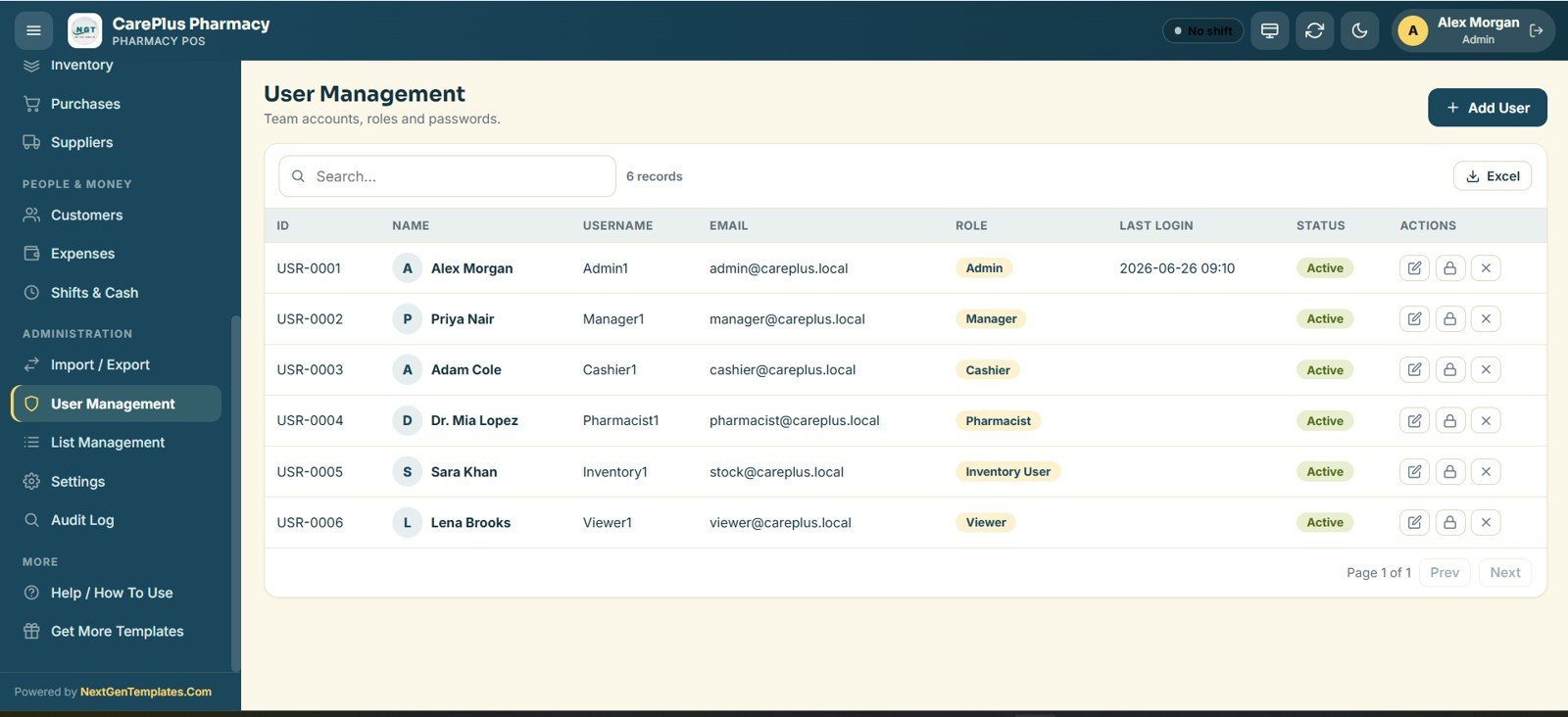
- Sign in with the demo Admin login, then add your staff under User Management and set their roles.
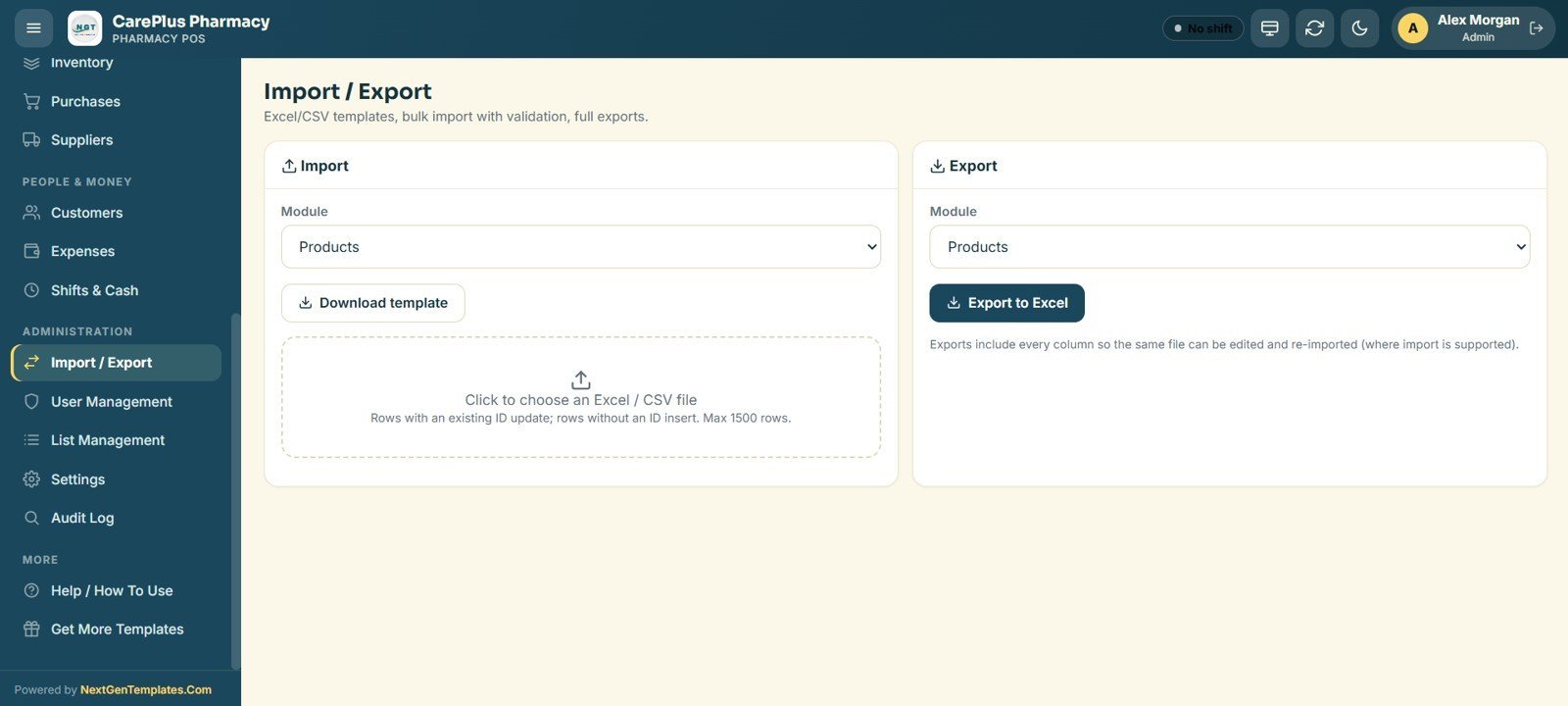
- Add or import your medicines under Products and set opening stock under Inventory.
- Open a shift, start billing at the POS counter, and watch the dashboard and ledger update in real time.
💼 Real-World Use Cases
Anil runs a neighbourhood medical store. He uses the Pharmacy POS Web App to bill walk-ins from image cards, hold a customer’s order while he fetches stock, and check the low-stock list each evening before placing supplier orders — with no monthly software fee.
Meera manages a 3-counter pharmacy chain. Each cashier signs in with their own role, takes payments on a tablet, and closes their till with cash reconciliation at shift end, while Meera reviews sales, refunds and the audit log from home in the same browser.
David, a clinic pharmacist, tracks repeat patients and their birthdays in Customers, applies loyalty points at checkout, and reprints any past bill from the Bills register when a customer needs a copy.
❓ Frequently Asked Questions
What is the Pharmacy POS Web App built on?
The Pharmacy POS Web App is built on Google Sheets and Google Apps Script. After you copy the sheet and deploy it as a web app, it runs in any browser with no installation and stores all data in your own Google Drive.
How many users and roles does it support?
The Pharmacy POS Web App supports unlimited staff accounts across 5 roles — Admin, Manager, Cashier, Inventory and Viewer — each with its own permissions, all managed from the User Management screen.
Does it track stock and low-stock alerts?
Yes. The Pharmacy POS Web App keeps a medicine master and an inventory ledger that records every in and out movement and flags low-stock items on the dashboard so you can reorder on time.
How long does setup take?
Most stores are live in under 30 minutes. You copy the Google Sheet from the included guide, deploy it as a web app, sign in with the demo Admin login, then add your products and staff.
How does it compare to Marg or GoFrugal pharmacy software?
Cloud pharmacy SaaS such as Marg or GoFrugal typically costs $20–$80 per user per month. The Pharmacy POS Web App is a one-time $39.99 purchase you fully own, with multi-user billing, stock and dashboards on Google Sheets.
Can I customise the fields and receipt?
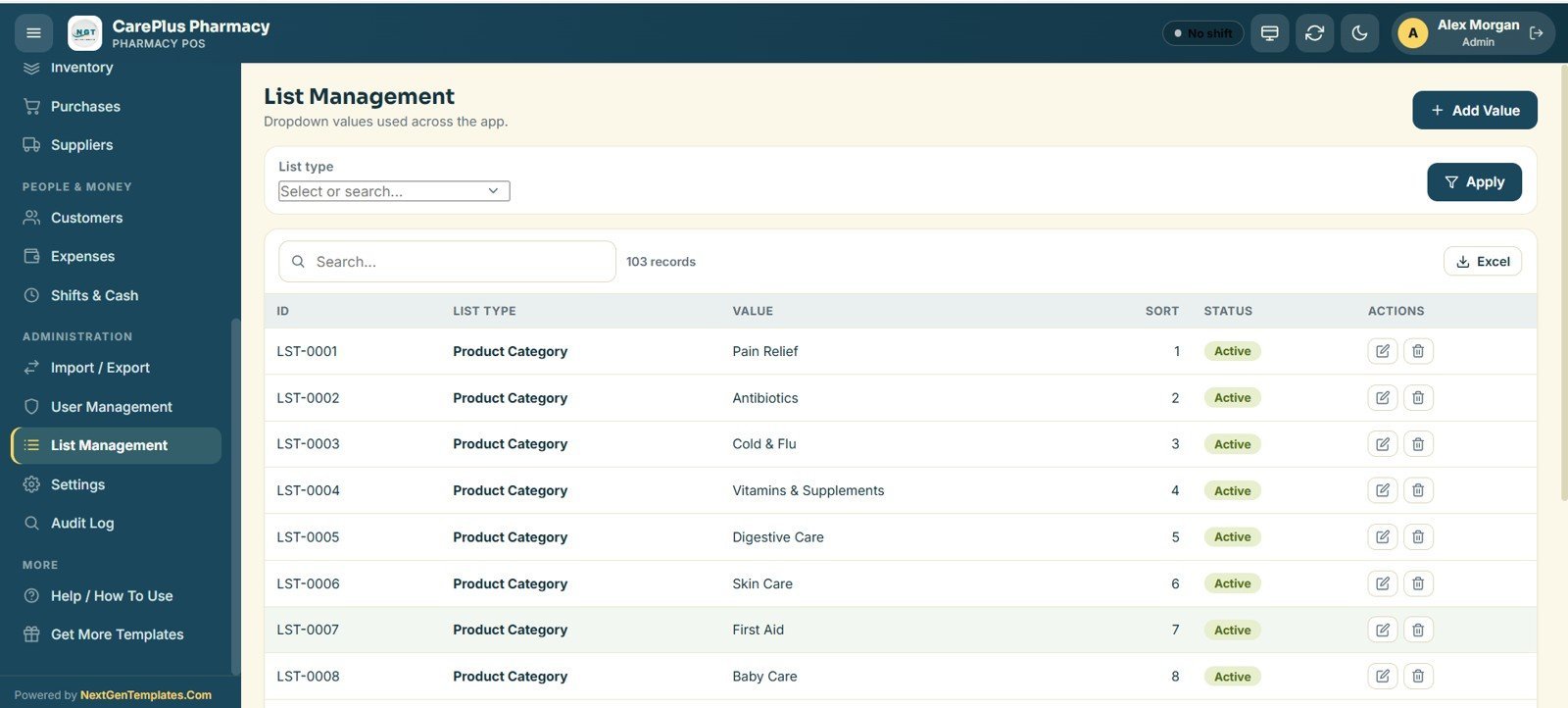
Yes. Because the Pharmacy POS Web App runs on Google Sheets you can edit dropdown lists and fields directly, and the Settings screen lets you set tax, receipt size (80mm, 100mm or A4), prefixes and footer text.
👤 About the Author
Built by PK — Microsoft Certified Professional with 15+ years of Excel, Google Sheets and Power BI experience. Founder of NextGenTemplates, reaching 300K+ subscribers across YouTube channels (@PK-AnExcelExpert, @NextGenTemplates, @NeoTechNavigators). Every template is hand-built and tested before release.
🔗 Explore Related Templates
Browse more multi-user Google Sheets Web Apps, or add a companion tool:
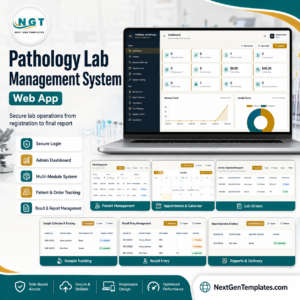
- Pathology Lab Management System Web App – diagnostics, reports and billing for a lab counter.
- Dental Clinic Management System Web App – appointments, treatments and billing for clinics.
- Customer Address Book Web App – keep patient and supplier contacts organised.
- Bakery POS Web App – the same POS engine themed for a bakery counter.
🎥 Visit our YouTube channel for step-by-step video tutorials
👉 YouTube.com/@NeoTechNavigators
Watch the step-by-step video Demo:
📅 Last updated: June 2026


Reviews
There are no reviews yet.