

Patient Visit Log Data Entry System in Excel
Managing daily patient visits in a clinic or hospital requires a reliable, structured system. The Patient Visit Log Data Entry System in Excel gives doctors, clinic administrators, and healthcare staff a fast, professional tool to record and track every patient visit — complete with diagnosis notes, doctor assignments, consultation fees, and live KPI stats — all inside Microsoft Excel with VBA automation.
No subscription, no internet connection, no complex setup. Just download, import the VBA macro, and start logging visits in minutes.
Who Is This Template For?
- General practitioners and specialist clinics tracking daily OPD visits
- Hospital admin teams managing multi-doctor patient records
- Small healthcare businesses tracking consultation revenue by doctor
- Medical students and interns learning patient data management
Key Features
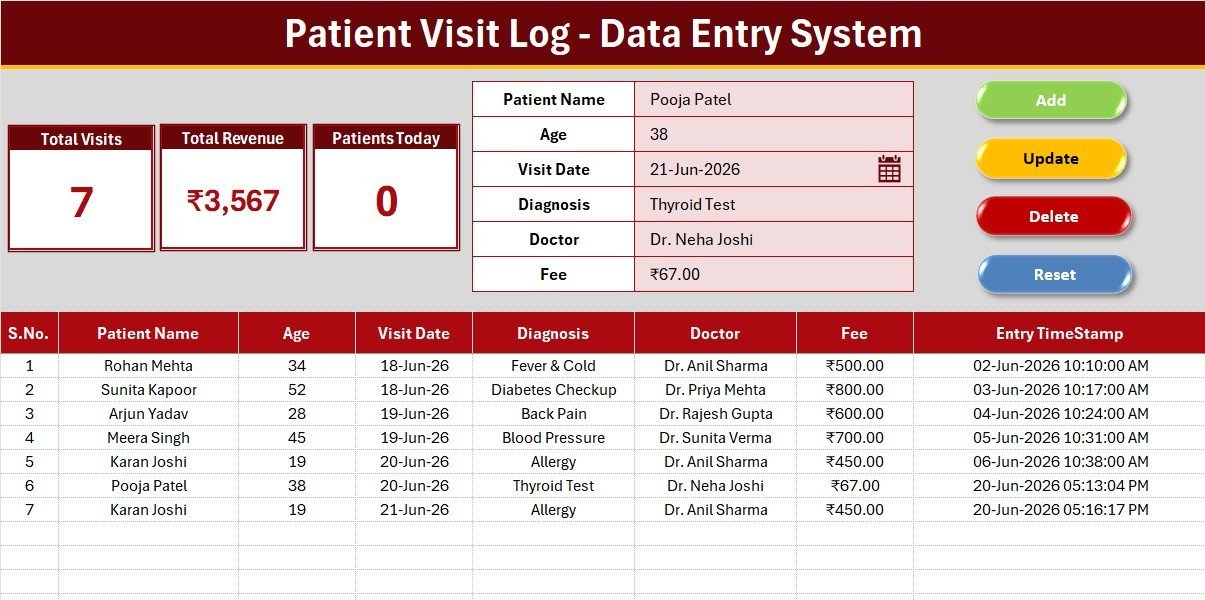
- VBA-powered UserForm — Add, Update, Delete, and Reset patient records with four dedicated macro buttons
- 6 data fields per record — Patient Name, Age, Visit Date, Diagnosis, Doctor (dropdown), and Consultation Fee
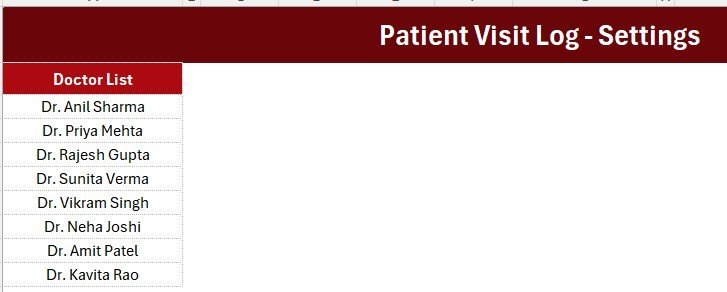
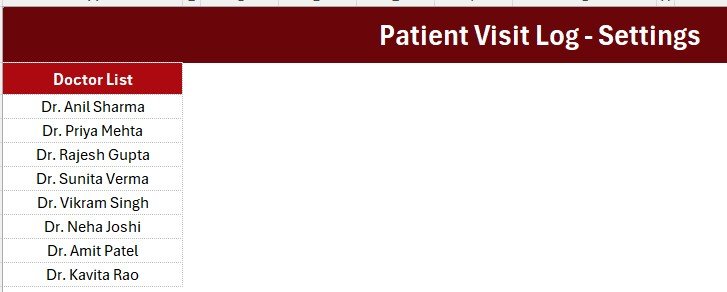
- Doctor dropdown list — Wired to Setting sheet for easy management; supports up to 8+ doctors
- 3 live KPI stat cards — Total Visits (count), Total Revenue (sum of fees in ₹), and Patients Today (real-time COUNTIF)
- Professional dark heading design — Deep crimson theme (#AC0911), gold divider, gray dashboard panel, white KPI cards
- Auto S.No and Entry Timestamp — Every record is auto-numbered and timestamped when added
- Setting sheet — Manage doctor names centrally; KPI stat cards duplicated for linked-picture display
- Instructions sheet — Step-by-step activation guide so any staff member can set it up independently
- Aptos Narrow font — Clean, modern, consistent formatting throughout all 4 sheets
- Works in Excel 2016 and later — No add-ins or third-party tools required
What’s Included in the Download
- Patient_Visit_Log_System.xlsx — The fully formatted workbook (4 sheets: Data Entry, Setting, Instructions, Get More Templates)
- Patient_Visit_Log_VBA.bas — The VBA macro module (import with ALT+F11)
- Patient_Visit_Log_VBA.txt — Plain-text backup of the VBA code
Sheets Overview
Data Entry Sheet
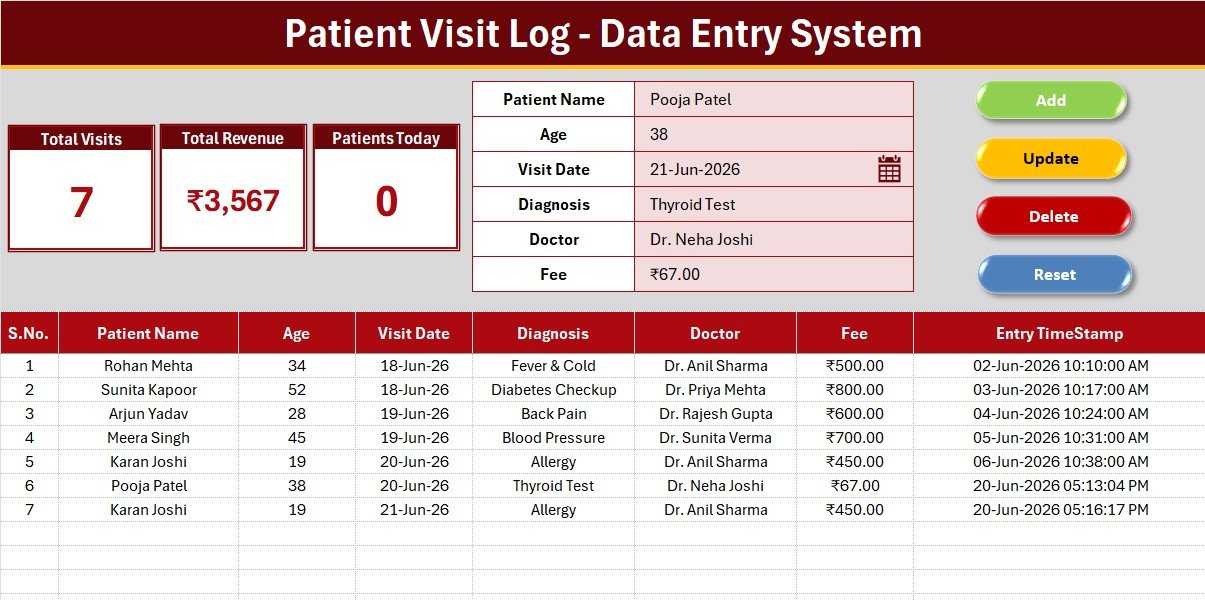
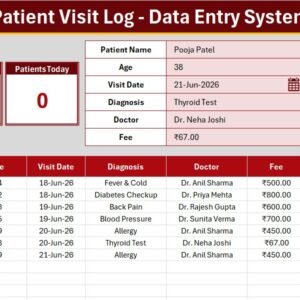
The main workspace where staff log each patient visit. The dark crimson heading bar sits above a gray panel holding the 3 KPI stat cards (Total Visits, Total Revenue, Patients Today). Below the panel is the data entry form with 6 fields and four flat-coloured macro buttons (Add in green, Delete in red, Update in gold, Reset in dark blue). Records populate the table below starting at row 15, with auto S.No and Entry Timestamp on every row.
Setting Sheet
Houses the Doctor dropdown source list (8 pre-loaded doctor names) and duplicate KPI stat cards for Copy > Paste Special > Linked Picture use in presentations or reports. Admins update doctor names here; the Data Entry form picks up changes instantly via named ranges.
Instructions Sheet
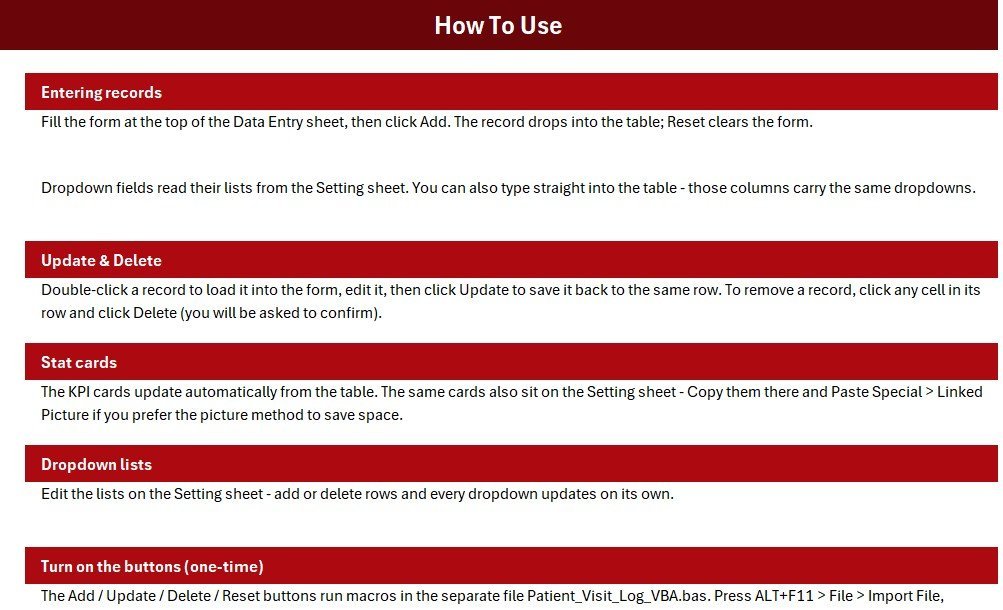
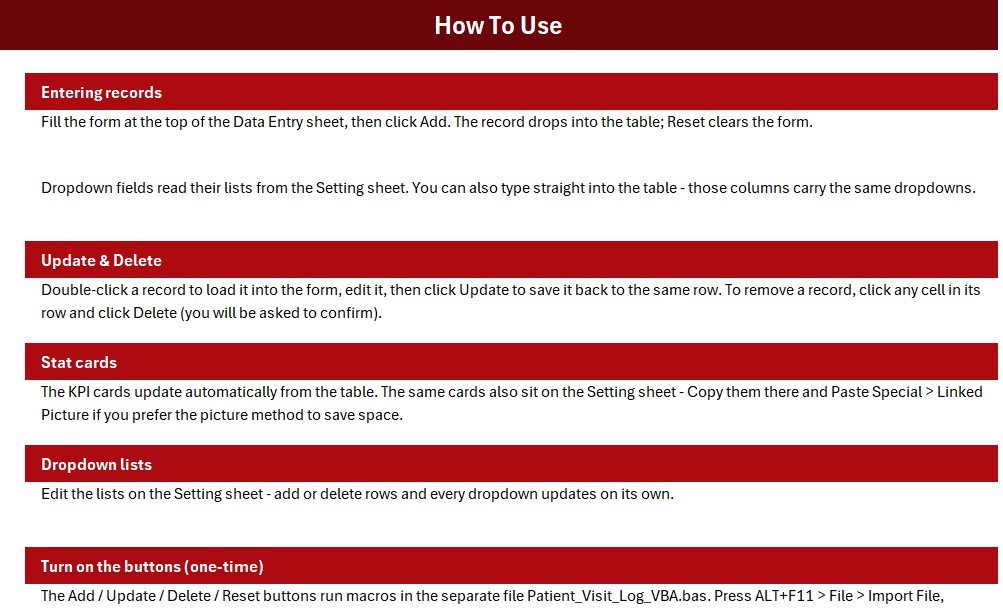
Three-step plain-English activation guide covering VBA import, button assignment, and Save As .xlsm. Designed so any non-technical staff member can get the system running without IT support.
How to Use
- Download and extract the ZIP file
- Open Patient_Visit_Log_System.xlsx in Excel 2016 or later
- Press ALT+F11, go to File > Import File, select Patient_Visit_Log_VBA.bas
- Draw 4 Form Control buttons over the coloured Add / Delete / Update / Reset cells and assign the matching macro names
- Save As Excel Macro-Enabled Workbook (.xlsm)
- Go to the Setting sheet and update the Doctor list with your clinic’s actual doctor names
- Start logging patient visits — the KPI cards update automatically
Why Choose This Over a Spreadsheet?
| Feature | Plain Spreadsheet | This Data Entry System |
|---|---|---|
| Structured data entry form | ❌ | ✅ |
| Live KPI cards (visits, revenue, today) | ❌ | ✅ |
| Doctor dropdown with central management | ❌ | ✅ |
| Auto S.No and timestamp per record | ❌ | ✅ |
| One-click Add / Update / Delete / Reset | ❌ | ✅ |
| Professional clinic-branded design | ❌ | ✅ |
System Requirements
- Microsoft Excel 2016, 2019, 2021, or Microsoft 365
- Windows OS (VBA macros require Windows Excel)
- Macros must be enabled after importing the .bas file
Frequently Asked Questions
Can I add more doctors to the dropdown?
Yes. Go to the Setting sheet and add or edit doctor names in the Doctor list column. The Data Entry form dropdown updates automatically.
Does this work on Mac Excel?
The .xlsx file and formulas work on Mac. VBA macros have limited compatibility on Mac Excel — Windows is recommended for full Add/Update/Delete functionality.
Can I add more fields?
The template ships with 6 fields. Adding columns is possible but requires adjusting the VBA code accordingly. For fully custom builds, contact us for a custom quote.
Is the data stored securely?
All data stays in your local Excel file — nothing is uploaded to any server. For sensitive patient data, store the file on a password-protected or encrypted drive.
Can the KPI cards be embedded in another sheet or report?
Yes. The Setting sheet duplicates the KPI cards for Copy > Paste Special > Linked Picture, so the live numbers display anywhere in your workbook.
Explore more Excel VBA Tools and Healthcare Templates at NextGenTemplates.com.
Patient Visit Log Data Entry System in Excel






















Reviews
There are no reviews yet.