


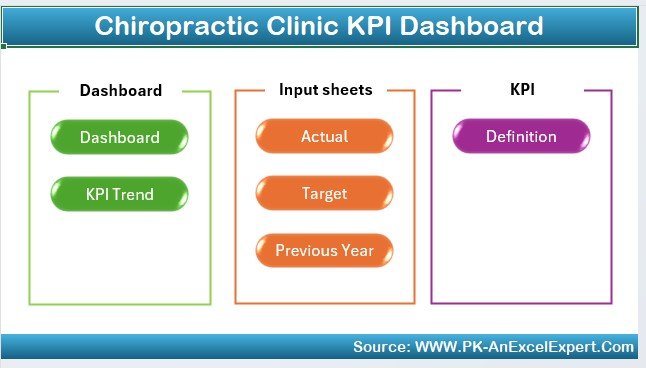
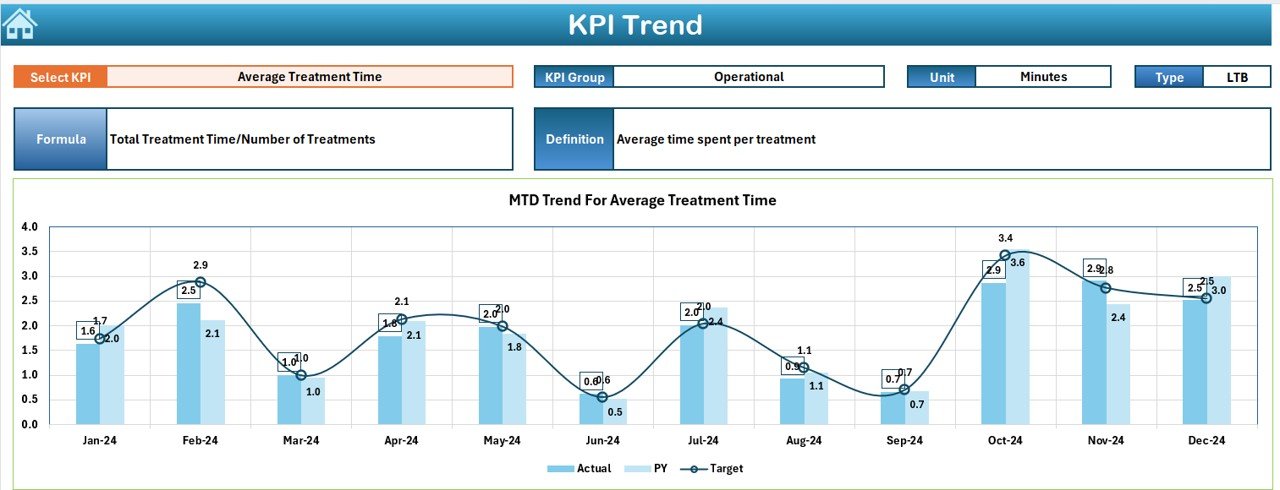
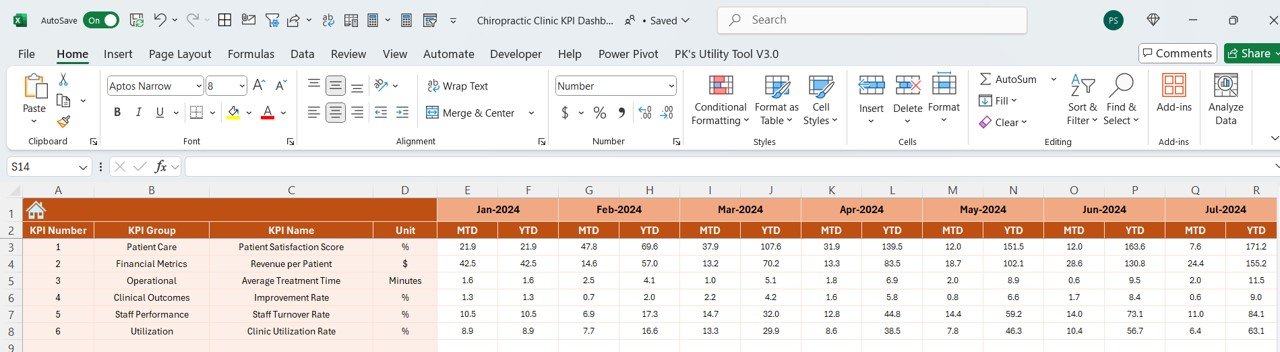
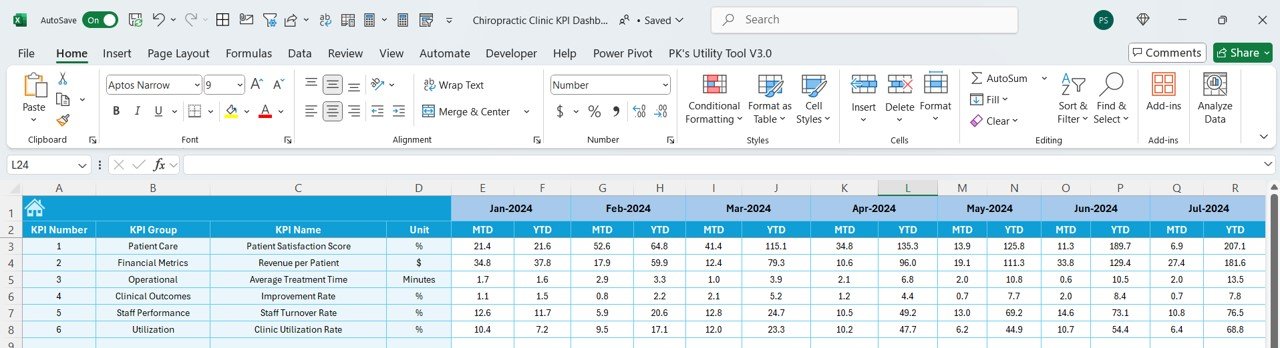
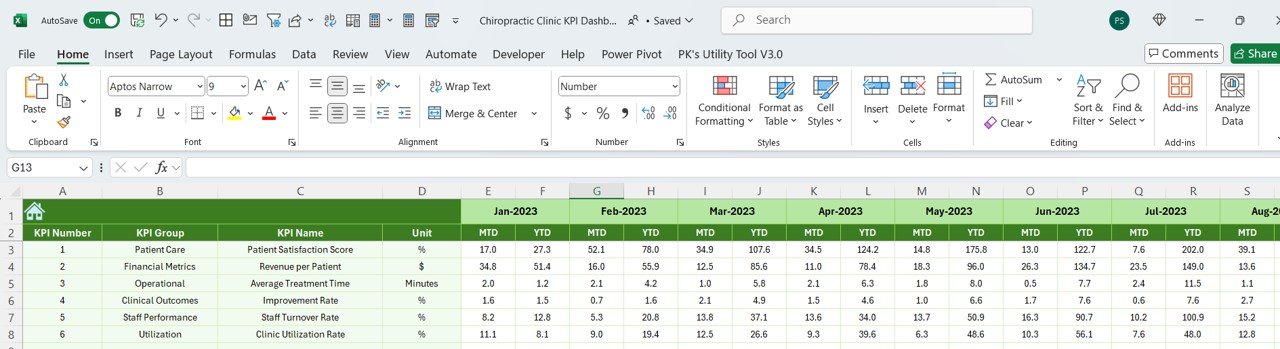
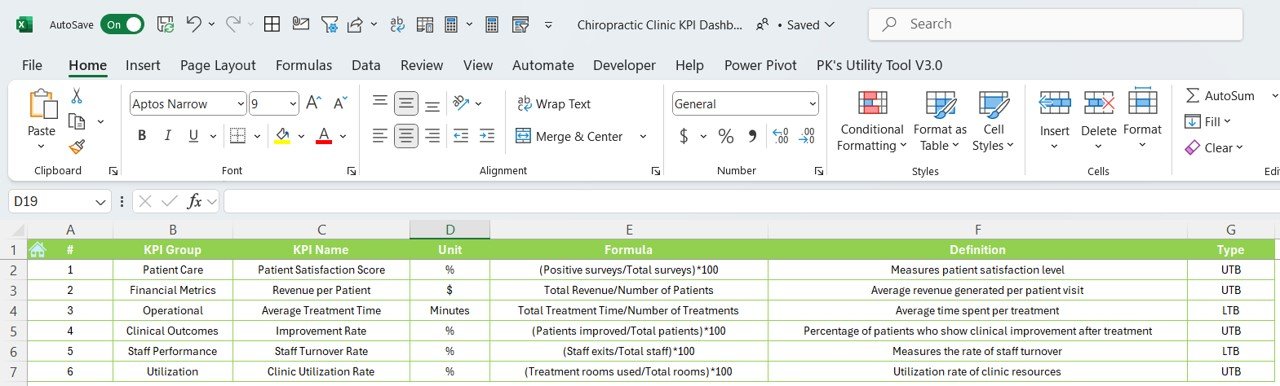

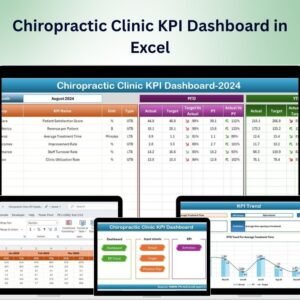
The Chiropractic Clinic KPI Dashboard in Excel is a powerful tool designed for chiropractic clinic managers, owners, and staff to track key performance indicators (KPIs) essential for optimizing clinic operations, improving patient care, and maintaining financial health. This Excel-based dashboard offers an intuitive and customizable layout that allows you to track patient outcomes, appointment scheduling, revenue, and operational efficiency—all in one place.
With real-time data tracking and customizable reporting features, this dashboard helps you make data-driven decisions to ensure your clinic runs smoothly and that patients receive the best care possible.

Key Features of the Chiropractic Clinic KPI Dashboard in Excel:
🩺 Patient Care Tracking
Track patient visits, treatment outcomes, and satisfaction levels to ensure the highest quality of care and improve patient retention.
💼 Appointment and Scheduling Management
Monitor appointment frequency, patient wait times, and booking trends to optimize scheduling and improve clinic efficiency.
💰 Revenue and Expense Tracking
Track revenue from patient fees, insurance reimbursements, and other income sources, while also monitoring clinic expenses to ensure financial health.
📊 Staff Performance and Productivity
Evaluate the productivity of your chiropractic staff, including the number of appointments handled, patient feedback, and task completion to ensure optimal performance.
📈 Patient Retention and Satisfaction
Track patient retention rates, feedback, and satisfaction surveys to assess the effectiveness of treatments and ensure patient loyalty.
🚀 Why You’ll Love the Chiropractic Clinic KPI Dashboard in Excel:
✅ Track Patient Outcomes – Monitor patient visits, treatment progress, and satisfaction levels to ensure high-quality care.
✅ Optimize Appointment Scheduling – Track booking trends, appointment frequency, and patient wait times to optimize your clinic’s schedule.
✅ Monitor Financial Performance – Track clinic revenue, patient fees, and expenses to maintain financial sustainability and profitability.
✅ Evaluate Staff Productivity – Track staff performance by monitoring appointment handling, patient feedback, and task completion to ensure staff are meeting expectations.
✅ Enhance Patient Satisfaction and Retention – Track retention rates and satisfaction surveys to ensure high levels of patient care and loyalty.
✅ Fully Customizable and Interactive – Tailor the dashboard to fit your clinic’s unique needs, with real-time data visualizations and interactive reports.
What’s Inside the Chiropractic Clinic KPI Dashboard in Excel:
Patient Care Metrics: Track patient visits, outcomes, and satisfaction levels to measure the quality of care provided.
Appointment Scheduling: Monitor appointment booking trends, patient wait times, and the number of appointments scheduled to optimize scheduling practices.
Revenue and Expense Tracking: Track revenue from patient fees, insurance reimbursements, and clinic expenses to maintain financial health.
Staff Performance and Productivity: Monitor the number of appointments handled by each staff member, track productivity, and gather patient feedback on staff performance.
Patient Retention and Satisfaction: Track patient retention rates, feedback, and satisfaction surveys to ensure long-term patient loyalty.
Custom Reports: Generate custom reports on patient care, financials, staff productivity, and satisfaction to make data-driven decisions.
How to Use the Chiropractic Clinic KPI Dashboard in Excel:
1️⃣ Download the Template – Instantly access your Excel file upon purchase.
2️⃣ Input Clinic Data – Enter data on patient visits, appointments, revenue, and staff performance to start tracking your key performance indicators.
3️⃣ Monitor Patient Outcomes – Use the dashboard to track treatment effectiveness, patient satisfaction, and care progress in real-time.
4️⃣ Track Financials – Monitor revenue, patient fees, insurance claims, and operational costs to ensure financial sustainability.
5️⃣ Evaluate Staff Performance – Track the number of appointments handled by each staff member and evaluate their performance based on patient feedback and completion rates.
6️⃣ Generate Custom Reports – Create detailed reports on patient care, financials, staff performance, and patient satisfaction to inform decision-making.
Who Can Benefit from the Chiropractic Clinic KPI Dashboard in Excel:
Chiropractic Clinic Owners and Managers
Chiropractors and Healthcare Providers
Financial Analysts in Healthcare
Patient Care Coordinators
Operations Managers in Healthcare
HR Managers in Healthcare
Billing and Insurance Departments
Marketing Teams for Chiropractic Services
Health and Wellness Consultants
Patient Engagement Coordinators
The Chiropractic Clinic KPI Dashboard in Excel is the perfect solution for optimizing clinic operations and improving patient care. By tracking key metrics such as patient outcomes, staff productivity, revenue, and patient satisfaction, this dashboard ensures that your clinic operates at its best, providing top-quality care while maintaining financial health and operational efficiency.
Click here to read the Detailed blog post
https://www.pk-anexcelexpert.com/chiropractic-clinic-kpi-dashboard-in-excel/
Visit our YouTube channel to learn step-by-step video tutorials
Youtube.com/@PKAnExcelExpert
Compatibility and Requirements
- Works in Microsoft Excel desktop (Excel 2016 or later, or Microsoft 365).
- Microsoft’s guide Create a chart from start to finish explains the Excel feature this file is built on.
Frequently Asked Questions
Which clinic KPIs does the dashboard track?
It covers patient care (visits, treatment outcomes and satisfaction), appointment scheduling and wait times, revenue from patient fees and insurance, clinic expenses, staff productivity and patient retention.
What data do I need to enter?
Enter your patient visits, appointments, revenue and staff performance figures. The dashboard then shows the results for each KPI.
Can I track each chiropractor’s workload?
Yes. The staff section shows the number of appointments each staff member handled, along with patient feedback and task completion.
Can I change the KPIs to fit my clinic?
Yes. The dashboard is fully customizable, so you can adjust it to the metrics your clinic follows.
Related Chiropractic and Clinic Templates
- Chiropractic Clinic KPI Dashboard in Power BI: the same KPI dashboard in Power BI
- Chiropractic Clinic KPI Dashboard in Google Sheets: the same KPI dashboard in Google Sheets
- Chiropractic Clinic Management System Tracker in Google Sheets: manage patients and visits in Google Sheets
- Physiotherapy & Rehabilitation KPI Dashboard in Excel: a KPI dashboard for physiotherapy clinics
- Healthcare & Hospital Management Bundle: healthcare templates in one bundle
Browse all Health and Safety templates or the Excel KPI dashboards.






















Reviews
There are no reviews yet.