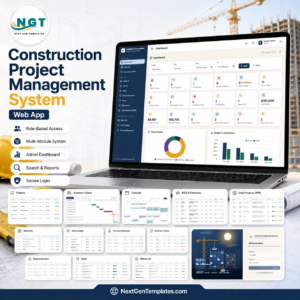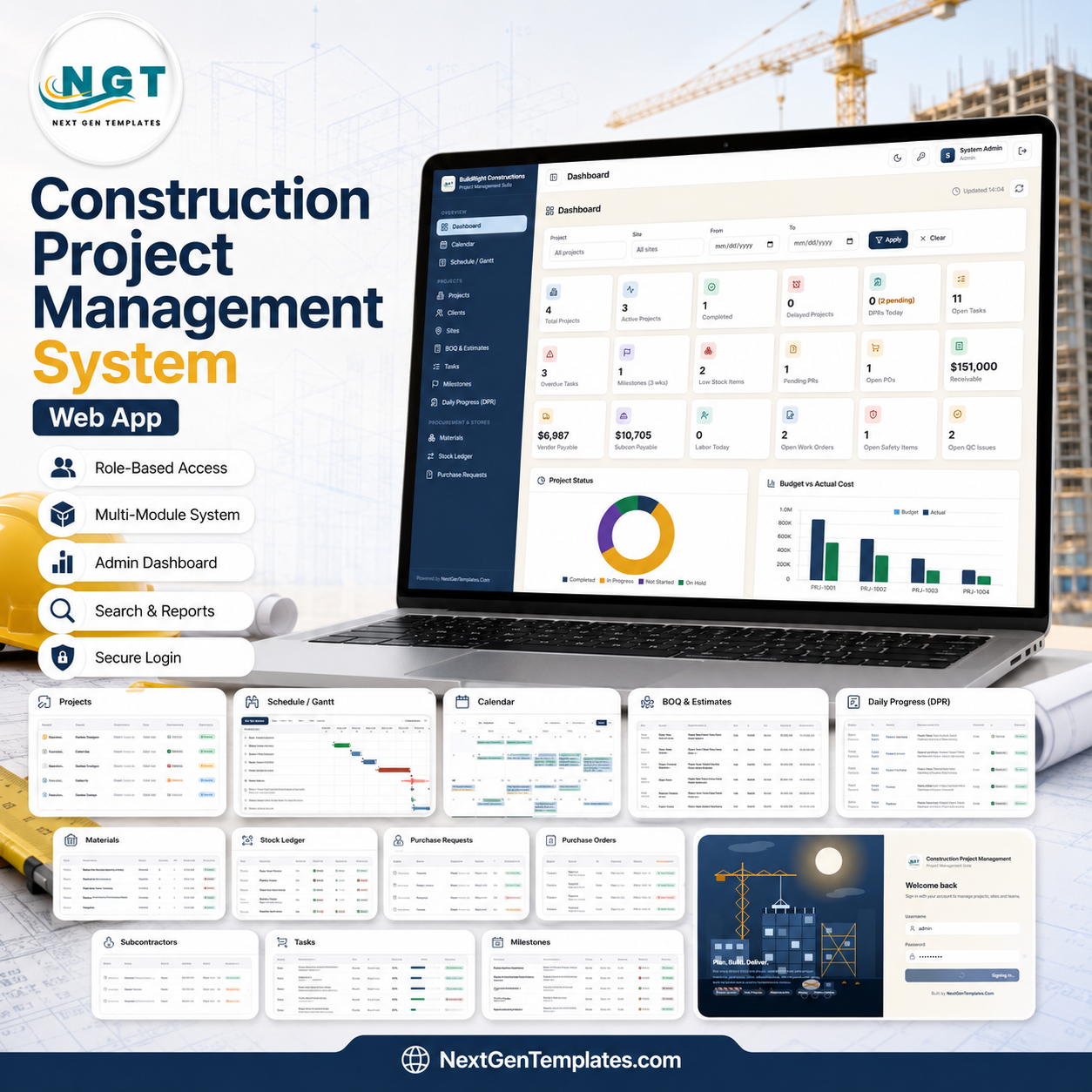
The Construction Project Management System Web App runs 36 connected screens on Google Sheets and Google Apps Script, with a secure role-based login for 7 user types and an 18-card dashboard that updates as your team enters data. One browser-based system covers projects, procurement and stores, execution, finance, compliance, reporting, and administration — so site engineers, the purchase desk, accounts, and management all work from the same live data instead of 10 separate spreadsheets.
🌍 Join 8,400+ teams in 40+ countries using NextGenTemplates to replace paid SaaS tools with one-time-purchase Excel, Google Sheets, Power BI, and HTML templates and web apps.
✅ Instant download · One-time payment · No subscription · No per-user fees · Lifetime access
🔑 Key Features of the Construction Project Management System Web App
This is a multi-user web app, not a single spreadsheet. It is built on Google Sheets as the database and Google Apps Script as the application layer, so you deploy it once from your own Google Drive and your whole team signs in through a browser on desktop or mobile — no installation and no per-seat licensing.
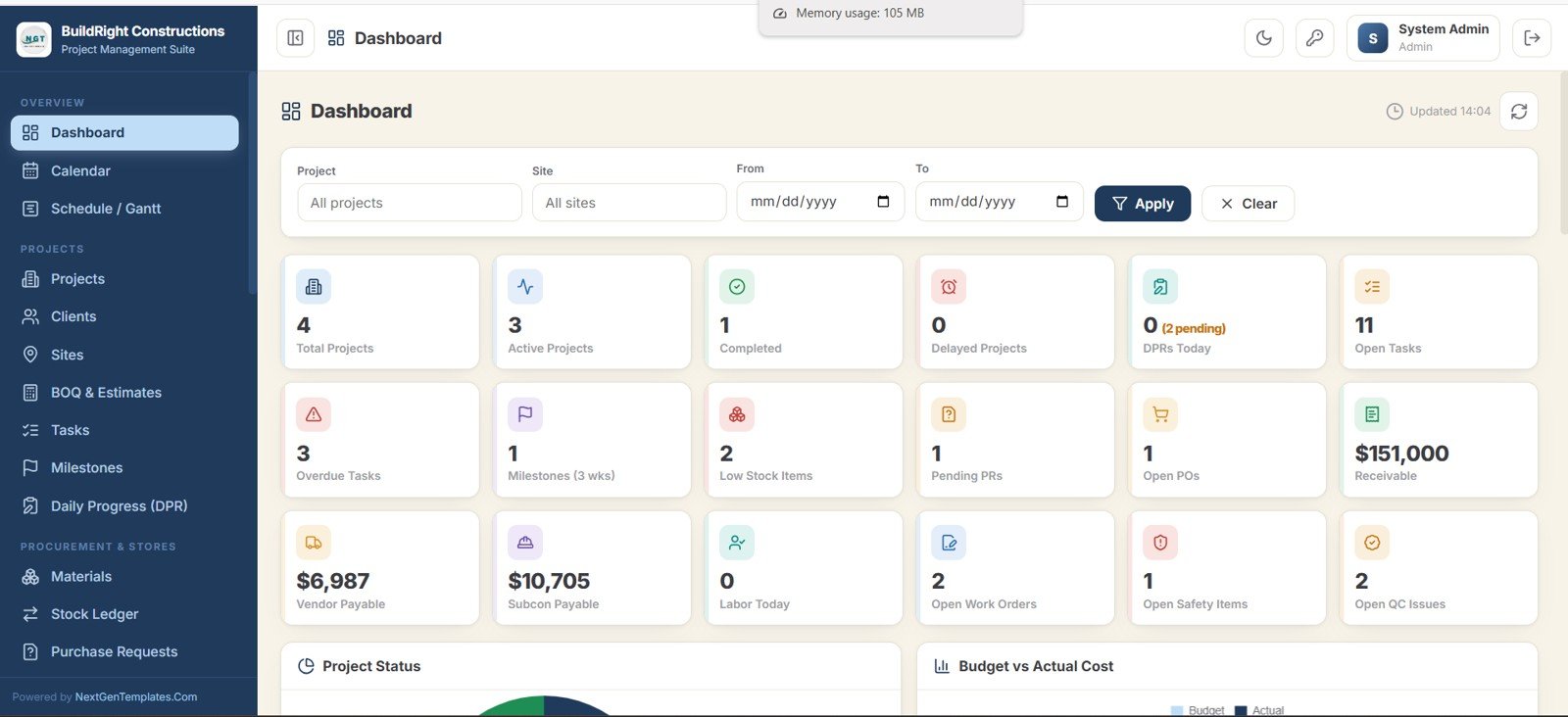
The system tracks 18 live dashboard KPIs including Total Projects, Active Projects, Completed, Delayed Projects, DPRs Today, Open Tasks, Overdue Tasks, Milestones due in 3 weeks, Low Stock Items, Pending Purchase Requests, Open Purchase Orders, Receivable, Vendor Payable, Subcontractor Payable, Labor Today, Open Work Orders, Open Safety Items, and Open QC Issues.
Role-based access control covers 7 roles — Project Manager, Site Engineer, Purchase User, Accounts, Storekeeper, Subcontractor User, and Viewer — so each person sees only the modules relevant to their job. Seven dashboard charts (Project Status, Budget vs Actual Cost, Expense vs Collection, Progress by Project, Task Status, Material Consumption, and Billing vs Collection) turn raw entries into a management view, and nearly 20 ready reports export to Excel, CSV, or print.
📦 What’s Inside the Construction Project Management System Web App
Below is a walkthrough of all 36 screens in the system, grouped by projects, scheduling, procurement and stores, workforce and equipment, finance, compliance, and administration.
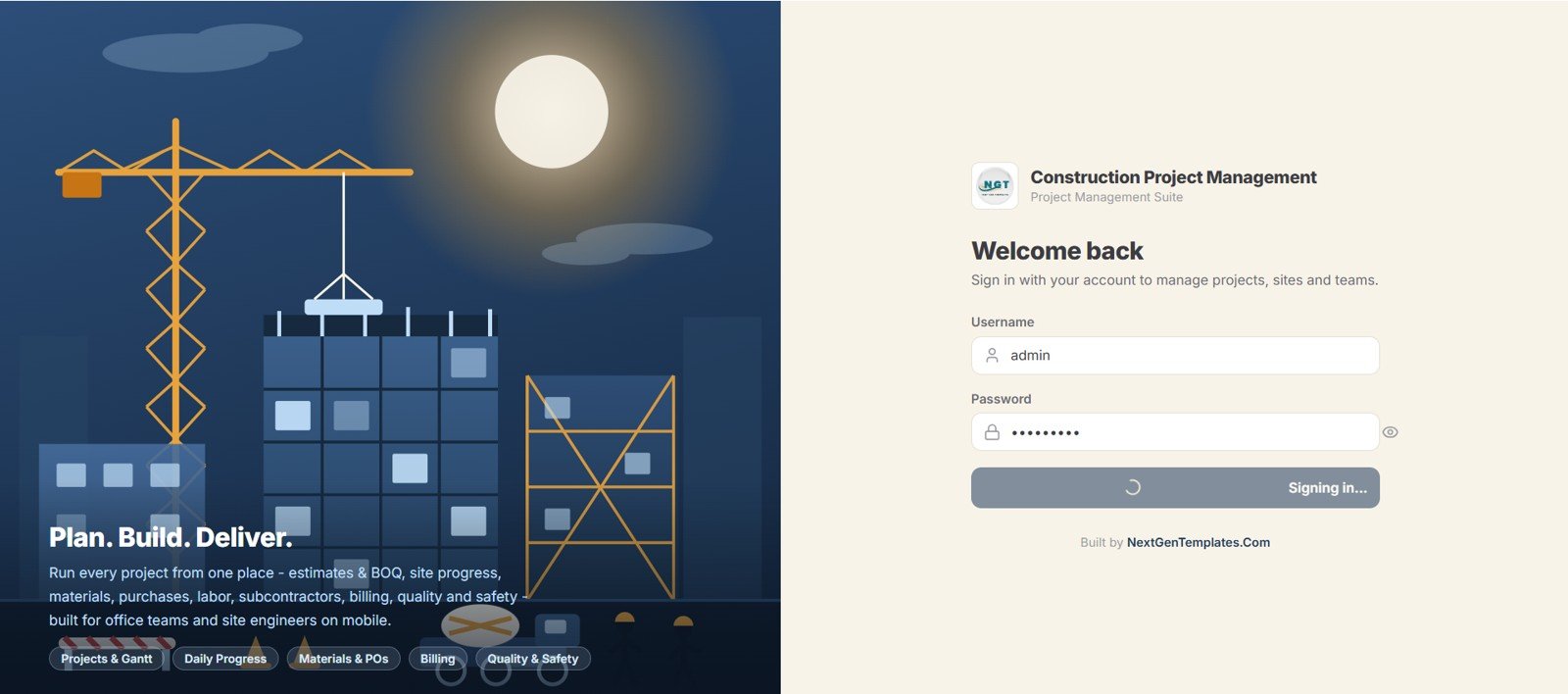
1. Login Page
The secure sign-in screen where each user logs in with their own username and password. Access to every module is controlled by the assigned role, and the page carries your own company branding.
🚀 Try the Live Demo Before You Buy
We have deployed this web app in our own Google account so you can test every page, every role — with real sample data — before purchasing. No signup, no email required.
🔑 Test Login Credentials
Sign in as admin for full control of every module, or explore the role-based permissions by logging in as a Project Manager, Site Engineer, Purchase User, Accounts User, Storekeeper, Subcontractor, or read-only Viewer — each role sees only the pages it is allowed to.
💡 What you get after purchase: The full source code (Code.gs + Index.html) plus a step-by-step deployment guide so you can deploy your own private instance in your own Google account in under 15 minutes.
2. Dashboard
The home dashboard opens with 18 summary cards covering projects, DPRs, tasks, stock, purchasing, receivables, payables, labor, work orders, safety, and QC. It gives management a single high-level snapshot the moment they log in.
3. Dashboard Charts
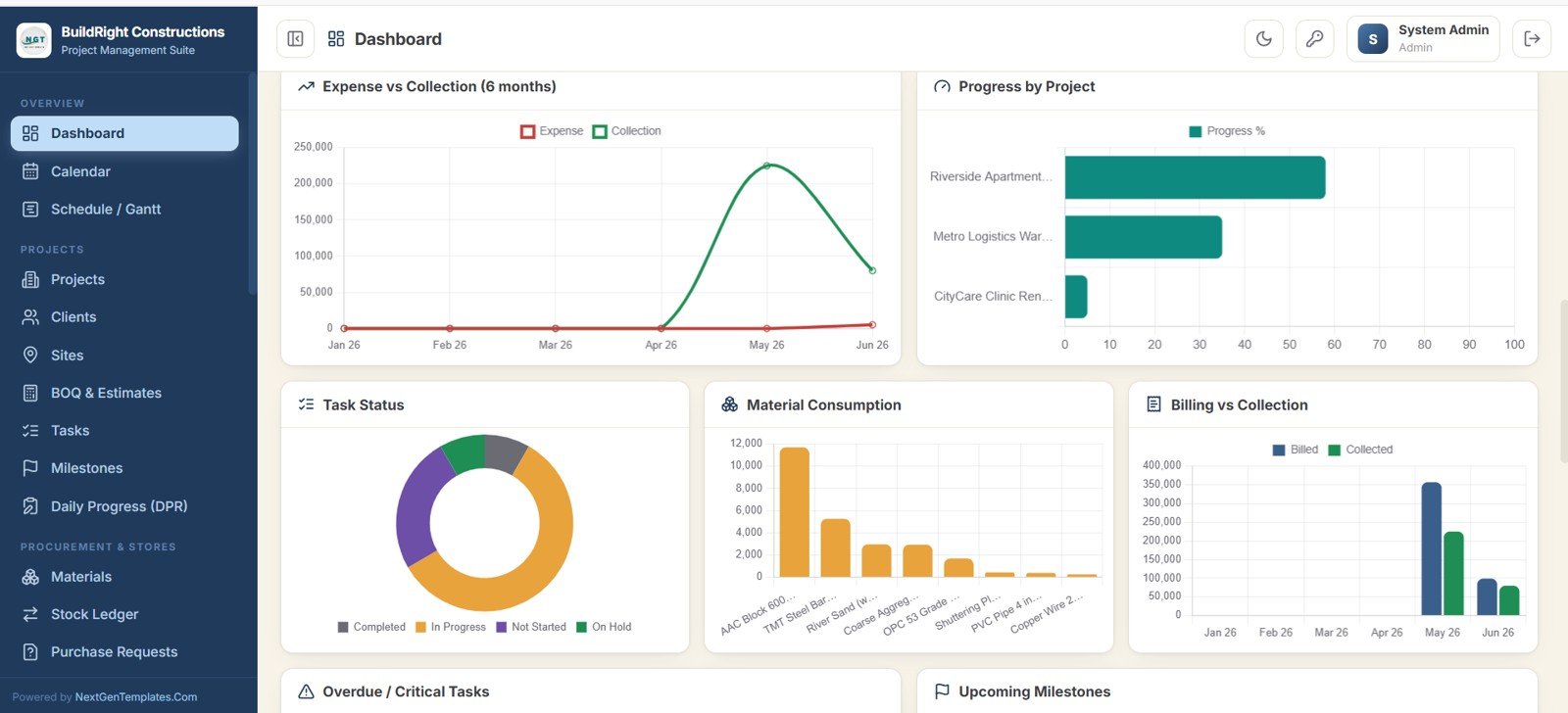
Seven analytics charts visualize the whole operation: Project Status, Budget vs Actual Cost, Expense vs Collection, Progress by Project, Task Status, Material Consumption, and Billing vs Collection. Together they show cost control, progress, and cash position at a glance.
4. Calendar
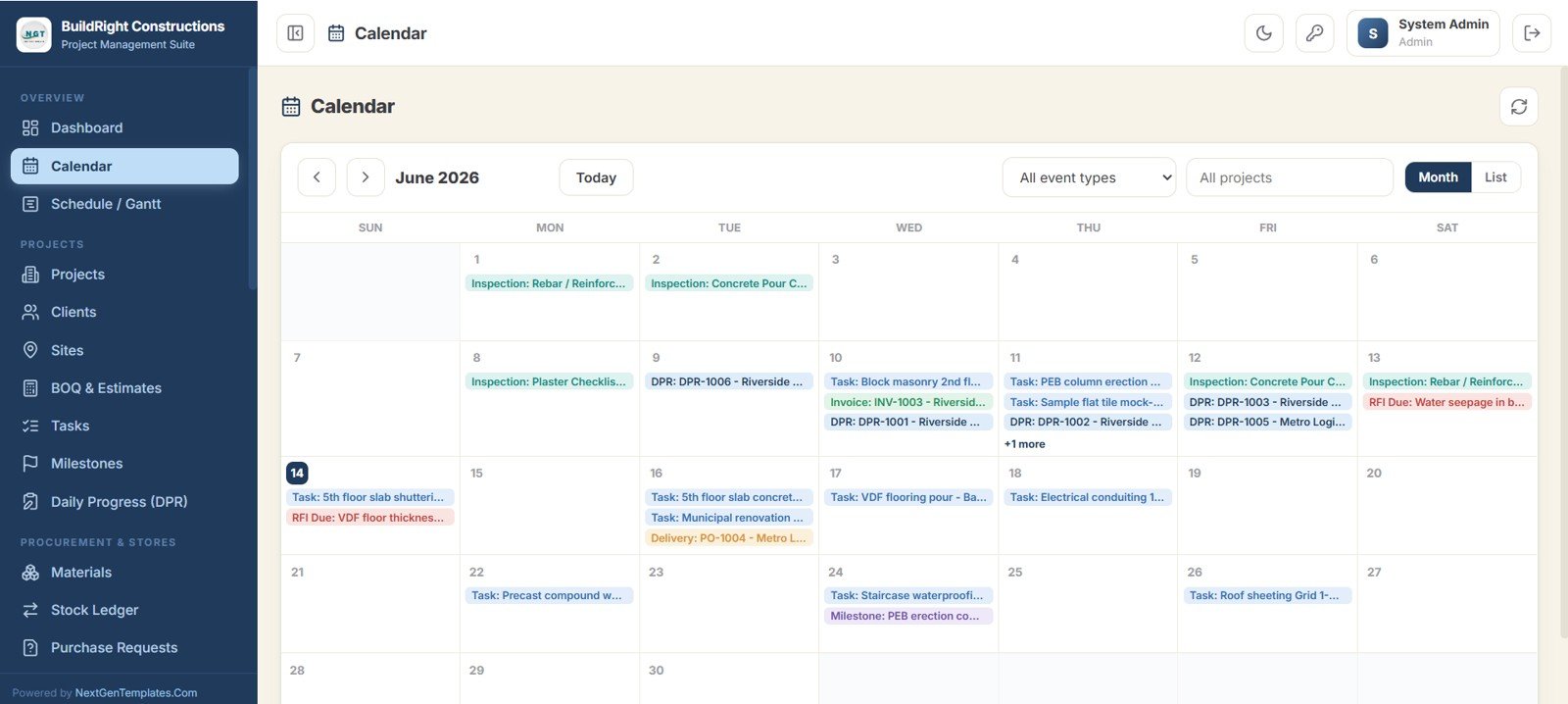
A colour-coded calendar that brings inspections, tasks, deliveries, milestones, daily progress reports, and RFI due dates into one view. Switch between month and list modes and filter by event type or project.
5. Schedule and Gantt
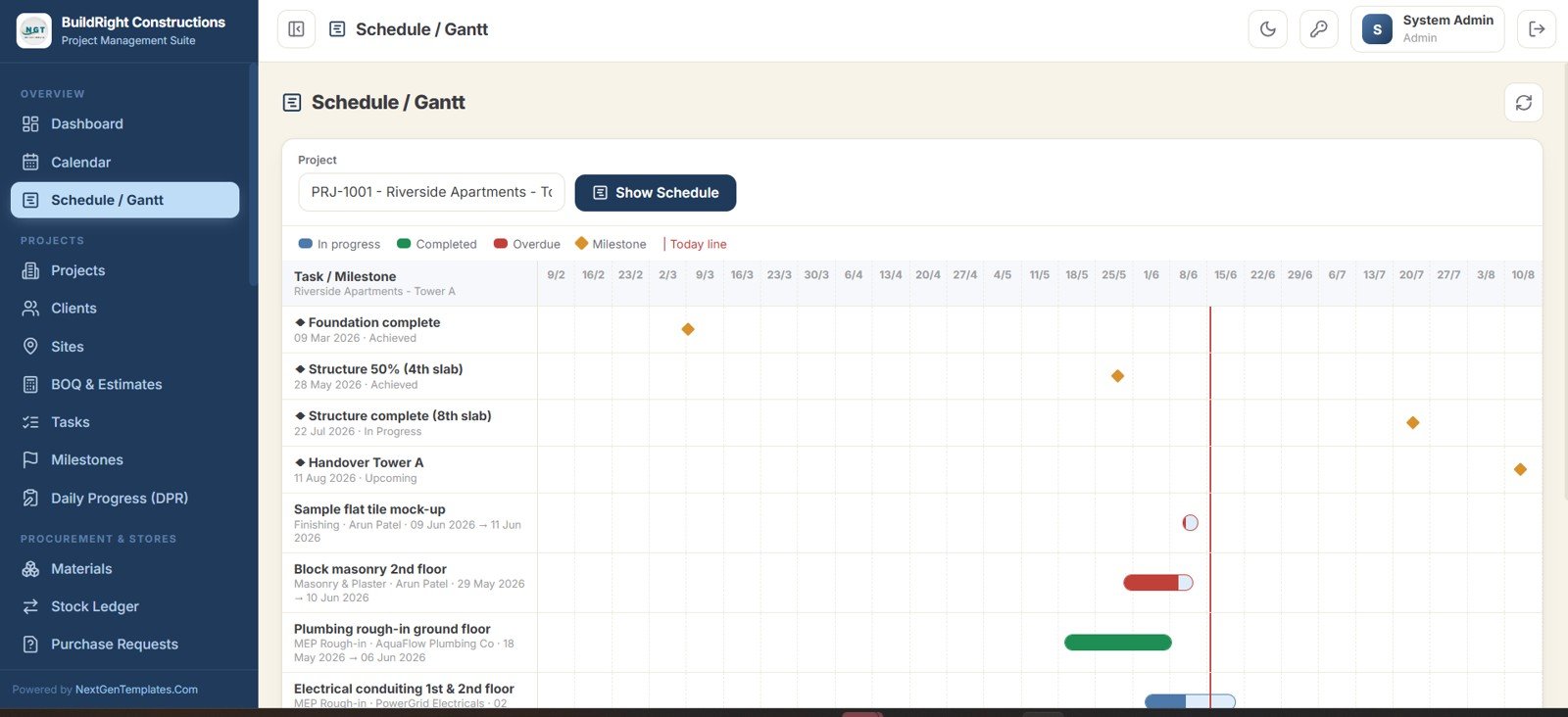
A full project timeline where every task and milestone is plotted across dates. You can see what is in progress, completed, and overdue, with a today line that makes slipping milestones easy to spot.
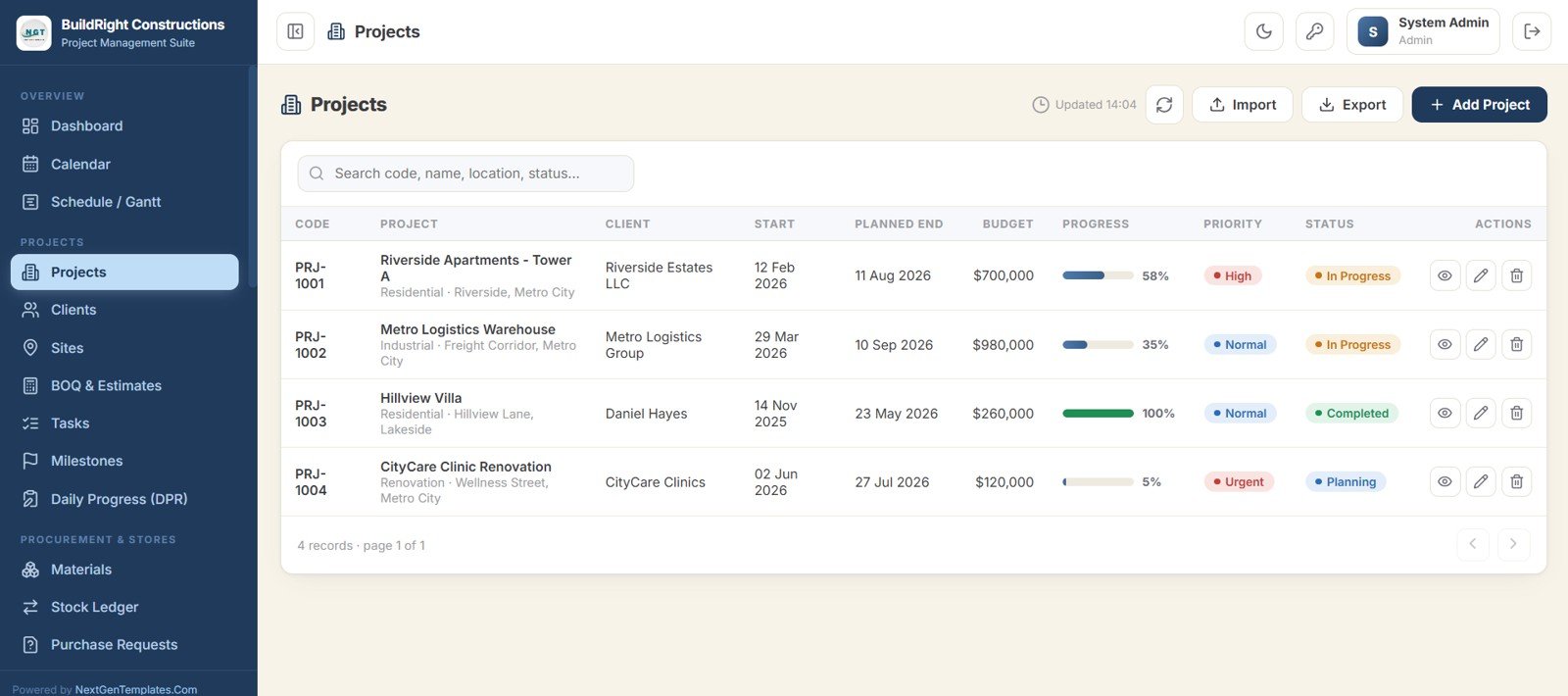
6. Projects
The master list of every construction project with its code, client, start and planned end dates, budget, progress, priority, and status. You can add, view, edit, import, and export projects from one place.
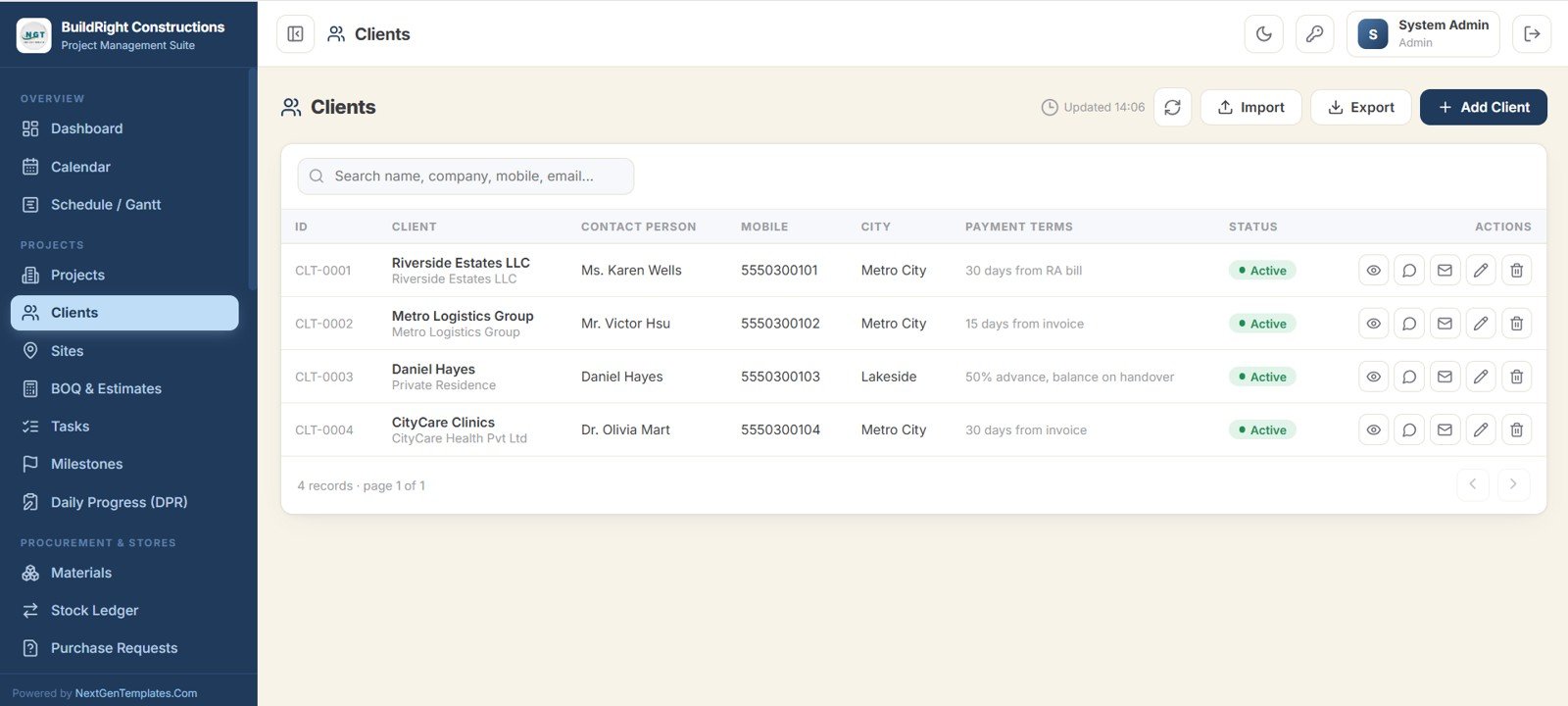
7. Clients
A customer directory holding each client company or individual with their contact person, mobile, city, payment terms, and status. It keeps every project tied back to the right client record.
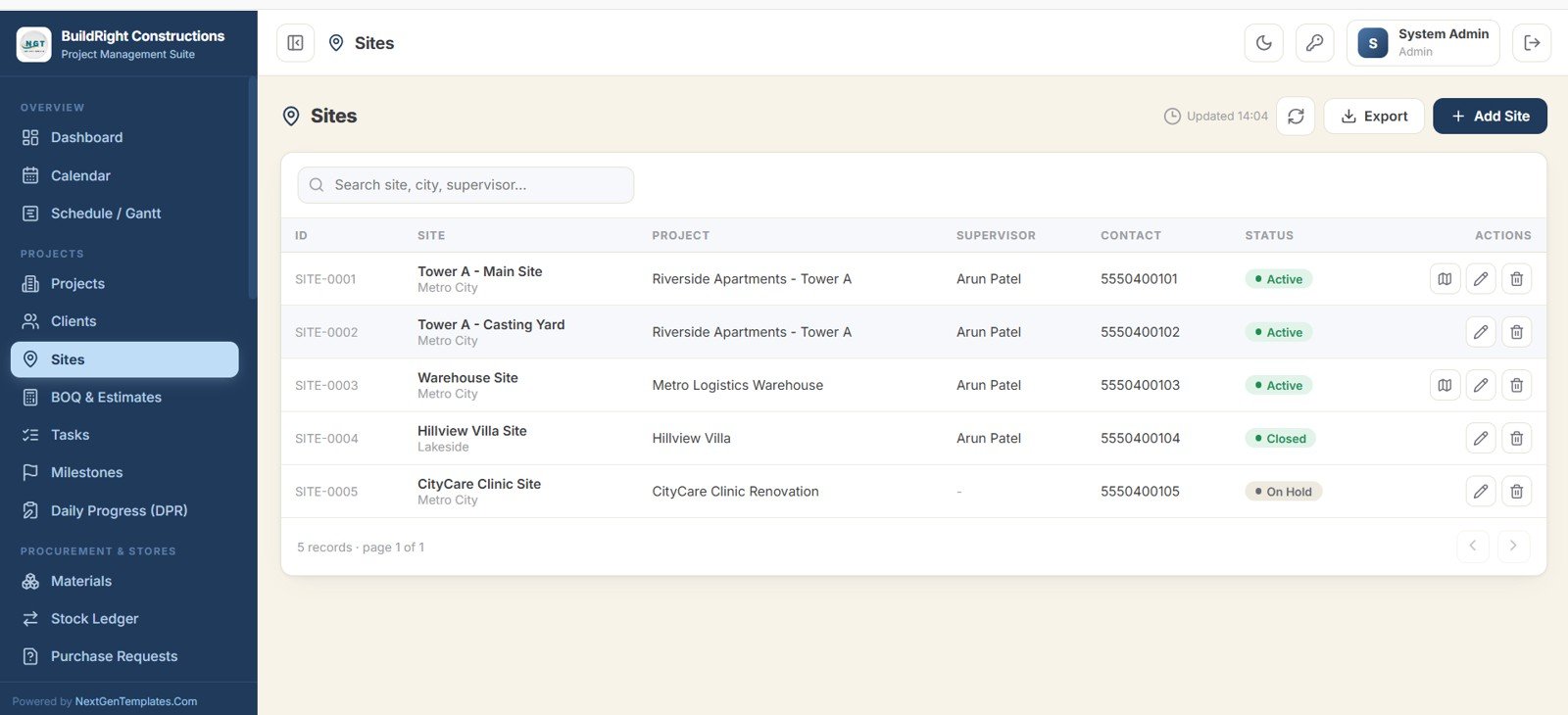
8. Sites
Tracks each physical construction site linked to a project, along with the site supervisor, contact, and current status such as Active, On Hold, or Closed.
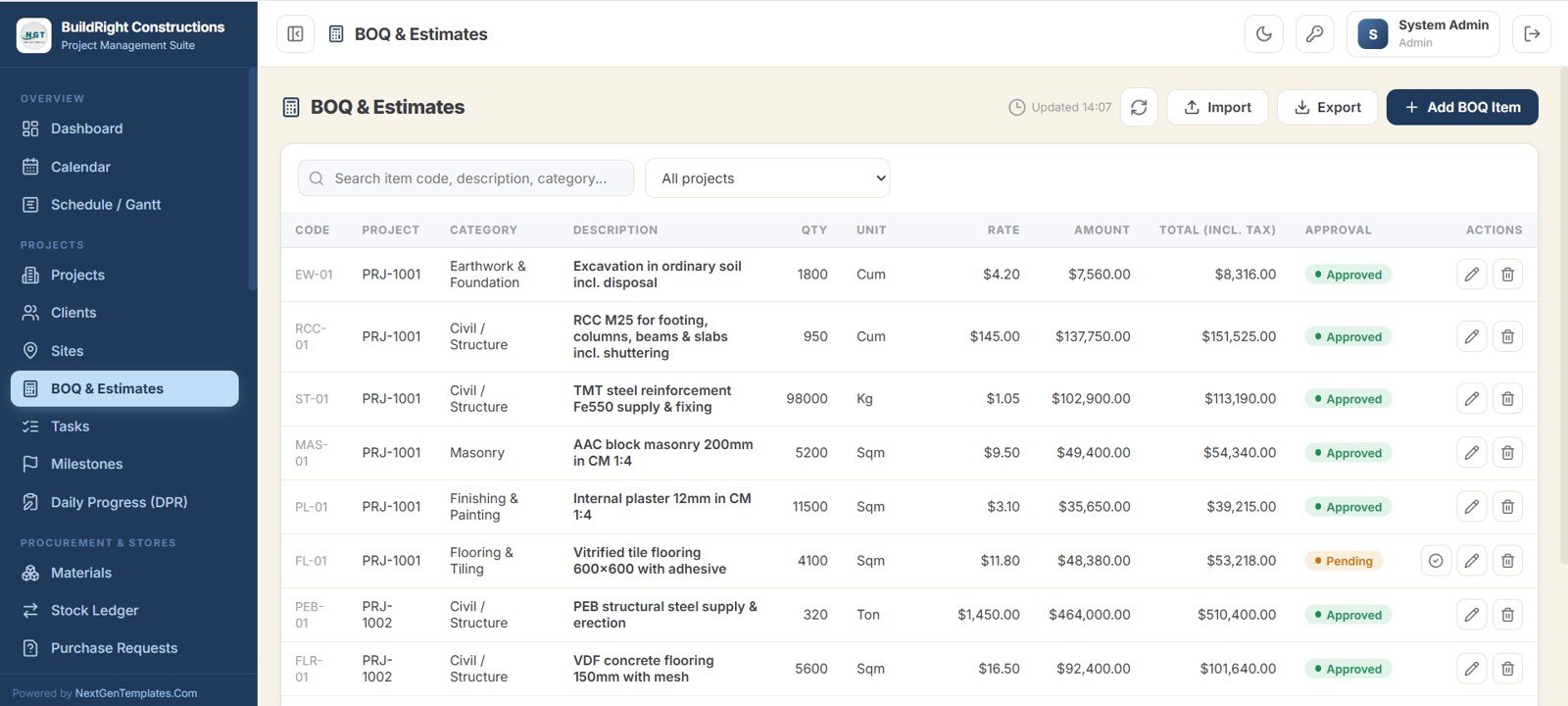
9. BOQ and Estimates
Holds the detailed bill of quantities for each project, with category, description, quantity, unit, rate, amount, total including tax, and an approval status for every line item.
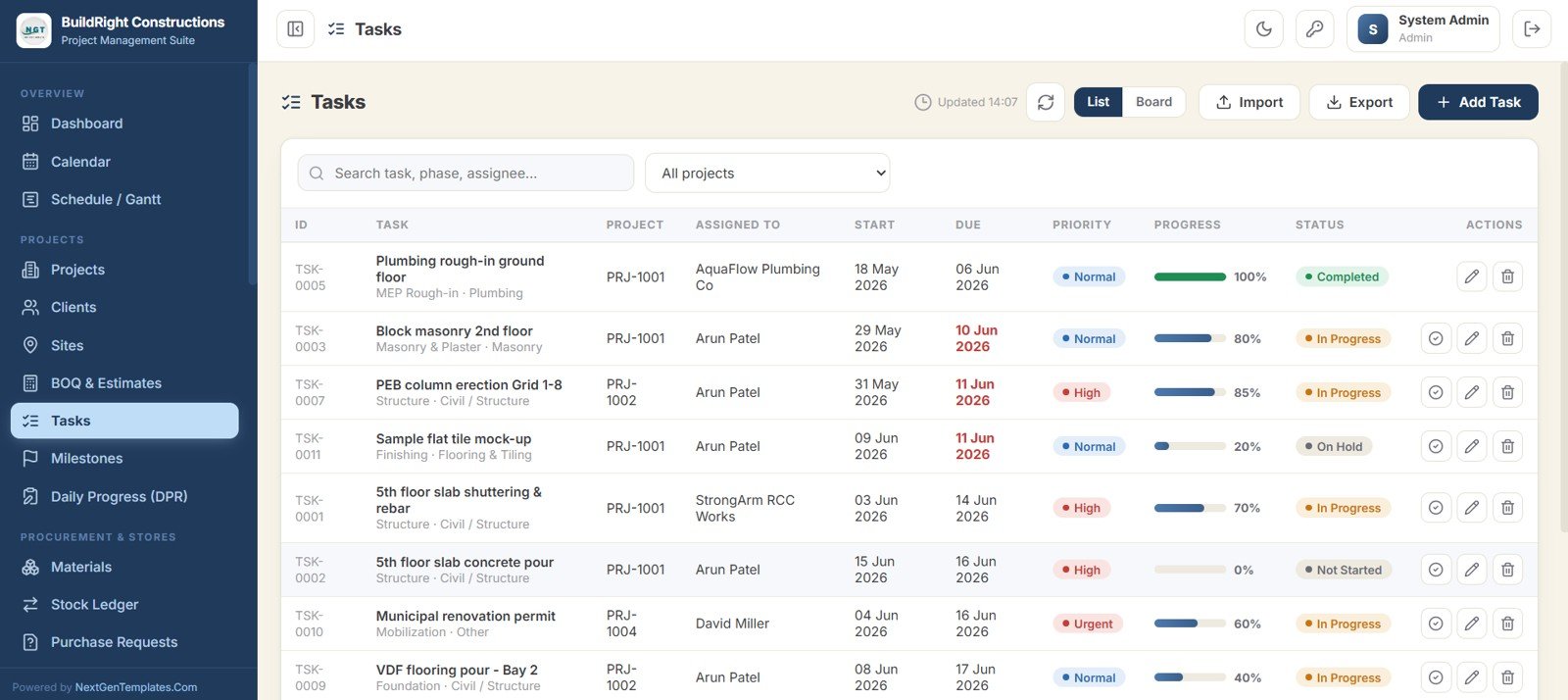
10. Tasks
Manages all project work in both list and board views, with assignees, start and due dates, priority, progress, and status. Overdue tasks are clearly highlighted so nothing slips.
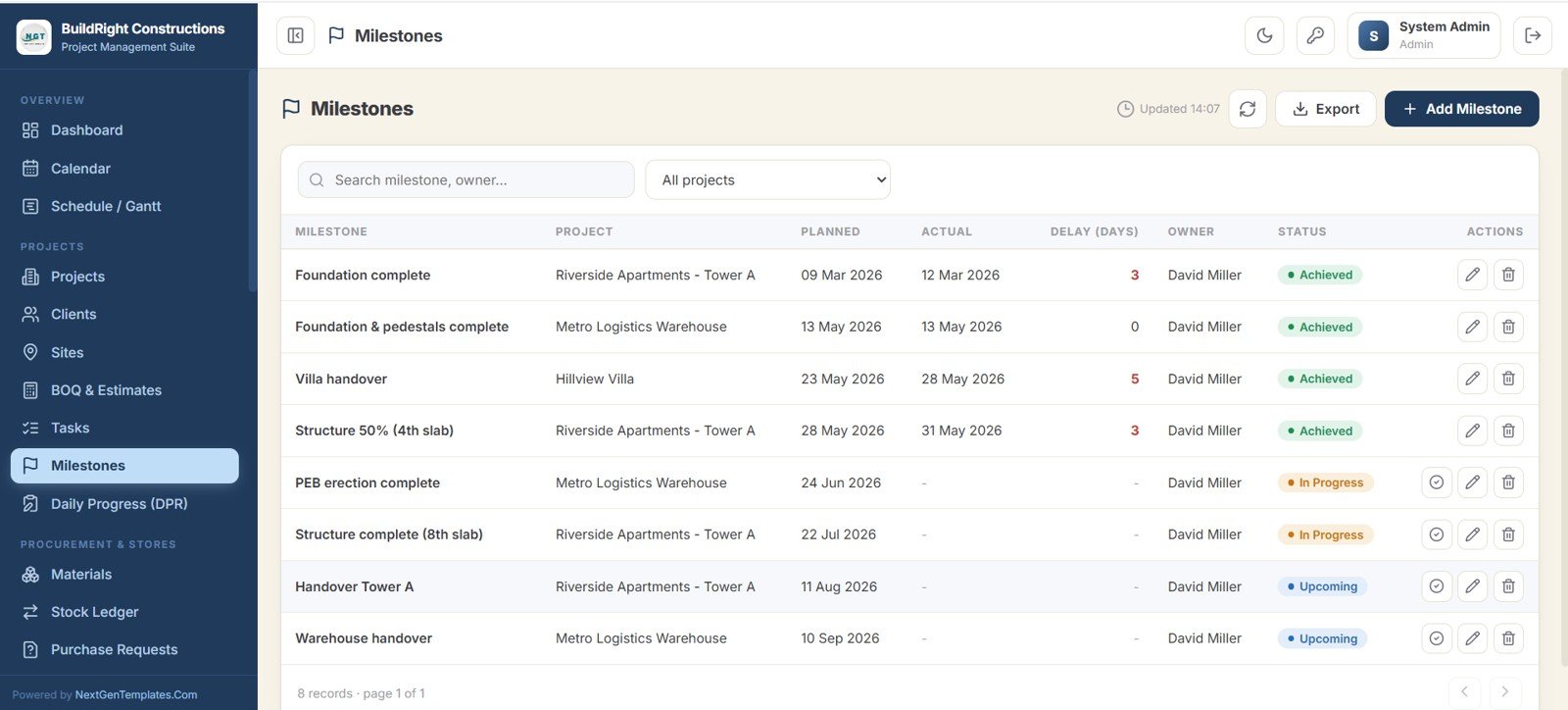
11. Milestones
Tracks planned against actual dates for each key milestone and automatically calculates the delay in days, along with the owner and current status.
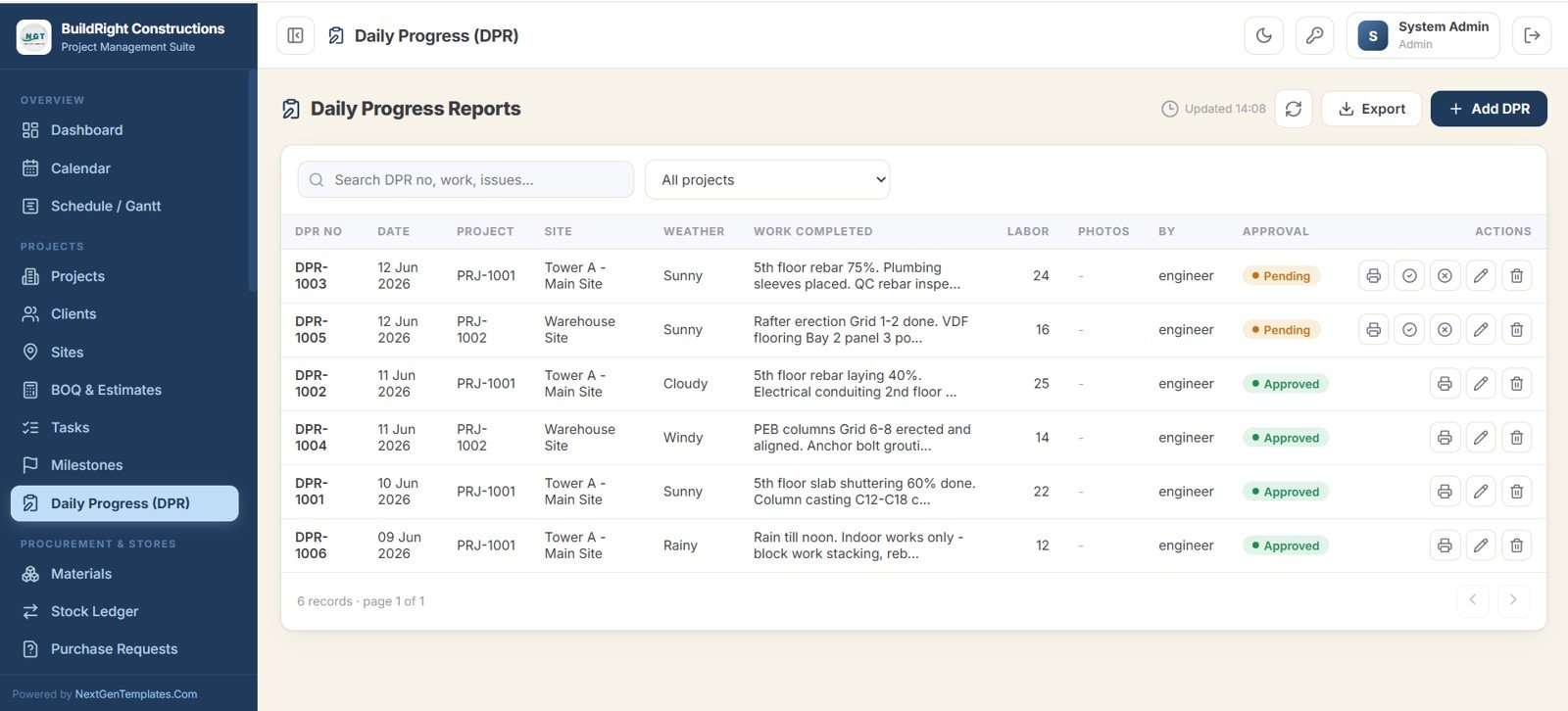
12. Daily Progress Reports
Captures site reports each day with date, project, site, weather, work completed, labor count, and photos, plus the engineer who submitted it and an approval workflow.
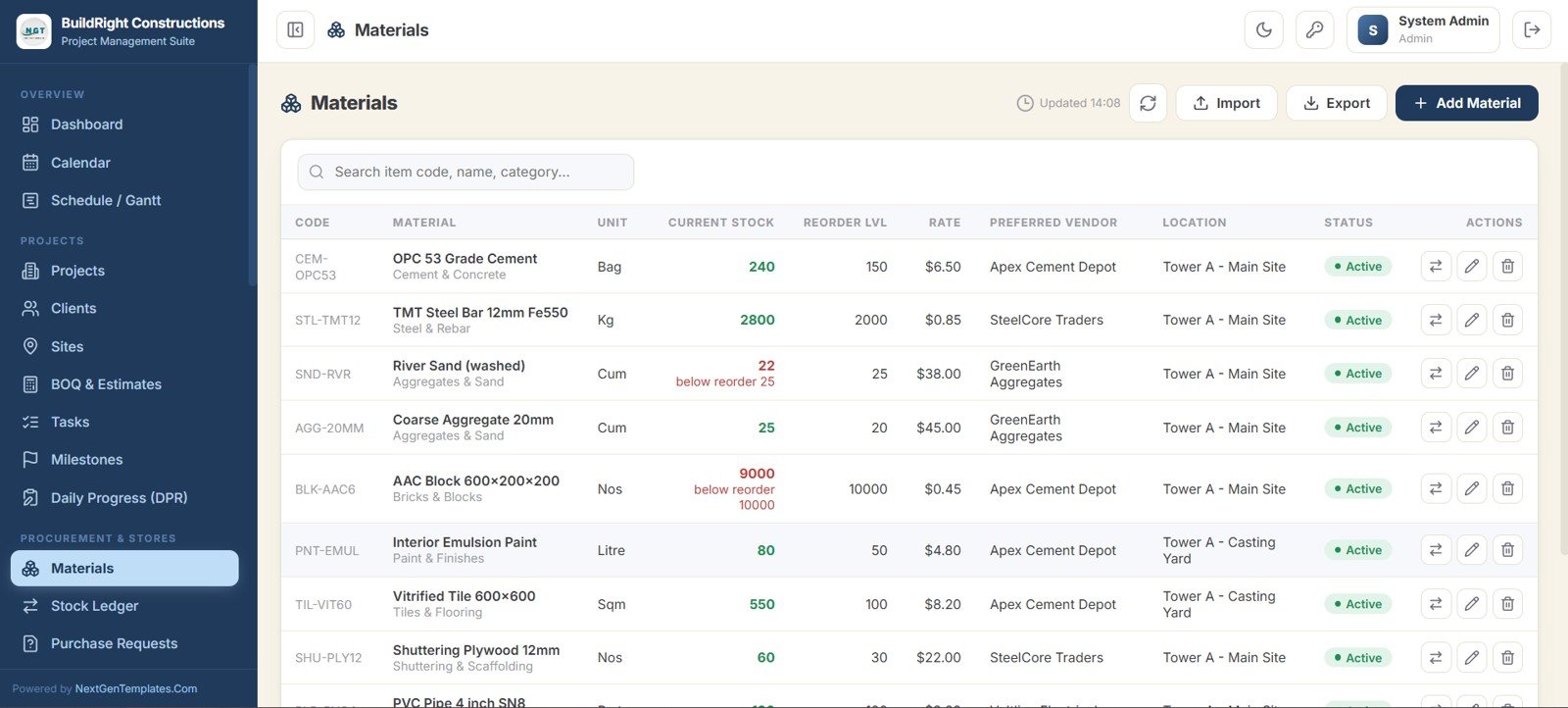
13. Materials
The inventory master showing each item with its unit, current stock, reorder level, rate, preferred vendor, and location. Items below their reorder level are highlighted automatically.
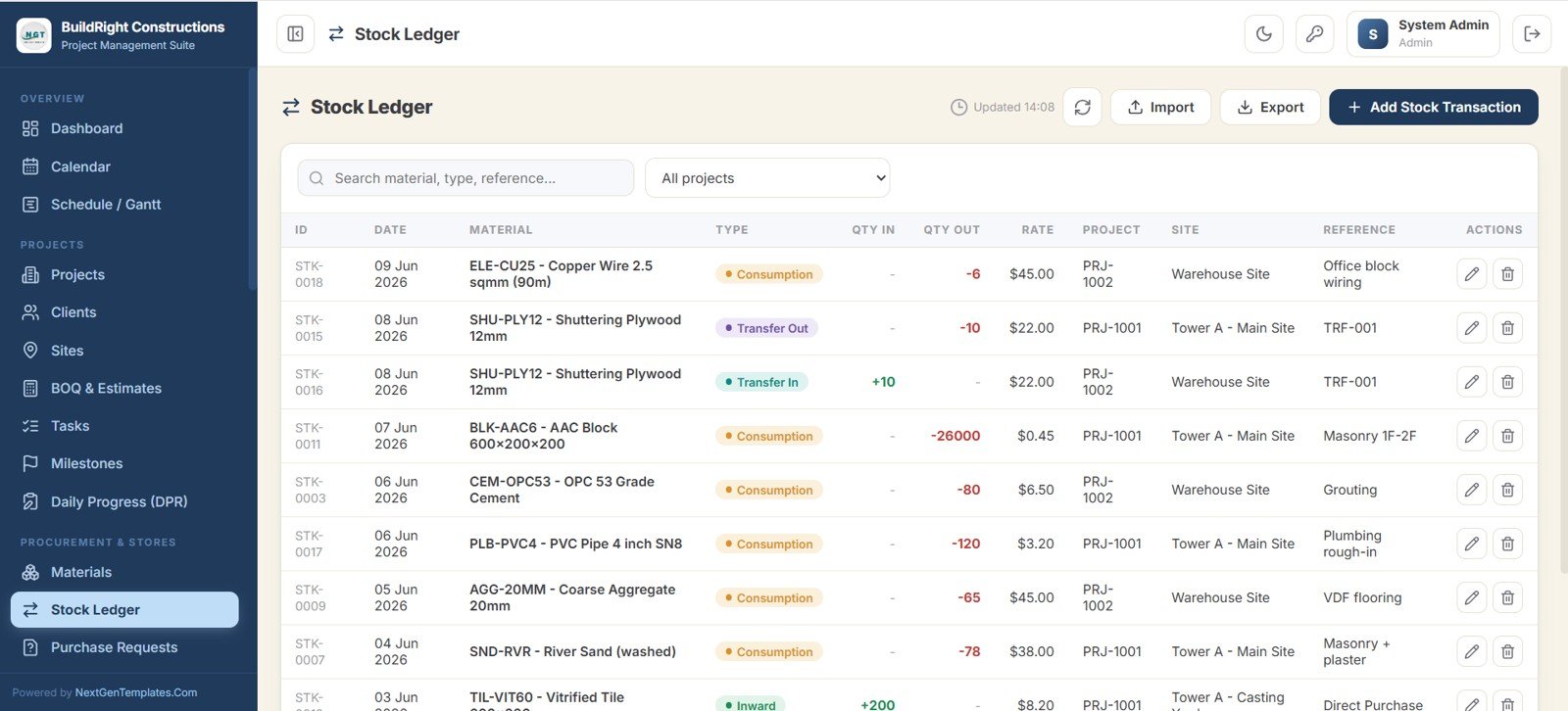
14. Stock Ledger
Records every material movement — inward, consumption, and transfers — with quantity in, quantity out, rate, project, site, and reference for full traceability.
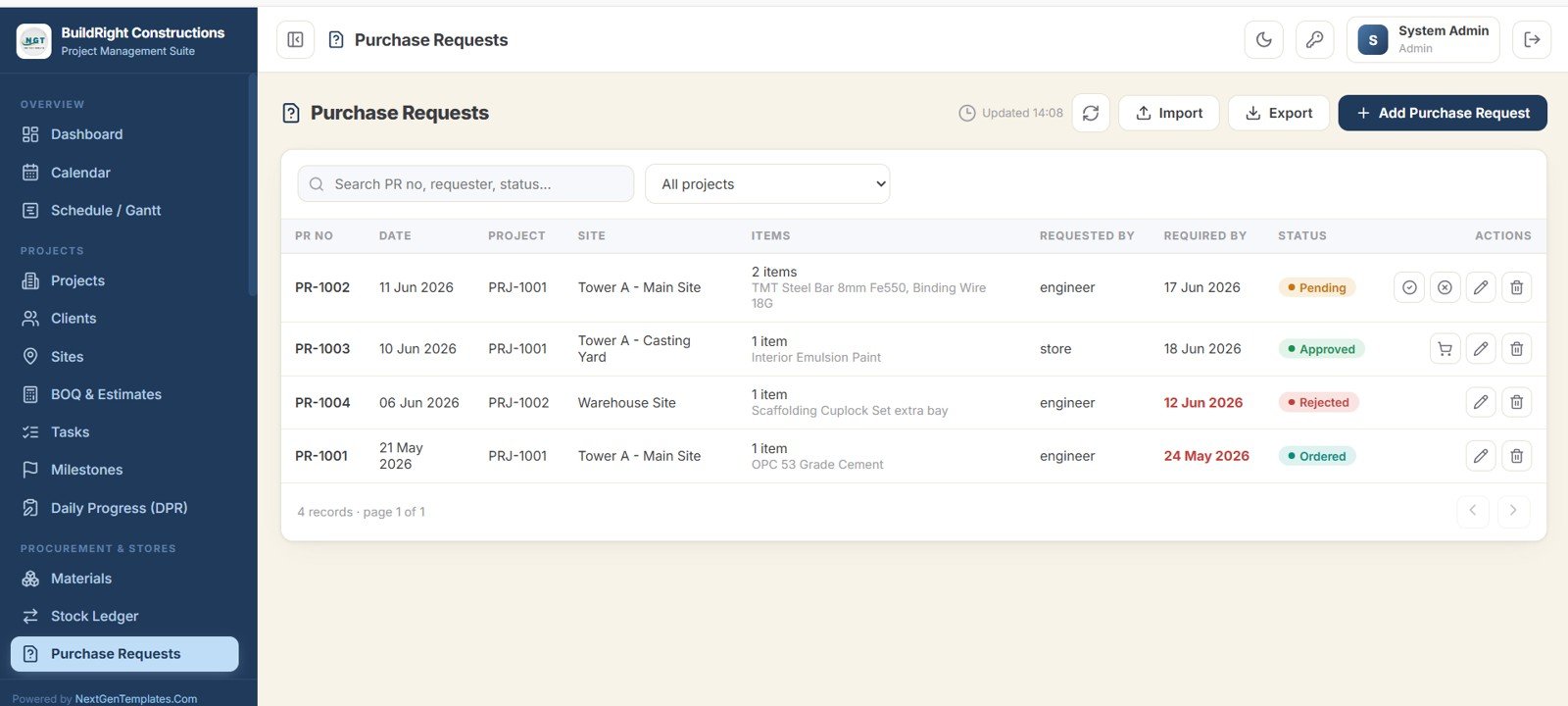
15. Purchase Requests
Captures material requests raised from site, showing the items, requester, required-by date, and status. You can approve, reject, or convert a request straight into a purchase order.
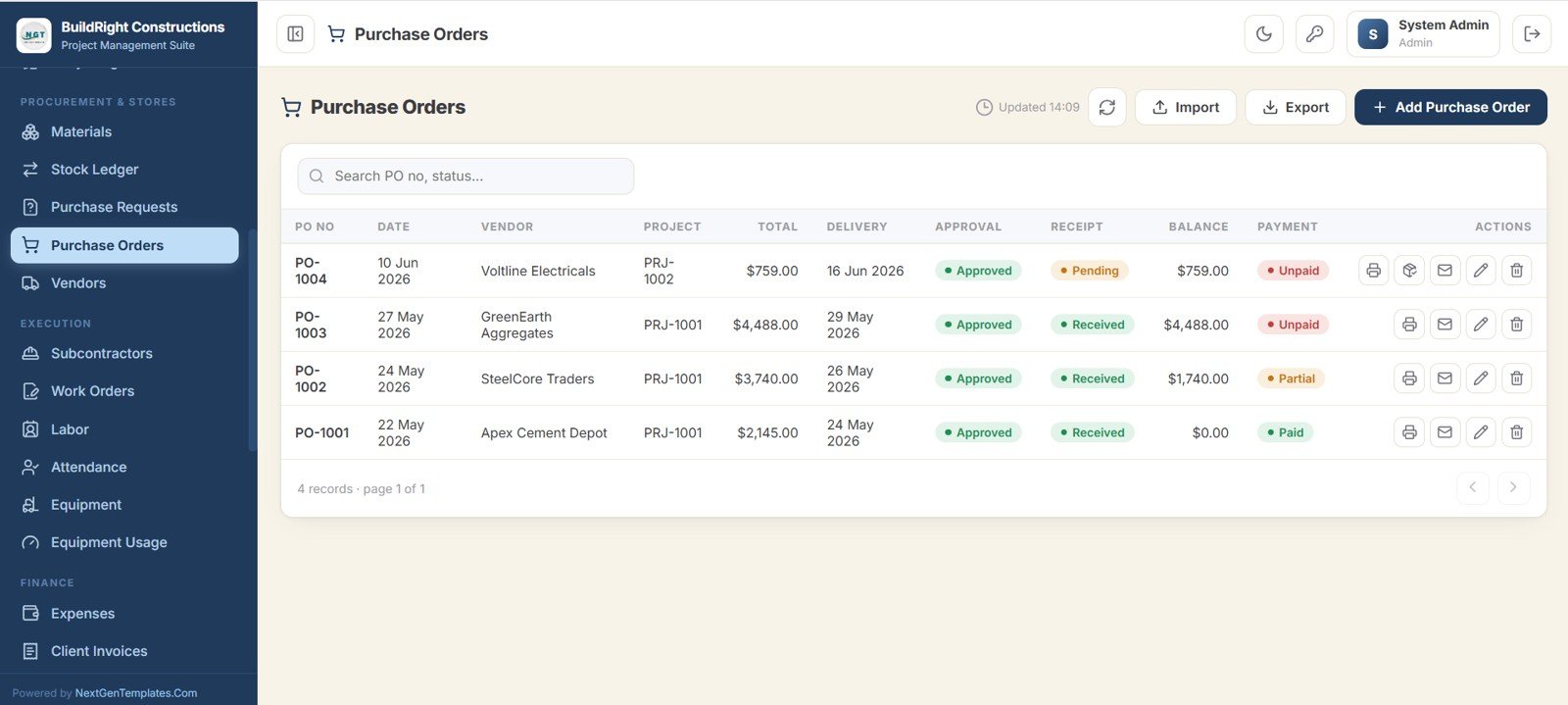
16. Purchase Orders
Manages orders to vendors with the total, delivery, approval, receipt, balance, and payment status for each order.
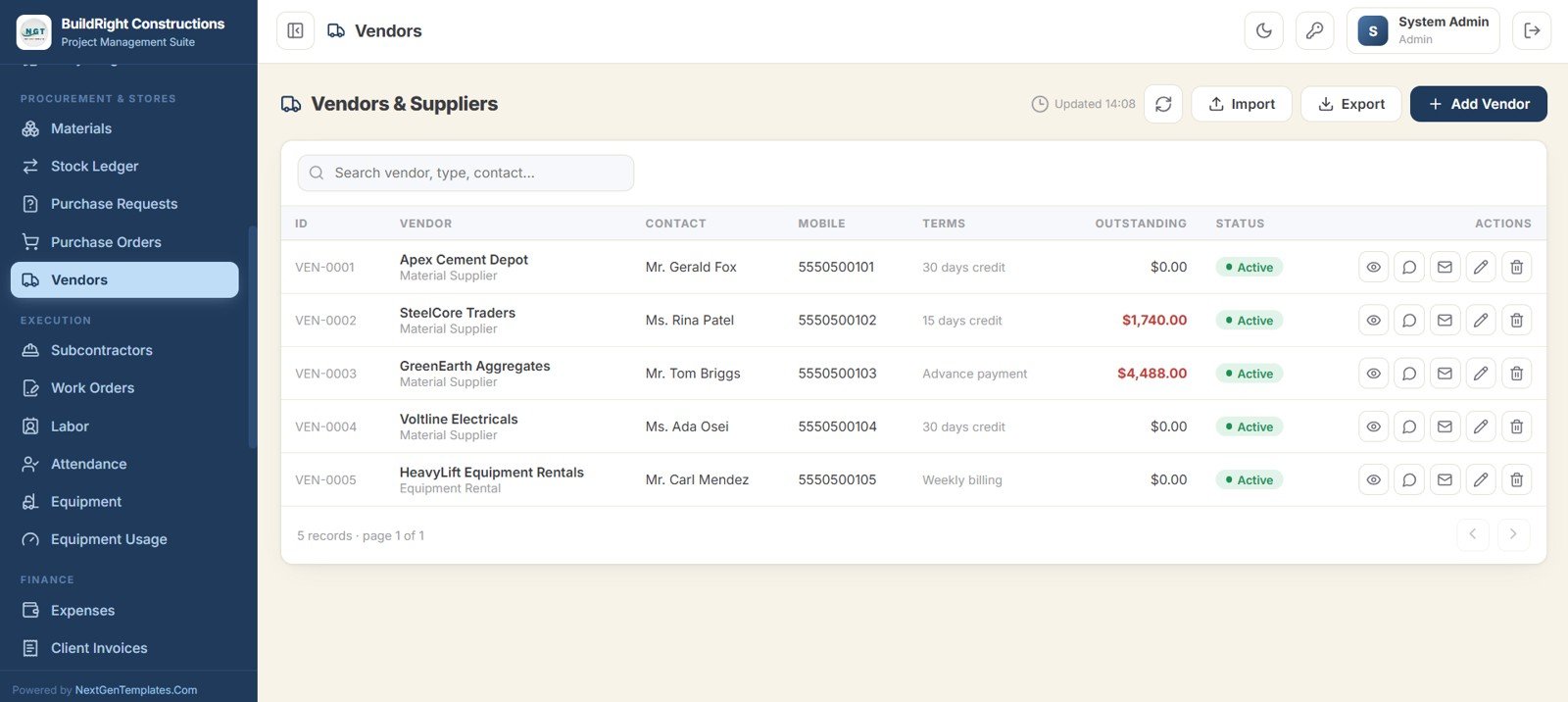
17. Vendors
A supplier directory holding each vendor with their contact, mobile, payment terms, outstanding balance, and status.
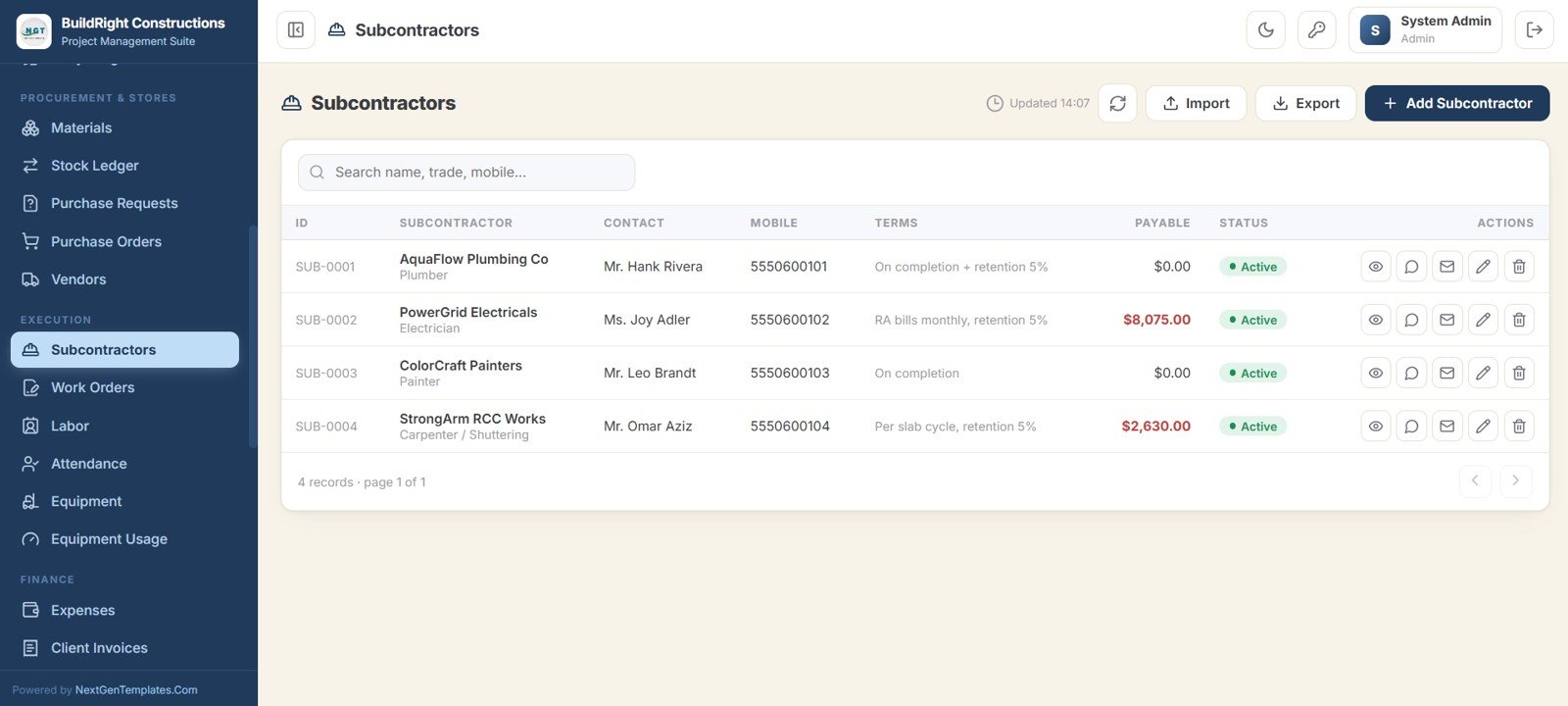
18. Subcontractors
Lists each trade partner with their contact, mobile, payment terms, payable amount, and status, keeping subcontractor liability visible alongside the rest of the project.
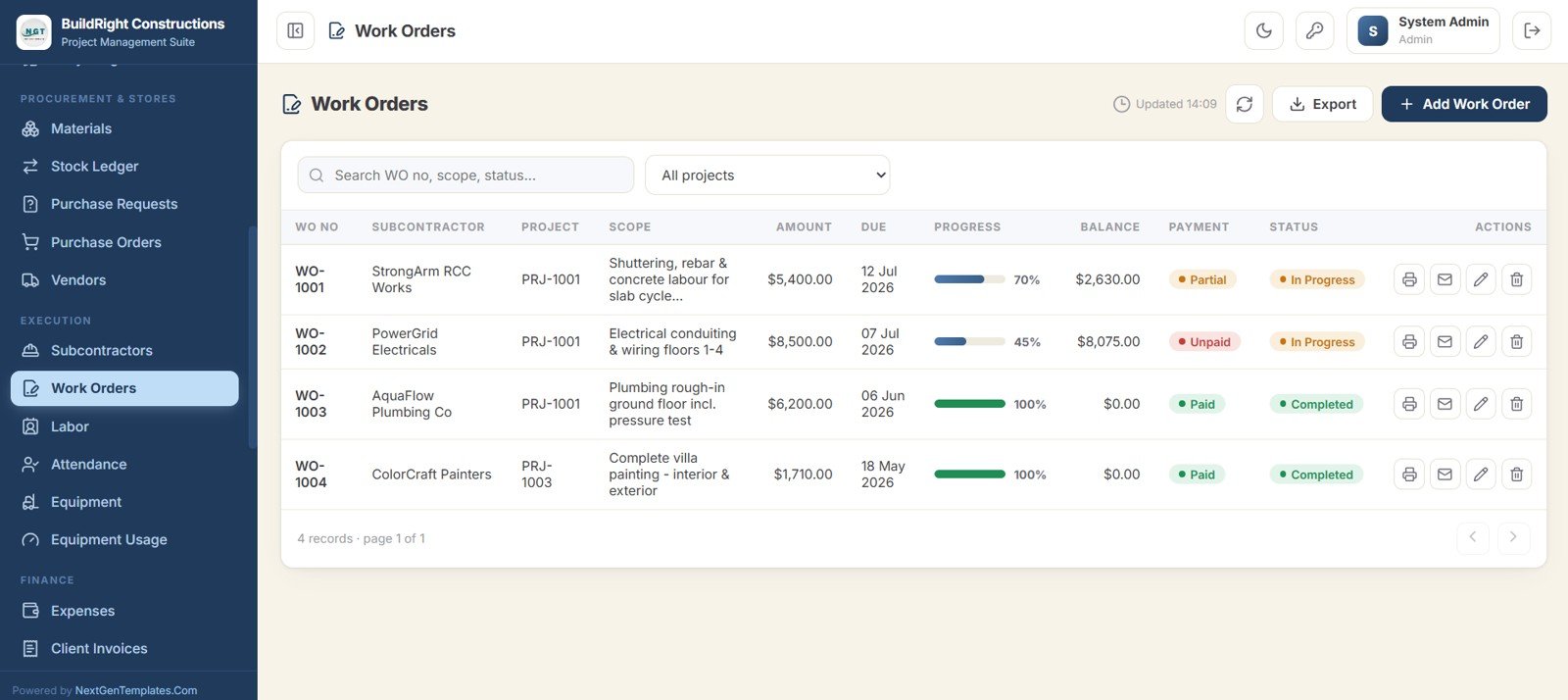
19. Work Orders
Tracks subcontractor work orders with the scope, amount, due date, progress, balance, payment, and status.
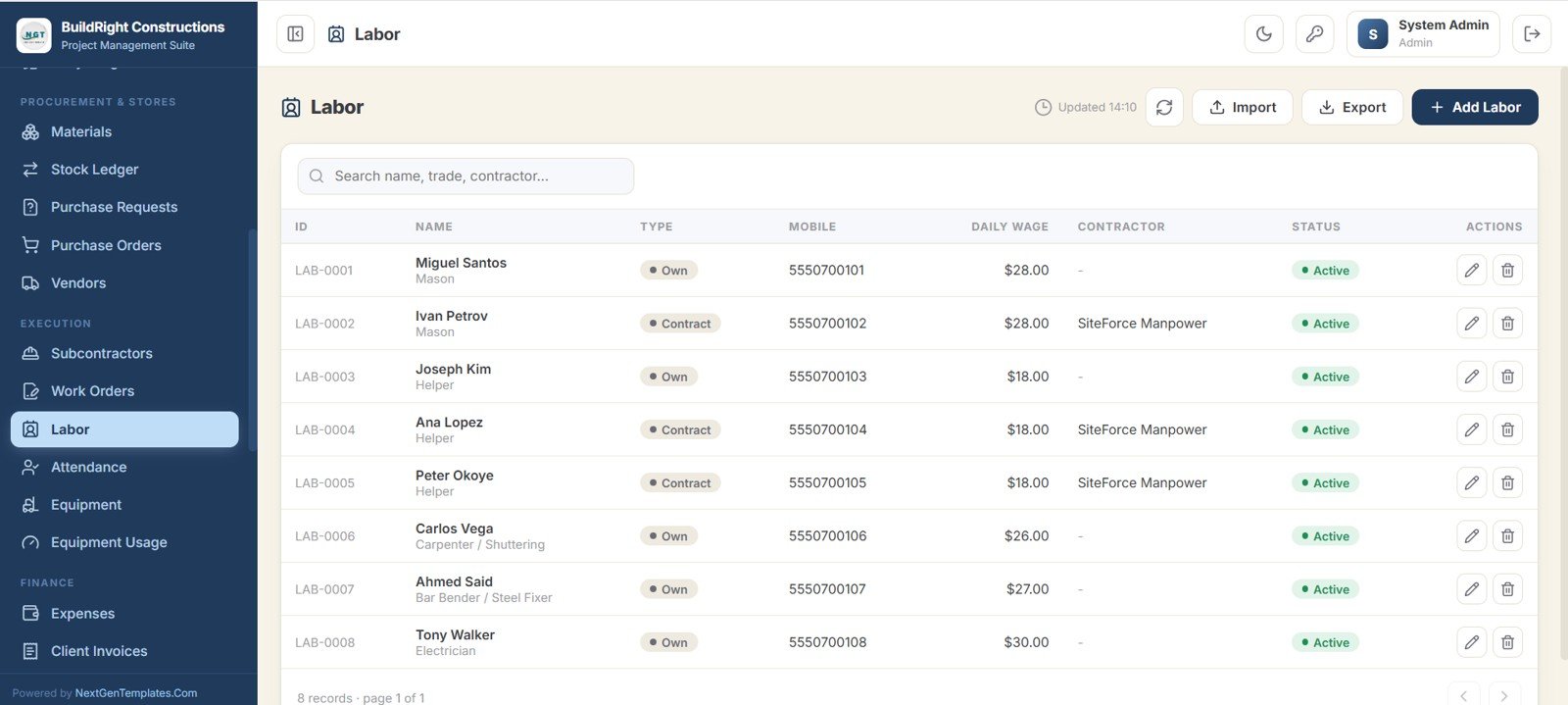
20. Labor
The full workforce roster with each worker type, trade, mobile, daily wage, and contractor source.
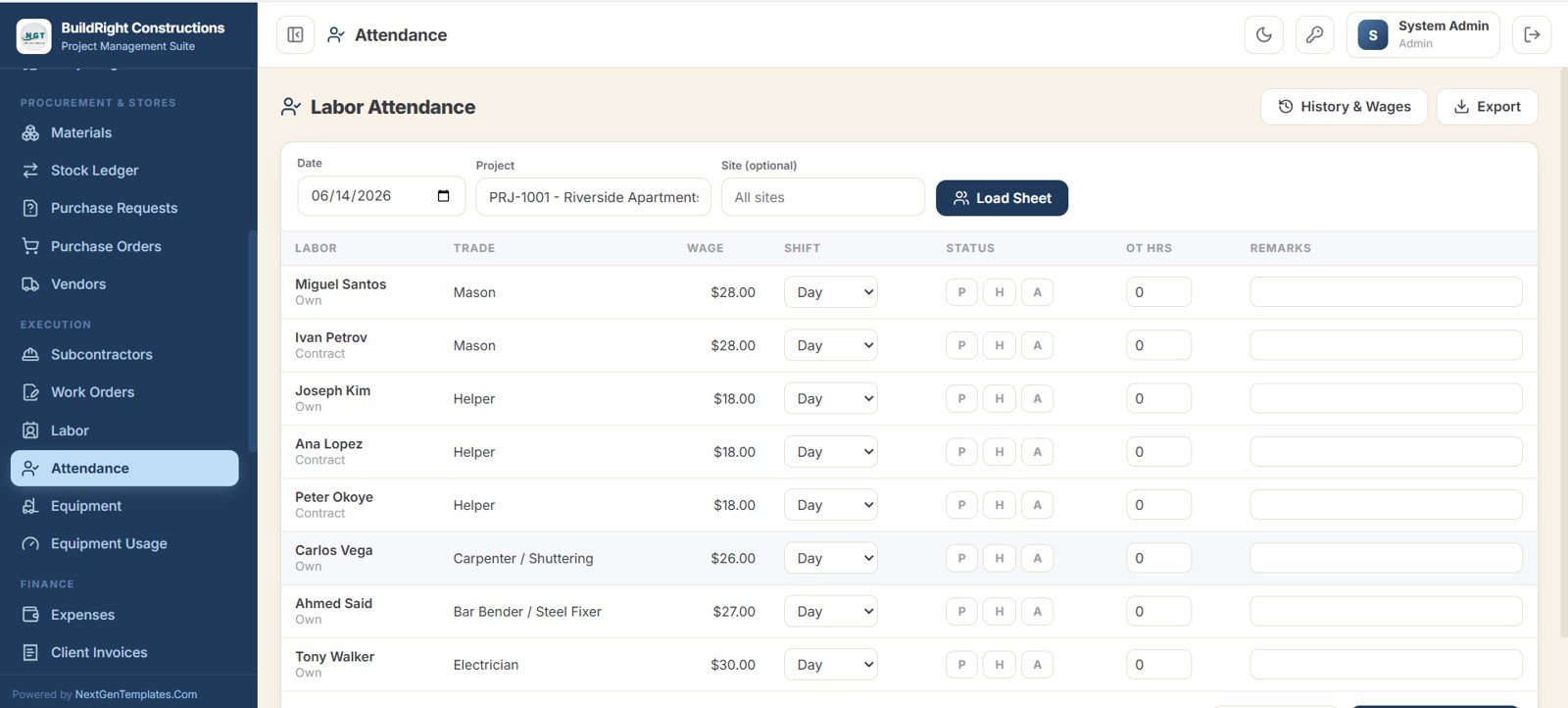
21. Attendance
A daily sheet to mark each worker present, half day, or absent, set the shift, and log overtime hours for a chosen date, project, and site.
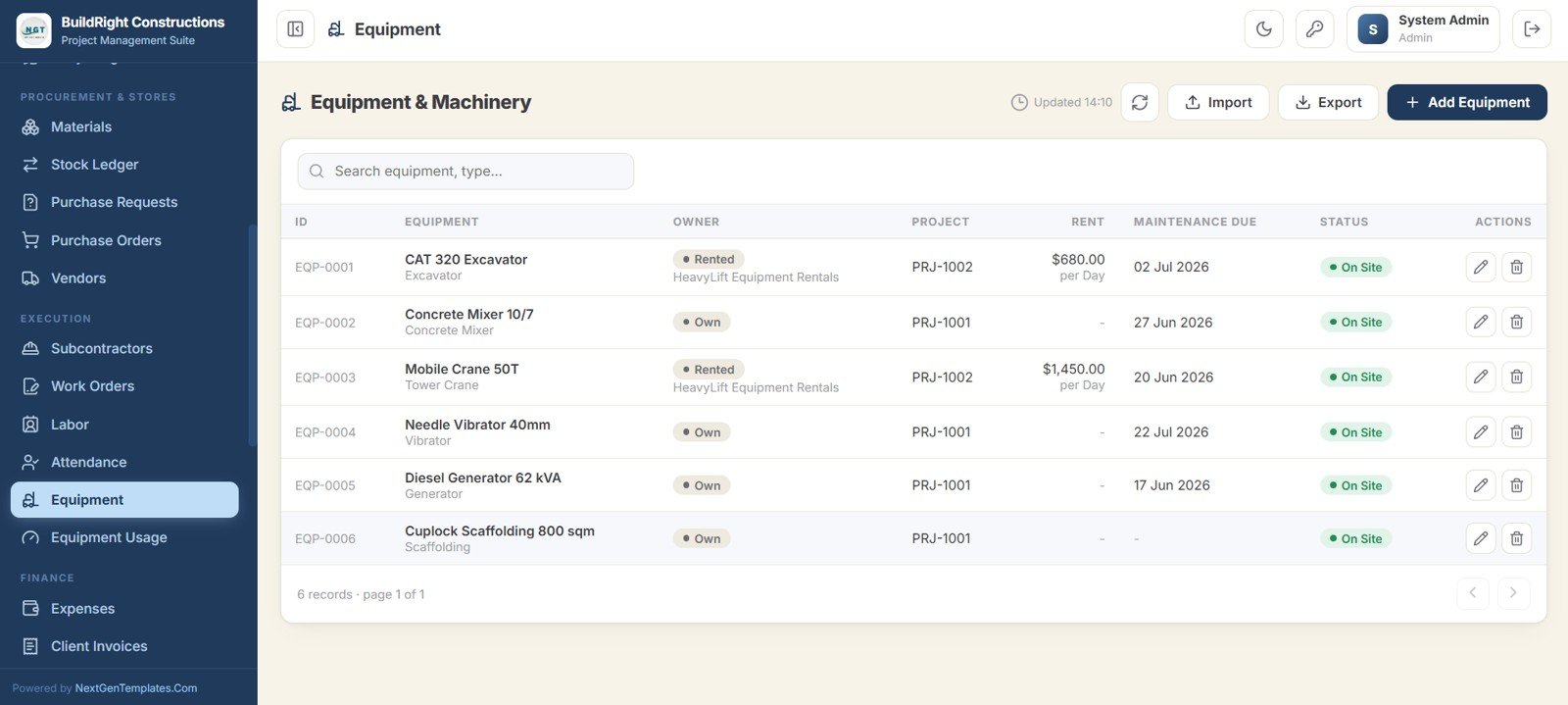
22. Equipment
Registers every machine, owned or rented, with its owner, project, rent, maintenance due date, and on-site status.
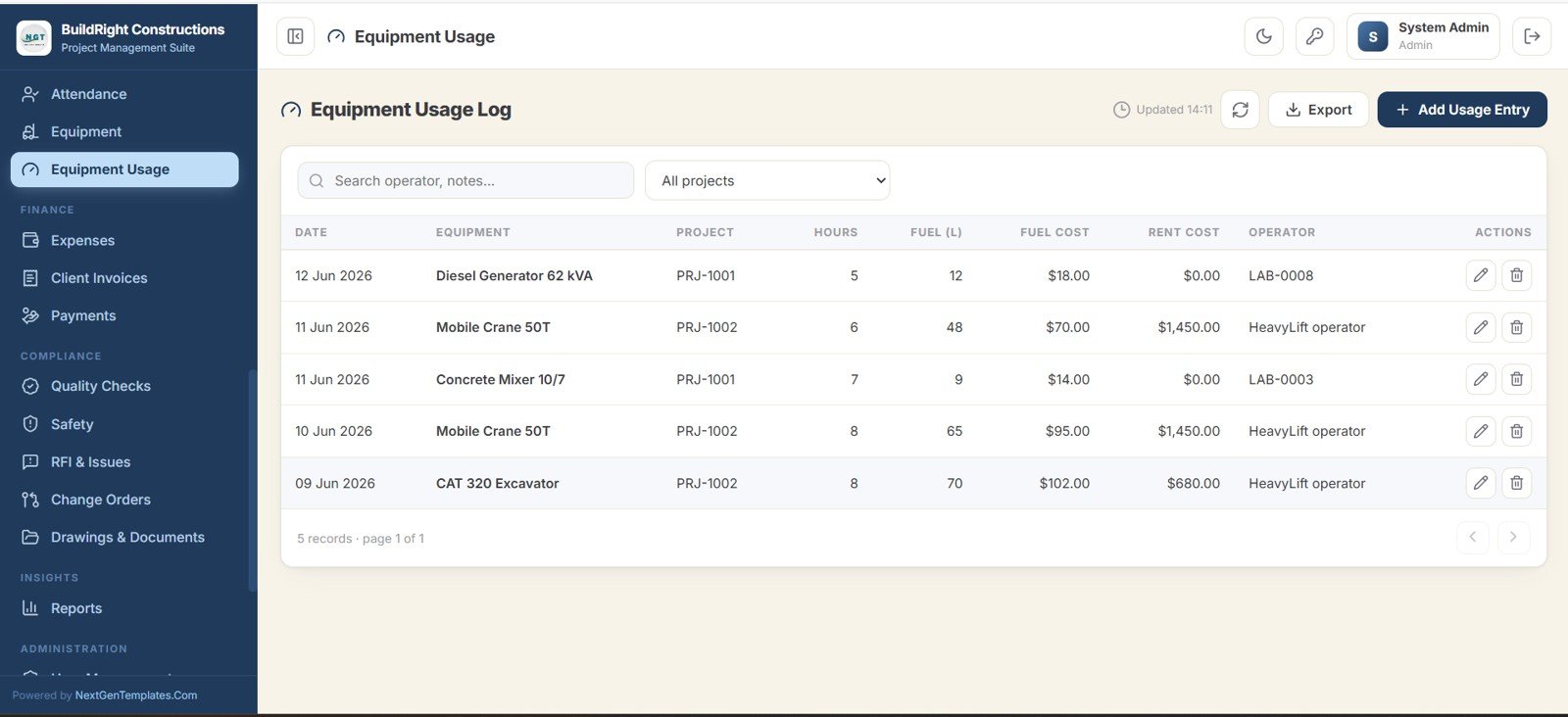
23. Equipment Usage
A daily log of running hours, fuel consumed, fuel cost, rent cost, and operator for each machine, so plant cost is tracked against the project.
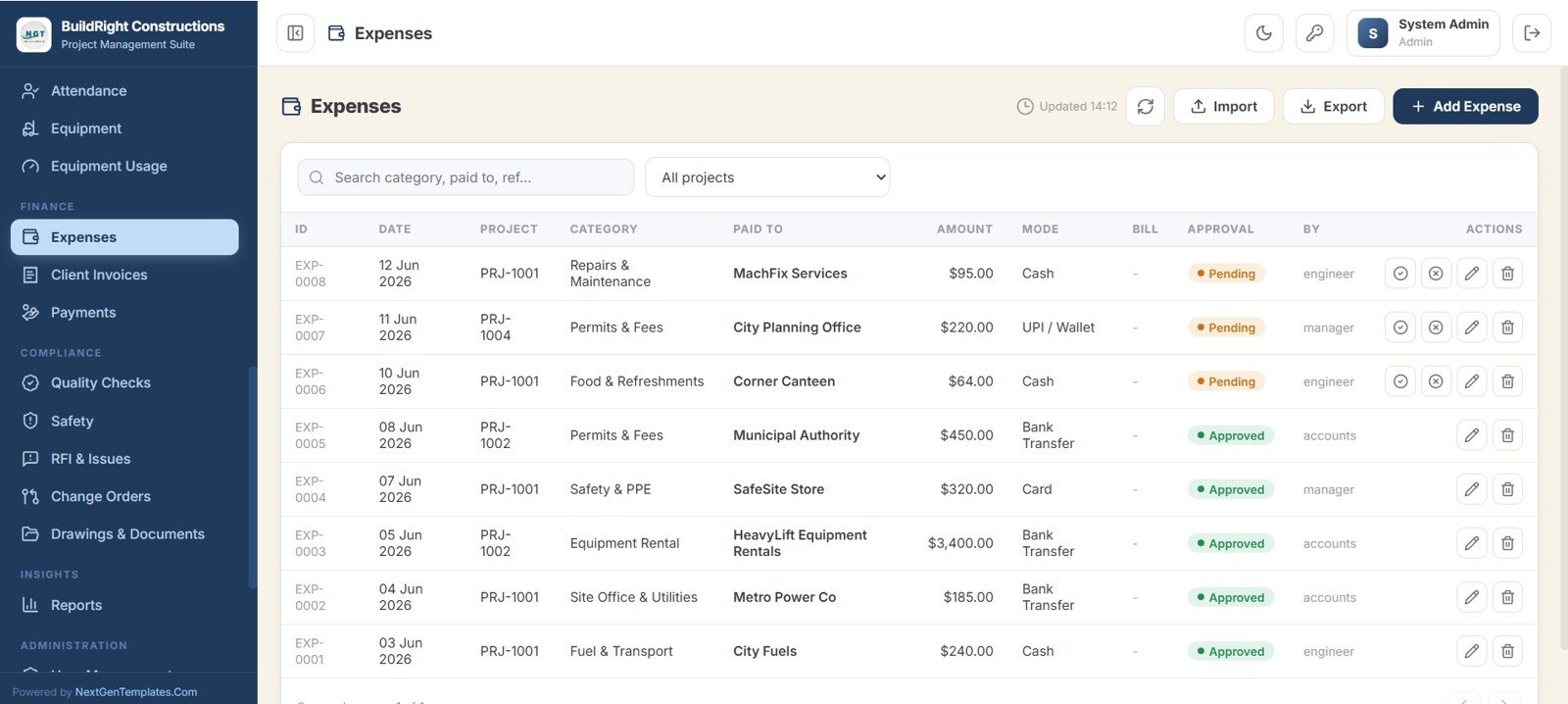
24. Expenses
Records every site cost by category, payee, amount, payment mode, and bill, with its own approval workflow.
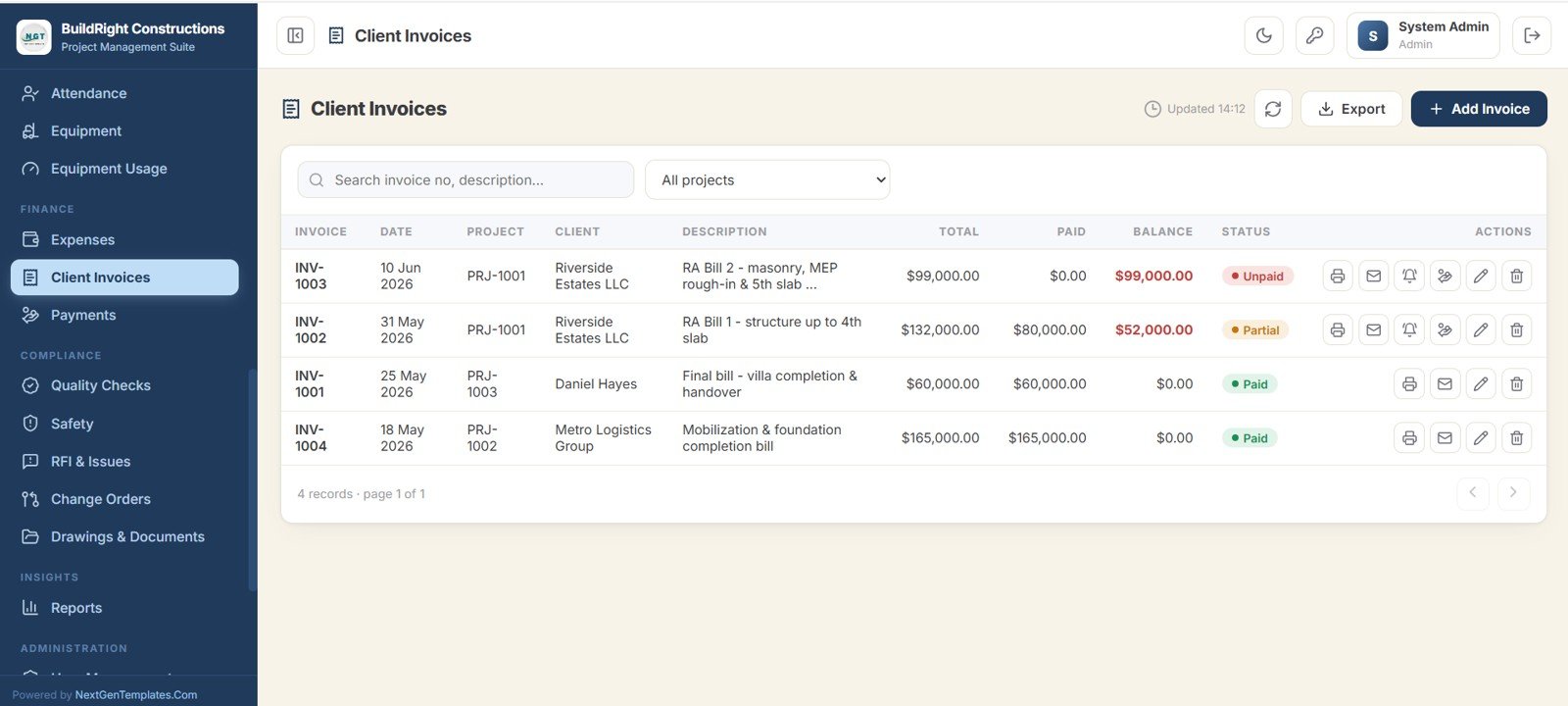
25. Client Invoices
Manages running-account bills for each project, showing the total, amount paid, balance, and payment status.
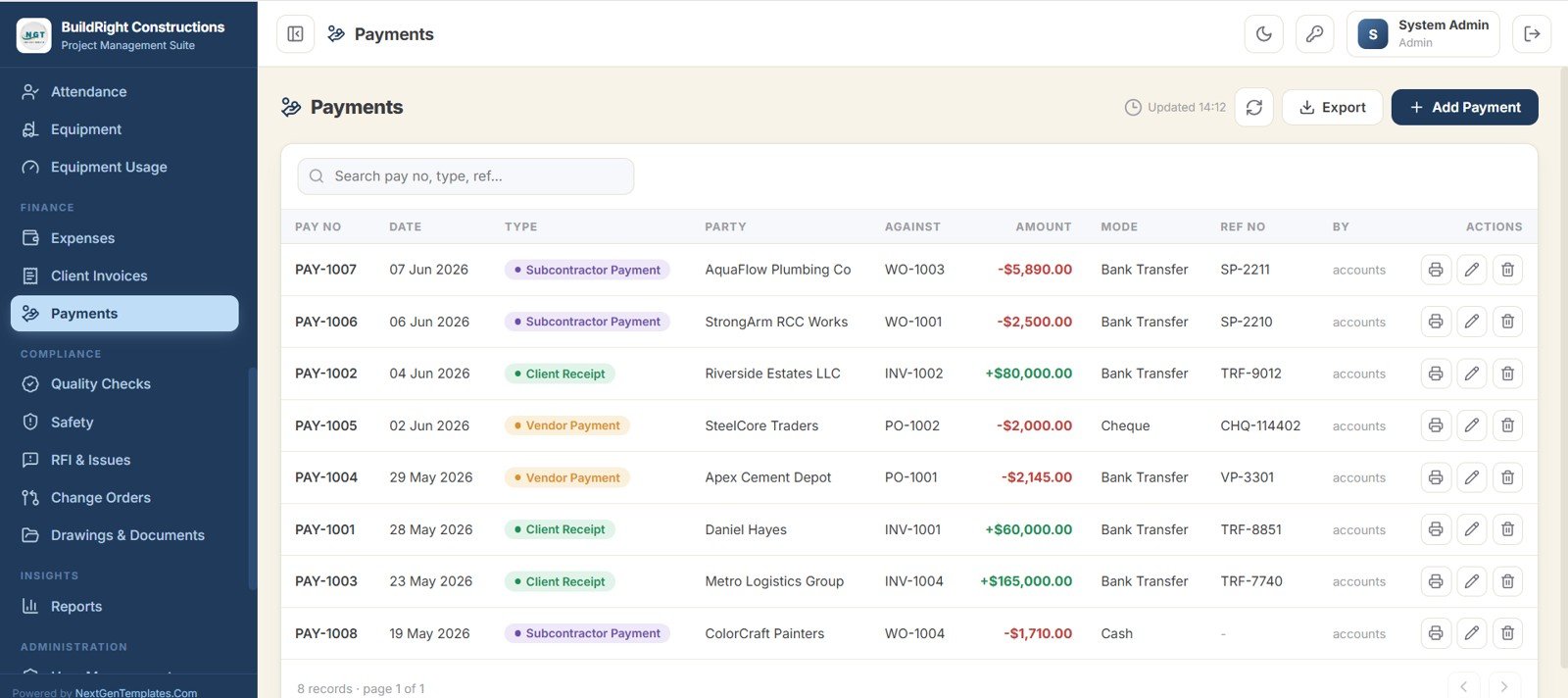
26. Payments
Captures all money in and out — client receipts and vendor and subcontractor payments — with the party, reference, amount, and mode.
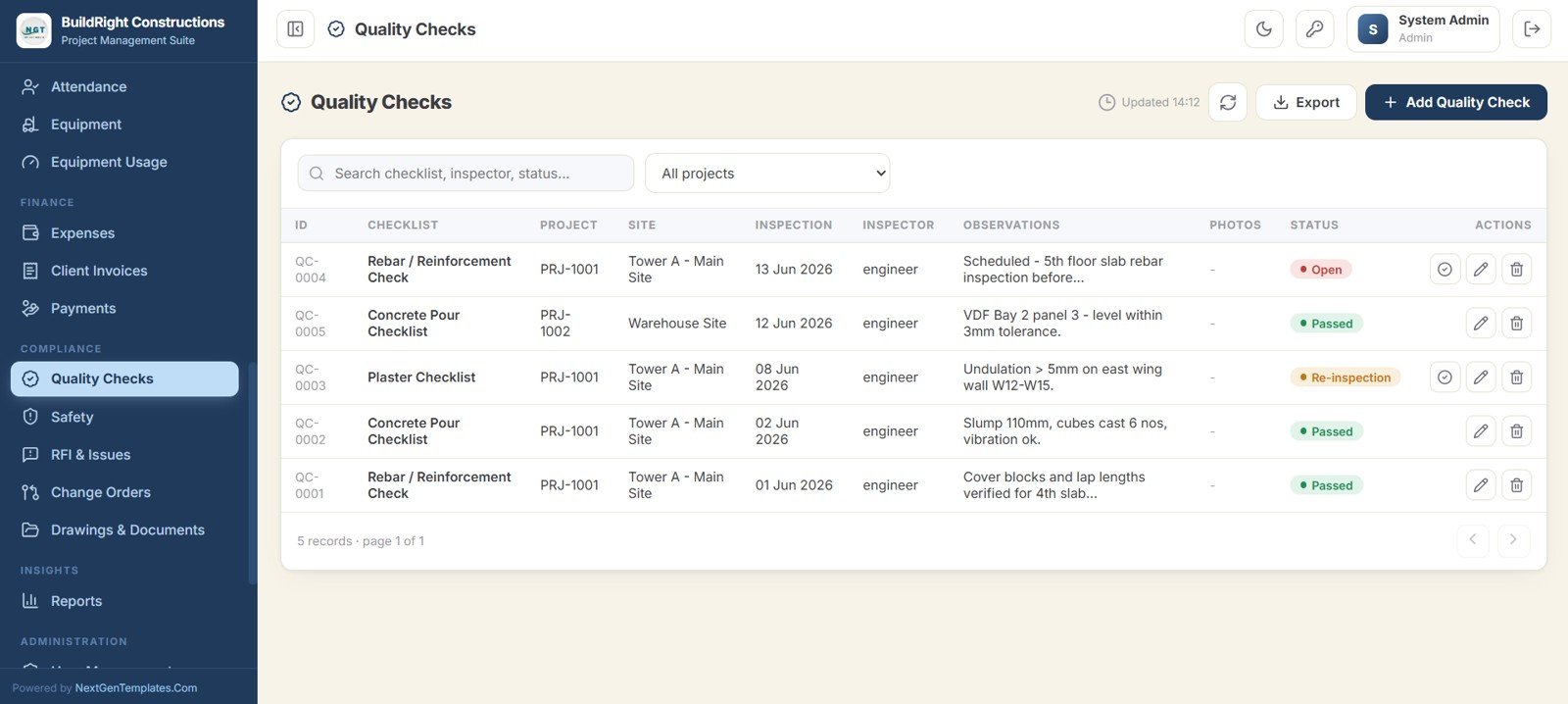
27. Quality Checks
Logs inspections and checklists for each project and site, with the inspection type, inspector, observations, photos, and a pass or fail status.
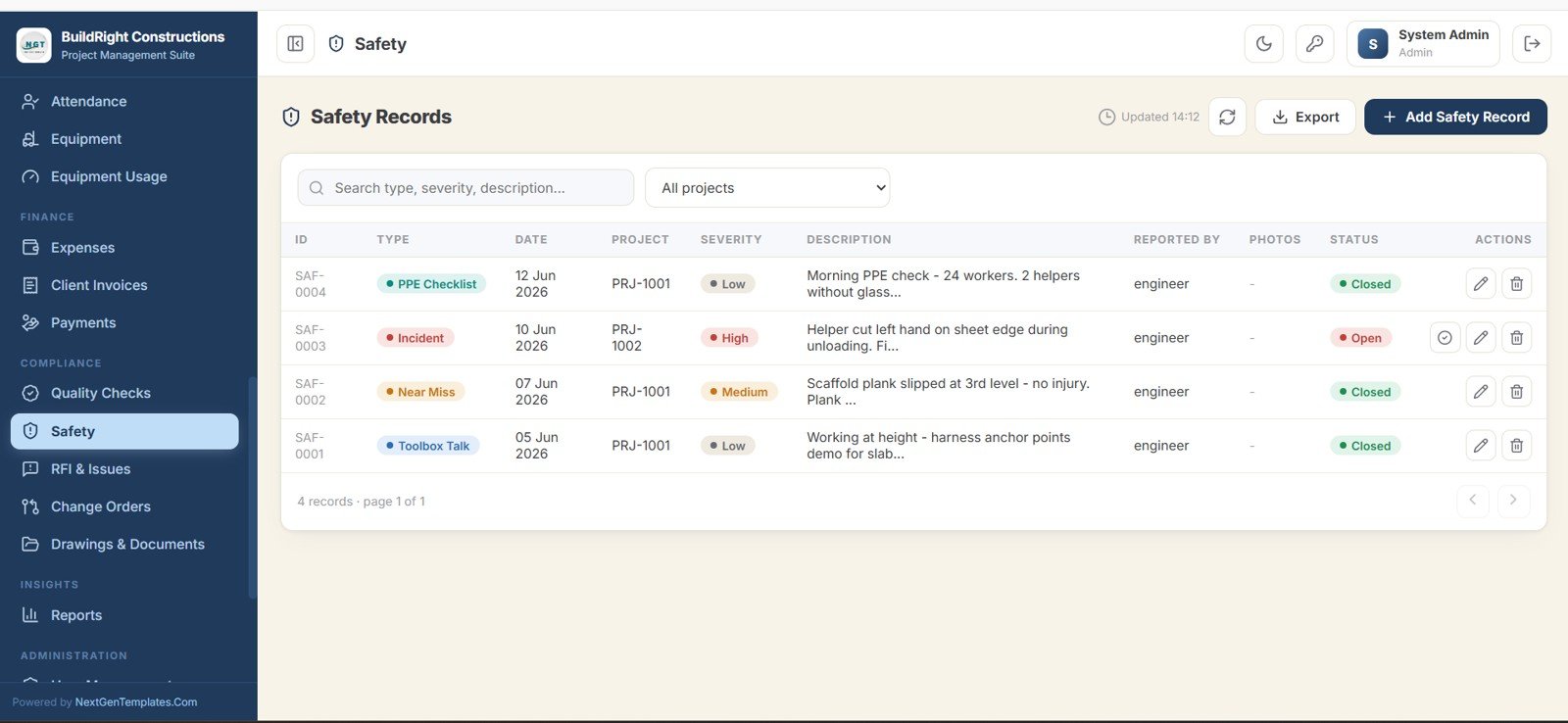
28. Safety
Records incidents, near misses, toolbox talks, and PPE checks by severity, with the description, reporter, photos, and status.
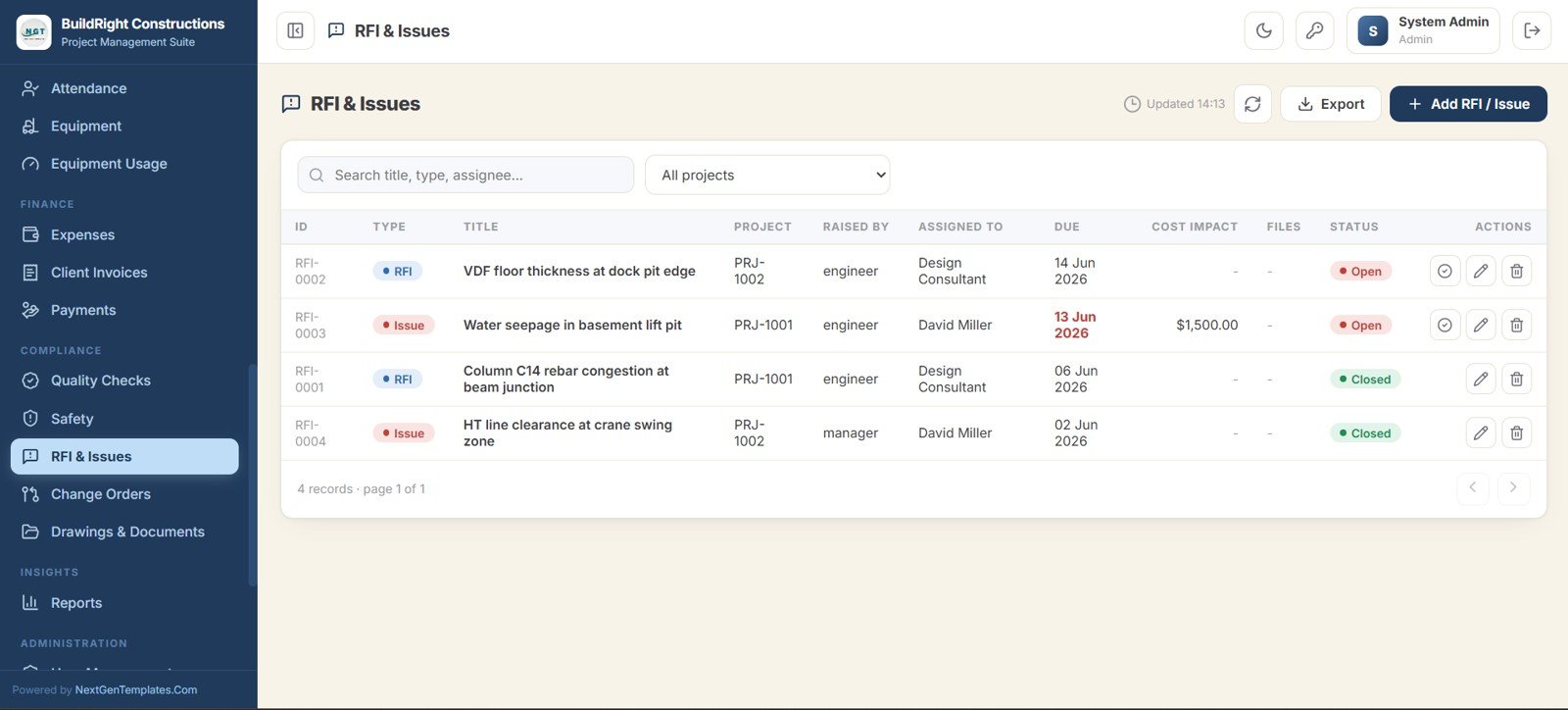
29. RFI and Issues
Tracks requests for information and site issues with the title, raised by, assigned to, due date, cost impact, and status.
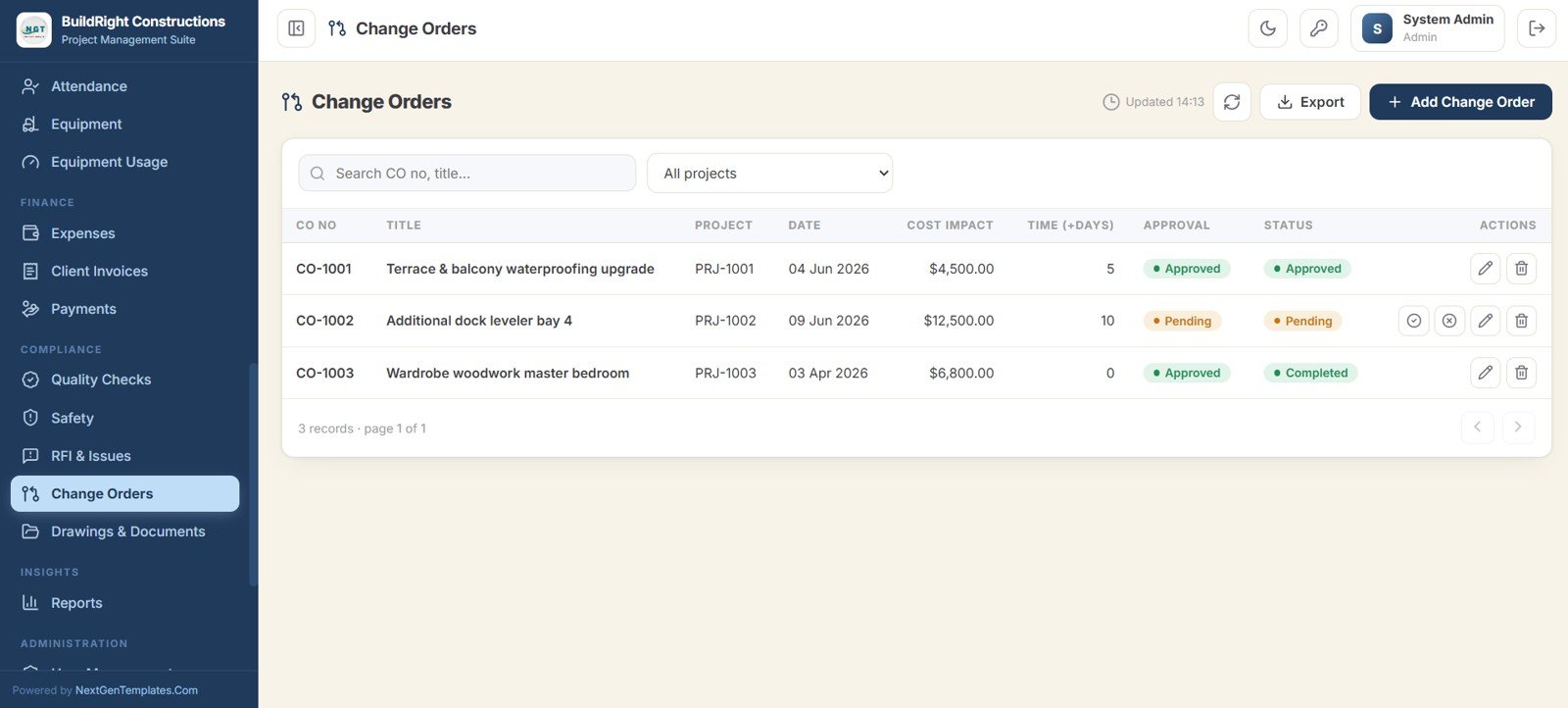
30. Change Orders
Captures every scope change with its cost impact, time impact in days, approval, and status, so variations never get lost.
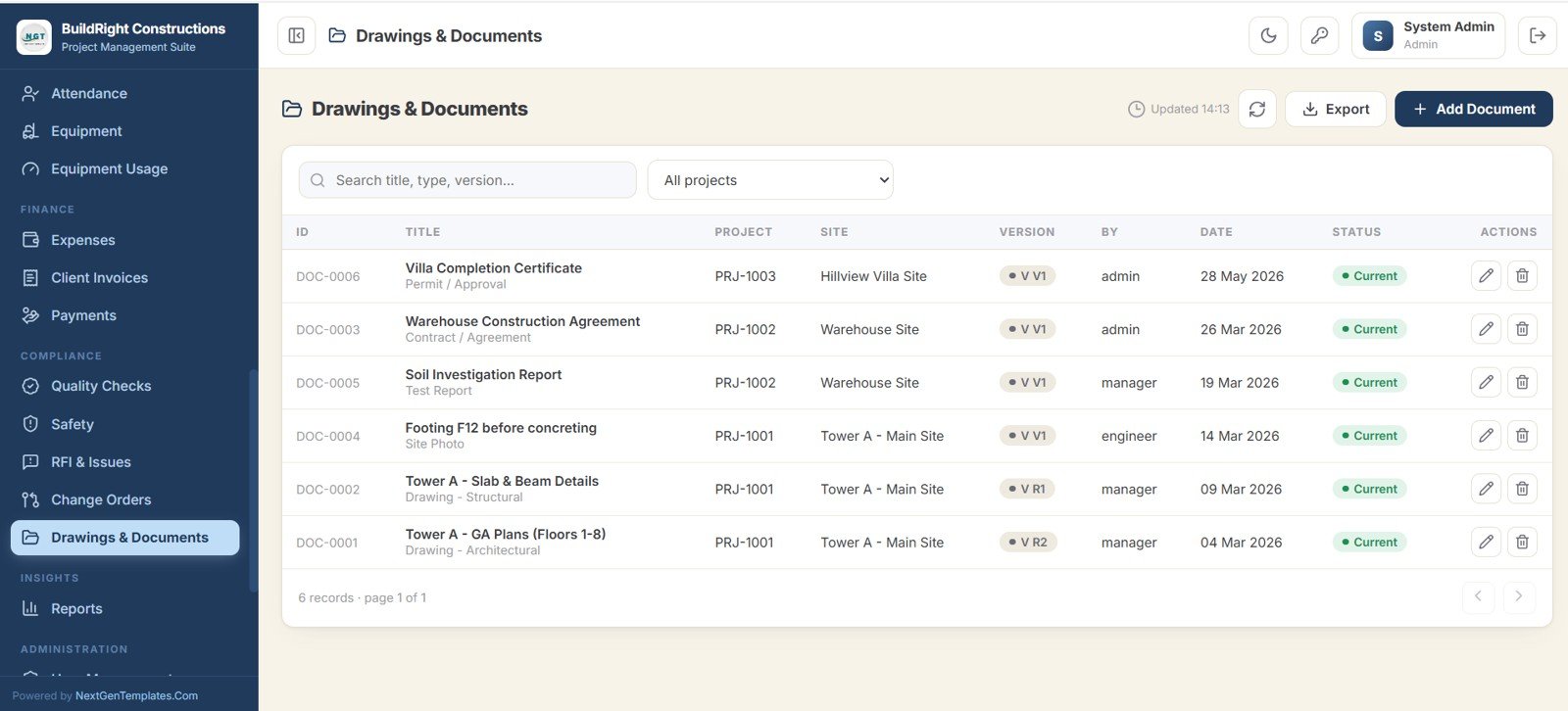
31. Drawings and Documents
A versioned library for all drawings, contracts, reports, and certificates, with the title, project, site, version, uploader, and status.
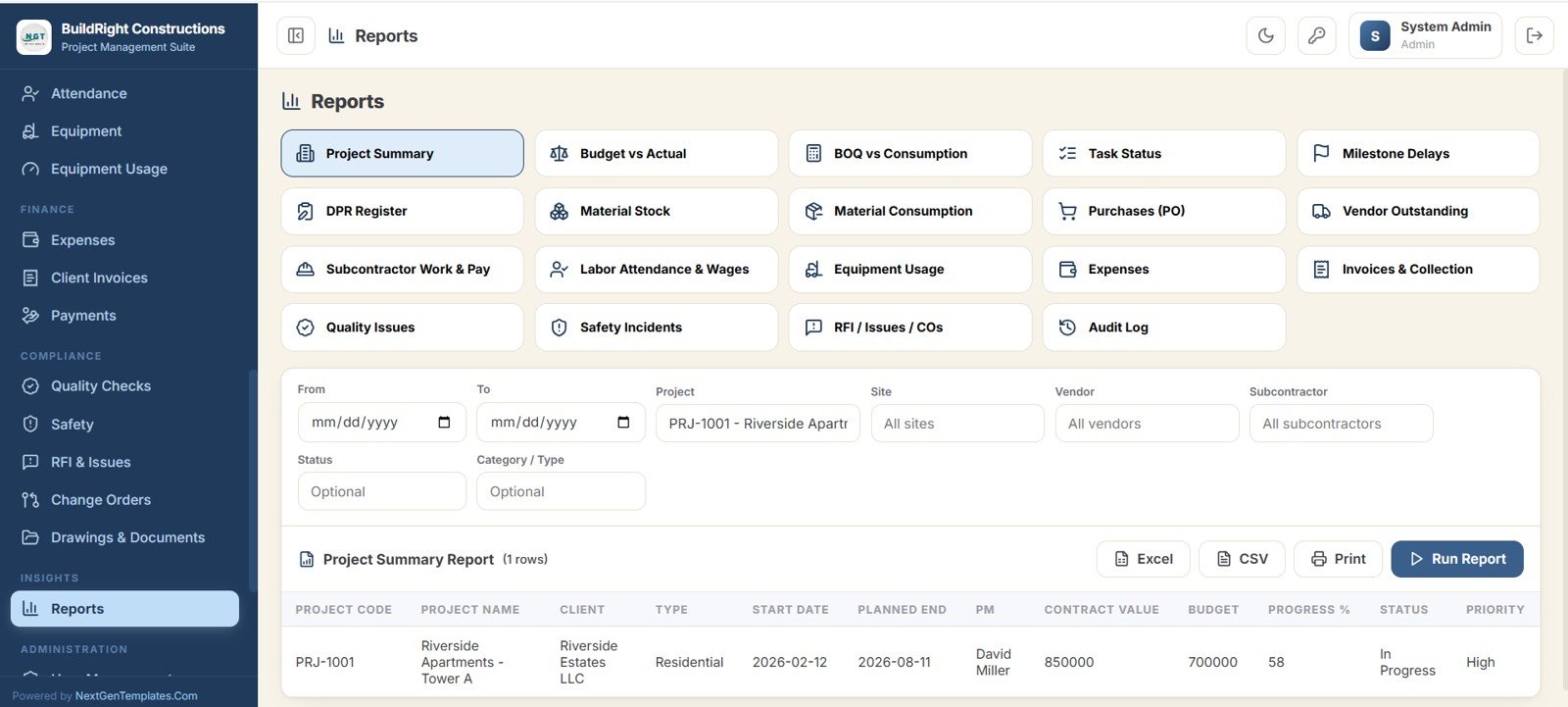
32. Reports
A central report center offering nearly 20 ready-made reports across projects, budget, materials, purchases, labor, equipment, finance, quality, and safety. Each report is filterable and exportable to Excel, CSV, or print.
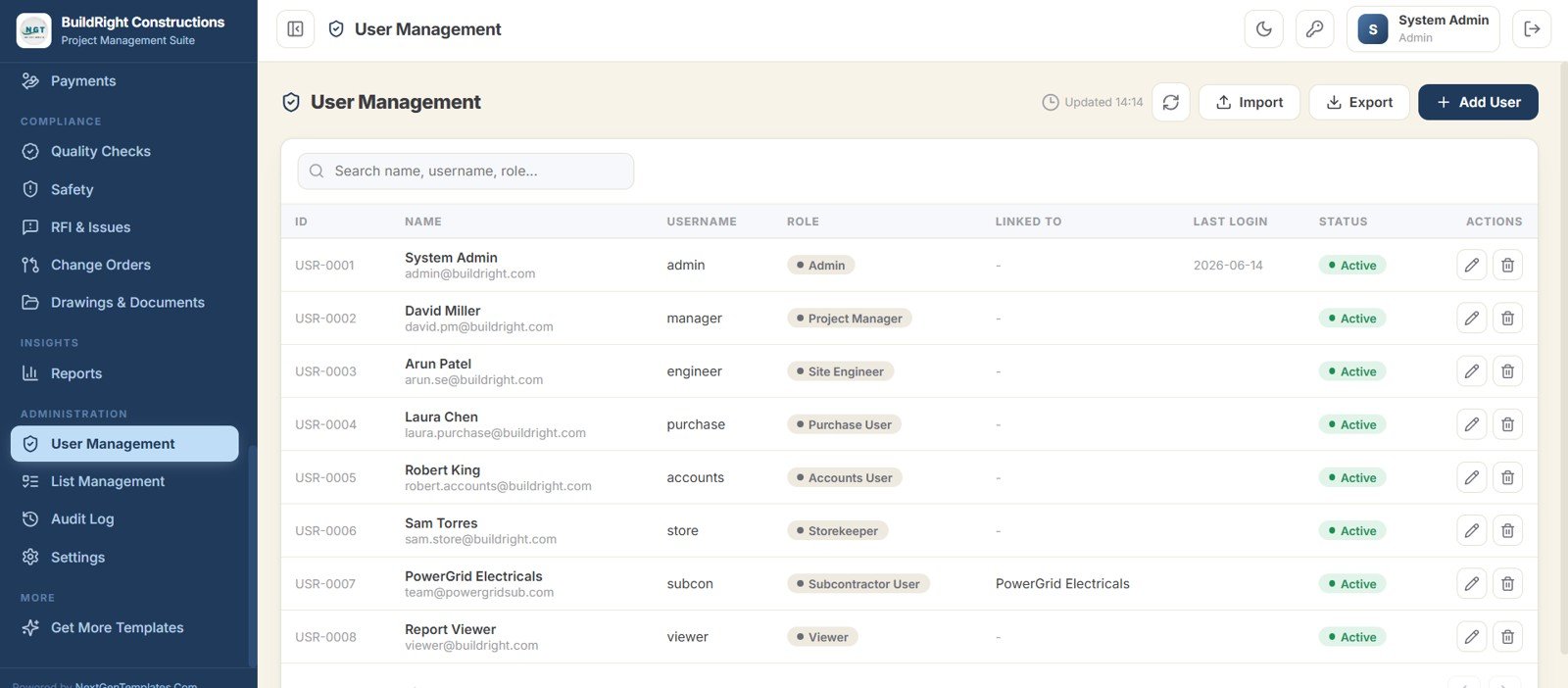
33. User Management
Add team members and assign roles such as Project Manager, Site Engineer, Purchase User, Accounts, Storekeeper, Subcontractor User, and Viewer for full role-based access control.
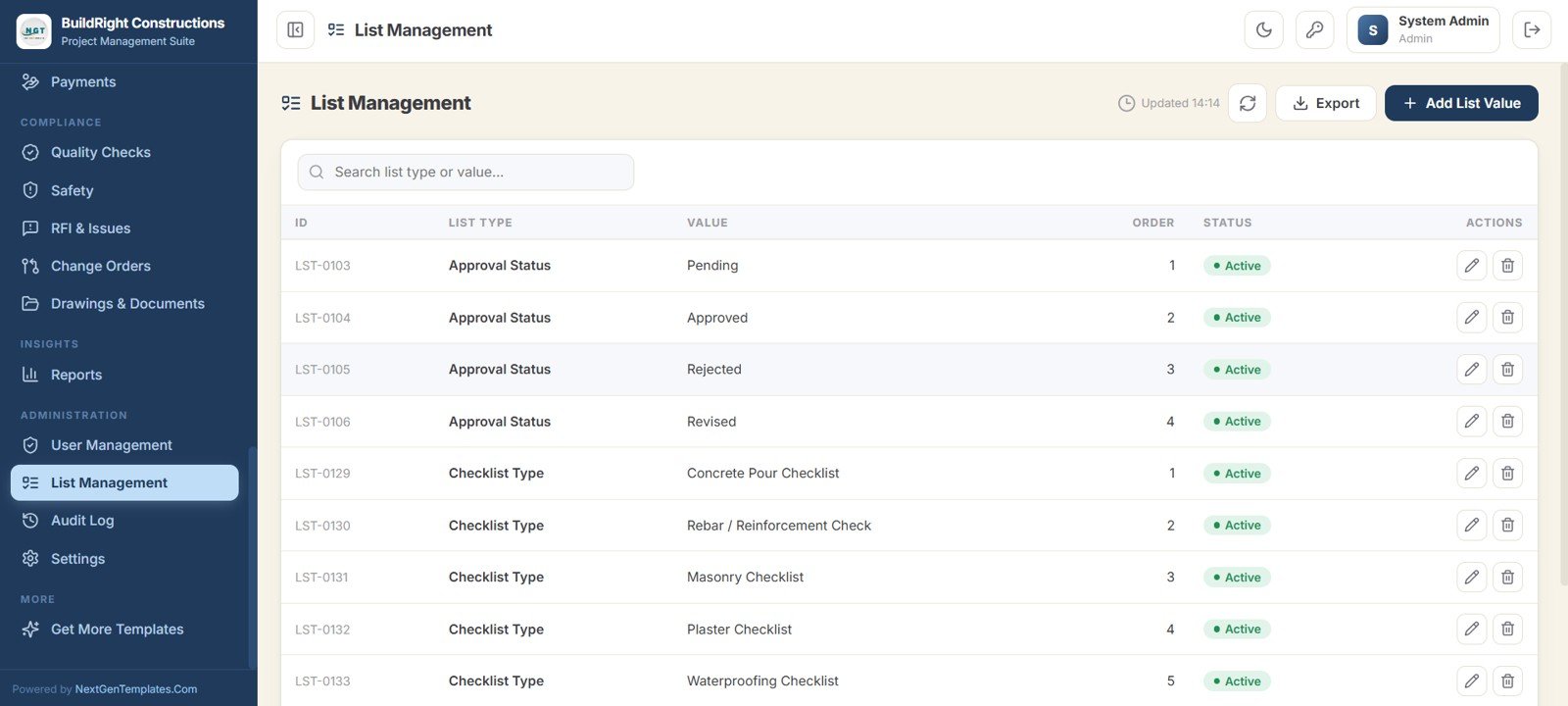
34. List Management
Configure the dropdown master lists used across the app, such as approval statuses and checklist types, with their order and status.
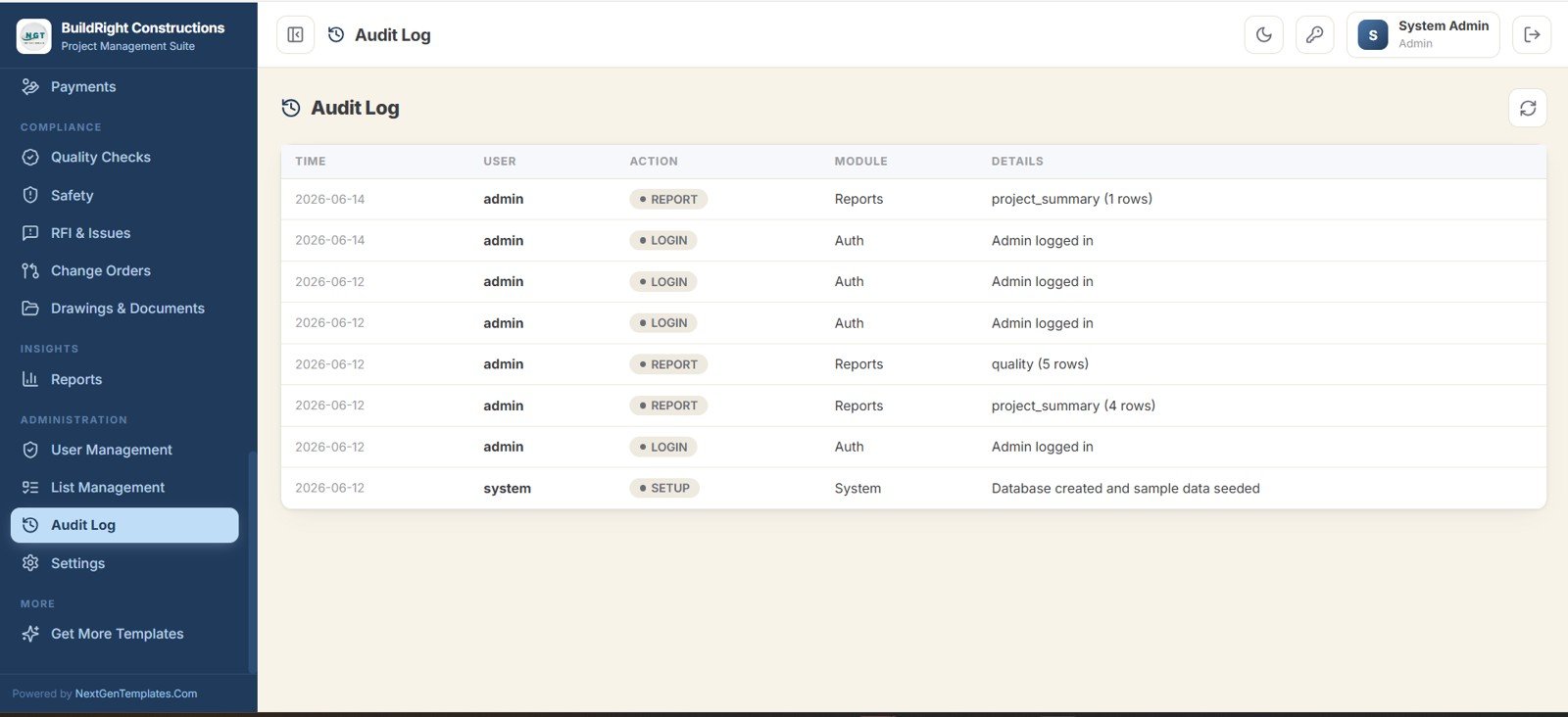
35. Audit Log
Records every important action taken in the system, showing the time, user, action, module, and details for full transparency.
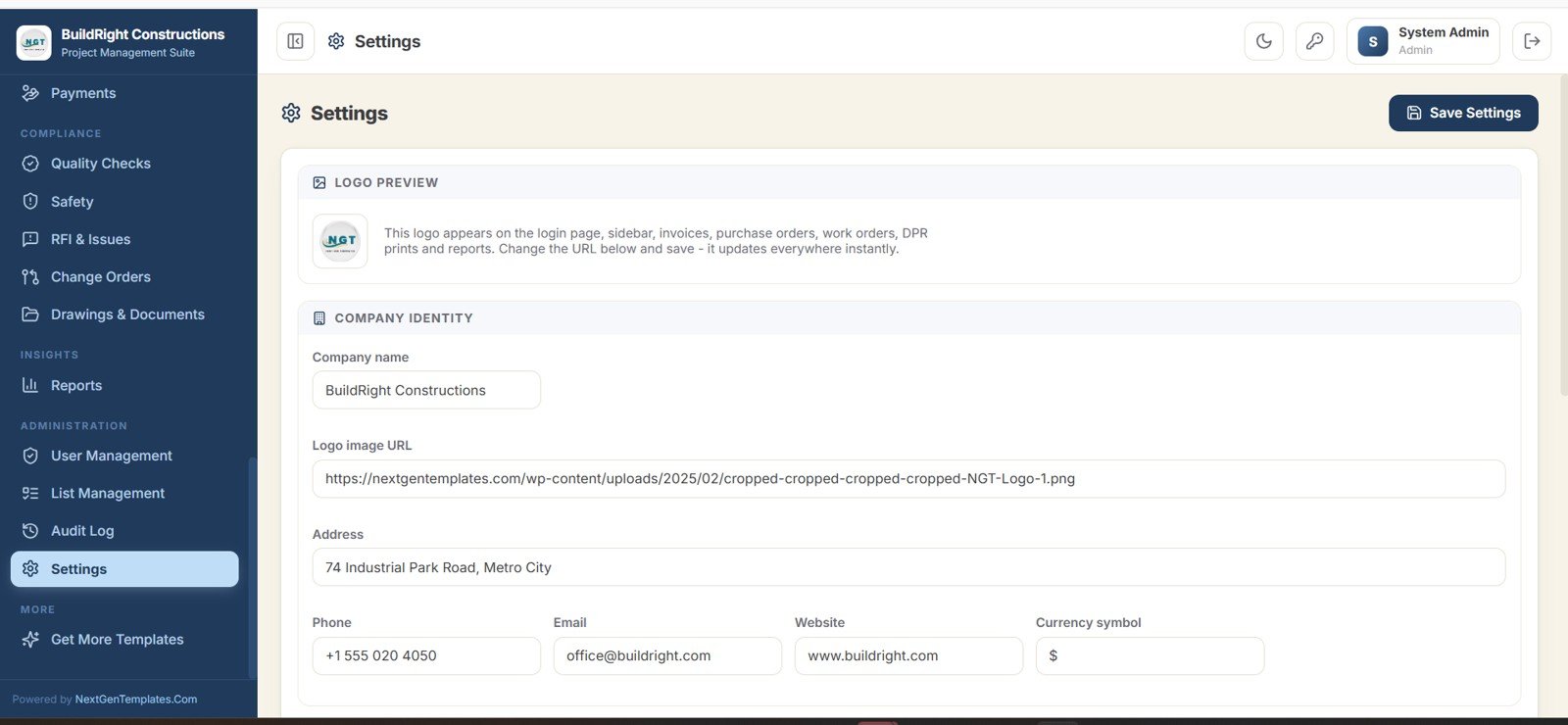
36. Settings
Configure your company identity and branding — name, logo, address, contact details, and currency symbol — which then appears across the login page, sidebar, invoices, purchase orders, and reports.
📊 Construction Project Management System Web App vs. Excel/VBA Tool vs. Procore / Buildertrend — Where This Fits
| Feature | Construction Project Management System Web App | Excel / VBA Construction Tool | Procore / Buildertrend (Paid SaaS) |
|---|---|---|---|
| Cost | $39.99 one-time | $15-40 one-time | $300-1,000+ / month |
| Platform | Google Sheets + Apps Script (browser) | Desktop Excel with macros | Vendor cloud platform |
| Multi-user with login | ✅ 7 roles, browser login | ❌ Single-file, no real login | ✅ Yes |
| Setup time | Copy to Drive and deploy | Open file, enable macros | Weeks of onboarding |
| Mobile access | ✅ Any browser | ❌ Limited on mobile | ✅ Dedicated app |
| Customizable fields | ✅ Fully editable sheets and code | ✅ Editable workbook | ⚠️ Plan-dependent |
| You own the data | ✅ In your Google Drive | ✅ Your file | ❌ Vendor cloud |
| Year-1 cost at 5 users | $39.99 total | $15-40 total | $3,600-12,000+ |
For builders and contractors who want multi-user, browser-based project control without paying $300+ a month for SaaS, the Construction Project Management System Web App sits in the sweet spot.
👥 Who This Template Is For — and Who It’s Not For
✅ This web app is built for:
- Small and mid-size construction firms, contractors, and builders running 3-50 active projects who want one shared system instead of scattered spreadsheets.
- Project managers and site engineers who need DPRs, tasks, milestones, and a Gantt schedule that the office and site both see live.
- Purchase and stores teams managing materials, purchase requests, purchase orders, vendors, and a stock ledger.
- Owners who want procurement, finance, labor, equipment, quality, and safety in one place they fully own in Google Drive.
❌ This web app is NOT for:
- Large enterprises needing SOC 2, SSO, and audited compliance integrations — a platform like Procore is a better fit.
- Teams that need BIM model coordination, 3D takeoff, or automated accounting integrations out of the box.
- Anyone who wants a zero-setup hosted SaaS and is happy to pay a monthly per-user fee for it.
⚙️ How to Use the Construction Project Management System Web App
1️⃣ Open the PDF guide in your download and click the “Make a Copy” link to add the system to your own Google Drive.
2️⃣ Follow the deployment guide to publish the Apps Script project as a web app and copy your private app URL.
3️⃣ Sign in with the default admin login from the guide, then open Settings to add your company name, logo, address, and currency.
4️⃣ Add your team in User Management and assign each person a role, then configure dropdown lists in List Management.
5️⃣ Create your projects, sites, clients, and BOQ, then let the site team record DPRs, tasks, materials, purchases, labor, and payments day to day.
6️⃣ Review the dashboard, charts, calendar, and Reports center to track budget, progress, cash, quality, and safety.
💼 Real-World Use Cases
Rohan runs a 12-project residential contracting firm. His site engineers file Daily Progress Reports with photos from their phones, the purchase desk converts site requests into purchase orders, and Rohan watches Budget vs Actual Cost and Receivable on the dashboard — without paying for a per-user SaaS seat for every engineer.
Meera is a project manager at a commercial fit-out company. She uses the Gantt schedule and Milestones screen to track delays in days, the RFI and Issues screen to chase design queries, and Change Orders to keep variation costs and time impact visible to the client.
Imran handles accounts and stores for a small infrastructure builder. He reconciles vendor payable, subcontractor payable, and client invoices in the finance module, while the stock ledger and low-stock alerts keep cement and steel from running out mid-pour.
❓ Frequently Asked Questions
Is the Construction Project Management System Web App really multi-user?
Yes. The Construction Project Management System Web App uses a secure login with 7 roles — Project Manager, Site Engineer, Purchase User, Accounts, Storekeeper, Subcontractor User, and Viewer — so multiple people work in the same system at once with role-based access.
What technology does it run on?
It is built on Google Sheets as the database and Google Apps Script as the application. You deploy it from your own Google Drive and access it in any browser, so there is no software to install and no hosting to buy.
How many screens and modules are included?
The Construction Project Management System Web App includes 36 screens covering the dashboard, charts, calendar, Gantt schedule, projects, clients, sites, BOQ, tasks, milestones, DPRs, materials, stock, purchasing, vendors, subcontractors, labor, equipment, finance, quality, safety, documents, reports, and administration.
How does this compare to Procore or Buildertrend?
Procore and Buildertrend are powerful but cost $300-1,000+ per month. The Construction Project Management System Web App is a $39.99 one-time purchase you own and customize yourself — ideal for small and mid-size builders who want core project control without a monthly subscription.
Can I customize the fields, roles, and branding?
Yes. The sheets and the Apps Script code are fully editable. You can change company branding in Settings, manage roles in User Management, and adjust dropdown lists in List Management to match your workflow.
How long does setup take?
Most teams are running within an hour: copy the file to Google Drive, deploy the web app using the included guide, set your branding, add users, and start entering projects.
👤 About the Author
Built by PK — Microsoft Certified Professional with 15+ years of Excel, Google Sheets, and Power BI experience. Founder of NextGenTemplates, reaching 300K+ subscribers across YouTube channels (@PK-AnExcelExpert, @NextGenTemplates, @NeoTechNavigators). Every template is hand-built and tested before release.
🔗 Explore Related Templates
If the Construction Project Management System Web App fits your team, explore these related tools on NextGenTemplates:
📌 Daily RFQ and Quote Comparison Management System Web App — run vendor quote comparisons before raising purchase orders.
📌 CRM and Sales Pipeline Management System Web App — manage construction leads and client follow-ups in the same web-app style.
📌 Construction Project Cost Dashboard in Excel — a focused budget-vs-actual cost view for finance reviews.
📌 Flooring and Tiles Dashboard in Excel — trade-specific analytics for finishing contractors.
📌 Browse all Google Sheets Web Apps and Project Management templates for more multi-user tools.
📖 Click here to read the Detailed Blog Post<
Watch the step-by-step video Demo:
🎥 Visit our YouTube channel for step-by-step video tutorials
👉 YouTube.com/@NextGenTemplates
📅 Last updated: June 2026