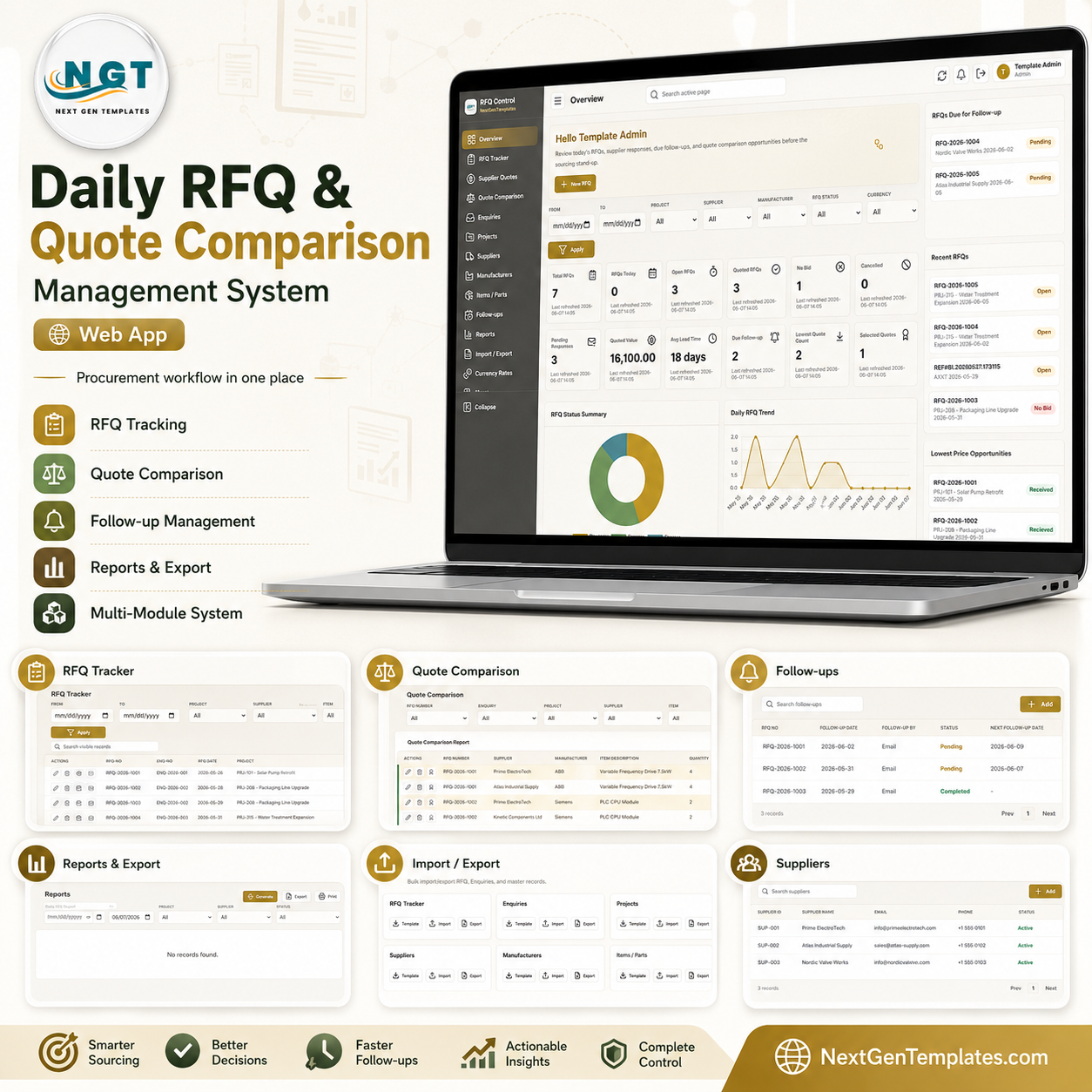



The Daily RFQ and Quote Comparison Management System is a multi-user Google Sheets web app that runs your full sourcing cycle across 16 connected modules — RFQ Tracker, Quote Comparison, Enquiries, Projects, Suppliers, Manufacturers, Items/Parts, Follow-ups, Reports, and 18 ready-made sourcing reports. The Overview dashboard surfaces 12 live KPIs (Total RFQs, Open, Quoted, No Bid, Pending Responses, Quoted Value, Avg Lead Time, Lowest Quote Count and more), and the Quote Comparison engine highlights the lowest price, shortest lead time, and best MOQ across matching supplier quotes in different currencies.
🌍 Join 8,400+ teams in 40+ countries using NextGenTemplates to replace paid SaaS tools with one-time-purchase Excel, Google Sheets, Power BI, and HTML templates.
✅ Instant download · One-time payment · No subscription · No per-user fees · Lifetime access
🔑 Key Features of the Daily RFQ and Quote Comparison Management System
🔹 Role-based login for unlimited users — Sign in with a username and password (Admin or Sourcing User roles). Admins manage users, list values, and settings; Sourcing Users handle RFQs, quotes, and follow-ups. There are no per-seat fees because the app runs inside your own Google account.
🔹 12-KPI sourcing Overview — The home screen tracks Total RFQs, RFQs Today, Open RFQs, Quoted RFQs, No Bid, Cancelled, Pending Responses, Quoted Value, Avg Lead Time, Due Follow-up, Lowest Quote Count, and Selected Quotes, with date, project, supplier, manufacturer, status, and currency filters.
🔹 Quote Comparison engine — Place competing supplier quotes for the same RFQ line side by side, with quantity, UOM, unit price, currency, and total price. The report highlights the lowest price, shortest lead time, and best MOQ so you award the right supplier in seconds.
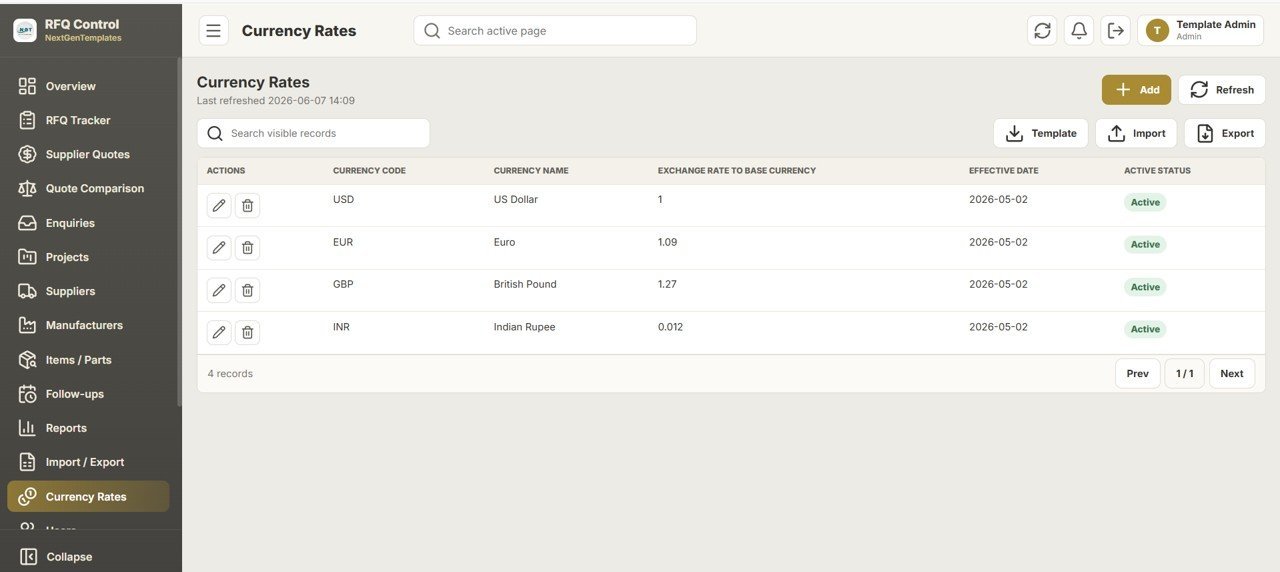
🔹 Multi-currency by design — A Currency Rates module stores USD, EUR, GBP, INR, and any code you add, each with an exchange rate to a base currency. Quoted values normalize to your base currency so a GBP quote and a USD quote compare fairly.
🔹 Full master data and 18 built-in reports — Maintain Suppliers, Manufacturers, Items/Parts, and Projects once, then generate Daily RFQ, RFQ Status, Open/Quoted/No-Bid, Project-wise, Item-wise, Supplier-wise, Lead Time Comparison, MOQ Comparison, Follow-up Pending, and Quoted Value reports, all printable and exportable.
📦 What’s Inside the Daily RFQ and Quote Comparison Management System
Secure Login & Sourcing Workspace
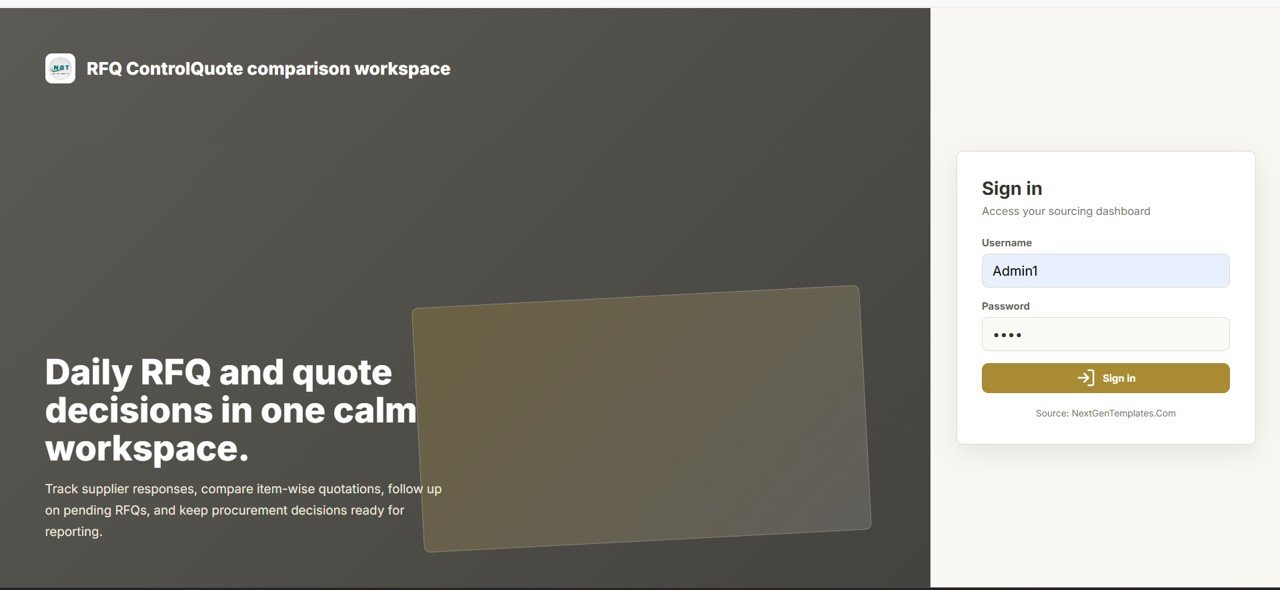
A clean sign-in screen gates the app behind username and password access. The tagline “Daily RFQ and quote decisions in one calm workspace” sets the tone: track supplier responses, compare item-wise quotations, follow up on pending RFQs, and keep procurement decisions ready for reporting.
Overview Dashboard — KPI Cards & Filters
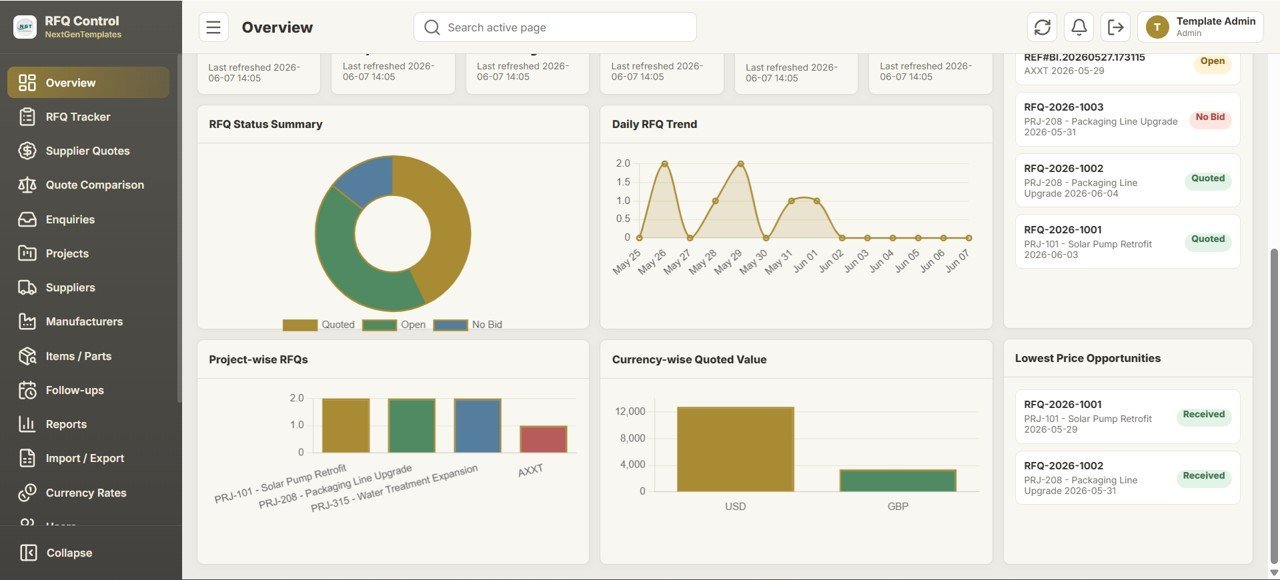
The Overview page greets each user by name and shows 12 KPI cards alongside an “RFQs Due for Follow-up” panel and a “Recent RFQs” feed. A filter bar (From, To, Project, Supplier, Manufacturer, RFQ Status, Currency) plus an Apply button drives every card, and a New RFQ button starts a request instantly.

🚀 Try the Live Demo Before You Buy
We have deployed this web app in our own Google account so you can test every page, every role — with real sample data — before purchasing. No signup, no email required.
🔑 Test Login Credentials
Sign in as Admin1 to manage users, suppliers, RFQs, quotes, lists, settings, reports, imports, and exports — or as User1 to create and update RFQs, add supplier quotes, update quotation status, and view the dashboard and reports.
💡 What you get after purchase: The full source code (Code.gs + Index.html) plus a step-by-step deployment guide so you can deploy your own private instance in your own Google account in under 15 minutes.
Overview Charts — Status, Trend & Price Opportunities
The lower Overview shows charts including RFQ Status Summary (Quoted, Open, No Bid donut), Daily RFQ Trend over time, Project-wise RFQs, and Currency-wise Quoted Value (USD vs GBP). A Lowest Price Opportunities panel flags RFQ lines where a received quote beats the rest.

RFQ Tracker
A searchable, filterable register of every RFQ line: RFQ-No, ENQ-No, RFQ Date, Project, Supplier Name, Manufacturer Part Number, and Item Description. Row actions let you edit, delete, compare, schedule a follow-up, or email a supplier, and Template / Import / Export buttons handle bulk data.

Quote Comparison Report
Select an RFQ, enquiry, project, supplier, item, or currency and click Compare. Matching quotes line up with Supplier, Manufacturer, Manufacturer Part Number, Item Description, Quantity, UOM, Unit Price, Currency, and Total Price, with the best rows highlighted so the award decision is obvious.

Enquiries
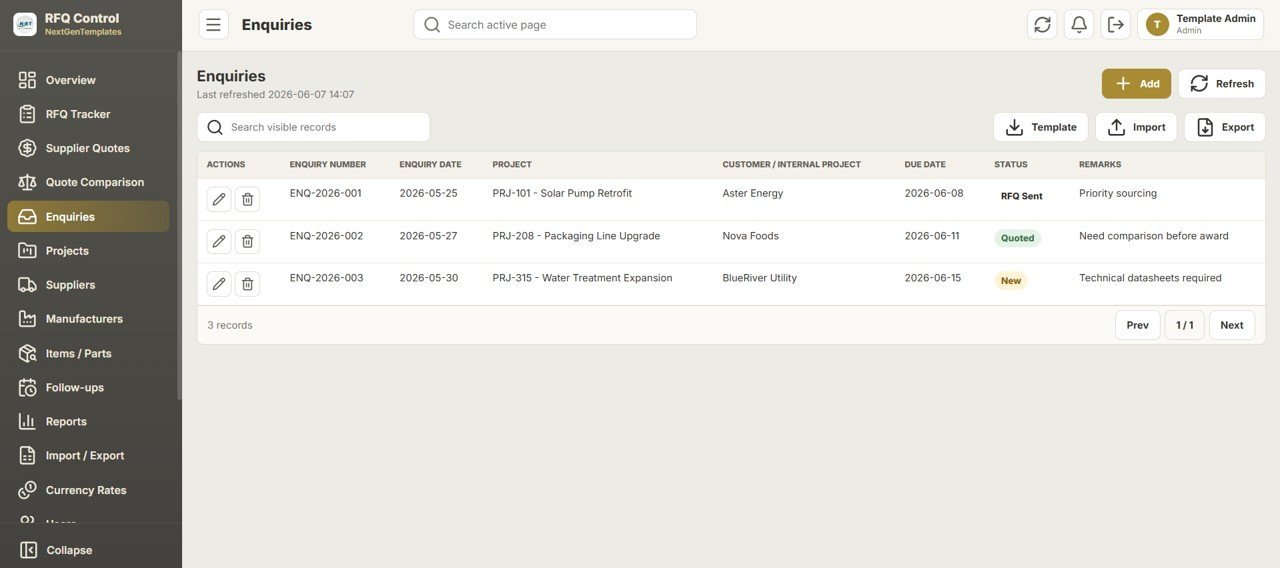
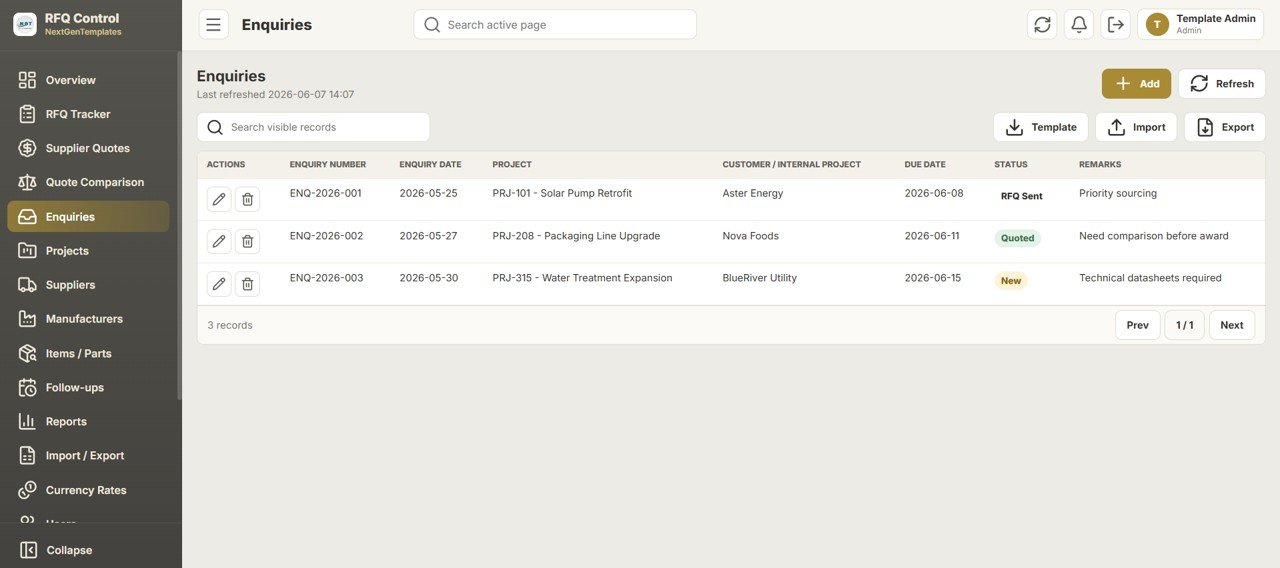
Track incoming customer or internal enquiries with Enquiry Number, Enquiry Date, Project, Customer / Internal Project, Due Date, Status (New, RFQ Sent, Quoted), and Remarks. Each enquiry becomes the parent for one or more supplier RFQs.
Projects
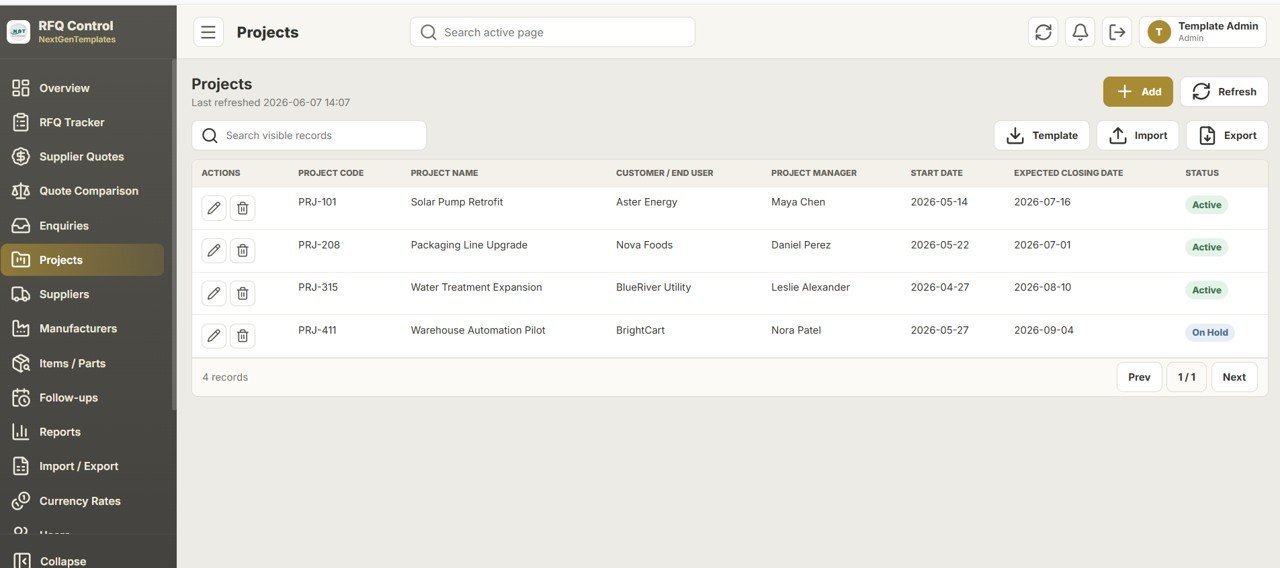
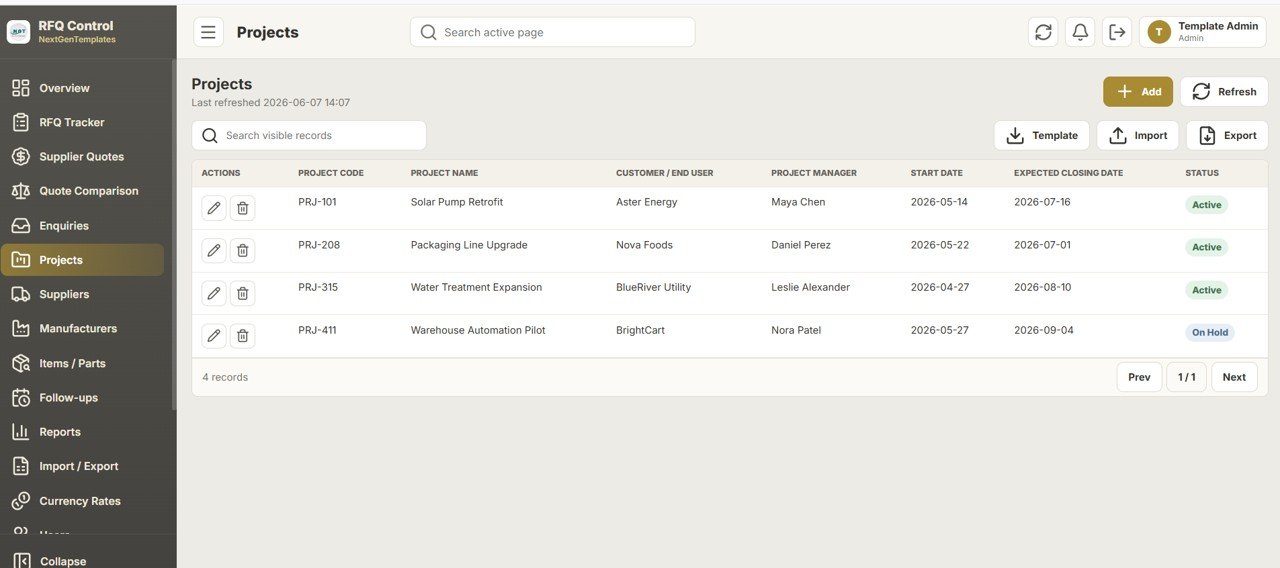
Store each sourcing project with Project Code, Project Name, Customer / End User, Project Manager, Start Date, Expected Closing Date, and Status (Active, On Hold). RFQs and enquiries link back to a project so reporting rolls up cleanly.
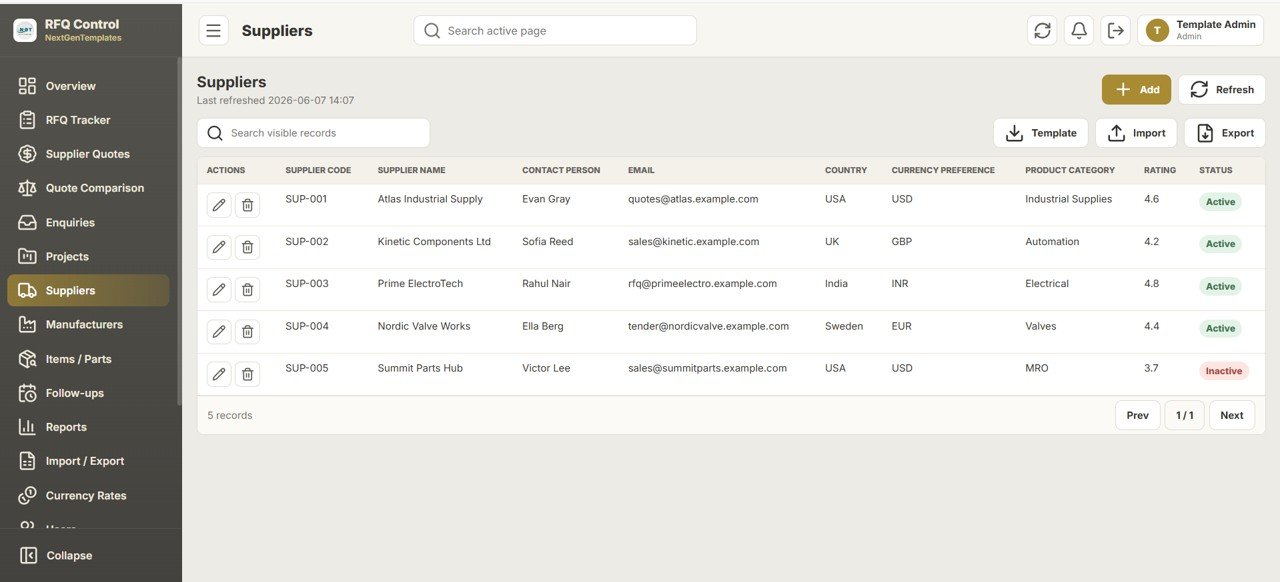
Suppliers
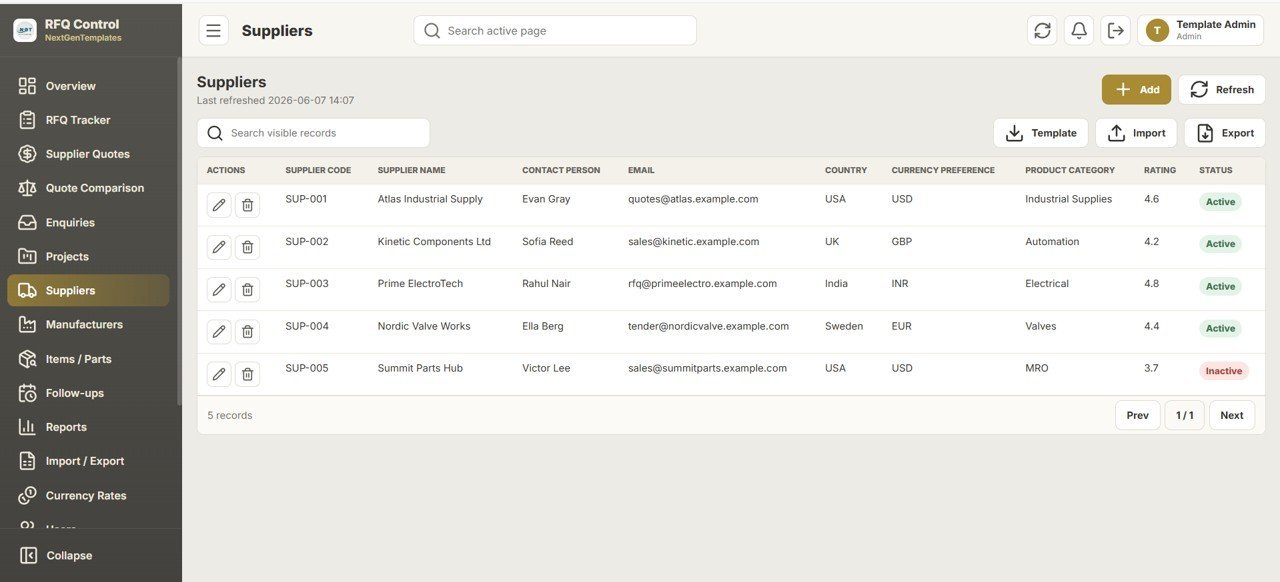
A supplier master with Supplier Code, Supplier Name, Contact Person, Email, Country, Currency Preference, Product Category, Rating, and Active/Inactive status. The email field powers one-click RFQ emails from the tracker.
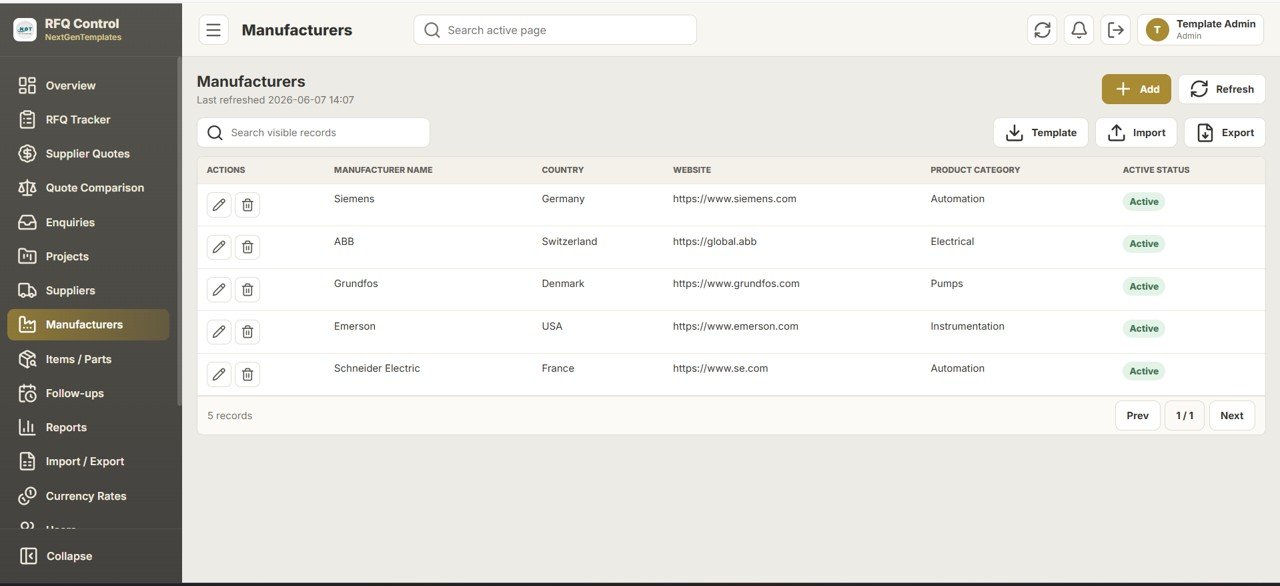
Manufacturers
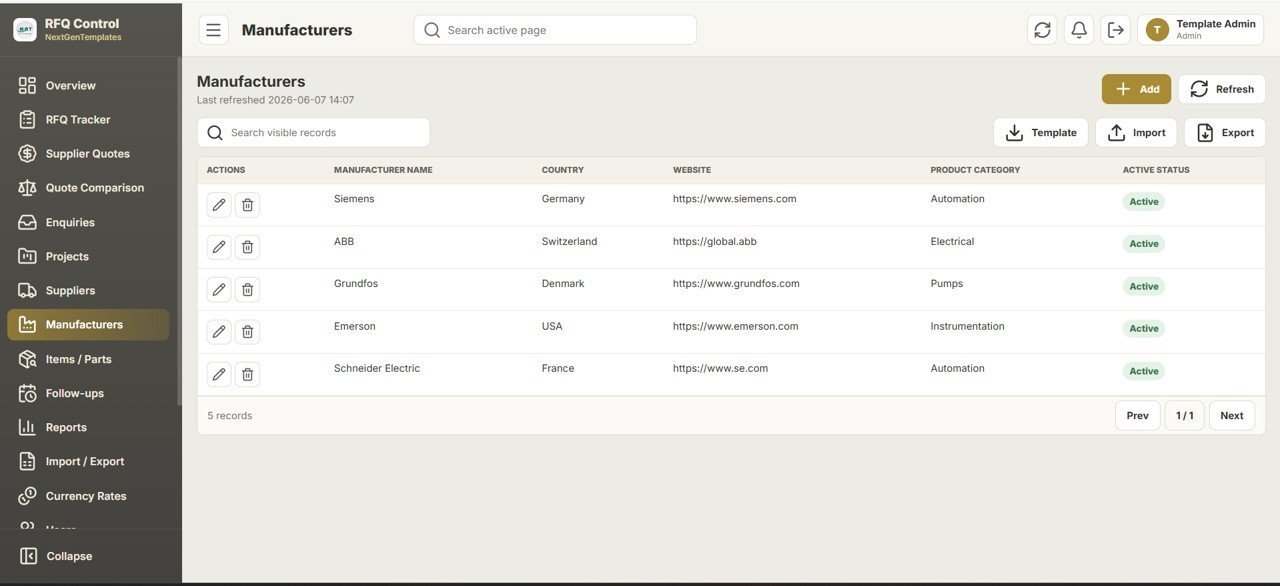
Keep an OEM list with Manufacturer Name, Country, Website, Product Category, and Active Status. Linking items to manufacturers lets you compare quotes for the same branded part across multiple suppliers.
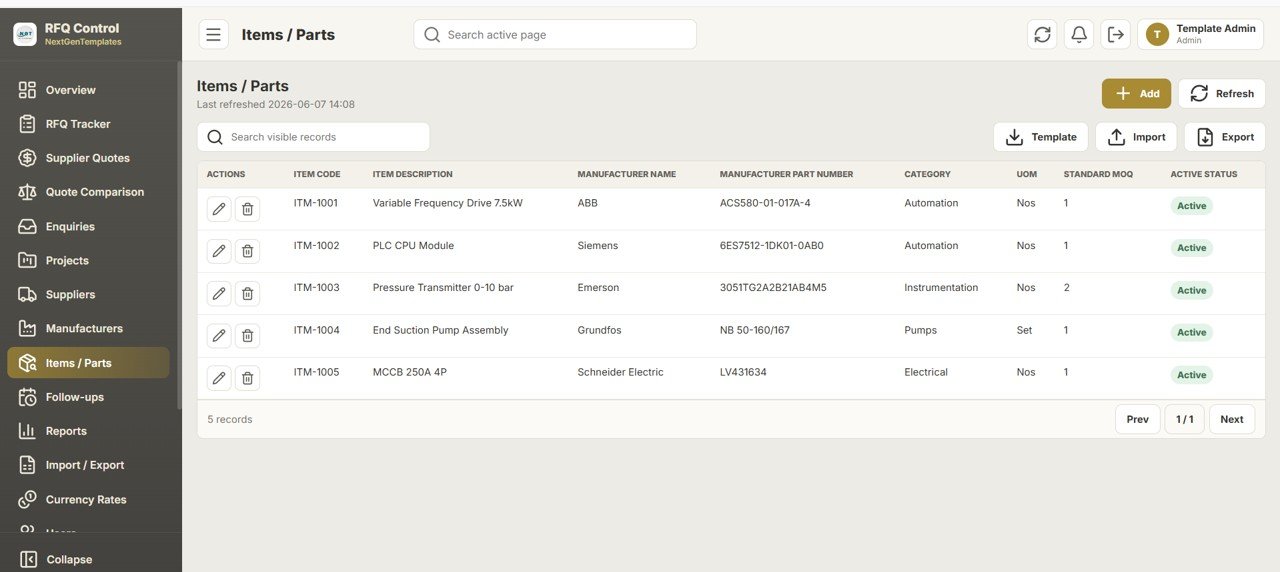
Items / Parts
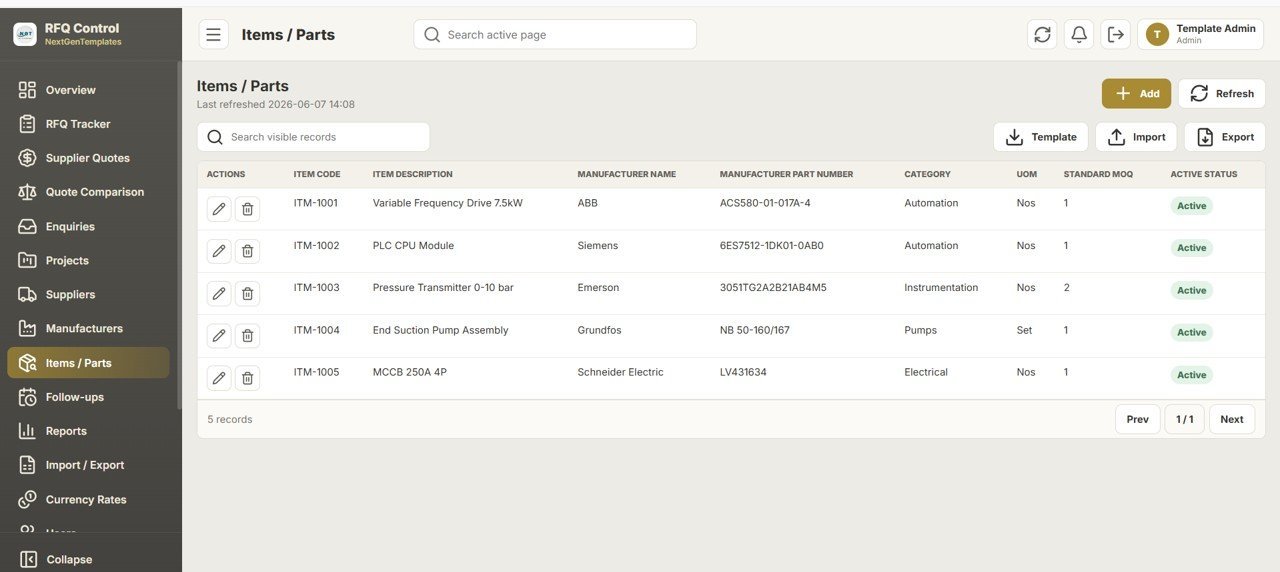
A part catalog with Item Code, Item Description, Manufacturer Name, Manufacturer Part Number, Category, UOM, Standard MOQ, and Active Status. Consistent item data is what makes the Quote Comparison engine match like-for-like.
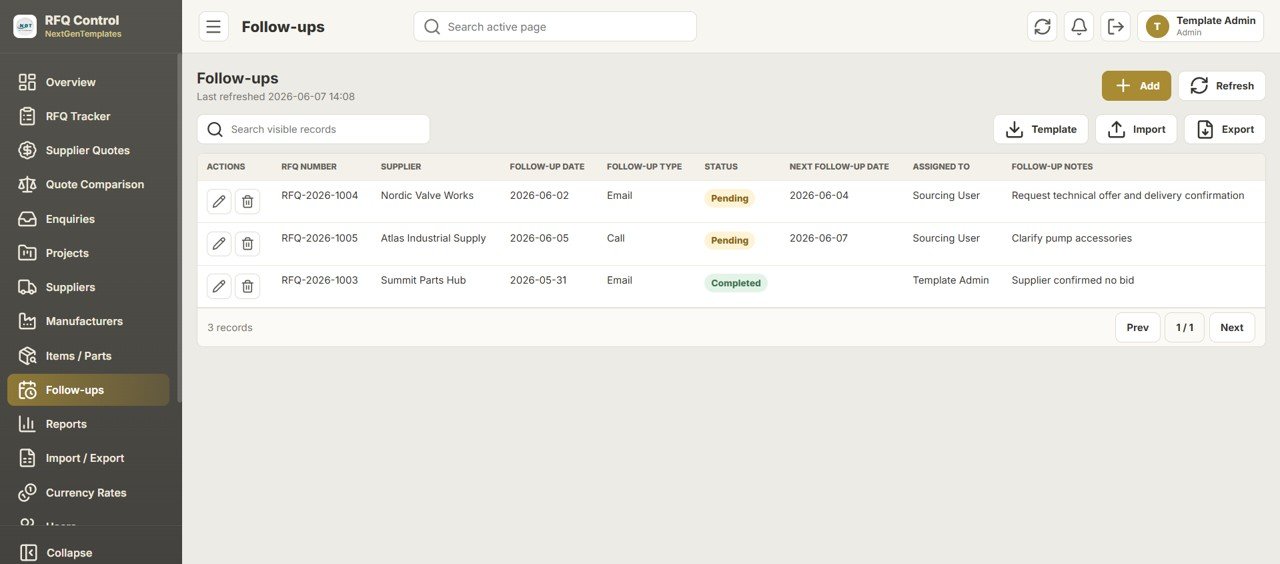
Follow-ups
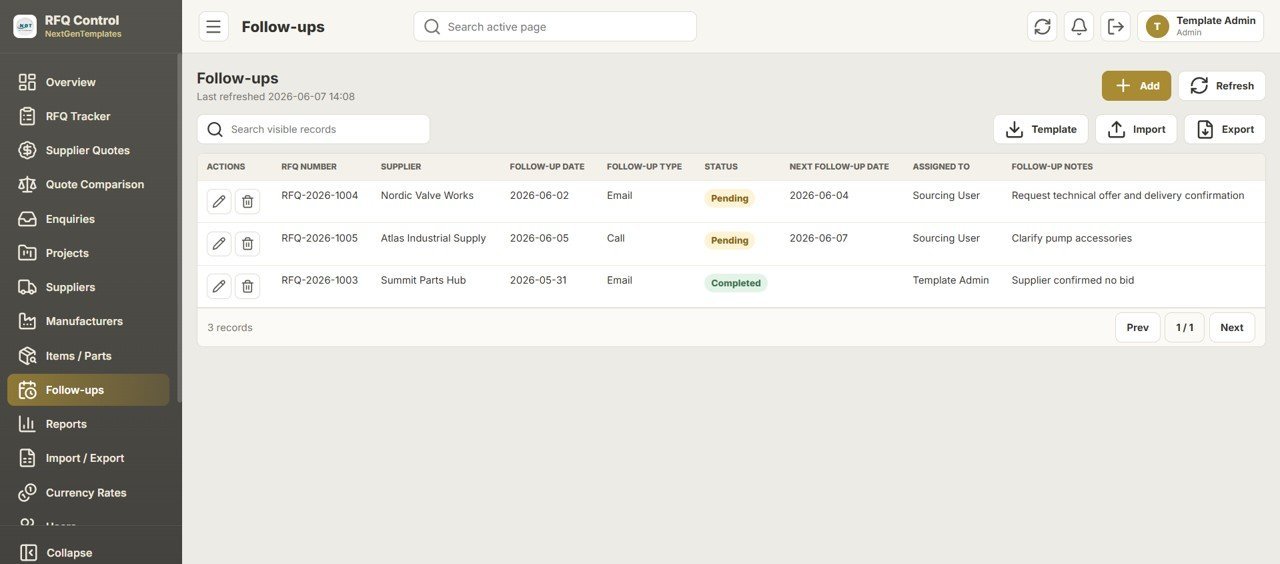
Never lose a pending quote: log Follow-up Date, Follow-up Type (Email, Call), Status (Pending, Completed), Next Follow-up Date, Assigned To, and notes against each RFQ. The Overview “Due Follow-up” KPI counts what is outstanding today.
Reports — 18 Sourcing Reports
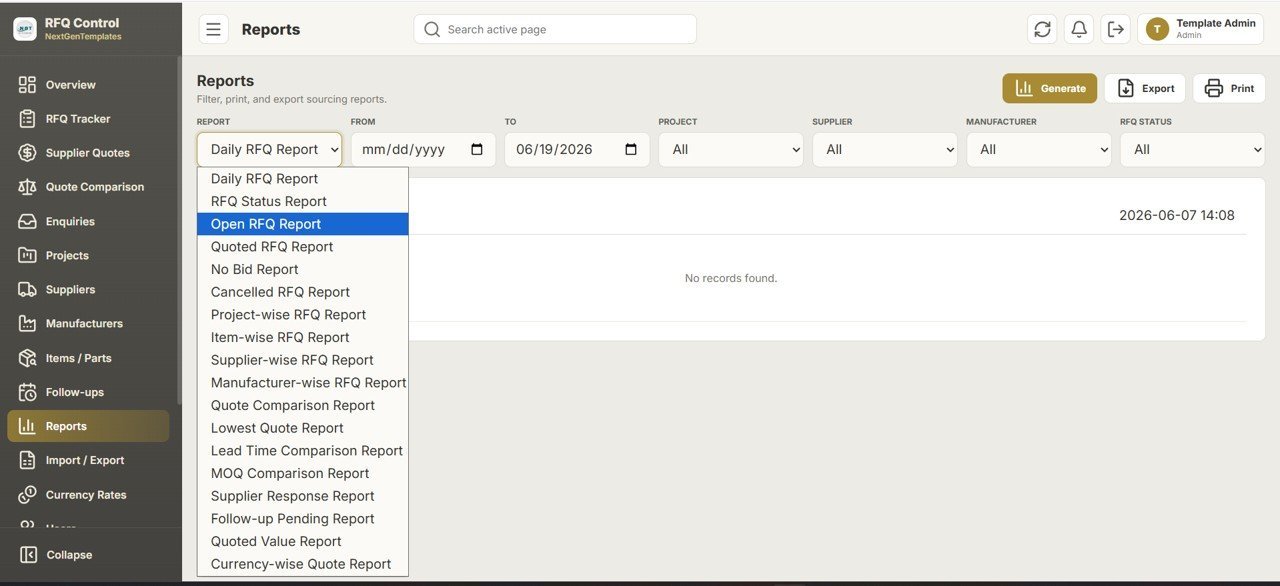
Choose from 18 reports including Daily RFQ, RFQ Status, Open RFQ, Quoted RFQ, No Bid, Cancelled, Project-wise, Item-wise, Supplier-wise, Manufacturer-wise, Quote Comparison, Lowest Quote, Lead Time Comparison, MOQ Comparison, Supplier Response, Follow-up Pending, Quoted Value, and Currency-wise Quote. Filter by date, project, supplier, manufacturer, or status, then Generate, Export, or Print.

Import / Export
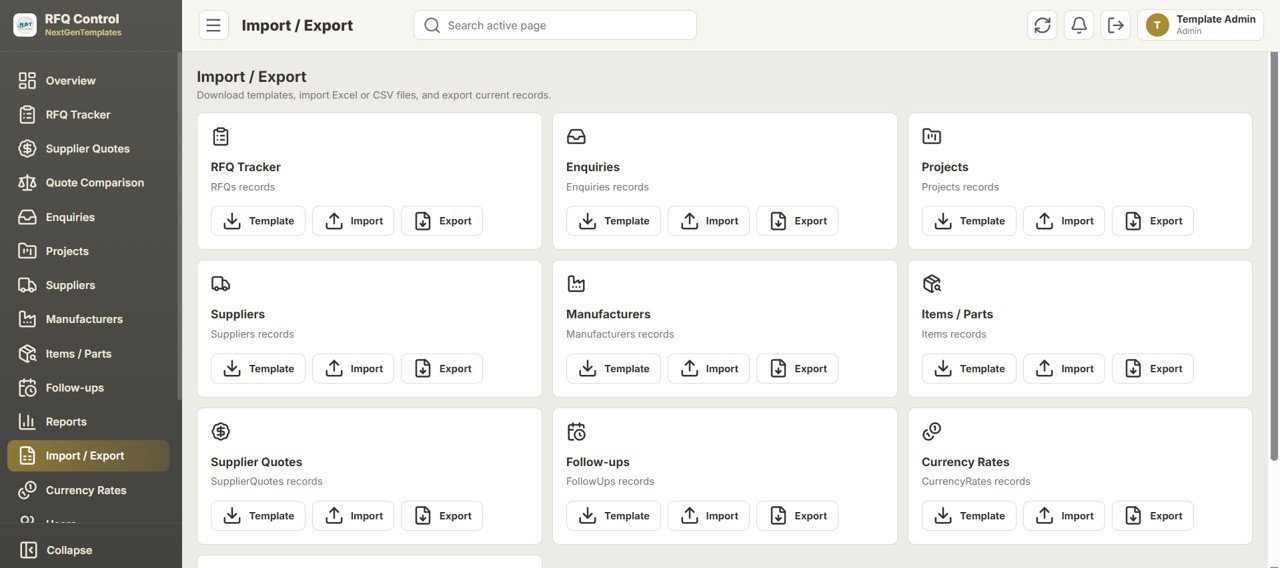
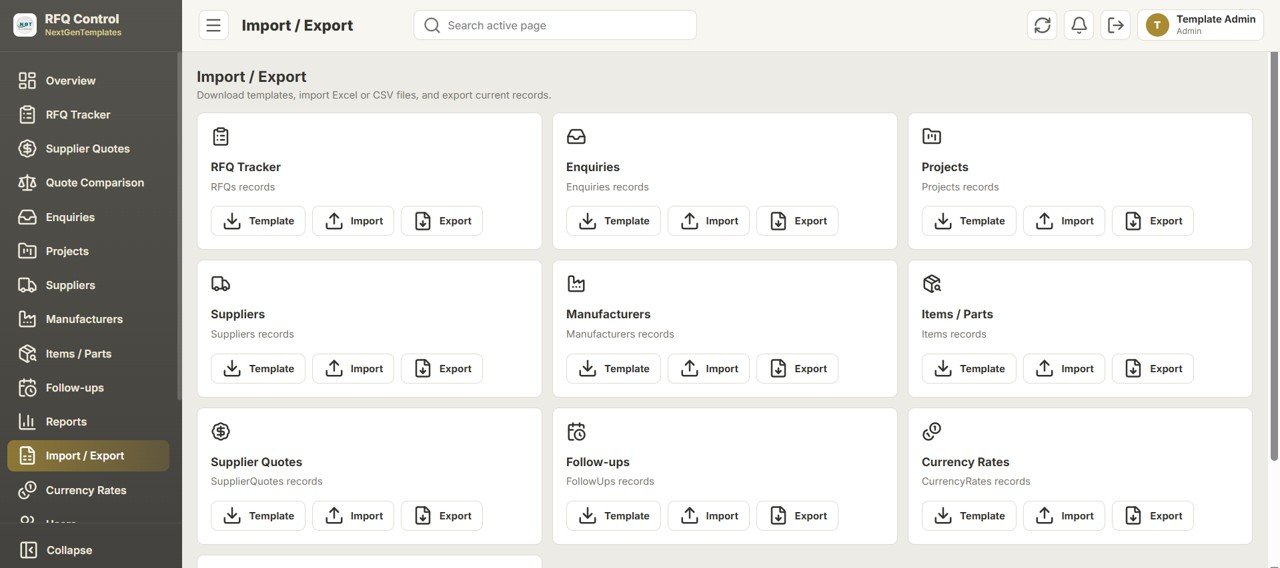
Every module has a card with Template, Import, and Export buttons — RFQ Tracker, Enquiries, Projects, Suppliers, Manufacturers, Items/Parts, Supplier Quotes, Follow-ups, and Currency Rates. Download a template, fill it in Excel or CSV, and import in bulk to migrate existing data fast.
Currency Rates
Maintain currency codes, currency names, exchange rate to base currency, effective date, and active status (USD, EUR, GBP, INR shown). These rates drive the Currency-wise Quoted Value chart and normalize multi-currency quote comparisons.

User Management
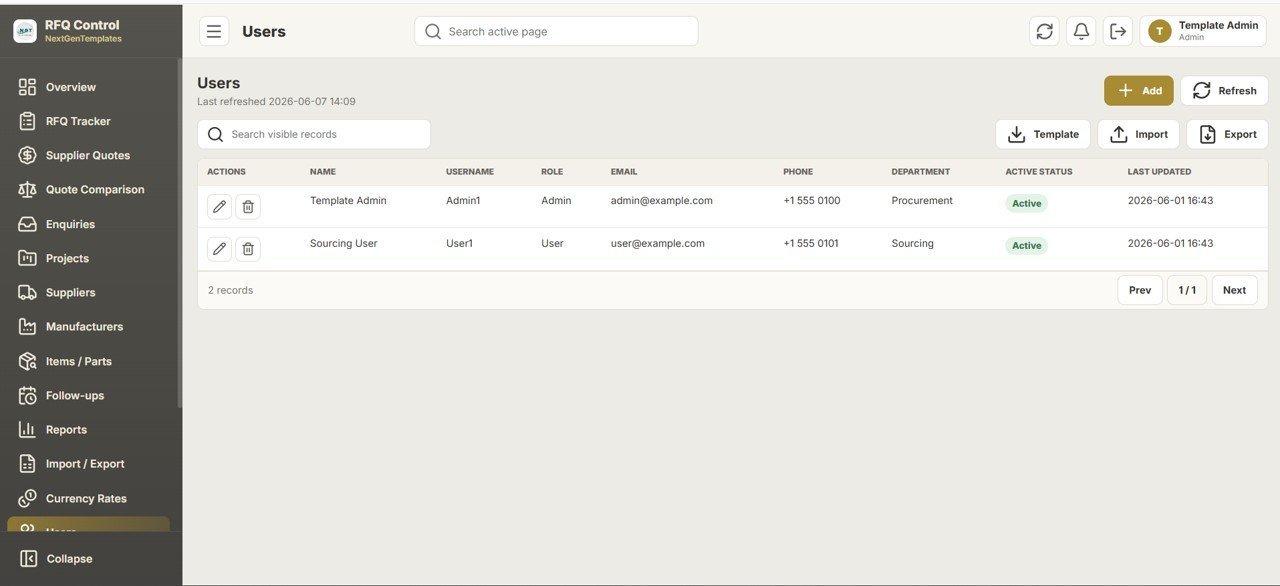
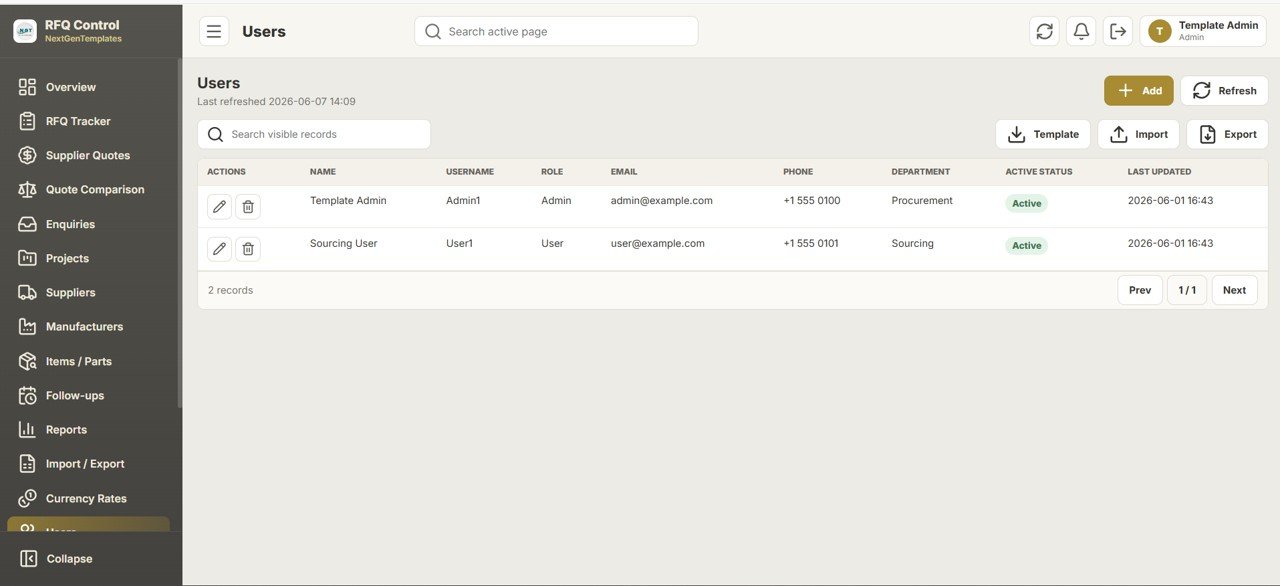
Admins add team members with Name, Username, Role (Admin / User), Email, Phone, Department, and Active Status. Because access is controlled inside your own Google account, you can add as many sourcing users as you need without extra licensing cost.
List Management
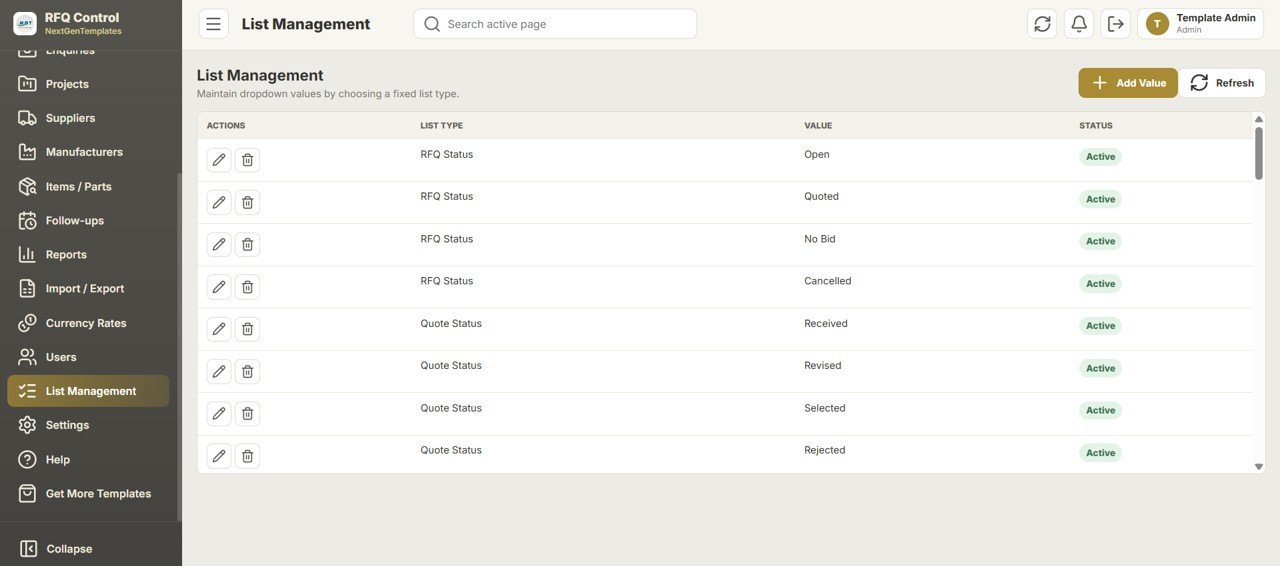
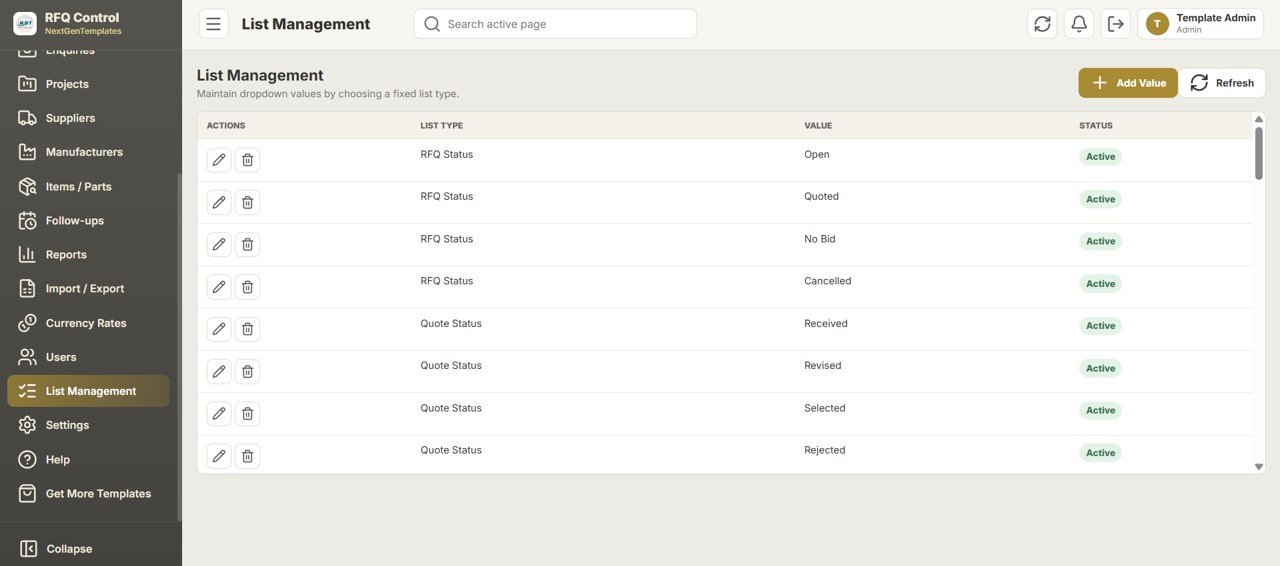
Maintain dropdown values from one place: RFQ Status (Open, Quoted, No Bid, Cancelled) and Quote Status (Received, Revised, Selected, Rejected). Editing a list value updates every dropdown across the app, keeping data clean and consistent.
Settings & Branding
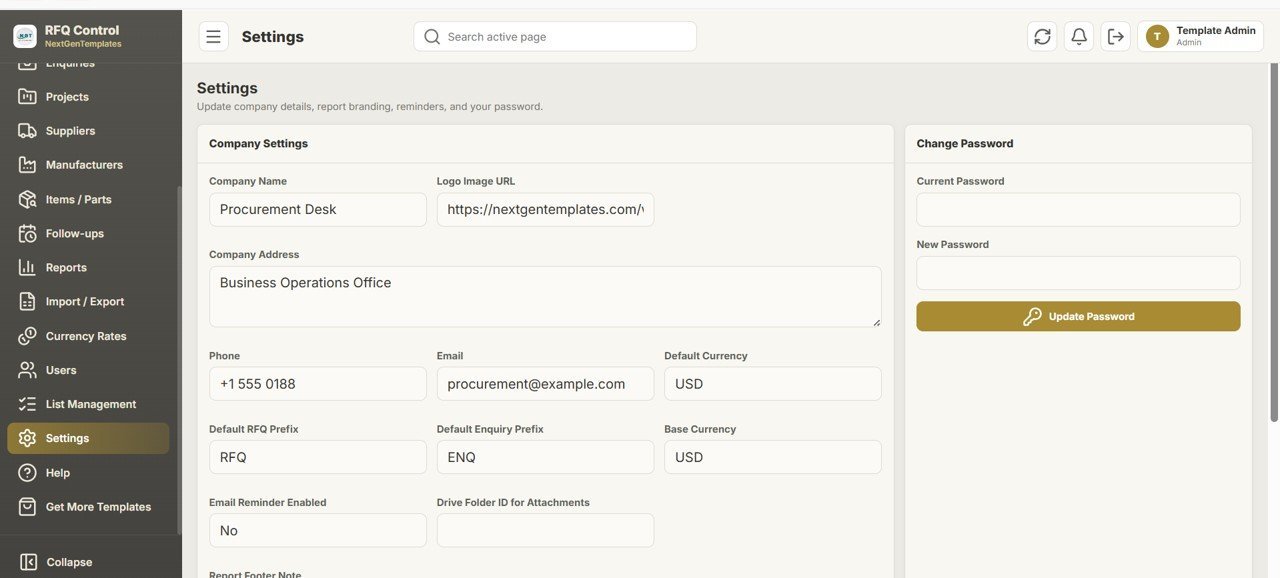
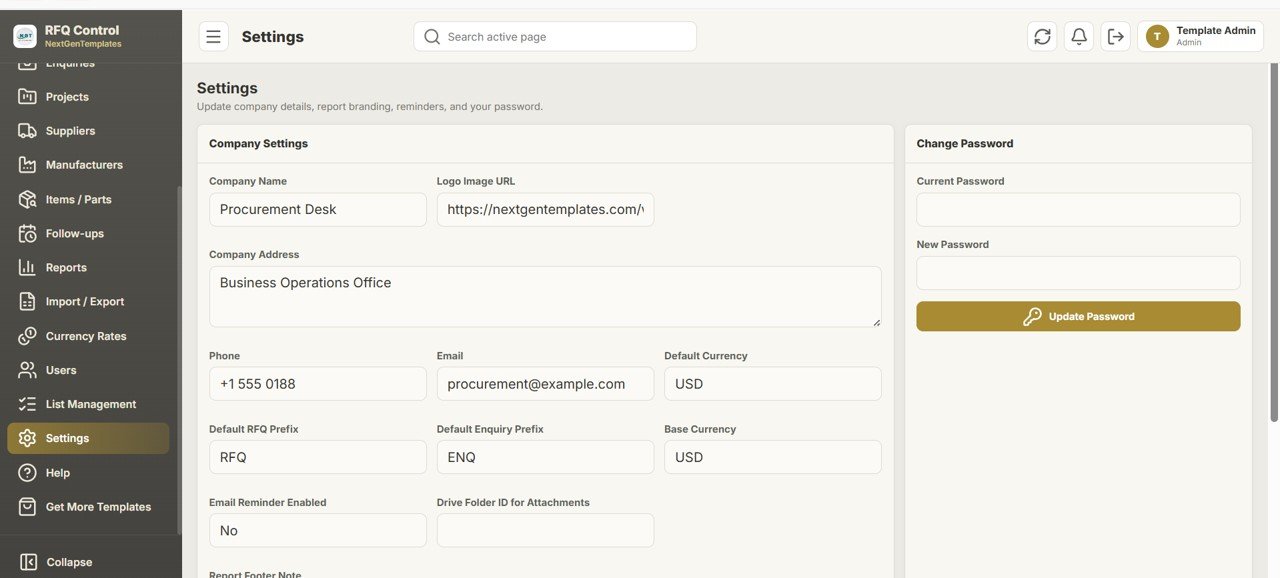
Configure Company Name, Logo URL, Address, Phone, Email, Default Currency, Default RFQ and Enquiry prefixes, Base Currency, an email-reminder toggle, a Drive Folder ID for attachments, and a report footer note. A separate Change Password panel keeps each account secure.
📊 RFQ Web App vs. Excel RFQ Tracker vs. Paid Procurement SaaS — Where This Fits
| Feature | Daily RFQ & Quote Comparison Web App | Excel / Manual RFQ Tracker | Paid Procurement SaaS (SAP Ariba / Coupa / Precoro) |
|---|---|---|---|
| Cost | $24.99 one-time | Low, but rebuilt per file | $30–150+ / user / month |
| Platform | Google Sheets + Apps Script web app | Desktop Excel file | Vendor cloud |
| Setup time | Under 15 minutes (Make a Copy + Deploy) | Hours of formula building | Weeks of onboarding |
| Multi-user with roles | ✅ Admin & Sourcing User logins | ❌ One file, one editor | ✅ Included |
| Quote comparison engine | ✅ Lowest price, lead time & MOQ highlighted | ⚠️ Manual sorting | ✅ Included |
| Multi-currency normalization | ✅ Built-in currency rates | ❌ Manual conversion | ✅ Included |
| Mobile / browser access | ✅ Any browser | ❌ Desktop only | ✅ Included |
| Data ownership | ✅ Your Google Drive | ✅ Your file | ❌ Vendor-hosted |
| Year-1 cost at 5 users | $24.99 total | Staff time only | $1,800–9,000+ |
For sourcing teams that want supplier quote comparison, follow-ups, and multi-currency reporting without paying per-seat SaaS fees, the Daily RFQ and Quote Comparison Management System sits in the sweet spot.
👥 Who This Template Is For — and Who It’s Not For
✅ This template is built for:
- Procurement and sourcing teams at SMBs, manufacturers, EPC firms, and trading companies running daily RFQs
- Buyers who collect competing supplier quotes in multiple currencies and need a fast award decision
- Solo procurement officers and small teams who want a multi-user system without a SaaS subscription
- Anyone already working in Google Workspace who wants their sourcing data inside their own Drive
❌ This template is NOT for:
- Enterprises that require SOC 2, SSO, e-signature approvals, and full ERP integration out of the box
- Teams that need automated PO issuance, three-way matching, and accounting posting
- Users who do not have a Google account and cannot deploy a bound Apps Script web app
⚙️ How to Use the Daily RFQ and Quote Comparison Management System
- Open the PDF guide in your download and click the Google Sheets copy link, then choose “Make a Copy” to add it to your Drive.
- In the Apps Script editor, click Deploy → New deployment → Web app, and copy the resulting URL.
- Open the web app URL and sign in with the default Admin credentials, then change the password in Settings.
- Add your Suppliers, Manufacturers, Items/Parts, Projects, and Currency Rates, or bulk-import them via Import/Export.
- Create RFQs, record supplier quotes, run the Quote Comparison, log follow-ups, and generate sourcing reports.
💼 Real-World Use Cases
Priya manages procurement at a 40-person industrial automation firm. She logs daily RFQs against active projects, emails three suppliers per part from the RFQ Tracker, and uses the Quote Comparison report to award the lowest landed price across USD and EUR quotes — without paying for SAP Ariba seats.
Marcus runs sourcing solo at a water-treatment contractor. He relies on the Follow-ups module and “Due Follow-up” KPI so no pending quote slips, and prints the Quoted Value report for his weekly sourcing stand-up.
A trading company with buyers in two countries gives each buyer a Sourcing User login, keeps all RFQ and quote data in one shared Google Sheet, and uses Currency Rates to compare supplier offers fairly in a single base currency.
❓ Frequently Asked Questions
What is the Daily RFQ and Quote Comparison Management System?
The Daily RFQ and Quote Comparison Management System is a multi-user Google Sheets web app that tracks RFQs, records competing supplier quotes, compares them by price, lead time, and MOQ, and generates 18 sourcing reports — all inside your own Google account.
Do I need to pay a monthly subscription?
No. The Daily RFQ and Quote Comparison Management System is a one-time $24.99 purchase with lifetime access and no per-user fees. It runs on your free Google account, so you avoid recurring procurement SaaS charges.
How long does setup take?
Setup takes under 15 minutes: make a copy of the Google Sheet, deploy the bound Apps Script as a web app, sign in as Admin, and import or enter your supplier and item data.
How does this compare to paid procurement software like SAP Ariba or Coupa?
Paid procurement SaaS typically costs $30–150+ per user each month and takes weeks to onboard. The Daily RFQ and Quote Comparison Management System covers RFQ tracking, quote comparison, follow-ups, and multi-currency reporting for a single one-time fee, though it does not replace full ERP or automated PO workflows.
Can multiple users access it at once?
Yes. The app supports unlimited Admin and Sourcing User logins managed in the Users module, so a whole sourcing team can work in the same system without extra licensing cost.
Does it handle quotes in different currencies?
Yes. The Currency Rates module stores each currency’s exchange rate to a base currency, so the Quote Comparison and Currency-wise Quoted Value reports normalize USD, EUR, GBP, INR, and any code you add.
👤 About the Author
Built by PK — Microsoft Certified Professional with 15+ years of Excel, Google Sheets, and Power BI experience. Founder of NextGenTemplates, reaching 300K+ subscribers across YouTube channels (@PK-AnExcelExpert, @NextGenTemplates, @NeoTechNavigators). Every template is hand-built and tested before release.
🔗 Explore Related Templates
Pair this with our other multi-user Google Sheets Web Apps and procurement tools:
- CRM and Sales Pipeline Management System Web App — manage the sales side of the same deals.
- Production Tracking and Dispatch Management System — connect sourcing to production.
- Supply Chain Procurement Dashboard in Google Sheets — analytics view of procurement spend.
- Browse all Google Sheets templates for more sourcing and operations tools.
📖 Click here to read the Detailed Blog Post<
Watch the step-by-step video Demo:
<
h3>🎥 Visit our YouTube channel for step-by-step video tutorials
👉 YouTube.com/@NextGenTemplates