

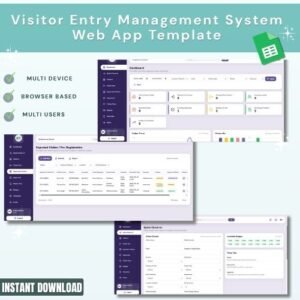
Visitor Entry Management System Web App Template
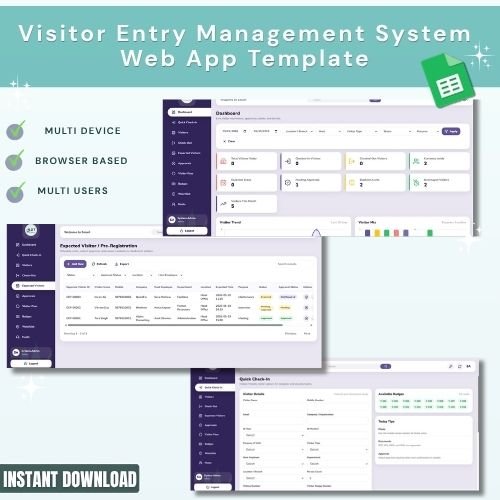
The Visitor Entry Management System Web App Template is a ready-to-use management system for reception desks, security teams, office administrators, coworking spaces, factories, schools, clinics, and gated facilities that need a structured way to manage visitor check-ins, check-outs, host approvals, visitor passes, badge assignment, expected visits, and watchlist alerts.Visitor Entry Management System Web App Template
Instead of relying on paper registers or scattered spreadsheets, this template gives teams a professional web app layout with multiple operational pages for visitor registration, quick check-in, quick check-out, badge control, host approvals, pre-registration, visitor pass tracking, employee master data, and blacklist monitoring.Visitor Entry Management System Web App Template
🚀 Try the Live Demo Before You Buy
We have deployed this web app in our own Google account so you can test every page and every role — with real sample data — before purchasing. No signup, no email required.
🔑 Test Login Credentials
Sign in with any of the four roles below to explore the system from each perspective — from full admin setup to reception check-in, host approvals, and manager-level reporting. All demo passwords are abcd.
💡 What you get after purchase: The full source code (Code.gs + Index.html) plus a step-by-step deployment guide so you can deploy your own private instance in your own Google account in under 15 minutes.
Key Features
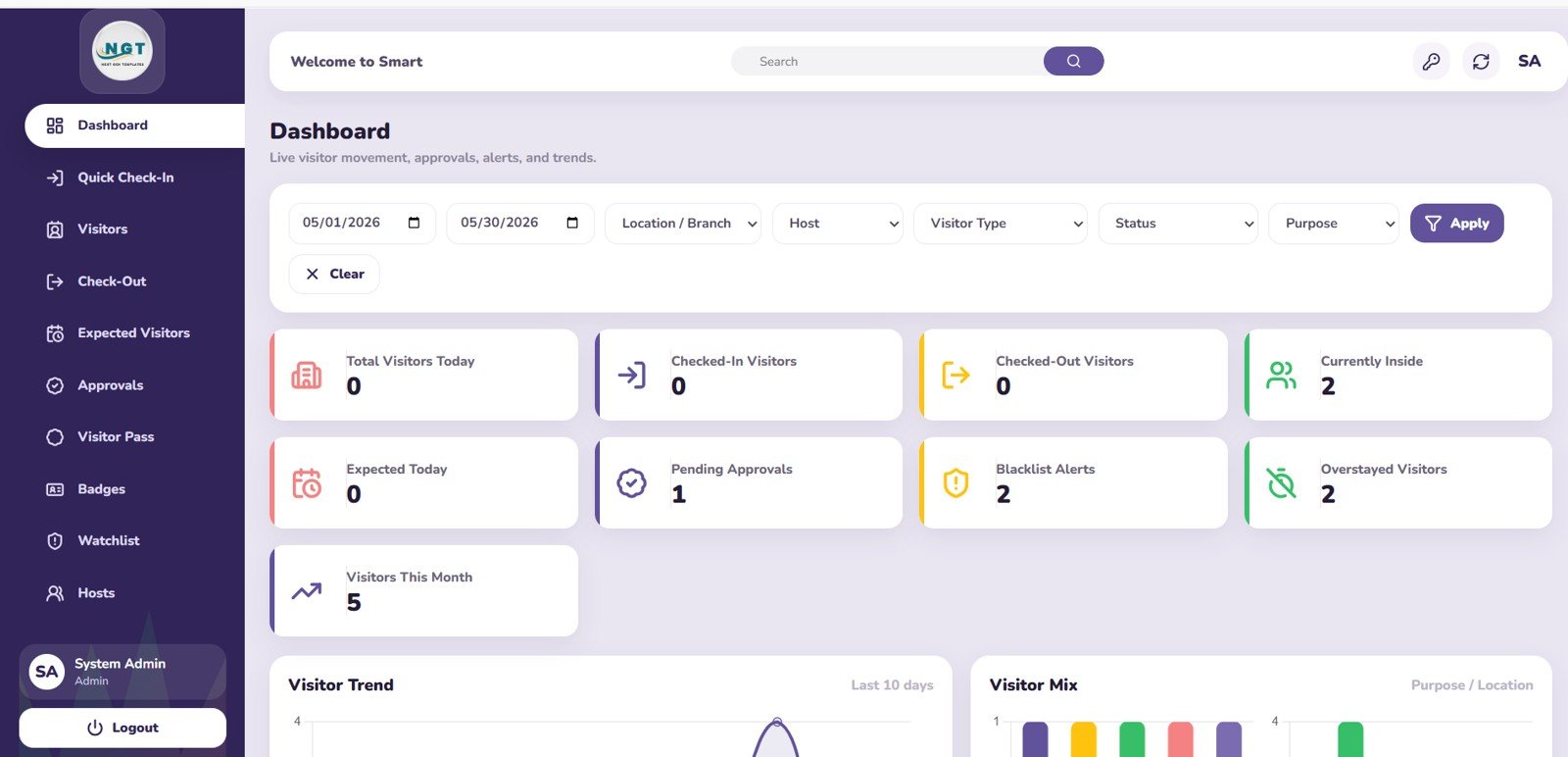
- Overview dashboard: Track high-level visitor metrics, daily movement, pending approvals, current visitors inside, and alert counts in one place.
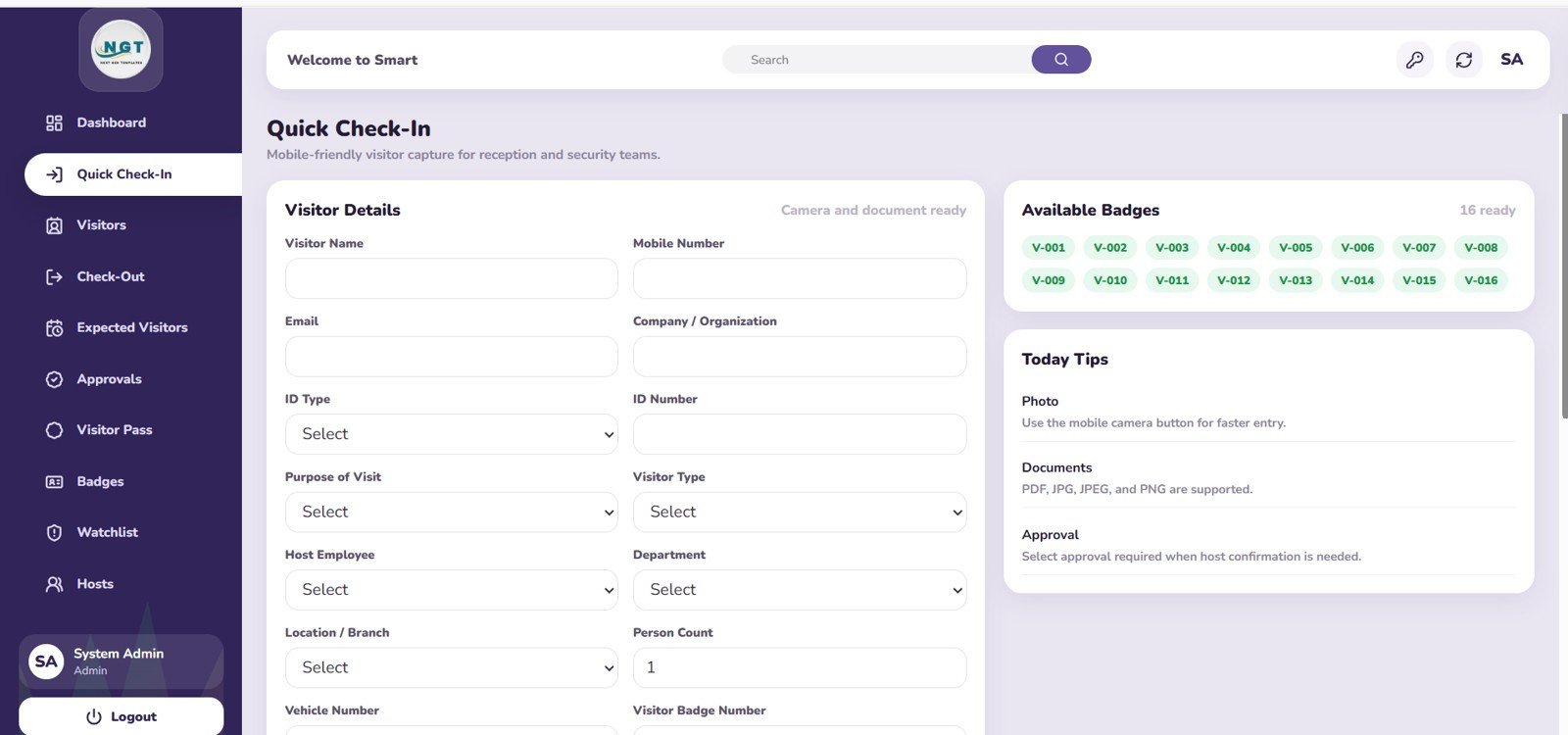
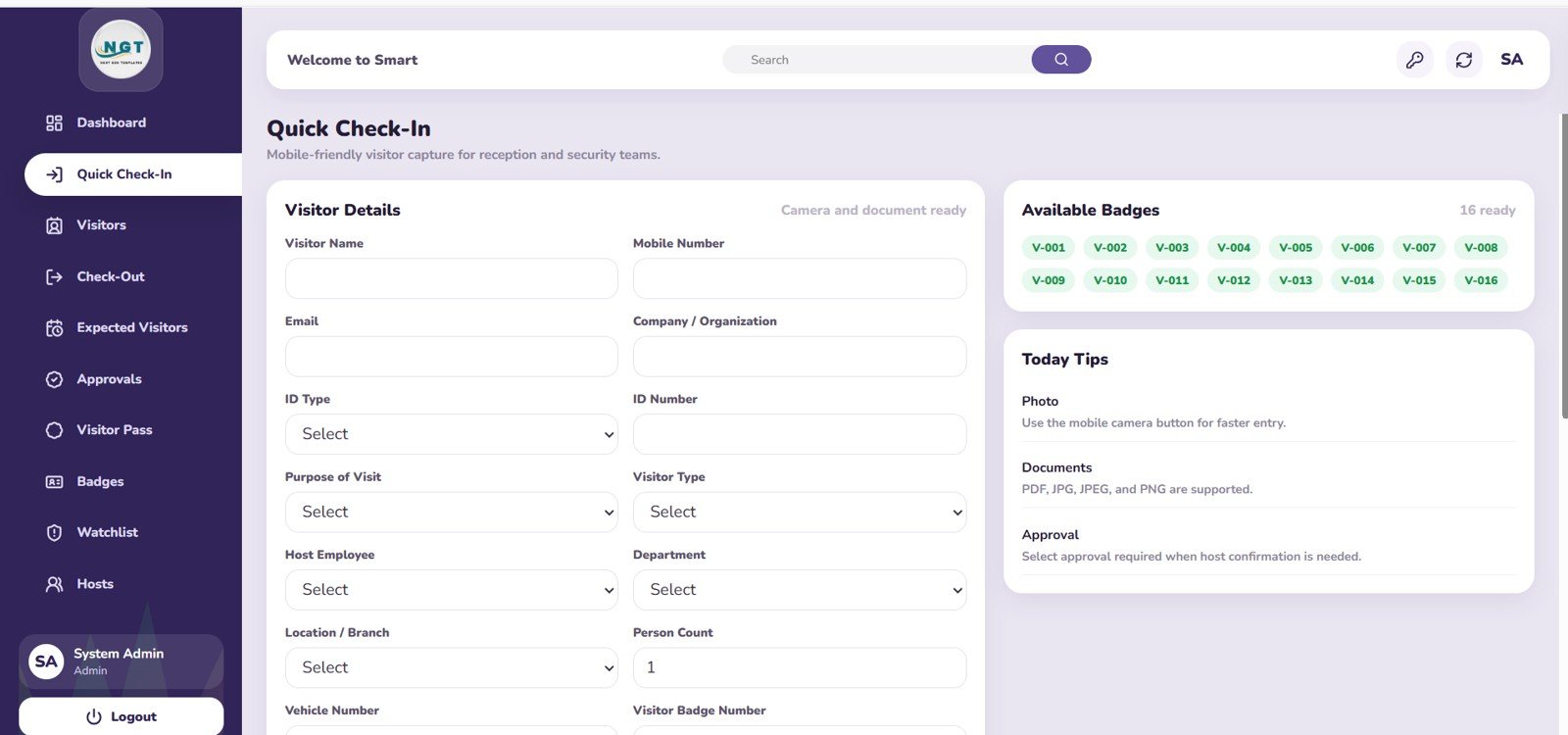
- Quick check-in workflow: Support reception teams with visitor details entry, badge availability, and daily operational tips.
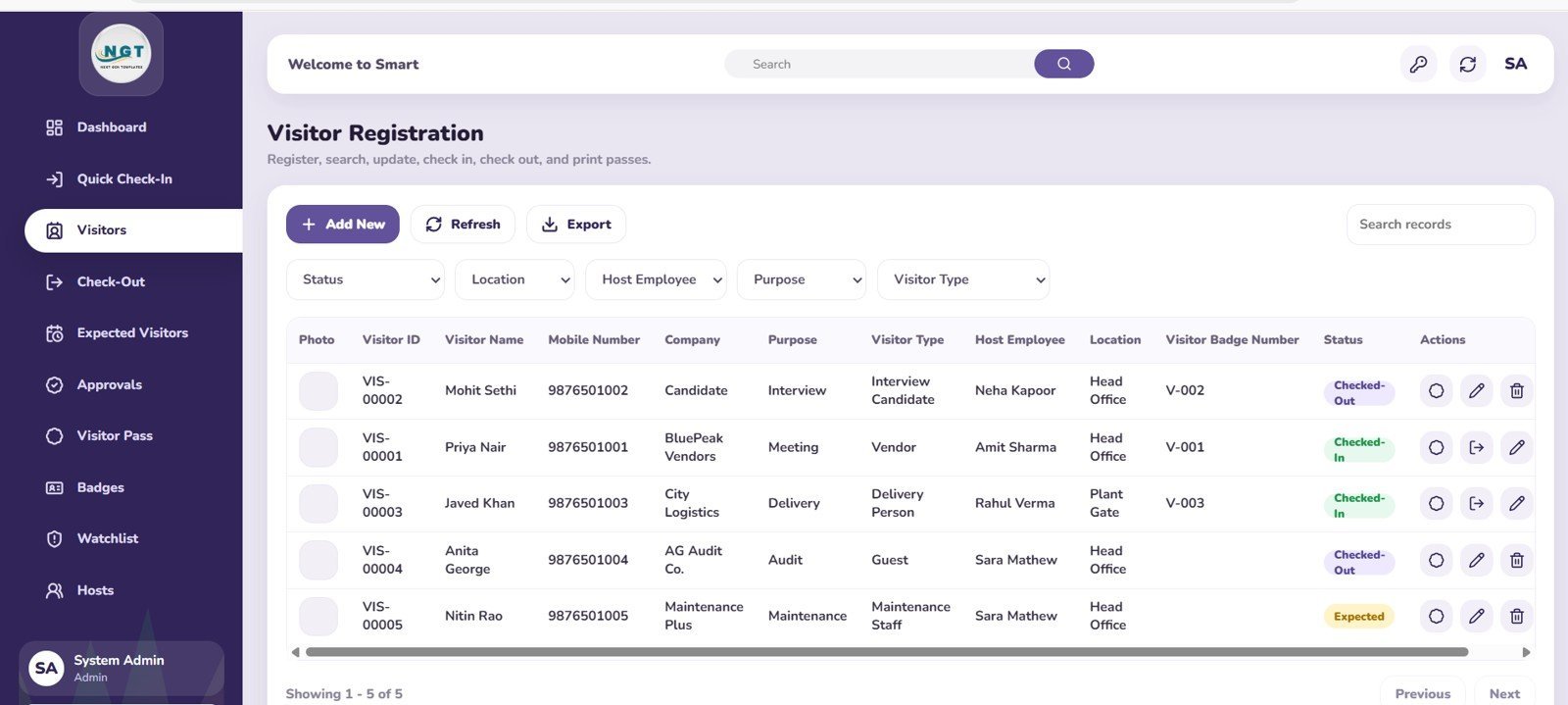
- Visitor registration records: Analyze visitor records by status, location, host employee, purpose, and visitor type.
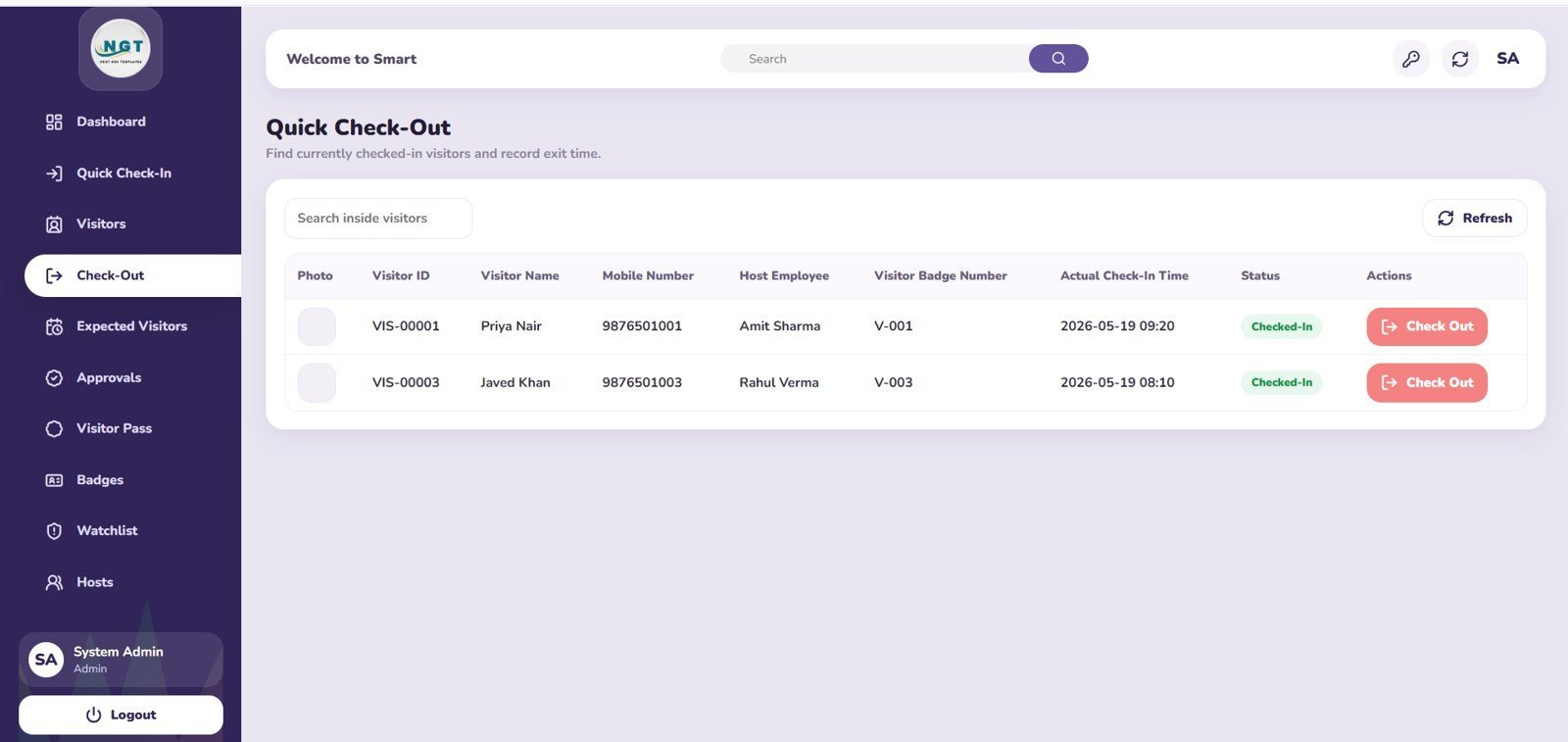
- Quick check-out page: Monitor currently checked-in visitors and complete check-outs by host employee, badge number, and check-in time.
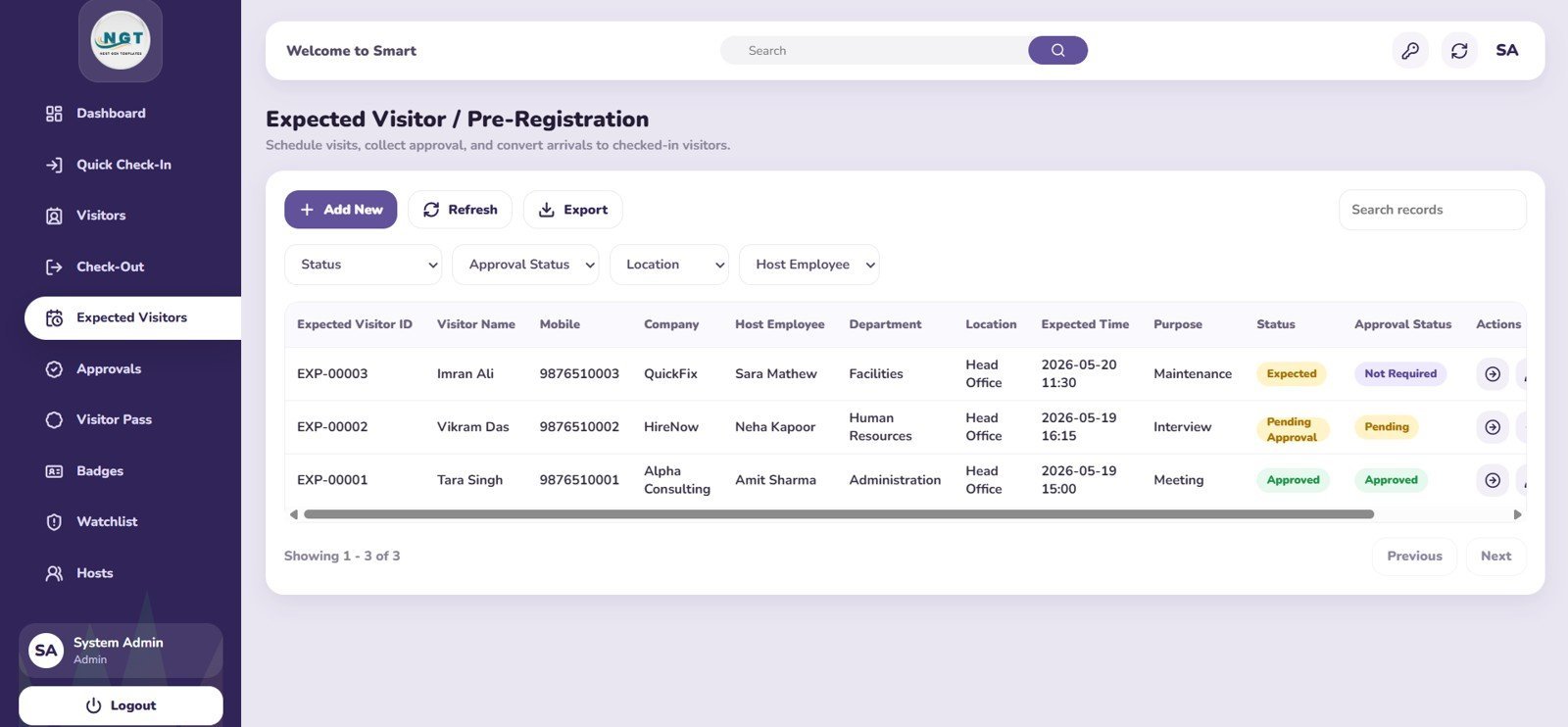
- Expected visitor tracking: Manage pre-registered visitors by approval status, location, department, host, and purpose.
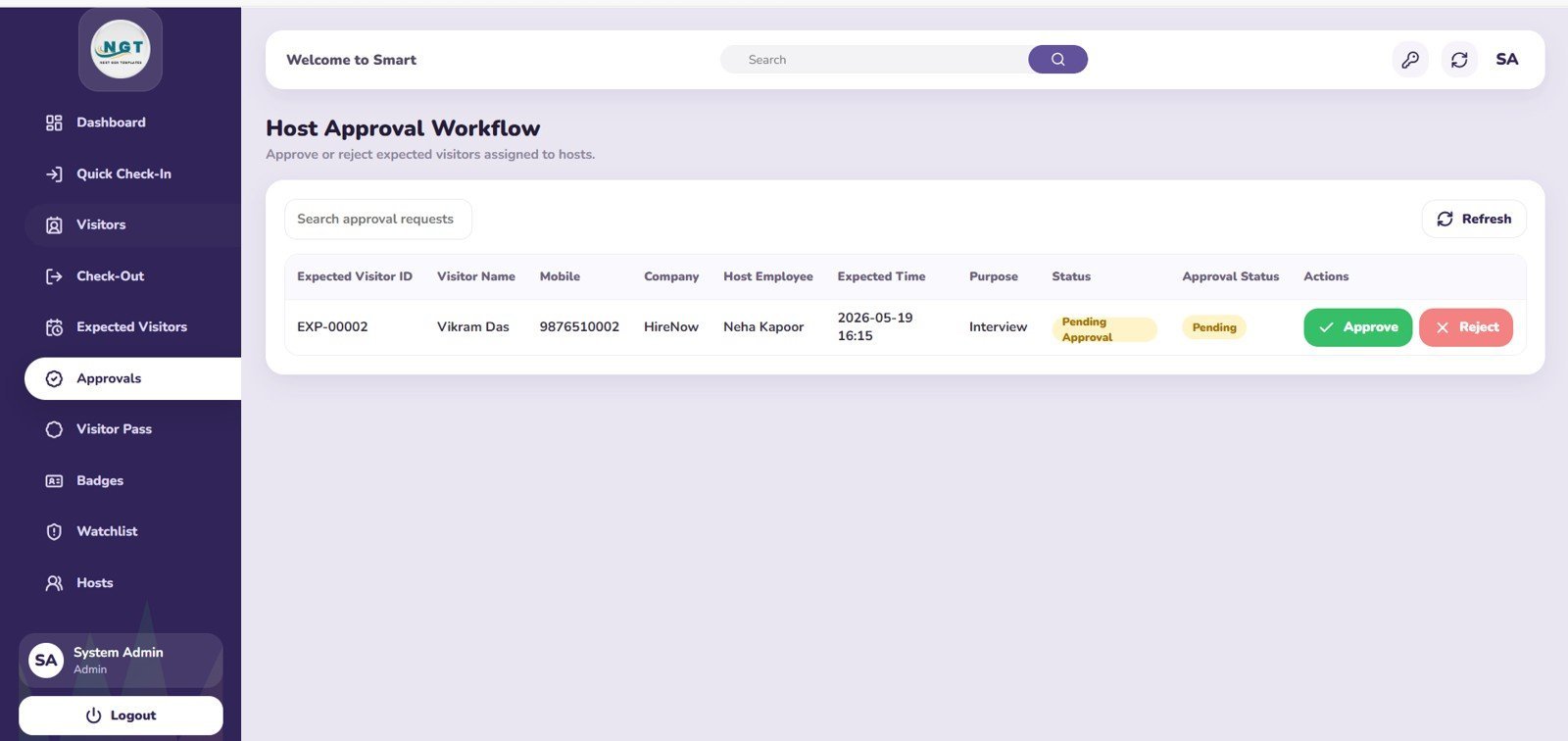
- Host approval workflow: Track pending approvals by host employee, visit purpose, and expected arrival time.
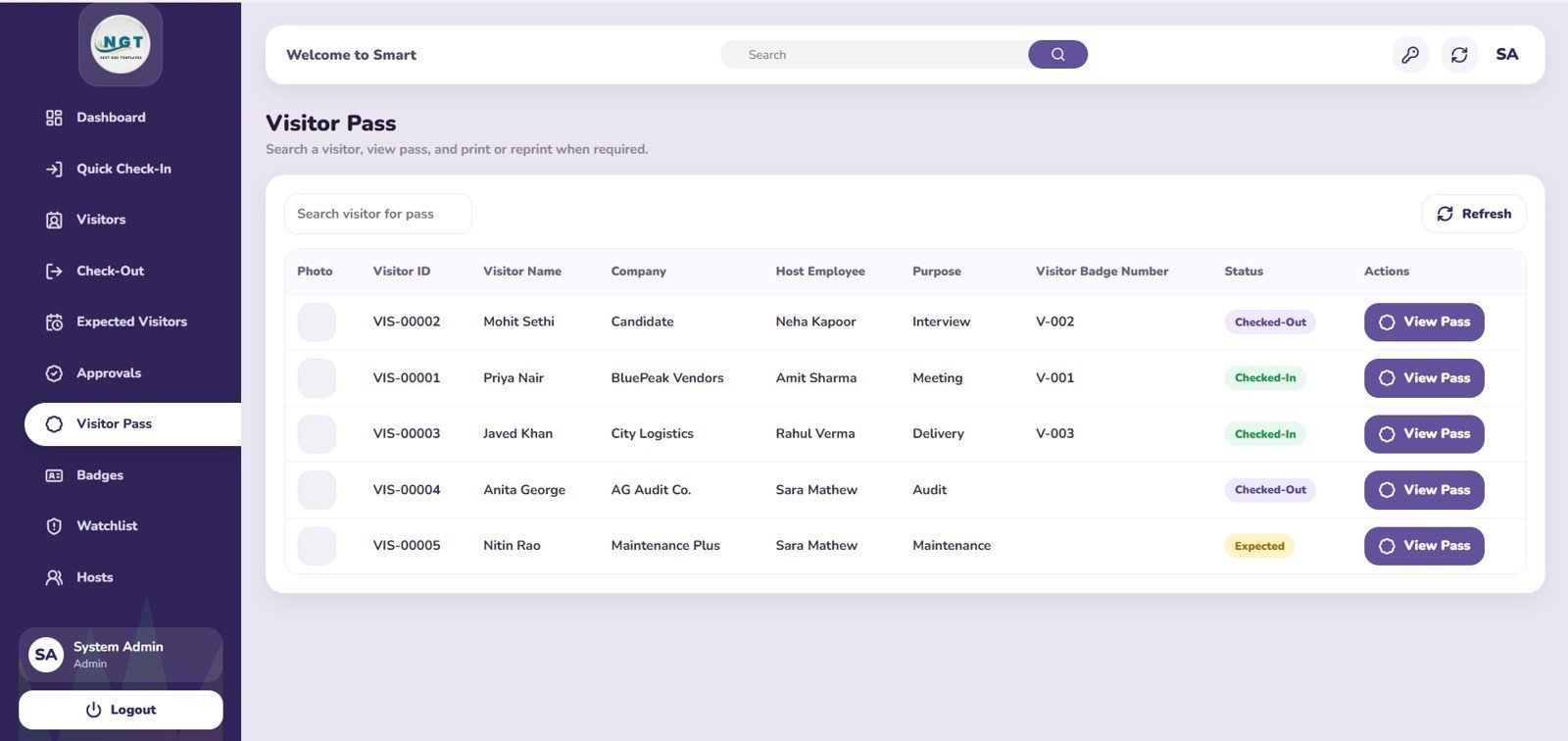
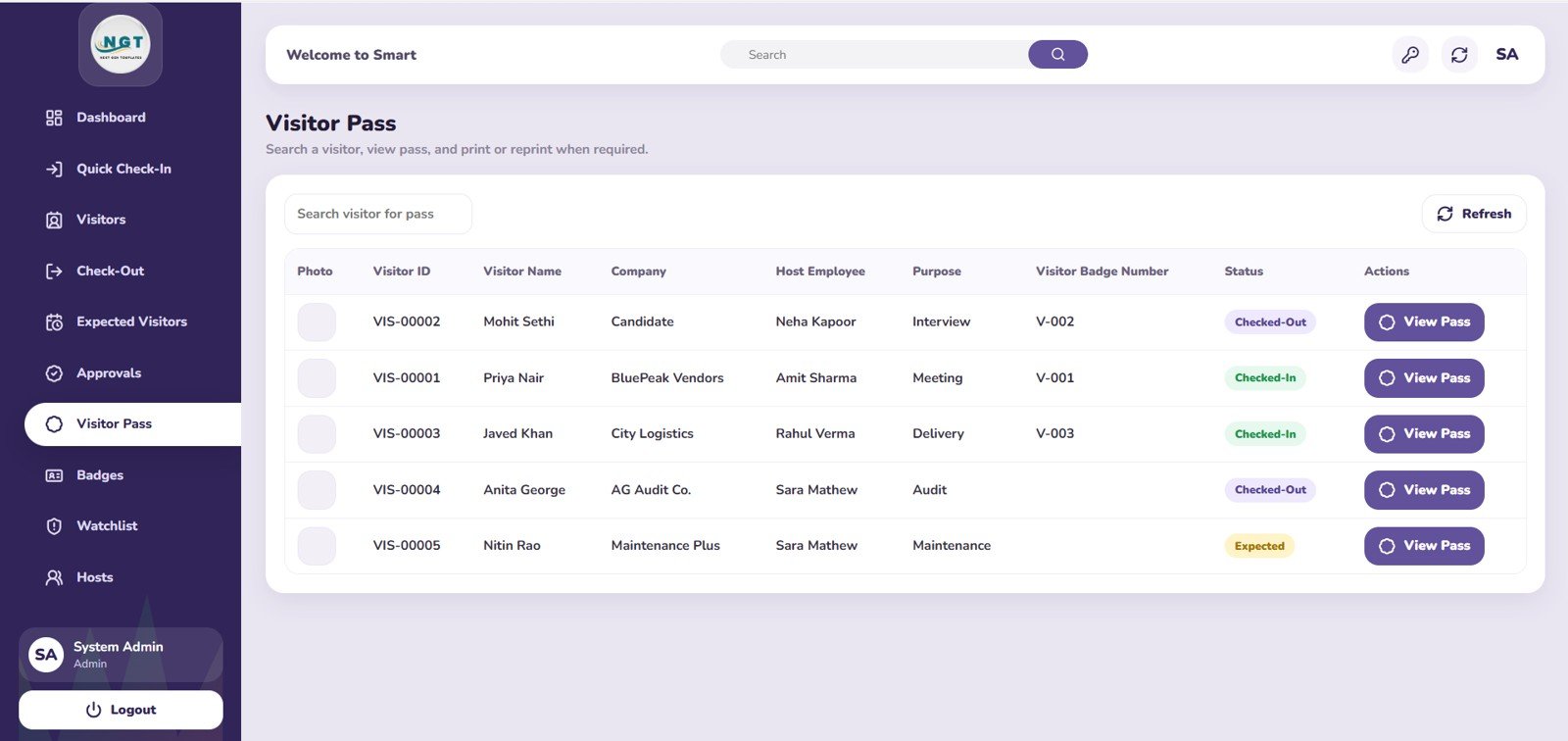
- Visitor pass management: Organize visitor passes by status, host employee, purpose, and badge number.
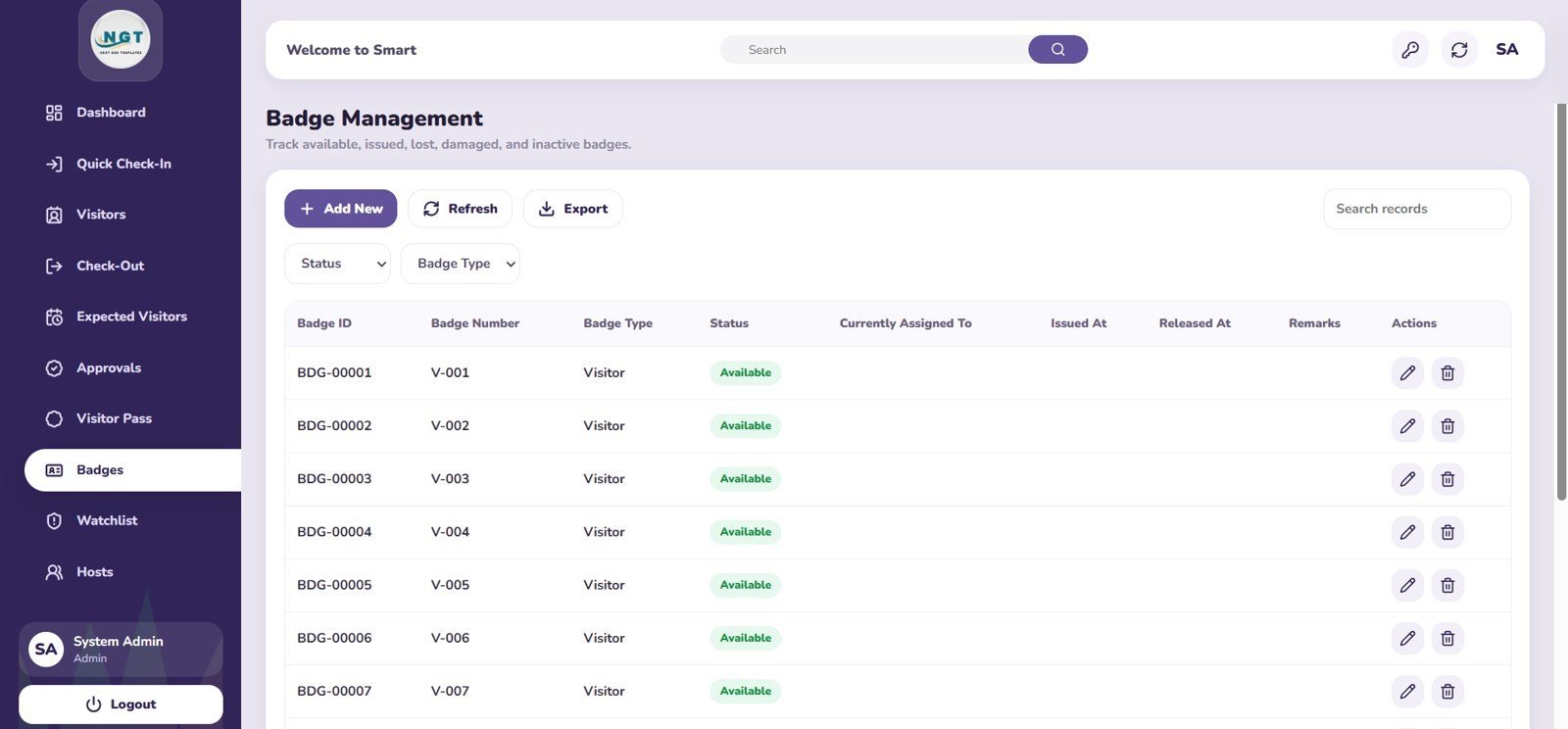
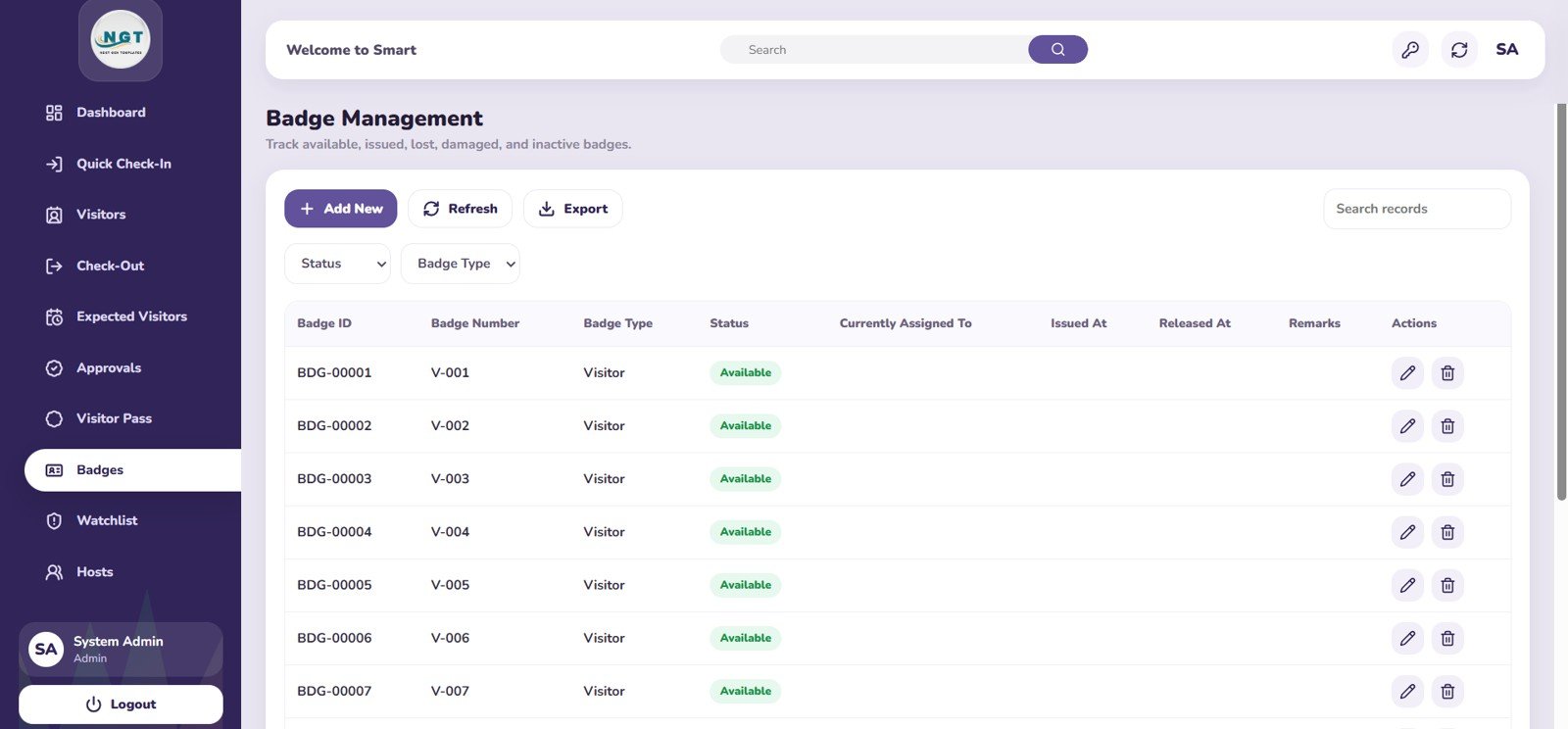
- Badge management: Track badge status, type, assignment, issued time, and release time.
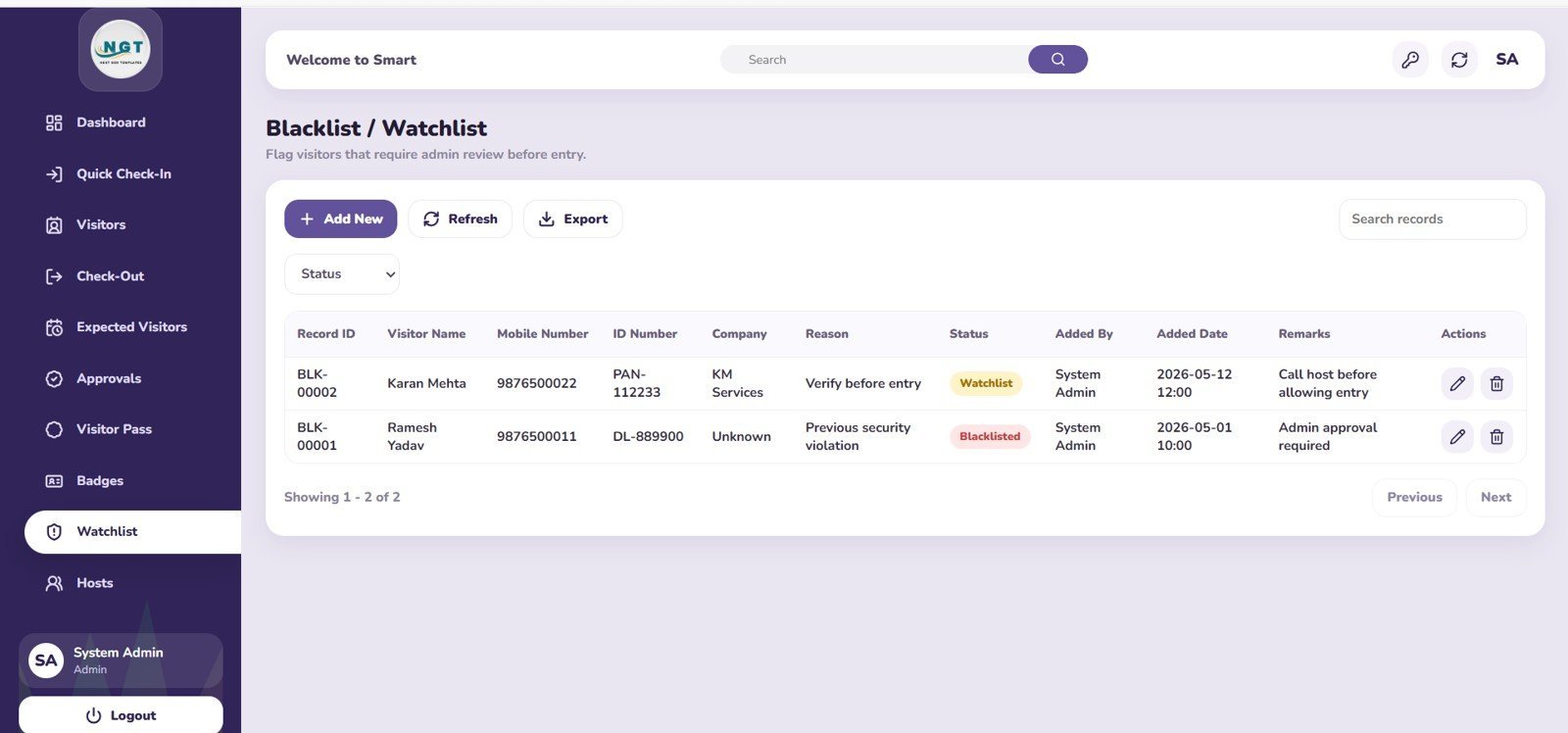
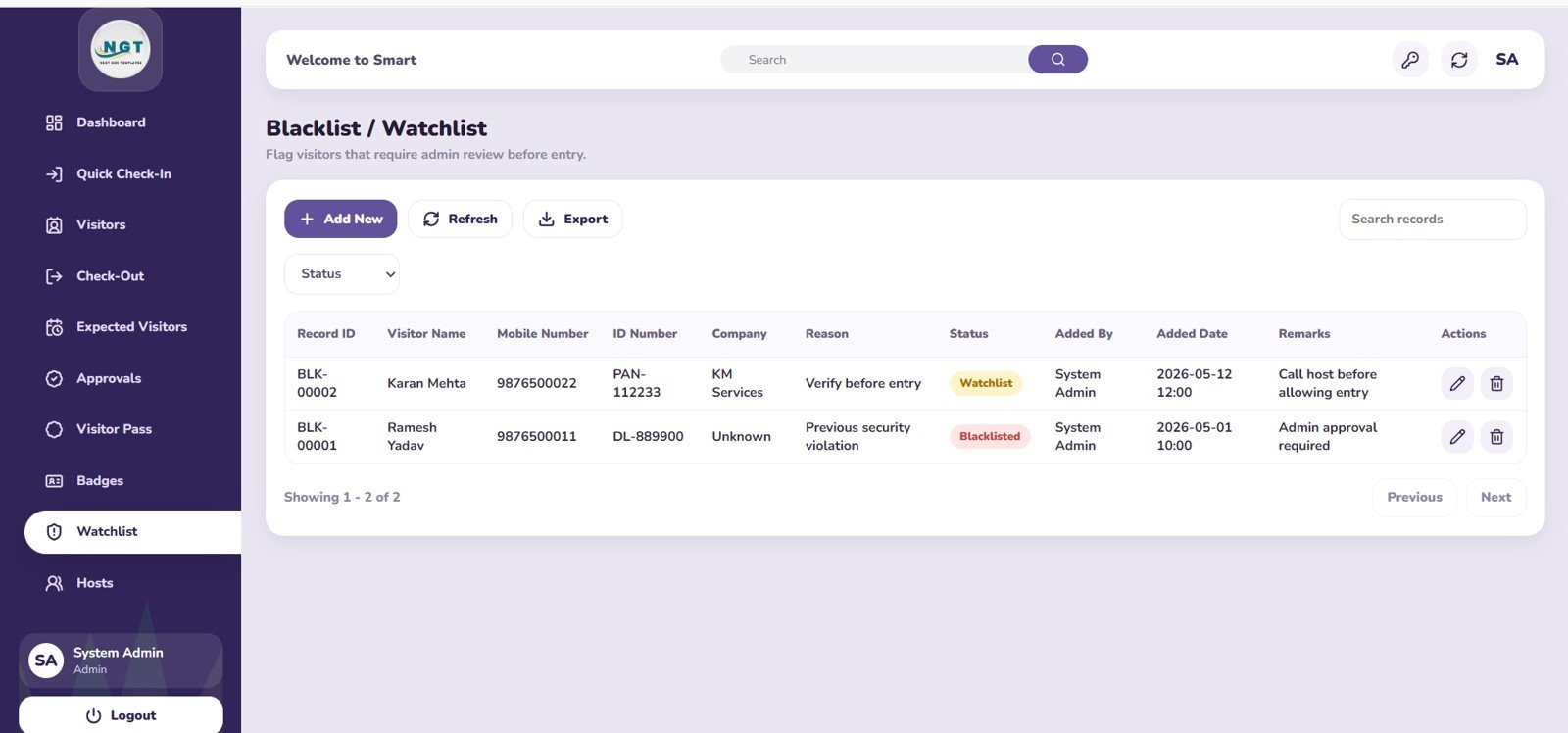
- Blacklist and watchlist: Monitor flagged visitors by status, reason, company, added by, and added date.
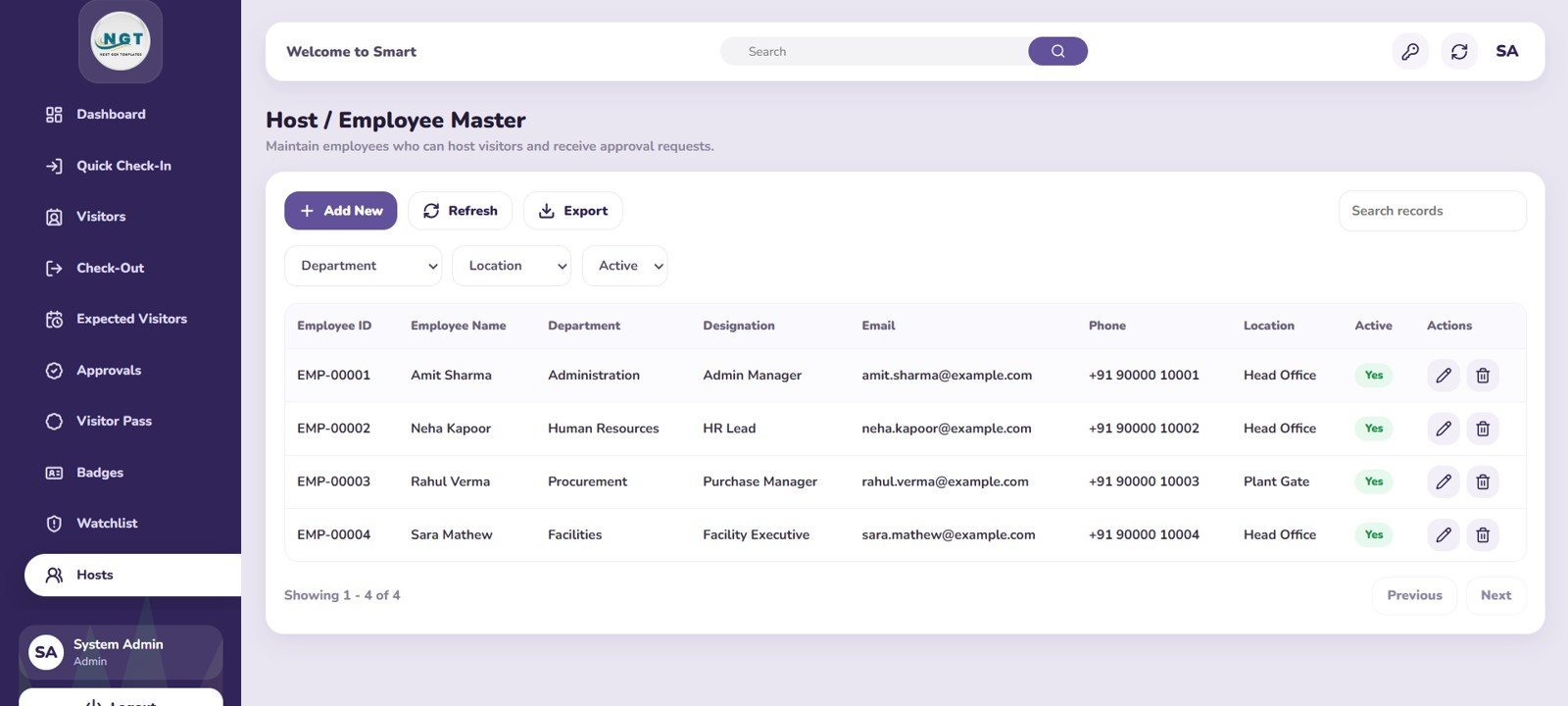
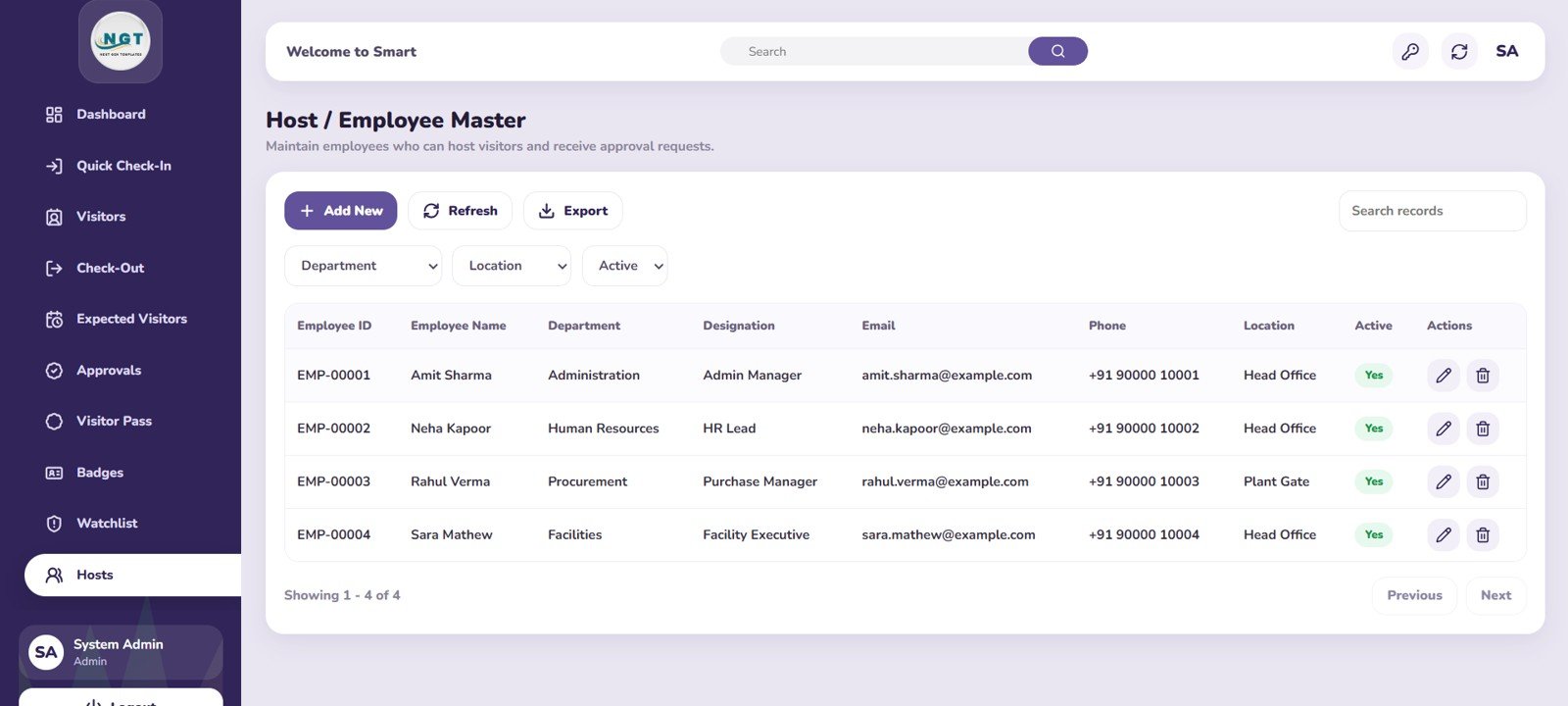
- Host employee master: Maintain employee records by department, designation, location, and active status.
Overview Page
The overview page gives management, reception, and security teams a real-time summary of visitor activity. It includes KPI cards for Total Visitors Today, Checked-In Visitors, Checked-Out Visitors, Currently Inside, Expected Today, Pending Approvals, Blacklist Alerts, Overstayed Visitors, and Visitors This Month.
Visitor Trend by Day: This chart shows how visitor volume changes across days so teams can identify busy periods and staffing patterns. It helps reception and security managers plan resources around recurring visitor peaks.
Visitor Mix by Purpose and Location: This chart compares visitor purposes across different locations or entry points. It helps teams understand whether visits are mainly for meetings, vendors, interviews, deliveries, contractors, or other operational needs.
Quick Check-In Page
The quick check-in page is designed for reception teams that need to register visitors fast while keeping information structured and consistent. It includes a visitor details entry form, badge availability analysis, and today tips by category.
Visitor Registration Page
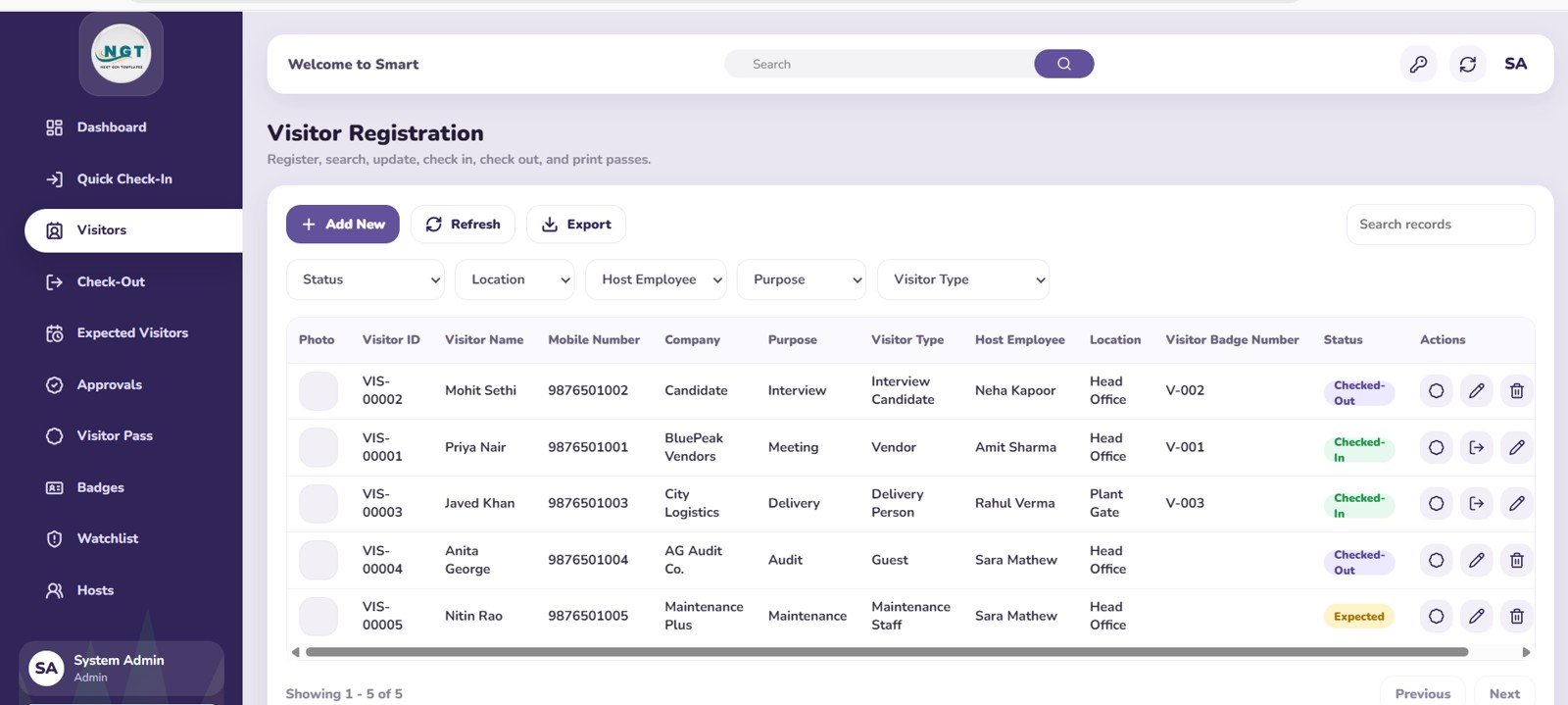
The visitor registration page helps teams review visitor records by status, location, host employee, purpose, and visitor type. It is useful for auditing historical entries, reviewing active records, and understanding who visits the facility most often.
Quick Check-Out Page
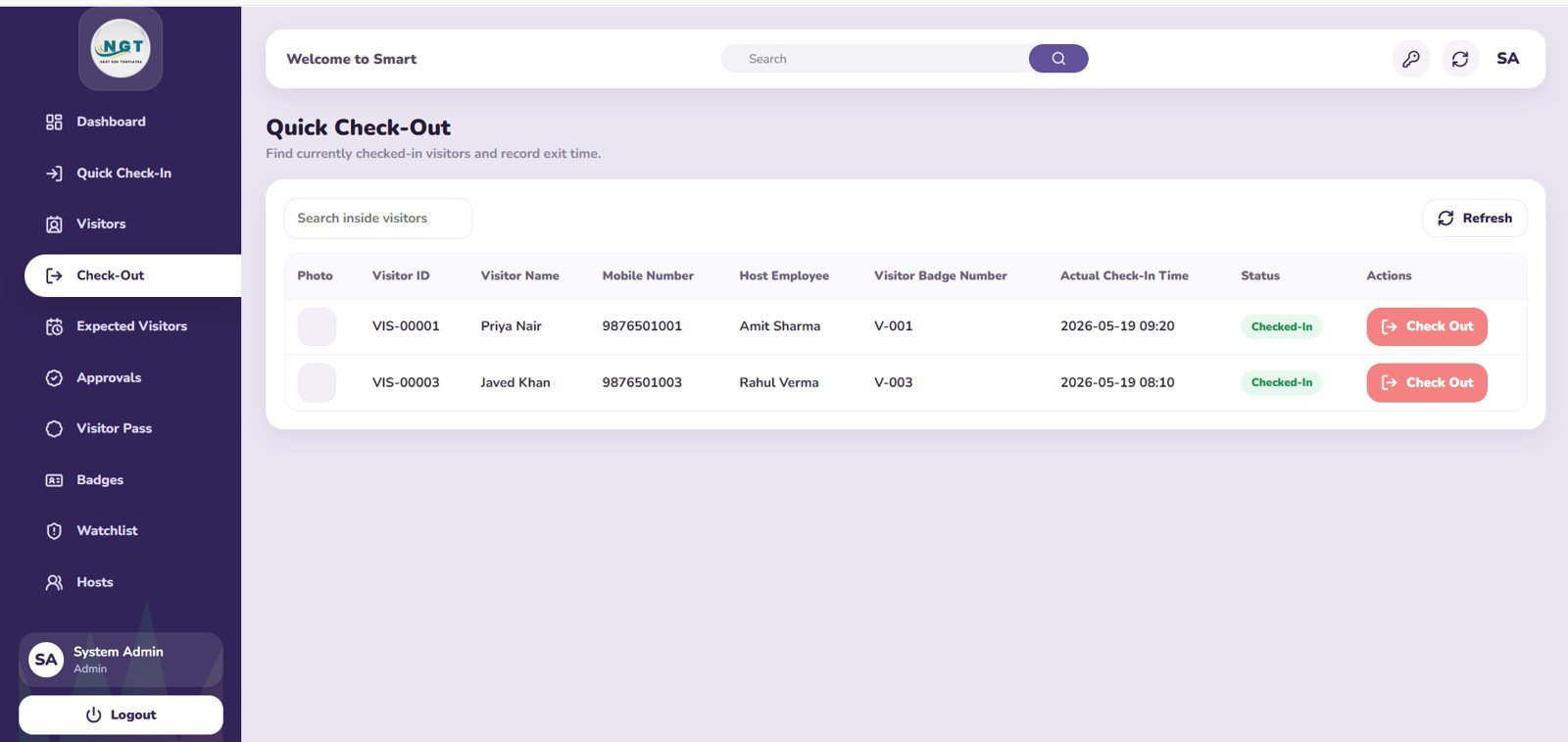
The quick check-out page focuses on visitors who are currently checked in. Teams can review checked-in visitors by host employee, badge number, and actual check-in time, making it easier to close visits accurately and avoid badge leakage.
Expected Visitor and Pre-Registration Page
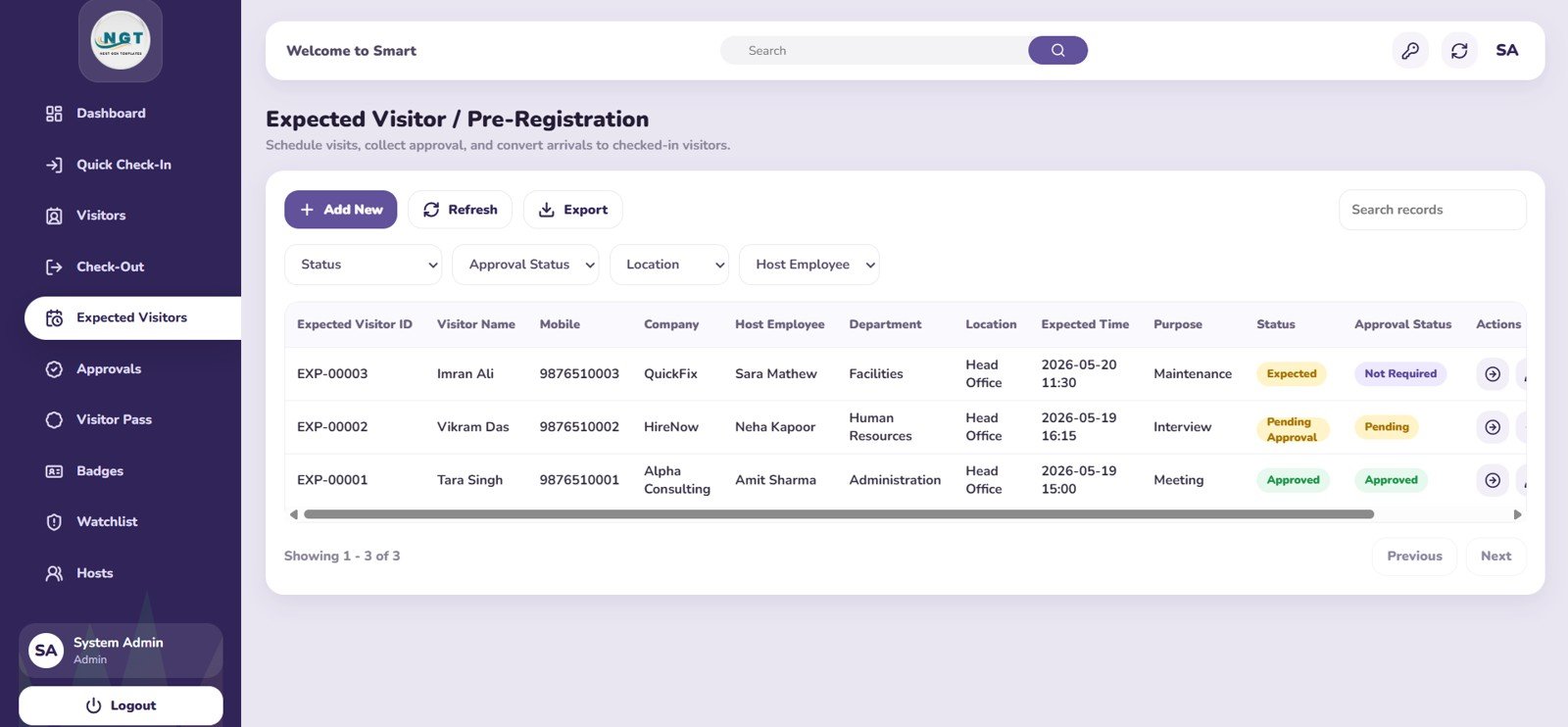
The expected visitor page supports advance visit planning and pre-registration. It analyzes expected visitors by status, approval status, location, host employee, department, and purpose so security teams can prepare before visitors arrive.
Host Approval Workflow Page
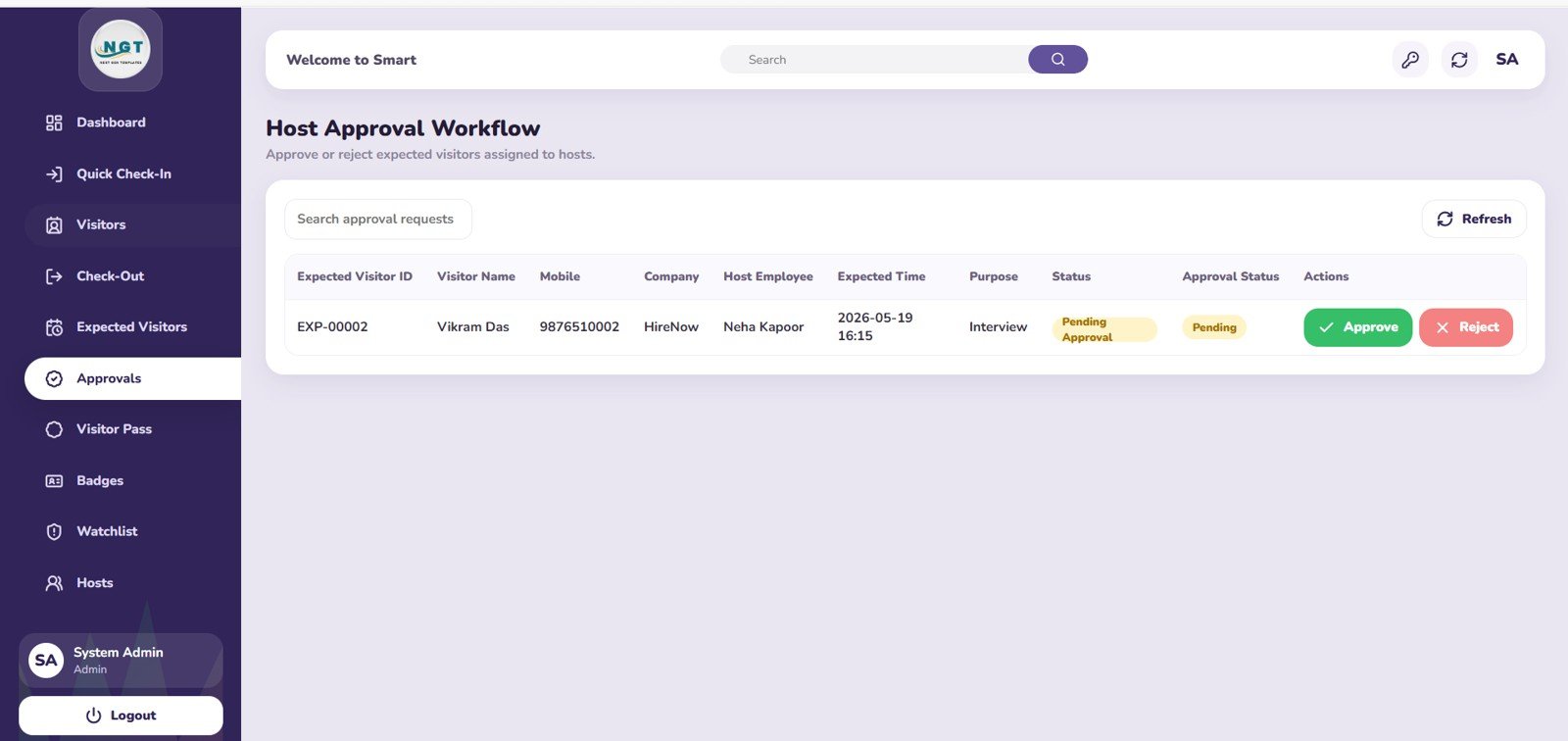
The host approval workflow page gives visibility into pending approvals by host employee, purpose, and expected time. It is helpful for organizations where visitors must be approved before arrival or before a badge can be issued.
Visitor Pass Page
The visitor pass page helps track passes by status, host employee, purpose, and badge number. It gives reception and security staff a quick view of issued passes and supports better visitor movement control.
Badge Management Page
The badge management page helps teams track badges by status, badge type, current assignment, issued time, and released time. It is especially useful for facilities that need reusable visitor badges and want to reduce lost or unreturned badges.
Blacklist and Watchlist Page
The blacklist and watchlist page helps security teams monitor flagged visitors by status, reason, company, added by, and added date. It supports safer screening and makes important alerts easier to review before a visitor is approved.
Host and Employee Master Page
The host and employee master page organizes host employees by department, designation, location, and active status. This page helps keep host assignment clean and makes visitor routing easier across teams and locations.
Who Should Use This Template?
- Corporate offices and business parks
- Factories, warehouses, and industrial facilities
- Schools, colleges, and training centers
- Clinics, hospitals, and healthcare offices
- Coworking spaces and shared office providers
- Residential communities and gated premises
- Security agencies and front desk teams
- Small businesses that want a professional visitor tracking system without recurring software fees
Who This Template Is Not For
- Teams that need a fully custom enterprise access control system with hardware integrations from day one
- Organizations that require biometric gate devices, turnstile integrations, or custom badge printers without additional development
- Users who want a hosted SaaS subscription instead of a downloadable web app template
How This Template Compares
| Option | Best For | Limitations |
|---|---|---|
| Paper visitor register | Very small front desks | Hard to search, audit, analyze, or secure |
| Spreadsheet visitor log | Basic record keeping | Limited workflow, weak approval control, and manual reporting |
| Paid visitor SaaS | Large organizations needing hosted software | Recurring fees and less ownership of the template structure |
| This web app template | Teams needing a professional visitor management starting point | Requires setup, branding, and final deployment by the buyer |
Explore Related Templates
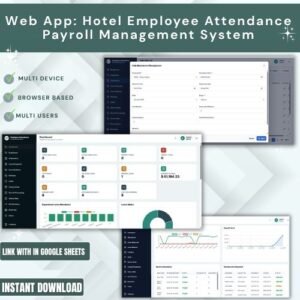
- Employee Attendance Payroll Management System – HR Web App Template
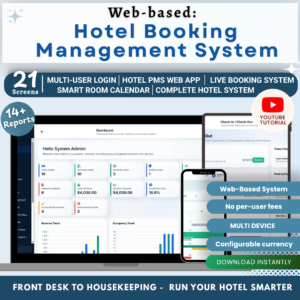
- Web App Based: Hotel Booking Management System
- Complaint Management System: Web App Version
- Web-based: Advanced Inventory Management System
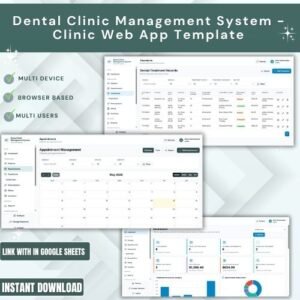
- Dental Clinic Management System – Clinic Web App Template
Frequently Asked Questions
Is this a visitor management SaaS product?
No. This is a downloadable web app template that you can customize, deploy, and adapt for your own visitor entry process.
Can I customize the pages and fields?
Yes. You can customize the visitor fields, badges, locations, departments, purposes, approval rules, and dashboard content based on your internal process.
Does it support pre-registration?
Yes. The template includes an Expected Visitor / Pre-Registration page for planned visits, approval status, host details, departments, and visit purpose.
Does it include badge management?
Yes. The badge management page tracks badges by status, type, assignment, issued time, and released time.
Can it track blacklist or watchlist records?
Yes. The Blacklist / Watchlist page helps track flagged visitors by reason, company, status, added by, and added date.
Is this suitable for offices and security desks?
Yes. The template is built for front desk, reception, security, admin, and facility management teams that handle visitor movement daily.
About NextGenTemplates
NextGenTemplates creates practical business templates, dashboards, and web app systems for teams that want faster deployment, cleaner reporting, and better operational control without starting from a blank file.
Click here to read detailes blog post
Step-by-Step demo video of this web app:
Step-by-Step tutorial video to deploy this web app:
Last updated: May 21, 2026










Reviews
There are no reviews yet.