



Business transformation fails when progress is not measured clearly. Many organizations invest heavily in change initiatives but struggle to track outcomes, alignment, and real impact. That is exactly where the Business Transformation KPI Dashboard in Excel delivers value.
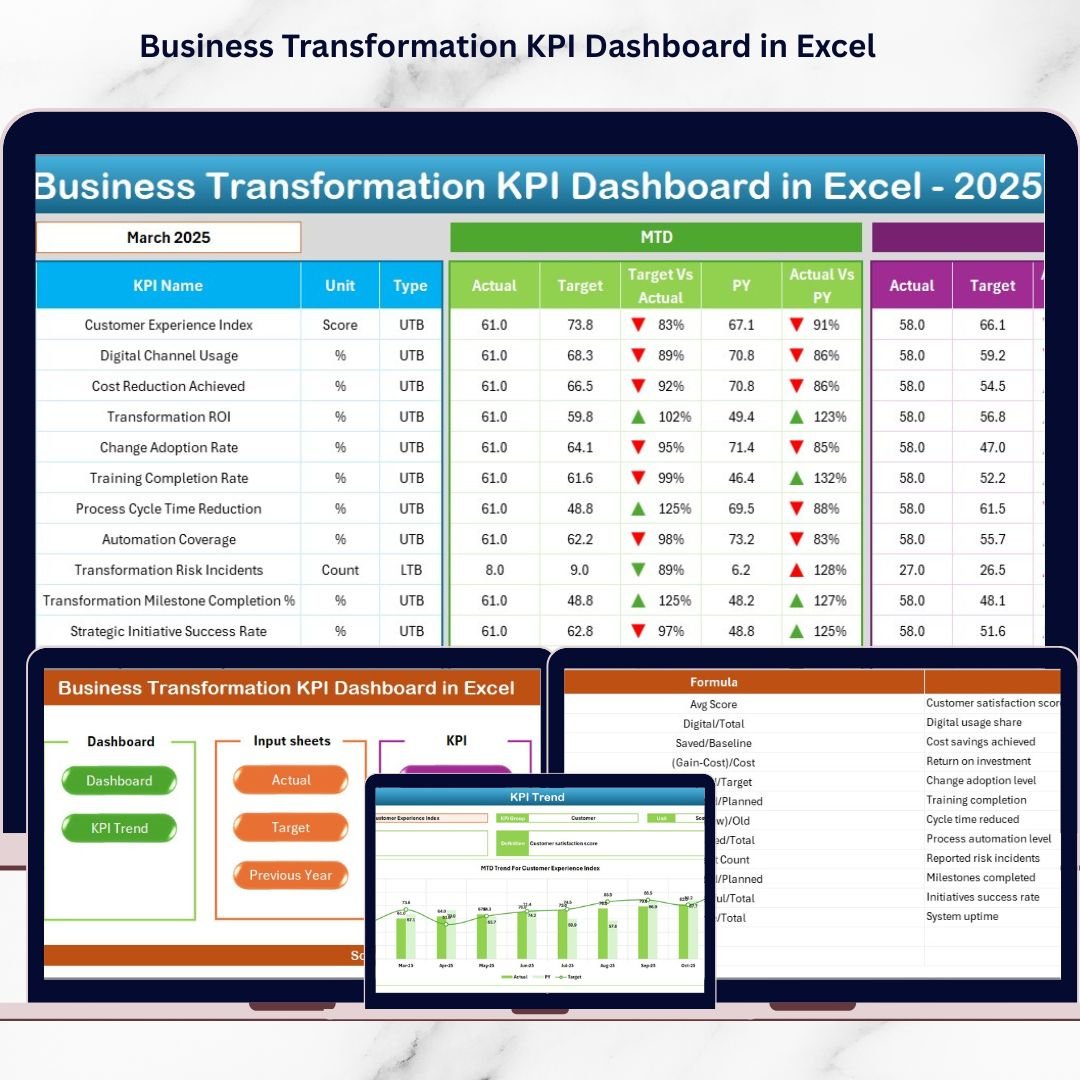
This ready-to-use Excel dashboard turns complex transformation data into clear, actionable insights. Instead of relying on assumptions, scattered spreadsheets, or static reports, you get a centralized, interactive KPI tracking system that shows exactly how your transformation initiatives are performing—month by month and year by year.
Whether you are driving digital transformation, cost optimization, operational efficiency, or cultural change, this dashboard helps you measure what truly matters and act with confidence.
🔑 Key Features of Business Transformation KPI Dashboard in Excel
🚀 Interactive Month Selection
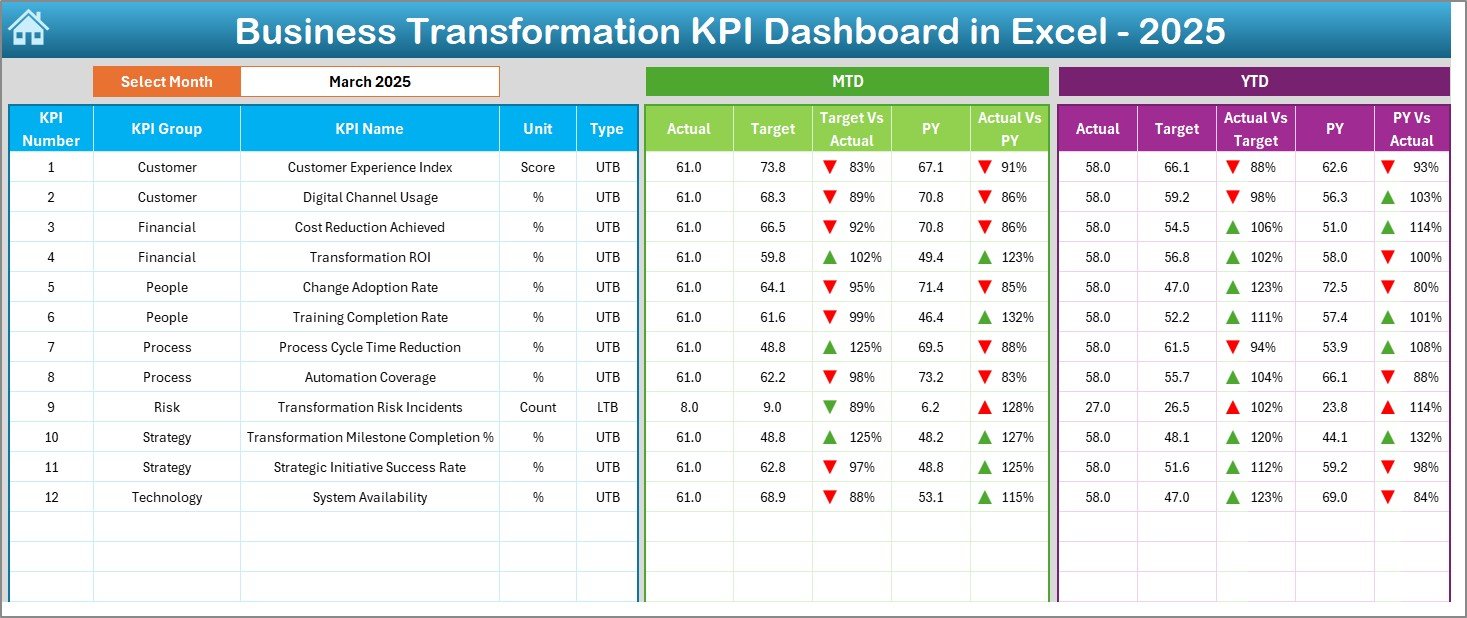
Select any month from a dropdown and instantly update the entire dashboard with fresh insights.
📈 MTD & YTD Performance Tracking
Monitor Month-to-Date and Year-to-Date performance for every transformation KPI.
🎯 Target vs Actual Comparison
Clearly see gaps between planned targets and actual results using smart variance indicators.
🔁 Previous Year Comparison
Track real improvement by comparing current performance with last year’s numbers.
📊 Visual Performance Indicators
Up/down arrows and conditional formatting highlight success areas and risks instantly.
🧭 Executive-Friendly Navigation
One-click buttons allow quick movement between dashboard sections without confusion.
🧩 Structured KPI Governance
Dedicated KPI definition sheet ensures clarity, consistency, and accountability.
💼 Excel-Based & Cost-Effective
No BI tools, no subscriptions—just powerful analytics inside familiar Excel.
📦 What’s Inside the Business Transformation KPI Dashboard in Excel
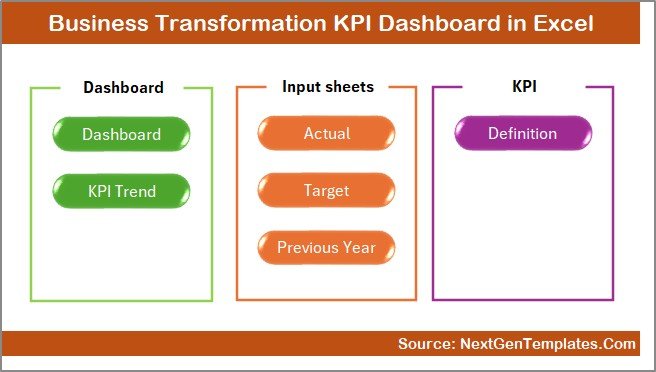
📁 Summary (Home) Sheet
Acts as a navigation hub with clean layout and quick-access buttons.
📊 Main Dashboard Sheet
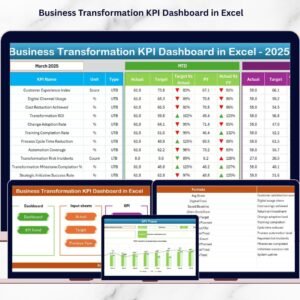
Displays MTD & YTD Actual, Target, and Previous Year values with variance analysis.
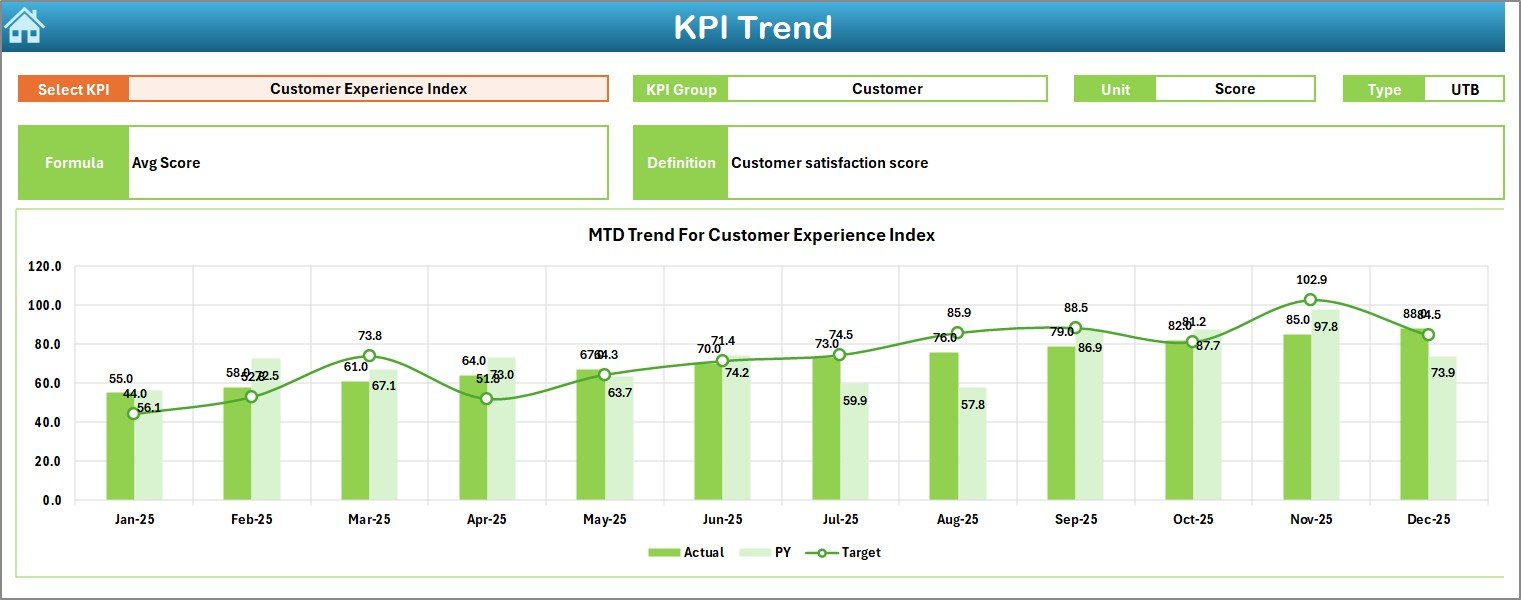
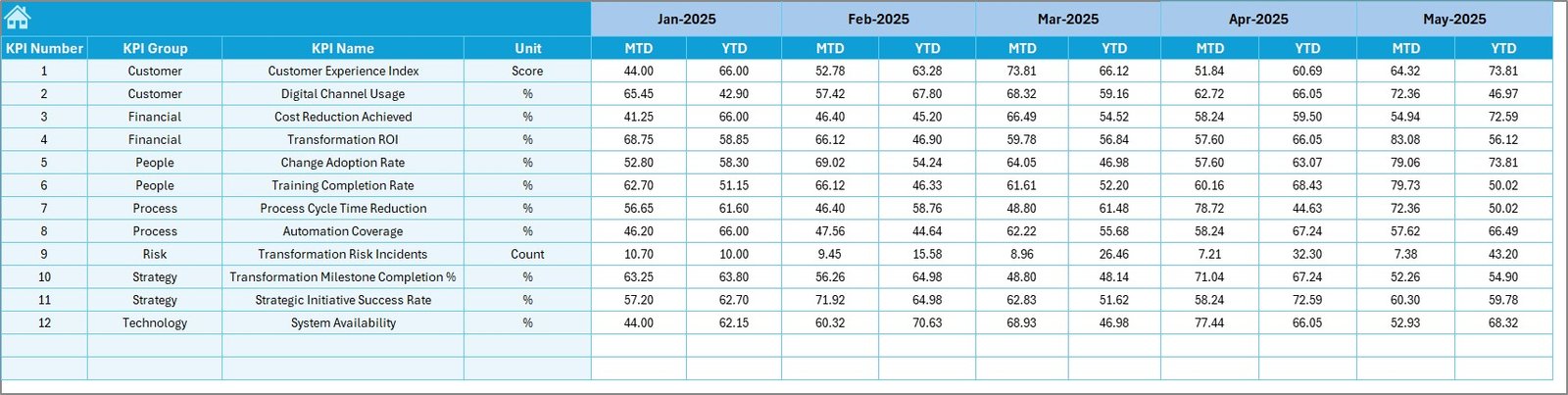
📉 KPI Trend Sheet
Analyze individual KPIs over time with dynamic trend charts and KPI metadata.
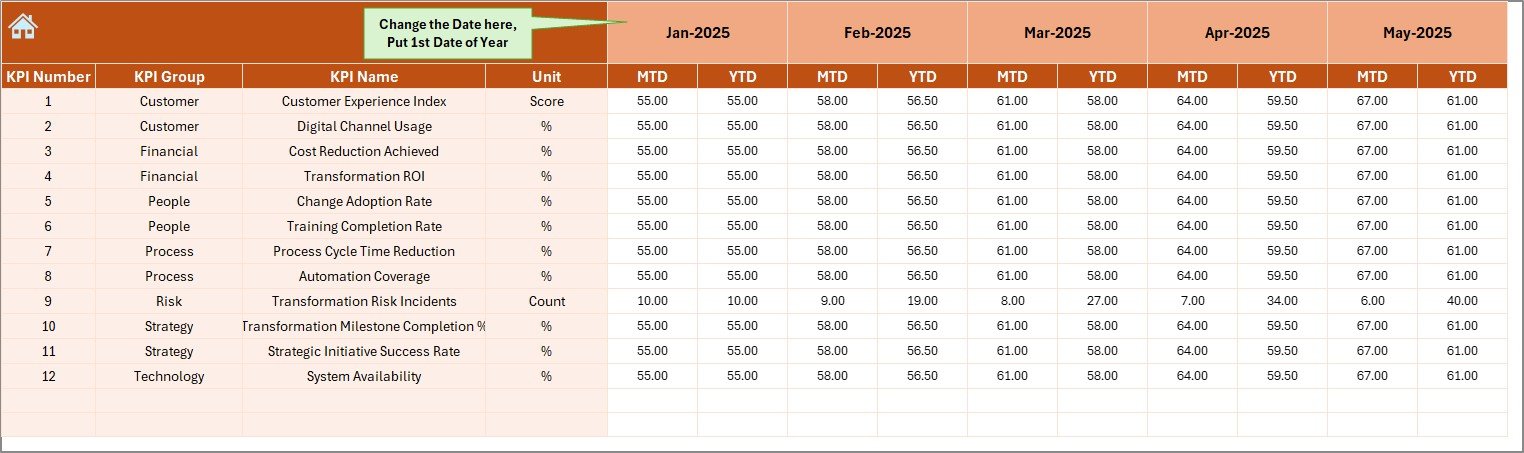
📝 Actual Numbers Input Sheet
Enter real performance data in a structured and protected input area.
🎯 Target Sheet
Define monthly and yearly performance goals for each KPI.
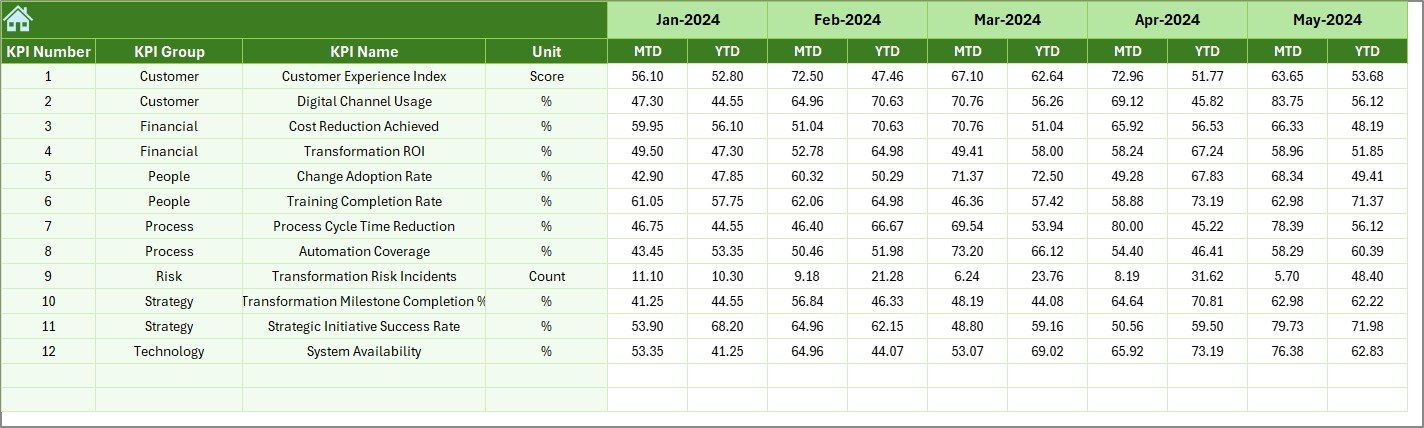
📅 Previous Year Numbers Sheet
Capture historical data for accurate year-over-year comparison.
📘 KPI Definition Sheet
Store KPI groups, formulas, units, definitions, and KPI types (LTB / UTB).
🛠️ How to Use the Business Transformation KPI Dashboard in Excel
1️⃣ Enter actual MTD and YTD data in the input sheet
2️⃣ Define targets and previous year values
3️⃣ Select the reporting month from the dropdown
4️⃣ Review dashboard KPIs, variances, and trends
5️⃣ Identify gaps, risks, and improvement opportunities
6️⃣ Use insights to drive transformation decisions
No advanced Excel skills required—just enter data and analyze results.
👥 Who Can Benefit from This Business Transformation KPI Dashboard
👔 Business Leaders & Executives – Gain high-level visibility into transformation progress
📌 Transformation Managers – Track initiatives and ensure accountability
📊 Strategy & PMO Teams – Measure outcomes against strategic goals
🏭 Operations Managers – Monitor efficiency and process improvement
📈 Performance Analysts – Analyze trends and KPI movements
🧠 Consultants & Advisors – Deliver structured transformation reporting to clients
Any organization undergoing change will benefit from this dashboard.
Click here to read the Detailed Blog Post
Watch the step-by-step video tutorial:
Compatibility and Requirements
- Works in Microsoft Excel desktop (Excel 2016 or later, or Microsoft 365).
- You pick the reporting month from a dropdown on the dashboard. Microsoft explains dropdowns in Create a drop-down list.
Frequently Asked Questions
Which sheets are included?
Seven sheets: Summary (Home), Main Dashboard, KPI Trend, Actual Numbers Input, Target, Previous Year Numbers and KPI Definition.
How do I update the dashboard?
Enter your actual MTD and YTD figures in the input sheet and your goals in the Target sheet. Then select the reporting month from the dropdown and the dashboard updates.
Can I compare this year with last year?
Yes. Add last year’s figures to the Previous Year Numbers sheet and the dashboard shows them next to your actuals and targets.
How do I see the trend for one KPI?
Open the KPI Trend sheet to see a dynamic trend chart for an individual KPI, along with its KPI details.
Is there a Power BI version?
Yes. See the Business Transformation KPI Dashboard in Power BI and the Business Transformation Dashboard in Power BI.
Related Excel Dashboards and Templates
- Business Transformation KPI Dashboard in Power BI: the same KPIs in Power BI
- Business Development Dashboard in Excel: an Excel dashboard for business development
- Business Intelligence KPI Dashboard in Excel: another Excel KPI dashboard
- Business Strategy Alignment Checklist in Excel: a checklist to support strategy work
- KPI Dashboard Library (Excel): 15 Excel KPI dashboards in one download
Browse all Excel KPI dashboards.









Reviews
There are no reviews yet.