

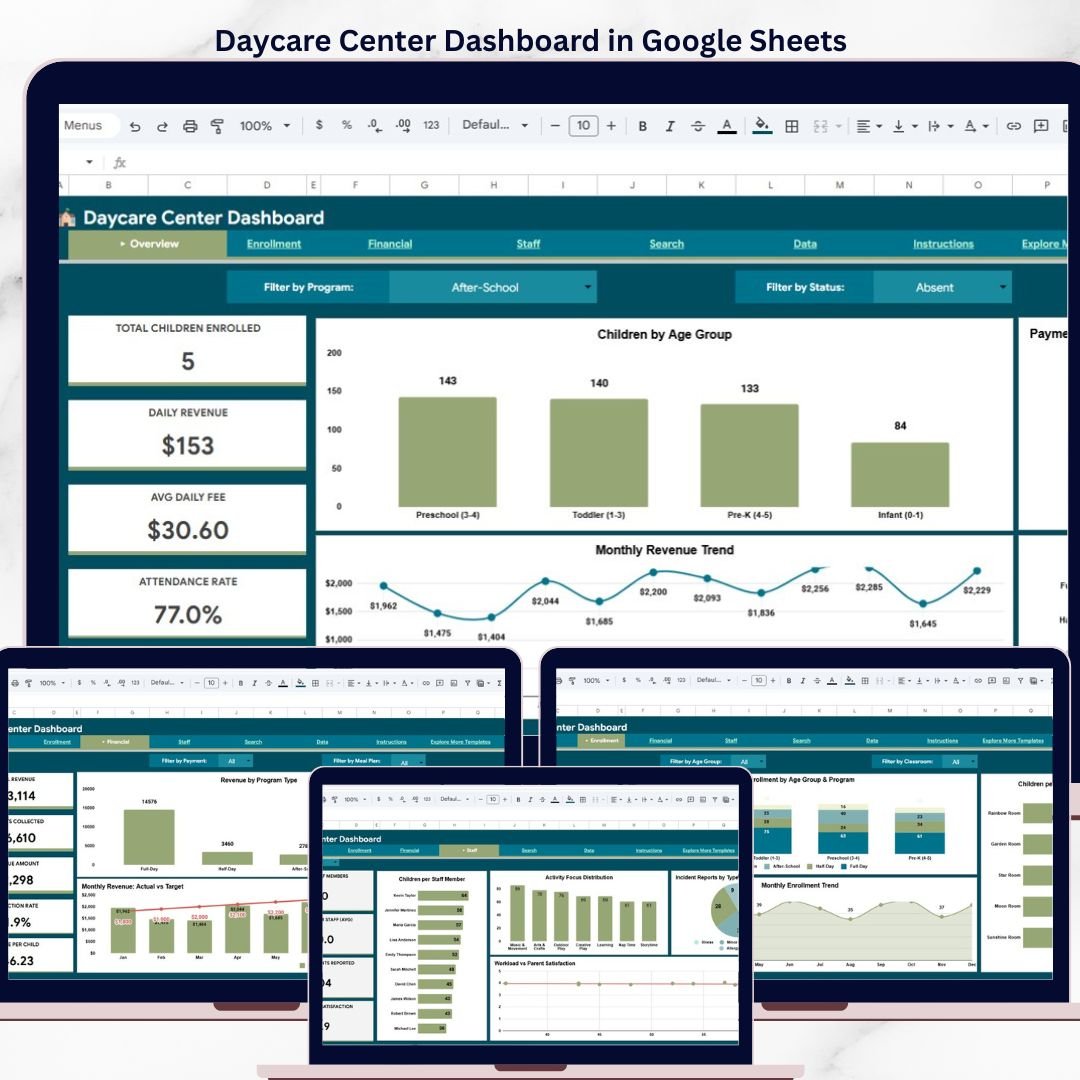
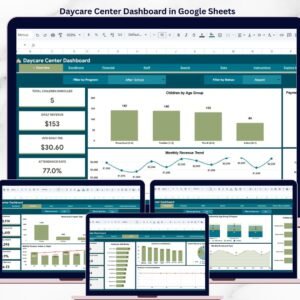
Managing a daycare is a juggling act — children, parents, staff, fees, attendance, meals, and safety all demand attention at the same time. The Daycare Center Dashboard in Google Sheets brings every one of those moving parts into a single, elegant dashboard that updates in real time as you enter data. Built entirely in Google Sheets, this template is cloud-native, collaborative, and ready to use on the day you open it.
Whether you run a single childcare center or a multi-branch daycare network, this Daycare Center Dashboard in Google Sheets gives you the KPIs and visual analysis you need to make faster, data-driven decisions — from enrollment planning to revenue tracking to staff workload optimization. 📊👶
Overview Page
🔑 Key Features of the Daycare Center Dashboard in Google Sheets
📊 6 Interactive Pages — The dashboard includes an Overview page, Enrollment Analysis, Financial Analysis, Staff Analysis, Search Sheet, and Data Sheet — each purpose-built for a specific management view.
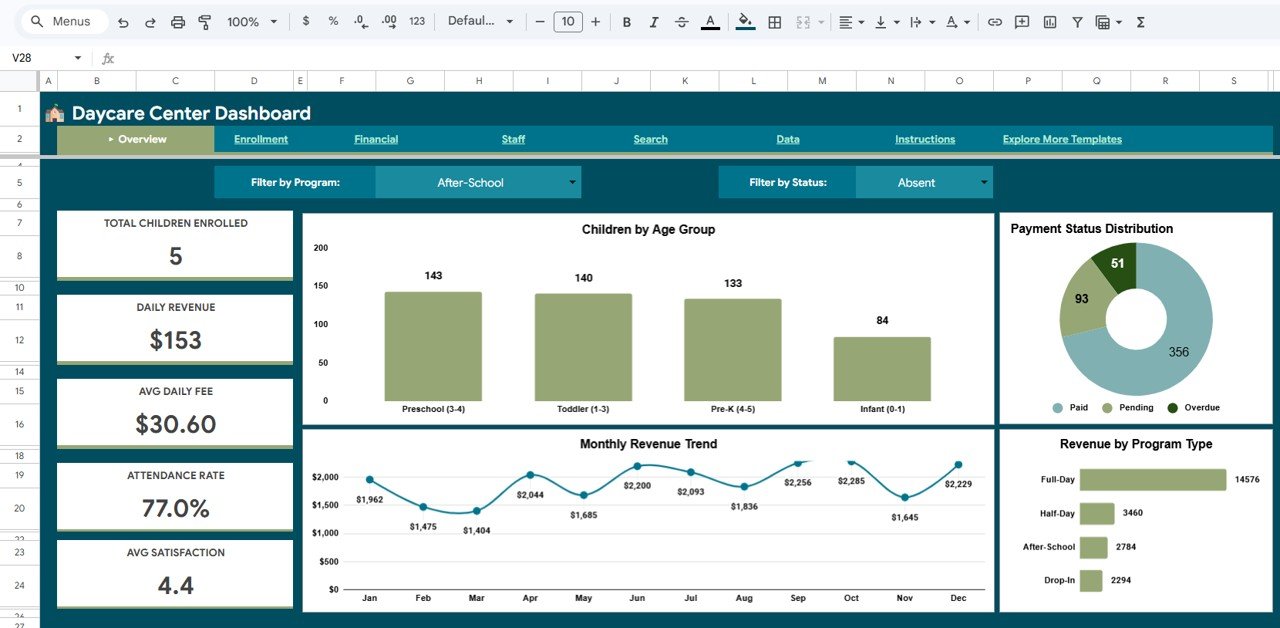
🎯 5 High-Level KPI Cards — Track Total Children Enrolled, Daily Revenue, Average Daily Fee, Attendance Rate, and Average Parent Satisfaction at a glance.
📈 Multiple Visual Charts — The template ships with 10+ pre-built charts covering children by age group, payment status, monthly revenue trends, revenue by program, classroom load, and incident reports.
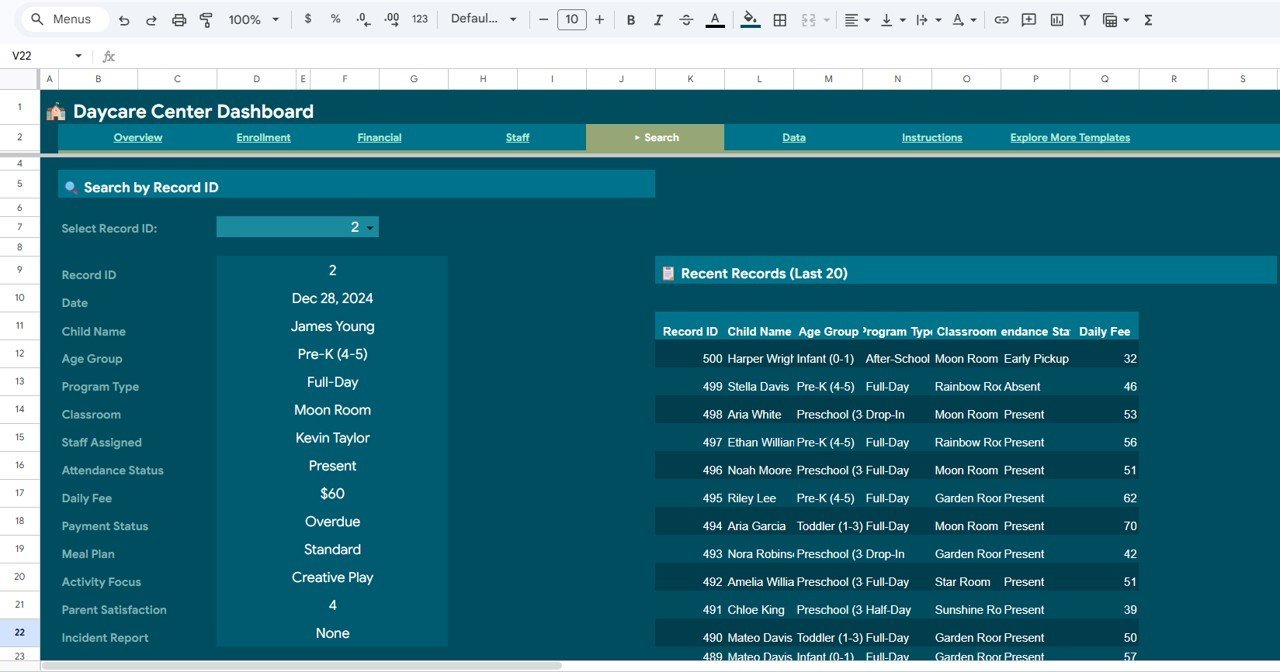
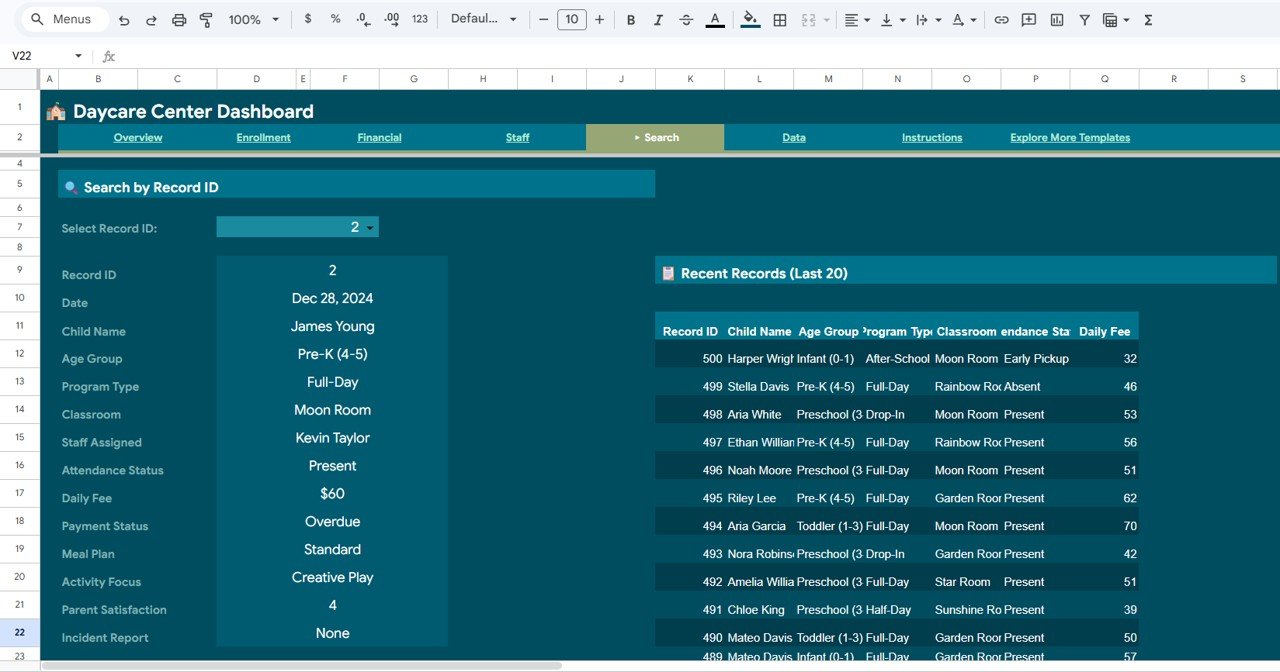
🔍 Smart Search Page — Select any Record ID from a dropdown and instantly see all 14 fields for that child, plus a Recent Records table showing the last 20 entries.
🧭 Interactive Slicers — Filter the dashboard by age group, program type, classroom, or month and watch every chart update instantly.
☁️ Google Sheets Native — No installation, no software. Make a copy to your Google Drive, share with your team, and collaborate in real time.
📦 What’s Inside the Daycare Center Dashboard in Google Sheets
This template is organized into six purpose-built sheet tabs that cover every angle of daycare operations:
🏠 Overview Page — The executive summary. Five KPI cards at the top show the high-level health of the center, followed by charts for Children by Age Group, Payment Status Distribution, Monthly Revenue Trend, and Revenue by Program Type. Slicers let you filter the entire page in one click.
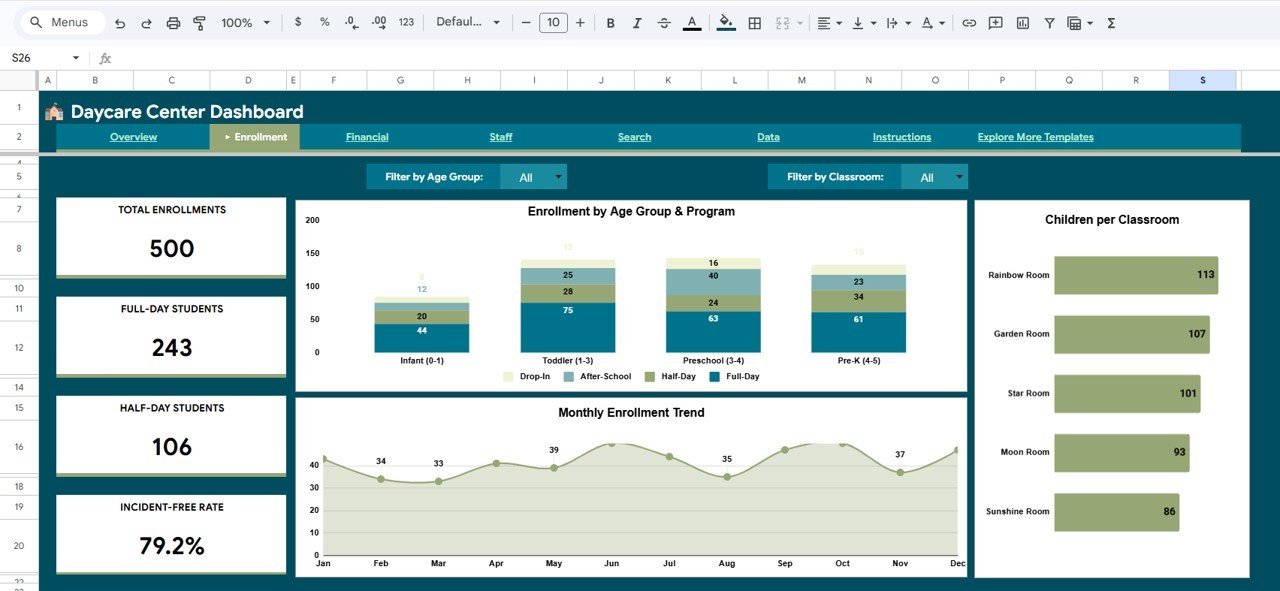
Enrollment Analysis
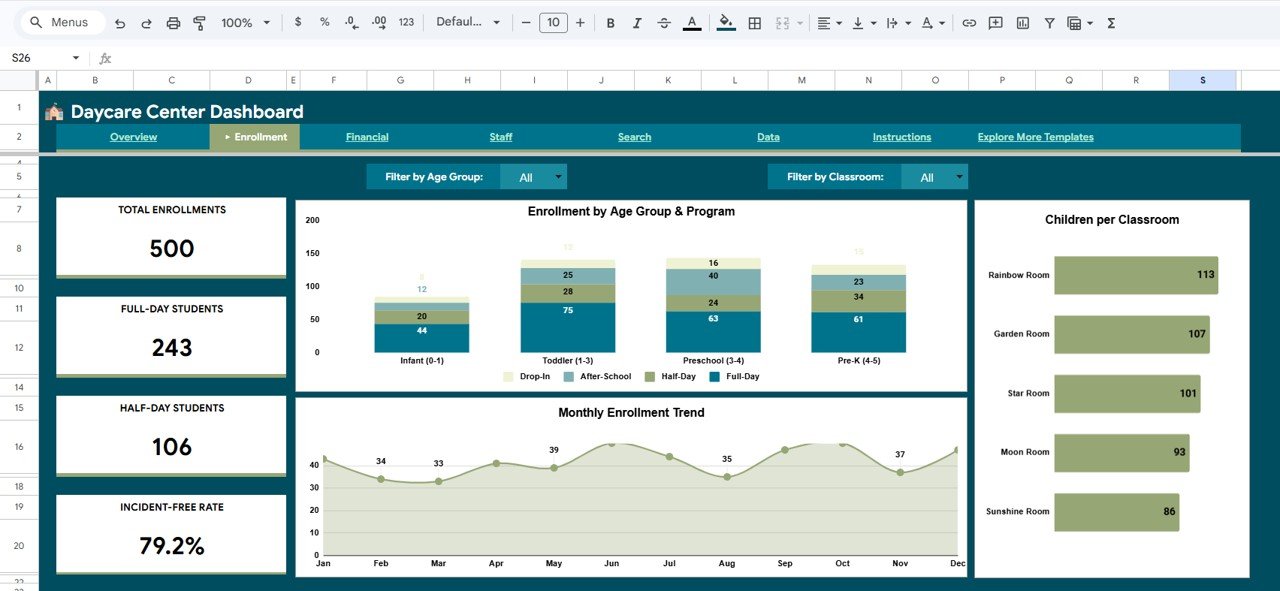
👶 Enrollment Analysis — This page focuses on how your center is growing. Charts include Enrollment by Age Group and Program, Monthly Enrollment Trend, and Children per Classroom — so you instantly know which programs are filling up and which classrooms are under-utilized.
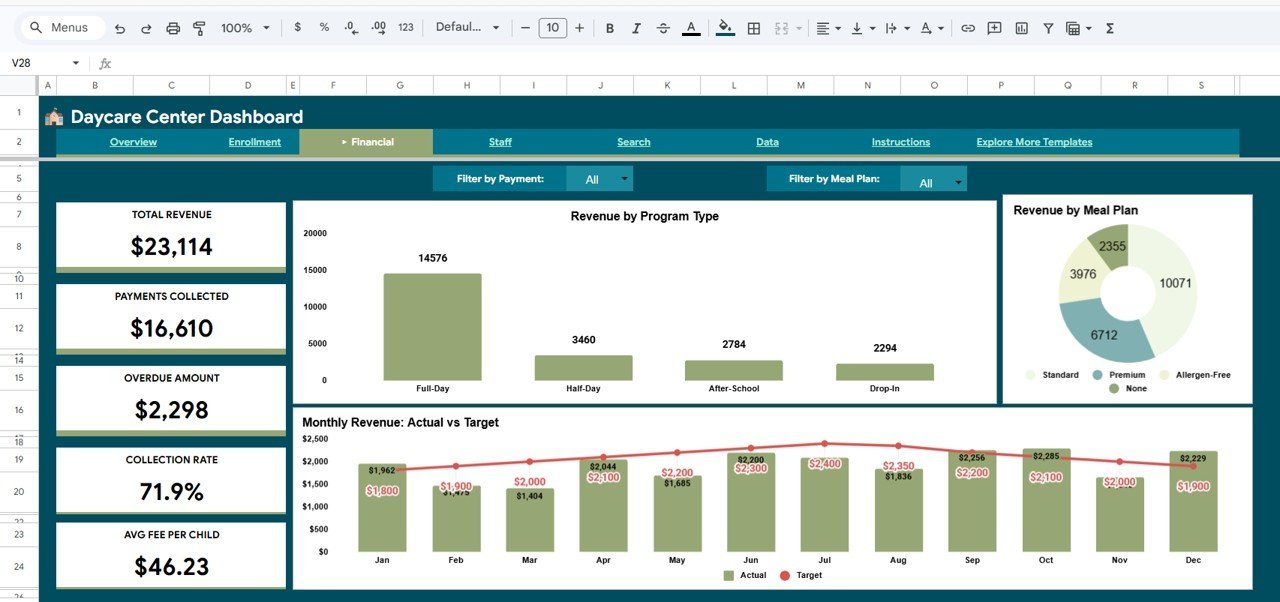
Financial Analysis
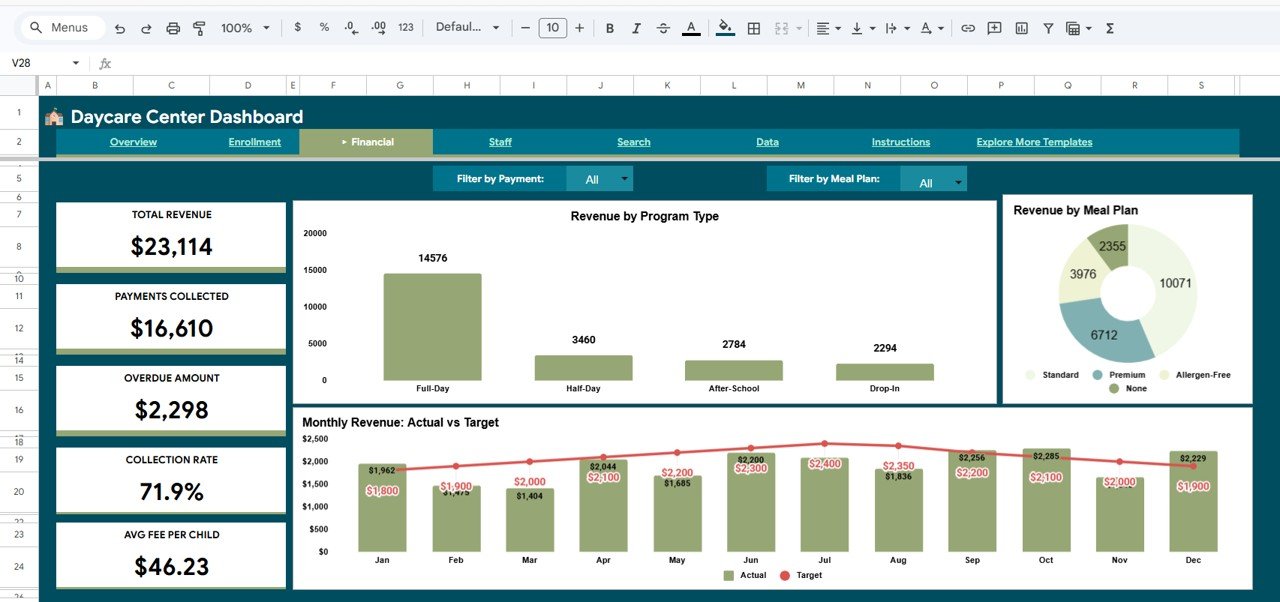
💰 Financial Analysis — The money view. Track Revenue by Program Type, Revenue by Meal Plan, and a Monthly Revenue Actual vs Target comparison. Spot revenue gaps early and plan for a healthier bottom line.
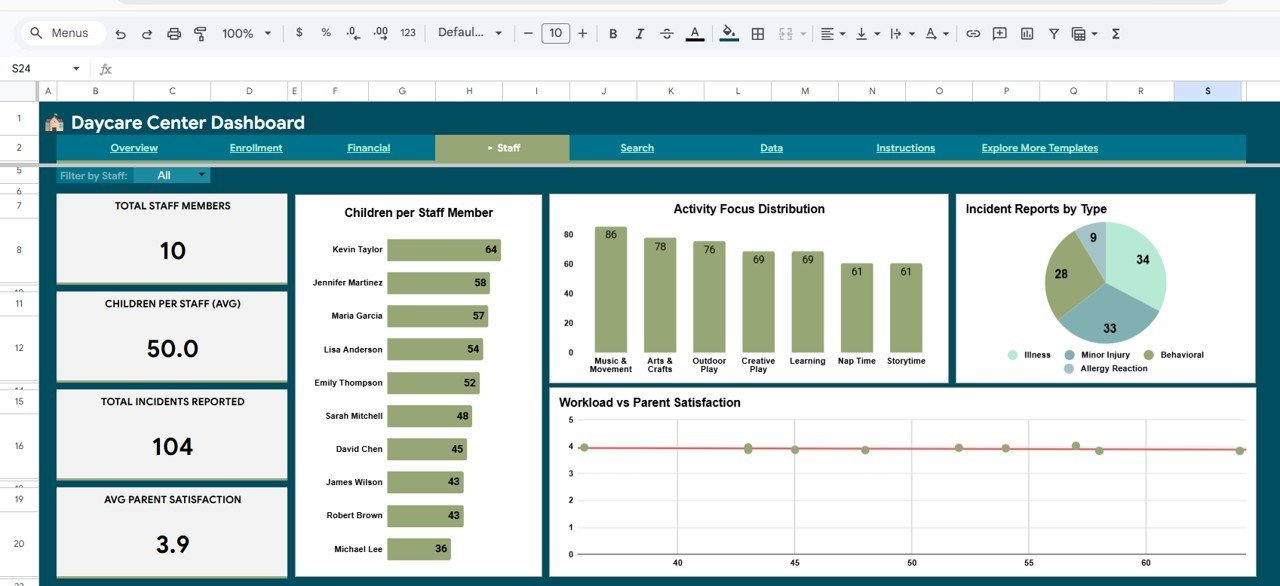
Staff Analysis
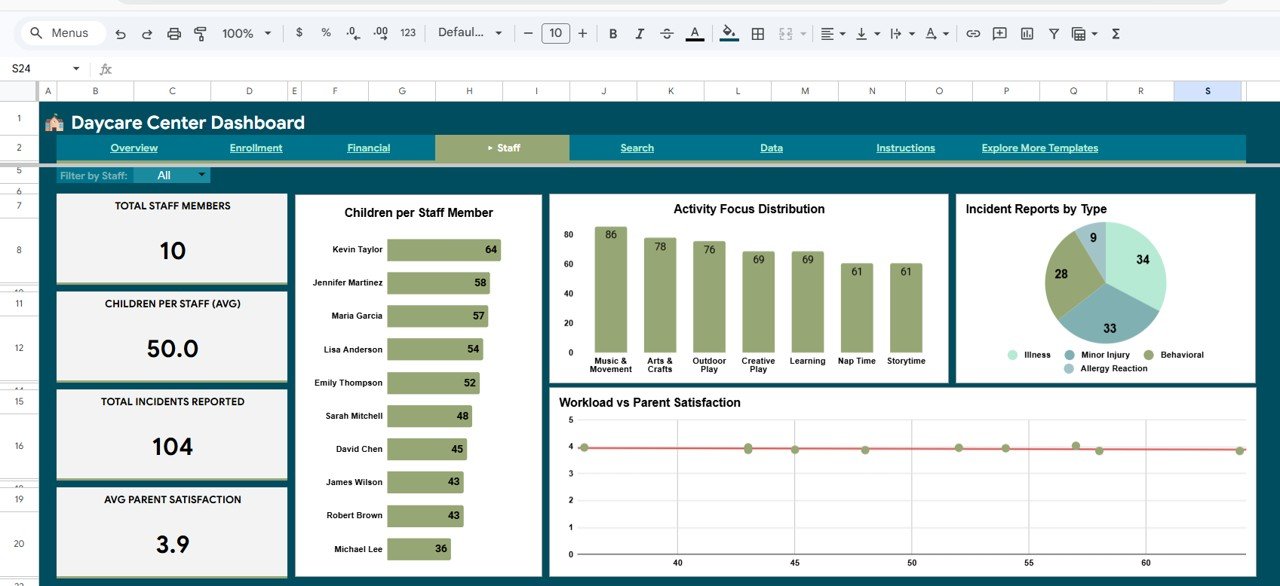
👩🏫 Staff Analysis — Balance your team’s workload with charts for Children per Staff Member, Activity Focus Distribution, Incident Reports by Type, and a Workload vs Parent Satisfaction scatter view. Keep your staff happy and your parents even happier.
Search Sheet tab
🔎 Search Sheet — Pick a Record ID from the dropdown and the sheet instantly pulls every detail for that child: Date, Child Name, Age Group, Program Type, Classroom, Staff Assigned, Attendance Status, Daily Fee, Payment Status, Meal Plan, Activity Focus, Parent Satisfaction, and Incident Report. A Recent Records table on the right shows the last 20 entries.
Data Sheet tab
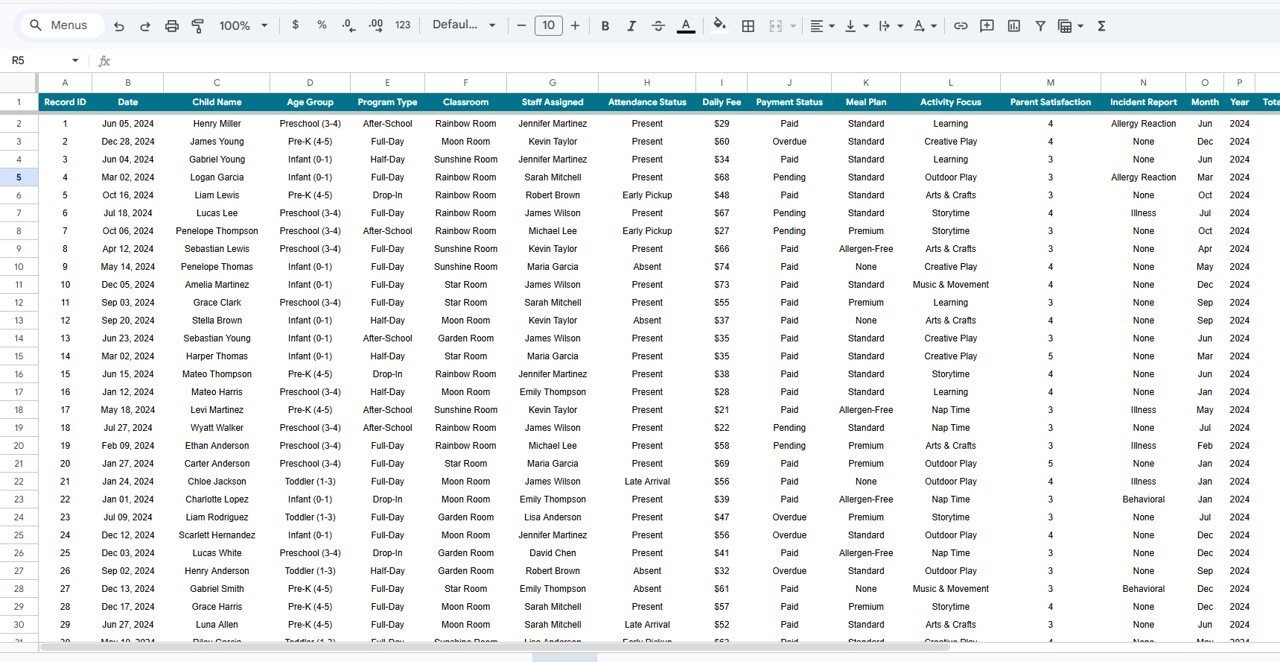
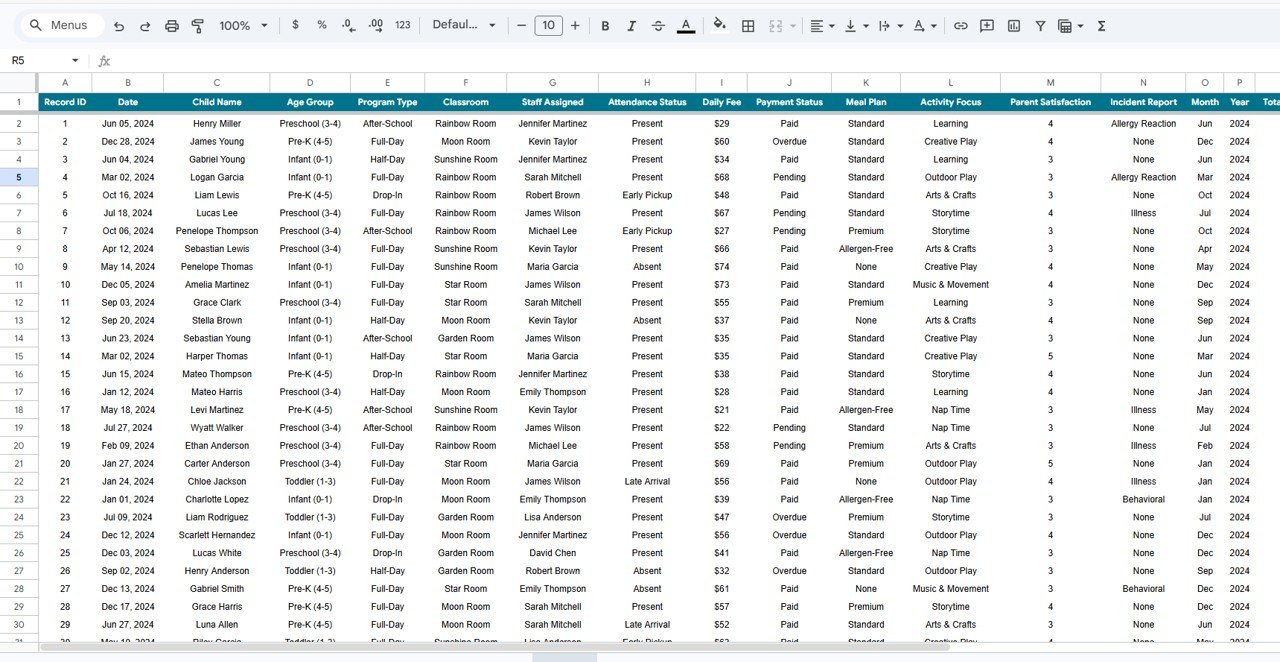
📋 Data Sheet — The source of truth. Add or edit your daycare records here in the same format and every chart, KPI, and filter on the other pages updates automatically.
⚙️ How to Use the Daycare Center Dashboard in Google Sheets
1️⃣ Purchase the template and download the PDF guide from your order.
2️⃣ Click the Google Sheets copy link inside the guide to create your own editable copy in Drive.
3️⃣ Open the Data Sheet and replace the sample data with your own daycare records.
4️⃣ Return to the Overview Page — all KPIs and charts update automatically.
5️⃣ Use the slicers to filter by age group, program, or classroom.
6️⃣ Jump to the Search Sheet to look up individual child records on demand.
👥 Who Can Benefit from This Daycare Center Dashboard
🏫 Daycare Center Owners – Get a single pane of glass for every location.
👩💼 Childcare Managers – Track enrollment, staff, and revenue in one place.
📚 Preschool & Early Learning Administrators – Complements our Preschool KPI Dashboard in Google Sheets for deeper KPI tracking.
💼 Franchise & Multi-Branch Operators – Share a single cloud dashboard across locations.
📊 Education Consultants – Use it as a ready-made reporting layer for client centers.
❓ Frequently Asked Questions
What KPIs does the Daycare Center Dashboard in Google Sheets track?
The Daycare Center Dashboard in Google Sheets tracks five headline KPIs — Total Children Enrolled, Daily Revenue, Average Daily Fee, Attendance Rate, and Average Parent Satisfaction — alongside 10+ detailed charts covering enrollment by age group, payment status, revenue by program type, staff workload, and incident reports.
Do I need advanced Google Sheets skills to use this daycare dashboard?
No. Everything is pre-built with formulas, pivot tables, and charts already wired up. You only need to update the Data Sheet with your real daycare records and the Overview, Enrollment, Financial, and Staff pages all refresh automatically.
Can I use this template for multiple daycare locations?
Yes. You can duplicate the Google Sheets file for each branch, or add a Location column to the Data Sheet and filter by location using the built-in slicers to get a consolidated multi-branch view.
How is this different from the Childcare Services KPI Dashboard in Excel?
The Daycare Center Dashboard in Google Sheets is a cloud-based, operational dashboard focused on daily center activity — enrollment, attendance, revenue, and staff analysis. The Childcare Services KPI Dashboard in Excel is an MTD/YTD KPI scorecard built in Excel for senior-level performance monitoring. Many centers use both together.
Will formulas and charts break when I replace the sample data?
No. As long as you keep the same column structure on the Data Sheet, all formulas, pivot-based charts, and slicers remain fully functional. The template uses dynamic ranges so adding or removing rows does not break anything.
Can I share this dashboard with parents or my team?
Yes. Because it lives in Google Sheets, you can share a view-only link with parents, a comment-only link with staff, or full edit access with managers — all from the standard Google Sheets share menu.
🔗 Explore Related Templates
📌 Preschool KPI Dashboard in Google Sheets — The KPI scorecard companion for early-learning centers.
📌 Student Enrollment KPI Dashboard in Google Sheets — Ideal for tracking admissions funnels.
📌 Education KPI Scorecard in Google Sheets — For broader education institution reporting.
📌 Explore all Google Sheets Dashboards in one place.
📖 Click here to read the Detailed Blog Post
Watch the step-by-step video tutorial:































Reviews
There are no reviews yet.