Corporate governance builds trust. It protects investors. It strengthens compliance. And most importantly, it protects your organization’s reputation.
However, when governance data is scattered across multiple spreadsheets, clarity disappears. Risk visibility weakens. Compliance gaps grow silently. Leadership reacts late.
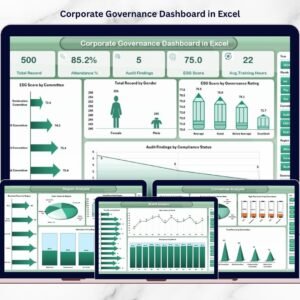
That is why we created the Corporate Governance Dashboard in Excel — a structured, ready-to-use reporting system that centralizes governance, ESG, compliance, audit, and risk data into one powerful Excel file.
Instead of reviewing long static reports, you can monitor governance health instantly using interactive charts, KPI cards, and slicers.
If you want transparency, accountability, and smarter board reporting, this dashboard delivers.
🚀 Key Feature of Corporate Governance Dashboard in Excel
This dashboard includes 5 structured analytical pages, supported by a clean Data Sheet and Support Sheet.
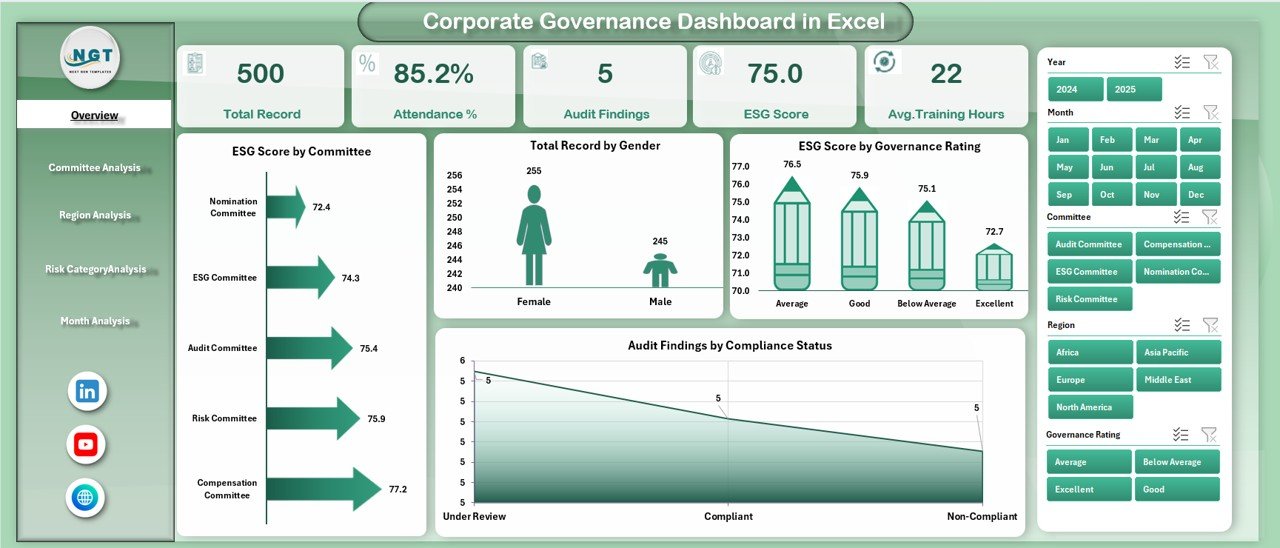
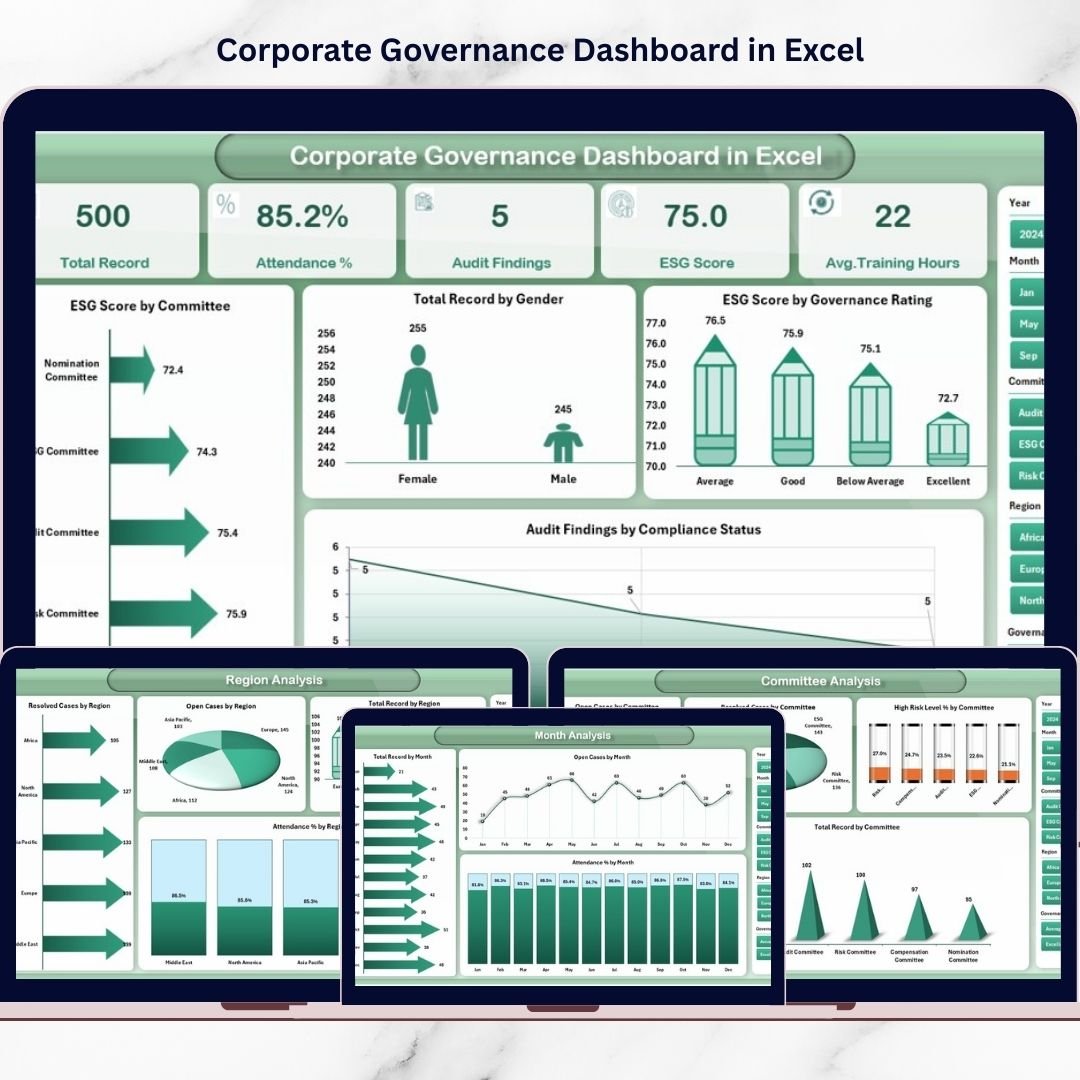
📊 Overview Page – ESG scores, governance ratings, audit findings, and gender records at a glance.
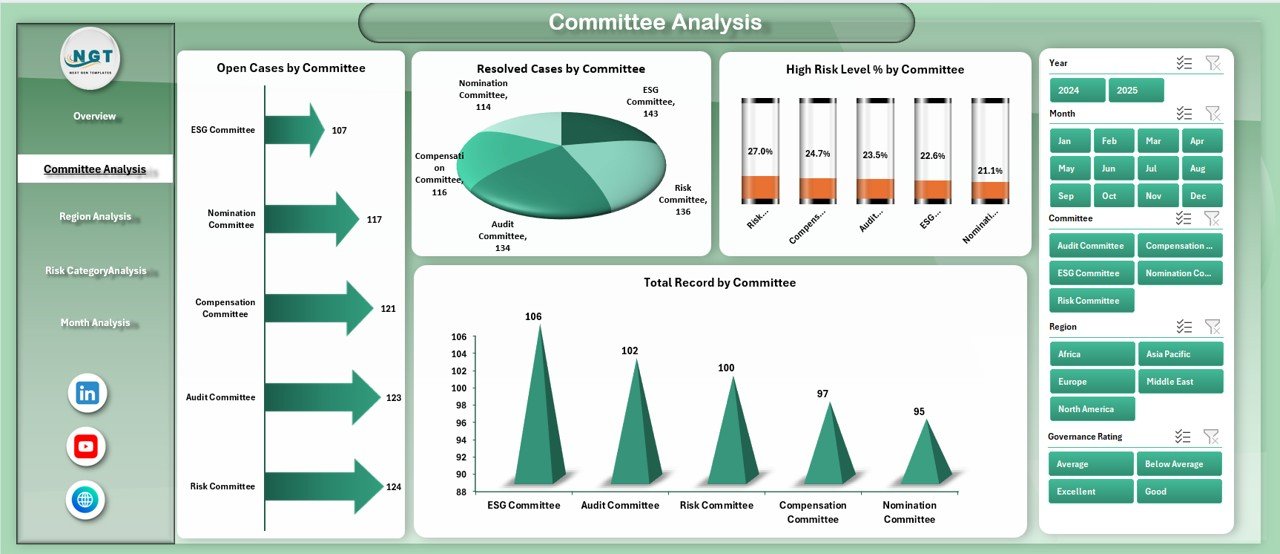
👥 Committee Analysis – Open cases, resolved cases, high-risk %, and performance by committee.
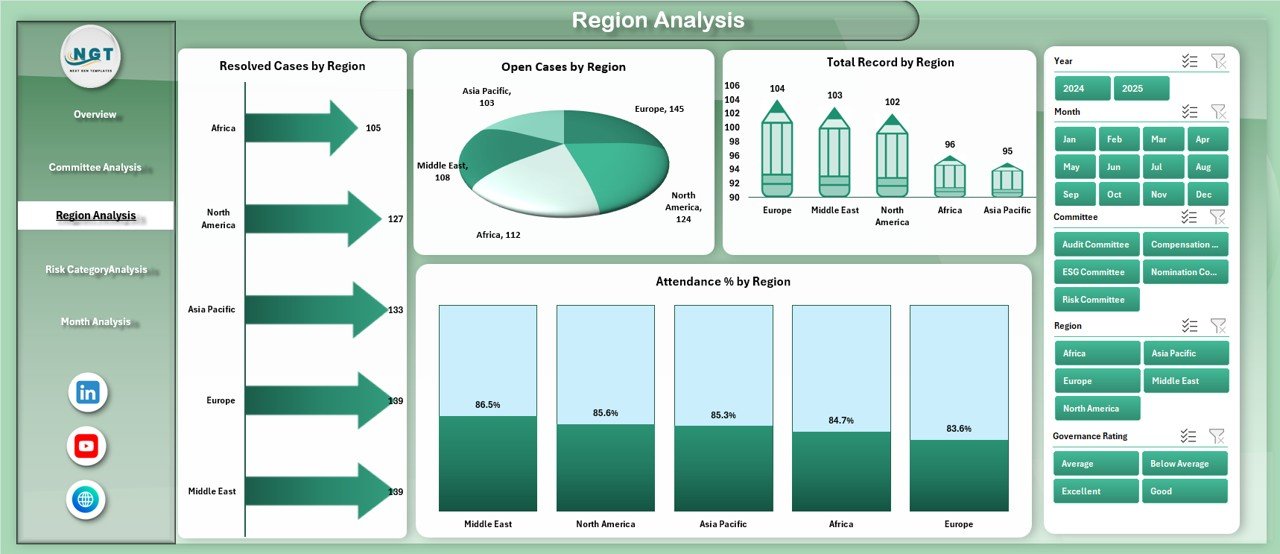
🌍 Region Analysis – Governance performance and attendance tracking across regions.
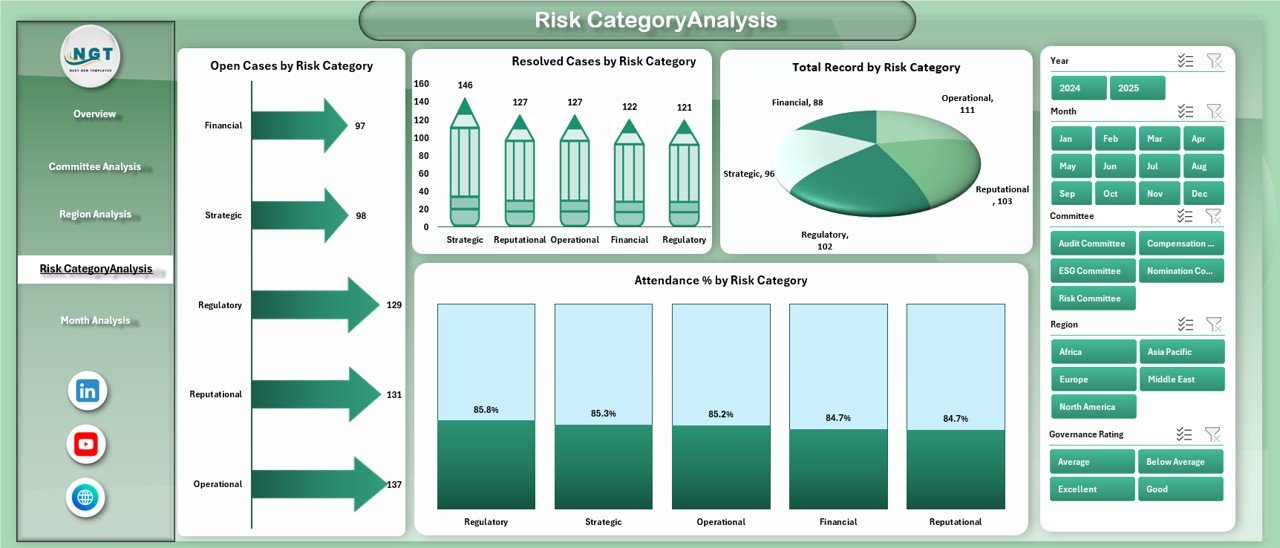
⚠ Risk Category Analysis – Identify high-risk governance categories instantly.
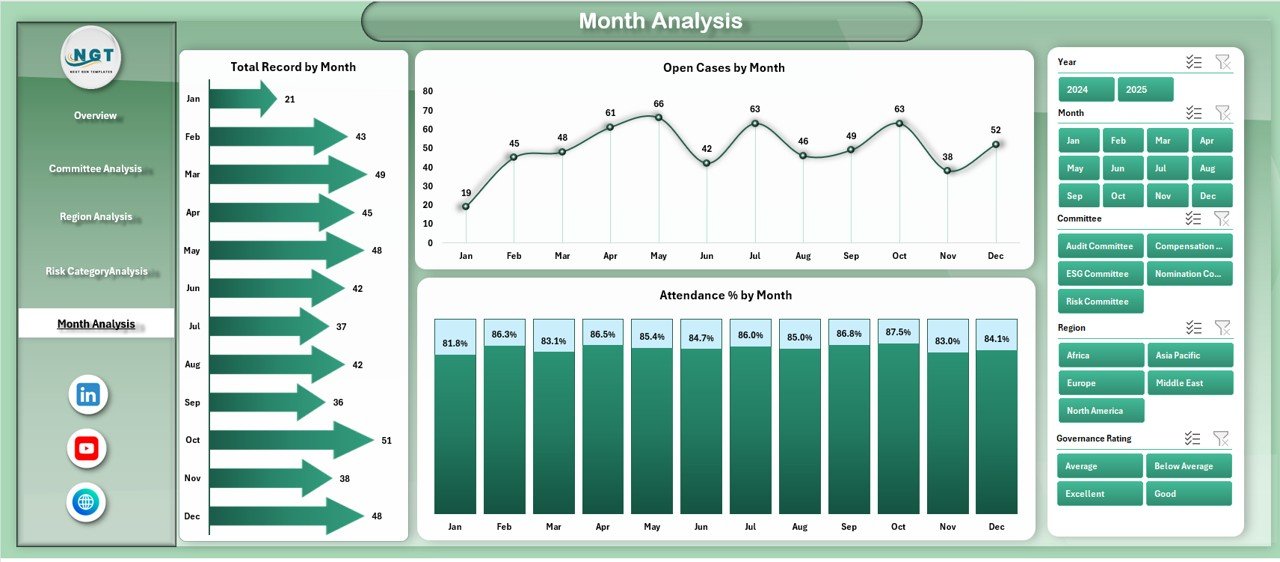
📅 Month Analysis – Track governance trends and compliance movement over time.
✨ Additional highlights:
Left-side Page Navigator for smooth navigation
Right-side slicers for dynamic filtering
Pivot Tables & Pivot Charts for automated analysis
Fully customizable KPI framework
Structured data design for clean reporting
Because everything runs inside Excel, implementation is simple and cost-effective.
📦 What’s Inside the Corporate Governance Dashboard in Excel
This ready-to-use workbook contains:
✔ 5 Interactive Dashboard Pages
✔ ESG Score tracking by Committee & Governance Rating
✔ Open vs Resolved Case monitoring
✔ Audit Findings by Compliance Status
✔ Attendance % tracking
✔ Gender diversity records
✔ Risk Category performance breakdown
✔ Monthly governance trend analysis
✔ Structured Data Sheet for governance inputs
✔ Support Sheet for backend calculations
You only update governance data in the Data Sheet. Charts refresh automatically.
🛠 How to Use the Corporate Governance Dashboard in Excel
Using the dashboard is simple:
1️⃣ Enter governance data into the structured Data Sheet (Committee, Region, Risk Category, ESG Score, Case Status, Attendance %, etc.).
2️⃣ Refresh Pivot Tables.
3️⃣ Use slicers to filter by region, committee, month, or risk category.
4️⃣ Review the Overview page for summary insights.
5️⃣ Drill down into specific analytical pages for deeper investigation.
For example:
If ESG Score drops for a committee, you can review performance immediately.
If open cases increase in a specific risk category, you can assign corrective action.
If attendance % declines regionally, you can strengthen oversight.
Because everything is visual and centralized, governance decisions become proactive.
👥 Who Can Benefit from This Corporate Governance Dashboard in Excel
This dashboard is ideal for:
🏢 Board Members
📋 Compliance Officers
⚖ Risk Managers
🌱 ESG Analysts
📊 Internal Audit Teams
🗂 Corporate Secretaries
👨💼 Senior Executives
Whether you are a mid-sized company or a large enterprise, this dashboard supports structured governance reporting.
It improves:
✔ Compliance monitoring
✔ Risk visibility
✔ ESG transparency
✔ Committee accountability
✔ Regional governance consistency
When governance becomes measurable, trust becomes stronger.
💡 How This Dashboard Strengthens ESG & Risk Strategy
ESG performance and risk management directly impact investor confidence.
This dashboard helps you:
Monitor ESG score movement
Track governance rating performance
Detect high-risk categories early
Review compliance audit findings
Analyze governance trends monthly
Instead of reacting to audit surprises, you prevent them.
And prevention protects your organization’s reputation.
Click hare to read the Detailed blog post
Visit our YouTube channel to learn step-by-step video tutorials