Retail businesses operate in a highly regulated and fast-moving environment 🏬. Regulations change. Deadlines approach quickly. Audits happen without warning. Yet many retail teams still rely on emails, sticky notes, and scattered spreadsheets to manage compliance.
As a result, they miss filing deadlines. They delay license renewals. They struggle during inspections. And worst of all — they risk penalties.
That is exactly why the Retail Compliance Calendar in Excel becomes an essential operational tool.
The Retail Compliance Calendar in Excel is a ready-to-use, structured compliance tracking system designed specifically for retail operations. It helps you track regulatory deadlines, license renewals, tax filings, safety inspections, vendor compliance checks, and internal audit schedules — all in one centralized Excel workbook 📊.
Because it runs entirely in Excel, you avoid expensive compliance software while gaining powerful automation, structured forms, and visual calendar views. As a result, compliance becomes proactive instead of reactive.
✅ Key Feature of Retail Compliance Calendar in Excel
This solution transforms scattered compliance tracking into a structured, visual control system.
📅 Annual, Monthly & Daily Views – Manage compliance from macro to micro level.
🎯 Add, Update & Delete Event Forms – Maintain a clean and accurate database.
🔔 Highlight Critical Deadlines – Visually mark important dates instantly.
🎨 Customizable Themes – Choose from 5 professional color layouts.
📊 Centralized Compliance Database – Store all compliance events in one place.
⚡ Dynamic Year Selection – Reuse the template every year with one click.
🔍 Date Range Filtering – View events for any selected period.
Because of its structured design, the system ensures no compliance event goes unnoticed.
📦 What’s Inside the Retail Compliance Calendar in Excel
This template includes 5 powerful worksheets; each designed for specific compliance management functions.
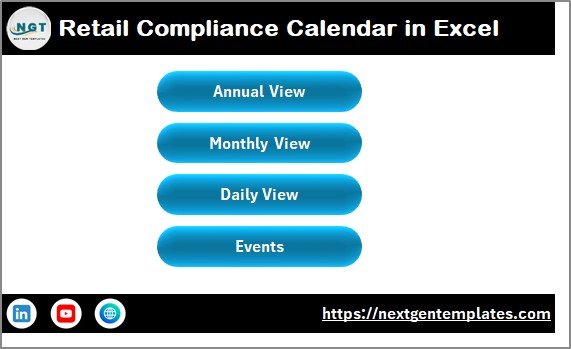
🏠 1️⃣ Home Sheet – Compliance Control Center
The Home Sheet acts as the navigation hub 🧭.
It includes four main buttons:
Annual View
Monthly View
Daily View
Events
This design allows users to switch between compliance views instantly without searching manually.
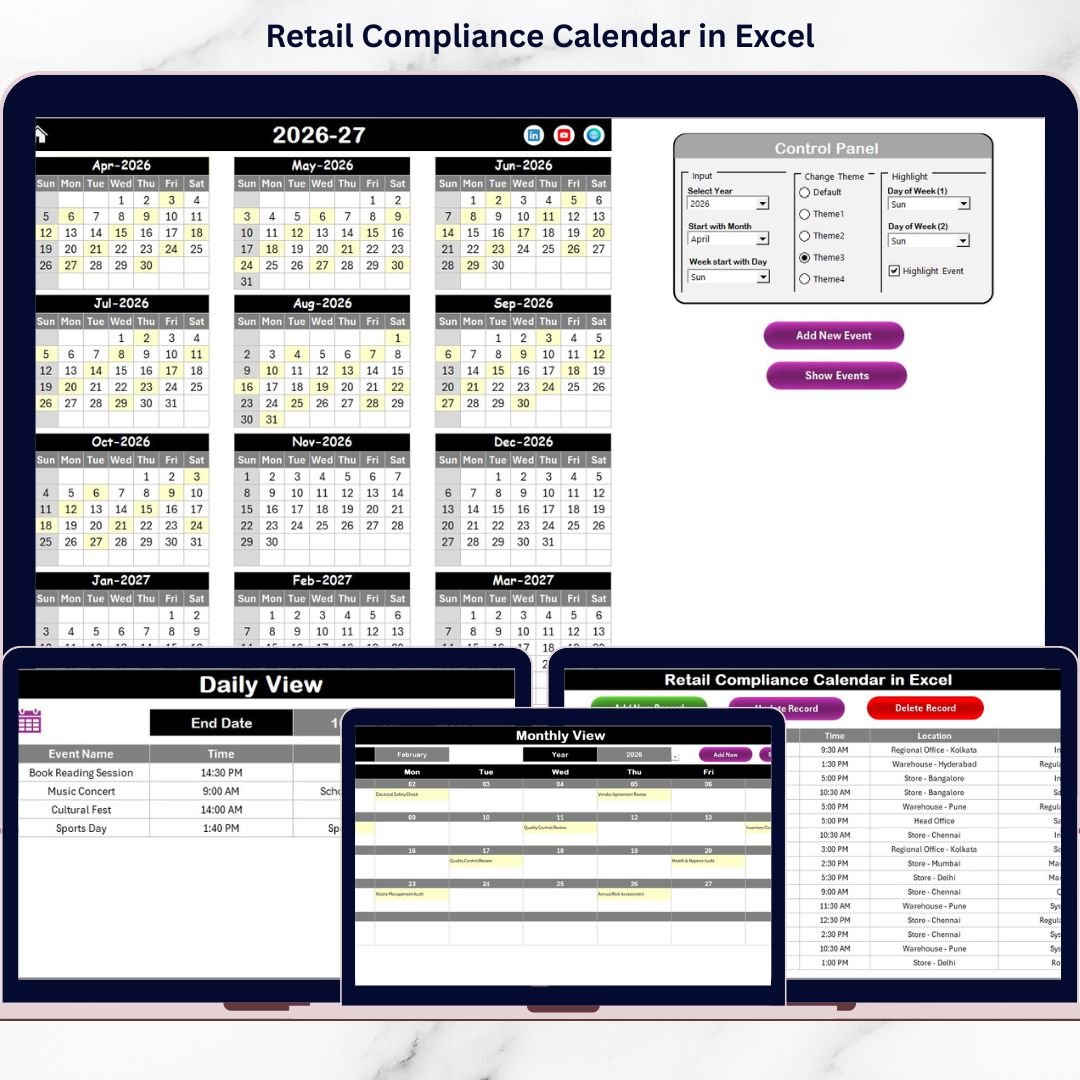
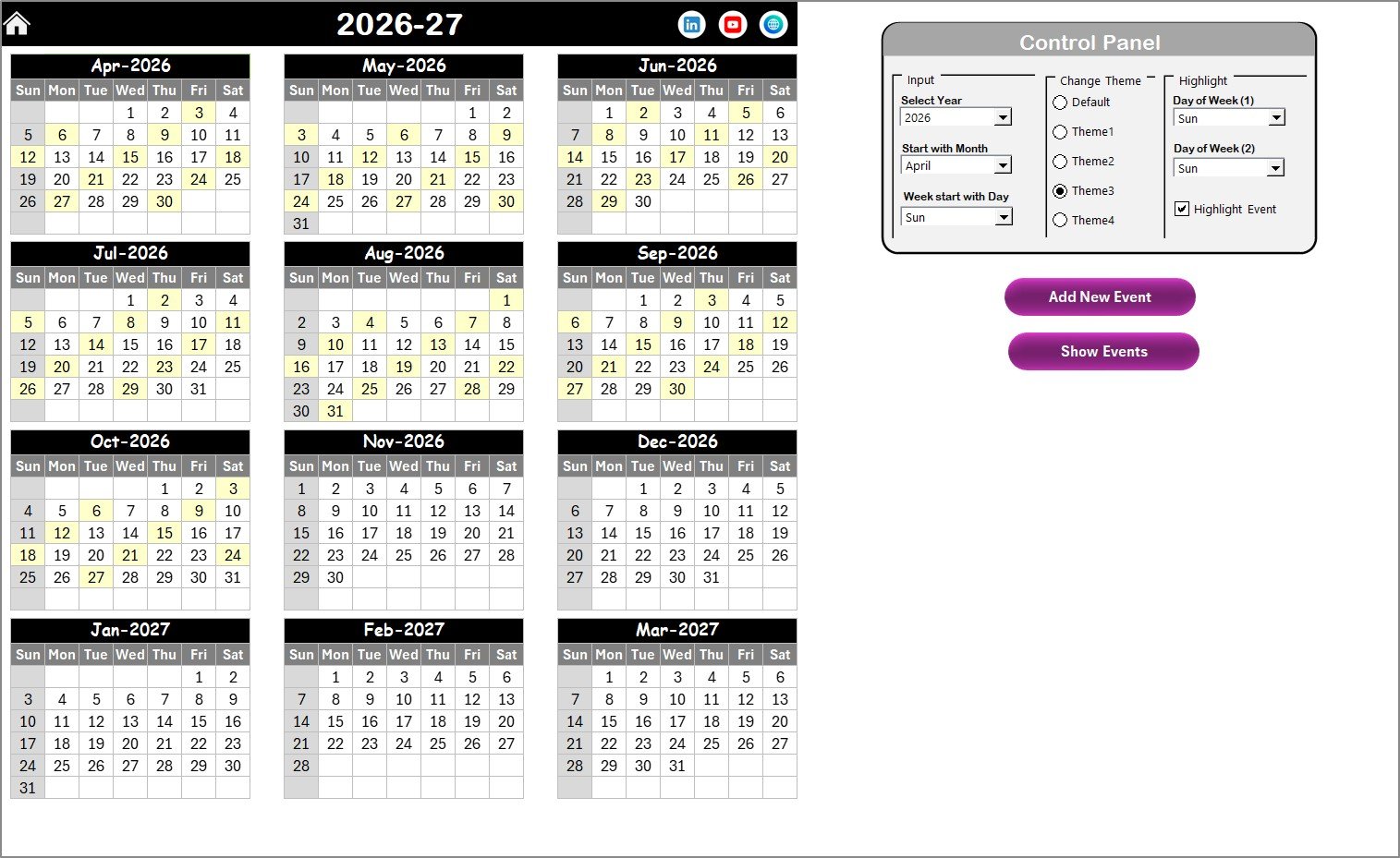
📆 2️⃣ Annual View Sheet – 12 Months at a Glance
The Annual View displays all 12 months in one structured layout.
🔹 Control Panel Features
Input Group
Select Year
Change Starting Month
Change Starting Day of Week
The calendar updates automatically when you change inputs.
Change Theme Group
5 color themes available
Apply theme across entire workbook instantly
Highlight Group
Highlight Day of Week (1 & 2)
Enable “Highlight Event” option
For example:
Highlight weekends in grey
Highlight compliance deadlines in yellow
Action Buttons
Add New Event – Open form, enter details, submit
Show Event – View all events on selected date
This ensures quick event management and visibility.
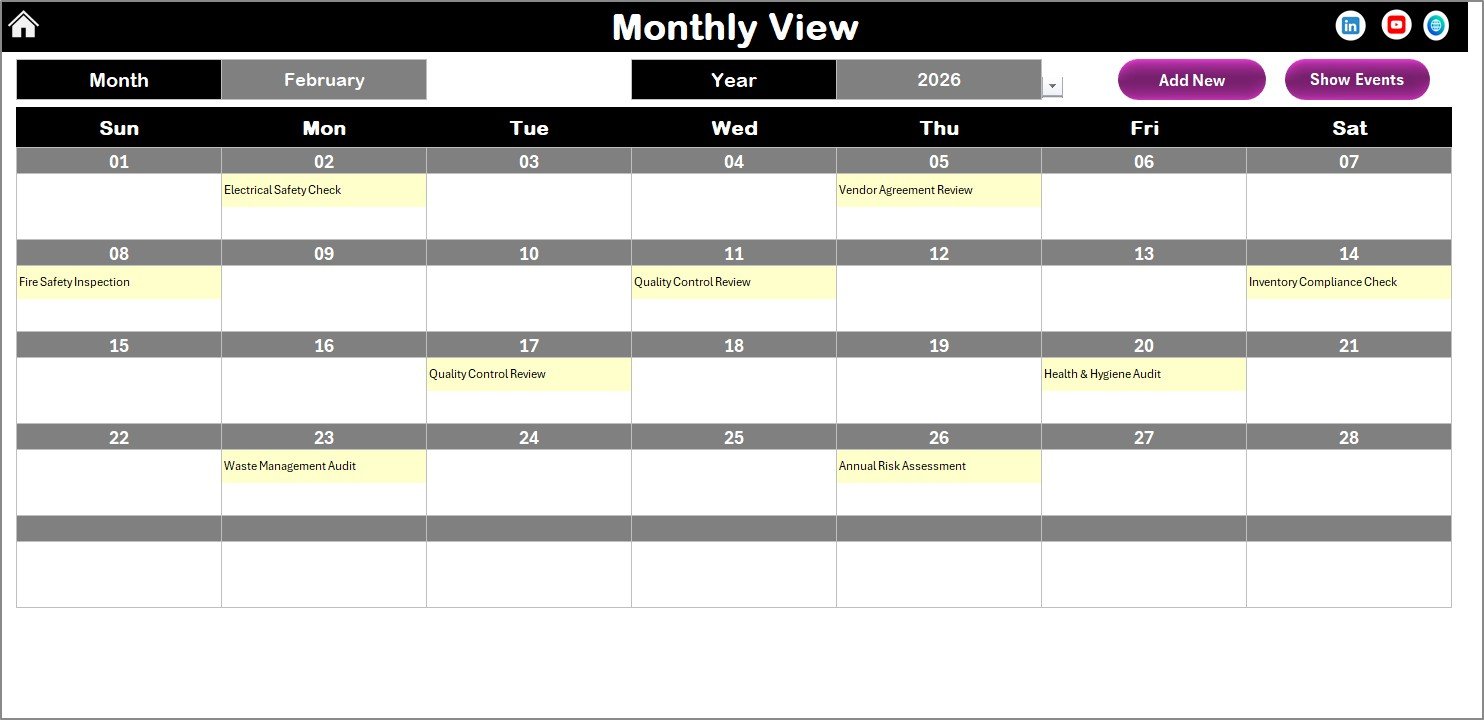
📅 3️⃣ Monthly View Sheet – Focused Month Planning
The Monthly View allows detailed monthly compliance tracking.
At the top, you select:
Month
Year
The calendar updates instantly.
If a date contains:
One event → Displayed directly
Multiple events → “More than 1…” indicator
This helps identify heavy compliance days quickly.
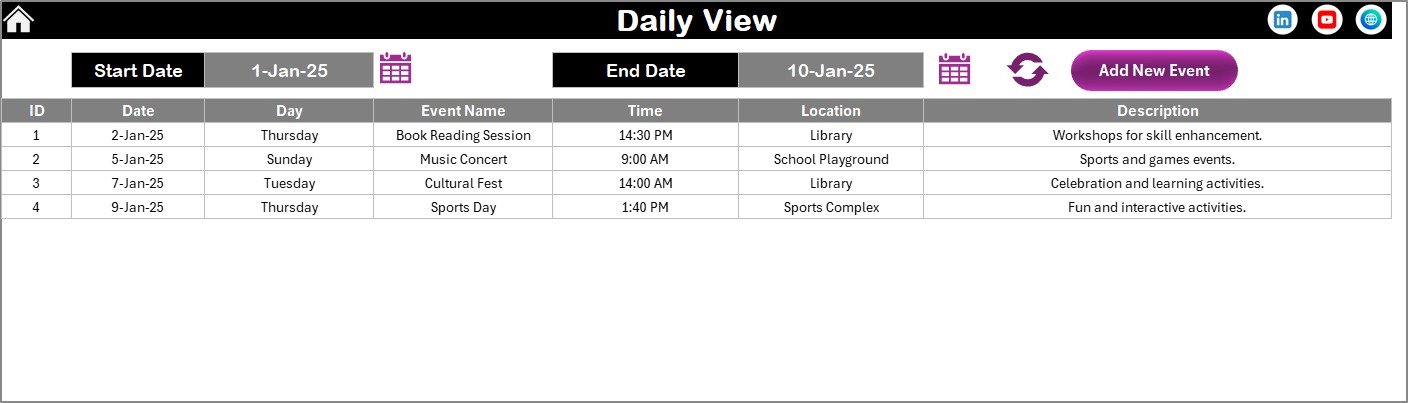
📋 4️⃣ Daily View Sheet – Detailed Event Tracking
The Daily View displays events within a selected date range.
Steps:
Enter Start Date
Enter End Date
Click Refresh
The system lists all compliance events within the selected range.
This view is ideal for:
Audit preparation
Inspection planning
Monthly compliance review meetings
Regulatory reporting
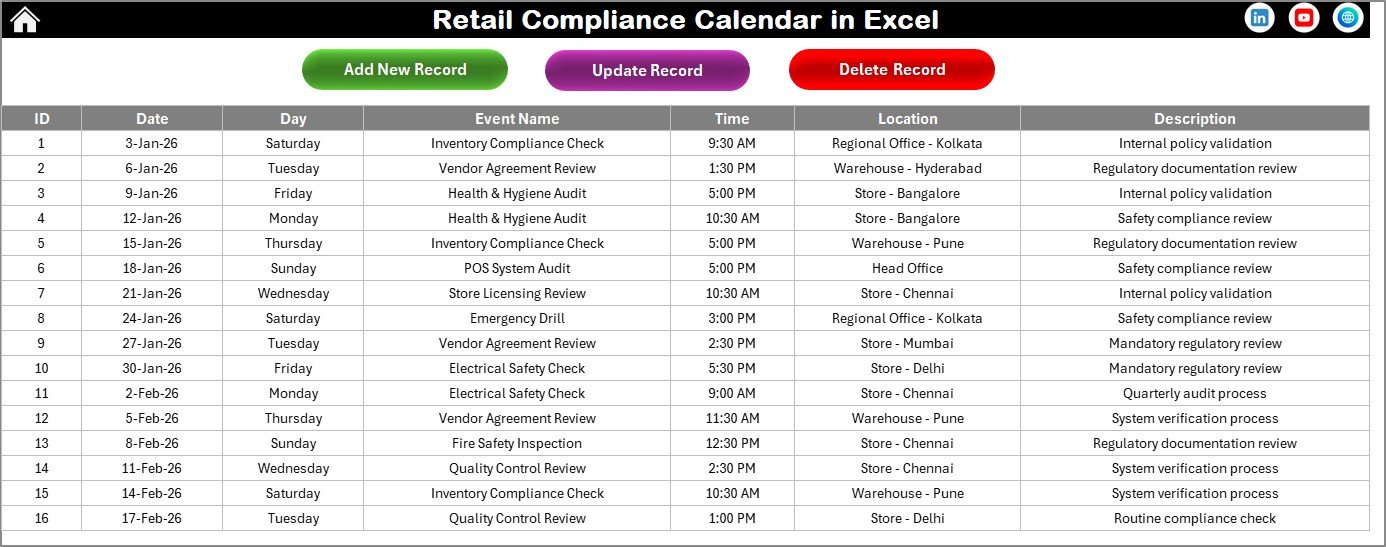
🗂️ 5️⃣ Events Sheet – Central Compliance Database
The Events Sheet acts as the backend database.
Fields included:
ID (Auto Generated)
Date
Day
Event Name
Time
Location
Description
Database Control Buttons:
Add New Record
Update Existing Record
Delete Record
This ensures accurate, duplicate-free compliance tracking.
🛠️ How to Use the Retail Compliance Calendar in Excel
Using the calendar is simple and structured:
Install the template.
Enter all current compliance events.
Assign internal responsibility.
Highlight critical deadlines.
Review monthly and weekly.
Update events as regulations change.
Because forms handle data entry, errors reduce significantly.
👥 Who Can Benefit from This Retail Compliance Calendar
This template is perfect for:
🏬 Retail Store Managers
⚖️ Compliance Officers
👩💼 HR & Labor Compliance Teams
💰 Finance Departments
🛒 Multi-Store Retail Chains
🏢 Franchise Operators
Whether you manage a single outlet or a nationwide chain, this calendar keeps compliance organized.
🔗 Click here to read the Detailed blog post
🎥 Visit our YouTube channel to learn step-by-step video tutorials
👉 https://www.youtube.com/@PKAnExcelExpert