

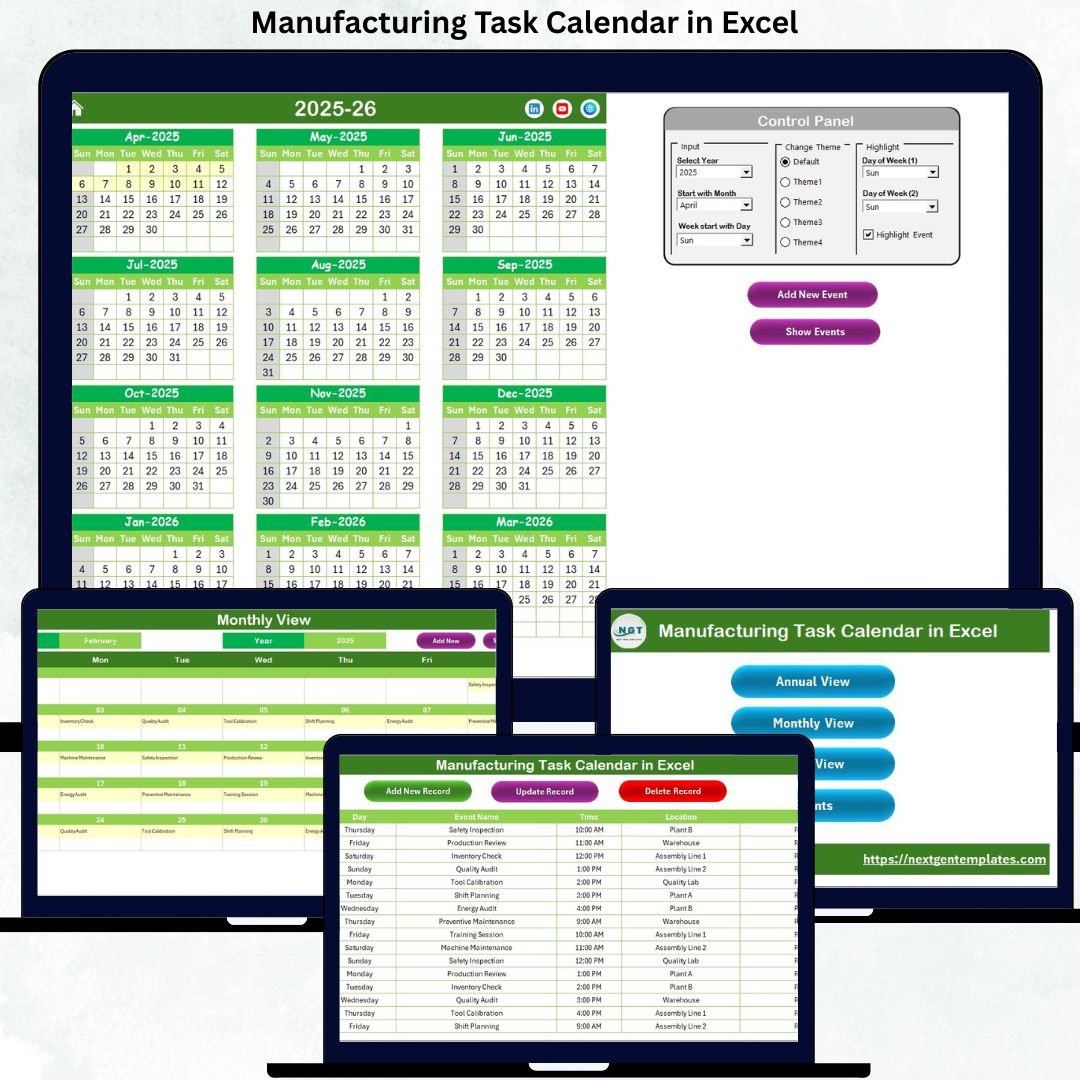
Managing manufacturing operations without a structured task calendar often leads to missed deadlines, overlapping activities, and production delays. That is exactly why the Manufacturing Task Calendar in Excel is designed as a powerful, ready-to-use planning solution for modern manufacturing teams.
This professionally built Excel calendar helps you plan, schedule, track, and manage manufacturing tasks across annual, monthly, and daily views—all from a single Excel file. Instead of juggling multiple spreadsheets, registers, or manual planners, you gain one centralized, visual, and easy-to-manage calendar that brings clarity and control to your operations.
Built entirely in Microsoft Excel, this calendar requires no subscriptions, no complex software, and no advanced Excel skills. Whether you manage production schedules, maintenance tasks, audits, safety drills, or shutdowns, this tool keeps everything organized and visible.
🔑 Key Features of Manufacturing Task Calendar in Excel
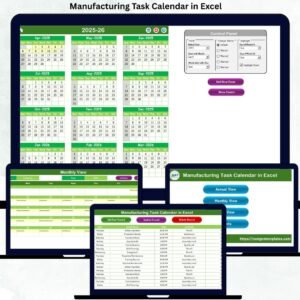
📅 Multi-Level Calendar Views – Plan and monitor tasks using Annual, Monthly, and Daily views for complete operational visibility.
🎯 Centralized Task Management – Store all manufacturing tasks in one structured Events database for consistent and accurate tracking.
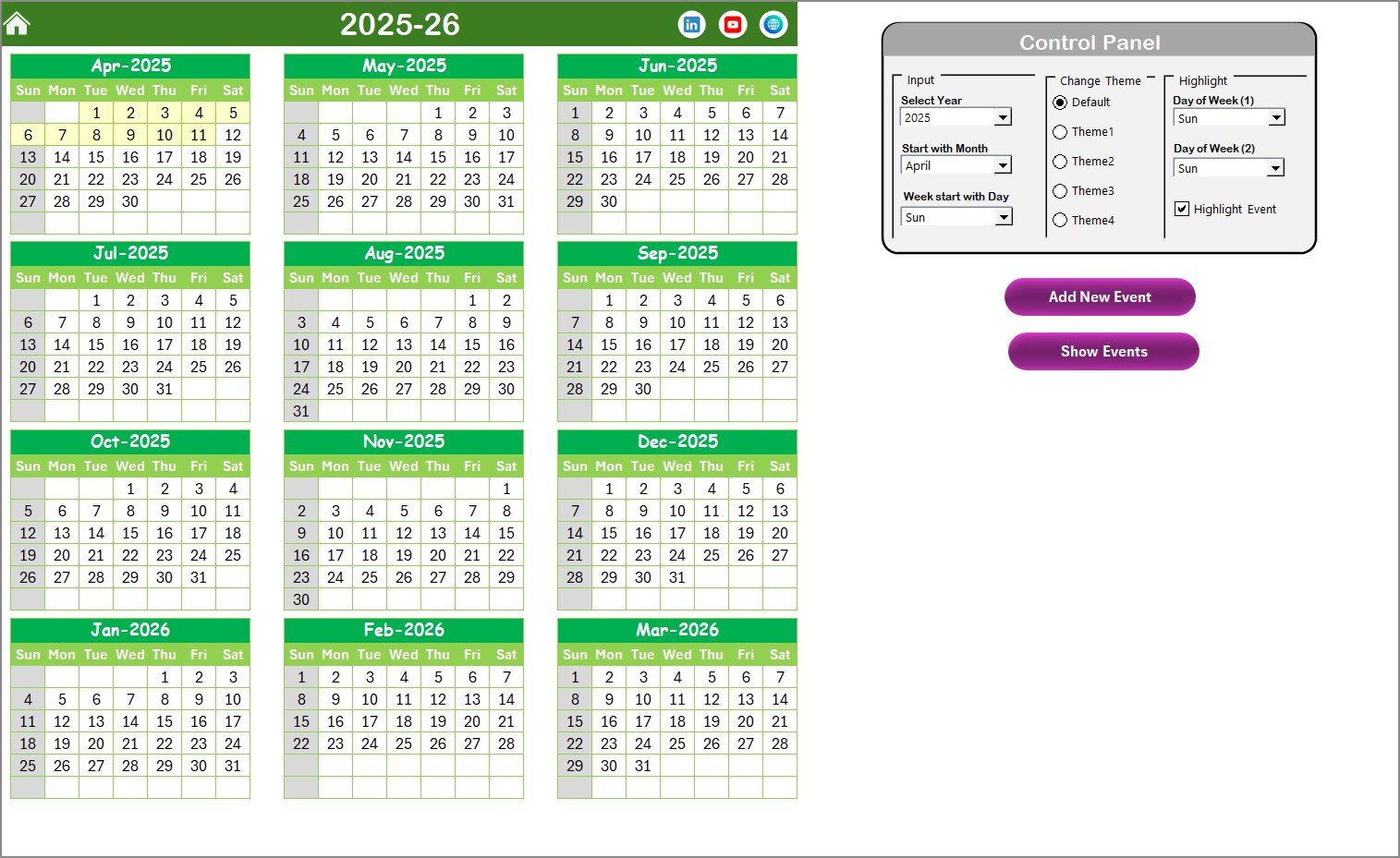
🎨 Dynamic Control Panel – Change year, starting month, and starting weekday instantly based on your production or fiscal calendar.
🖌️ Theme Customization – Choose from 5 professional color themes to improve readability and visual comfort.
🟡 Smart Highlighting Options – Highlight weekends, specific weekdays, and important events for quick identification.
➕ One-Click Task Creation – Add new tasks directly from calendar views using simple input forms.
👁️ Instant Task Visibility – View all scheduled tasks for any selected date with a single click.
💼 Business-Ready Design – Clean layout, intuitive buttons, and user-friendly navigation for all roles.
📦 What’s Inside the Manufacturing Task Calendar in Excel
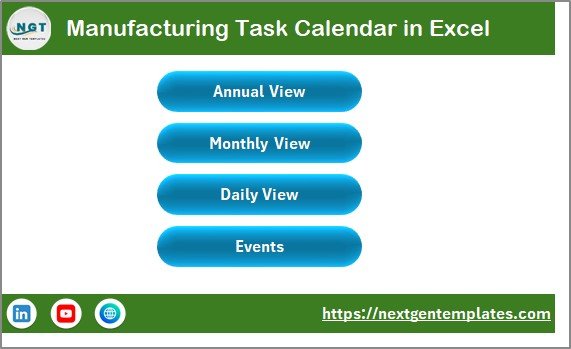
📁 Home Sheet – A clean navigation hub with buttons to jump instantly to Annual View, Monthly View, Daily View, and Events.
📆 Annual View Sheet – Displays all 12 months on one screen with a powerful control panel for year selection, theme changes, and highlighting rules. Ideal for long-term production planning and audits.
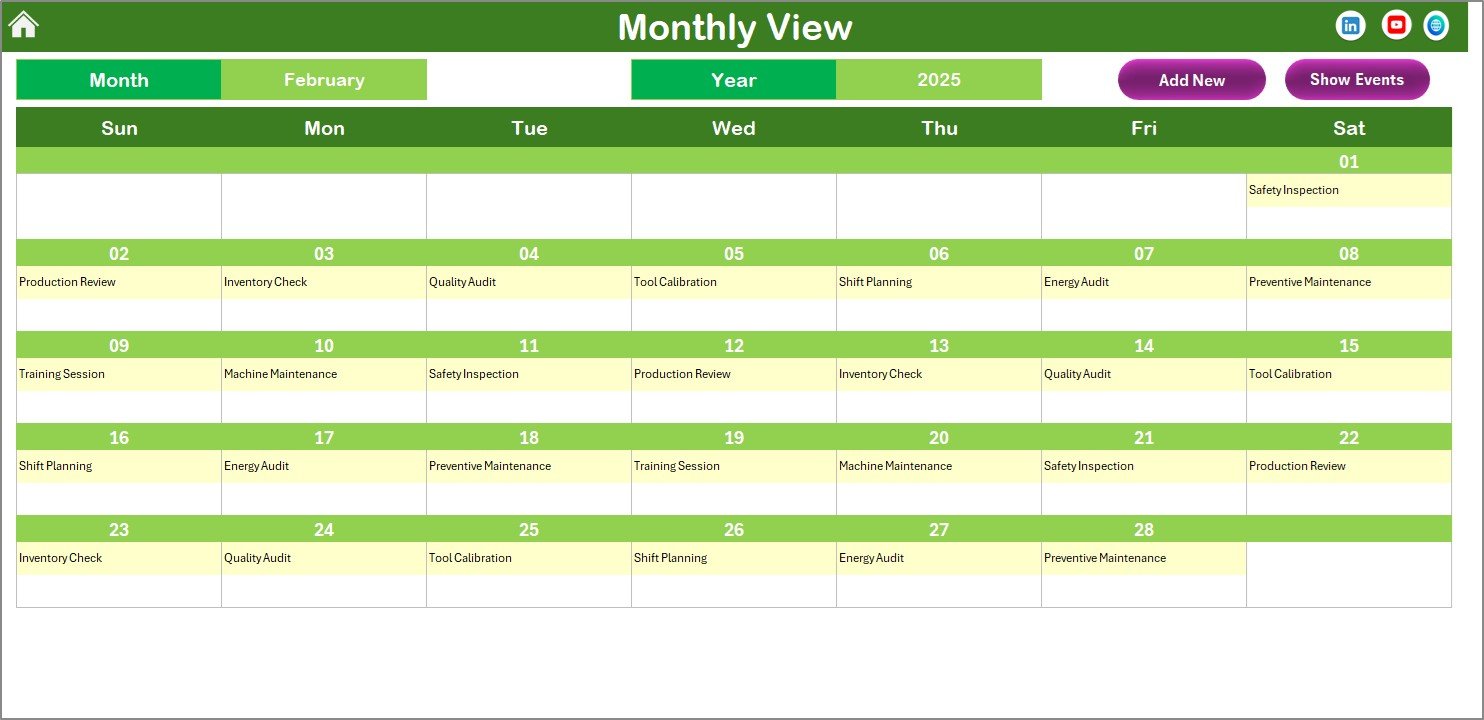
🗓️ Monthly View Sheet – Focuses on a single month, perfect for supervisors planning shifts, maintenance, and inspections. Automatically shows multiple tasks per date clearly.
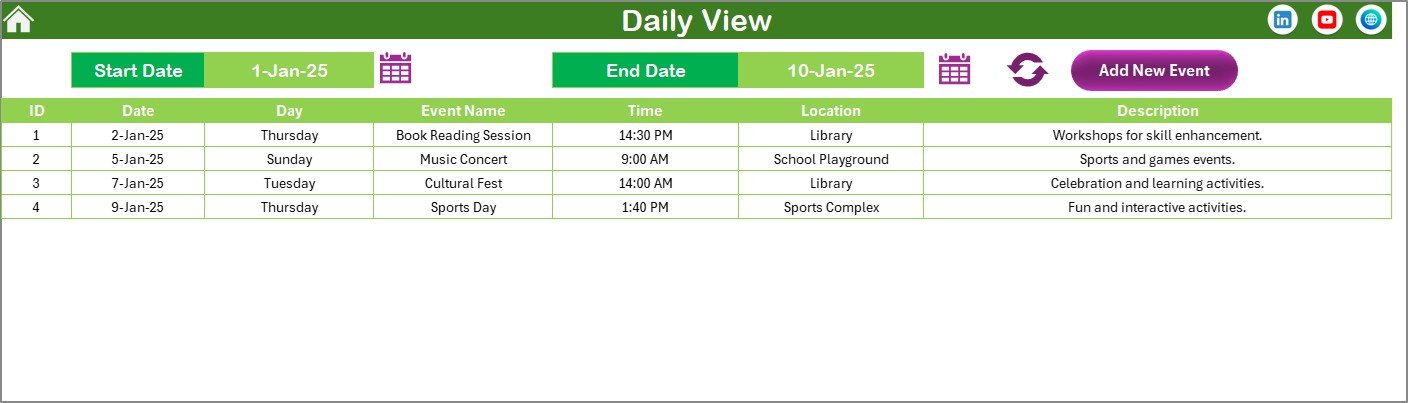
📋 Daily View Sheet – Shows a detailed task list for a selected date range, supporting day-to-day execution and shift planning.
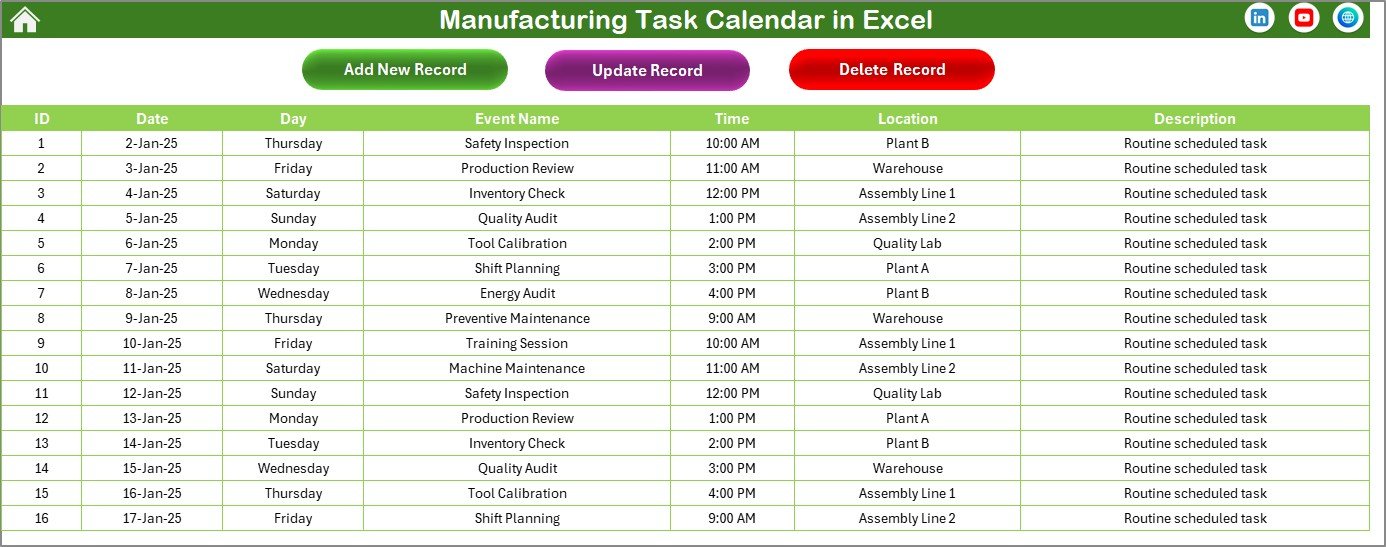
🗂️ Events Sheet (Database) – Stores all task details such as date, event name, time, location, and description. All calendar views pull data from this sheet for consistency.
🛠️ How to Use the Manufacturing Task Calendar in Excel
1️⃣ Open the Excel file and start from the Home Sheet.
2️⃣ Choose Annual, Monthly, or Daily View based on your planning needs.
3️⃣ Use the Add New Event button to enter task details through a simple form.
4️⃣ View tasks instantly on the calendar or using the Show Event option.
5️⃣ Customize themes, highlight weekends, and adjust calendar settings from the control panel.
6️⃣ Update or delete tasks anytime from the Events Sheet.
Because everything is automated, your team spends less time managing schedules and more time executing work.
👥 Who Can Benefit from This Manufacturing Task Calendar
🏭 Plant Managers – Gain complete visibility into production schedules and key activities.
🔧 Maintenance Teams – Plan preventive maintenance and equipment checks efficiently.
📦 Production Planners – Organize workloads and avoid scheduling conflicts.
📊 Operations Managers – Improve coordination across departments.
✅ Quality & Compliance Teams – Track audits, inspections, and safety drills easily.
This calendar is suitable for small factories, mid-size plants, and large manufacturing units.
Click here to read the Detailed blog post
Watch the step-by-step video tutorial:
Visit our YouTube channel to learn step-by-step video tutorials
Youtube.com/@PKAnExcelExpert

























Reviews
There are no reviews yet.