

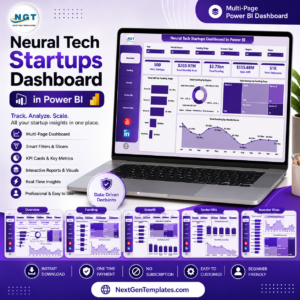
In today’s hyper-competitive startup ecosystem, data is the real currency. Investors, accelerators, founders, analysts, and innovation teams continuously track funding rounds, valuations, revenue growth, IPO readiness, startup stages, and industry performance. However, when this information remains scattered across reports, files, and tools, teams lose clarity and miss critical opportunities. This is exactly why the Aristech Startups Dashboard in Power BI becomes a powerful decision-making asset.
The Aristech Startups Dashboard in Power BI is a ready-to-use analytics solution that transforms large volumes of startup ecosystem data into clear KPIs, dynamic charts, and interactive insights. Instead of manually analyzing raw datasets, users can explore funding trends, valuation movements, revenue growth, and IPO readiness instantly. Built on Power BI, this dashboard enables real-time interactivity, fast filtering, and visually compelling storytelling—making startup intelligence easy to understand and act upon.
Whether you are evaluating investment opportunities, tracking accelerator performance, benchmarking startup growth, or preparing investor-ready insights, this dashboard delivers clarity, speed, and strategic confidence.
✨ Key Features of the Aristech Startups Dashboard in Power BI
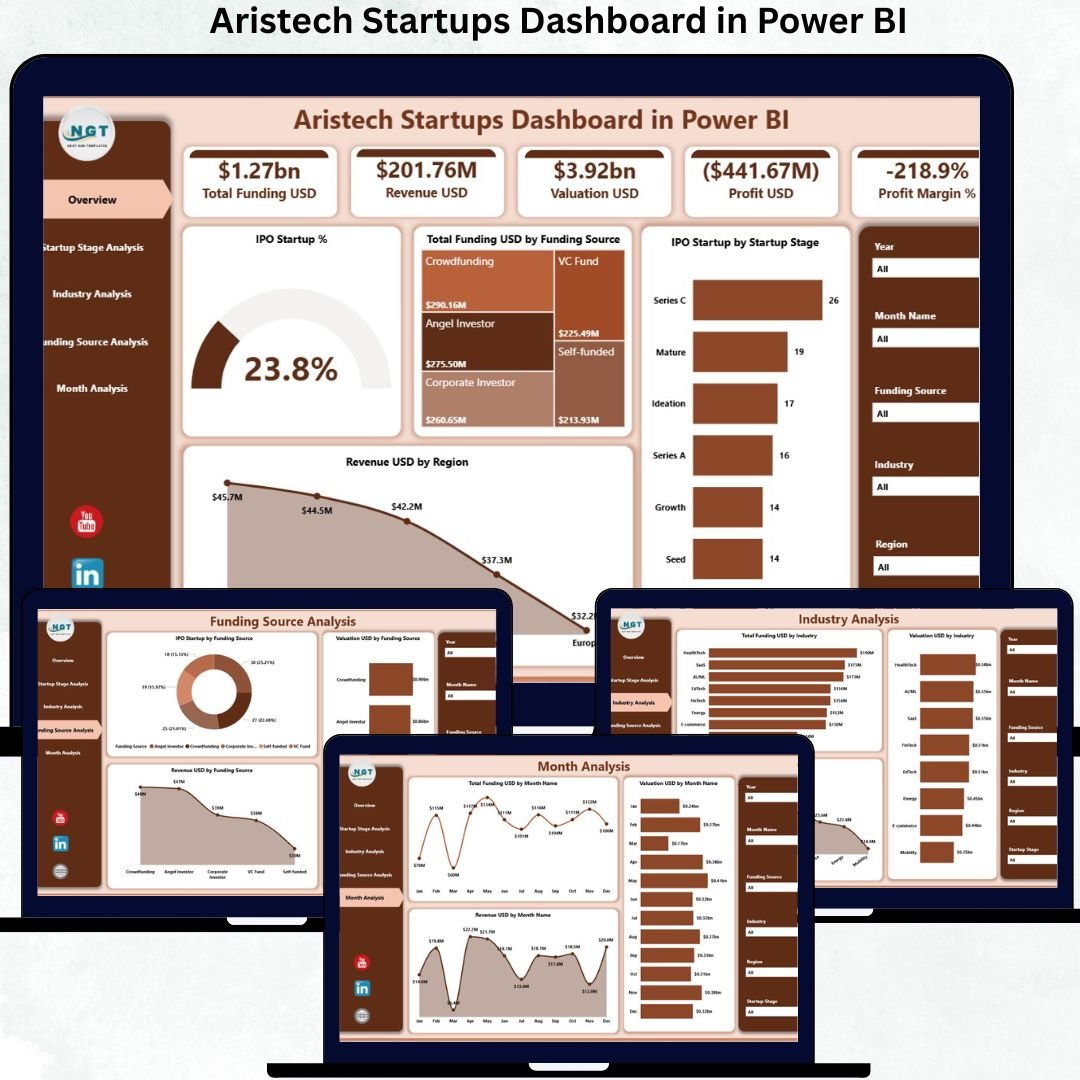
This professionally designed dashboard contains five powerful analytical pages, supported by slicers, KPI cards, and dynamic charts.
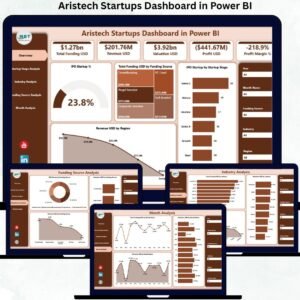
⭐ Overview Page – Startup Ecosystem Snapshot
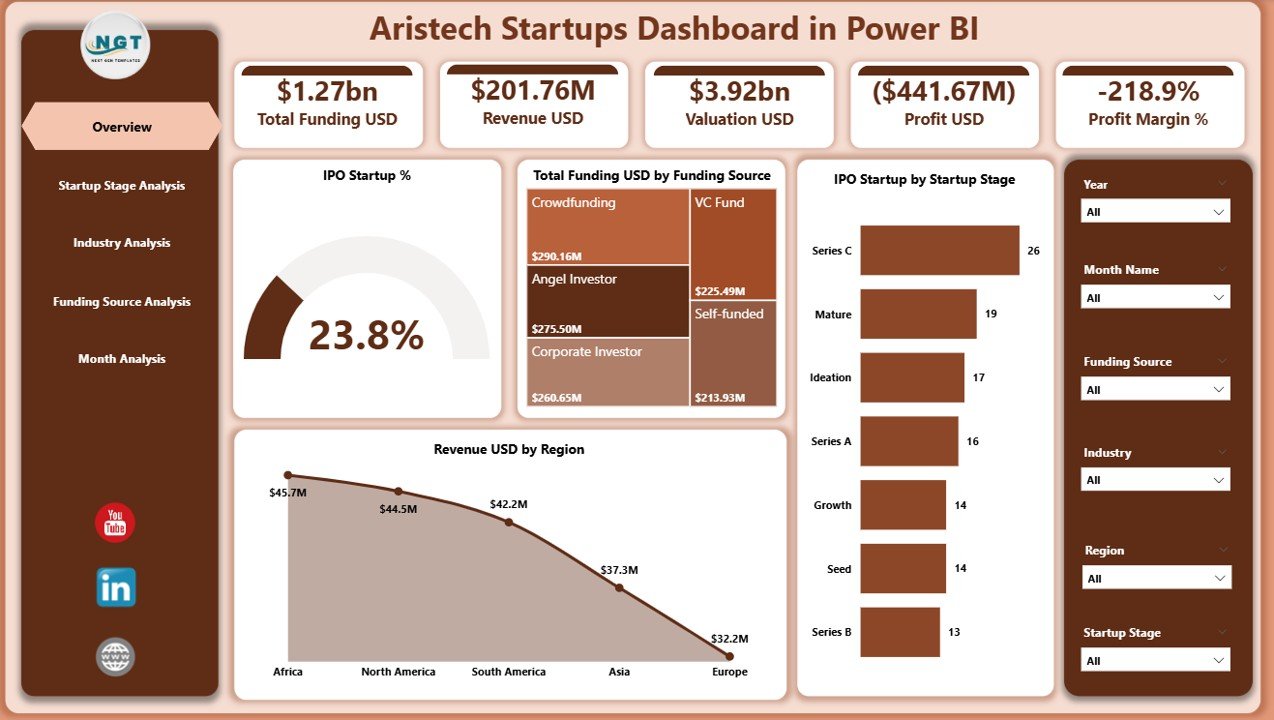
✔ Interactive slicers for flexible filtering
✔ Four KPI cards showing high-level startup performance
✔ Four insightful charts including:
-
IPO Startup %
-
Total Funding USD by Funding Source
-
IPO Startup by Startup Stage
-
Revenue USD by Region
This page provides an instant bird’s-eye view of the entire startup ecosystem.
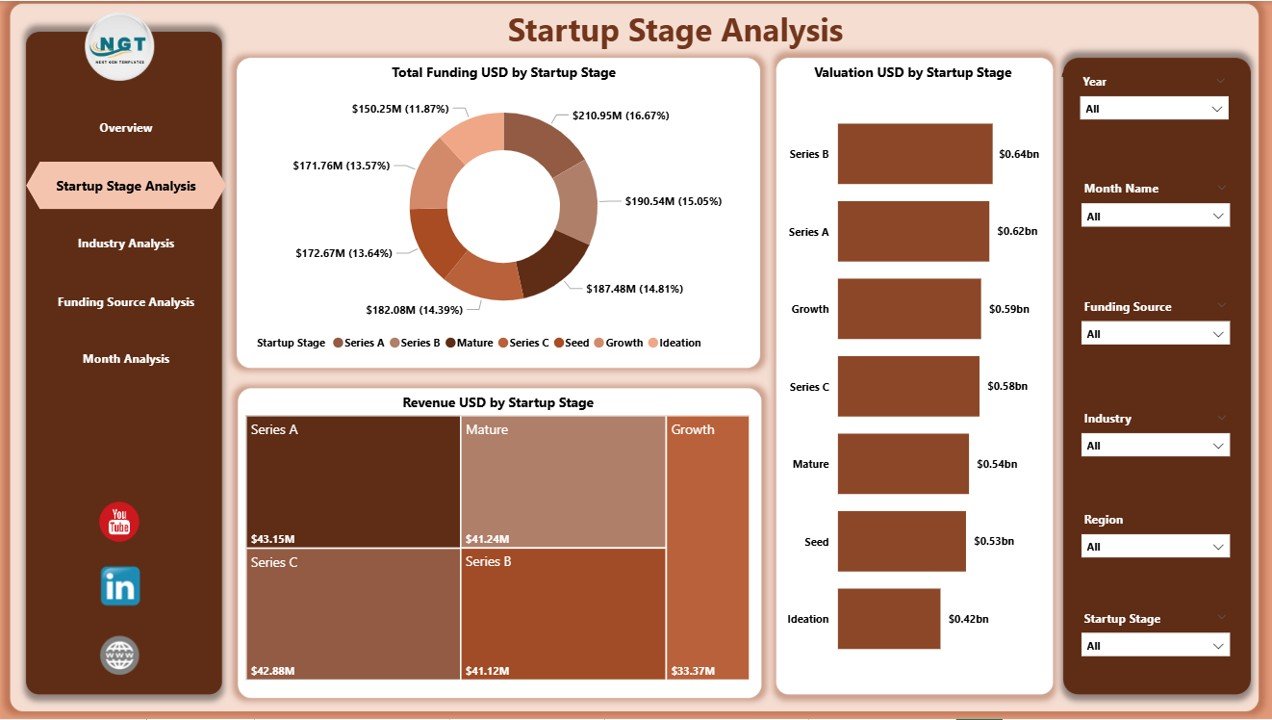
⭐ Startup Stage Analysis Page – Maturity-Wise Insights
✔ Total Funding USD by Startup Stage
✔ Valuation USD by Startup Stage
✔ Revenue USD by Startup Stage
This analysis helps stakeholders understand how startups evolve financially as they move from early to late stages.
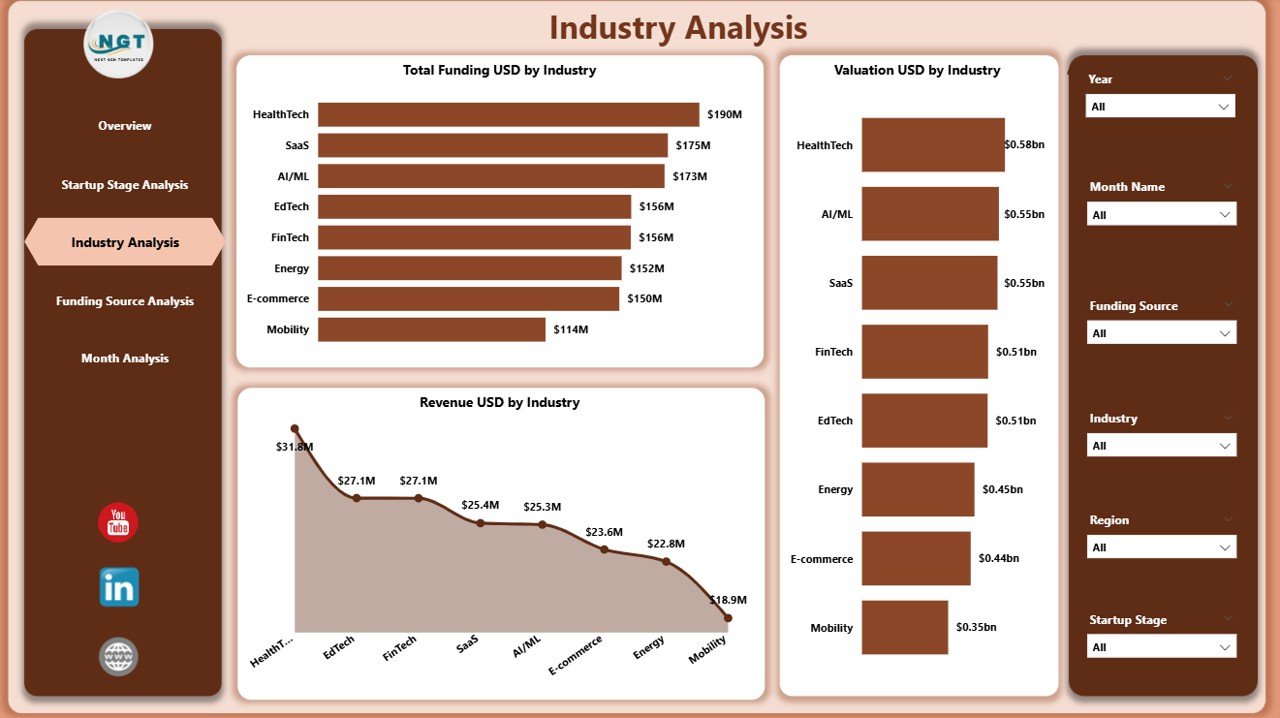
⭐ Industry Analysis Page – Performance Across Industries
✔ Total Funding USD by Industry
✔ Valuation USD by Industry
✔ Revenue USD by Industry
With this page, users can identify high-growth industries, emerging tech sectors, and stable investment domains.
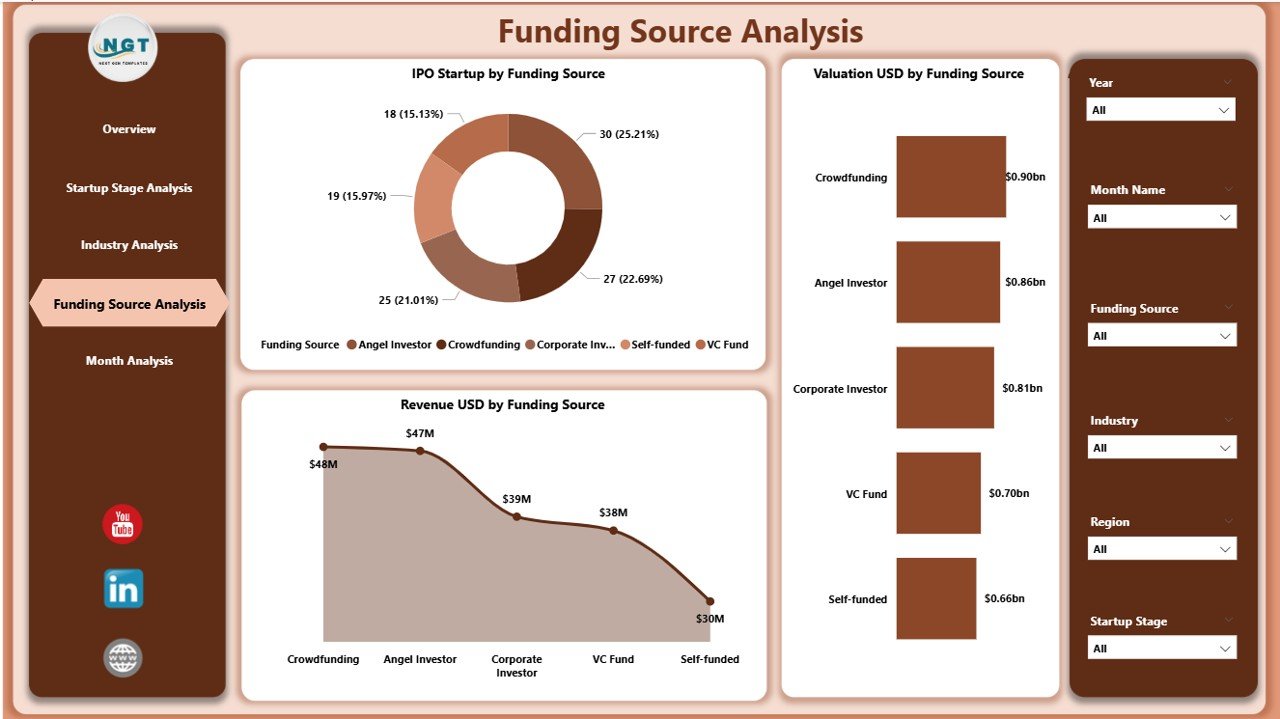
⭐ Funding Source Analysis Page – Capital Impact Assessment
✔ IPO Startup % by Funding Source
✔ Valuation USD by Funding Source
✔ Revenue USD by Funding Source
This page highlights how different funding sources influence startup success and IPO readiness.
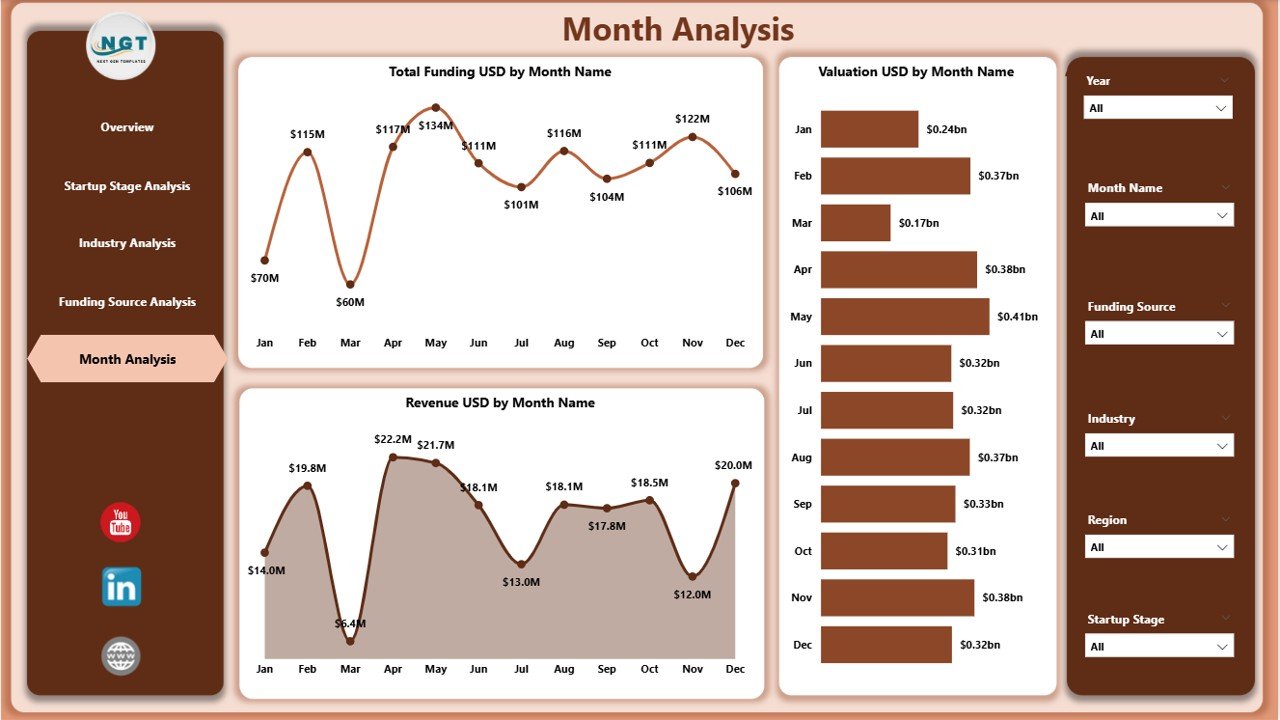
⭐ Monthly Trends Page – Time-Based Growth Tracking
✔ Total Funding USD by Month
✔ Valuation USD by Month
✔ Revenue USD by Month
This page helps users detect seasonality, funding cycles, and long-term performance trends.
📦 What’s Inside the Aristech Startups Dashboard in Power BI
When you download this product, you receive:
✨ A ready-to-use Power BI dashboard (.pbix)
✨ Five interactive analytics pages
✨ Smart KPI cards for quick insights
✨ Dynamic slicers for flexible filtering
✨ Professionally designed visuals
✨ Scalable data model suitable for large datasets
Everything is designed to simplify complex startup analytics.
🛠️ How to Use the Aristech Startups Dashboard in Power BI
1️⃣ Load startup data from Excel or databases
2️⃣ Refresh the Power BI dashboard
3️⃣ Navigate across dashboard pages
4️⃣ Use slicers to filter by region, industry, stage, or time
5️⃣ Review KPI cards and charts
6️⃣ Analyze trends and performance gaps
7️⃣ Use insights for investment, planning, or benchmarking
No advanced Power BI skills are required—basic navigation is enough.
👥 Who Can Benefit from This Aristech Startups Dashboard in Power BI
This dashboard is ideal for:
✔ Venture capital firms
✔ Angel investors
✔ Startup accelerators & incubators
✔ Corporate innovation teams
✔ Startup founders & CXOs
✔ Market research organizations
✔ Business analysts & consultants
Both technical and non-technical users gain immediate value.
### 📘 Click here to read the Detailed blog post
🎥 Visit our YouTube channel to learn step-by-step video tutorials
👉 Youtube.com/@PKAnExcelExpert










Reviews
There are no reviews yet.