



Employee conflicts are a natural part of every workplace. Differences in opinions, communication gaps, behavior issues, performance disputes, and misunderstandings can arise among employees or between employees and managers. However, when these conflicts are handled informally or without proper documentation, they often escalate instead of being resolved. This leads to decreased productivity, damaged morale, higher attrition, and a negative work environment. The Employee Conflict Resolution Request Tracker in Google Sheets provides a structured, transparent, and effective way to manage workplace conflicts professionally.
This ready-to-use tracker helps HR teams and managers record conflict cases, assess priorities, assign responsibility, monitor resolution progress, and analyze trends using visual charts. Built entirely in Google Sheets, the tracker is simple to use, cloud-based, and collaborative—eliminating the need for expensive HR software or complex systems.
🚀 Key Features of the Employee Conflict Resolution Request Tracker in Google Sheets
📋 Centralized Conflict Case Management
All employee conflict cases are recorded in one structured tracker. HR teams can log every request with complete details, ensuring nothing is missed or handled informally.
🚦 Priority-Based Conflict Handling
Conflicts can be classified as Low, Medium, High, or Critical. This allows HR teams to focus on sensitive or urgent matters first and avoid escalation.
📊 Real-Time Dashboard & Charts
As soon as a request is entered or updated, all charts update automatically—providing instant visibility into open cases, resolution trends, and workload.
👥 Fair Workload Distribution
Track how many conflict cases are assigned to each HR member or manager. This ensures balanced workload and faster resolutions.
🔍 Smart Search Functionality
Find specific cases instantly by employee name, department, conflict type, status, or assigned authority—without manual filtering.
📦 What’s Inside the Employee Conflict Resolution Request Tracker
🗂️ Tracker Sheet (Main Data Entry Page)
This is the foundation of the system where every conflict case is logged. It includes fields such as:
Conflict Request ID
Reporting Employee Name
Involved Employee(s)
Department
Conflict Type (Behavioral, Communication, Performance, Policy, Harassment, etc.)
Priority Level
Assigned To (HR, Manager, Committee)
Conflict Status (Open, In Progress, Resolved, Escalated)
Date Reported
Date Closed
Resolution Comments
All data entered here automatically feeds the dashboard and charts.
📊 Dashboard Charts for Conflict Insights
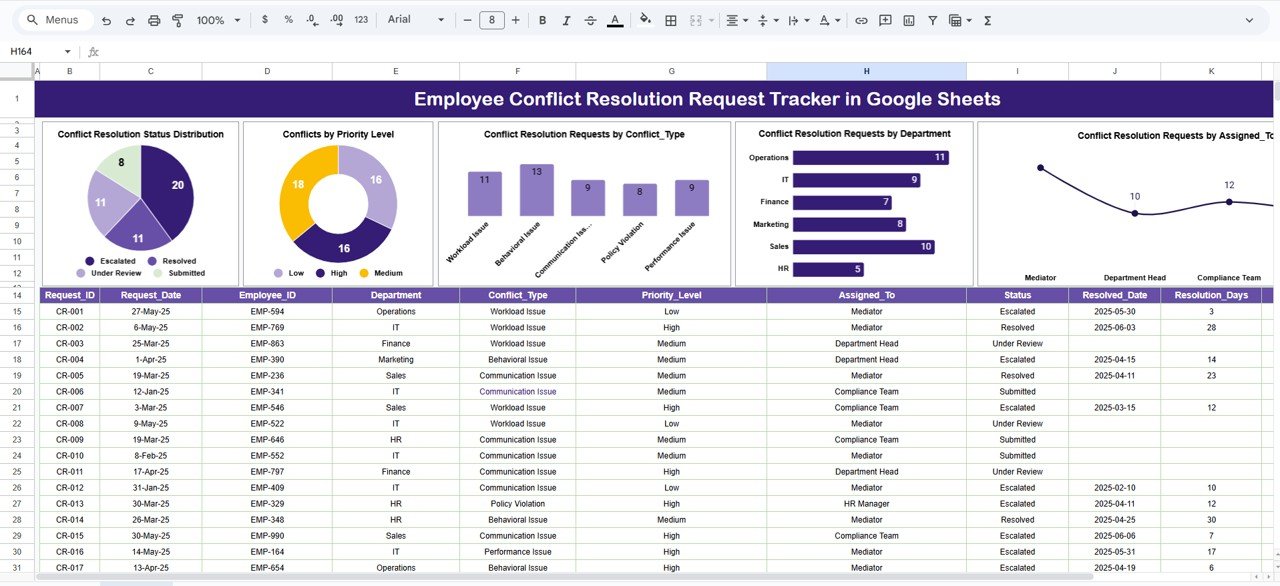
📌 Conflict Resolution Status Distribution
Shows the count of Open, In Progress, Resolved, and Escalated cases.
Helps HR identify backlog and urgency instantly.
📌 Conflicts by Priority Level
Highlights how many cases fall under Low, Medium, High, or Critical priority—ensuring serious issues receive immediate attention.
📌 Conflict Resolution Requests by Conflict Type
Identifies root causes such as communication gaps, behavioral issues, performance disputes, or policy violations.
📌 Conflict Requests by Department
Helps HR identify departments with recurring issues, leadership gaps, or stress-related challenges.
📌 Conflict Requests by Assigned To
Displays the distribution of cases across HR members or managers to improve workload balance and accountability.
🔍 How the Smart Search System Works
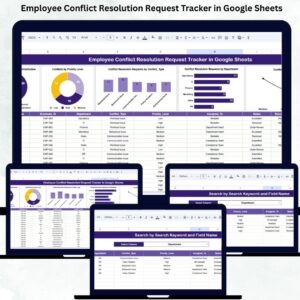
The tracker includes a powerful Search Panel where you simply enter:
Search Keyword (employee name, department, conflict type, status)
Field Name (Employee Name, Assigned To, Conflict Type, Department, Status)
Matching conflict records appear instantly.
This is extremely helpful during HR meetings, audits, or management reviews.
👥 Who Can Benefit from This Employee Conflict Resolution Tracker
🧑💼 HR Teams
Track conflicts professionally with complete documentation.
📋 Managers & Team Leads
Monitor assigned cases and ensure timely resolution.
🏢 Leadership & Committees
Gain transparency into workplace issues and trends.
⚖️ Compliance Teams
Maintain audit-ready conflict resolution records.
✅ Advantages of Using This Tracker
Centralized and structured conflict tracking
Faster and fair conflict resolution
Improved employee trust and transparency
Clear prioritization of sensitive cases
Trend-based HR decision-making
Cost-effective and easy to use
No dependency on paid HR tools
🔧 Opportunities for Improvement
Organizations can enhance the tracker further by adding:
SLA-based resolution timelines
Confidential access controls
Automated escalation alerts
Post-resolution feedback tracking
Root-cause analysis fields
Click here to read the Detailed blog post
Watch the step-by-step video tutorial:
Visit our YouTube channel to learn step-by-step video tutorials — Youtube.com/@NeotechNavigators
Compatibility and Requirements
- Works in Google Sheets. You need a free Google account and a web browser.
- The Search Panel and the dashboard charts run inside the same Google Sheets file. Google explains charts in Add and edit a chart.
Frequently Asked Questions
What details can I record for each conflict case?
The Tracker sheet has fields for Conflict Request ID, reporting employee, involved employees, department, conflict type, priority level, assigned to, status, date reported, date closed and resolution comments.
Which priority levels and statuses are available?
Priority is Low, Medium, High or Critical. Status is Open, In Progress, Resolved or Escalated.
Which charts does the dashboard include?
Five charts: status distribution, conflicts by priority level, requests by conflict type, requests by department and requests by assigned person. They update when you enter or change a case.
How do I find a specific case?
Use the Search Panel. Type a keyword and choose the field, such as Employee Name, Assigned To, Conflict Type, Department or Status. Matching records appear instantly.
Is there an Excel or dashboard version for conflict resolution?
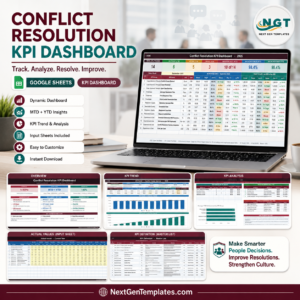
There is a Conflict Resolution KPI Dashboard in Google Sheets and a Conflict Resolution KPI Dashboard in Excel. For Excel case logging, see the Employee Grievance Tracker in Excel.
Related HR Templates
- Employee Complaint Resolution Tracker in Google Sheets: track employee complaints through to resolution
- Conflict Resolution KPI Dashboard in Google Sheets: KPI view of conflict resolution
- Employee Grievance Tracker in Excel: grievance logging in Excel
- Conflict Resolution Form Template in MS Word and Google Docs: a free form to document a conflict
- HR Google Sheets Pack: 10 HR templates in Google Sheets
Browse all Google Sheets trackers and HR and Payroll templates in Google Sheets.
































Reviews
There are no reviews yet.