



A fast-moving Healthcare R&D environment needs a smart, structured, and reliable way to plan experiments, track clinical activities, manage research milestones, and coordinate between teams. The Healthcare R&D Digital Transformation Calendar in Excel is designed exactly for this purpose. It is a powerful, ready-to-use planning system that transforms your yearly research agenda into a clear, organized, and easy-to-manage digital calendar.
This professionally built Excel template helps you manage long-term scientific schedules, daily lab tasks, clinical trial timelines, team activities, regulatory deadlines, and much more—without complex setup or technical skills. With automatic navigation buttons, event forms, and dynamic calendar views, this tool brings complete clarity to R&D operations.
Whether you manage multiple experiments, oversee cross-functional teams, or need to plan research programs for the entire year, this digital calendar becomes your all-in-one solution. Its visually clean design and automated features make research planning smoother, faster, and more efficient.
🌟 Key Features of the Healthcare R&D Digital Transformation Calendar in Excel
This digital calendar is built to support fast-paced Healthcare R&D operations. Every feature is designed to simplify planning, streamline scheduling, and provide real-time visibility.
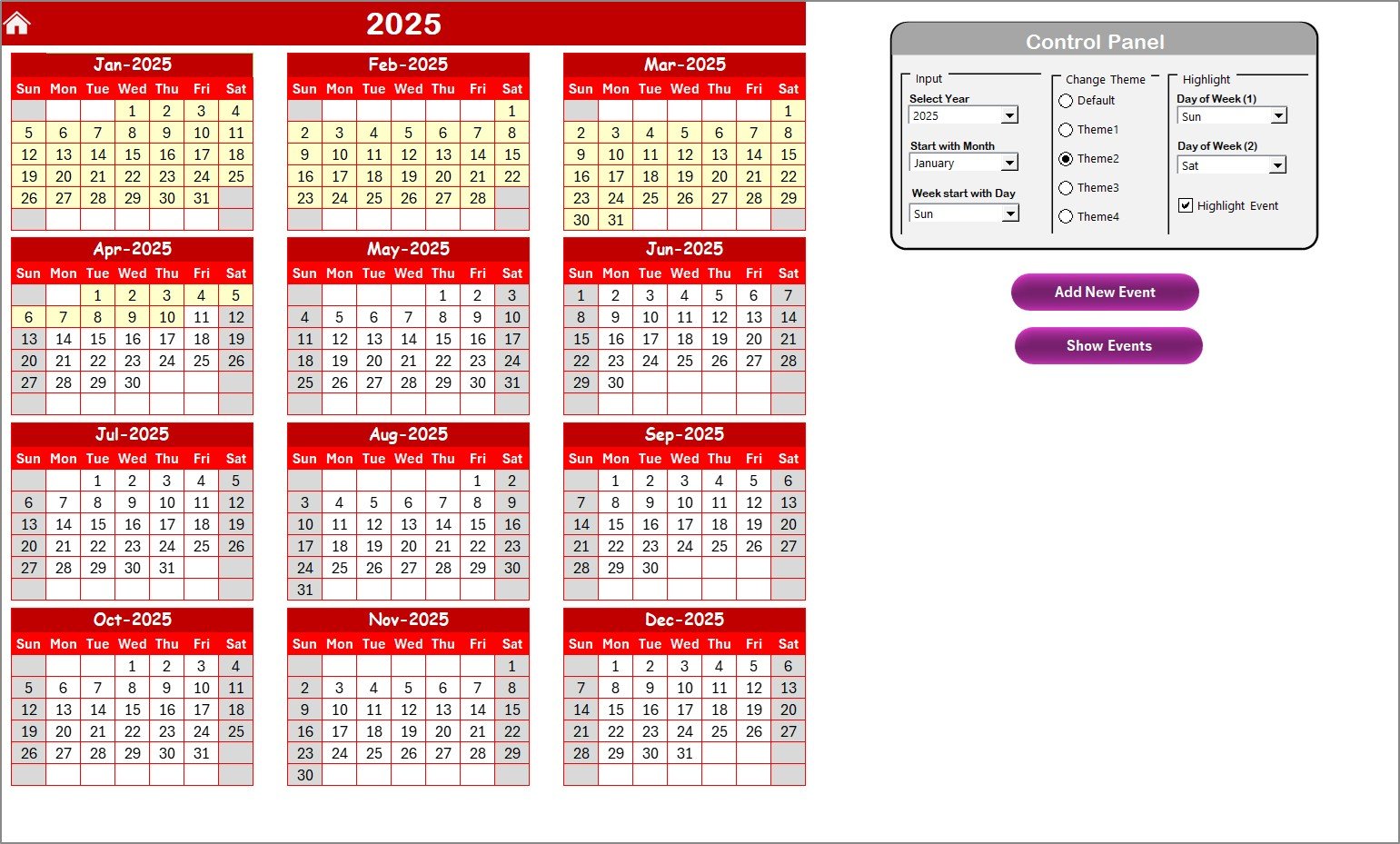
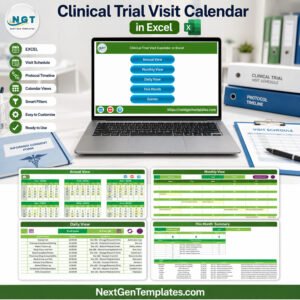
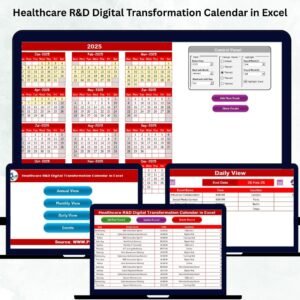
✨ Annual, Monthly & Daily Views – Switch between long-term, monthly, and daily calendars instantly for complete planning flexibility.
✨ Smart Event Management System – Add, update, view, or delete events using user-friendly forms.
✨ Automatic Date Updates – Select the year once, and the entire workbook adjusts automatically.
✨ Customizable Themes – Choose from five color themes to match your department or presentation style.
✨ Highlight Important Days – Mark weekends, lab shutdowns, compliance days, or milestone dates.
✨ Home Navigation Panel – One-click buttons take you directly to Annual View, Monthly View, Daily View, or Events.
✨ Clean & Organized Layout – Designed for non-technical users with smooth navigation and zero confusion.
✨ Reusable Every Year – Simply change the year in the control panel—no need to recreate the calendar.
📦 What’s Inside the Healthcare R&D Digital Transformation Calendar in Excel
This template includes five optimized worksheets, each playing a unique role in research planning.
🔹 Home Sheet – A simple navigation center with buttons for quick movement across the workbook.
🔹 Annual View Sheet – Displays all 12 months on one page for macro-level planning and milestone tracking.
🔹 Monthly View Sheet – Perfect for weekly research tasks, lab scheduling, and experiment timelines.
🔹 Daily View Sheet – Shows all events between two selected dates; ideal for reviewing daily workloads.
🔹 Events Sheet – Acts as the data engine where all events are stored in a structured, easy-to-edit table.
Every sheet works together to create a professional, streamlined planning experience.
🧪 How to Use the Healthcare R&D Digital Transformation Calendar in Excel
Using this tool is extremely simple—even if you’re not an Excel expert.
Start on the Home Sheet
Use the navigation buttons to move between Annual, Monthly, Daily, and Events pages.Customize Your Calendar
In the Annual View Control Panel:Select the Year
Change the Starting Month
Set the Starting Day of the Week
Choose a Theme
Apply custom highlights
Add Events Easily
Click the Add New Event button, fill the form, and submit. The event is instantly stored and displayed.Update or Delete Events
Go to the Events Sheet → Select ID → Update or Delete using the buttons.Track Activities Daily
Use the Daily View Sheet to review all events between any date range.
This workflow keeps your research timelines organized with almost zero manual work.
👥 Who Can Benefit from This Healthcare R&D Digital Transformation Calendar in Excel
This calendar is designed for every team involved in Healthcare R&D, including:
✔️ Clinical Research Teams
✔️ Lab Managers & Scientists
✔️ R&D Project Managers
✔️ Regulatory Affairs Teams
✔️ Quality & Compliance Teams
✔️ Research Directors
✔️ Training & Development Coordinators
✔️ Facility Management Teams
If you manage experiments, clinical trials, lab activities, audits, reviews, or compliance timelines—this tool is made for you.
🔗 Click Here to Read the Detailed Blog Post
Watch the step-by-step video tutorial:
📺 Visit our YouTube channel to learn step-by-step video tutorials:
👉 YouTube.com/@PKAnExcelExpert
Compatibility and Requirements
- Works in Microsoft Excel desktop (Excel 2016 or later, or Microsoft 365).
- You add, update and delete events through forms and buttons in the workbook. Microsoft explains how to turn on macros in Enable or disable macros in Microsoft 365 files.
Frequently Asked Questions
Which sheets are included?
Five sheets: Home, Annual View, Monthly View, Daily View and Events.
How do I change the year?
Select the year in the Annual View control panel. The whole workbook updates to that year, so you can reuse the same file every year.
Can I change the starting month and the first day of the week?
Yes. The Annual View control panel lets you set the starting month and the starting day of the week. You can also pick one of five color themes and highlight important days.
How do I add, update or delete an event?
Click the Add New Event button, fill in the form and submit it. To update or delete an event, go to the Events sheet, select the event ID and use the Update or Delete button.
How do I see every event between two dates?
Open the Daily View sheet and choose a start date and an end date. It lists all events in that range.
Is there a version for other healthcare teams?
Yes. For example, see the Healthcare IT Digital Transformation Calendar in Excel and the Healthcare Compliance Digital Transformation Calendar in Excel.
Related Healthcare and Digital Transformation Templates
- Healthcare Compliance Digital Transformation Calendar in Excel: the same calendar for compliance teams
- Healthcare Operations Digital Transformation Calendar in Excel: the same calendar for operations teams
- Healthcare IT Digital Transformation Calendar in Excel: the same calendar for IT teams
- Digital Transformation KPI Dashboard in Excel: track transformation KPIs
- Audit Schedule Calendar in Excel: plan audit dates
Browse all Excel calendar templates.































Reviews
There are no reviews yet.