

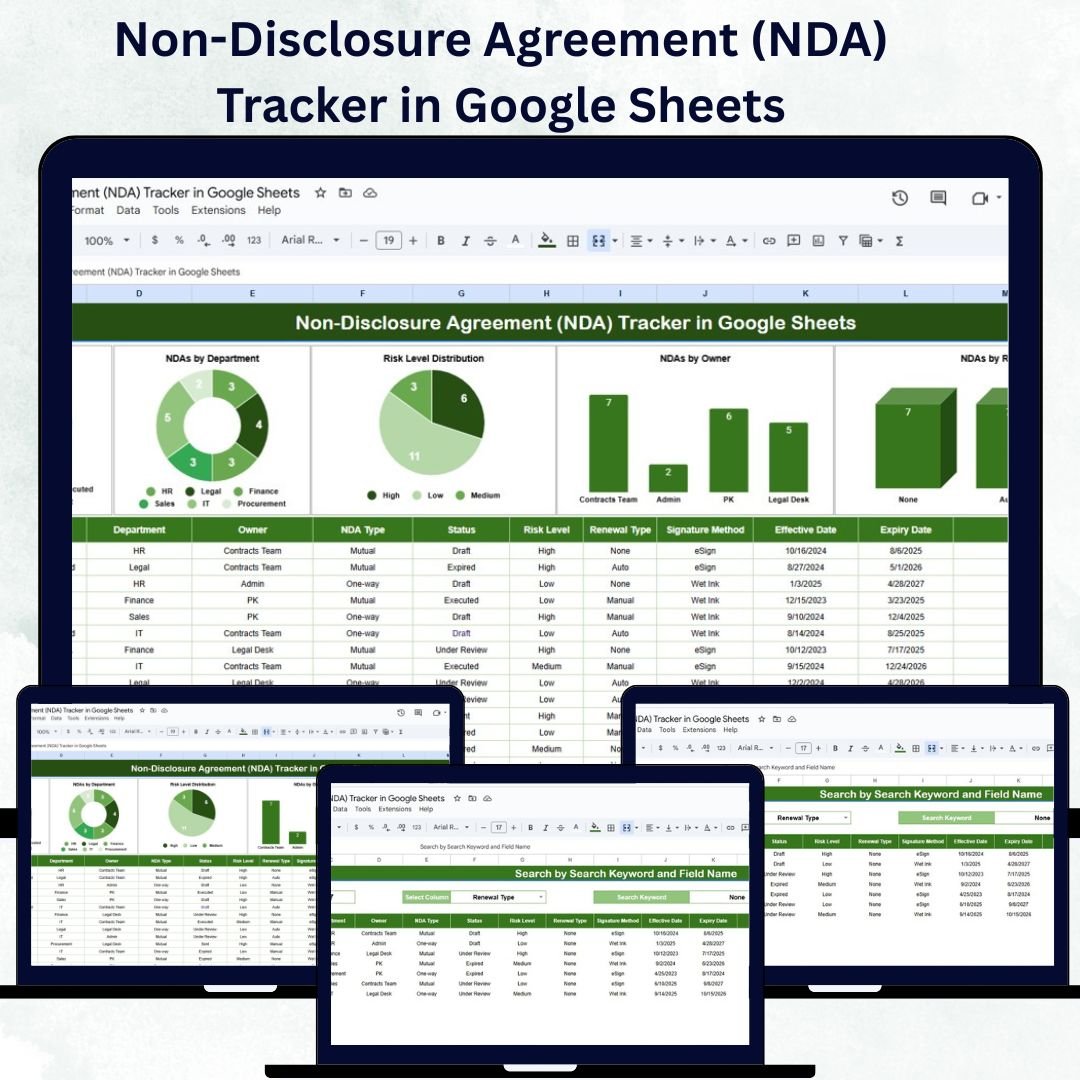

Every organization deals with sensitive information that must be protected — from intellectual property to client contracts. The Non-Disclosure Agreement (NDA) Tracker in Google Sheets is a ready-to-use, data-driven tool designed to help you manage, monitor, and analyze all your NDAs efficiently in one centralized place.
Built entirely in Google Sheets, this tracker is collaborative, easy to update, and accessible from anywhere. Whether you’re a small business, legal firm, or large enterprise, it ensures that every NDA — signed, pending, or expiring — is tracked and compliant. With built-in charts, search filters, and risk visualizations, this tracker transforms tedious legal monitoring into a seamless digital workflow. ⚖️📊
🔑 Key Features of the Non-Disclosure Agreement (NDA) Tracker in Google Sheets
📊 Tracker Sheet Tab
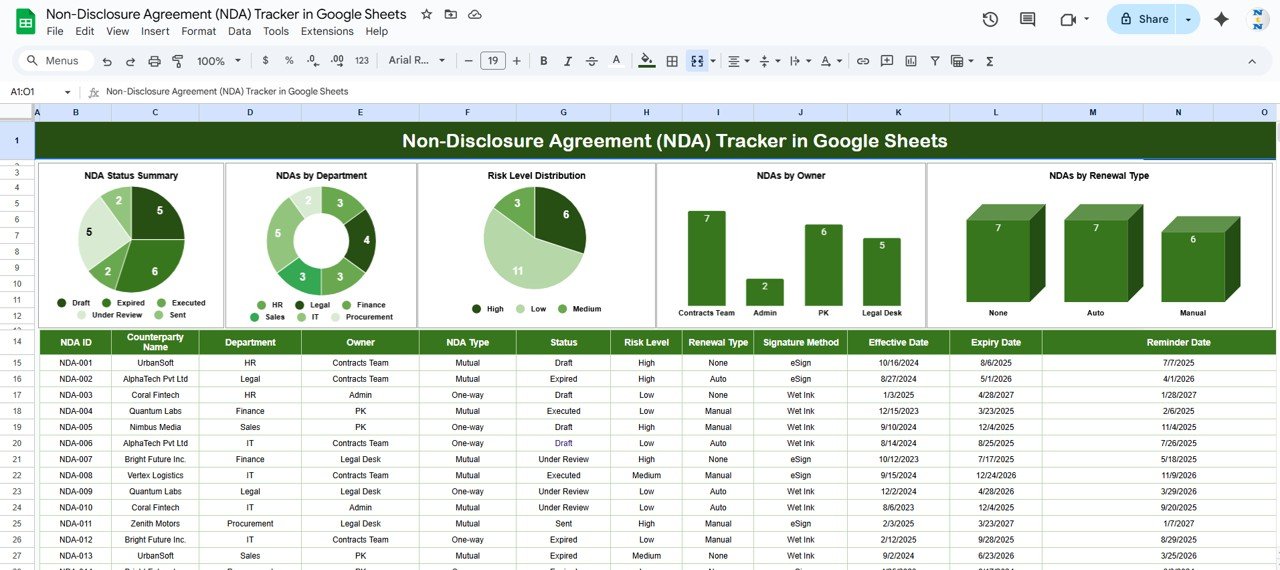
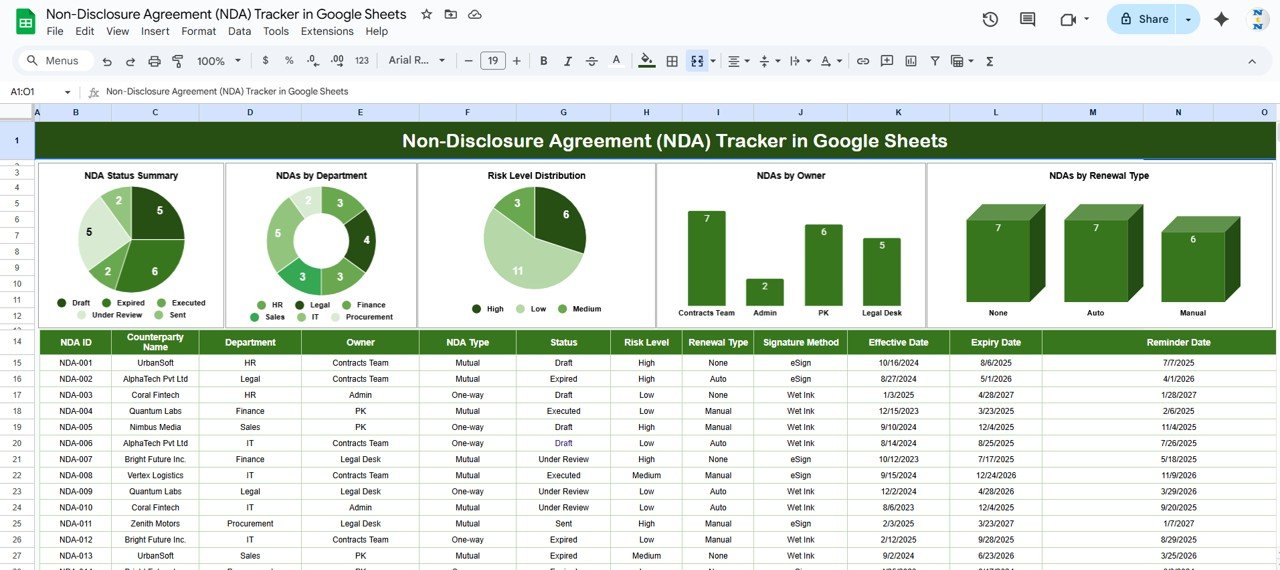
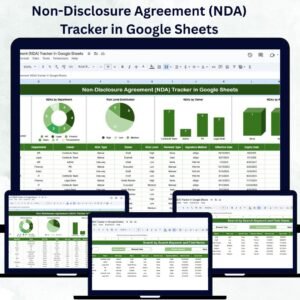
The main dashboard that provides a visual overview of all NDA activity:
NDA Status Summary: Displays counts of NDAs by status — Active, Expired, or Pending
NDAs by Department: Shows the number of NDAs managed by each department
Risk Level Distribution: Categorizes NDAs into High, Medium, and Low risk for better prioritization
NDAs by Owner: Tracks which employees or teams are responsible for each NDA
NDAs by Renewal Type: Displays renewal patterns (Auto, Manual, or Annual Renewal)
With these charts, teams can instantly identify high-risk agreements, monitor expiring NDAs, and ensure compliance across departments.
🔍 Search Sheet Tab
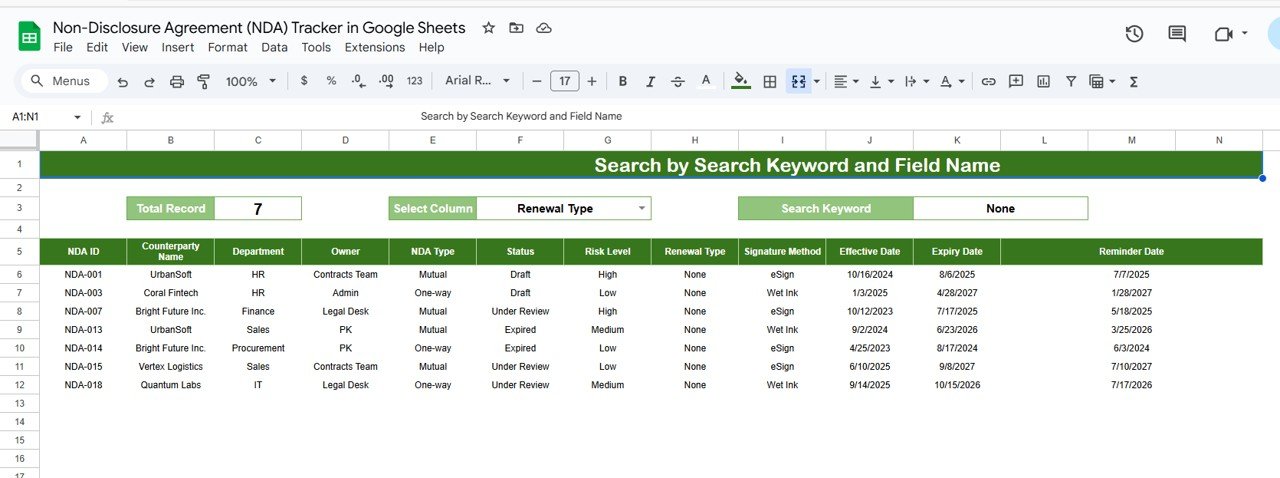
Easily locate specific NDAs within seconds:
Search by Keyword or Field Name (e.g., NDA Name, Department, Owner, or Status)
Instant Results: No need to scroll through hundreds of entries — find exactly what you need
This functionality is perfect for audits, legal reviews, and contract renewals.
🧾 Data Sheet Tab (optional addition if used)
Maintain all agreement details in one structured format:
Record NDA Title, Department, Owner, Effective Date, Expiration Date, Risk Level, Status, and Renewal Type
Automatically reflects updates in the main dashboard and charts
Ensures consistent and accurate data management
💡 Advantages of Using the NDA Tracker
✅ Centralized Legal Data: Keep every NDA organized in one Google Sheet for quick reference
⚡ Real-Time Insights: Instantly view updates in charts when new data is entered
🔒 Risk Management: Easily identify high-risk NDAs and focus on priority renewals
🧠 Improved Compliance: Track signed, pending, and expired NDAs to ensure no agreement is overlooked
📈 Visual Reporting: Use colorful charts to present NDA summaries to management or auditors
🤝 Collaborative Access: Multiple users can edit or review data simultaneously
⏱ Time-Saving Automation: Reduce manual tracking with prebuilt formulas and dashboards
This tracker turns your NDA monitoring from a reactive task into a strategic compliance system.
🧠 Best Practices for Using the NDA Tracker
Update Regularly: Add new NDAs and renewals immediately to maintain accuracy
Segment by Department: Analyze which teams handle the most NDAs and monitor workloads
Set Renewal Alerts: Use conditional formatting to highlight upcoming expirations
Maintain Risk Ratings: Keep risk levels updated as agreements evolve
Leverage Visuals: Review charts on the Tracker Sheet for monthly or quarterly summaries
Share Securely: Collaborate with HR, Legal, or Compliance teams using Google’s sharing controls
🏢 How This Tracker Helps Organizations
Monitor NDA Statuses: Instantly identify pending, active, or expired agreements
Assess Risk Levels: See which NDAs pose potential compliance risks
Improve Accountability: Know exactly who owns each NDA across departments
Simplify Reporting: Use built-in charts for quick summaries and presentations
Ensure Compliance: Avoid lapses or missed renewals that could expose sensitive data
The NDA Tracker in Google Sheets helps maintain a professional, secure, and transparent workflow — ensuring your business stays compliant, protected, and audit-ready.
👥 Who Can Benefit from This Tracker
⚖️ Legal Teams: Simplify NDA management and renewal oversight
👩💼 HR Departments: Manage employee and contractor confidentiality agreements
🏢 Operations Teams: Track project-specific or vendor-related NDAs
📊 Compliance Officers: Maintain audit trails and compliance records effortlessly
💼 Business Owners: Gain clear visibility into all confidentiality commitments
🔗 Click here to read the Detailed blog post
Watch the step-by-step video Demo:
🔗 Visit our YouTube channel to learn step-by-step video tutorials
Compatibility and Requirements
- Works in Google Sheets with a free Google account and a web browser.
- Several people can review or edit the tracker at the same time.
- New to Google Sheets? See How to use Google Sheets.
Frequently Asked Questions
What does the Tracker sheet show?
Charts for NDA status (Active, Expired, Pending), NDAs by department, risk level, owner and renewal type.
Which details can I record for each NDA?
NDA title, department, owner, effective date, expiration date, risk level, status and renewal type.
How do I find one agreement quickly?
Use the Search sheet to search by keyword or by a field such as NDA name, department, owner or status.
Is there an Excel version or an NDA template?
Yes. See the Non-Disclosure Agreement Tracker in Excel and the free NDA template for Word and Google Docs.
Related Legal and Compliance Templates
- Non-Disclosure Agreement Tracker in Excel: the same tracker in Excel
- Non-Disclosure Agreement (NDA) Template in MS Word and Google Docs: a free NDA document
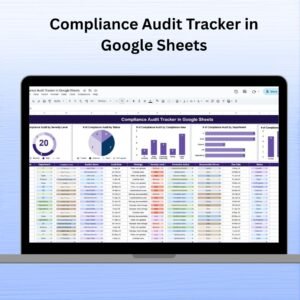
- Compliance Audit Tracker in Google Sheets: track compliance audits
- Legal Compliance Checklist in Google Sheets: a legal compliance checklist
- Tracker Toolkit: 12 Excel and Google Sheets trackers in one bundle
Browse all Google Sheets trackers or the Word and Docs forms.



























Reviews
There are no reviews yet.