

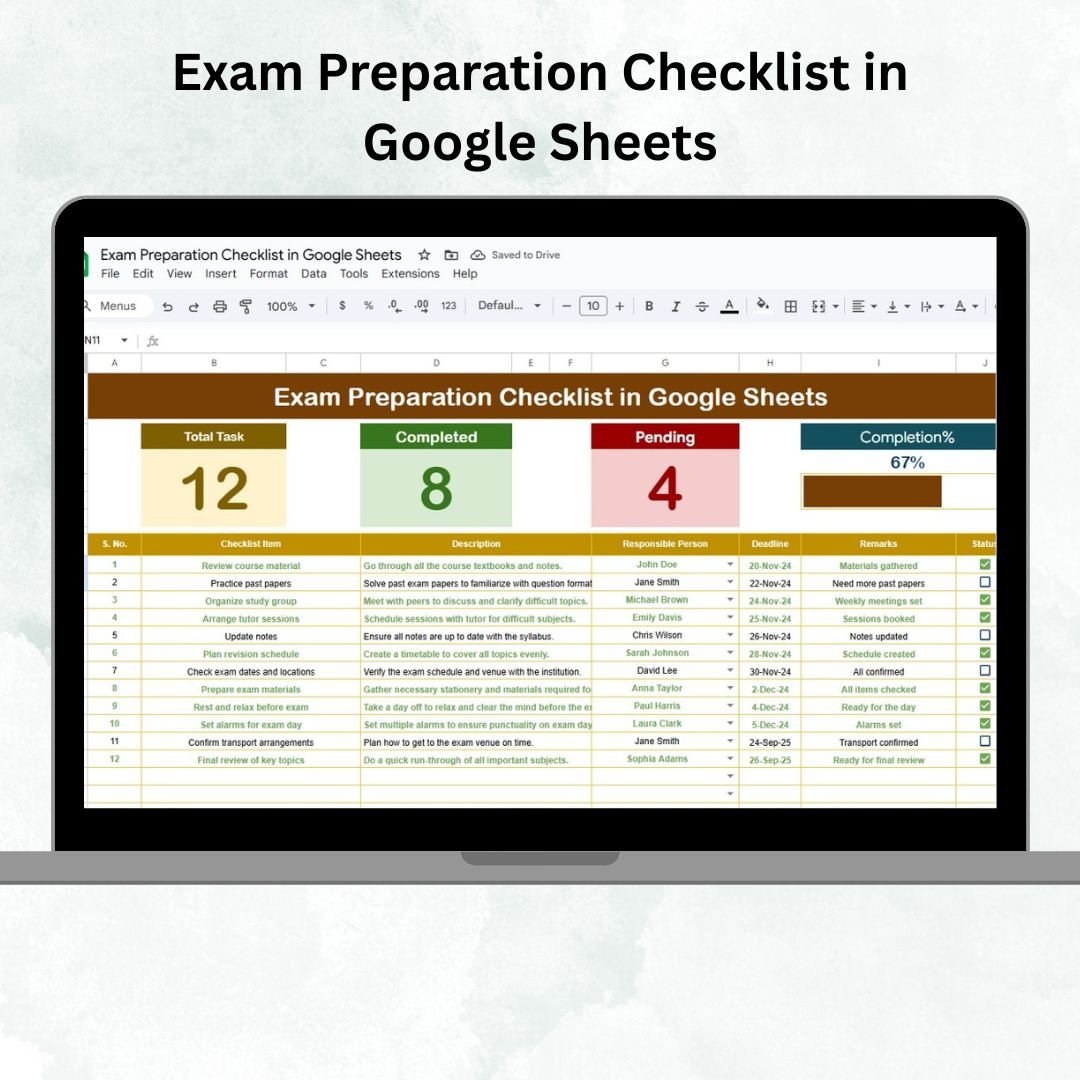

Preparing for exams requires more than just studying—it demands organization, accountability, and systematic tracking of tasks. Without a structured plan, important steps can be overlooked, leading to last-minute stress and incomplete preparation. That’s why we created the Exam Preparation Checklist in Google Sheets — a ready-to-use, interactive template designed for students, teachers, and academic coordinators to simplify exam readiness. 📊✅
This tool provides a clear, visual overview of progress with task counters, progress bars, and responsible person assignments. Whether you’re preparing individually or coordinating for a class, this checklist ensures that every milestone is achieved on time.
🔑 Key Features of Exam Preparation Checklist
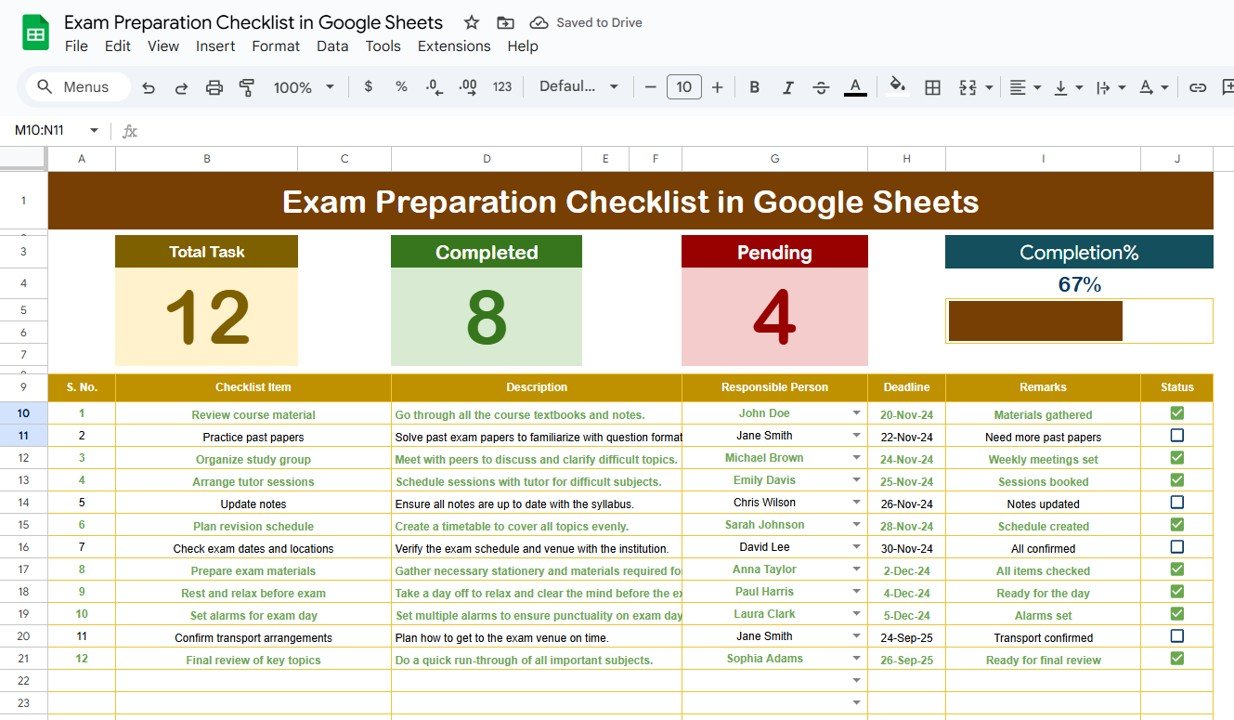
📋 Main Sheet Tab – Exam Preparation Checklist
Dashboard cards showing:
Total Count – Total checklist items.
Completed Count – Number of tasks finished.
Pending Count – Tasks yet to be completed.
Progress Bar – Visual percentage of progress.
Checklist table to capture details:
Serial No.
Checklist Item
Description
Responsible Person
Deadline
Remarks
Status (✔ for completed, ✘ for pending)
📑 List Sheet Tab
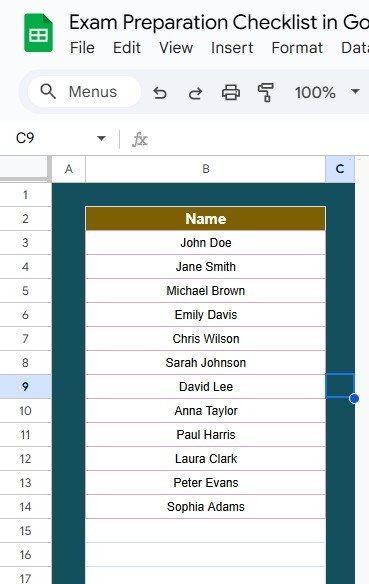
Stores unique names of responsible persons.
Ensures accuracy with drop-down lists in the main checklist.
Prevents spelling errors and promotes consistency.
📦 What’s Inside the Checklist
✅ 2 Pre-Built Sheets – Main Checklist & List Sheet
✅ Interactive Dashboard – Counters and progress bar auto-update
✅ Task Tracking – ✔ or ✘ for real-time status
✅ Drop-Downs – Assign responsibilities without manual typing errors
✅ Customizable Layout – Add new tasks, people, or notes easily
✅ Pre-Formatted & User-Friendly – Ready to use immediately
👥 Who Can Benefit from This Checklist?
📘 Students – Plan personal study schedules and track progress.
👩🏫 Teachers – Assign preparation tasks to students and monitor deadlines.
🏫 Academic Coordinators – Manage multiple students’ exam readiness at once.
👥 Study Groups – Distribute tasks and ensure accountability among peers.
Perfect for individual learners or classrooms, this tool ensures no task is left behind.
📋 Best Practices for Exam Preparation
🔄 Update Daily – Mark ✔ or ✘ regularly to maintain accuracy.
🎯 Prioritize – Focus first on critical tasks like syllabus coverage.
📅 Use Deadlines – Plan tasks well in advance to avoid last-minute stress.
👥 Assign Responsibility – Hold individuals accountable for group tasks.
📊 Review Weekly – Evaluate pending items and adjust plans.
✅ Advantages of Exam Preparation Checklist
Organized Workflow – Central place to track all exam tasks.
Visual Progress – Cards and progress bar make status clear.
Accountability – Assign responsibilities to avoid confusion.
Deadline Management – Stay on schedule and reduce stress.
Customizable – Modify checklist items for any subject or exam type.
Easy to Use – Minimal setup, simple drop-downs, and ✔/✘ updates.
🔗 Click here to read the Detailed blog post
🔗 Visit our YouTube channel to learn step-by-step video tutorials
Compatibility and Requirements
- Works in Google Sheets. You need a free Google account and a web browser.
- You pick each responsible person from a dropdown, which reads the names stored on the List sheet. Google explains dropdowns in Create an in-cell dropdown list.
Frequently Asked Questions
How many sheets does the checklist have?
Two sheets: the main Exam Preparation Checklist sheet and a List sheet that stores the names of responsible persons.
How do I track my progress?
Mark each task with a check mark for completed or a cross for pending. The Total Count, Completed Count, Pending Count and the progress bar on the main sheet update from those marks.
What details can I record for each task?
Each row holds a serial number, the checklist item, a description, the responsible person, a deadline, remarks and the status.
Can I assign tasks to other people?
Yes. Add names to the List sheet and choose them from the dropdown in the Responsible Person column. This keeps spelling consistent for study groups or a whole class.
Is there an Excel version?
Yes. See the Exam Preparation Checklist Template in Excel.
Related Checklist Templates
- Exam Preparation Checklist Template in Excel: the same exam checklist for Excel
- Project Management Checklist in Google Sheets: task tracking for projects
- Financial Audit Preparation Checklist in Google Sheets: a preparation checklist for audits
- Employee Onboarding Checklist in Google Sheets: a task list with responsible persons
- Checklist & SOP Pack: 12 Excel and Google Sheets checklist templates in one download
Browse all Google Sheets checklists.

































Reviews
There are no reviews yet.