

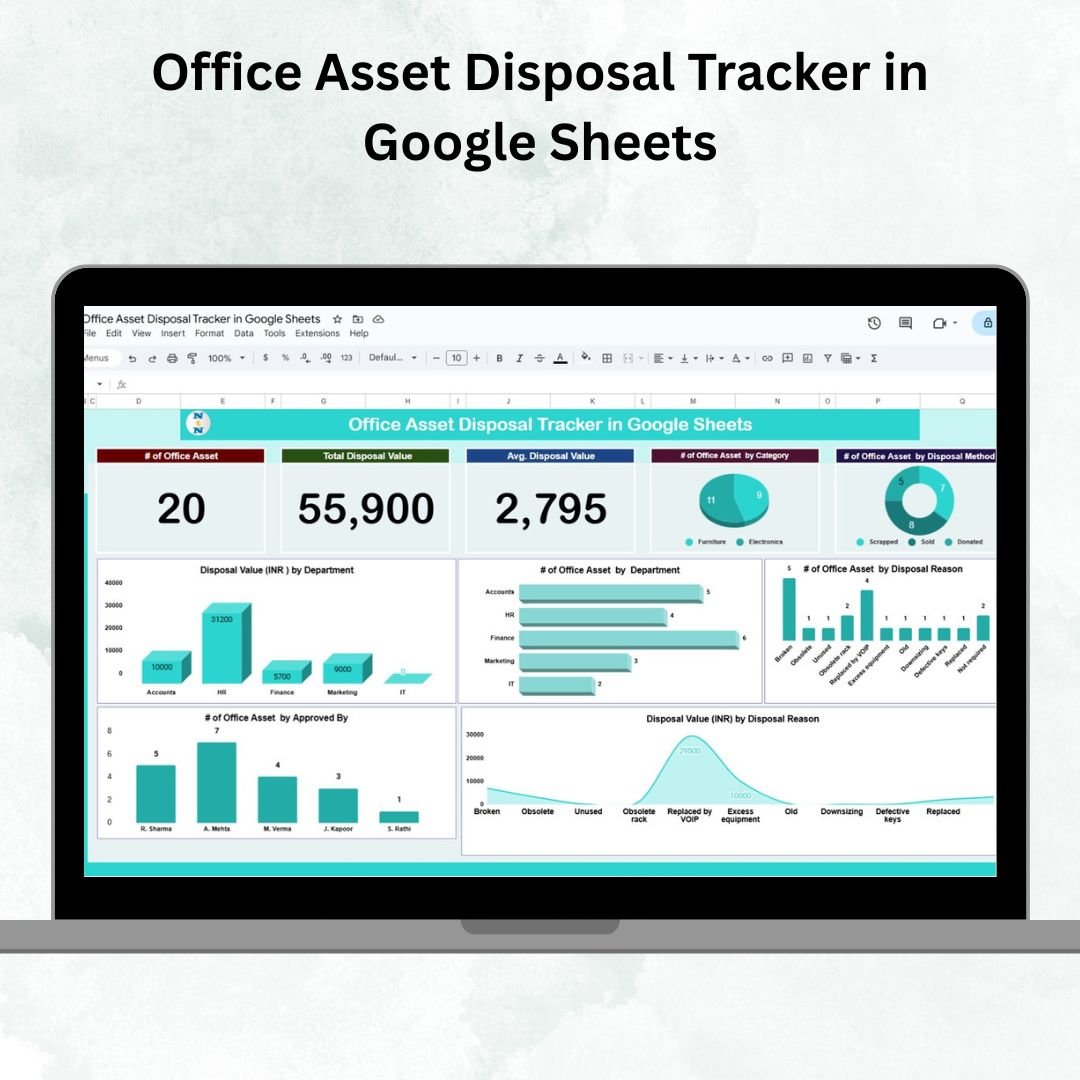

Managing the disposal of office assets is a critical responsibility for finance, operations, and facilities teams. Disorganized records can lead to compliance risks, inefficient audits, and a lack of visibility into the true value of disposed assets. That’s why we created the Office Asset Disposal Tracker in Google Sheets — a ready-to-use, interactive tool that centralizes disposal activities, streamlines reporting, and enhances decision-making.
This template allows organizations to log asset disposals by department, track approvals, analyze disposal methods, and monitor values in real time. With built-in dashboards, charts, and search functionality, it simplifies what used to be a tedious and error-prone process.
🔑 Key Features of the Office Asset Disposal Tracker
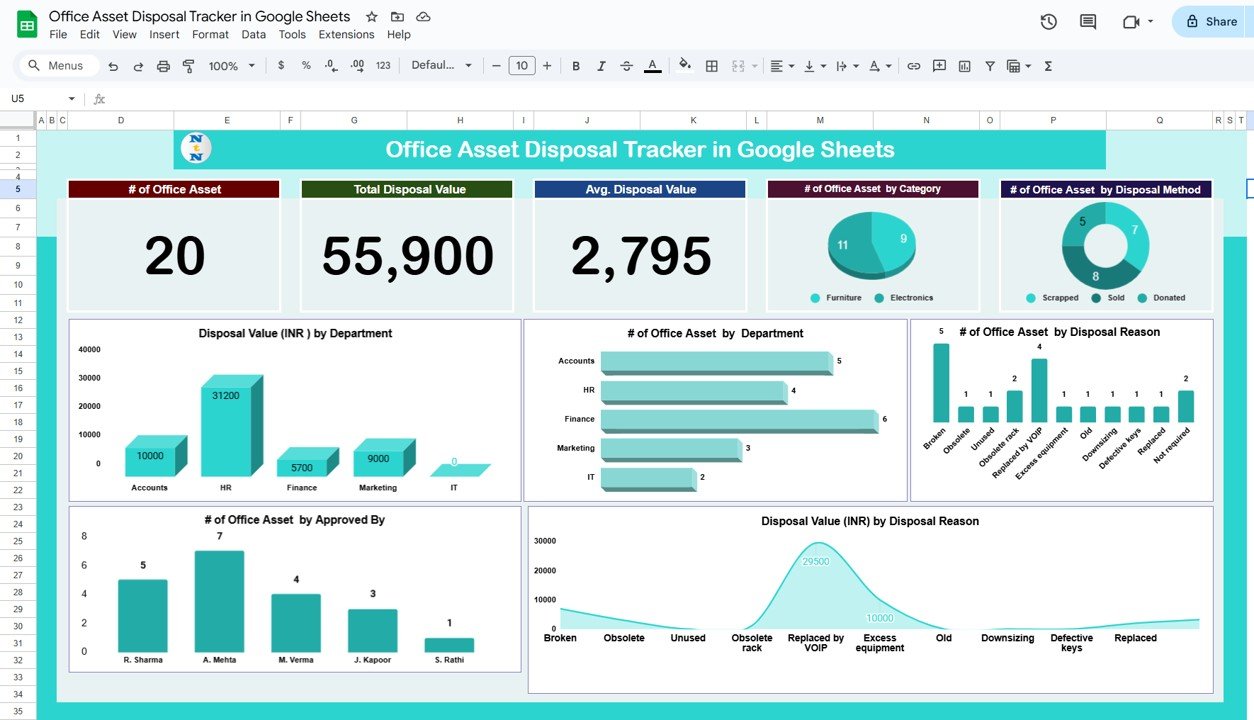
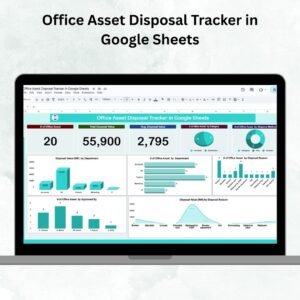
📊 Tracker Sheet Tab – Main Dashboard
Summary Cards for quick insights:
of Office Assets disposed
Total Disposal Value
Average Disposal Value per asset
Charts & Visualizations:
Office Assets by Category
Disposal Method breakdown
Disposal Value by Department
Office Assets by Department
Disposal Reason analysis
Disposal Value by Disposal Reason
Assets by Approving Personnel
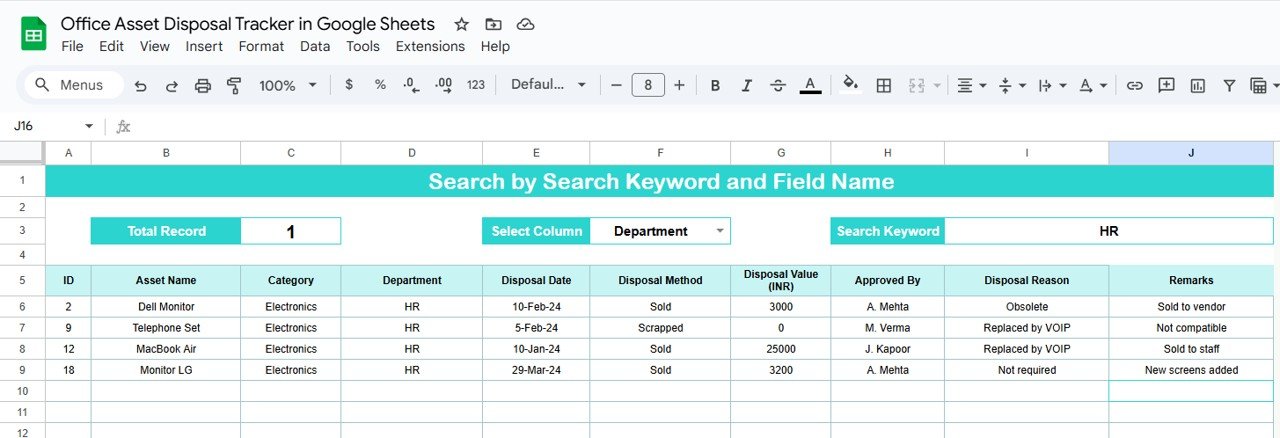
🔍 Search Sheet Tab – Quick Lookup
Filter by keywords such as asset name, department, disposal reason
Quickly locate specific records without scrolling through large datasets
Saves time during audits and reporting
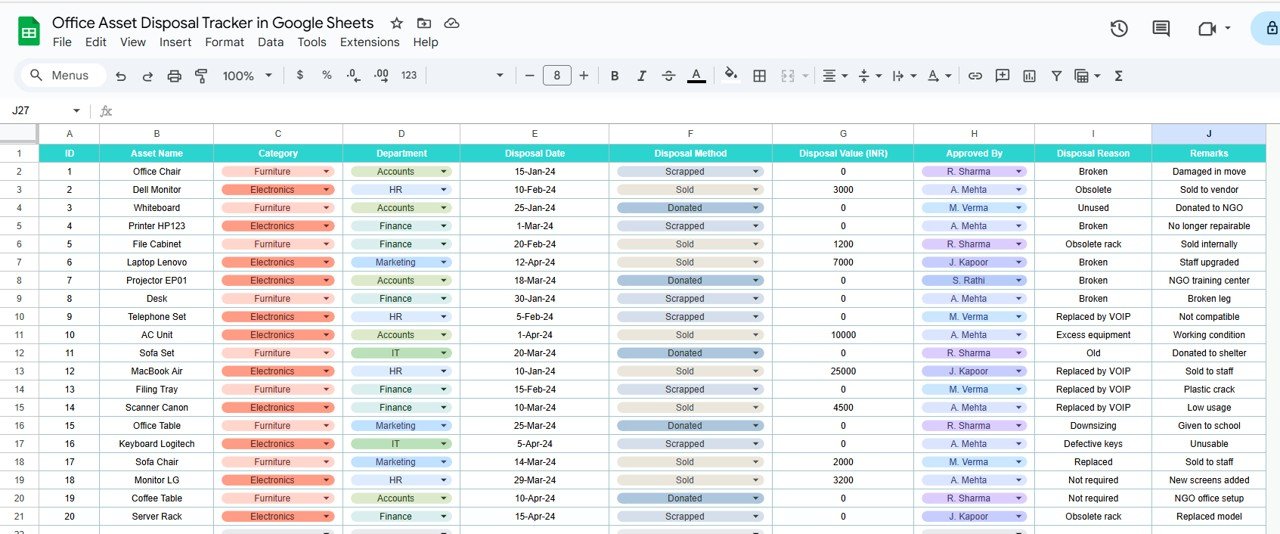
🗂 Data Sheet Tab – Centralized Input
Fields include:
Asset Name
Category
Department
Disposal Date
Disposal Method
Disposal Value (INR)
Approved By
Disposal Reason
Remarks
Structured, pivot-friendly format for accurate reporting
📦 What’s Inside the Tracker?
✅ Tracker Dashboard Tab – Visual summary with charts & cards
✅ Search Tab – Find any record instantly
✅ Data Tab – Centralized disposal data entry
✅ Pre-Filled Sample Data – Demonstrates real usage
✅ Customizable Categories & Fields – Adjust to fit your company’s processes
✅ Audit-Friendly Format – Transparent, organized records
🧠 How to Use the Office Asset Disposal Tracker
Record Asset Disposals – Enter disposal details in the Data tab.
Track Approvals – Update “Approved By” to ensure compliance.
Search Records – Use the Search tab to locate entries instantly.
Review Dashboards – Monitor disposal trends in the Tracker tab.
Analyze Insights – Use charts to identify disposal patterns and optimize decisions.
👥 Who Can Benefit from This Tracker?
🏢 Finance Teams – Track disposal values & compliance
🛠 Facilities Teams – Manage office equipment & furniture disposals
📊 Operations Managers – Gain insights into disposal reasons & trends
👥 Auditors & Compliance Teams – Review transparent, organized records
🏭 Small & Large Organizations – Simplify reporting without complex systems
⭐ Advantages of Using the Office Asset Disposal Tracker
📑 Centralized Record-Keeping – All disposals logged in one place
📊 Quick Analysis – Charts provide instant insights into disposal trends
✅ Audit-Ready – Maintain transparency and compliance effortlessly
👥 Approval Tracking – Monitor authorized disposals by personnel
⏱ Time-Saving – No more manual summaries; dashboard updates automatically
🛠 Customizable – Modify fields, categories, or charts to match your policies
🔗 Click here to read the Detailed blog post
Watch the step-by-step video Demo:
🔗 Visit our YouTube channel to learn step-by-step video tutorials
Compatibility and Requirements
- Works in Google Sheets. You need a free Google account and a web browser.
- The Tracker sheet shows summary cards and charts, so Google’s guide to adding and editing a chart helps if you want to change them.
Frequently Asked Questions
Which sheets are included?
Three sheets: Tracker (summary cards and charts), Search and Data. The file also comes with pre-filled sample data.
What do I enter in the Data sheet?
Asset Name, Category, Department, Disposal Date, Disposal Method, Disposal Value (INR), Approved By, Disposal Reason and Remarks.
Which charts are on the Tracker sheet?
Office Assets by Category, Disposal Method, Disposal Value by Department, Office Assets by Department, Disposal Reason, Disposal Value by Disposal Reason and Assets by Approving Personnel. Summary cards show the number of assets disposed, the total disposal value and the average disposal value per asset.
How do I find a specific record?
Use the Search sheet. Filter by keywords such as asset name, department or disposal reason instead of scrolling through the Data sheet.
Is there an Excel version?
Yes. See the Office Asset Disposal Tracker in Excel.
Related Office Asset Templates
- Office Asset Disposal Tracker in Excel: the same tracker for Excel
- Office Asset Management Dashboard in Google Sheets: a dashboard view of your office assets
- IT Asset Management Dashboard in Google Sheets: the same idea for IT equipment
- Office Supply Inventory Update Tracker in Google Sheets: track office supply stock
- Google Sheets Business Pack (Pro): 14 business templates in one download
Browse all Google Sheets trackers.
































Reviews
There are no reviews yet.