

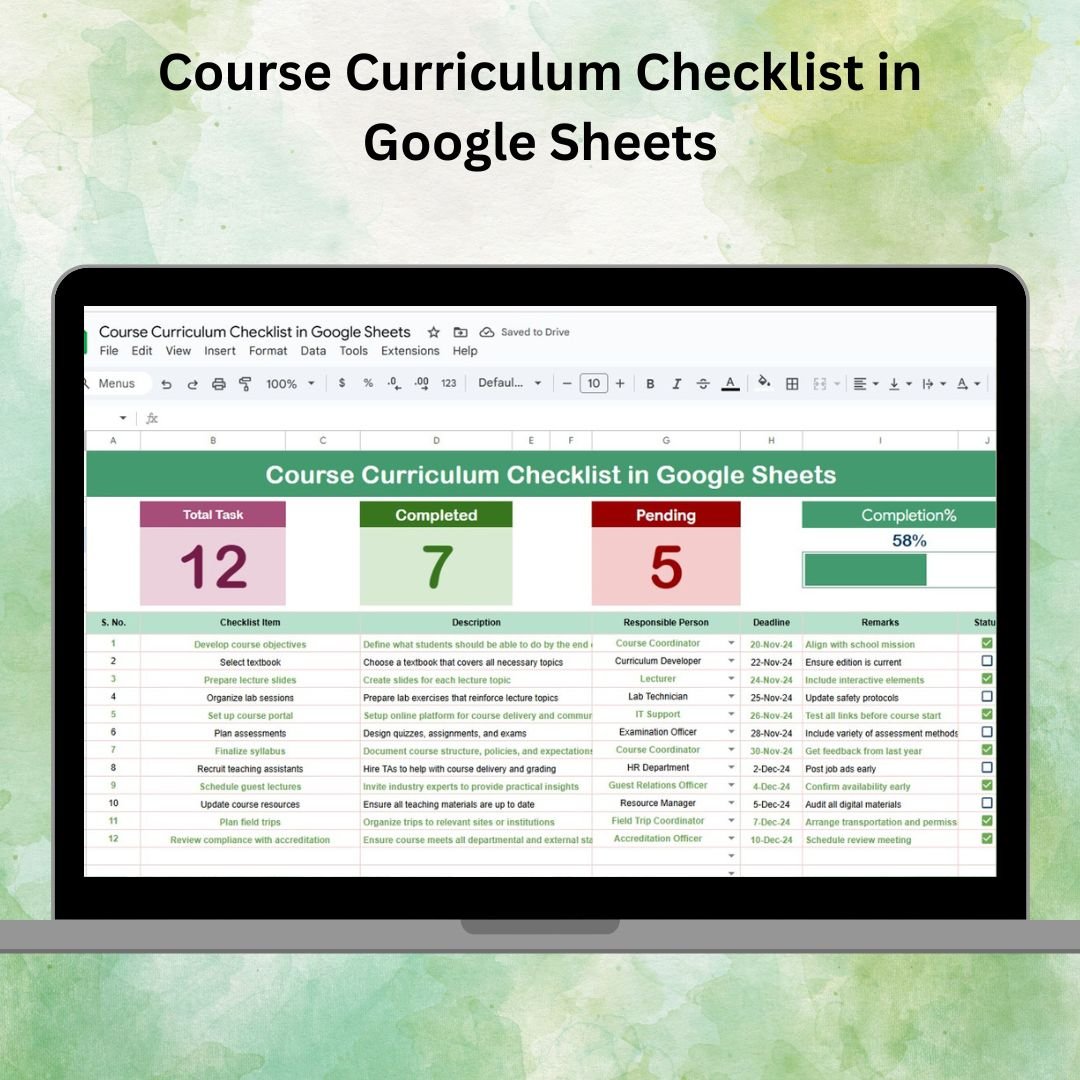

Building and delivering a course requires careful planning, organization, and execution. 📚 Missing lessons, unclear responsibilities, or incomplete modules can disrupt the learning process and affect overall student satisfaction. To solve this, we designed the Course Curriculum Checklist in Google Sheets — a ready-to-use, customizable template that ensures every lesson, module, and task in your course is tracked effectively.
This checklist helps educators, trainers, and course developers organize curriculum tasks, assign responsibilities, and track progress visually. With built-in summary cards, progress bars, and a structured task table, it gives you complete control over course planning from start to finish.
🔑 Key Features of the Course Curriculum Checklist
📊 Main Checklist Sheet Tab
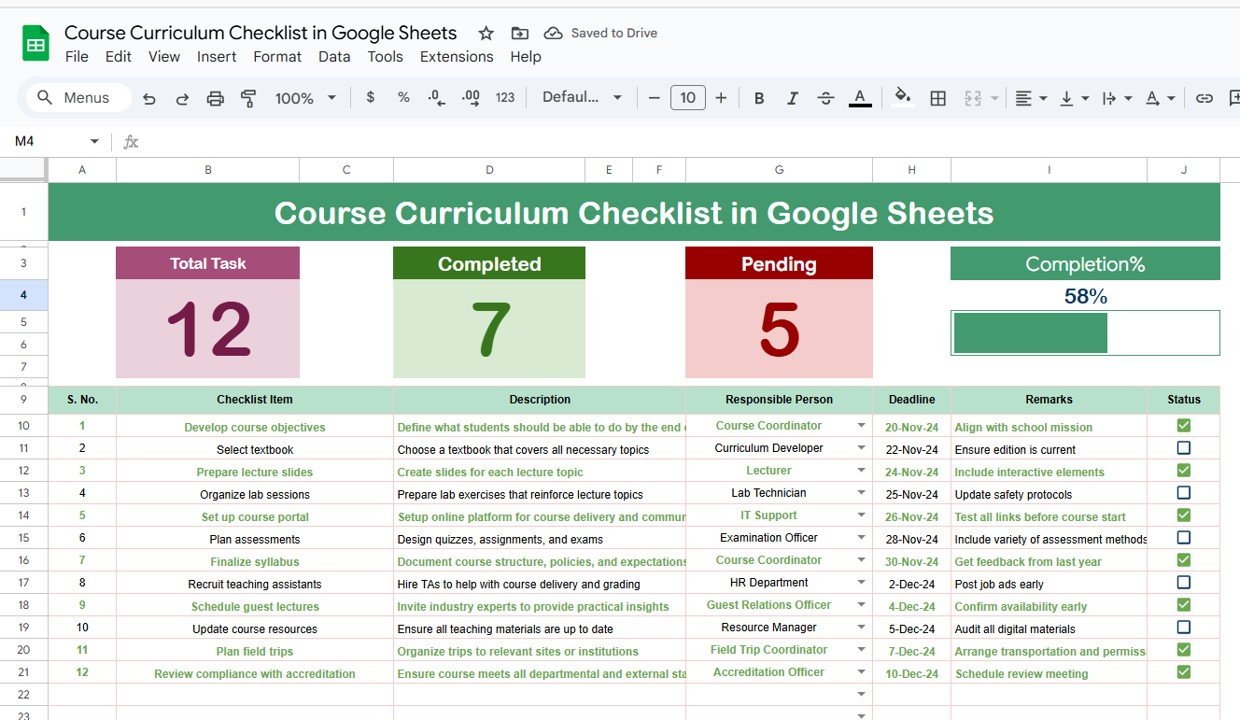
Summary Cards – Displays:
Total number of tasks
Completed tasks (✔)
Pending tasks (✘)
Progress Bar – Visual percentage of overall curriculum completion
Checklist Table Columns include:
Serial No.
Checklist Item (lesson, module, or task)
Description
Responsible Person
Deadline
Remarks
Status (✔ or ✘)
📋 List Sheet Tab
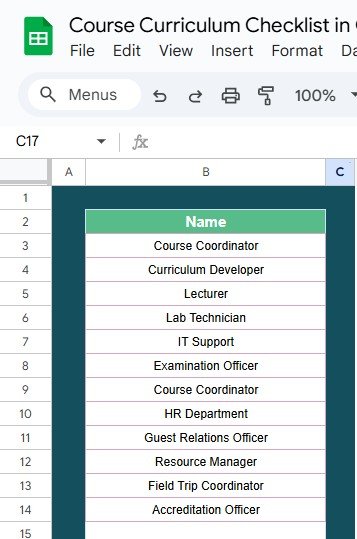
Stores a list of Responsible Persons
Used to create dropdowns in the main sheet
Reduces errors in task assignments and ensures accountability
📦 What’s Inside the Template?
✅ Main Checklist Tab – Centralized view with summary cards & progress bar
✅ List Tab – Dropdown-based assignment of Responsible Persons
✅ Pre-Filled Sample Data – Demonstrates real use cases
✅ Completion Indicators – Visual progress tracking
✅ Customizable Structure – Add/remove tasks, modules, or KPIs as needed
✅ Collaborative Features – Google Sheets sharing for team input
🧠 How to Use the Course Curriculum Checklist
Input Curriculum Tasks – Enter lessons, modules, or milestones into the checklist.
Assign Responsibility – Use the dropdown to allocate each task to a person.
Set Deadlines – Define due dates for timely course delivery.
Track Status – Mark tasks as ✔ (completed) or ✘ (pending).
Monitor Progress – Review the summary cards and progress bar for instant updates.
Collaborate – Share with instructors or coordinators for real-time updates.
👥 Who Can Benefit from This Checklist?
🎓 Educators & Teachers – Plan and monitor lessons systematically
🏫 Training Coordinators – Ensure smooth delivery of training programs
🖥 Online Instructors – Track e-learning module creation and deadlines
📝 Course Developers – Organize curriculum building and review stages
📊 Institutions & Academies – Maintain accountability for multiple courses
⭐ Advantages of Using the Course Curriculum Checklist
📑 Centralized Management – All curriculum tasks in one place
📊 Visual Tracking – Progress bar & summary cards for instant insights
👥 Clear Accountability – Assign tasks to responsible persons
🛠 Customizable Format – Adapt to any course type or size
⏱ Time-Saving – Prebuilt structure avoids creating new checklists from scratch
🤝 Collaborative – Multiple users can edit simultaneously in Google Sheets
🔗 Click here to read the Detailed blog post
Watch the step-by-step video Demo:
🔗 Visit our YouTube channel to learn step-by-step video tutorials
Compatibility and Requirements
- Works in Google Sheets. You need a free Google account and a web browser.
- You pick each Responsible Person from a dropdown on the main sheet, fed by the List sheet. Google explains dropdowns in Create an in-cell dropdown list.
Frequently Asked Questions
Which sheets are included?
Two sheets: the main Checklist sheet and a List sheet. The main sheet has the summary cards, the progress bar and the task table. The List sheet stores the Responsible Persons.
What columns does the task table have?
Serial No., Checklist Item, Description, Responsible Person, Deadline, Remarks and Status.
How do I assign a task to someone?
Add the person’s name on the List sheet. Then choose it from the Responsible Person dropdown on the main sheet.
How do I see how much of the course is done?
Mark each task with a check (completed) or a cross (pending) in the Status column. The summary cards show total, completed and pending tasks, and the progress bar shows the overall percentage.
Is there an Excel version?
Yes. See the Course Curriculum Checklist Template in Excel.
Related Checklist Templates
- Course Curriculum Checklist Template in Excel: the same course checklist in Excel
- Project Management Checklist in Google Sheets: track project tasks and owners
- Employee Onboarding Checklist in Google Sheets: a task checklist for new hires
- Employee Offboarding Checklist in Google Sheets: a task checklist for leavers
- Google Sheets Starter Pack: 12 Google Sheets templates in one download
Browse all Google Sheets checklists.






























Reviews
There are no reviews yet.