

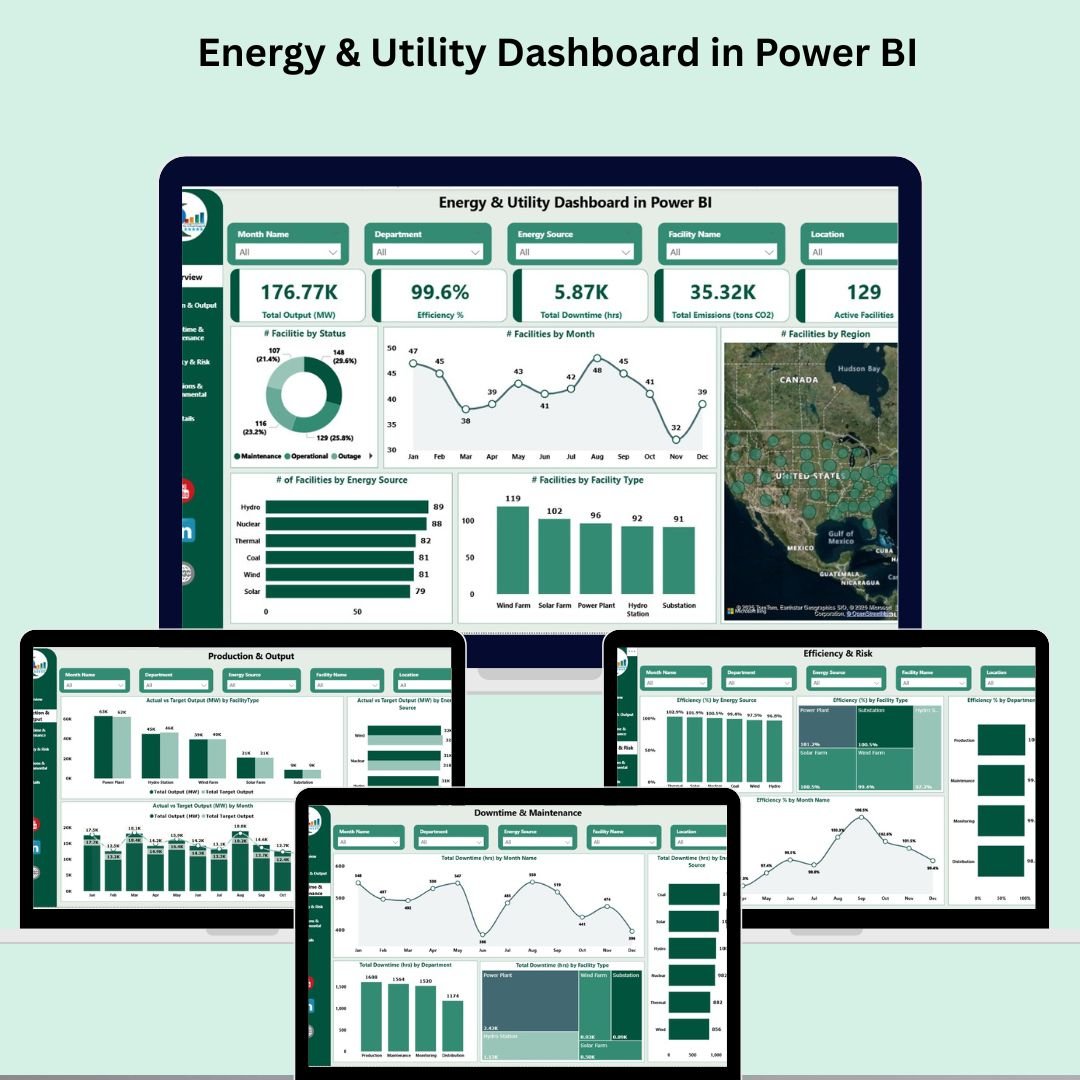

Unlock the power of data with our Energy & Utility Dashboard in Power BI, designed specifically for energy and utility companies aiming to optimize operations, reduce downtime, and stay compliant with sustainability goals. Whether you manage solar plants, wind farms, or thermal facilities, this ready-to-use dashboard empowers you with real-time insights to drive efficiency, track emissions, and monitor performance—all from one central place.
🔑 Key Features of the Energy & Utility Dashboard in Power BI
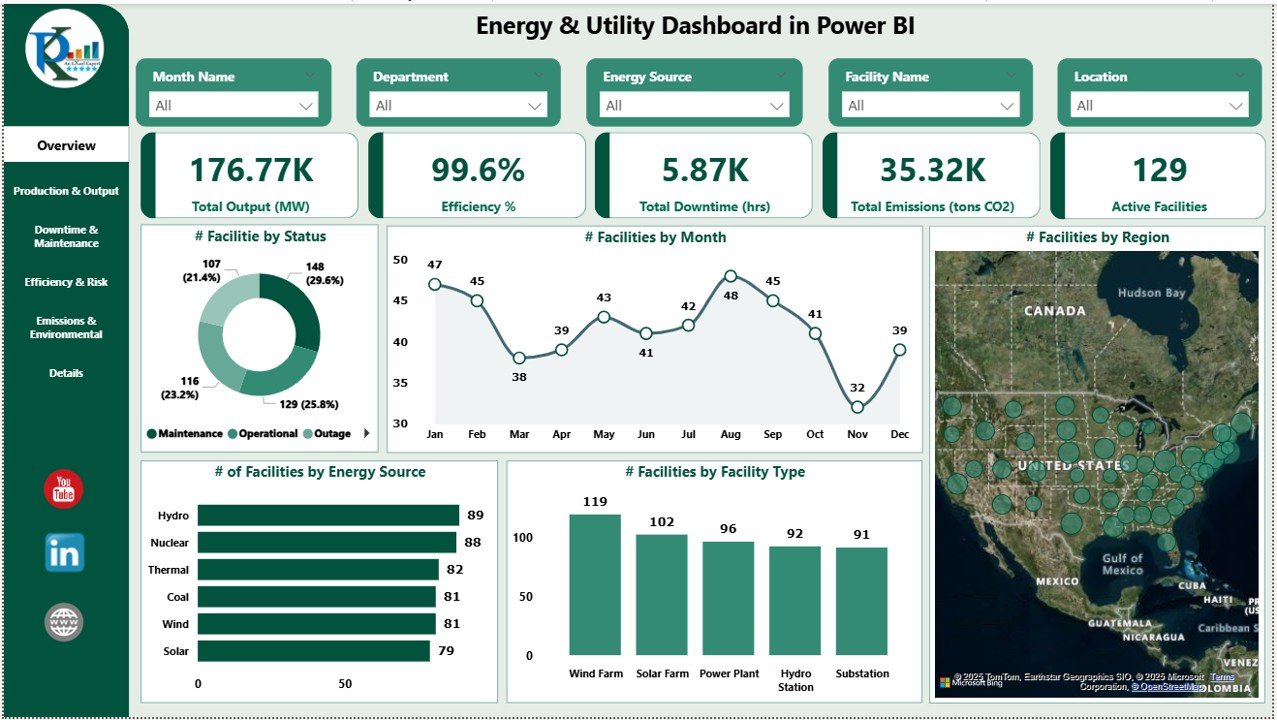
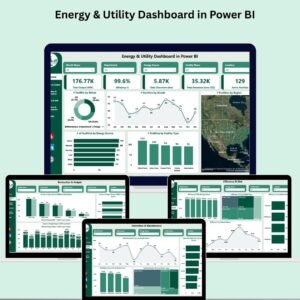
📊 Overview Page – Instant Snapshot
Get a high-level summary of energy performance with dynamic cards showing:
Total Output (MW)
Efficiency (%)
Total Downtime (hrs)
Total Emissions (tons CO2)
Active Facilities
Also includes charts like:
of Facilities by Status, Type, Source, Month, and Region
Perfect for senior managers to assess operations at a glance.
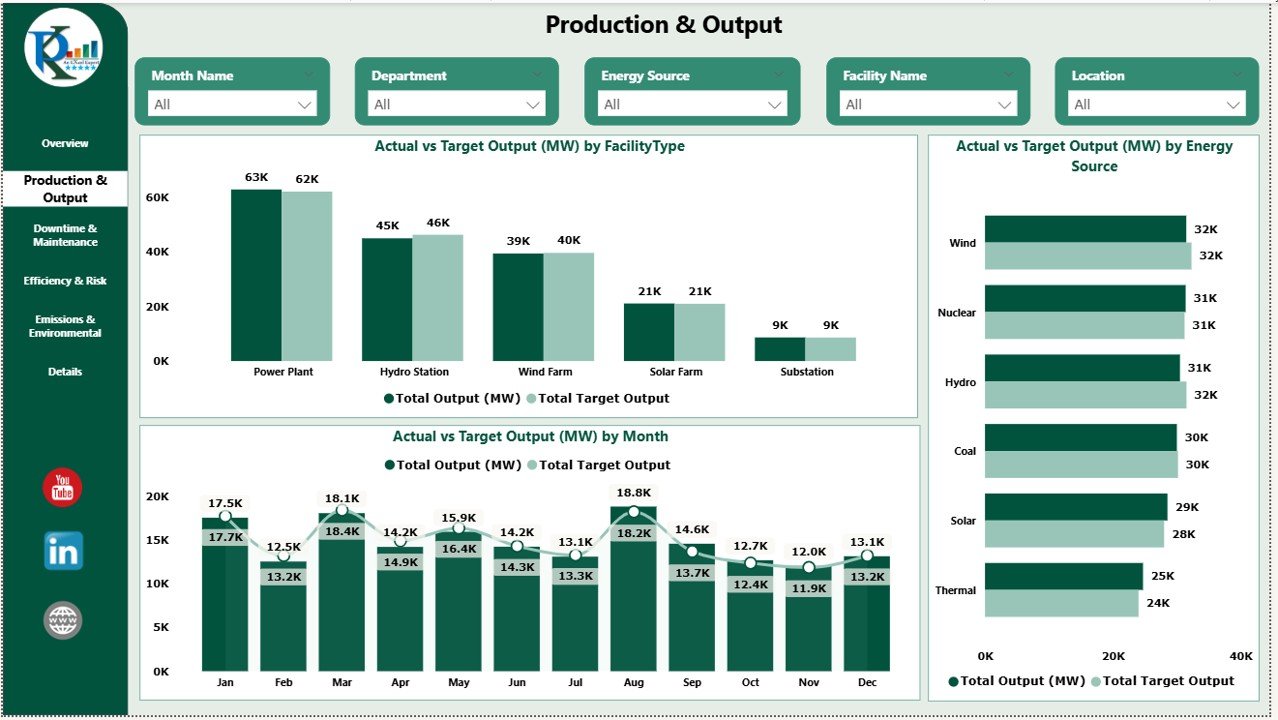
⚙️ Production & Output Page
Track performance against energy targets:
Compare actual vs target output by Facility Type, Energy Source, and Month
Visualize production trends across all operations
This helps spot underperforming facilities early.
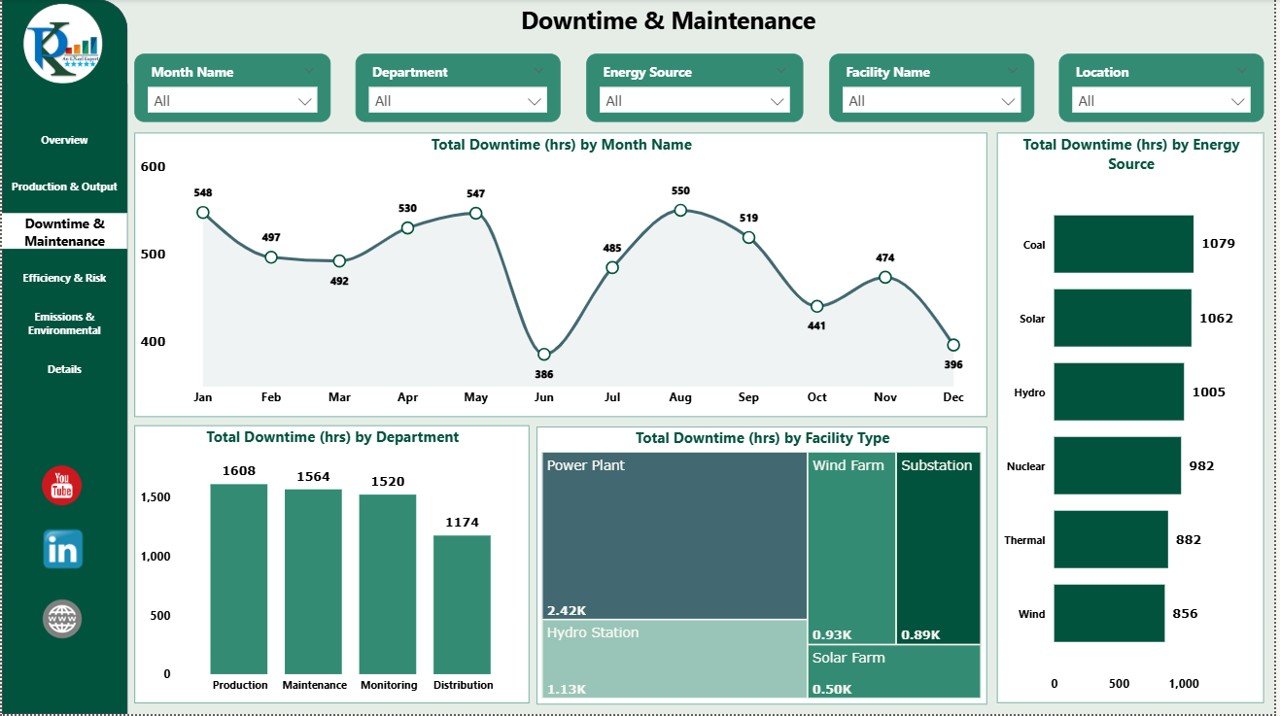
🔧 Downtime & Maintenance Page
Monitor and minimize operational downtime with:
Total Downtime by Month, Energy Source, Facility Type, and Department
Identify patterns and departmental bottlenecks
Ensure optimal uptime and smoother maintenance planning.
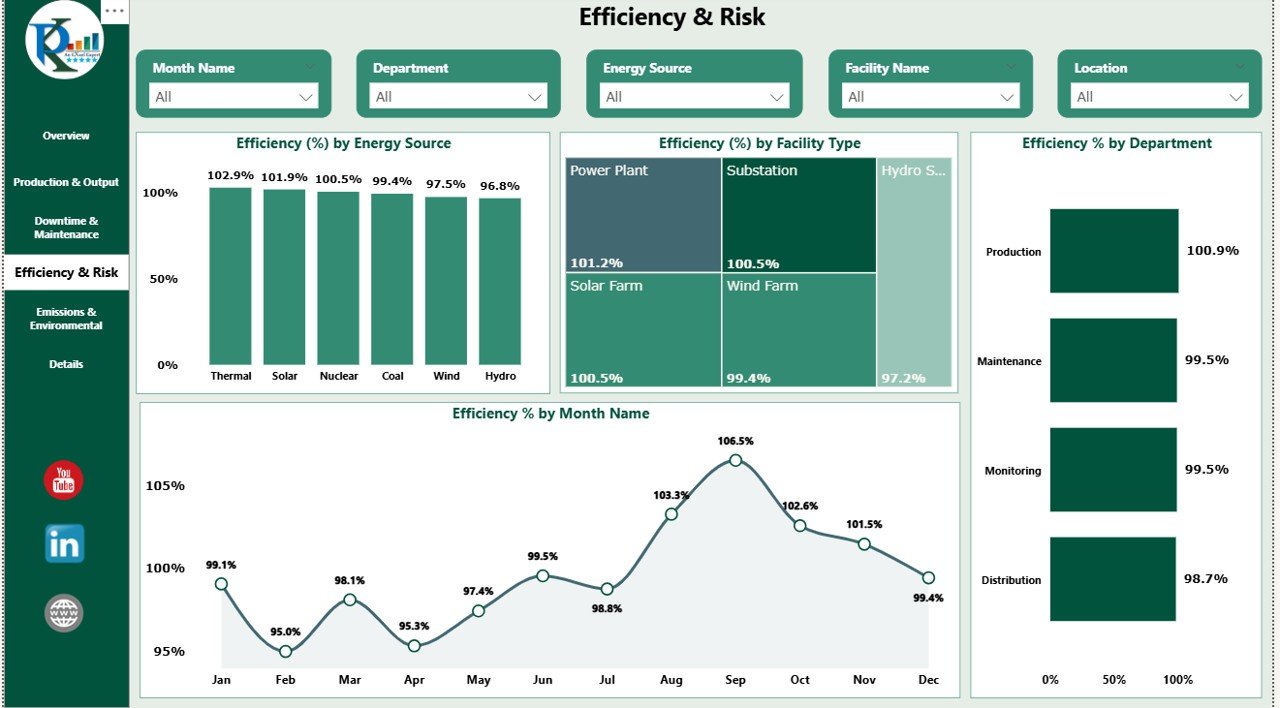
📈 Efficiency & Risk Page
Measure how efficiently your energy sources are performing:
View efficiency % by Source, Facility Type, Department, and Month
Uncover gaps and areas for improvement
Minimize operational risk by analyzing efficiency patterns
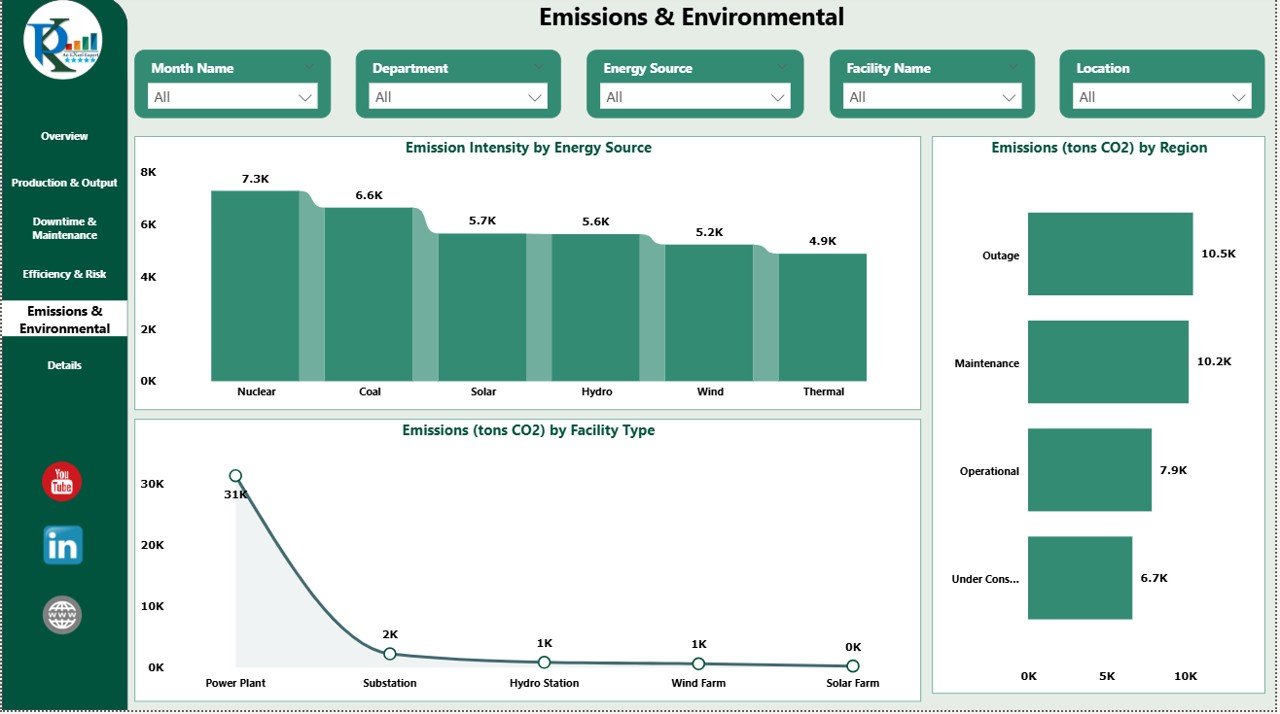
🌍 Emissions & Environmental Page
Stay compliant with environmental regulations and sustainability goals:
Track Emission Intensity by Source
Analyze emissions (tons CO2) by Region and Facility Type
Make data-backed decisions to reduce your carbon footprint
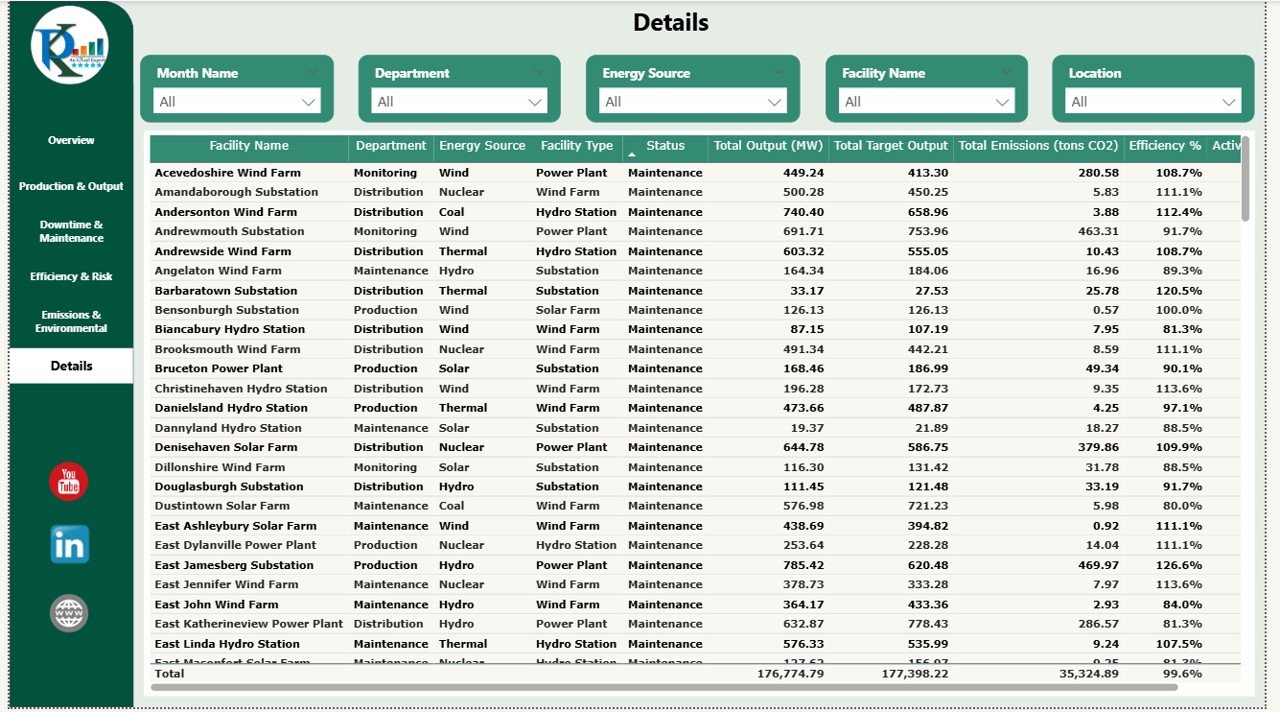
📋 Details Page
A raw data table that supports all visuals, ideal for:
Custom filtering
Exporting
Drill-down analytics
📦 What’s Inside the Energy & Utility Dashboard in Power BI
This powerful Power BI file includes:
✅ 6 Interactive Pages – Overview, Production, Downtime, Efficiency, Emissions & Data Table
✅ Cards and Charts – Dynamic visuals for every KPI
✅ Page-Level Slicers – Filter by Month, Facility Type, Department, Energy Source
✅ Full Customization – Add new charts, tweak visuals, and update KPIs as needed
✅ Excel-Driven Data – Easy data input from Excel sources
No complex configuration. Just load your data and start exploring.
🧠 How to Use the Energy & Utility Dashboard in Power BI
🟢 Step 1: Import your facility-level data from Excel or database
📊 Step 2: Navigate to any page to monitor key metrics
🎯 Step 3: Use slicers to filter by energy source, facility type, or region
🔧 Step 4: Customize layout or visuals to suit your needs
📤 Step 5: Share insights with stakeholders through Power BI workspace
Designed for quick adoption—no advanced Power BI skills required!
🌍 Who Can Benefit from This Dashboard?
🏭 Energy Plant Managers – Monitor facility performance across regions
📉 Maintenance Teams – Spot downtime trends and prioritize actions
📈 Operations & Compliance Officers – Track emissions, efficiency, and reporting metrics
🧑💼 Executives – Make strategic decisions based on live performance indicators
📊 Business Analysts – Use real-time data to run scenarios and improve productivity
Whether you manage a single plant or a national network, this dashboard gives you control and clarity.
✅ Why Choose Our Power BI Energy Dashboard?
✔ 6 Detailed, Interactive Pages
✔ Real-Time Charts and KPIs
✔ Simple Excel Integration
✔ Slicer-Driven Filtering
✔ Fully Customizable
✔ Export-Ready for Reports
It’s your all-in-one solution for sustainable, data-driven energy management.
🔁 Click here to read the Detailed blog post
Click here to read the Detailed blog post
Watch the step-by-step video Demo:
🎥 Visit our YouTube channel to learn step-by-step video tutorials
Compatibility and Requirements
- Opens in Power BI Desktop, which is free to download from Microsoft.
- Data loads from Excel or a database, and the six pages use page-level slicers for month, facility type, department and energy source.
- Get it from Microsoft: Get Power BI Desktop.
Frequently Asked Questions
Which pages are included?
Six pages: Overview, Production and Output, Downtime and Maintenance, Efficiency and Risk, Emissions and Environmental, and a Details table.
What does the Overview page show?
Cards for total output (MW), efficiency %, total downtime (hours), total emissions (tons CO2) and active facilities.
Can I compare output with targets?
Yes. The Production and Output page compares actual and target output by facility type, energy source and month.
Can I export the data?
Yes. The Details page holds the data table behind the visuals for filtering and export.
Related Energy Templates
- Energy and Utility Dashboard in Excel: the same topic in Excel
- Energy and Utility Dashboard in Google Sheets: the Google Sheets edition
- Energy Consumptions Dashboard in Power BI: for consumption rather than production
- Energy KPI Dashboard in Excel: monthly energy KPIs against targets
- Energy and ESG Sustainability Bundle: 8 energy templates in Excel and Power BI
Browse all Power BI dashboards or the template bundles.

































Reviews
There are no reviews yet.