




Easily maintain accurate and up-to-date student records with this professionally designed Student Information Sheet – ideal for schools, preschools, training centers, or after-school programs.
This ready-to-use template is perfect for gathering all key details about a student in a structured format, including personal information, guardian contact, address, emergency contact, and medical history.
Available in Microsoft Word and Google Docs formats, the form is fully customizable and printable for physical records or digital filing systems.
Use it during admissions, parent meetings, student profile updates, or onboarding sessions.

📋 What’s Inside:
✅ Personal Details – Name, DOB, class, section, admission number, nationality
✅ Parent/Guardian Info – Name, relationship, occupation, phone, email
✅ Residential Address – Space to record full address
✅ Emergency Contact Info – Name, relation, phone number
✅ Medical Info – Any known allergies or conditions
✅ Declaration & Signature Section – To verify submitted data
🎯 Key Benefits:
✳️ Clean, professional layout
✳️ Helps ensure student safety with emergency contacts
✳️ Supports digital and print use
✳️ Ideal for admission, record keeping, or audits
✳️ Can be reused for each academic year
This Student Information Sheet helps educators maintain reliable student records while ensuring quick access to critical information when needed. Download, customize, and organize your student database with ease.
Compatibility and Requirements
- Microsoft Word (desktop or Microsoft 365).
- Google Docs, free with a Google account. Upload the file to Google Drive and open it with Google Docs. Google explains the steps in Work with Office files.
Frequently Asked Questions
What information does the Student Information Sheet collect?
Personal details (name, date of birth, class, section, admission number and nationality), parent or guardian information, the residential address, an emergency contact, medical information such as allergies or conditions, and a declaration with signature.
When should schools use this form?
Use it during admissions, parent meetings, student profile updates or onboarding sessions. It also works for preschools, training centers and after-school programs.
Can I add or remove fields?
Yes. The form is fully editable in Word and Google Docs, so you can rename fields, add rows or delete sections you don’t need.
Can I reuse it every academic year?
Yes. Keep the blank file and fill in a new copy for each student at the start of every academic year.
Is the Student Information Sheet free?
Yes, it is a free download.
How to Use the Student Information Sheet
- Download the file and open it in Microsoft Word or Google Docs.
- Enter the student’s personal details: name, date of birth, class, section, admission number and nationality.
- Add the parent or guardian details and the residential address.
- Fill in the emergency contact and any allergies or medical conditions.
- Print the sheet for the declaration and signature, or save it as a digital record.
Related School Templates
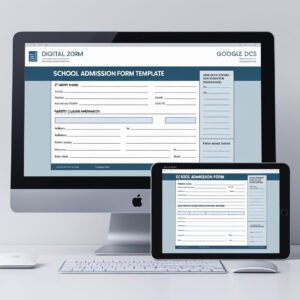
- School Admission Form in MS Word and Google Docs: the full application form for new students.
- Student Progress Report Form in MS Word and Google Docs
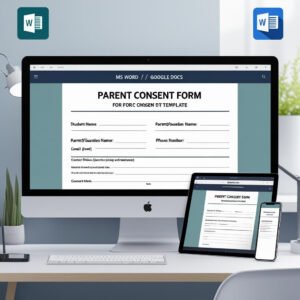
- Parent Consent Form in MS Word and Google Docs
- Student Fee Record Template in Google Sheets: keep fee records for the same students.
- Education & School Management Bundle: 8 Excel and Google Sheets templates for schools.
Browse all form templates or the education templates.



















Reviews
There are no reviews yet.