



Track, document, and manage classroom behavior effectively with this professional Classroom Behavior Report Form. Designed for teachers and school administrators, this editable template helps record student conduct incidents in a clear, structured manner for follow-up and documentation.
Whether you’re dealing with minor disruptions or more serious behavioral issues, this form captures all the essential information — from behavior type and incident details to action taken and parental acknowledgment.
Perfect for K-12 educators, this form improves communication between teachers, parents, and school administrators while ensuring transparency and accountability.

📋 What’s Inside:
✅ Student & Teacher Information – Name, class, grade, section, date
✅ Behavior Description – Detailed space to describe incident
✅ Behavior Type Checklist – Including disruption, aggression, bullying, etc.
✅ Actions Taken – What disciplinary steps were applied
✅ Follow-Up Plan / Recommendations – Suggested next steps or support
✅ Signature Section – For teacher, parent/guardian, and admin acknowledgment
🎯 Key Benefits:
✳️ Maintains accurate records of behavioral incidents
✳️ Strengthens school-home communication
✳️ Enhances classroom discipline strategy
✳️ Supports a consistent documentation process
✳️ Printable or fillable on screen (Word or Google Docs)
This Classroom Behavior Report is a must-have tool for teachers, deans, and school counselors looking to foster a positive learning environment while maintaining formal documentation of student conduct.
Compatibility and Requirements
- Microsoft Word (desktop or Microsoft 365).
- Google Docs, free with a Google account. Upload the file to Google Drive and open it with Google Docs. Google explains the steps in Work with Office files.
Frequently Asked Questions
What does the Classroom Behavior Report Form record?
It records student and teacher information (name, class, grade, section and date), a description of the incident, a behavior type checklist, the actions taken, a follow-up plan with recommendations and signatures.
Which behavior types are on the checklist?
The checklist includes disruption, aggression and bullying. You can edit the list in Word or Google Docs to match your school’s own conduct categories.
Who signs the behavior report?
The signature section has space for the teacher, the parent or guardian and a school administrator, so all three can acknowledge the incident and the follow-up plan.
Can I fill it in on screen?
Yes. The form is printable, and you can also type into it in Word or Google Docs and keep a digital copy for school records.
Is the Classroom Behavior Report Form free?
Yes, it is a free download.
How to Use the Classroom Behavior Report Form
- Download the file and open it in Microsoft Word or Google Docs.
- Fill in the student and teacher details: name, class, grade, section and date.
- Describe the incident and tick the matching behavior type on the checklist.
- Write down the actions taken and the follow-up plan or recommendations.
- Print the form for the teacher, parent or guardian and admin signatures, then file a copy.
Related School Templates
- Student Progress Report Form in MS Word and Google Docs: grades, attendance and teacher remarks for each term.
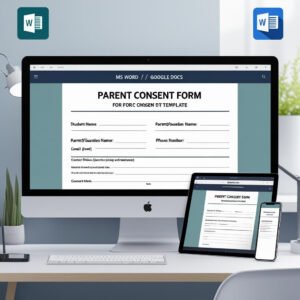
- Parent Consent Form in MS Word and Google Docs
- Teacher Feedback Form in MS Word and Google Docs
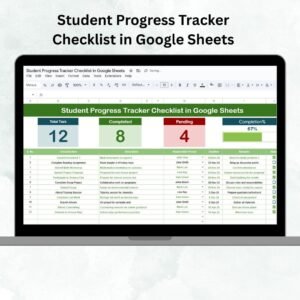
- Student Progress Tracker Checklist in Google Sheets: follow up on progress after a behavior report.
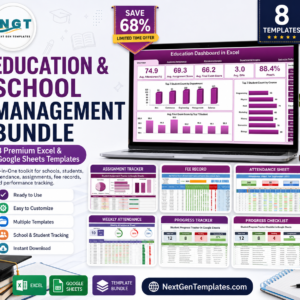
- Education & School Management Bundle: 8 Excel and Google Sheets templates for schools.
Browse all form templates or the education templates.














Reviews
There are no reviews yet.