




Gather meaningful insights from students to improve teaching quality with this professionally designed Teacher Feedback Form – available in fully editable Microsoft Word and Google Docs formats.
Perfect for schools, colleges, training centers, or tutoring institutions, this form allows students to rate their teachers across various criteria and offer constructive feedback anonymously or with name identification.
Use this tool to foster continuous improvement, student engagement, and teaching excellence by capturing what works and what could be better in the classroom.

📋 What’s Inside:
✅ Student Information – Name (optional), class, and subject
✅ Teacher Information – Name and subject taught
✅ Rating Criteria – 8 key areas of evaluation rated on a 1–5 scale
✅ Comment Section – For each rating to gather specific input
✅ Additional Suggestions – Open-ended section for improvement ideas or praise
💡 Feedback Criteria Includes:
Clarity of explanation
Encouragement of participation
Helpfulness and approachability
Classroom discipline
Use of teaching aids and examples
Timely feedback on assignments
Engagement in classes
Respect and fairness to students
🎯 Key Benefits:
✳️ Easy-to-use format with rating + comment fields
✳️ Supports anonymous or named submissions
✳️ Ideal for end-of-term reviews or continuous improvement
✳️ Boosts teacher performance and accountability
✳️ Can be customized for specific subjects or classes
This Teacher Feedback Form helps educational institutions build a feedback culture rooted in transparency and improvement. Download it today to promote student voice and elevate teaching standards.
Compatibility and Requirements
- Microsoft Word (desktop or Microsoft 365).
- Google Docs, free with a Google account. Upload the file to Google Drive and open it with Google Docs. Google explains the steps in Work with Office files.
Frequently Asked Questions
What do students rate on the Teacher Feedback Form?
Eight areas on a 1 to 5 scale: clarity of explanation, encouragement of participation, helpfulness and approachability, classroom discipline, use of teaching aids and examples, timely feedback on assignments, engagement in classes, and respect and fairness to students.
Can students give feedback anonymously?
Yes. The student name field is optional, so the form works for anonymous or named feedback.
Is there space for written comments?
Yes. Each rating has a comment space, and an additional suggestions section at the end collects improvement ideas or praise.
Can I change the rating criteria?
Yes. The form is editable in Word and Google Docs, so you can rename criteria or adapt it for a specific subject or class.
Is the Teacher Feedback Form free?
Yes, it is a free download.
How to Use the Teacher Feedback Form
- Download the file and open it in Microsoft Word or Google Docs.
- Fill in the teacher name and subject, and adjust the criteria if needed.
- Print copies or share the file with students at the end of a term.
- Students add their class and subject (name optional), rate the 8 areas from 1 to 5 and add comments.
- Collect the forms and review the ratings and suggestions with the teacher.
Related School Templates
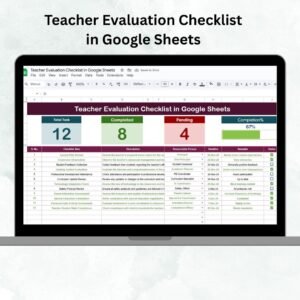
- Teacher Evaluation Checklist in Google Sheets: a checklist for formal teacher reviews.
- Teacher Training Checklist in Excel: plan training based on the feedback.
- Student Progress Report Form in MS Word and Google Docs
- Classroom Behavior Report Form in MS Word and Google Docs
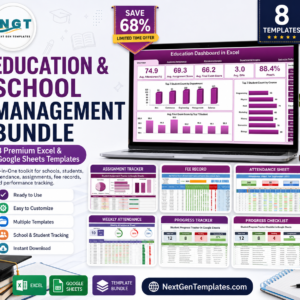
- Education & School Management Bundle: 8 Excel and Google Sheets templates for schools.
Browse all form templates or the education templates.














Reviews
There are no reviews yet.