



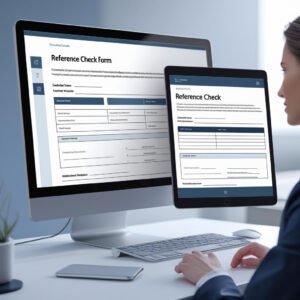
Hiring the right candidate involves more than just reviewing resumes and interviews — it’s about verifying background, behavior, and reliability. Our Reference Check Form is a professionally designed template that helps HR departments and hiring managers conduct structured and compliant reference checks with ease.
This ready-to-use form is available in MS Word and Google Docs formats and captures essential insights from previous employers or supervisors. With well-organized sections for candidate and referee details, it allows you to document work history, performance, strengths, and areas of improvement — supporting more confident hiring decisions.
Whether you’re managing high-volume hiring or verifying executive-level candidates, this template offers a consistent and formal approach to background verification.
📋 Key Sections Included:
✅ Candidate Information: Name, position applied for, department, and reference check date
✅ Reference Information: Name, company, job title, and contact details
✅ 8 Structured Questions covering performance, strengths, team behavior, punctuality, and recommendation
✅ Additional Comments: Capture optional insights
✅ Reference Check Conducted By: Name, title, signature, and date for formal recordkeeping
🎯 Benefits:
✳️ Professionally formatted and easy to use
✳️ Helps standardize the reference check process
✳️ Ensures legal compliance and proper documentation
✳️ Great for HR, recruiters, and hiring managers
✳️ Editable in both MS Word and Google Docs
✳️ Can be reused across departments and roles
Compatibility and Requirements
- Microsoft Word (desktop or Microsoft 365).
- Google Docs, free with a Google account. Upload the file to Google Drive and open it with Google Docs. Google explains the steps in Work with Office files.
Frequently Asked Questions
What does the Reference Check Form record?
Candidate information (name, position applied for, department and reference check date), reference information (name, company, job title and contact details), answers to 8 structured questions, additional comments, and the name, title, signature and date of the person who ran the check.
What do the 8 questions cover?
They cover the candidate’s performance, strengths, team behavior, punctuality and whether the referee would recommend them, plus space for work history and areas of improvement.
Can I change the questions?
Yes. The form is editable in Word and Google Docs, so you can reword questions or add ones that fit a specific role.
Can I use one form for every hire?
Yes. Keep the blank file and fill in a new copy for each reference. It works across departments and roles.
Is the Reference Check Form free?
Yes, it is a free download.
Who Uses This Form
HR departments, recruiters and hiring managers use it to check references in the same way for every candidate, from high-volume hiring to executive roles.
How to Use the Reference Check Form
- Download the file and open it in Microsoft Word or Google Docs.
- Enter the candidate’s name, the position applied for, the department and the date.
- Add the referee’s name, company, job title and contact details.
- Call or email the referee and record the answers to the 8 questions.
- Add any extra comments, then sign and date the form and file it with the candidate’s records.
Related HR Templates
- Job Application Form Template in MS Word and Google Docs: collect candidate details before the reference check.
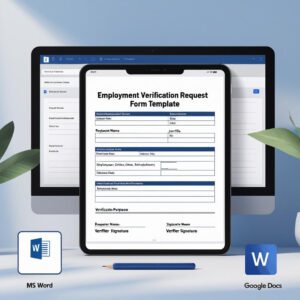
- Employment Verification Request Form Template in MS Word and Google Docs
- Offer Letter Template in MS Word and Google Docs: the next step once references check out.
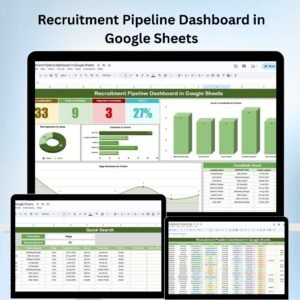
- Recruitment Pipeline Dashboard in Google Sheets: track candidates through each hiring stage.
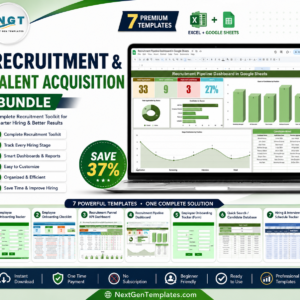
- Recruitment & Talent Acquisition Bundle: 7 Excel and Google Sheets hiring templates.
Browse all form templates or the HR and Payroll templates.













Reviews
There are no reviews yet.