


Want to streamline your performance review process and maintain professional employee evaluations? Download our Employee Evaluation Form Template in MS Word and Google Docs – a ready-to-use solution that helps managers assess performance, identify strengths, and recommend improvements — all in a clean, organized format. 📋🌟
Whether you’re an HR professional, department head, or small business owner, this form simplifies the evaluation process and ensures performance reviews are both consistent and constructive. 💼✨
No more creating evaluation forms from scratch — just plug in employee data, rate their performance, and provide detailed feedback with ease.’

🛠️ Key Features of Employee Evaluation Form Template
📊 Structured Rating Criteria
Rate employees on 10 core competencies — from communication and job knowledge to leadership — using a 1 to 5 scale for measurable, unbiased evaluations.
🧑💼 Complete Employee Details Section
Capture key information such as employee name, ID, job title, department, and evaluation period — for clarity and official use.
🗒️ Comments for Each Rating
Add notes beside each performance criterion to provide supporting feedback or examples — fostering a more detailed and constructive review process.
🔍 Strengths & Improvement Areas
Dedicated sections to highlight employee strengths and developmental needs — helping support career growth discussions.
💬 Overall Comments & Recommendations
Summarize the overall performance, provide constructive feedback, and suggest promotions, training, or performance plans.
📝 Signatures for Validation
Includes signature lines for employee, evaluator, and department head — making it a legally valid and HR-compliant document.
📦 What’s Inside the Employee Evaluation Form Template
Here’s what you’ll receive in this downloadable product:
✅ 1 Editable MS Word file (.docx)
✅ 1 Editable Google Docs template (via link)
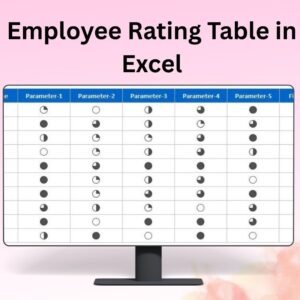
✅ Structured rating table with editable performance metrics
✅ Fields for detailed feedback, suggestions, and overall rating
✅ Signature lines for verification and compliance
It’s a plug-and-play format — just fill in the blanks or customize fields to match your company’s evaluation standards. 🖊️📄
📝 How to Use the Employee Evaluation Form Template
Download the form in MS Word or open it in Google Docs
Insert your company name, contact info, and logo
Enter employee and evaluation details — name, job title, period, etc.
Rate each performance category on a scale from 1 (Poor) to 5 (Excellent)
Provide comments to support each rating
Summarize strengths, areas to improve, and overall feedback
Add signatures for employee, evaluator, and department head
Save or print for recordkeeping or HR submission
Whether you use it digitally or print it for physical records, this form ensures clear communication and accountability in your performance review process. 🧾✅
👥 Who Can Benefit from This Employee Evaluation Form Template
🧑💼 HR Managers & Supervisors – To conduct fair and effective evaluations
🏢 Small to Medium Businesses – Standardize review formats
🧠 Corporate Teams – For annual or quarterly performance appraisals
🧰 Consultants & HR Trainers – As part of workshops or onboarding kits
🏫 Educational & Nonprofits – For assessing faculty, admin, or volunteers
No matter the team size or industry, this tool ensures evaluations are clear, balanced, and legally sound. 📈🔐
Don’t let performance reviews become a paperwork mess. With this Employee Evaluation Form Template, you’ll enhance transparency, boost motivation, and keep documentation organized — all with one professional tool! 🎯💬
Compatibility and Requirements
- Edit the Employee Evaluation Form in Microsoft Word (desktop or Microsoft 365).
- It also works in Google Docs with a free Google account. Upload the .docx to Google Drive and open it with Google Docs, or use the Google Docs link. Google explains the steps in Work with Office files.
- Print it for paper records, or save it as a PDF to share by email.
Frequently Asked Questions
How are employees rated on this form?
The form rates 10 core competencies, from communication and job knowledge to leadership, on a scale from 1 (Poor) to 5 (Excellent). Each rating has space for a supporting comment.
Can I change the performance criteria?
Yes. The rating table is fully editable, so you can rename, add or remove criteria to match your company’s review standards.
Who signs the evaluation?
There are signature lines for the employee, the evaluator and the department head.
Is the Employee Evaluation Form free?
Yes. It is a free download with a Word file and a Google Docs version.
Related HR Templates
- Employee Performance Rating Card and Dashboard in Excel: turn review scores into a rating card and dashboard.
- Employee Performance Review Dashboard in Excel: track review results across the team.
- Promotion Letter Template in MS Word and Google Docs: for employees whose review recommends a promotion.
- Warning Letter Template in MS Word and Google Docs: for formal follow-up on poor performance.
- HR & Workforce Analytics Bundle: 10 HR templates across Excel, Google Sheets and Power BI.
Browse all form templates or the HR and Payroll templates.












Reviews
There are no reviews yet.