



The Payroll Information Form Template is an editable MS Word and Google Docs document for collecting employee and payroll setup details. It contains employee identification, salary-cycle choices, payment method, tax-identification and bank-information fields, plus declaration and signature sections.
This editable and ready-to-use form is the perfect tool for HR teams, accountants, and payroll processors to collect, verify, and manage employee payroll details efficiently. From tax information to bank account data, everything is captured in one structured document that simplifies onboarding and reduces payroll errors. 📋✅
Whether you’re managing a small team or a growing workforce, this form ensures that payroll is processed accurately, securely, and on time — every time.
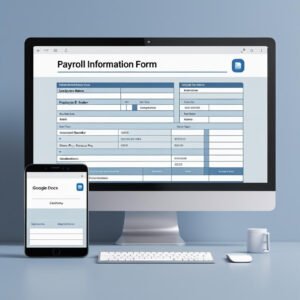
🛠️ Key Features of Payroll Information Form Template
🧑💼 Comprehensive Employee Section
Collect essential information like employee name, ID, department, job title, and date of joining — the foundation for all HR and payroll operations.
🧾 Flexible Salary Type Options
Includes checkboxes for Monthly, Bi-weekly, and Weekly salary types — adaptable to different payroll cycles.
💸 Payment Method Selection
Choose between Direct Deposit or Cheque — ensuring employees get paid the way they prefer.
🧾 Tax & Identification Fields
Fields for PAN/TIN and UAN ensure proper tax filing and compliance with regional legal requirements.
🏦 Bank Account Details Section
Securely collect details such as bank name, account holder, account number, and IFSC or routing number for direct deposits.
📝 Formal Declaration and Signatures
Includes employee and HR representative signature lines to confirm accuracy and authorize the use of information for payroll processing.
🔧 Fully Editable Format
Customize in MS Word or Google Docs — add your company logo, update payment options, or translate into your preferred language.
📦 What’s Inside the Payroll Information Form Template
You’ll receive everything you need to set up accurate payroll records:
✅ 1 MS Word file (.docx)
✅ 1 Google Docs editable link
✅ Structured sections for employee, payroll, and bank info
✅ Checkbox fields for easy selection of payment preferences
✅ Declaration and authorization with signature lines
Whether you’re onboarding new hires or updating records, this form keeps your payroll system running smoothly and professionally. 🧾🖊️
📝 How to Use the Payroll Information Form Template
Download the template in your preferred format — Word or Google Docs
Insert company branding — name, logo, address, contact details
Distribute to new or existing employees for completion
Employee fills in all personal and bank information
Collect and verify tax IDs, UAN, and account details
Both employee and HR sign the declaration for legal validity
Store securely for payroll and audit purposes
This form is an essential part of your HR documentation kit and supports error-free payroll processing. 💼🔐
👥 Who Can Benefit from This Payroll Information Form Template
🏢 HR Managers & Payroll Officers – Collect, verify, and store accurate employee details
📊 Small Business Owners – Simplify employee onboarding and payment setup
🧾 Accountants & Financial Teams – Ensure proper documentation and tax compliance
🧰 Consultants & HR Agencies – Use in client onboarding packages
🏫 Educational Institutions & NGOs – Manage staff data with professionalism
This template helps you stay compliant, organized, and efficient — all while maintaining employee trust and payroll transparency. ✅📈
Avoid payroll delays and errors with a simple, professional solution. The Payroll Information Form Template in MS Word and Google Docs ensures you gather all the right data in one go — with legal safeguards and easy customizations. 💸📄
Questions about this template
Which pay cycles and payment methods are listed?
The form lists Monthly, Bi-weekly and Weekly salary types, with Direct Deposit or Cheque as payment method choices. The template also includes bank-account details and employee and HR signature fields.
For help comparing reporting tools for this area, see our HR and payroll template guide.
Compatibility and Requirements
- Microsoft Word (desktop or Microsoft 365).
- Google Docs, free with a Google account. Upload the file to Google Drive and open it with Google Docs. Google explains the steps in Work with Office files.
More Questions About This Template
What sections does the Payroll Information Form include?
It has an employee section (name, ID, department, job title and date of joining), salary type checkboxes, payment method, tax and identification fields, bank account details, and a declaration with signature lines.
Which tax and ID fields are on the form?
The form has fields for PAN/TIN and UAN. Because the file is fully editable, you can rename these labels to match the IDs used in your country.
Who signs the payroll form?
The employee and an HR representative both sign the declaration to confirm the details and authorize their use for payroll processing.
Is the Payroll Information Form free?
Yes, it is a free download.
Related HR and Payroll Templates
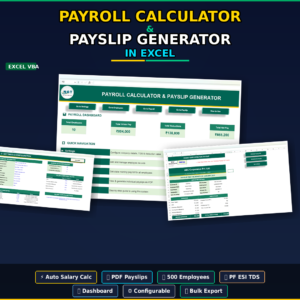
- Payroll Calculator and Payslip Generator in Excel: work out salaries and create payslips from the details you collect.
- Automatic Bulk Salary Slips Generator in Excel: create salary slips for the whole team in one go.
- Payroll Management Dashboard in Excel: review payroll costs on one dashboard.
- Salary Increment Notification Template in MS Word and Google Docs: a free letter for salary changes.
- Overtime Request Form Template in MS Word and Google Docs: a free form for overtime approvals.
Browse all form templates or the HR and payroll templates.














Reviews
There are no reviews yet.