

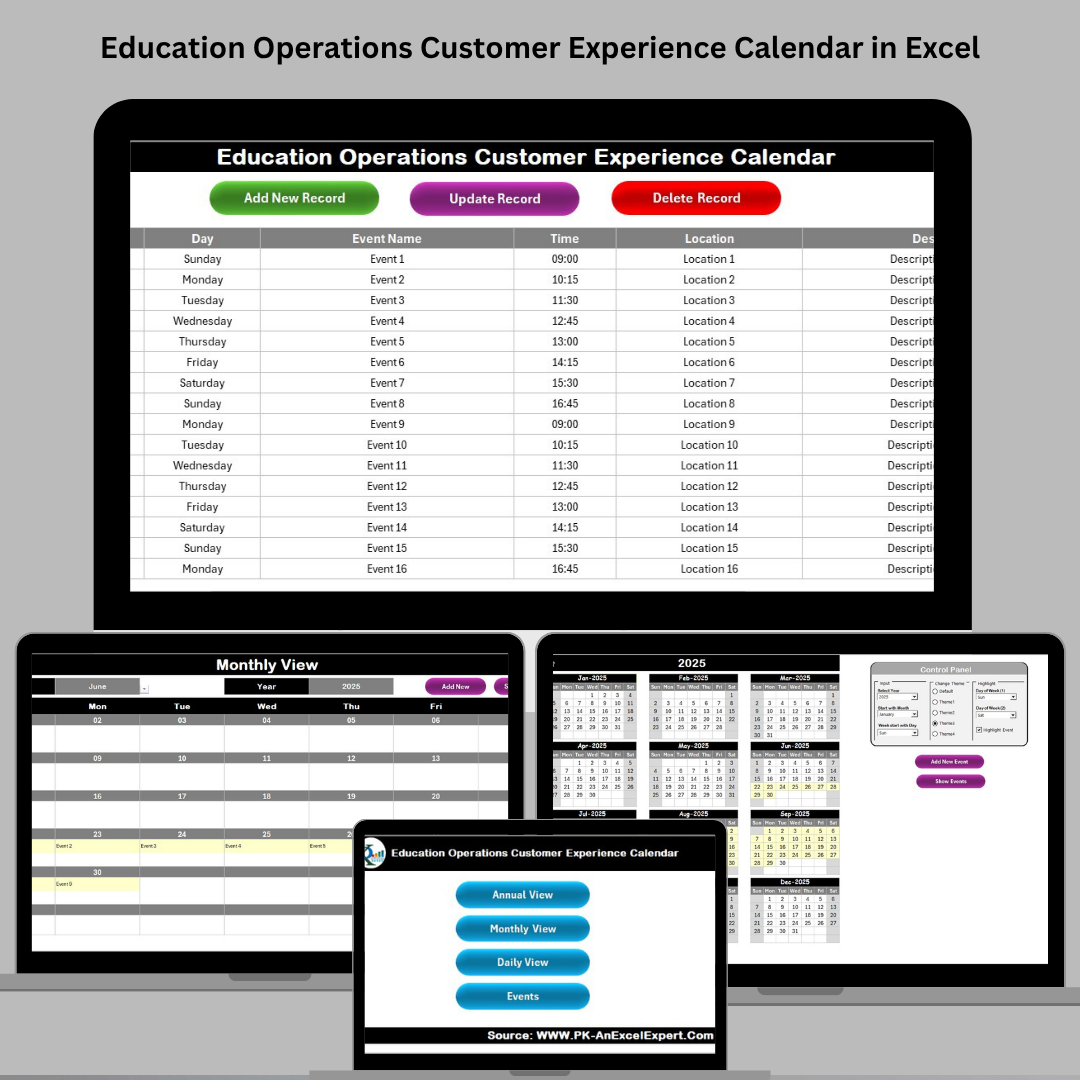

Managing events, academic deadlines, and operational tasks in an educational institution can be overwhelming—unless you’re equipped with the right tool. Introducing the Education Operations Customer Experience Calendar in Excel – a powerful, ready-to-use calendar template that helps institutions stay organized, boost productivity, and deliver exceptional student experiences. 🎓📊
Whether you’re managing yearly academic plans or daily student interactions, this Excel-based tool is built to streamline operations and ensure no event falls through the cracks.
✨ Key Features of Education Operations Customer Experience Calendar
🏠 Home Sheet – Easy Navigation Hub

Access every section of the calendar with a single click using intuitive navigation buttons:
🔄 Annual View
📆 Monthly View
📅 Daily View
🗂️ Events Manager
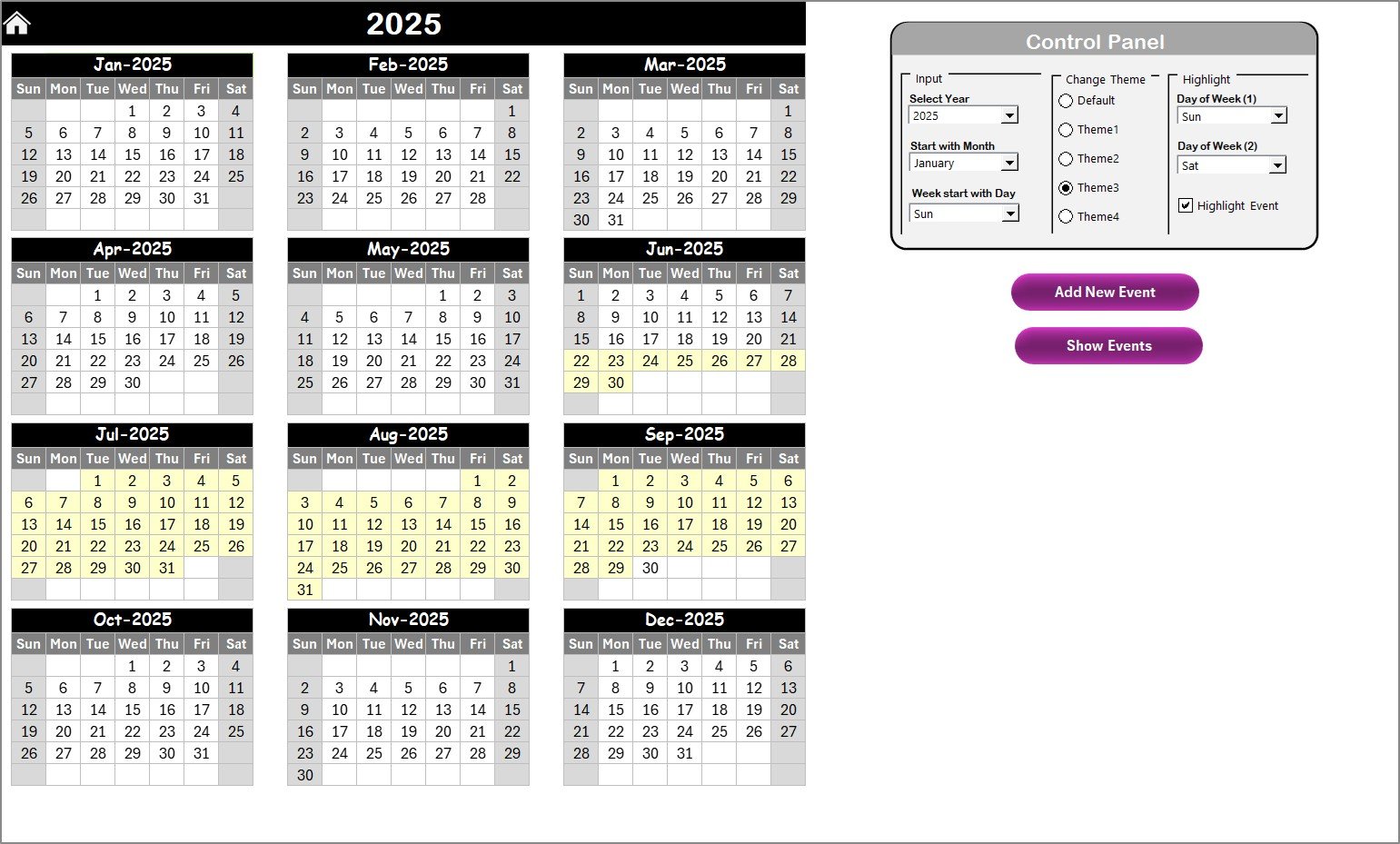
📅 Annual View – Big Picture Planning
View the entire year at a glance
Customize start month and day of the week
Choose from 5 vibrant color themes
Instantly highlight key dates and events
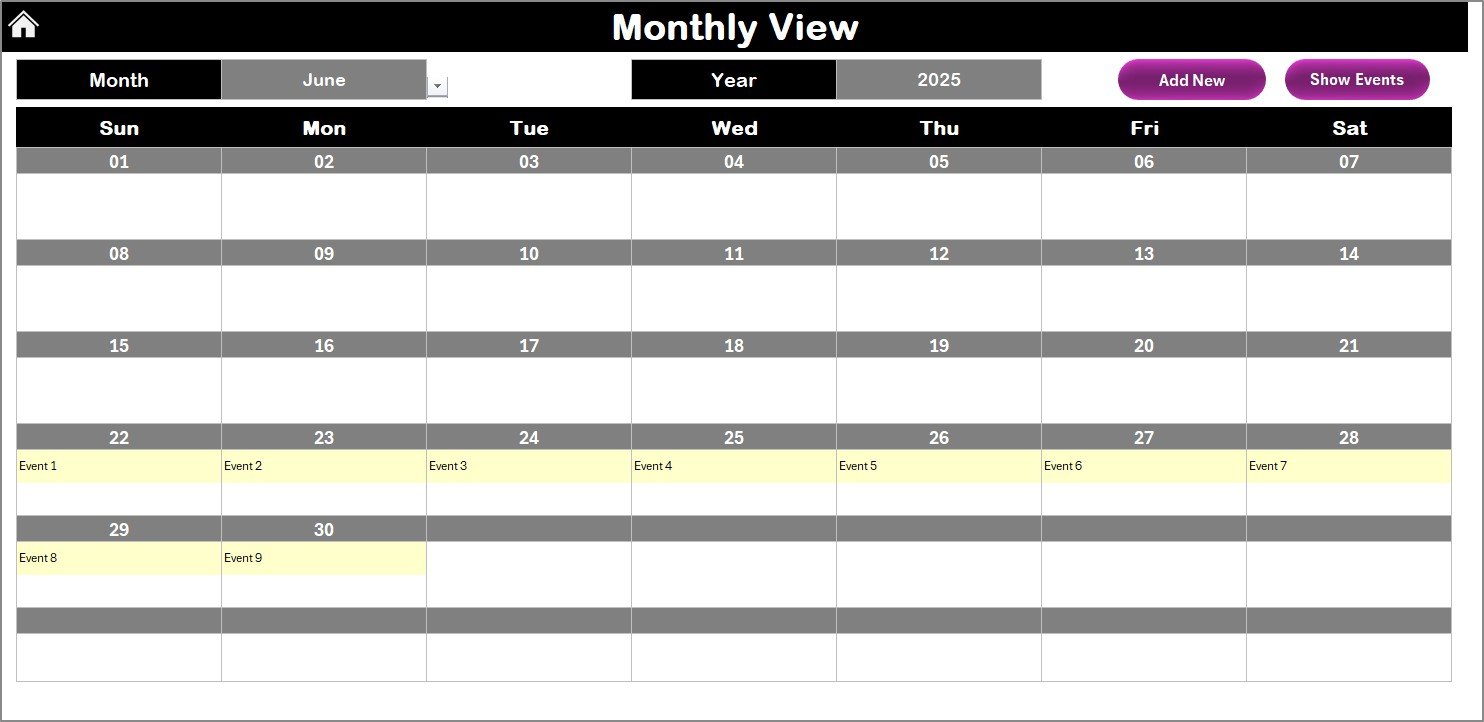
📆 Monthly View – Detailed Monthly Schedules
Select your month and year
Display multiple events per day
Perfect for academic schedules, meetings, exams, and more
📋 Daily View – Day-by-Day Focus
Select a specific date range
Instantly see and manage all events in that timeframe
Ideal for short-term planning like orientation, training, or exam weeks
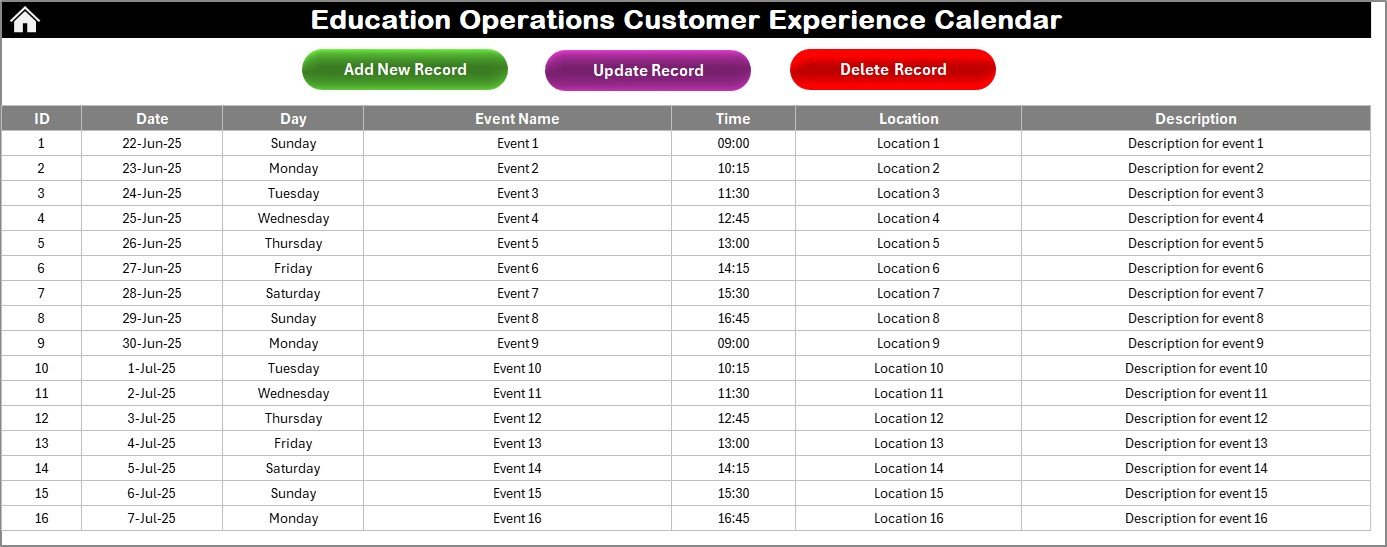
📑 Events Sheet – The Master Database
Track every event by ID, date, time, and location
Add, edit, or delete events with ease
Keeps your entire schedule centralized and audit-ready
📂 What’s Inside the Product?
✅ Excel workbook with 5 interconnected worksheets
✅ Buttons for one-click navigation
✅ Built-in theme customization panel
✅ Filterable event tracking system
✅ Date selection via calendar controls
✅ Add/Edit/Delete event functionality
✅ Ready for academic and administrative planning
📈 How to Use the Calendar
1️⃣ Start on the Home Sheet
Use buttons to jump to Annual, Monthly, Daily, or Events view
2️⃣ Set the Year and Starting Preferences
Choose start month and weekday from the control panel
3️⃣ Add or Update Events
Use the Events sheet or dedicated buttons to enter/edit records
4️⃣ Track Your Calendar
Monitor all activities using Annual and Monthly views
5️⃣ Zoom into Daily View
Focus on specific timeframes like busy exam or admission periods
🎯 Who Can Benefit from This Tool?
👩🏫 Teachers & Staff – Manage academic and administrative tasks
🎓 Educational Admins – Organize events, sessions, and holidays
🏫 Institutions & Schools – Plan campus-wide activities
💼 Operations Managers – Track compliance, onboarding, and deadlines
📚 Training Coordinators – Schedule workshops or certifications
📆 Event Planners – Streamline classroom or campus event logistics
This template brings clarity, structure, and control to your operational calendar—no more spreadsheets chaos or missed deadlines!
✅ Click here to read the Detailed blog post
🔗 Visit our YouTube channel to learn step-by-step video tutorials
Watch the step-by-step video tutorial:
Compatibility and Requirements
- Works in Microsoft Excel desktop (Excel 2016 or later, or Microsoft 365).
- You choose the start month, the start day of the week and one of 5 color themes from the control panel. Microsoft explains conditional formatting if you want to add your own highlights.
Frequently Asked Questions
Which sheets are included?
The workbook has 5 worksheets: Home, Annual View, Monthly View, Daily View and Events.
How do I add an event?
Open the Events sheet, or use the buttons on the Home sheet, and enter the event with its ID, date, time and location. You can also edit or delete events there.
Can I change the first month of the year and the first day of the week?
Yes. The Annual View lets you set the start month and the day of the week the calendar begins on, and you can pick from 5 color themes.
Can I see more than one event on the same day?
Yes. The Monthly View shows multiple events per day for the month and year you select.
How do I look at a specific date range?
Select the dates in the Daily View and it lists all events in that period, which suits busy weeks such as exams or admissions.
Is there a version for a different department?
Yes. See the Education Marketing Customer Experience Calendar in Excel and the Education HR Customer Experience Calendar in Excel.
Related Calendar Templates
- Education Operations Remote Work Calendar in Excel: the same education operations team with a remote work focus
- Education Customer Service Customer Experience Calendar in Excel: the calendar set up for a customer service team
- Education Compliance Customer Experience Calendar in Excel: the calendar for compliance deadlines
- Operations Customer Experience Calendar in Excel: the general operations edition
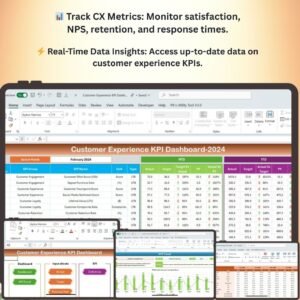
- Customer Experience KPI Dashboard in Excel: a dashboard to track customer experience metrics
Browse all Excel calendar templates.

































Reviews
There are no reviews yet.