


Managing employee records doesn’t have to be overwhelming or costly. The Employee Database Tracker in Excel is the perfect solution for HR professionals, small business owners, and team managers who want a simple, secure, and powerful way to manage staff data—all within Microsoft Excel.
With built-in VBA automation, smart data entry forms, and a fully interactive dashboard, this tool takes employee management to the next level—without any coding or technical setup!
✨ Key Features of Employee Database Tracker
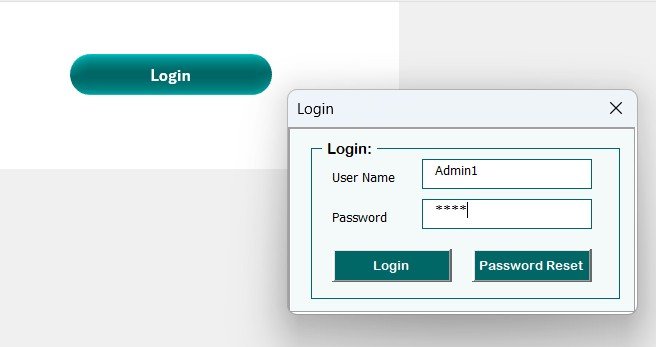
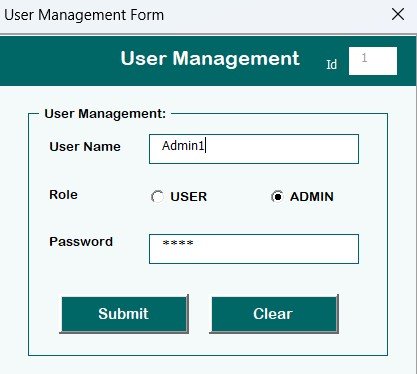
🔐 Login Form for Secure Access
Only authorized users can access employee data. Use the default credentials (Admin1/abcd) or create custom users with access control.
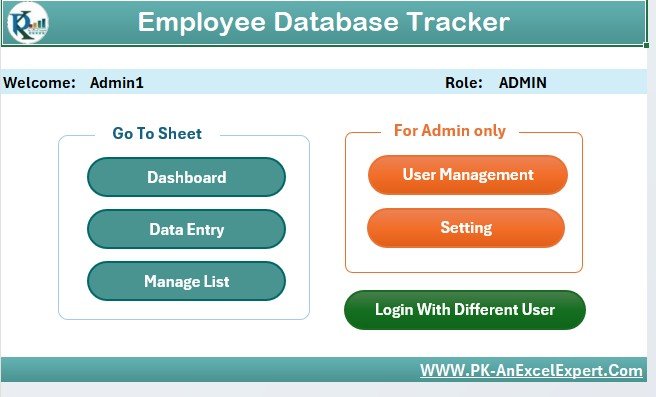
🖥️ Main Control Panel
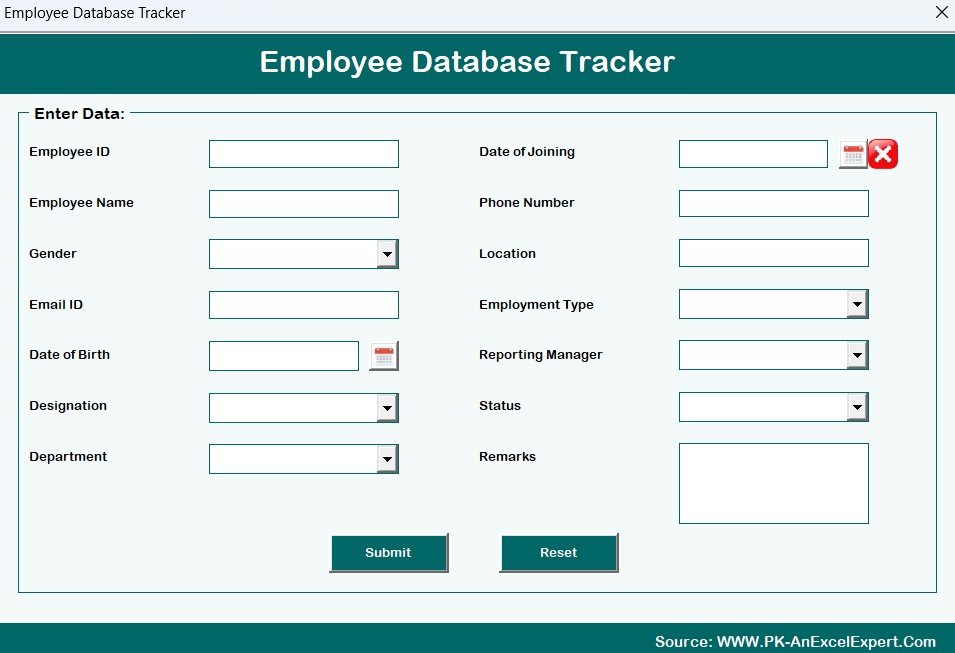
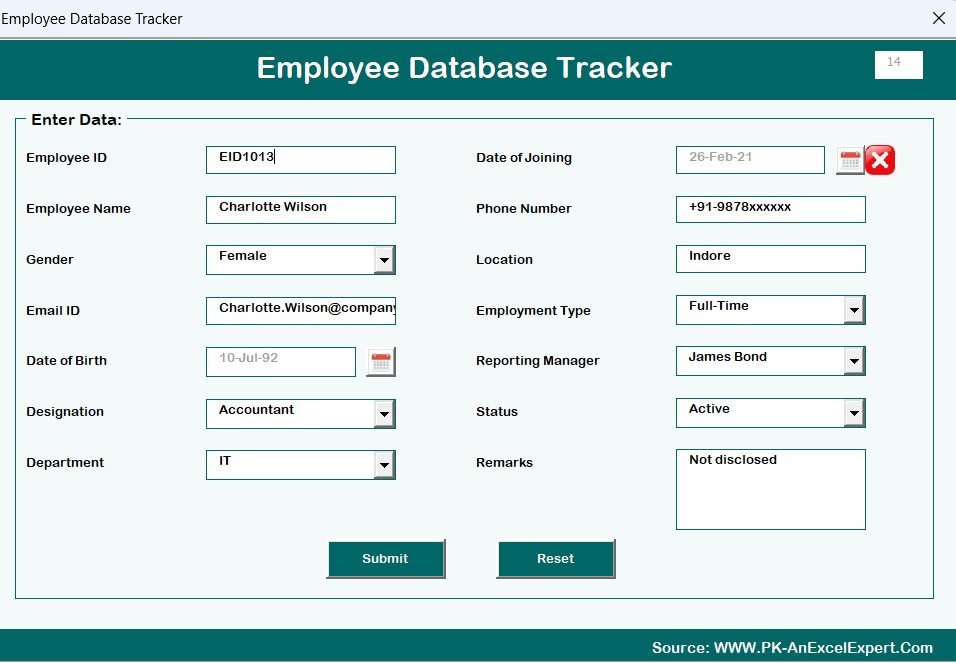
Once logged in, you’ll access a clean and user-friendly form where you can:
➕ Add new employee records
✏️ Edit existing entries
🗑️ Delete unwanted records
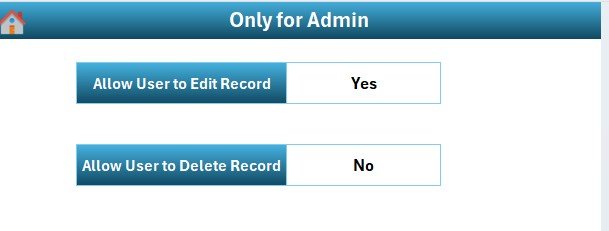
🔧 Access user and system settings
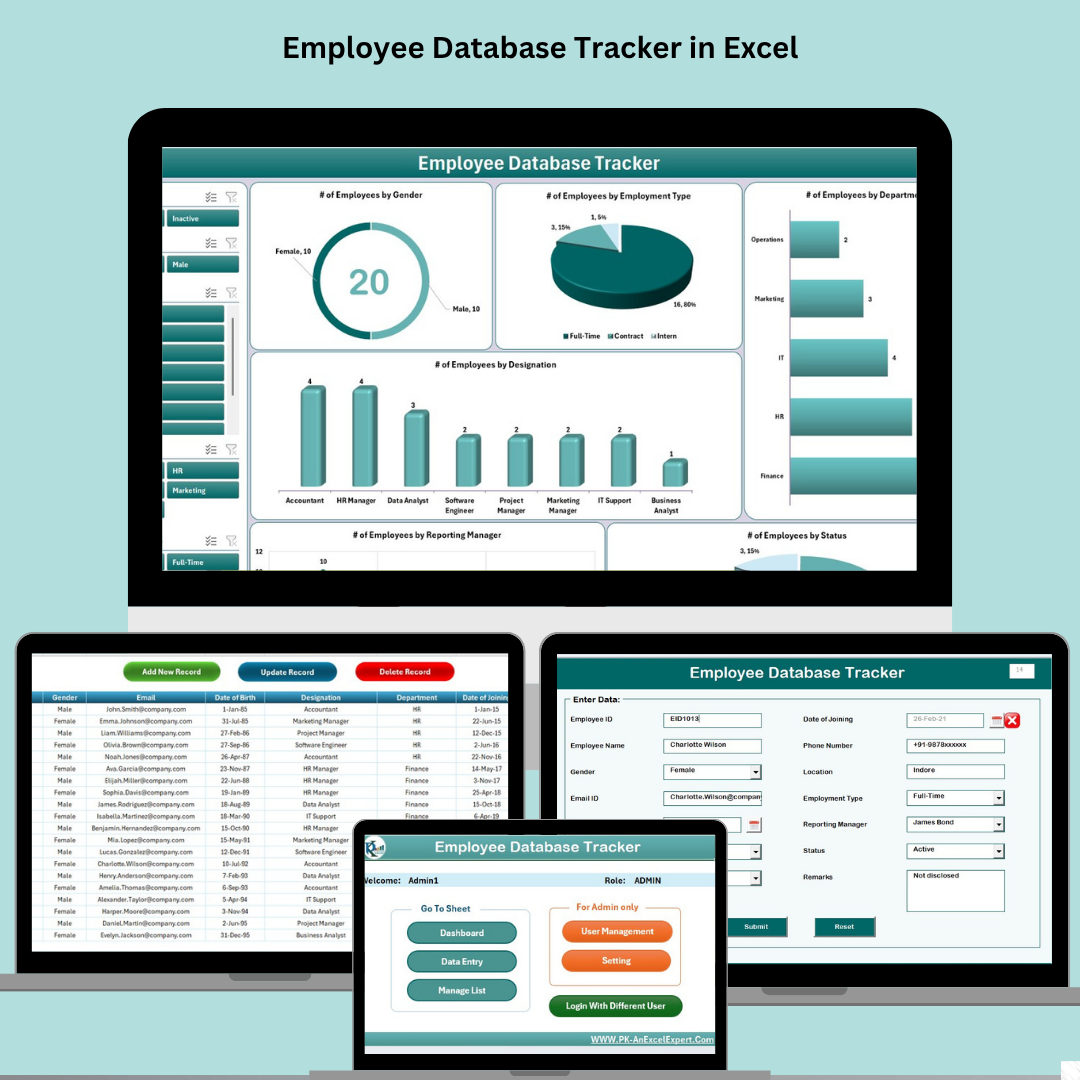
📊 Dashboard Sheet with Visual Insights
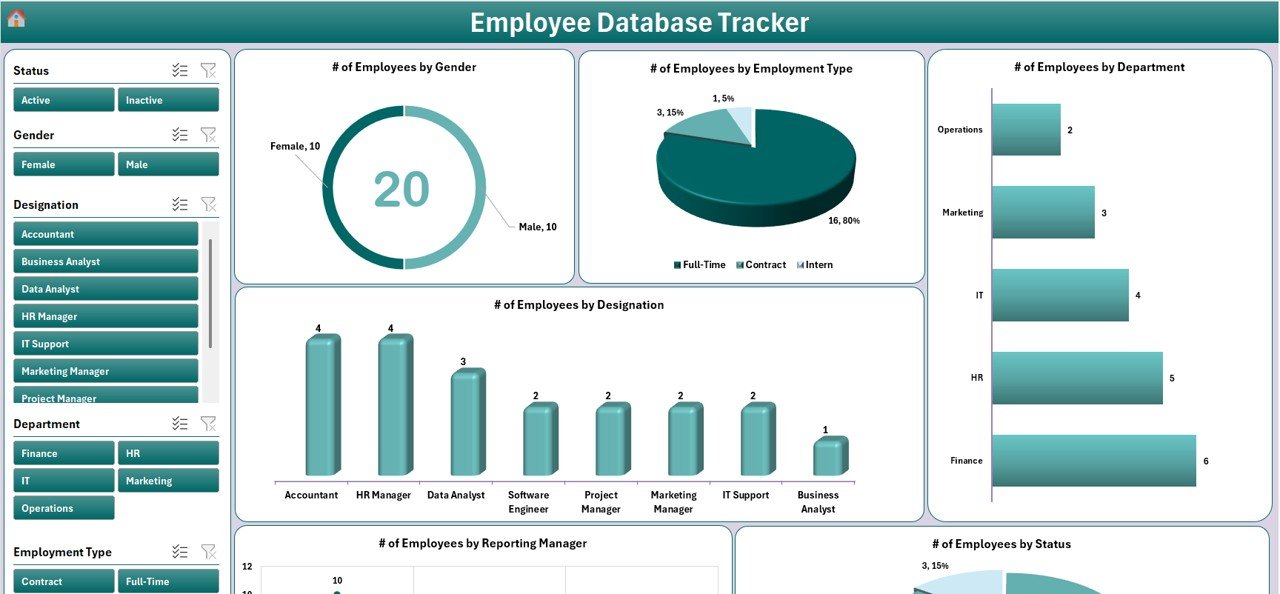
Monitor your team using beautiful, ready-to-go visuals:
📌 Gender Breakdown (Doughnut)
🧑🤝🧑 Employment Type (Pie)
🏢 Department Size (Bar)
🧾 Designation Stats (Column)
👔 Reporting Manager Summary (Pie)
✅ Employee Status Overview (Pie)
Interactive slicers make analysis quick and actionable.
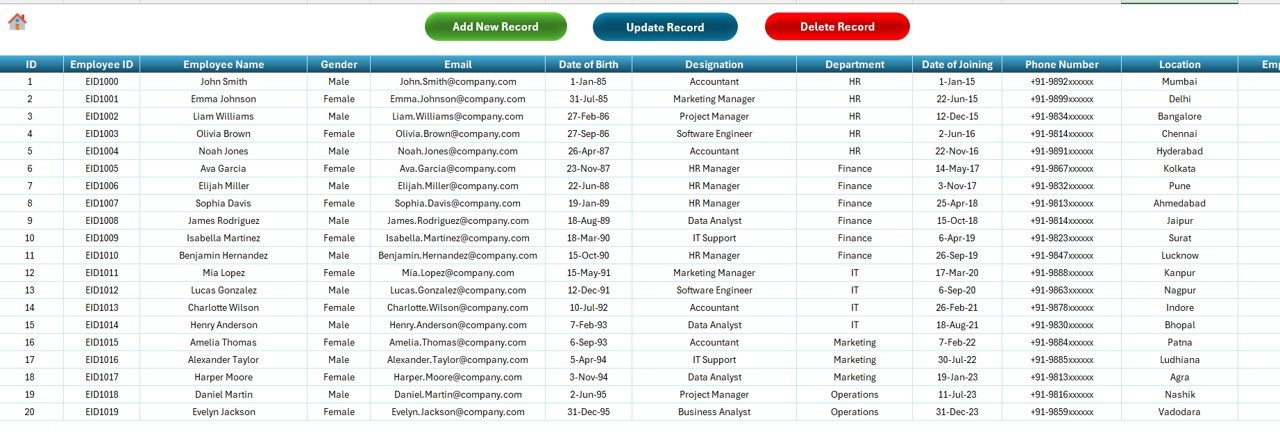
📋 Data Entry Sheet for Structured Records
All employee details are stored in a well-formatted table with powerful buttons:
➕ Add Record
✏️ Update Record
🗑️ Delete Record
Track fields like:
Employee ID, Name, Email, DOB
Department, Designation, Gender
Date of Joining, Reporting Manager
Employment Type, Status, Remarks
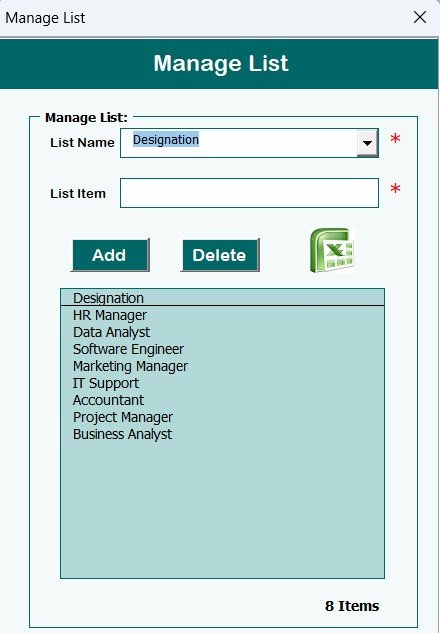
🧾 Manage List Sheet
Define dropdown items (e.g., Gender, Department, Manager) for consistent and error-free data entry.
⚙️ User Management & Settings
Add/edit/delete users and roles
Customize system preferences
📈 Auto-Refreshing Support Sheet
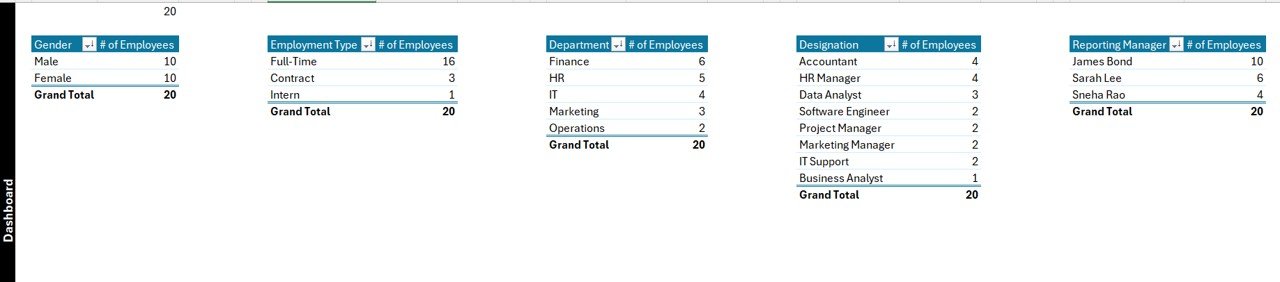
All dashboard visuals are backed by pivot tables. The Support Sheet works silently in the background and can be hidden to avoid accidental edits.
📦 What’s Inside the Product?
1 Master File (.xlsm) with macros enabled
VBA-powered login and user form
Dashboard with 6 charts and slicers
Fully formatted Data Entry Sheet
Manage List for dropdown flexibility
Support Sheet with pivot tables
Editable settings for full customization
🛠️ How to Use the Employee Database Tracker
1️⃣ Open the Excel file and enable macros
2️⃣ Use Admin credentials to log in
3️⃣ Click buttons to add or manage employee records
4️⃣ Visualize the data instantly on the Dashboard
5️⃣ Customize dropdown lists in the Manage List Sheet
6️⃣ Use User Management to define access roles
Simple, fast, and efficient—no Excel expertise required!
👥 Who Can Benefit from This Tracker?
👩💼 HR Executives & Managers
🏢 Small and Mid-Sized Companies
🧑🏫 Educational Institutions
💼 Recruitment Agencies
💻 Freelancers managing virtual teams
🏭 Factory or Plant Admin Staff
If you deal with employee records, this tool is made for you.
🧠 Pro Tips for Better Use
✔️ Use filters to find employees by department or manager
🗃️ Take weekly backups to secure data
🔒 Assign user roles carefully to prevent data loss
📥 Add leave, attendance, or payroll sheets as extensions
📌 Hide the Support Sheet to avoid unnecessary changes
🔗 Click here to read the detailed blog post
🎥 Visit our YouTube channel to learn step-by-step video tutorials
👉 Youtube.com/@PKAnExcelExpert
Watch the step-by-step video tutorial:
Compatibility and Requirements
- Made for Microsoft Excel on Windows (Excel 2016, 2019, 2021 or Microsoft 365).
- Macros must be enabled, because the login, forms and buttons run on VBA. Microsoft explains how in Enable or disable macros in Microsoft 365 files.
- Excel for the web, Google Sheets and the Excel mobile apps can’t run VBA, so use the Excel desktop app.
Frequently Asked Questions
What is the default login?
The file comes with default credentials (Admin1 / abcd). Add your own users and roles in User Management before you enter real staff data.
Which employee details can I store?
Employee ID, name, email, date of birth, department, designation, gender, date of joining, reporting manager, employment type, status and remarks.
What does the dashboard show?
Six charts: gender, employment type, department size, designation, reporting manager and employee status, with slicers to filter them.
Can I change the dropdown values?
Yes. The Manage List sheet holds the dropdown items such as gender, department and manager, so you can edit them there.
Related HR Templates
- Employee Grievance Tracker in Excel: log and resolve employee grievances
- Employee Disciplinary Action Tracker in Excel: record warnings and actions
- Employee Onboarding Tracker in Excel: track new joiners before they enter the database
- Employee Turnover Dashboard in Excel: analyze leavers and retention
- HR & Workforce Analytics Bundle: 10 HR templates across Excel, Google Sheets and Power BI
Browse all Excel tracker templates or the HR and Payroll templates.



















Reviews
There are no reviews yet.