

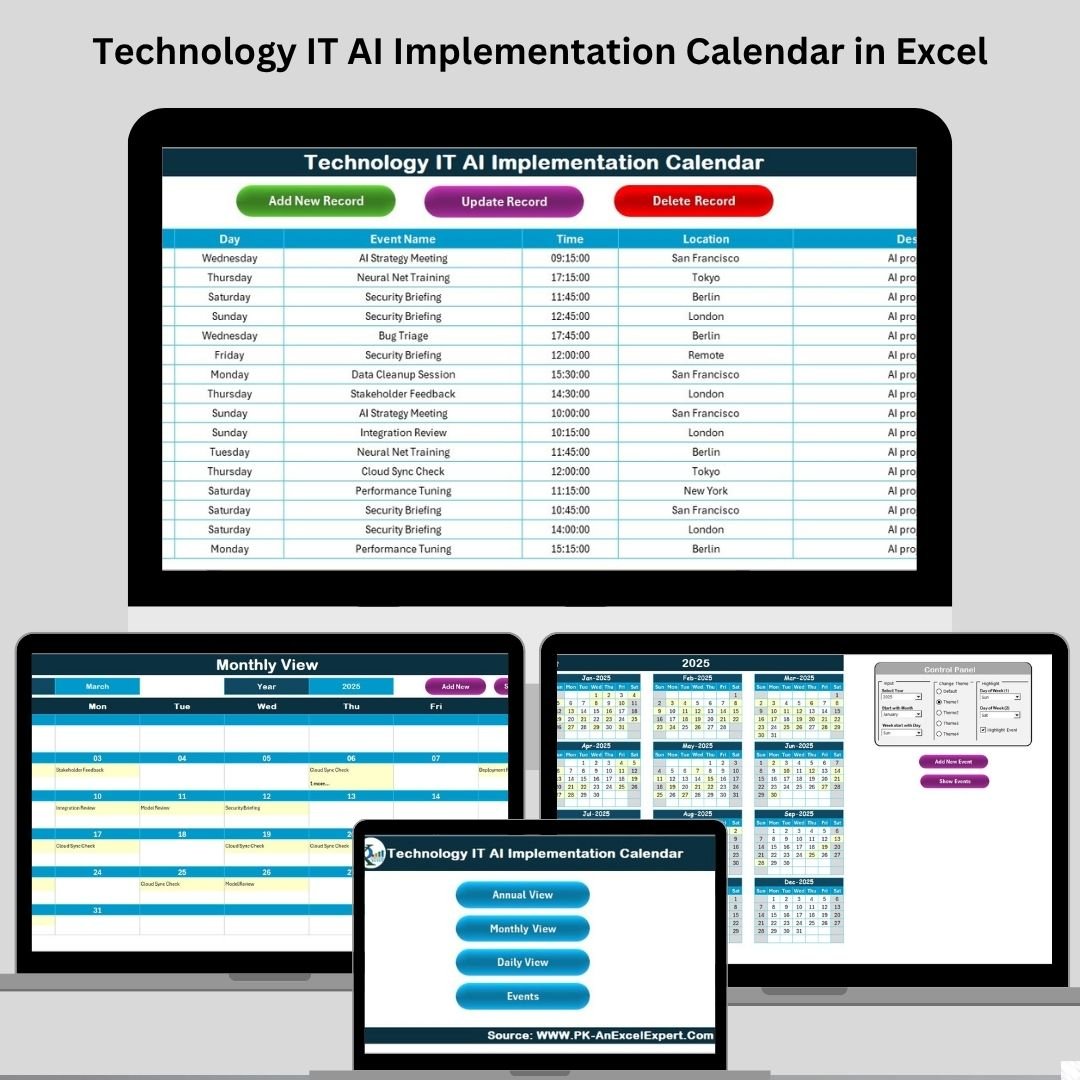

Are you planning your next AI project but overwhelmed by shifting timelines and scattered meetings? Say goodbye to chaos and hello to clarity with the Technology IT AI Implementation Calendar in Excel. Designed specifically for IT and tech teams managing artificial intelligence projects, this smart, dynamic calendar helps you organize, schedule, and execute AI activities like a pro—all inside your favorite tool, Microsoft Excel. 🧩📅
Whether you’re launching machine learning modules, scheduling AI ethics training, or preparing for a tech conference, this ready-to-use calendar system keeps everything in check—no coding, no complex tools, just click-and-go efficiency.
🔑 Key Features of Technology IT AI Implementation Calendar
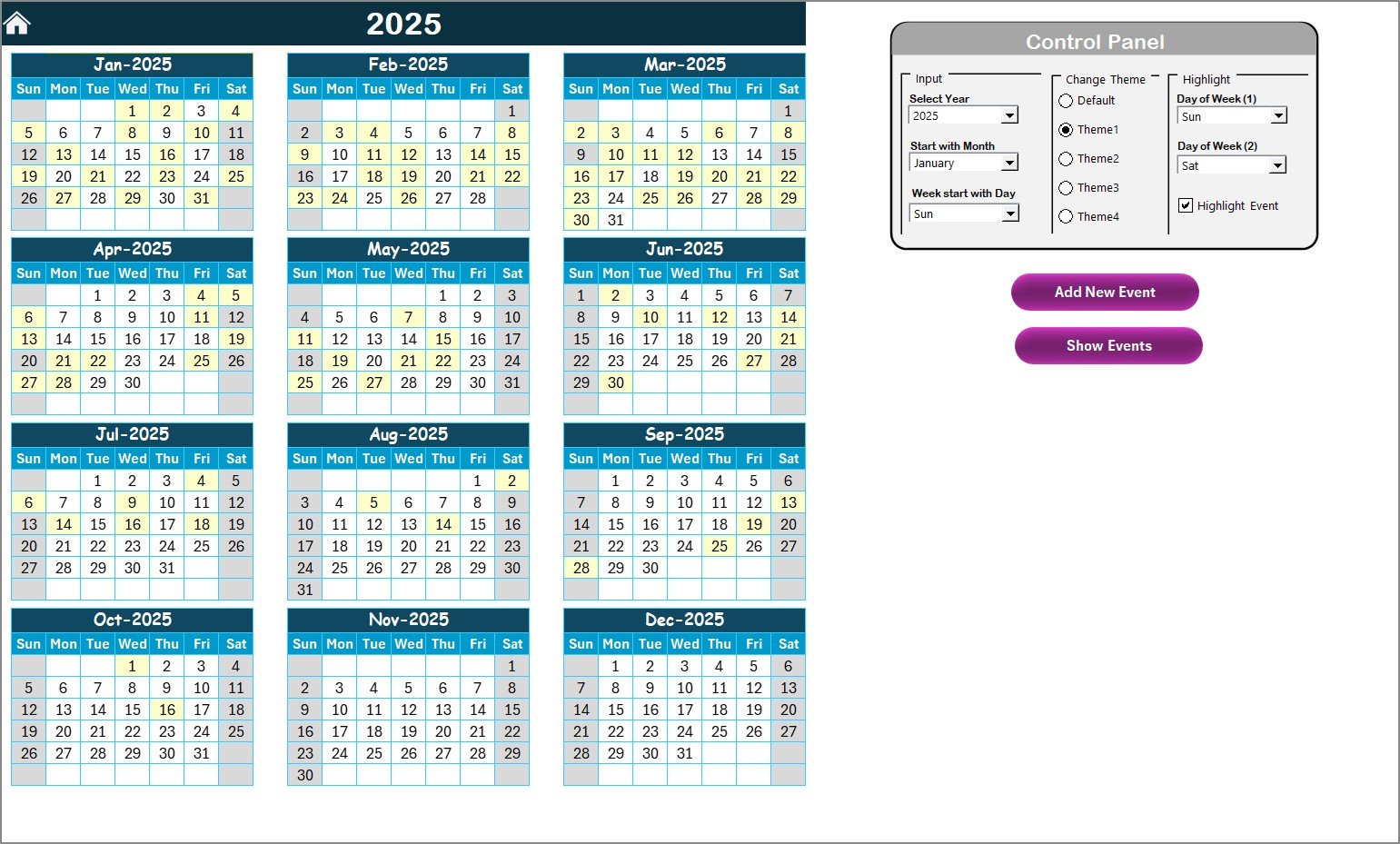
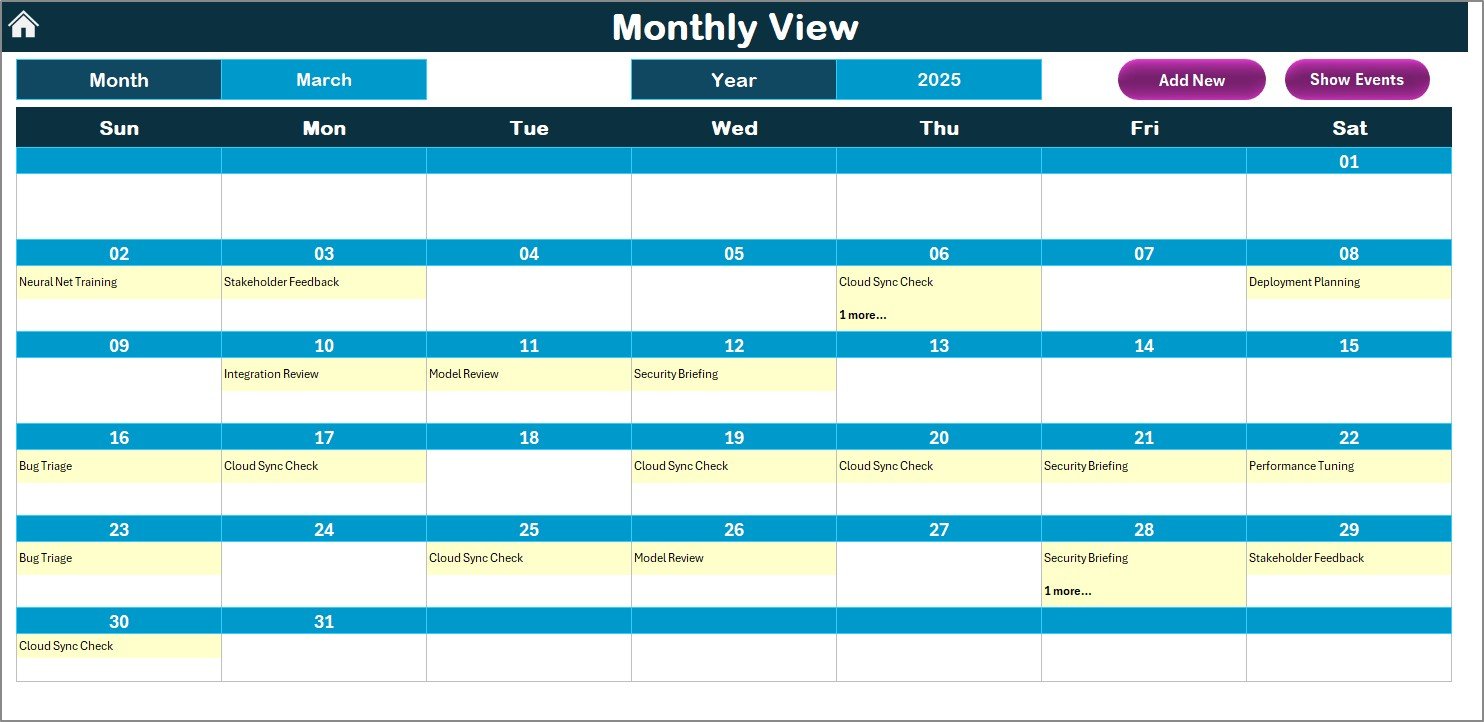
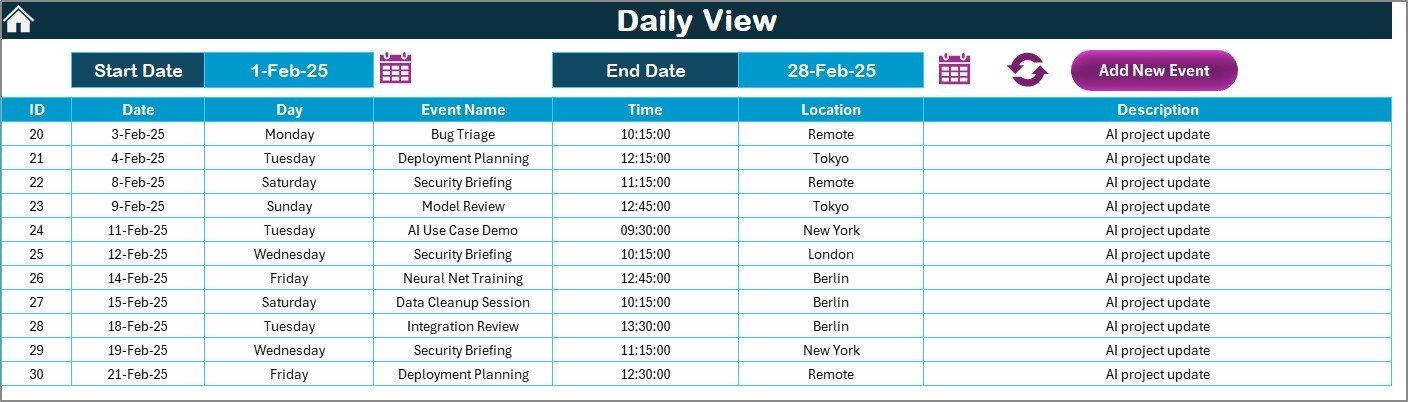
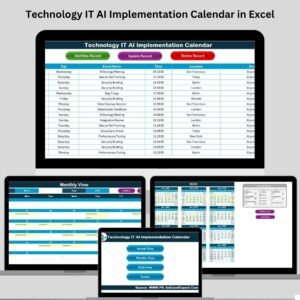
📅 Annual, Monthly & Daily Views
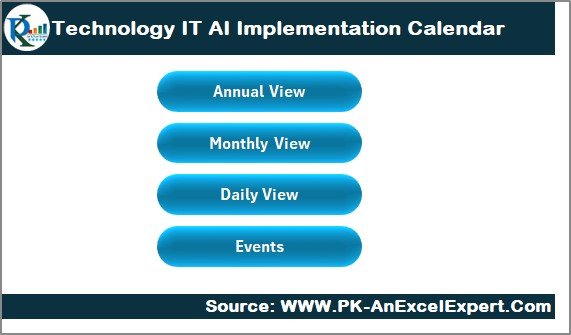
See your entire AI roadmap or zoom into daily plans with dedicated tabs for Annual, Monthly, and Daily calendar views.
📌 Interactive Home Page
Includes four action buttons to jump to different sections: Annual View, Monthly View, Daily View, and Events—all accessible with a single click.
🎨 Custom Themes & Highlights
Switch between 5 pre-built color themes. Highlight weekends, events, or specific days with vibrant conditional formatting for easy visual management.
📝 Event Management System
Add, edit, or delete events using a user-friendly data form—no need to touch cells or write formulas!
🔁 Fully Automated Workflows
Just select dates, input event details, and everything syncs across your calendar views.
🧾 Master Event Database
The Events Sheet acts as a complete log for every action item—ideal for audits, reporting, and reviews.
📦 What’s Inside the Product
✅ Pre-formatted Excel File (.xlsx)
📆 Annual Calendar with dropdown controls
📆 Monthly Calendar with event previews
📆 Daily View Calendar for range-based event lists
📋 Events Sheet with built-in data entry form
🎨 5 Predefined Color Themes
🔍 Easy search and filter functionality
🧩 Conditional Formatting for weekends and holidays
⚙️ Buttons to Add, Show, Update, or Delete events
🚀 One-click navigation panel
📌 How to Use the Product
🔧 Open the file and set the year, month, and start day using the control panel
📅 Use Add New Event to input training, deadlines, or meetings
🔍 View your events using Show Event in any calendar view
🗓 Switch views (Annual/Monthly/Daily) with navigation buttons
✏️ Edit existing entries or remove outdated events from the Events Sheet
🎨 Personalize the look using theme dropdowns
No tech skills required—just Excel and your AI plans!
👨💻 Who Can Benefit from This Calendar?
🧑💼 AI Project Managers – Structure workflows and track tasks effectively
📊 Implementation Engineers – Monitor sprints, testing phases, and deployments
🏫 Training Coordinators – Organize AI bootcamps, webinars, and upskilling sessions
👩🏫 Data Science Educators – Plan curricula, lectures, and assignments
🧑💻 IT Directors & Product Teams – Align cross-functional teams with clarity and visibility
This calendar is versatile and scalable—perfect for startups, enterprises, and education institutes alike.
🔗 Click here to read the Detailed blog post
🎥 Visit our YouTube channel to learn step-by-step video tutorials
Watch the step-by-step video tutorial:
Compatibility and Requirements
- Works in Microsoft Excel desktop (Excel 2016 or later, or Microsoft 365).
- The Add, Show, Update and Delete event buttons run macros, so use Excel on Windows with macros enabled. Microsoft explains how in Enable or disable macros in Microsoft 365 files.
Frequently Asked Questions
Which calendar views are included?
Annual, Monthly and Daily views, plus an Events sheet that stores every entry.
How do I add an event?
Click Add New Event and fill in the data form. The event then shows in the calendar views.
Can I edit or delete an event later?
Yes. Edit or remove entries from the Events sheet with the Update and Delete buttons.
Can I change the colors?
Yes. Pick one of the 5 color themes from the dropdown. Weekends and event days are highlighted with conditional formatting.
Is there a version for another team?
Yes. See the IT AI Implementation Calendar in Excel and the Technology Operations AI Implementation Calendar in Excel.
Related AI Implementation Calendars
- IT AI Implementation Calendar in Excel: the same calendar for general IT teams
- Technology Operations AI Implementation Calendar in Excel: for technology operations teams
- Technology Compliance AI Implementation Calendar in Excel: for compliance work in tech companies
- Technology HR AI Implementation Calendar in Excel: for HR teams planning AI rollouts
- Dynamic Calendar with Single formula connected with Task List: a free calendar linked to a task list
Browse all Excel calendar templates.

























Reviews
There are no reviews yet.