

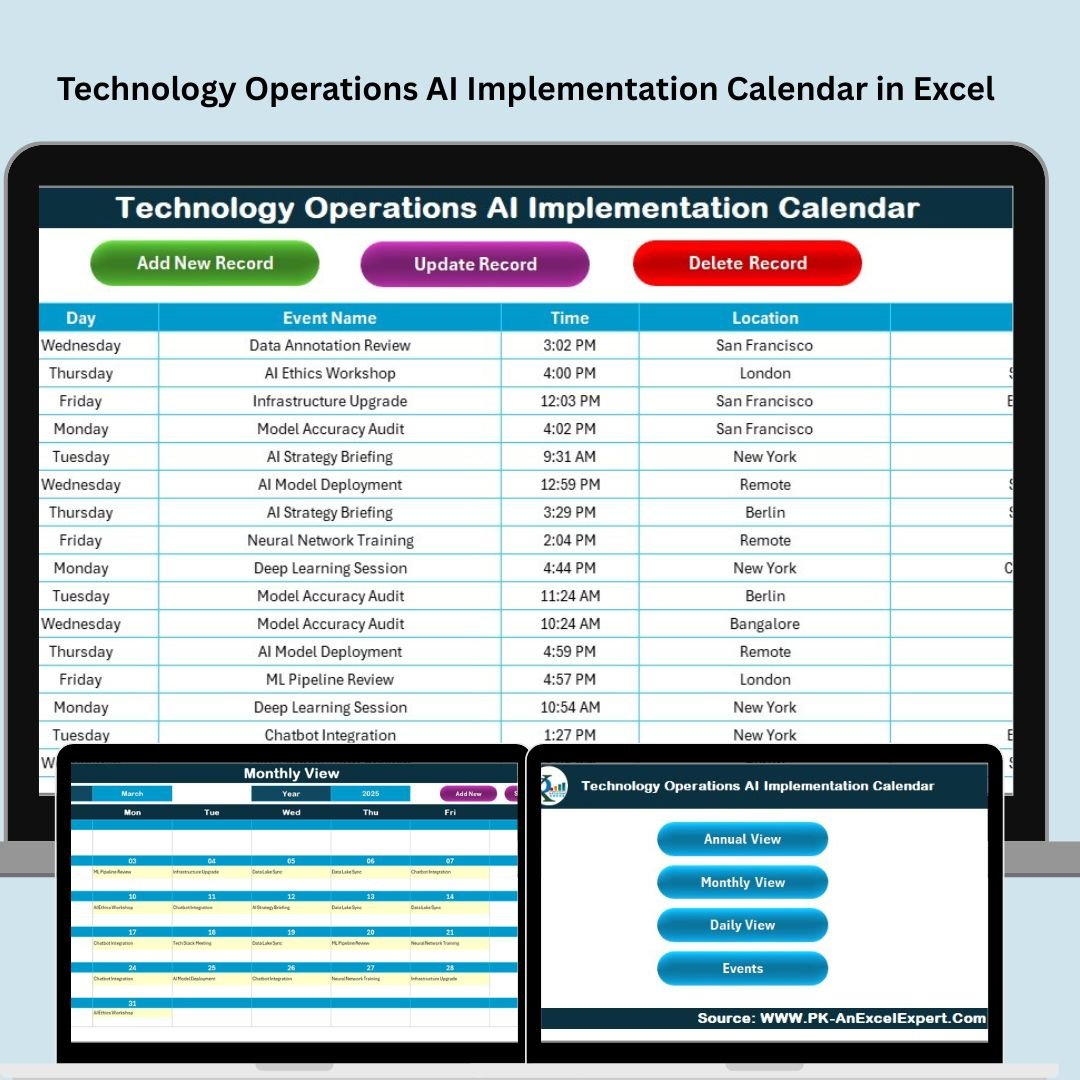

Artificial intelligence is reshaping how modern businesses operate—but managing AI implementations without structure leads to delays, confusion, and missed milestones. The Technology Operations AI Implementation Calendar in Excel is your all-in-one solution to plan, schedule, and monitor AI-related activities—right inside a customizable Excel workbook.
This dynamic calendar system is built for tech teams, AI project managers, and IT leaders who want a reliable, offline-ready, and automation-friendly planning tool without paying for enterprise software.
📂 What’s Included in the Template?
This tool includes 5 powerful worksheets, carefully structured for seamless navigation and end-to-end AI project tracking:
1️⃣ Home Sheet – Navigation Panel

Jump directly to Annual, Monthly, Daily, or Events views
Saves time and enhances usability for all skill levels
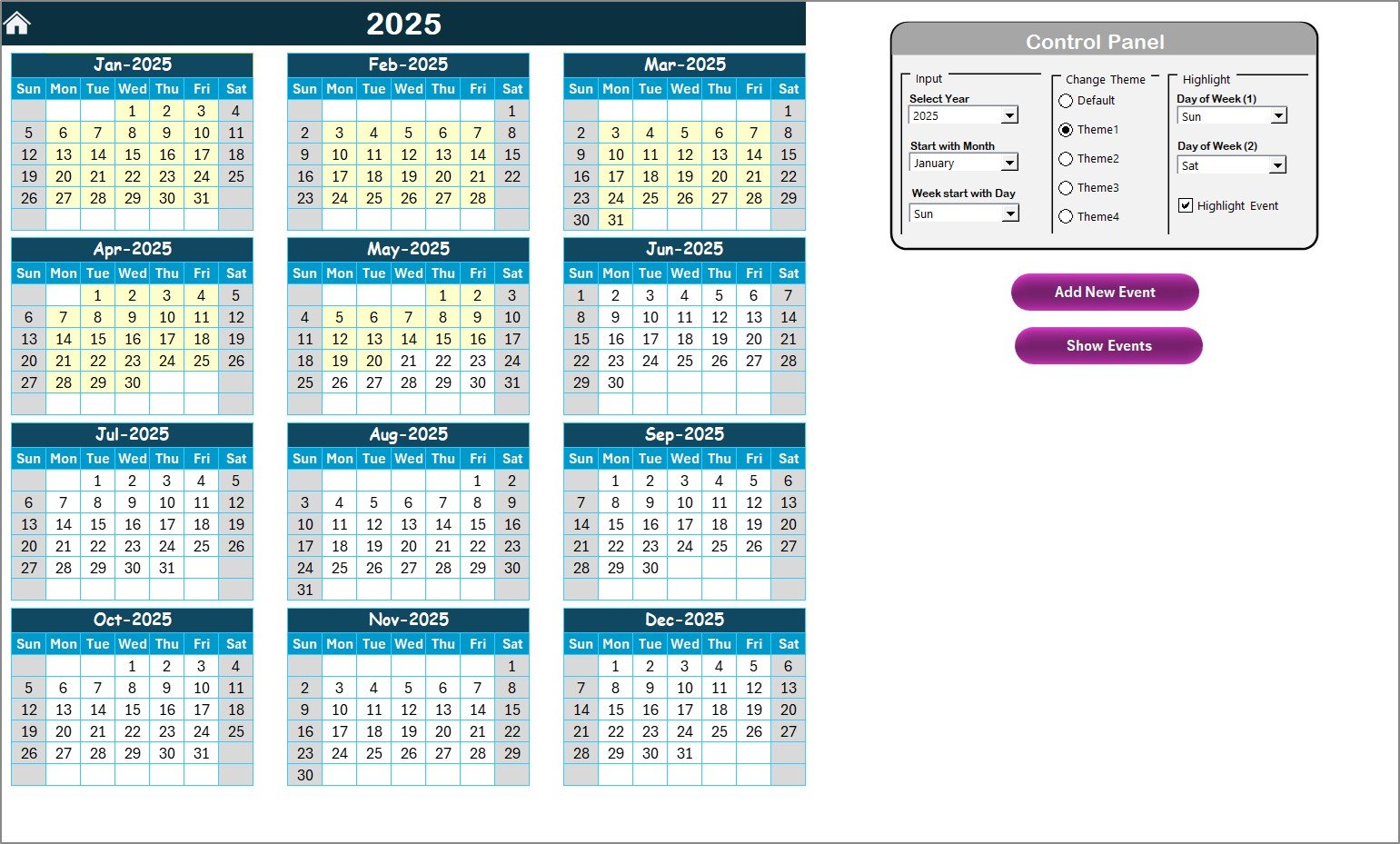
2️⃣ Annual View Sheet – Yearly Strategy in Focus
View and schedule all 12 months in a grid layout
Control Panel Includes:
🔄 Input Group: Change year, start month, week start day
🎨 Theme Group: 5 preset color themes
🗓 Highlight Group: Highlight weekends or critical workdays
Action Buttons:
➕ Add New Event (via form)
🔍 Show Events for selected date
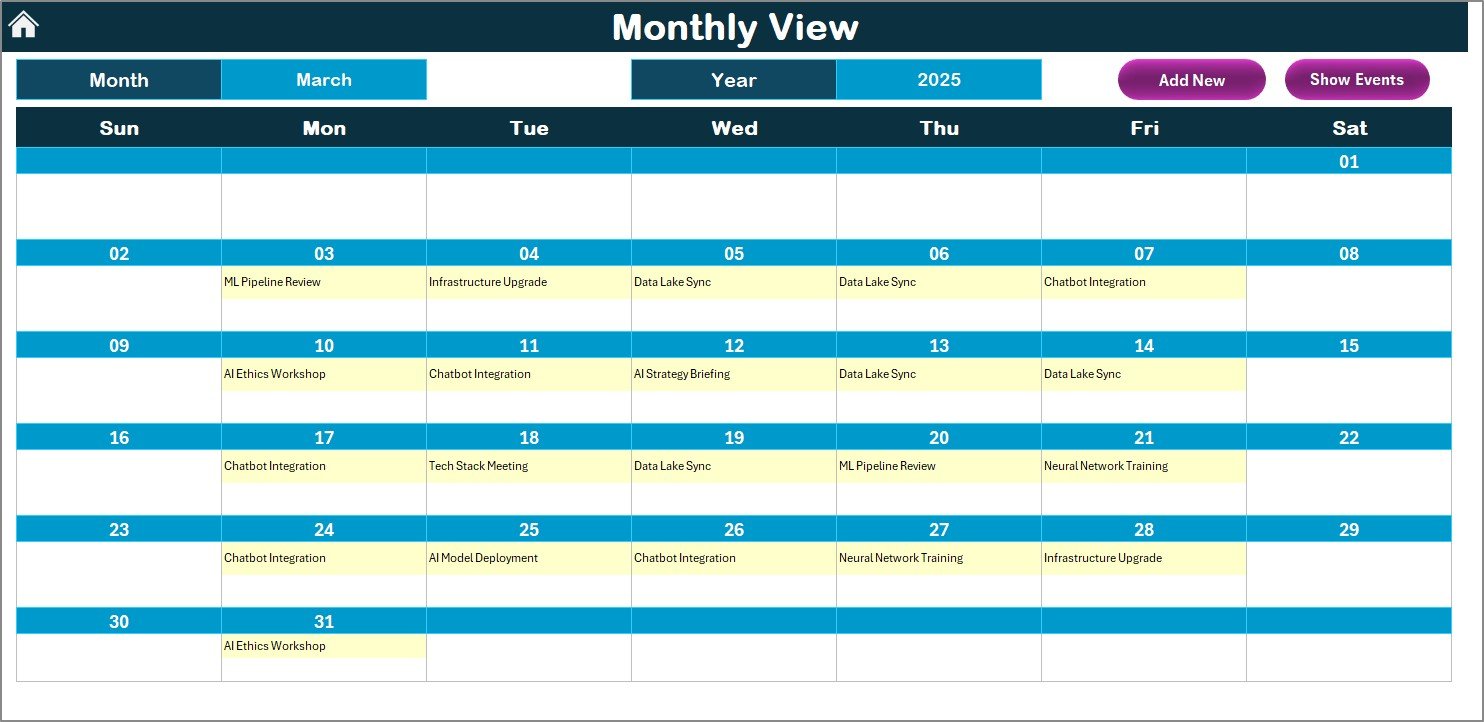
3️⃣ Monthly View Sheet – Agile Month-by-Month Planning
Select month/year from dropdown
See first event or “more than 1…” for busy days
Add or view events with a click
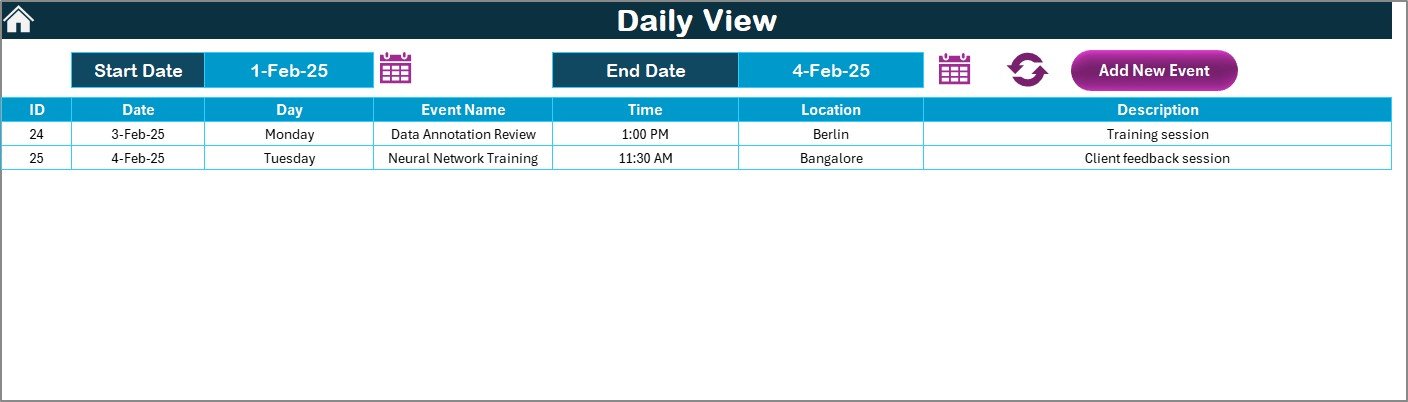
4️⃣ Daily View Sheet – Task-Level Clarity
Filter by date range
Refresh to display scheduled tasks within range
Add or edit events using embedded form buttons
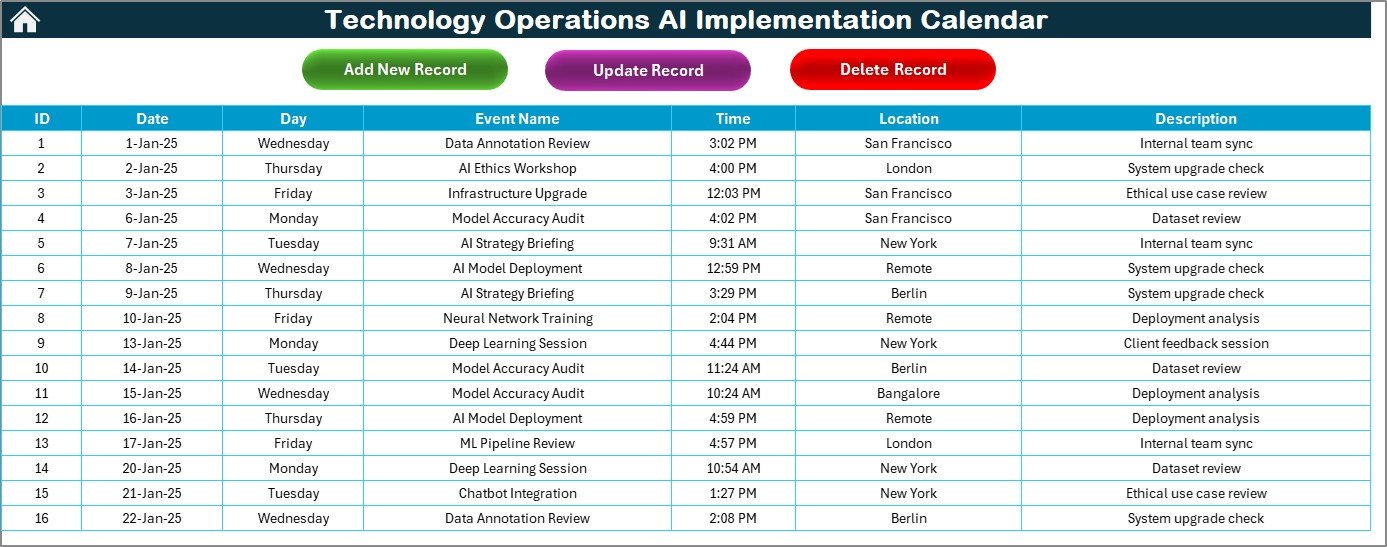
5️⃣ Events Sheet – The Central Database
All events entered through forms populate this table with the following fields:
ID (Auto-generated)
Date
Day
Event Name
Time
Location
Description
Buttons Included:
Add New Record
Update Record
Delete Record
🚀 Benefits of the AI Calendar in Excel
🧠 Purpose-Built for AI Rollouts – Ideal for scheduling model deployments, training sessions, audits, and compliance reviews
📆 All-in-One Planning Hub – Switch effortlessly between daily, monthly, and annual views
⚙️ No Learning Curve – Works within Excel; no separate software required
🔒 Offline & Secure – Great for internal teams with security constraints
🛠️ Fully Customizable – Add KPIs, links, progress trackers, or other integrations easily
🎯 Use Case Scenarios
📊 AI Model Deployment Timelines
🔐 Security & Ethics Audit Planning
💼 Vendor Onboarding and Data Partnerships
🎓 Team Training Milestones
📈 Roadmap Visibility for Leadership Reviews
💡 Best Practices for Success
✅ Use consistent naming conventions for events
✅ Color-code by quarter or team for visual clarity
✅ Add links to related tickets or documentation in the description
✅ Schedule recurring reviews and cross-team syncs
✅ Backup the file weekly or use a cloud version for multi-user access
🛠 Tips for Customization
Add custom fields like “Priority Level,” “Team Owner,” or “Dependency”
Integrate with Outlook or Google Calendar using CSV export
Apply conditional formatting to flag critical tasks
Use VBA to create automated alerts or reminders
💬 Frequently Asked Questions (FAQs)
Q1. Is this template only for AI projects?
No, it’s flexible enough for any operations, including DevOps, IT audits, and infrastructure planning.
Q2. Can multiple users access the calendar?
Yes. Save the file to a shared drive like OneDrive or SharePoint for access across your team.
Q3. How can I add more event categories?
Just add new dropdown values in the form or create new columns in the Events tab.
Q4. Do I need to know VBA to use this?
Not at all. All buttons and forms are built in. Just enable macros and get started.
Q5. Is this Excel calendar mobile-friendly?
Basic functionality works on Excel Mobile, but we recommend using it on a desktop for best performance.
🔗 Click here to read the Detailed blog post
Visit our YouTube channel to learn step-by-step video tutorials
Watch the step-by-step video tutorial:
Compatibility and Requirements
- Works in Microsoft Excel desktop (Excel 2016 or later, or Microsoft 365).
- The buttons and forms run on macros, so enable macros when you open the file. Microsoft explains how in Enable or disable macros in Microsoft 365 files.
- Basic functions open on Excel Mobile, but the buttons and forms need Excel on a desktop. The file does not run in Google Sheets.
More Questions About This Template
Which views does the calendar have?
Five sheets: Home, Annual View, Monthly View, Daily View and Events. The Home sheet links to the other views.
What can I change on the Annual View sheet?
You can set the year, the start month and the week start day. You can also pick one of 5 color themes and highlight weekends or workdays.
Where are the events stored?
On the Events sheet, which holds ID, Date, Day, Event Name, Time, Location and Description. Buttons there add, update and delete records.
What does the Monthly View show on a busy day?
It shows the first event of the day, or a “more than 1” note when a day has several events. You pick the month and year from a dropdown.
Is there a similar calendar for other teams?
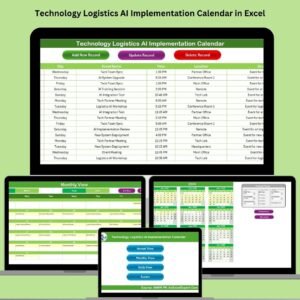
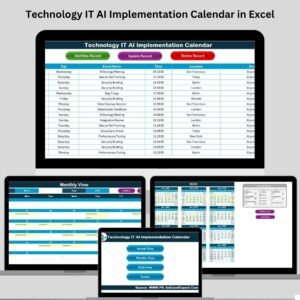
Yes. See the Operations AI Implementation Calendar in Excel and the Technology IT AI Implementation Calendar in Excel.
Related Technology and AI Calendars
- Operations AI Implementation Calendar in Excel: the same AI rollout calendar for operations teams
- Technology IT AI Implementation Calendar in Excel: AI planning for IT teams
- Technology Operations Supply Chain Resilience Calendar in Excel: a technology operations calendar for supply chain planning
- Technology Operations Remote Work Calendar in Excel: schedule remote work for technology operations
- Technology Quality Control AI Implementation Calendar in Excel: AI planning for quality control
Browse all Excel calendar templates.
































Reviews
There are no reviews yet.