



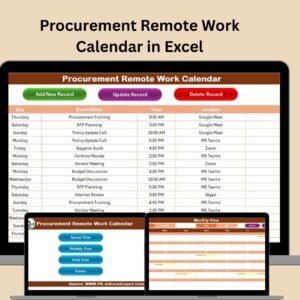
The Procurement Remote Work Calendar in Excel is a highly efficient and organized tool designed to help procurement teams and managers effectively manage and track remote work schedules. This Excel-based calendar is specifically designed for teams that handle procurement operations remotely, allowing you to stay on top of important deadlines, meetings, and tasks, no matter where you are working from.
With this calendar, you can plan, monitor, and manage remote procurement activities while ensuring smooth communication between team members. It is fully customizable, allowing you to adjust the calendar to fit your team’s specific needs and workflows. The Procurement Remote Work Calendar helps you organize team schedules, track procurement milestones, and improve coordination across departments and vendors.
Key Features of the Procurement Remote Work Calendar in Excel
📅 Remote Work Scheduling
Plan and manage your remote procurement team’s schedules efficiently. Set up meetings, track procurement deadlines, and ensure every task is completed on time.
📝 Task & Milestone Tracking
Track procurement tasks and milestones, including vendor communications, purchase orders, contract negotiations, and more. This helps keep everyone in the loop and ensures timely progress.
🔄 Real-Time Updates & Adjustments
Easily update the calendar to reflect changes in schedules, tasks, or deadlines. Keep your team informed and make adjustments when needed without missing important events.
⚙️ Customizable Calendar Format
Customize the calendar layout to fit your team’s requirements. You can adjust columns, deadlines, and add specific task categories that are unique to your procurement process.
📈 Performance & Task Tracking
Monitor task completion progress and set up performance indicators. This feature helps track procurement progress and identify bottlenecks early, ensuring tasks are completed within the set timeline.
🔑 Team Collaboration & Transparency
Improve team collaboration by having a centralized platform where all team members can access and contribute to the calendar. Keep everyone informed of important dates and deadlines.
Why You’ll Love the Procurement Remote Work Calendar in Excel

✅ Stay Organized & On Track
Keep your procurement team on schedule by planning and tracking every remote work task. This calendar helps you prioritize tasks and deadlines, ensuring that everything gets done efficiently.
✅ Improve Team Collaboration
Coordinate schedules across remote team members with a single shared calendar. Ensure that everyone is on the same page and avoid scheduling conflicts.
✅ Track Progress & Performance
Monitor the progress of procurement tasks and set performance indicators to measure task completion. Ensure that critical procurement activities stay on track.
✅ Customizable & Flexible
Tailor the calendar to fit your team’s unique procurement process. Adjust the layout, task categories, and milestones according to your specific needs.
✅ Real-Time Updates
Easily adjust the calendar in real-time. Ensure your team has up-to-date information and can react quickly to any changes in deadlines or schedules.
What’s Inside the Procurement Remote Work Calendar in Excel?
Remote Work Scheduling: Plan team schedules and track important procurement events.
Task & Milestone Tracking: Monitor key procurement tasks, milestones, and deadlines.
Real-Time Updates: Make real-time adjustments to tasks and schedules.
Customizable Format: Adjust the calendar layout and task categories to suit your needs.
Performance Monitoring: Track procurement task progress and performance.
Team Collaboration: Improve team coordination and transparency with a centralized calendar.
How to Use the Procurement Remote Work Calendar in Excel
1️⃣ Download the Template: Instantly access the Procurement Remote Work Calendar in Excel.
2️⃣ Input Team Schedules & Tasks: Add the schedule, deadlines, and procurement tasks for your team.
3️⃣ Track Milestones & Deadlines: Monitor procurement milestones, task completion, and performance indicators.
4️⃣ Collaborate with Your Team: Share the calendar with your team and make adjustments as needed to ensure smooth coordination.
5️⃣ Make Real-Time Adjustments: Update the calendar as deadlines or tasks change to ensure up-to-date tracking and coordination.
Who Can Benefit from the Procurement Remote Work Calendar in Excel?
🔹 Procurement Managers & Teams
🔹 Remote Teams & Freelancers
🔹 Supply Chain Professionals
🔹 Business Owners & Operations Managers
🔹 E-commerce & Online Retailers
🔹 Small & Medium Enterprises (SMBs)
🔹 Large Corporations with Distributed Procurement Teams
Ensure a smooth and organized procurement process with the Procurement Remote Work Calendar in Excel. Keep track of remote work schedules, tasks, and deadlines, and streamline team collaboration.
Click here to read the Detailed blog post
Visit our YouTube channel to learn step-by-step video tutorials
Youtube.com/@PKAnExcelExpert
Watch the step-by-step video Demo:
Compatibility and Requirements
- Works in Microsoft Excel desktop (Excel 2016 or later, or Microsoft 365).
- You edit the calendar directly in the workbook. Microsoft covers the basics in Excel for Windows training.
Frequently Asked Questions
What can I track in this calendar?
You can track remote work schedules, meetings, procurement tasks and milestones such as vendor communications, purchase orders and contract negotiations.
Can I change the layout?
Yes. You can adjust the columns, deadlines and task categories to match your team’s procurement process.
Can I monitor how tasks are progressing?
Yes. The calendar includes task completion tracking and performance indicators, so you can spot bottlenecks early.
Can several team members use the same calendar?
Yes. It is built as one shared calendar that the whole remote procurement team can read and update, so everyone sees the same dates and deadlines.
Is there a similar calendar for other teams?
Yes. See the Technology Procurement Remote Work Calendar in Excel and the Finance Procurement Remote Work Calendar in Excel.
Related Remote Work Templates
- Technology Procurement Remote Work Calendar in Excel: the same calendar for technology procurement teams
- Finance Procurement Remote Work Calendar in Excel: a version for finance procurement
- Education Procurement Remote Work Calendar in Excel: a version for education procurement
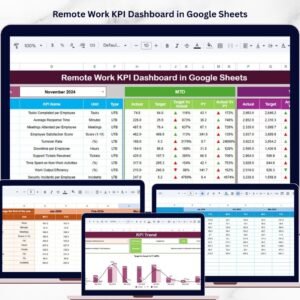
- Remote Work KPI Dashboard in Excel: a dashboard for remote work metrics
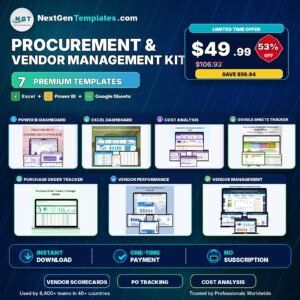
- Procurement and Vendor Management Kit: 7 templates for procurement teams in one download
Browse all Excel calendar templates.































Reviews
There are no reviews yet.