


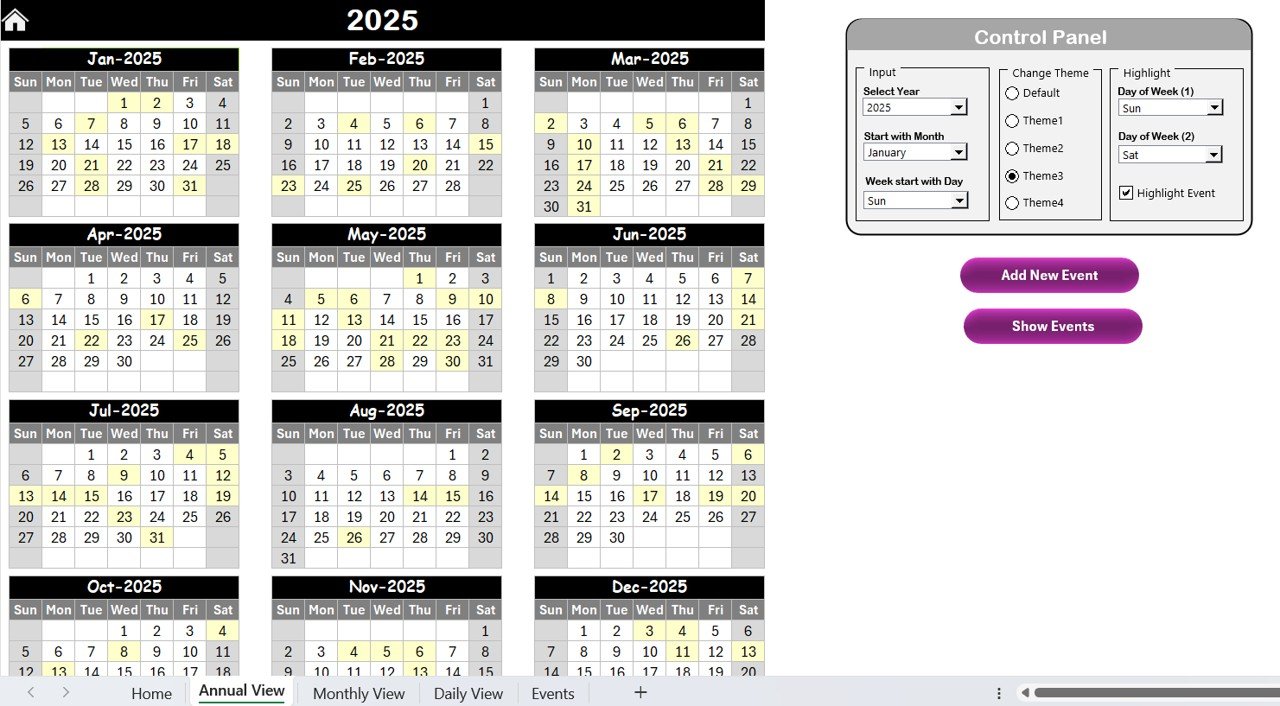
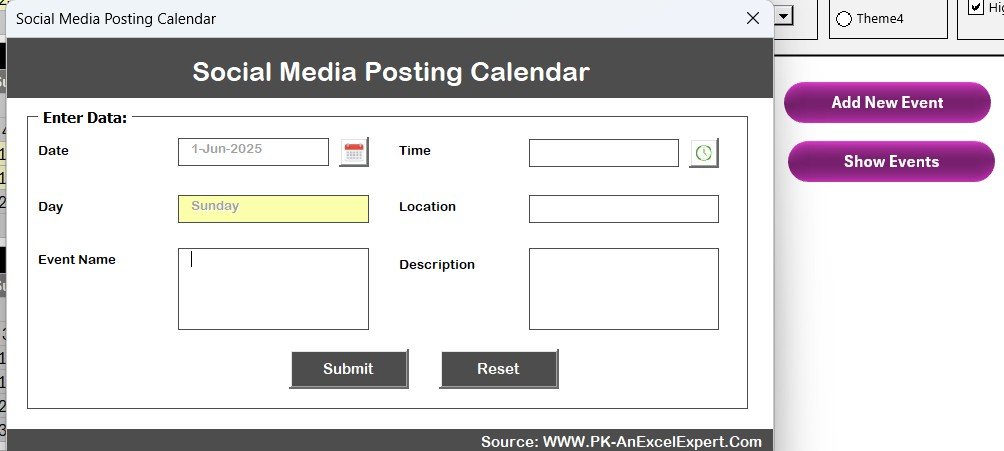
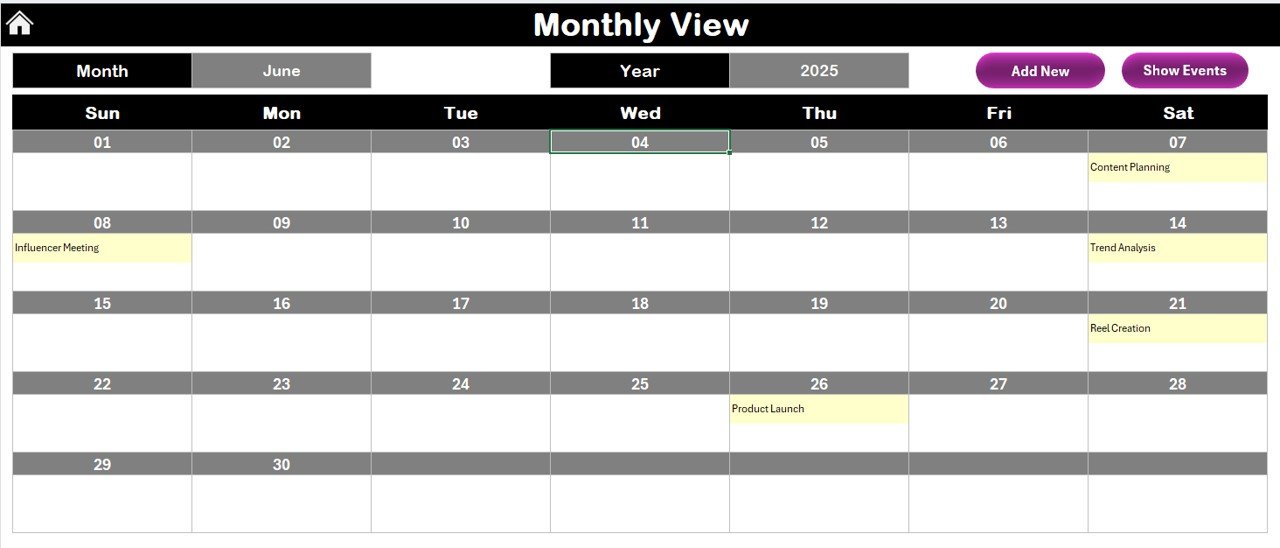
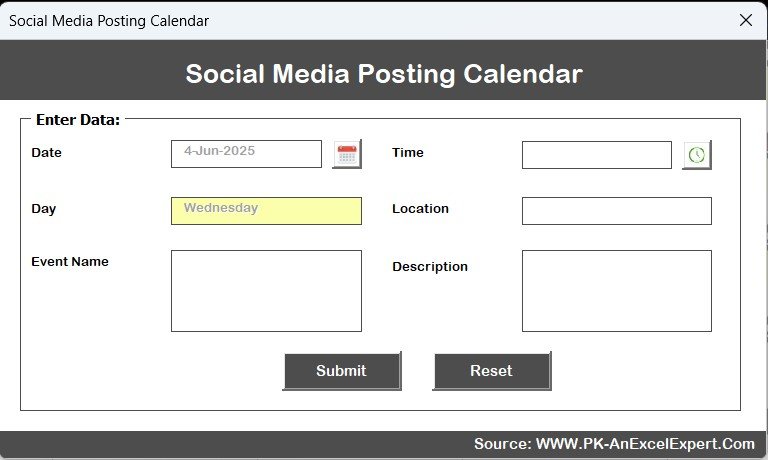



The social media Posting Calendar in Excel is a comprehensive and easy-to-use tool designed for social media managers, marketers, and businesses to efficiently plan, schedule, and track social media posts. Whether you are running a small business, managing multiple brands, or handling content for a large-scale digital marketing campaign, this Excel-based calendar simplifies your social media strategy and ensures you stay organized and on track.
With this template, you can plan content across all social platforms, monitor posting dates, and ensure that every post aligns with your overall marketing strategy. It includes spaces for post descriptions, hashtags, and links, making it easier for you to maintain consistency and engage your audience effectively. The customizable calendar layout allows you to adjust the posting frequency and tailor it to your unique social media goals.
Key Features of the Social Media Posting Calendar in Excel
📅 Social Media Post Scheduling
Easily schedule posts for various platforms (Facebook, Instagram, Twitter, LinkedIn, etc.). The calendar helps you plan your content for days, weeks, and months, ensuring consistency across all your social channels.
📝 Content Planning & Tracking
Record detailed information for each post, including captions, hashtags, media links, and calls to action. This ensures that your posts are well-thought-out and aligned with your marketing goals.
📊 Platform & Post Type Organization
Track which platform each post is for and what type of content it is (image, video, article, etc.). Organize content across multiple platforms in one place.
📈 Monthly Overview & Weekly Breakdown
The calendar provides both a monthly overview and a weekly breakdown, giving you a bird’s-eye view of your content plan and allowing you to track progress effectively.
🔄 Customizable & Scalable
Customize the calendar to suit your posting frequency and campaign needs. Whether you post once a week or several times a day, this template adapts to your content strategy.
⚙️ Content Deadline & Task Assignment
Set deadlines for content creation, review, and posting. Assign tasks to team members to ensure that your content is ready on time.
Why You’ll Love the Social Media Posting Calendar in Excel
✅ Stay Organized
Keep all your social media plans in one place, making it easier to manage posts and stay on top of your content strategy.
✅ Enhance Content Consistency
Plan your content in advance and ensure it aligns with your branding, messaging, and objectives, promoting consistency across your social media channels.
✅ Save Time & Boost Efficiency
Eliminate the need to manually track posts. Automate your posting schedule and free up time for other important marketing tasks.
✅ Improve Collaboration
If you’re working with a team, the calendar allows for task assignments and clear deadlines, ensuring everyone is aligned and efficient in their content creation.
✅ Track Performance & Results
Monitor when and what content is being posted, allowing you to analyze which types of content perform best across platforms.
What’s Inside the Social Media Posting Calendar in Excel?
Content Scheduling: Plan your posts across different platforms and track the posting dates.
Post Details: Include descriptions, hashtags, and media links for each post.
Platform & Post Type Tracking: Organize content by platform and post type (image, video, etc.).
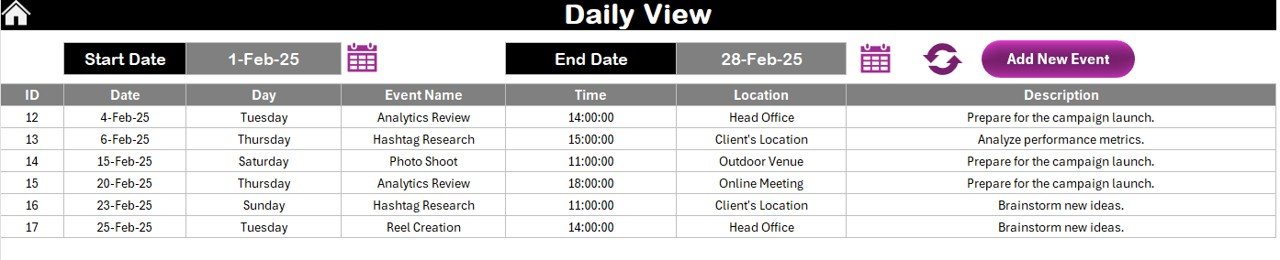
Monthly & Weekly Overview: Get a clear view of your posting schedule.
Task Assignment & Deadlines: Assign tasks and track deadlines for content creation and posting.
Customizable Features: Adjust the calendar to fit your posting frequency and goals.
How to Use the Social Media Posting Calendar in Excel
1️⃣ Download the Template: Instantly access the Social Media Posting Calendar in Excel.
2️⃣ Input Your Social Media Details: Enter post details such as captions, hashtags, and links.
3️⃣ Schedule Your Posts: Plan your content for each day, week, or month, and assign posts to platforms.
4️⃣ Track Content Progress: Monitor deadlines and ensure timely completion of tasks related to content creation and posting.
5️⃣ Analyze Results: Use the calendar to review your posting schedule and assess the performance of your posts across different platforms.
Who Can Benefit from the Social Media Posting Calendar in Excel?
🔹 Social Media Managers
🔹 Digital Marketing Teams
🔹 Content Creators & Influencers
🔹 Small & Medium Businesses (SMBs)
🔹 Marketing Agencies
🔹 Entrepreneurs & Brand Owners
🔹 Freelancers & Consultants
Streamline your social media strategy and boost your marketing efforts with the Social Media Posting Calendar in Excel. Organize, schedule, and track your social media content like a pro!
Click here to read the Detailed blog post
Visit our YouTube channel to learn step-by-step video tutorials
Youtube.com/@PKAnExcelExpert
Compatibility and Requirements
- Works in Microsoft Excel desktop (Excel 2016 or later, or Microsoft 365).
- New to Excel? Start with Microsoft’s Excel for Windows training.
Frequently Asked Questions
Which platforms can I plan for?
Facebook, Instagram, Twitter, LinkedIn and other platforms. Each post is tagged with its platform and post type.
What can I record for each post?
Captions, hashtags, media links and calls to action.
Is there a monthly and weekly view?
Yes. The calendar has a monthly overview and a weekly breakdown.
Can I assign tasks to my team?
Yes. Set deadlines for content creation, review and posting, and assign each task to a team member.
Is there a Google Sheets version?
Yes. See the Social Media Posting Calendar in Google Sheets.
Related Social Media Templates
- Social Media Posting Calendar in Google Sheets: the Google Sheets edition
- Social Media Influencer Outreach Calendar in Excel: plan influencer outreach
- Social Media Posting Checklist Template in Excel: check each post before it goes live
- Social Media Performance Dashboard in Excel: measure how your posts perform
- Marketing and Social Media Analytics Kit: 7 marketing templates in one download
Browse all Excel calendars.

































Reviews
There are no reviews yet.