



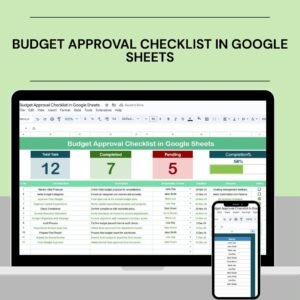
The Budget Approval Checklist in Google Sheets is an essential tool for organizations looking to streamline their budget approval process. Whether you’re managing departmental budgets, project budgets, or an entire organizational budget, this easy-to-use checklist ensures that all necessary steps are followed, and approvals are obtained without missing critical details.
Designed for simplicity and efficiency, this checklist helps financial teams, managers, and business owners track the status of each budget item, review approval stages, and ensure that all documentation is in place before final approval. With real-time collaboration features, the checklist is perfect for teams that need to work together to review and approve budgets efficiently.

Key Features of the Budget Approval Checklist in Google Sheets
📋 Track Budget Stages & Approvals
Monitor the status of each budget item and track which stage of the approval process it is in. Whether it’s the initial draft, review, or final approval, you can easily see where each item stands.
📝 Budget Item Review
Ensure all budget items are reviewed thoroughly, including verification of amounts, resource allocation, and justification. This helps in identifying discrepancies early in the process.
💼 Department & Project Budget Tracking
Organize budgets by department or project, keeping everything structured and easy to review. This makes it simpler to compare figures, assess allocations, and make adjustments as necessary.
🔄 Collaboration & Real-Time Updates
Since the checklist is in Google Sheets, team members can collaborate in real-time, making updates and comments on the same document without the need for email exchanges or separate files.
📅 Approval Deadline Management
Set clear deadlines for budget approvals and track overdue items. This ensures that the budget approval process stays on track, and no item is delayed.
⚙️ Customizable Fields
Customize the checklist to include specific budget approval steps, criteria, or fields that align with your organization’s unique needs and processes.
Why You’ll Love the Budget Approval Checklist in Google Sheets
✅ Streamline Budget Approvals
Easily track budget items, approval stages, and deadlines in one centralized document to ensure a smooth approval process.
✅ Ensure Accuracy & Accountability
Monitor each budget item, verify numbers, and ensure that all documentation is in place before final approval.
✅ Collaborative & Efficient
With real-time collaboration in Google Sheets, your team can work together seamlessly and update the checklist instantly.
✅ Improved Budgeting Workflow
From initial draft to final approval, manage the entire budgeting process and ensure no important step is missed.
✅ Customizable & Scalable
Adapt the checklist to your specific budget categories, approval criteria, or organizational structure. It can scale for small or large teams.
What’s Inside the Budget Approval Checklist in Google Sheets?
Budget Item Tracking: Track each item’s status through different approval stages.
Budget Review Section: Ensure all items are reviewed with detailed comments and verifications.
Project & Department Budget Tracking: Organize budgets by department or project for easy tracking.
Approval Deadline Management: Set and track deadlines to avoid delays in approval.
Collaboration Features: Real-time updates and comments from all stakeholders.
Customizable Fields: Tailor the checklist to your needs by adding extra fields or steps.
How to Use the Budget Approval Checklist in Google Sheets
1️⃣ Download the Template: Instantly access the Budget Approval Checklist in Google Sheets.
2️⃣ Input Budget Items: Add your budget items and specify amounts, descriptions, and categories.
3️⃣ Track Approval Stages: Monitor the approval status for each item in real-time.
4️⃣ Collaborate with Your Team: Use the checklist’s collaborative features to involve relevant team members in the review process.
5️⃣ Ensure Timely Approvals: Set approval deadlines and track progress to ensure timely completion.
Who Can Benefit from the Budget Approval Checklist in Google Sheets?
🔹 Financial Teams & Analysts
🔹 Departmental Managers
🔹 Project Managers
🔹 Business Owners & Executives
🔹 Accounting & Budgeting Departments
🔹 Nonprofit Organizations & Government Agencies
🔹 Small & Medium Enterprises (SMBs)
🔹 Large Corporations & Enterprises
Ensure that your budget approval process is seamless and efficient with the Budget Approval Checklist in Google Sheets. Streamline approvals, enhance collaboration, and ensure accurate budgeting every time.
Click here to read the Detailed blog post
Visit our YouTube channel to learn step-by-step video tutorials
Youtube.com/@PKAnExcelExpert
Watch the step-by-step video Demo:
Compatibility and Requirements
- Works in Google Sheets with a free Google account and a web browser.
- Make a copy to your own Google Drive, then share it with your team if you want to work on it together.
- New to Sheets? Google’s guide How to use Google Sheets covers the basics.
Frequently Asked Questions
What can I track for each budget item?
You can track the amount, description, category and the approval stage, from initial draft to review to final approval.
Can I organize budgets by department or project?
Yes. You can group budget items by department or by project to compare figures and allocations.
How does it help with deadlines?
You set an approval deadline for each item and can see which items are overdue.
Can my team work on it at the same time?
Yes. Because it runs in Google Sheets, team members can update the checklist and add comments in the same file.
Related Budget Approval Templates
- Budget Approval Checklist in Excel: the same checklist in Excel
- Budget Request & Approval Tracker in Google Sheets: track budget requests and approvals in Google Sheets
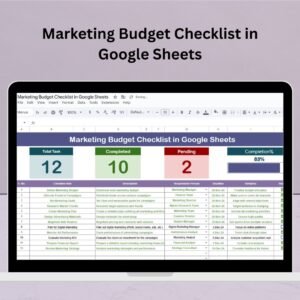
- Marketing Budget Checklist in Google Sheets: check every step of a marketing budget
- Financial Audit Preparation Checklist in Google Sheets: prepare for a financial audit
- Checklist & SOP Pack: 12 checklist templates in one pack
Browse all Google Sheets checklists or the Google Sheets Financial Tools.








Reviews
There are no reviews yet.