

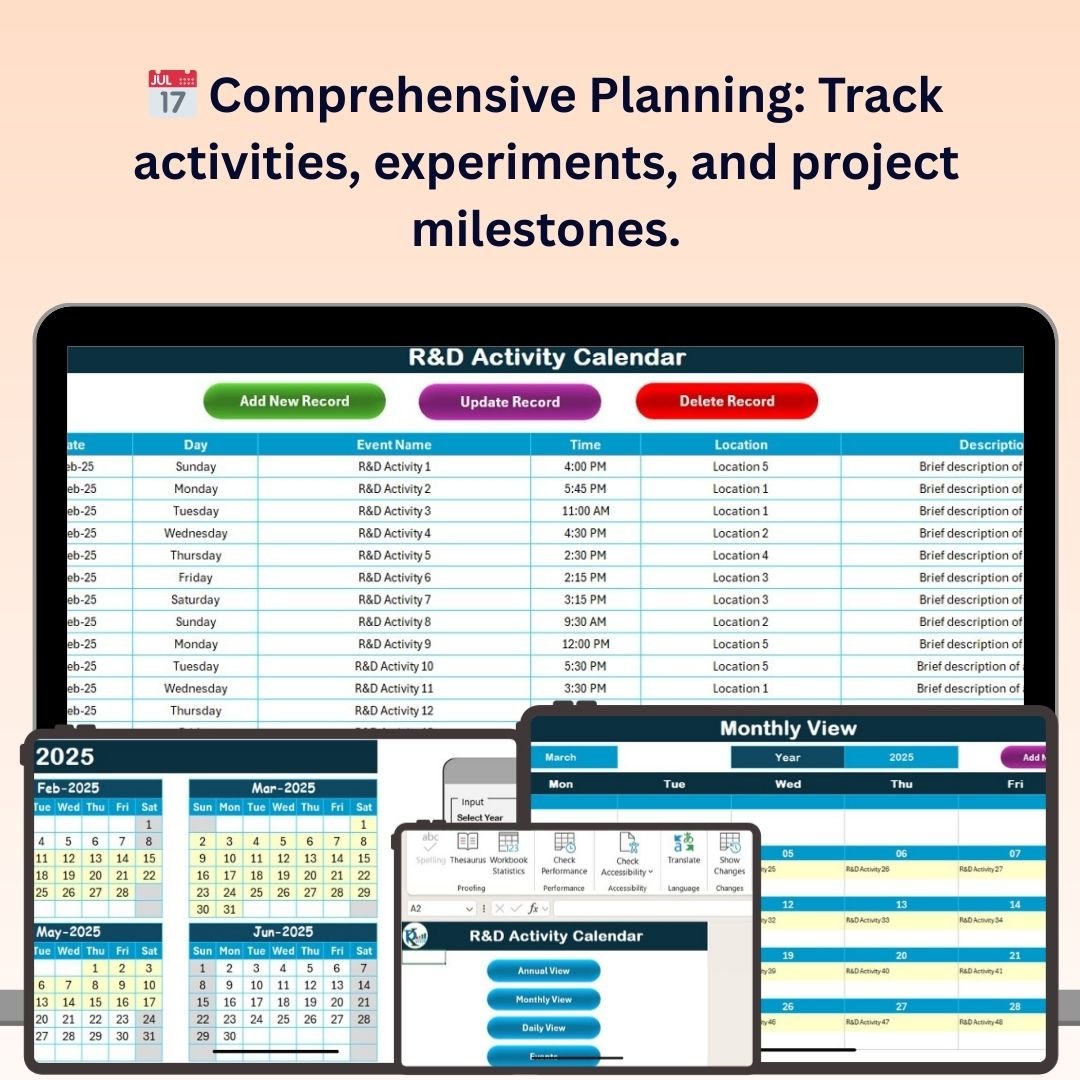
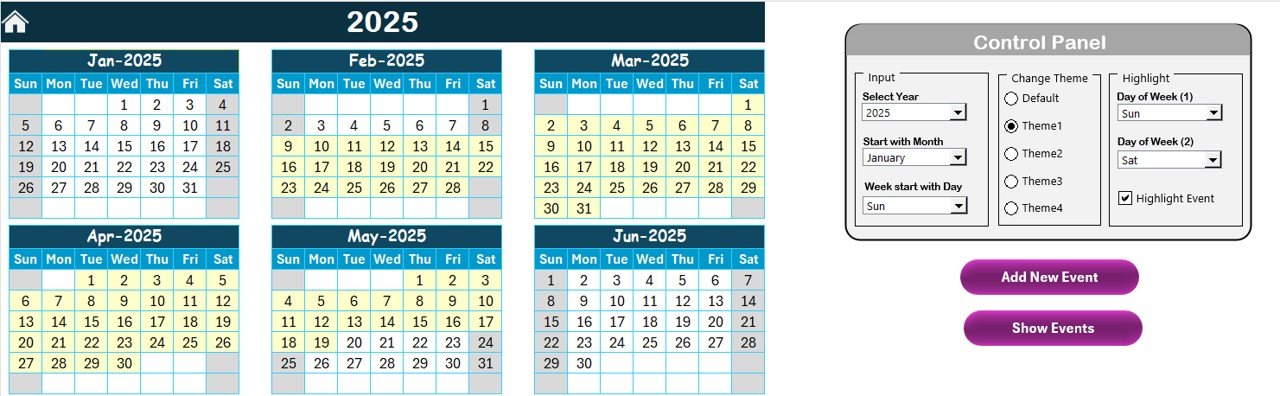
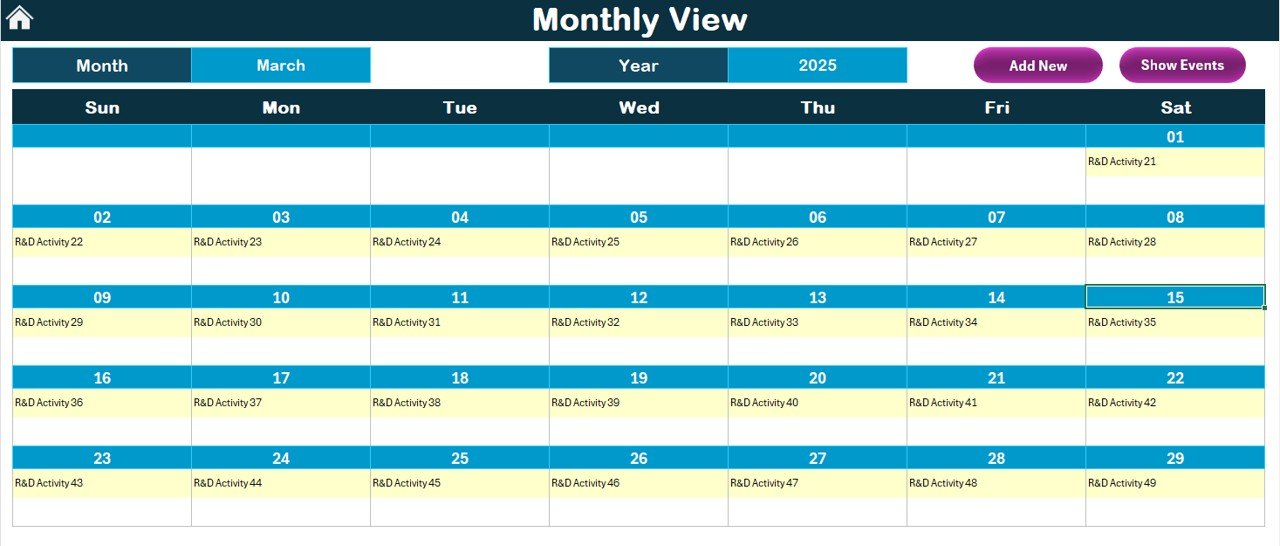
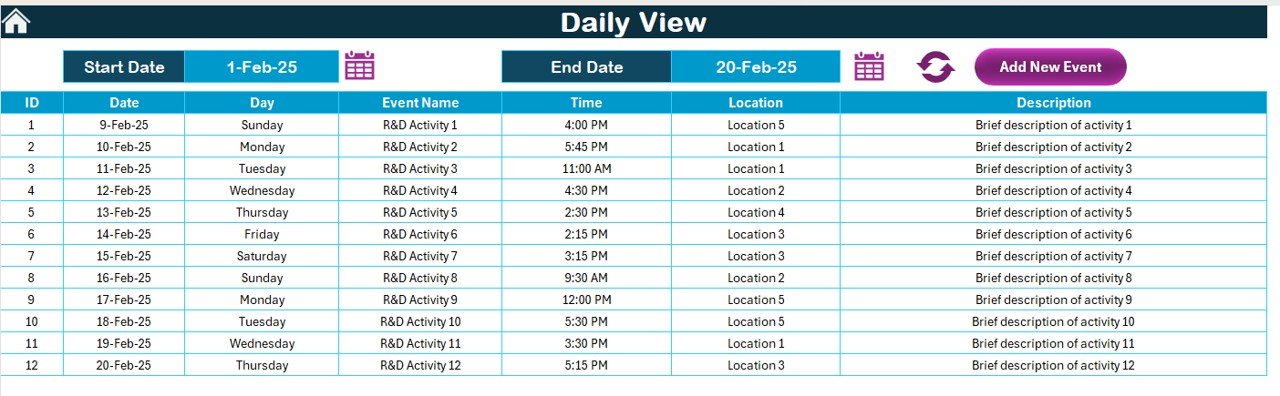
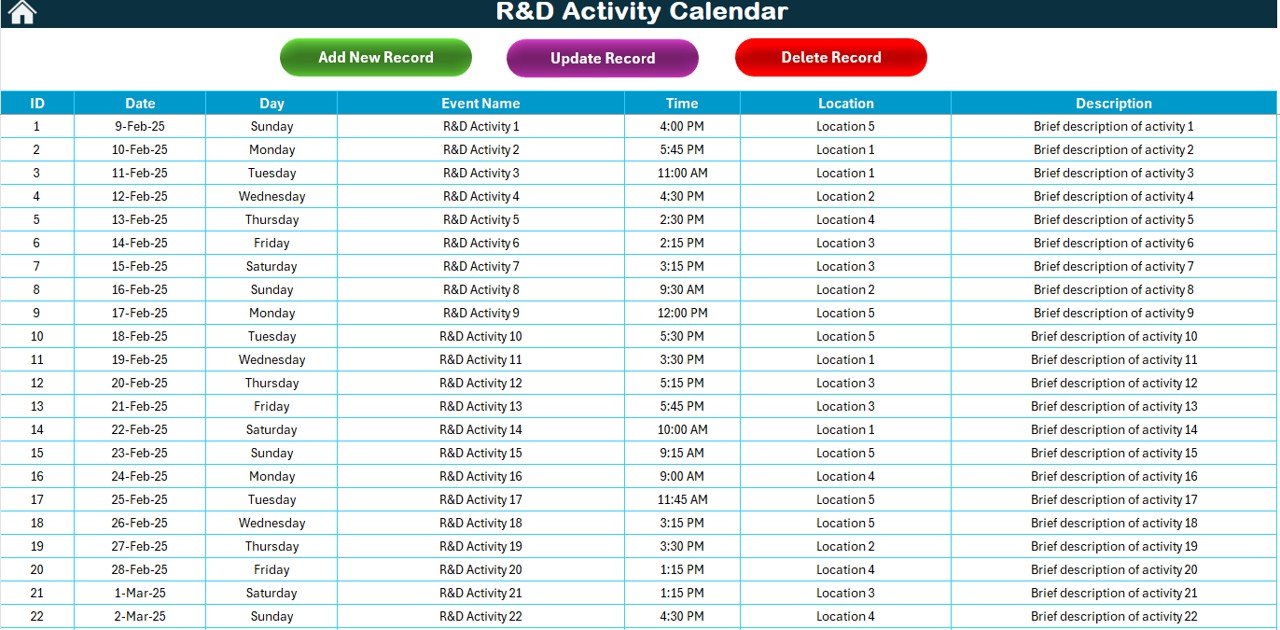
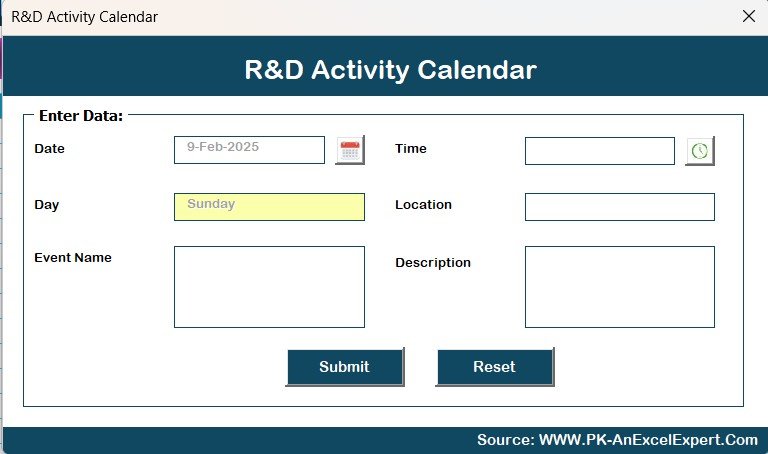
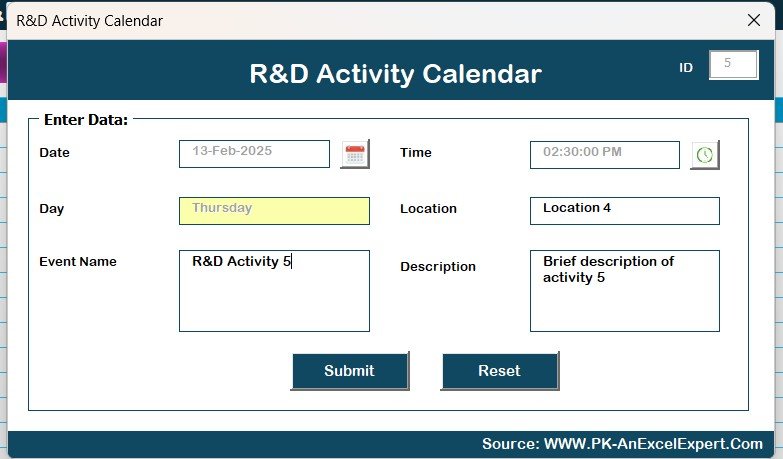

The R&D Activity Calendar in Excel is an essential tool for managing research and development activities, helping teams, managers, and organizations stay organized and on track with their R&D goals and deadlines. This Excel-based calendar allows you to plan, track, and monitor all research and development activities, from initial idea generation to the final stages of project completion.
This tool is perfect for R&D teams in any industry looking to optimize their workflow, streamline collaboration, and ensure that projects are completed on time. Whether you’re managing multiple projects, tracking experiments, or organizing team schedules, this calendar keeps everything in one easy-to-access, structured format.
Key Features of the R&D Activity Calendar in Excel
📅 Comprehensive Activity Planning
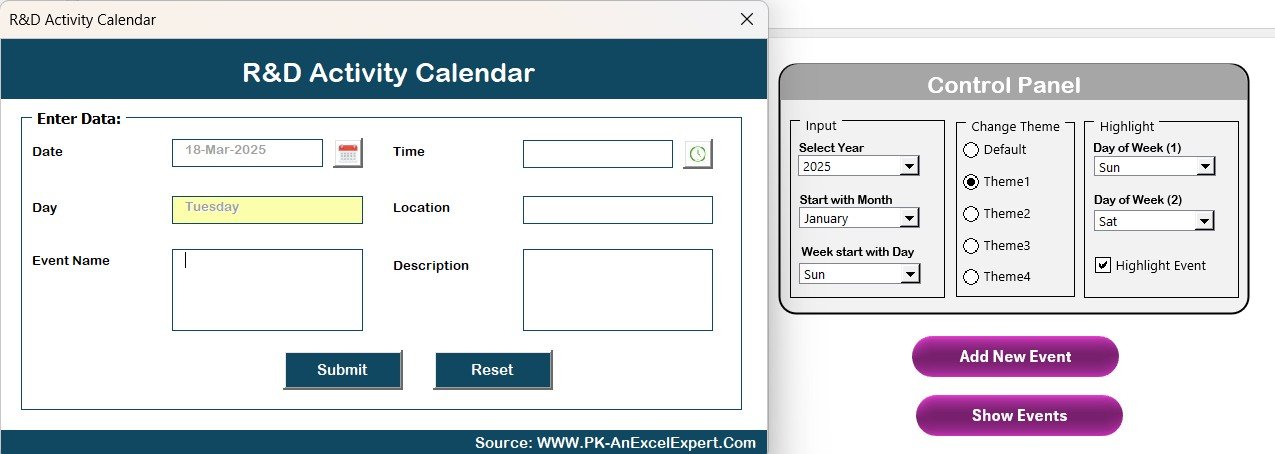
Plan all R&D activities, including research projects, experiments, tests, and evaluations. Assign tasks and set deadlines to ensure smooth progress across various stages.
🔄 Team & Resource Management
Track resources and assign tasks to specific team members. Ensure that each task is handled by the right person and that resources are used efficiently throughout the project.
📊 Project Milestones & Deadlines
Track key milestones for each project, including project start dates, experiment schedules, and expected completion times. Stay on track and avoid missed deadlines with time-based tracking.
📝 Customizable Fields
Customize the calendar to match your team’s specific needs. Add or remove sections, adjust task priorities, and modify deadlines to align with your project’s requirements.
⚙️ Collaborative & Transparent
Ensure transparency in your R&D activities. Collaborate with your team by sharing the calendar and keeping everyone informed about the project’s status and upcoming milestones.
📈 Data & Progress Visualization
Use visual tools like progress bars and status indicators to visualize project completion, identify bottlenecks, and make data-driven decisions to optimize R&D processes.
Why You’ll Love the R&D Activity Calendar in Excel
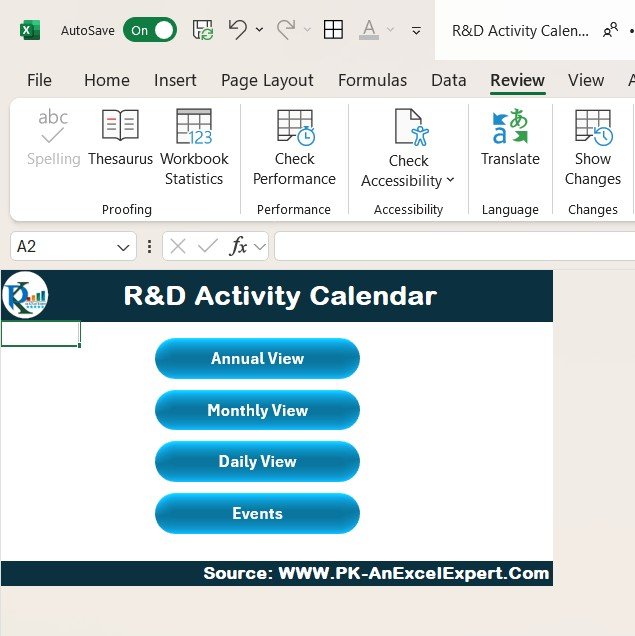
✅ Stay Organized & On Track
Organize your R&D activities with ease. Track key projects, experiments, deadlines, and team tasks in one centralized calendar.
✅ Ensure Timely Project Completion
Track milestones, deadlines, and progress to keep your projects on schedule. Avoid delays and ensure that research and development activities are completed on time.
✅ Enhance Team Collaboration
Coordinate with your team, assign tasks, and ensure everyone is aligned on project timelines. The calendar promotes collaboration and transparency within the team.
✅ Make Data-Driven Decisions
Visualize progress and track key metrics. Use data-driven insights to make informed decisions about resource allocation and project prioritization.
✅ Fully Customizable & Scalable
Customize the calendar to suit your R&D process. Whether you’re managing a small team or coordinating large-scale projects, the calendar can be tailored to meet your specific needs.
What’s Inside the R&D Activity Calendar in Excel?
- Comprehensive Activity Planning: Plan all R&D activities, from experiments to project evaluations.
- Team & Resource Management: Assign tasks to team members and track resource allocation.
- Project Milestones & Deadlines: Keep track of project milestones and key deadlines.
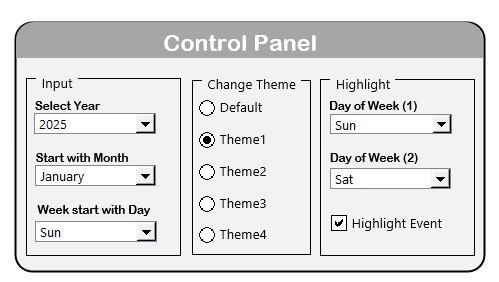
- Customizable Fields: Modify the calendar to match your team’s needs.
- Collaborative Features: Share the calendar with your team for better collaboration and transparency.
- Data Visualization: Track progress with visual tools like progress bars and status indicators.
How to Use the R&D Activity Calendar in Excel
1️⃣ Download the Template: Get instant access to the R&D Activity Calendar in Excel.
2️⃣ Input R&D Activities & Tasks: Enter your team’s activities, milestones, and deadlines.
3️⃣ Assign Resources & Team Members: Allocate resources and assign tasks to specific team members.
4️⃣ Track Progress & Deadlines: Monitor project timelines, milestones, and progress throughout the project.
5️⃣ Collaborate & Share: Share the calendar with your team to ensure everyone stays aligned and informed.
Who Can Benefit from the R&D Activity Calendar in Excel?
🔹 R&D Teams & Managers
🔹 Research Institutions & Laboratories
🔹 Product Development Teams
🔹 Technology & Engineering Companies
🔹 Universities & Research Organizations
🔹 Startups with R&D Projects
🔹 Product & Innovation Managers
Ensure that all your R&D activities are organized, on track, and completed on time with the R&D Activity Calendar in Excel. Simplify your project management, enhance collaboration, and optimize your R&D processes with this versatile and customizable tool.
Click here to read the Detailed blog post
Visit our YouTube channel to learn step-by-step video tutorials
Youtube.com/@PKAnExcelExpert
Compatibility and Requirements
- Works in Microsoft Excel desktop (Excel 2016 or later, or Microsoft 365).
- New to Excel? Microsoft has a free guide: Excel for Windows training.
Frequently Asked Questions
What can I plan with the R&D Activity Calendar?
Research projects, experiments, tests and evaluations, with tasks, deadlines and milestones for each stage.
Can I assign tasks to team members?
Yes. Tasks can be assigned to specific team members, and resource use is tracked across the project.
How do I see project progress?
Progress bars and status indicators show project completion and help you spot bottlenecks.
Is there a Google Sheets version?
Yes. The R&D Activity Calendar in Google Sheets covers the same topic.
Related R&D Templates
- R&D Activity Calendar in Google Sheets: the same calendar in Google Sheets
- R&D AI Implementation Calendar in Excel: plan AI rollout in R&D on an Excel calendar
- R&D Remote Work Calendar in Excel: plan R&D remote work on an Excel calendar
- R&D KPI Dashboard in Excel: track R&D KPIs in an Excel dashboard
- Calendar & Planner Pack: 12 calendar and planner templates in one download
Browse all Excel calendars.


































Reviews
There are no reviews yet.