

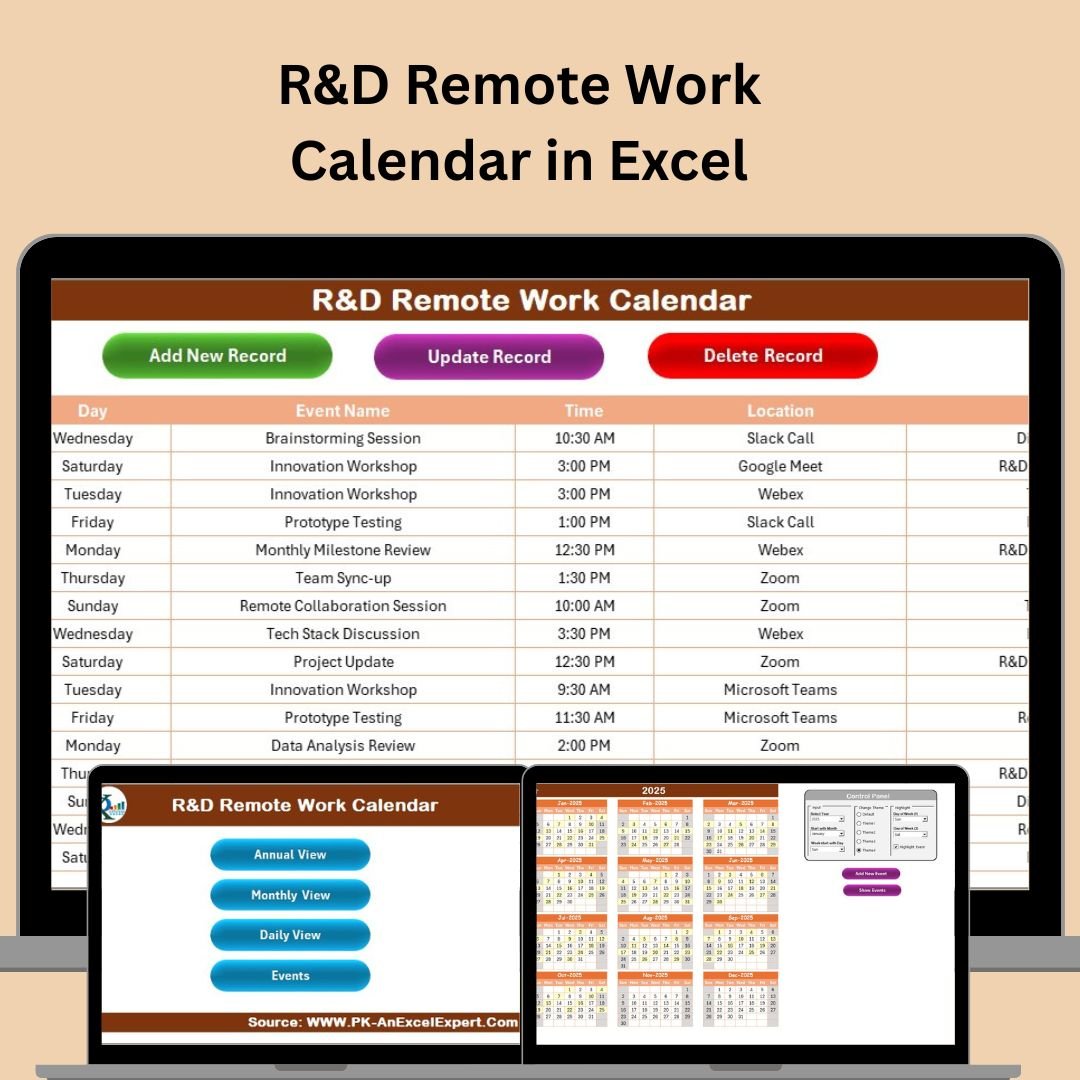
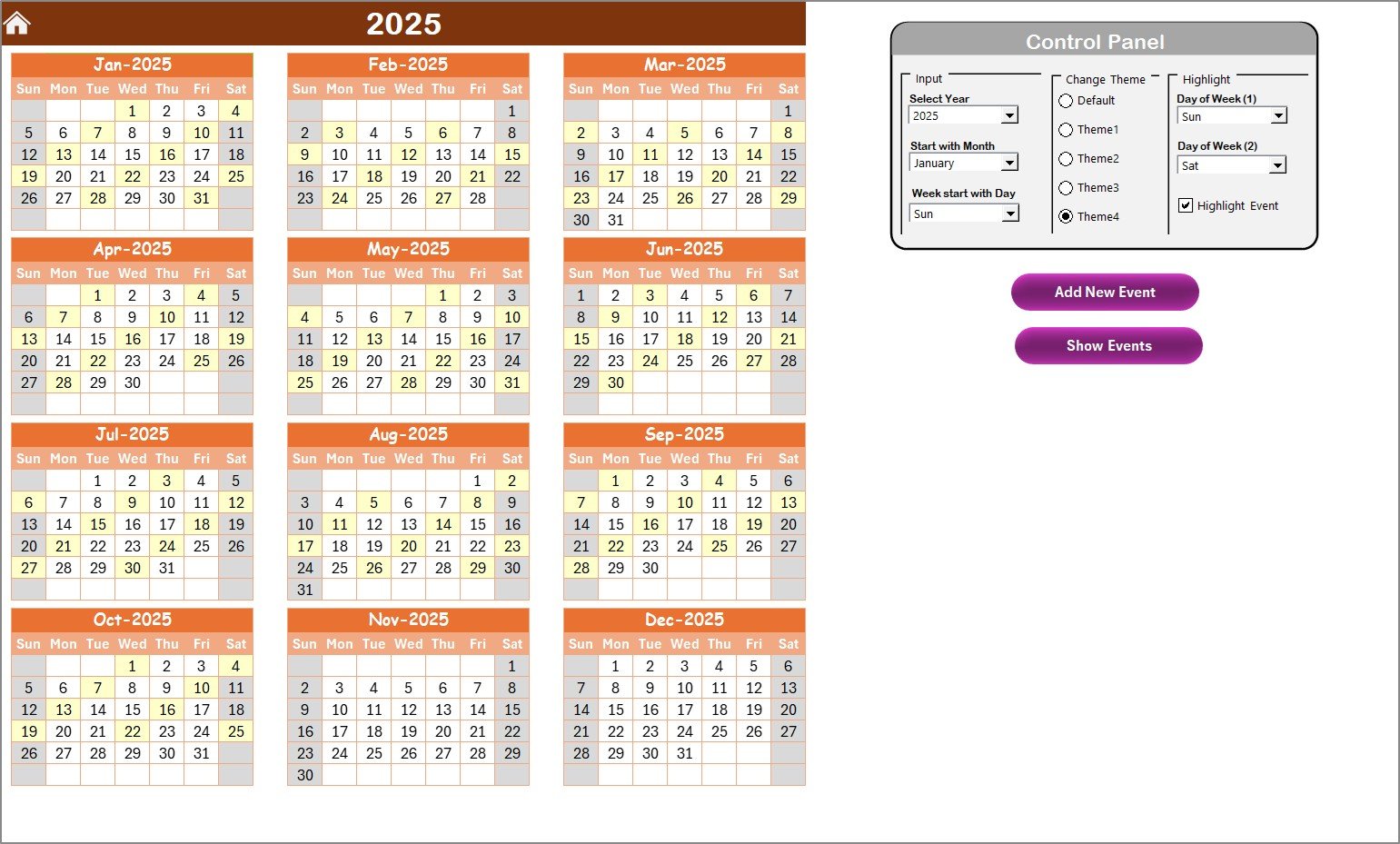
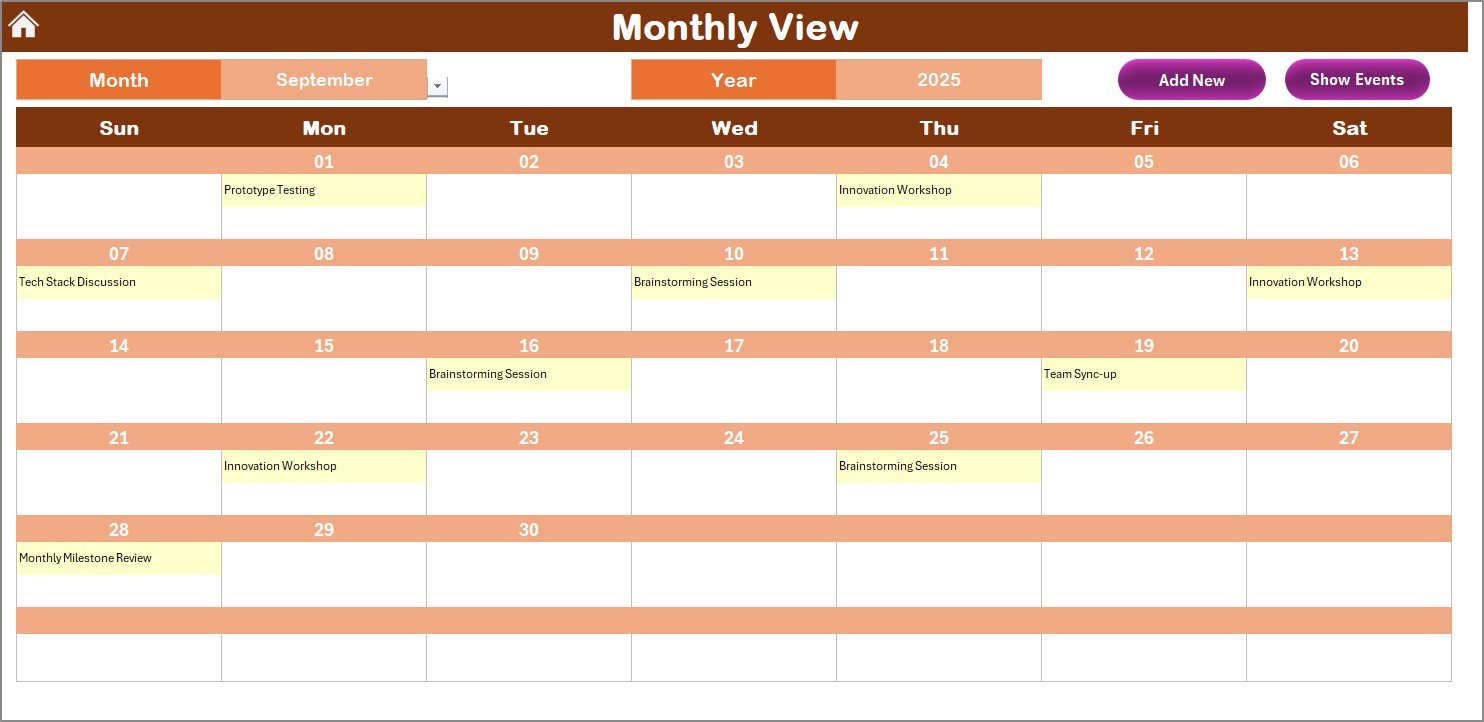
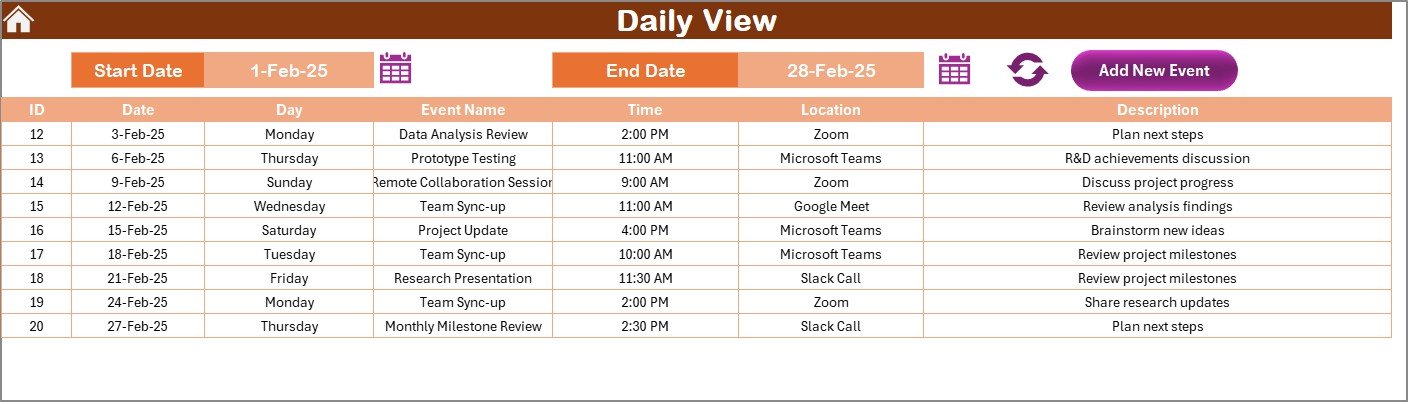
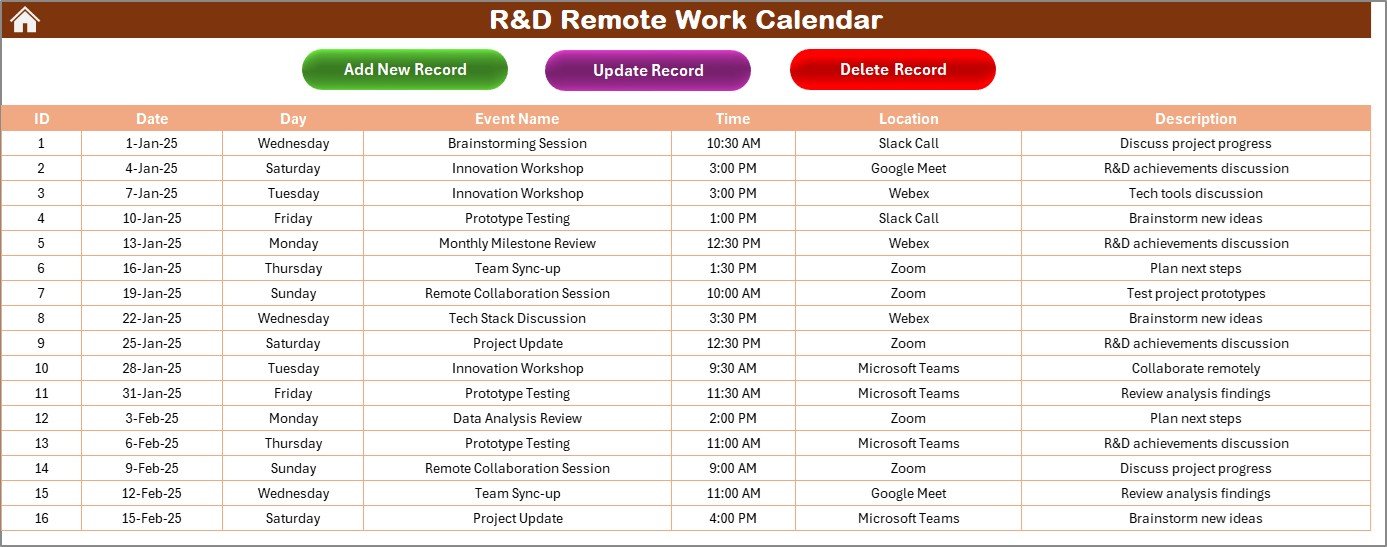

The R&D Remote Work Calendar in Excel is a versatile and organized tool designed to help research and development (R&D) teams manage remote work schedules, track project timelines, and ensure seamless collaboration. Whether you’re managing a small team or coordinating large-scale research projects, this Excel-based calendar helps you plan, schedule, and track work activities effectively in a remote environment.
With features like task tracking, milestone management, and time-based analysis, the R&D Remote Work Calendar simplifies the coordination of remote team members, ensuring everyone stays on the same page, regardless of location. It helps you maintain project deadlines, track progress, and optimize team performance for maximum productivity and project success.
Key Features of the R&D Remote Work Calendar in Excel
📅 Project Timeline & Milestone Management
Easily plan and manage project milestones, deadlines, and key dates. Ensure that all tasks are completed on time and that important deadlines are met.
📝 Task Assignment & Tracking
Assign tasks to individual team members, track progress, and update statuses. Stay on top of each team member’s work, ensuring responsibilities are clear and nothing is overlooked.
🔄 Team Collaboration & Communication
Coordinate remote team activities by tracking meetings, discussions, and brainstorming sessions. Use this feature to ensure that all members are aligned on project goals and timelines.
⚙️ Time-Based Scheduling
Set deadlines, track daily tasks, and organize weekly or monthly schedules to maintain productivity across all remote team members. Ensure that your team stays on track, even when working from different locations.
📈 Project Progress Tracking
Monitor progress and track completion rates for each task and project milestone. Use the calendar’s visual layout to assess how much work has been completed and what remains to be done.
🔑 Customizable for Any R&D Project
Adapt the calendar to suit the specific needs of your research and development projects. Add custom tasks, adjust deadlines, and modify the structure to fit your team’s requirements.
Why You’ll Love the R&D Remote Work Calendar in Excel

✅ Streamline Remote Work Management
Coordinate your remote R&D team’s schedule and tasks efficiently with a clear and well-structured calendar. Track deadlines and milestones and ensure project goals are met on time.
✅ Enhance Team Collaboration
Stay connected with your remote team by tracking meetings, communication, and individual responsibilities. Improve collaboration across time zones and remote work environments.
✅ Boost Productivity & Time Management
By tracking tasks, milestones, and deadlines, this calendar helps ensure that no project is delayed, and every team member stays on track with their assigned tasks.
✅ Customizable for Your Needs
The calendar can be easily adjusted to fit the specific needs of your R&D projects. Tailor it to include extra features or adjust timelines according to your team’s structure.
✅ User-Friendly & Efficient
This Excel template is easy to use, even for teams with minimal Excel experience. It’s designed for seamless integration into your daily workflows and project management processes.
What’s Inside the R&D Remote Work Calendar in Excel?
Project Timeline & Milestone Management: Plan key dates, milestones, and deadlines.
Task Assignment & Progress Tracking: Assign tasks, track completion, and monitor performance.
Team Collaboration & Communication: Track meetings, discussions, and collaborative activities.
Time-Based Scheduling: Organize tasks and deadlines by day, week, or month.
Project Progress Tracking: Visualize project status and ensure deadlines are met.
Customizable Structure: Modify the calendar to suit your team’s needs and specific project requirements.
How to Use the R&D Remote Work Calendar in Excel
1️⃣ Download the Template: Get instant access to the R&D Remote Work Calendar in Excel.
2️⃣ Set Up Your Projects & Milestones: Input project timelines, deadlines, and important milestones.
3️⃣ Assign Tasks to Team Members: Allocate tasks to individual team members and track their progress.
4️⃣ Monitor Team Collaboration & Meetings: Keep track of meetings, discussions, and group work to ensure everyone stays aligned.
5️⃣ Track Progress & Adjust Schedules: Monitor project progress and adjust schedules to ensure all tasks are completed on time.
Who Can Benefit from the R&D Remote Work Calendar in Excel?
🔹 Research & Development Teams
🔹 Project Managers & Team Leaders
🔹 Remote Teams & Distributed Workforce
🔹 Business Owners & Startups
🔹 Technology & Product Development Teams
🔹 Consultants & Freelancers in R&D
🔹 Academic Researchers & Institutions
Keep your R&D team on track with the R&D Remote Work Calendar in Excel. Ensure that projects are completed on time, that tasks are efficiently managed, and that your team collaborates effectively, no matter where they are located.
Click here to read the Detailed blog post
Visit our YouTube channel to learn step-by-step video tutorials
Youtube.com/@PKAnExcelExpert
Watch the step-by-step video Demo:
Compatibility and Requirements
- Works in Microsoft Excel desktop (Excel 2016 or later, or Microsoft 365).
- You plan project dates, deadlines and milestones in a calendar layout. Microsoft explains how conditional formatting highlights information in Use conditional formatting to highlight information in Excel.
Frequently Asked Questions
What can I track in this calendar?
You can track project timelines, milestones, deadlines, task assignments, meetings, discussions and brainstorming sessions for a remote R&D team.
Can I assign tasks to team members?
Yes. You assign tasks to individual team members, update their statuses and follow progress for each task and milestone.
Can I plan by day, week or month?
Yes. The time-based scheduling lets you organize tasks and deadlines by day, week or month.
Can I change the calendar for my own projects?
Yes. You can add custom tasks, adjust deadlines and change the structure to fit your R&D projects.
Is there a version for another team or platform?
Yes. See the HR Remote Work Calendar in Excel and the Remote Work KPI Dashboard in Google Sheets.
Related Remote Work Templates
- HR Remote Work Calendar in Excel: the same calendar for HR teams
- Operations Remote Work Calendar in Excel: a remote work calendar for operations teams
- Remote Work KPI Dashboard in Excel: KPI tracking for remote work
- Remote Work KPI Dashboard in Google Sheets: the same KPI view in Google Sheets
- Remote Work Request Form Template in MS Word and Google Docs: a free form for remote work requests
Browse all Excel calendar templates.

































Reviews
There are no reviews yet.