

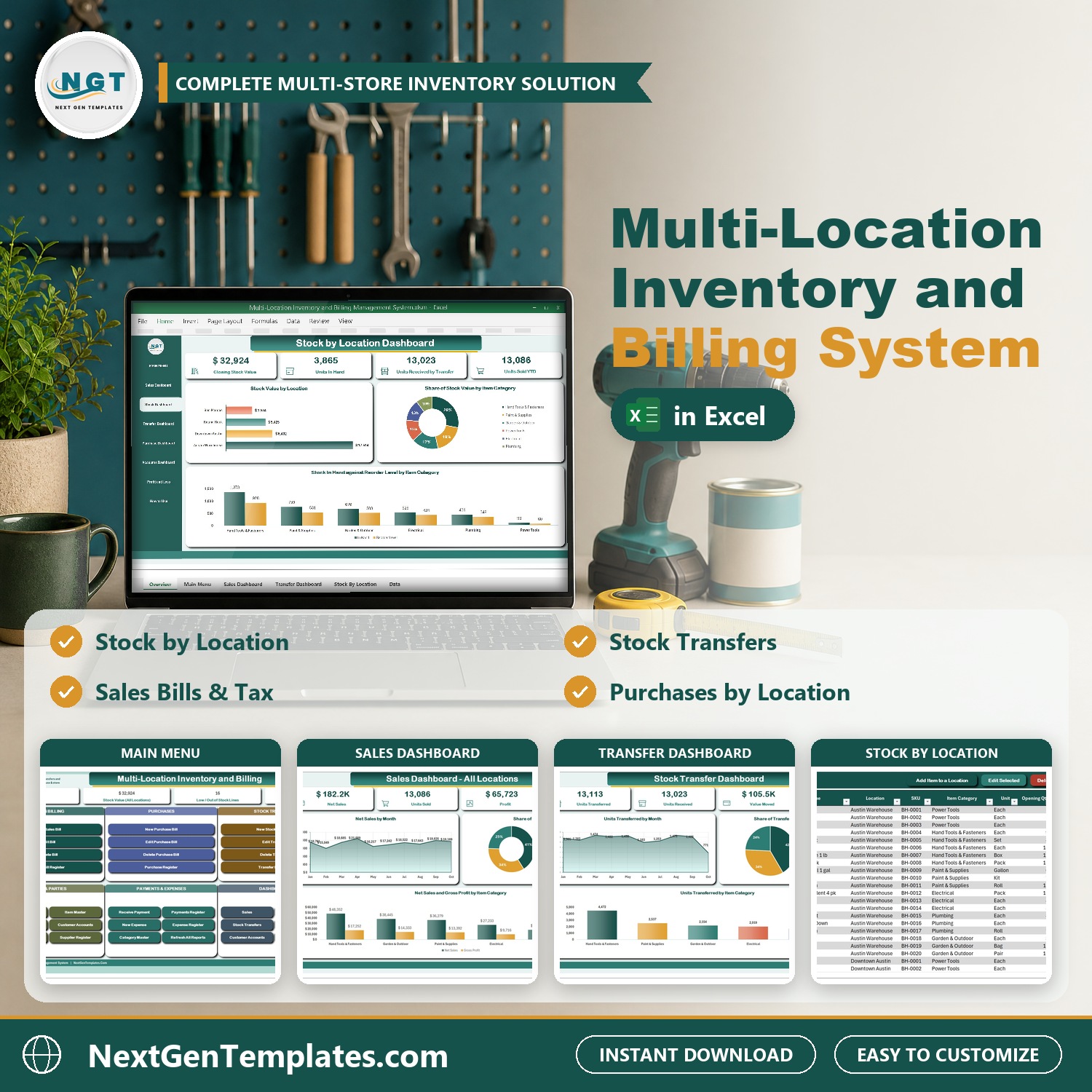

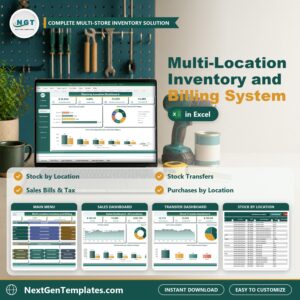
Run a warehouse and several stores from one Excel file. The Multi-Location Inventory and Billing Management System V1.0 in Excel VBA bills customers at every store, buys stock into any location, moves stock between locations with stock transfers and shows the stock in hand for every item at every location. It is one macro-enabled workbook with entry forms, five dashboards with slicers and a Profit and Loss statement.
Watch the Multi-Location Inventory and Billing Management System V1.0 in Excel VBA walkthrough
Please note: this system needs Microsoft Excel for Windows (2016 or later) with macros enabled. It does not work on Mac, in Excel for the web or in Google Sheets. It does not read barcodes or connect to an online store or POS terminal, and your data stays on your own PC.
What You Get
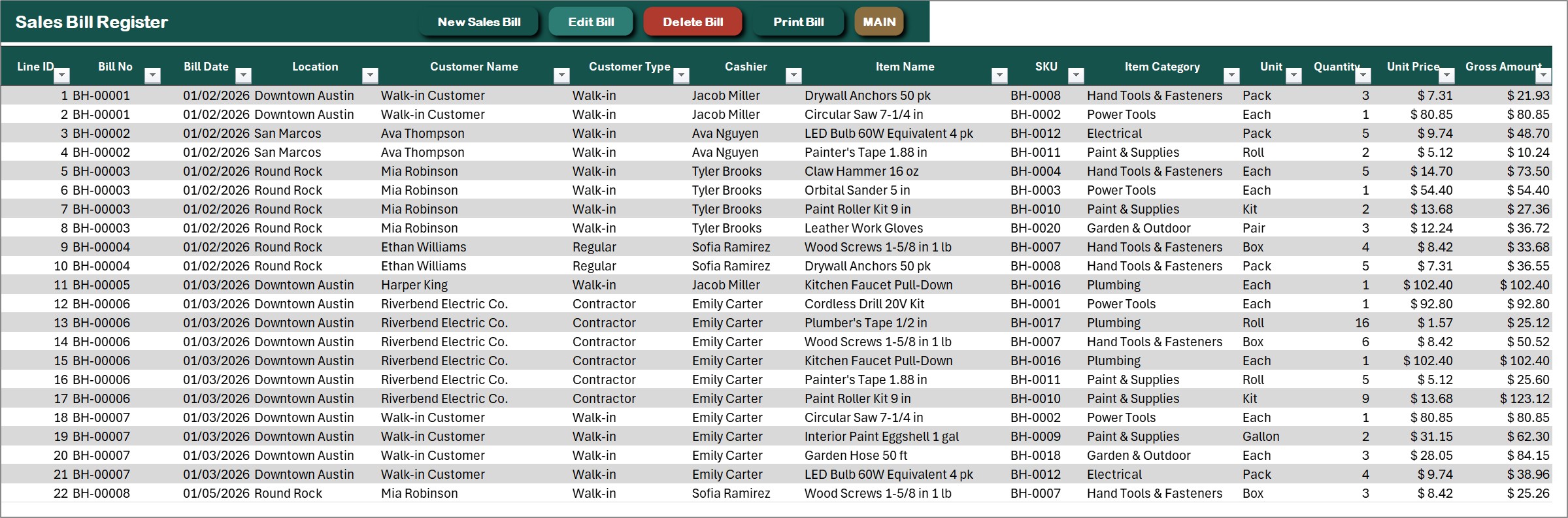
- Sales bill form with store, customer, cashier, payment mode (paid, partial or on account) and a basket of item lines with price, discount and sales tax
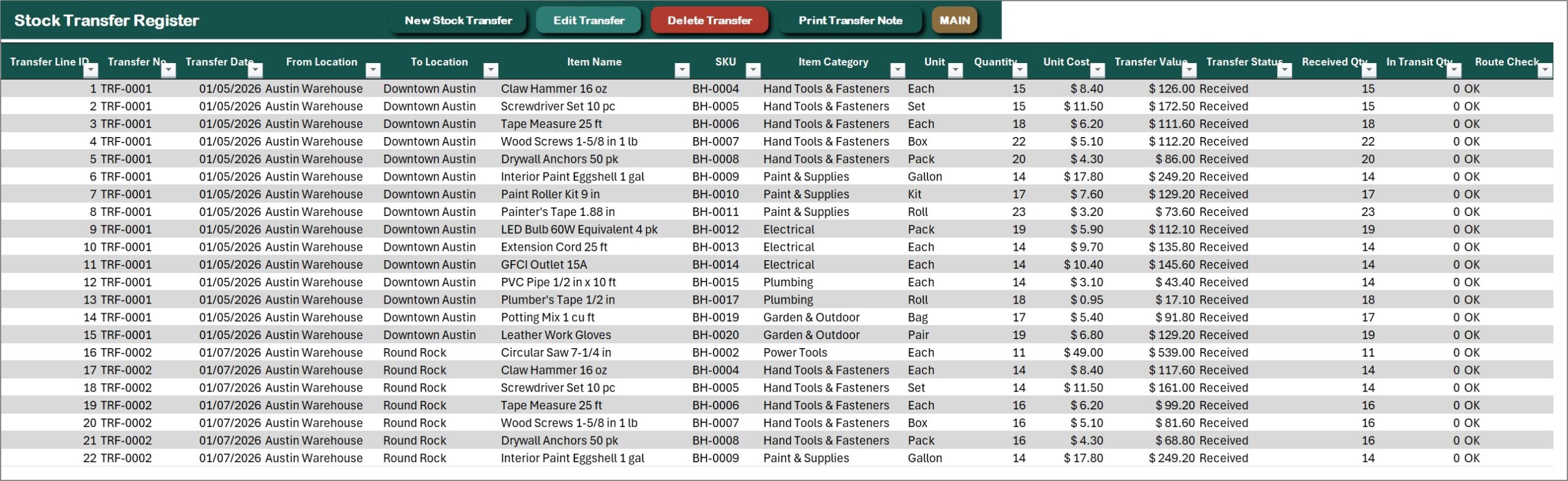
- Stock transfer form from one location to another, with In Transit and Received status
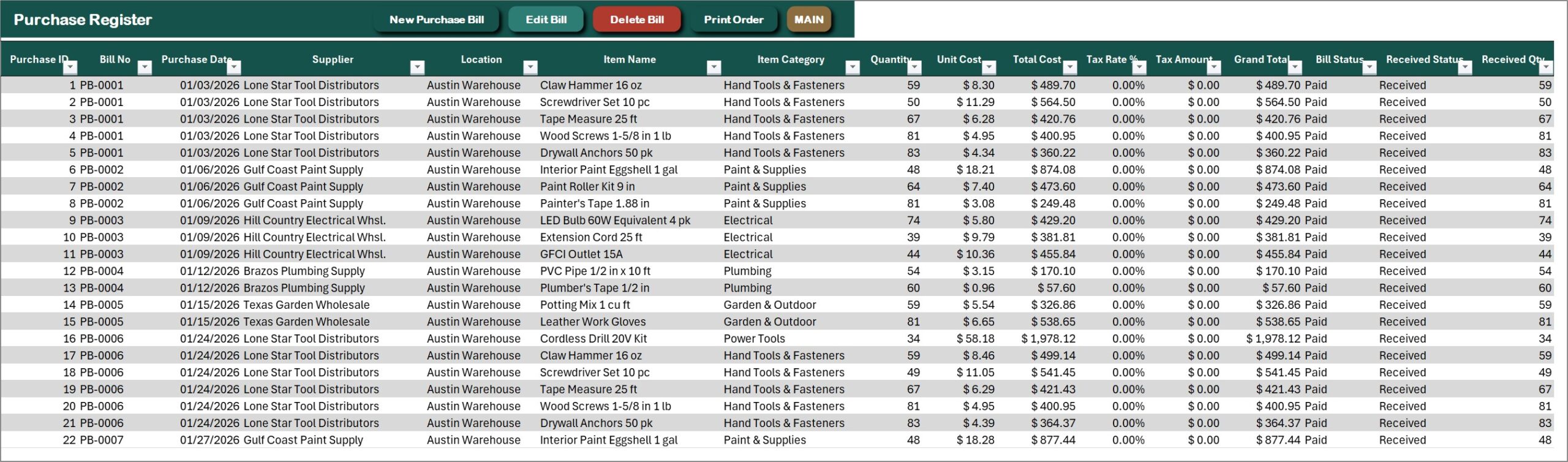
- Purchase bills received into any location, where only received bills add stock and pending bills show as incoming
- Stock by Location with opening, purchased, transfer in, transfer out, sold, stock in hand, reorder level, stock status and suggested order
- Item master, location register, customer accounts with credit limits, supplier register, payments and expenses
- Five dashboards with slicers (Sales, Stock by Location, Stock Transfers, Purchases, Customer Accounts) and a Profit and Loss statement
- Sales bill, payment receipt, purchase order and stock transfer note on A4, 4 inch or 3 inch paper
- Sample data for a Texas hardware business with 1 warehouse and 3 stores (900 bills, 76 stock transfers) and an illustrated PDF user manual
Key Features
MAIN menu
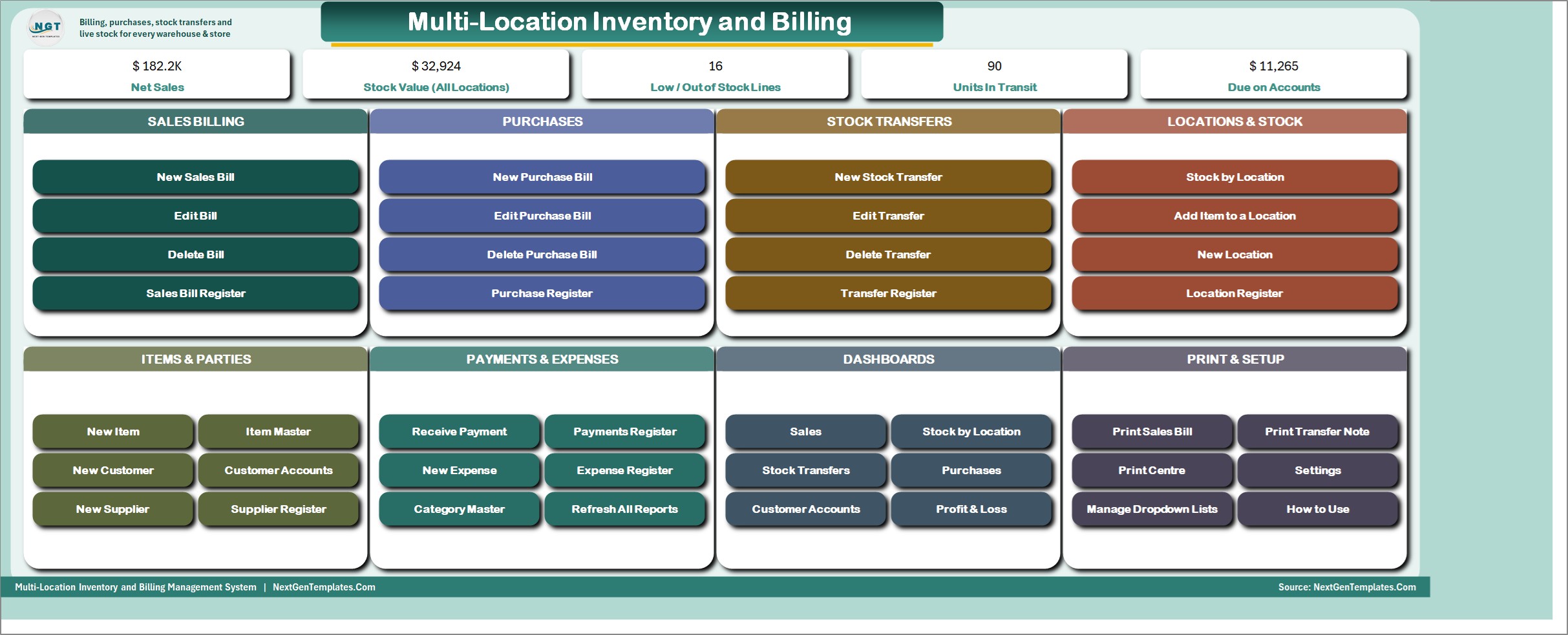
Every job is one button away: sales bills, purchases, stock transfers, locations and stock, items and parties, payments and expenses, dashboards and printing. Cards at the top show net sales, stock value, low and out of stock lines, units in transit and the amount due on accounts.
Sales Dashboard
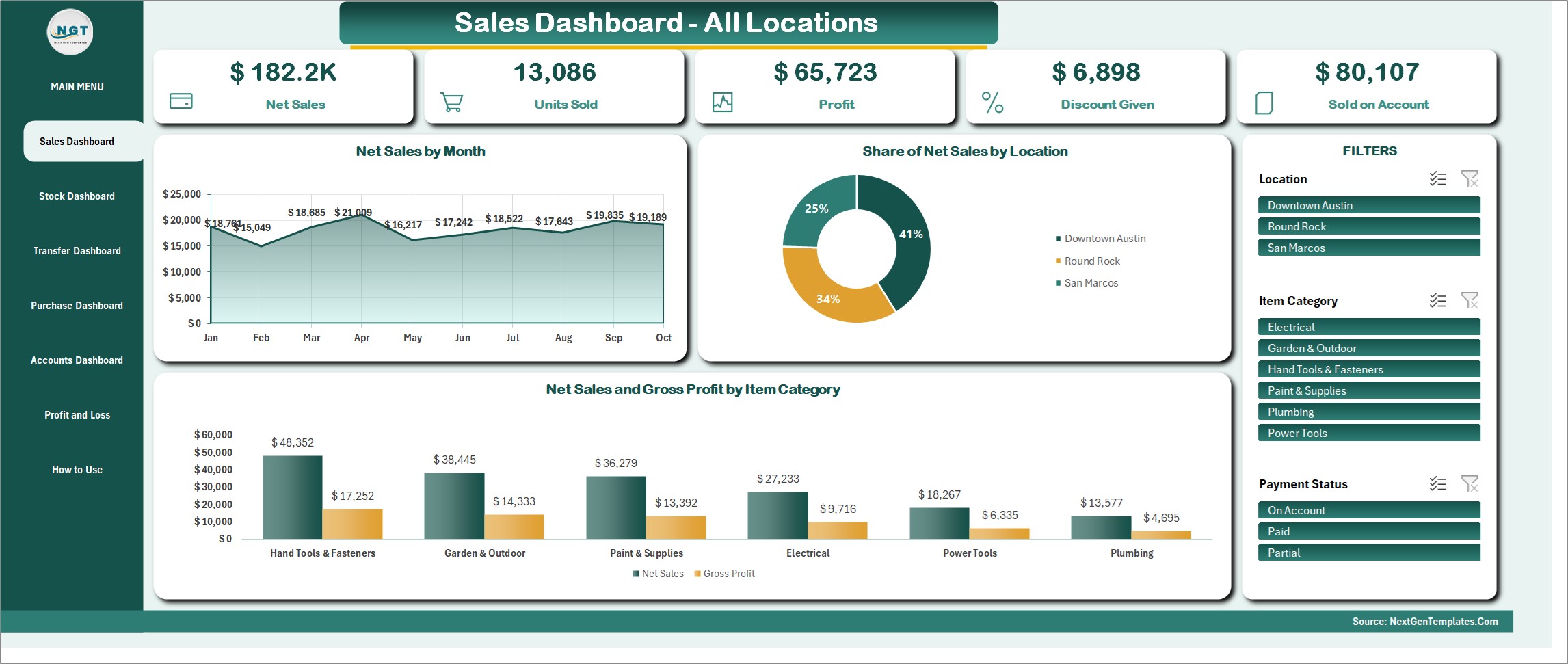
Net sales, units sold, profit, discount given and sales on account, with net sales by month, share of sales by location and sales against gross profit by item category. Slicers filter by location, item category and payment status.
Stock by Location Dashboard
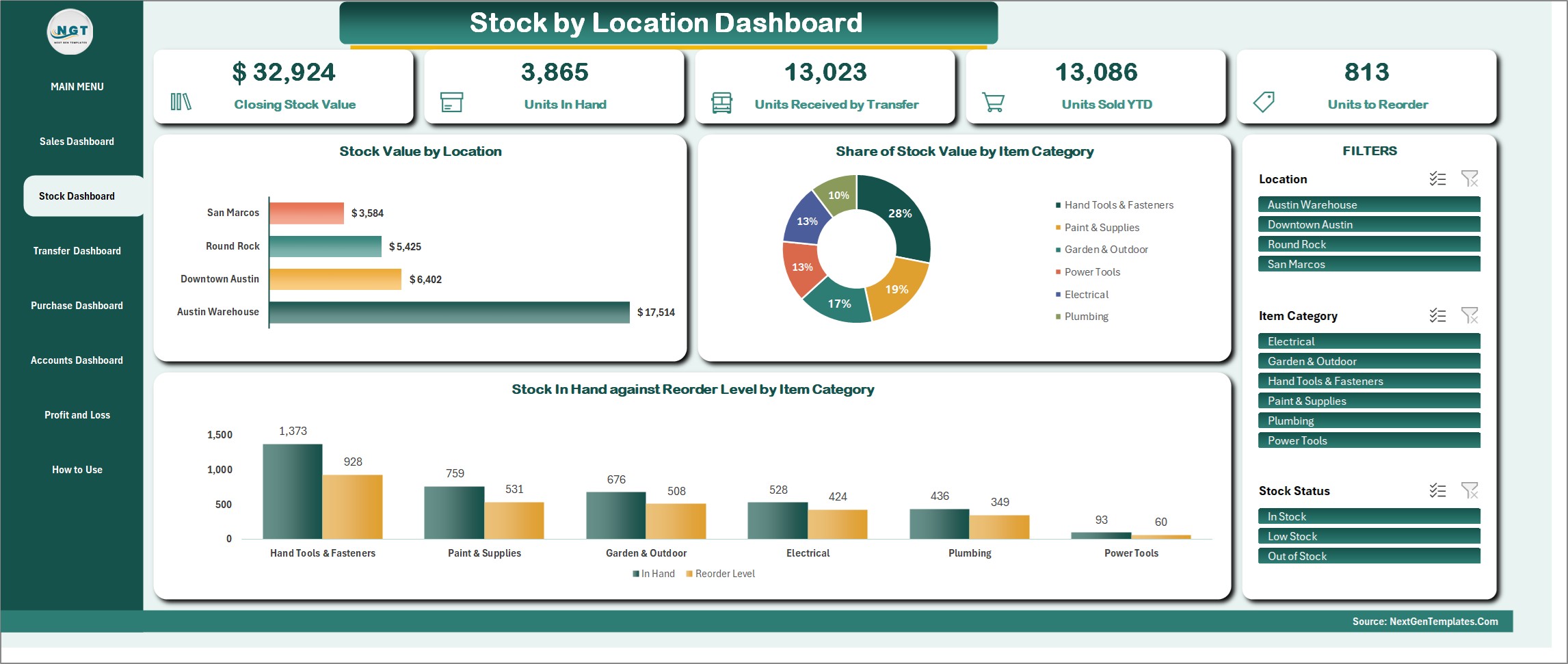
Closing stock value, units in hand, units received by transfer, units sold and units to reorder. See stock value by location and stock in hand against the reorder level for each item category, then filter by location, category and stock status.
Stock Transfer Dashboard
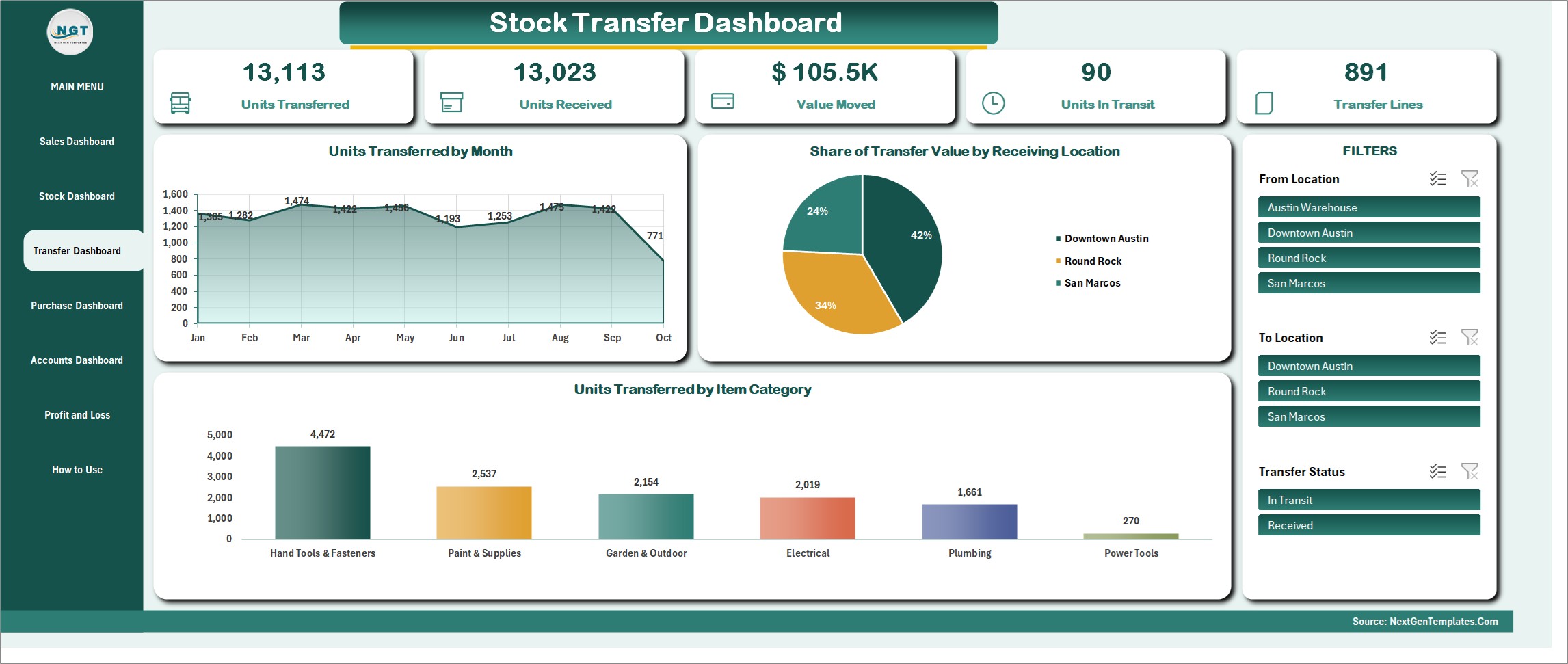
Units transferred, units received, value moved and units still in transit, by month, by item category and by receiving location. Use the From Location, To Location and Transfer Status slicers to see what is on the road.
Purchase Dashboard
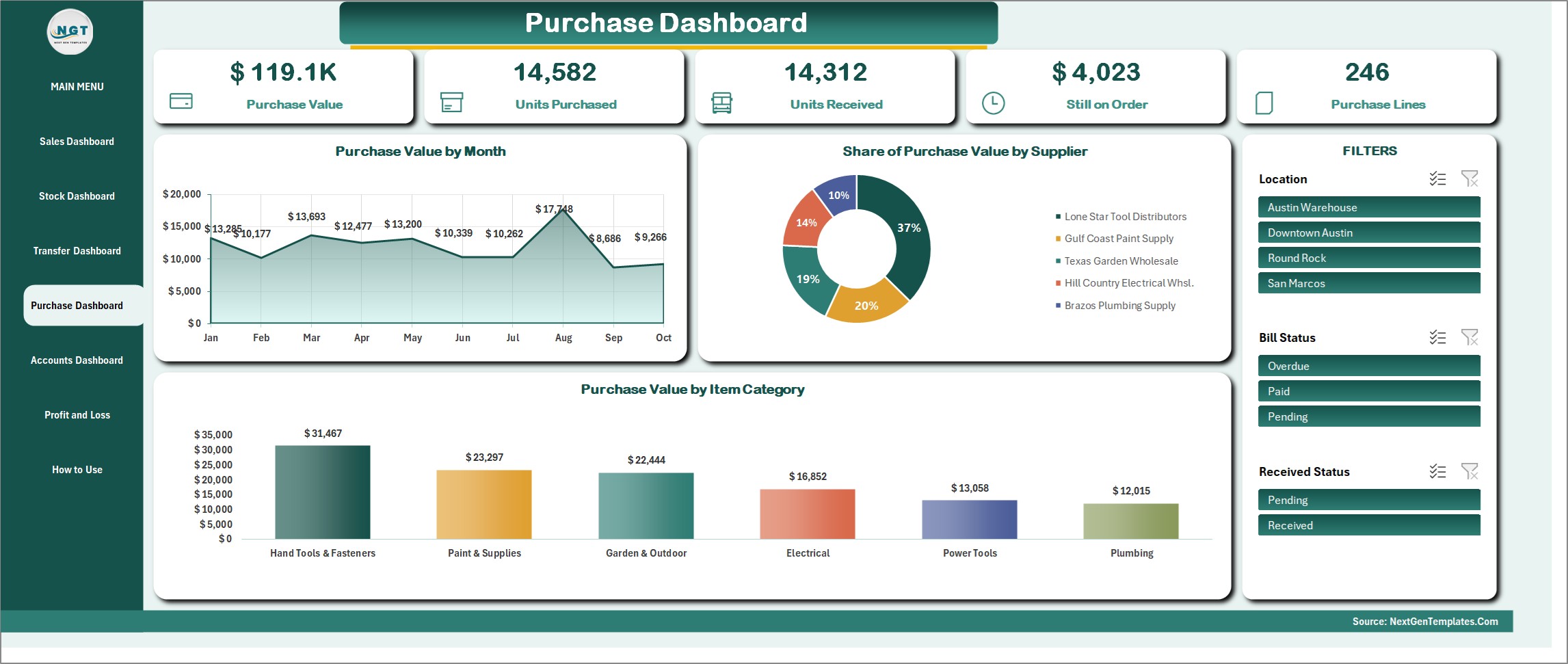
Purchase value, units purchased and received, value still on order and purchase lines, with purchase value by month, by supplier and by item category.
Customer Accounts Dashboard
Amount due on accounts, sales on credit, payments collected and credit extended, with the balance by home store and the top 10 customer balances. Customers have credit limits and a credit status of Within Limit, Over Limit or Settled.

How to Use and Profit and Loss
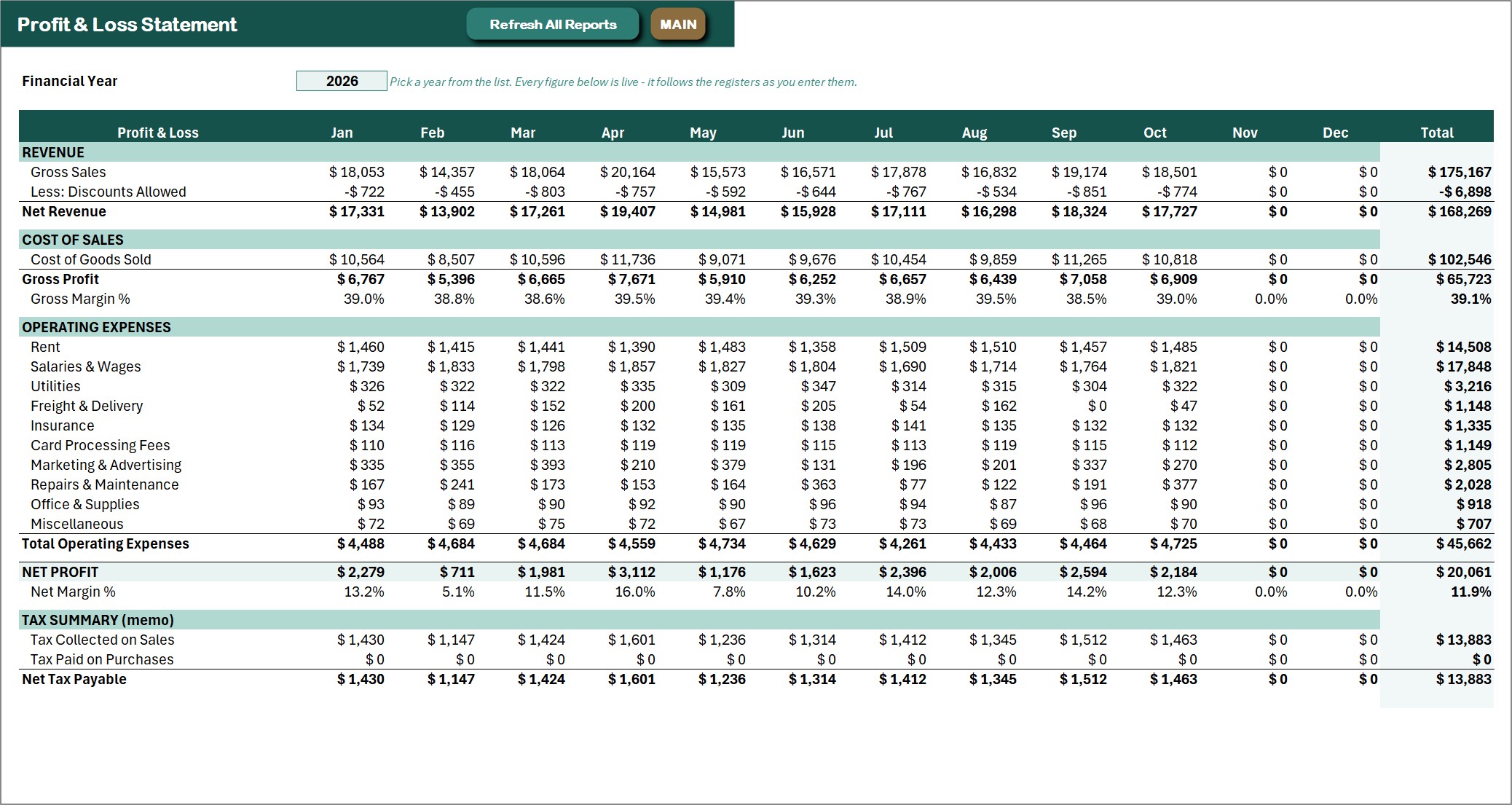
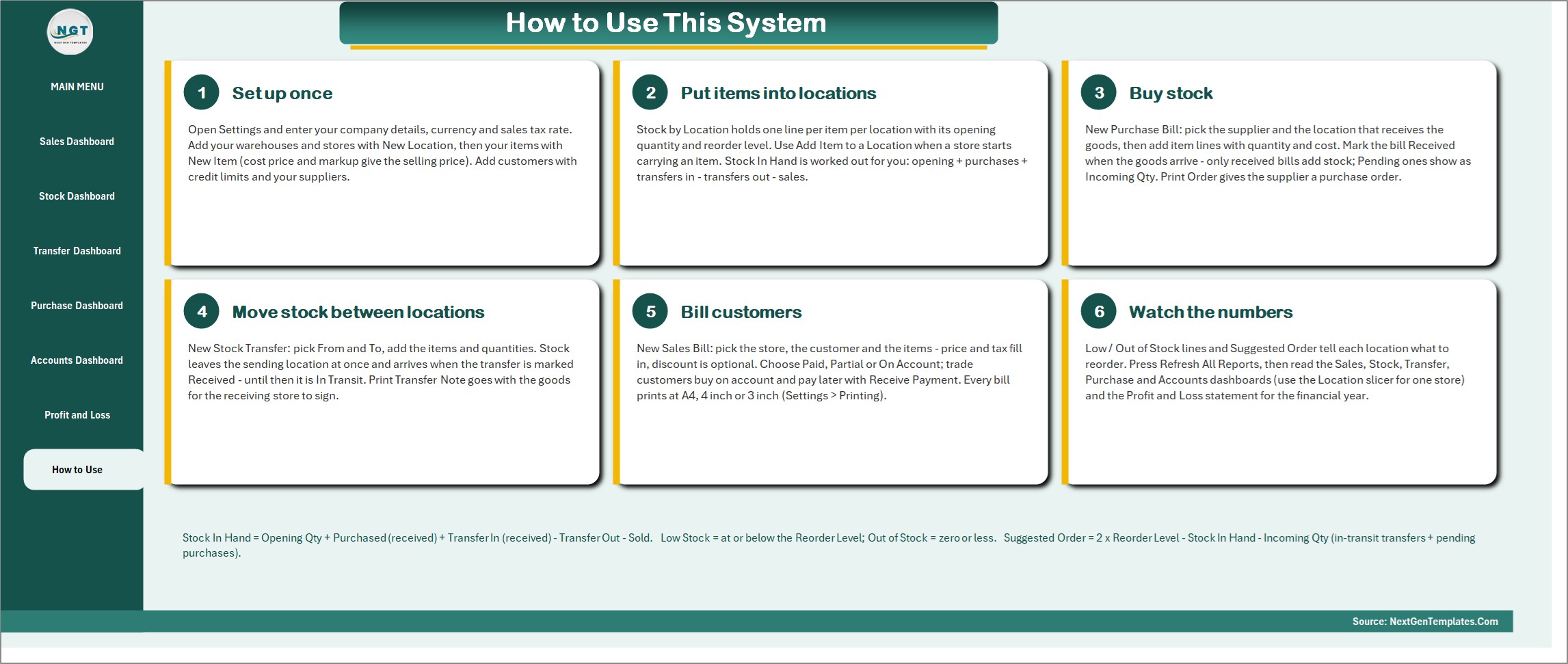
A How to Use page inside the workbook walks through six steps: set up once, put items into locations, buy stock, move stock between locations, bill customers and watch the numbers. The Profit and Loss statement follows the registers month by month for the financial year you pick, with sales tax collected and paid in a memo section.
Registers and forms
Sales Bill Register, Purchase Register, Stock Transfer Register, Stock by Location, Location Register, Item Master, Customer Accounts, Supplier Register, Payments Register and Expense Register all open from the MAIN menu with New, Edit, Delete and Print buttons.
The workbook comes with 20 items in 6 categories, 22 customers, 5 suppliers and a Settings page for company details, currency, sales tax rate, document numbering and paper size.
Who Is It For?
Hardware and home improvement stores, retail chains with a back warehouse, wholesalers and distributors, building supply yards, auto parts shops, pharmacies with branches and any small business that keeps stock in more than one place and wants simple multi location inventory management with billing built in. It works as an Excel VBA inventory management system and as an inventory management Excel template you can fill with your own items, with stock transfer between locations handled by one form.
How to Use
- Download the ZIP and open the macro-enabled workbook with macros enabled.
- Open Settings and enter your company details, currency and sales tax rate, then add your locations, items and customers.
- Use Stock by Location to enter opening stock and a reorder level for each item at each location.
- Record purchases, stock transfers and sales bills from the MAIN menu, then print the bill, receipt, purchase order or transfer note.
- Press Refresh All Reports and read the dashboards and the Profit and Loss statement.
Comparison
| Feature | This system | Separate spreadsheets |
|---|---|---|
| Stock for every location | One Stock by Location register | One file per store |
| Move stock between locations | Stock transfer form with In Transit and Received | Edit two sheets by hand |
| Sales bills with tax and discount | Basket form with printing | Copy a template each time |
| Low stock alerts and suggested order | Built in for each item and location | Manual checking |
| Customer credit limits | Credit status on every account | Tracked separately |
🎁 Try Before You Buy: 7-Day Free Trial
Download the free trial of the Multi-Location Inventory and Billing Management System in Excel VBA and use the complete system for 7 days. Every form, register, dashboard, printable document and setting works exactly as in the full version, so you can test it with your own records before you decide.
How the free trial works
- Click Get the 7-Day Free Trial below, enter your email and download the ZIP from the email we send you. Unzip it.
- Open it in Microsoft Excel for Windows (the desktop app, not Excel Online or Mac) and click Enable Content on the yellow bar. If there is no yellow bar, right-click the file, choose Properties, tick Unblock and open it again.
- Your 7 days start the first time the file opens with macros on. A banner on the MAIN page shows how many days are left.
- After 7 days the trial locks and shows a Buy Full Version button. Buy the full version to keep working with no time limit.
| Free Trial | Full Version | |
|---|---|---|
| Every feature, form and dashboard | Yes | Yes |
| Time limit | 7 days | None, lifetime use |
| Trial banner | Yes | No |
| PDF user manual | No, full version only | Included |
| Editable (unlocked) VBA code | No, locked | Yes |
Enter your email and we send the download link straight to your inbox.
The trial runs once per computer: downloading it again does not restart the 7 days. Records you enter during the trial can be copied into the full version.
Frequently Asked Questions
What does the Multi-Location Inventory and Billing Management System do?
It tracks stock for a warehouse and several stores, bills customers at each store, records purchases and stock transfers, and shows live stock in hand, dashboards and a Profit and Loss statement. It is one macro-enabled Excel workbook.
How is stock in hand worked out?
Stock in hand is opening quantity plus received purchases plus transfers in, minus transfers out and units sold. A transfer leaves the sending location at once and arrives at the receiving location when you mark it Received.
What does the suggested order show?
Low Stock means at or below the reorder level and Out of Stock means zero or less. The suggested order is twice the reorder level minus the stock in hand and the incoming quantity from in transit transfers and pending purchases.
Can it print bills and transfer notes?
Yes. It prints the sales bill, payment receipt, purchase order and stock transfer note on A4, 4 inch or 3 inch paper. Choose the paper size in Settings.
How many locations can I use?
The sample data has 1 warehouse and 3 stores. You can add more locations from the Location Register.
Which Excel do I need?
Microsoft Excel for Windows 2016 or later with macros enabled. It does not work on Mac, in Excel for the web or in Google Sheets.
Is sample data included?
Yes. The sample data is a Texas hardware business with 900 bills, 76 stock transfers and 78 purchase bills, plus an illustrated PDF user manual.
Can I try it first?
Yes. A 7-day free trial is available from the product page. It is a separate file that stops working after 7 days.
Get the System
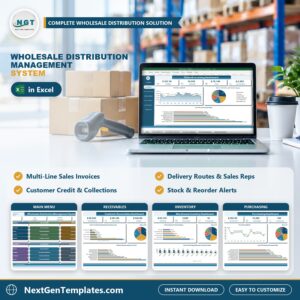
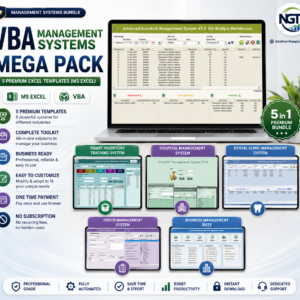
Download the Multi-Location Inventory and Billing Management System V1.0 in Excel VBA and keep every store and the warehouse in one file. For a similar system for distributors, see the Wholesale Distribution Management System V1.0 in Excel VBA, or browse the VBA Management Systems Mega Pack.



Reviews
There are no reviews yet.