


Vocational training institutes operate in a results-driven environment where attendance, assessments, trainer performance, revenue, and learner outcomes must be tracked continuously. However, many institutes still depend on scattered Excel sheets, manual reports, and disconnected systems. As a result, leadership struggles to get real-time visibility, and critical decisions get delayed.
That is exactly where the Vocational Training Dashboard in Power BI becomes a game-changing analytics solution 🚀.
This ready-to-use Power BI dashboard transforms raw vocational training data into clear, interactive, and actionable insights. Instead of spending hours compiling reports, administrators and managers can instantly monitor training progress, attendance levels, assessment scores, trainer performance, course demand, and monthly revenue trends—all from one centralized dashboard.
Built for training institutes, skill development centers, NGOs, and corporate L&D teams, this dashboard helps organizations improve training quality, optimize operations, and scale confidently using data-driven decisions.
🔑 Key Features of Vocational Training Dashboard in Power BI
📊 Centralized Training Performance Monitoring
🏫 Training Center-Wise Performance Analysis
📚 Course Category & Trainer Effectiveness Tracking
🧑🏫 Attendance & Assessment Score Insights
💰 Fee & Revenue Trend Analysis
📈 Month-Wise Performance Tracking
🎯 Interactive Slicers & Drill-Down Capability
⚡ Real-Time, Decision-Ready Insights
This dashboard eliminates guesswork and replaces it with clear performance intelligence.
📂 What’s Inside the Vocational Training Dashboard in Power BI
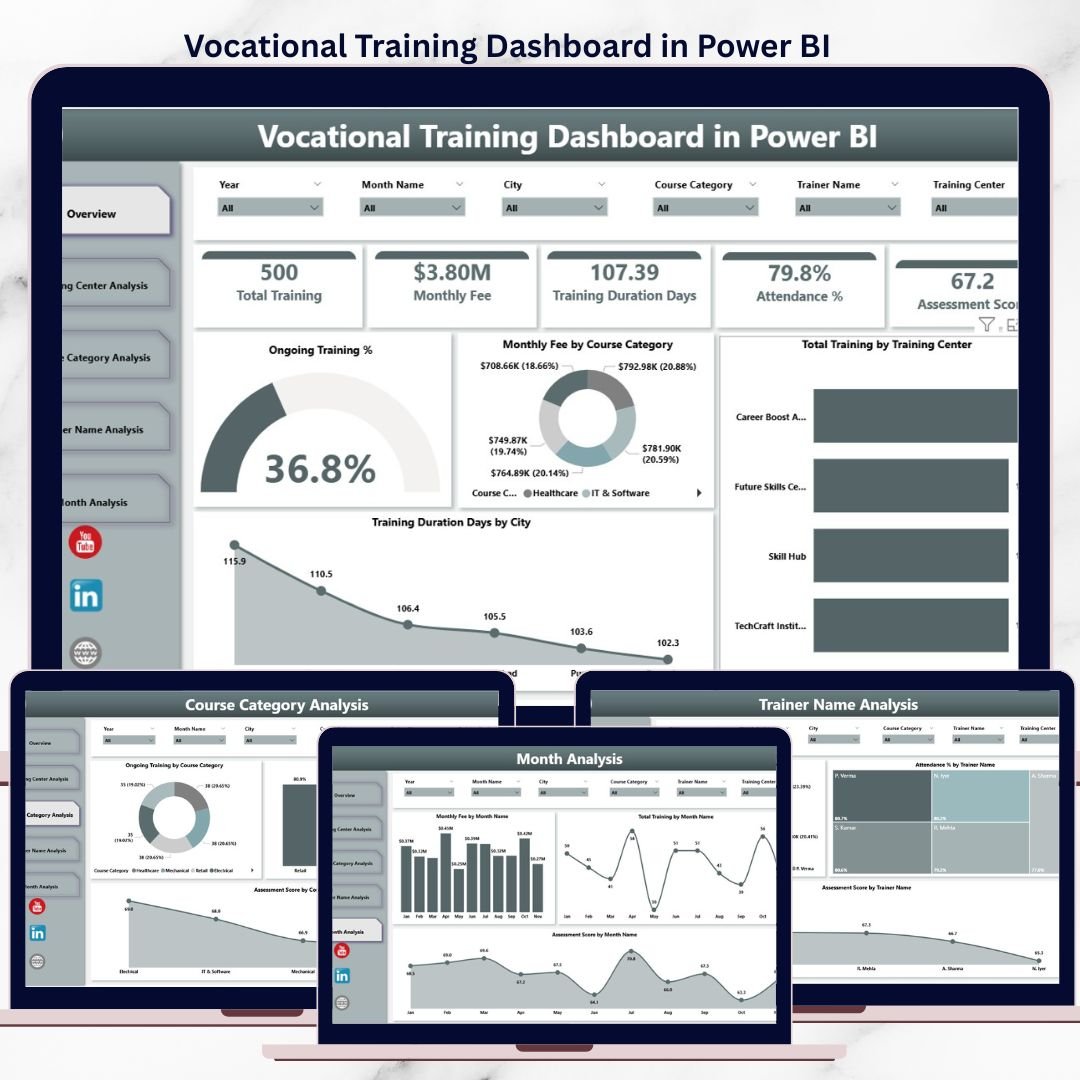
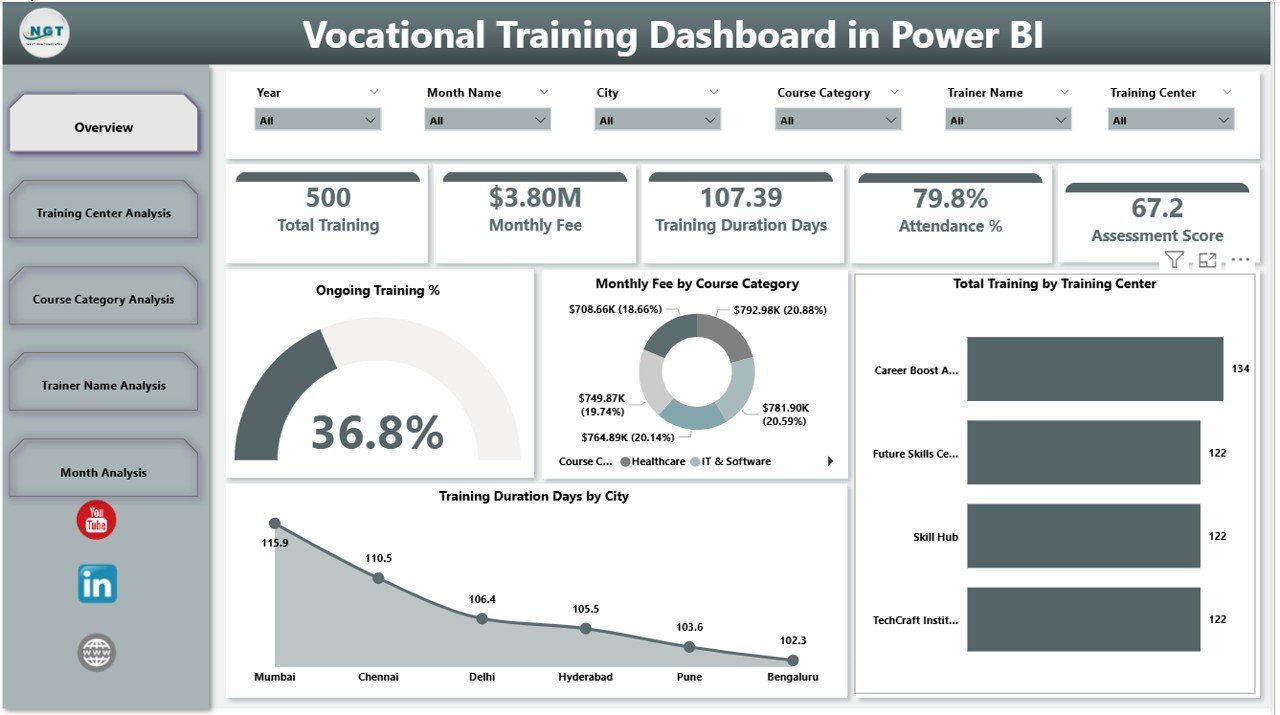
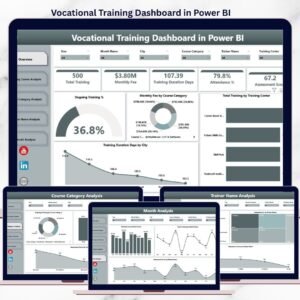
📊 Overview Page – Training Performance Snapshot
Vocational Training Dashboard
The Overview Page acts as the command center for leadership and management teams.
Key Insights Available:
Ongoing Training % – Track active training programs instantly
Monthly Fee by Course Category – Identify high-revenue programs
Total Training by Training Center – Compare center workload and output
Training Duration Days by City – Analyze regional training patterns
With interactive slicers, users filter data instantly by center, course, trainer, city, or month.
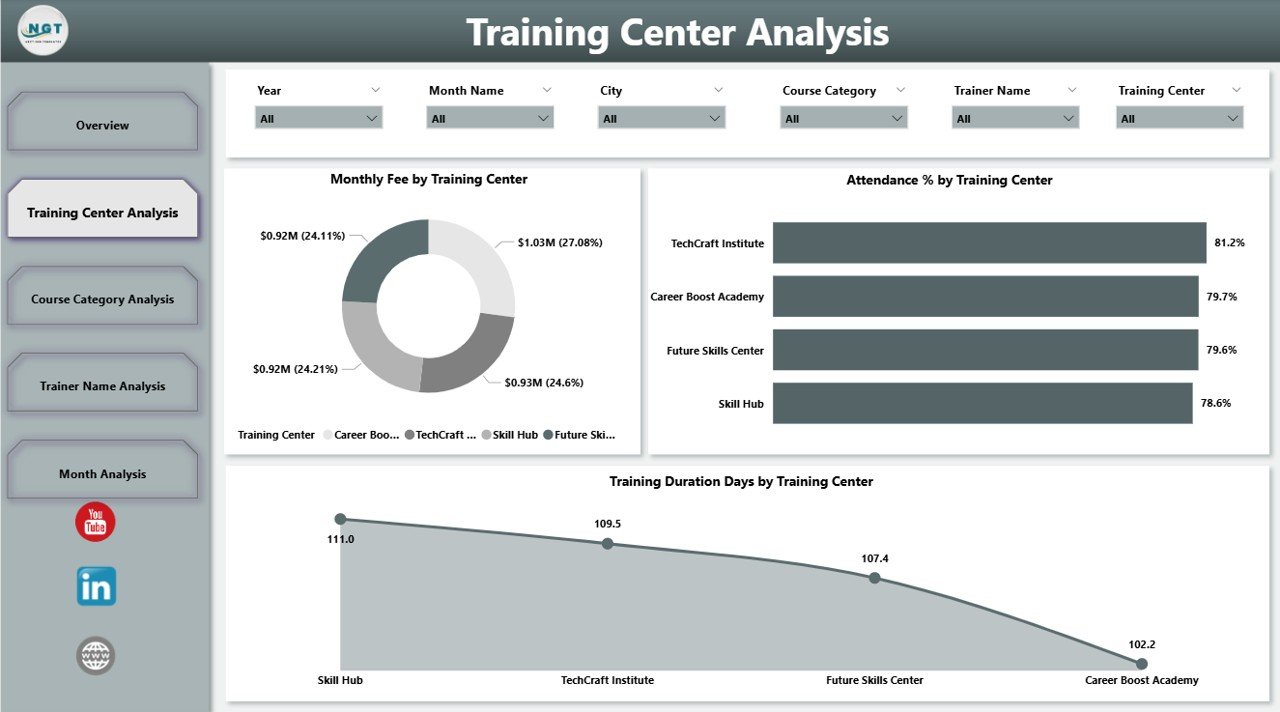
🏫 Training Center Analysis – Center-Wise Performance
This page focuses on operational efficiency across training centers.
Key Visuals:
Monthly Fee by Training Center
Attendance % by Training Center
Training Duration Days by Training Center
👉 Helps management balance resources, improve attendance, and optimize center operations.
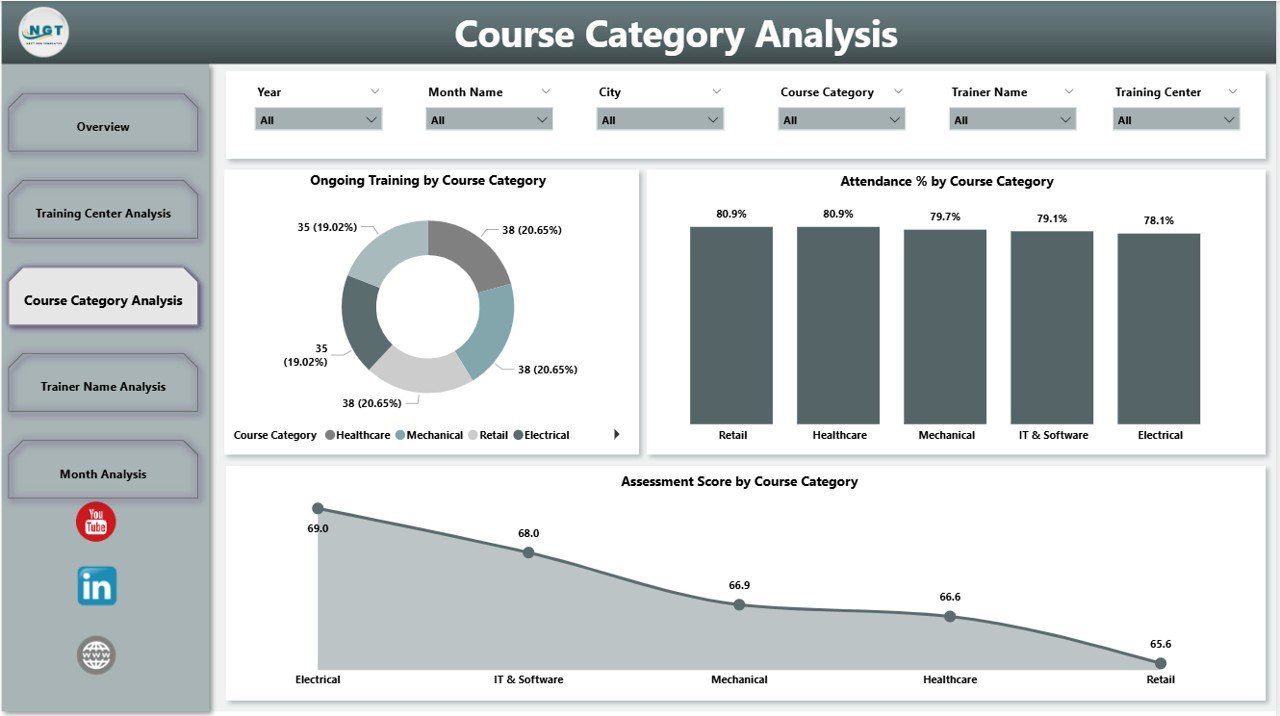
📚 Course Category Analysis – Program Effectiveness
Different courses deliver different outcomes. This page highlights those differences clearly.
Key Metrics:
Ongoing Training % by Course Category
Attendance % by Course Category
Assessment Score by Course Category
👉 Supports curriculum improvement, demand planning, and course optimization.
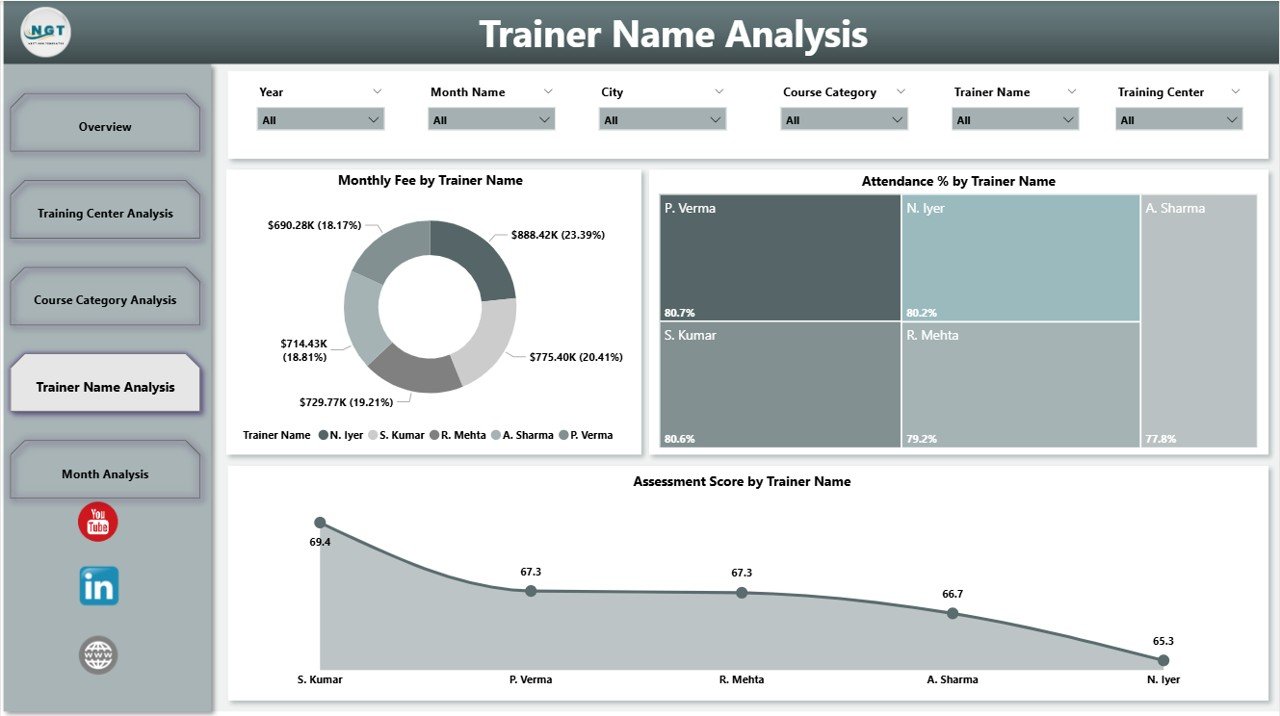
🧑🏫 Trainer Name Analysis – Trainer Performance Insights
Trainer quality directly impacts learner success.
Key Insights:
Monthly Fee by Trainer Name
Attendance % by Trainer Name
Assessment Score by Trainer Name
👉 Enables trainer recognition, performance improvement, and targeted coaching.
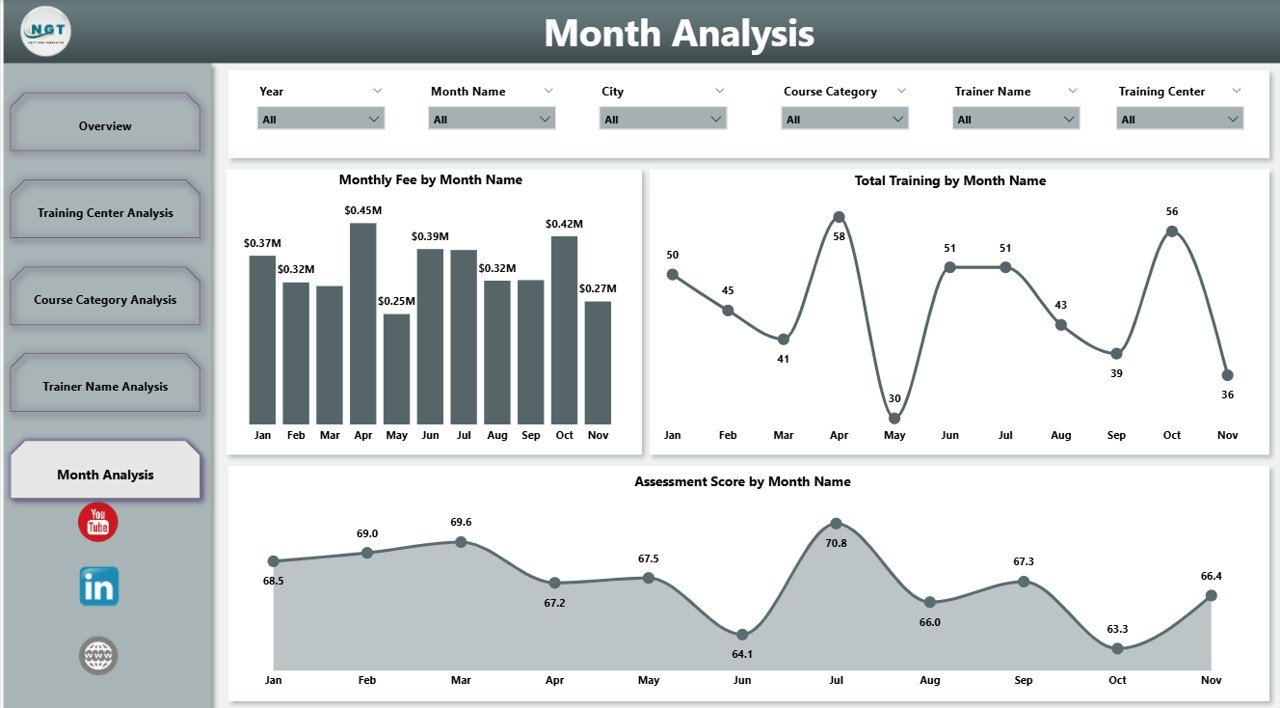
📆 Month Analysis – Trend & Growth Tracking
Time-based analysis supports long-term planning.
Key Trends:
Monthly Fee by Month
Attendance % by Month
Total Training by Month
👉 Helps institutes forecast demand, plan capacity, and improve financial stability.
⚙️ How to Use the Vocational Training Dashboard in Power BI
1️⃣ Connect training data from Excel or databases
2️⃣ Refresh data in Power BI
3️⃣ Use slicers to filter by center, course, trainer, or month
4️⃣ Analyze trends, gaps, and performance instantly
5️⃣ Take faster, smarter decisions
No advanced technical skills required.
🎯 Who Can Benefit from This Dashboard?
🏫 Vocational Training Institutes
🎓 Skill Development Centers
🏢 Corporate L&D Teams
🤝 NGOs & Government Training Programs
📊 Training Managers & Administrators
📈 Leadership & Decision-Makers
Perfect for single-center and multi-center training organizations.
### 👉 Click here to read the Detailed blog post
▶️ Visit our YouTube channel to learn step-by-step video tutorials
https://youtube.com/@PKAnExcelExpert
Watch the step-by-step video tutorial:
Compatibility and Requirements
- Works in Power BI Desktop, which is free to download. Microsoft explains how to get it in Get Power BI Desktop.
- You connect your own training data from Excel or a database, then refresh it in Power BI.
Frequently Asked Questions
Which pages are included?
Five pages: Overview, Training Center Analysis, Course Category Analysis, Trainer Name Analysis and Month Analysis.
Can I filter the data?
Yes. Interactive slicers filter by center, course, trainer, city or month.
What can I track by trainer?
The Trainer Name Analysis page shows monthly fee, attendance % and assessment score for each trainer.
Where does the data come from?
You connect your training data from Excel or a database and refresh it in Power BI. No advanced technical skills are needed.
Is there an Excel or Google Sheets version?
Yes. See the Vocational Training Dashboard in Excel and the Vocational Training Dashboard in Google Sheets.
Related Training Templates
- Vocational Training Dashboard in Excel: the same dashboard in Excel
- Vocational Training Dashboard in Google Sheets: the Google Sheets edition
- Training and Development Dashboard in Power BI: another Power BI view of training results
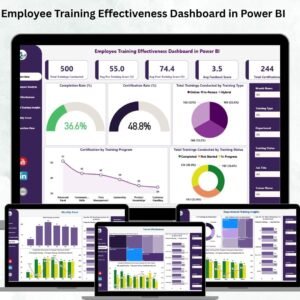
- Employee Training Effectiveness Dashboard in Power BI: tracks how well training works
- Power BI Dashboard Mega Collection: 15 Power BI templates in one download
Browse all Power BI dashboards.





















Reviews
There are no reviews yet.