

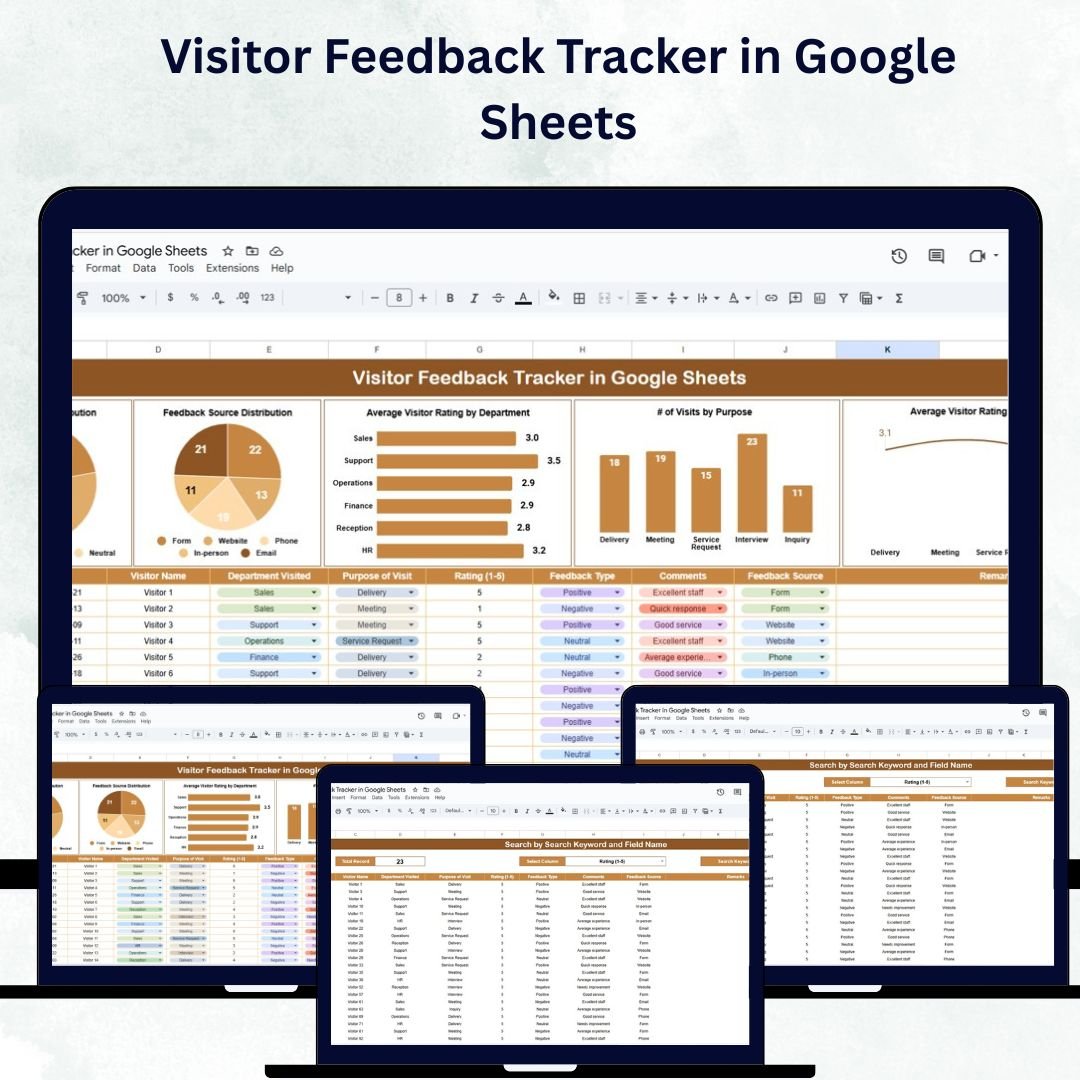

Understanding visitor feedback is the cornerstone of continuous improvement for any organization. The Visitor Feedback Tracker in Google Sheets is a ready-to-use, interactive solution designed to help you collect, monitor, and analyze visitor opinions effectively. 🌟
Whether you manage a museum, corporate office, healthcare facility, or government center, this tracker simplifies how you capture and act on feedback. With centralized data, visual charts, and instant search functionality, you can quickly identify areas that need attention, measure satisfaction, and take steps to improve the overall visitor experience. 🏢✨
🔑 Key Features of the Visitor Feedback Tracker
📋 1. Tracker Sheet Tab
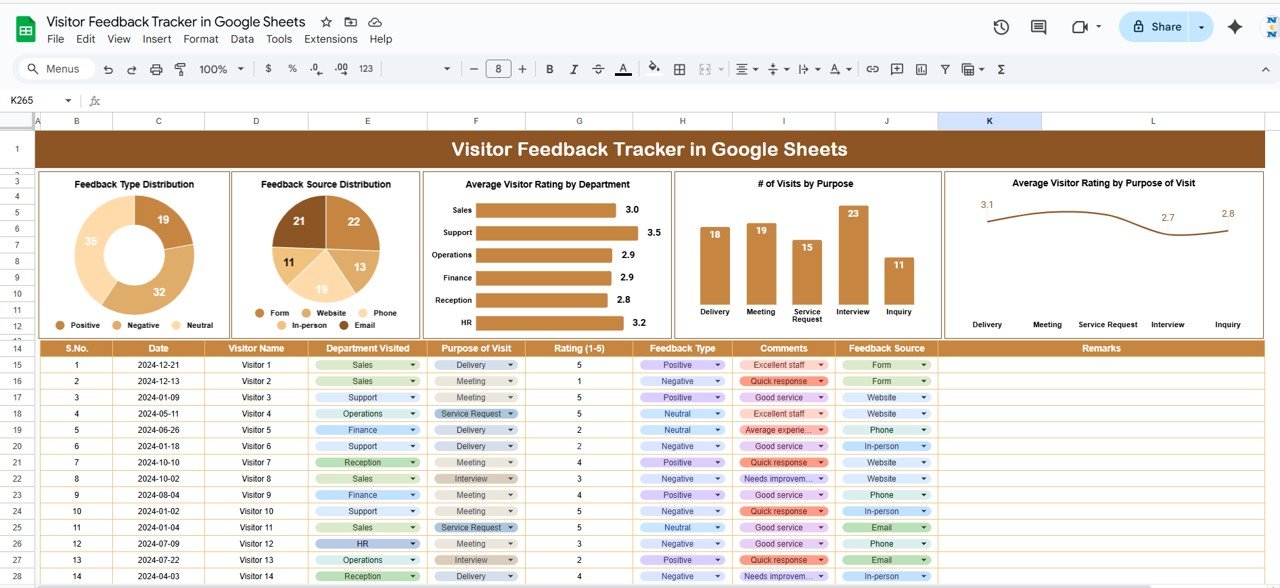
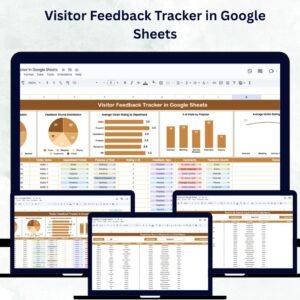
The Tracker Sheet provides a clear visual overview of all feedback records, turning raw responses into actionable insights.
Charts Include:
Feedback Type Distribution – View the percentage breakdown of feedback types such as Complaints, Suggestions, and Compliments.
Feedback Source Distribution – Analyze where feedback comes from: in-person, email, or website forms.
Average Visitor Rating by Department – Compare satisfaction levels across departments or service areas.
# of Visits by Purpose – Understand why visitors come (e.g., inquiries, appointments, or support).
Average Rating by Purpose of Visit – Evaluate how visitor satisfaction varies by visit type.
📊 These visuals help managers and administrators quickly identify strengths, weaknesses, and recurring issues to enhance service quality.
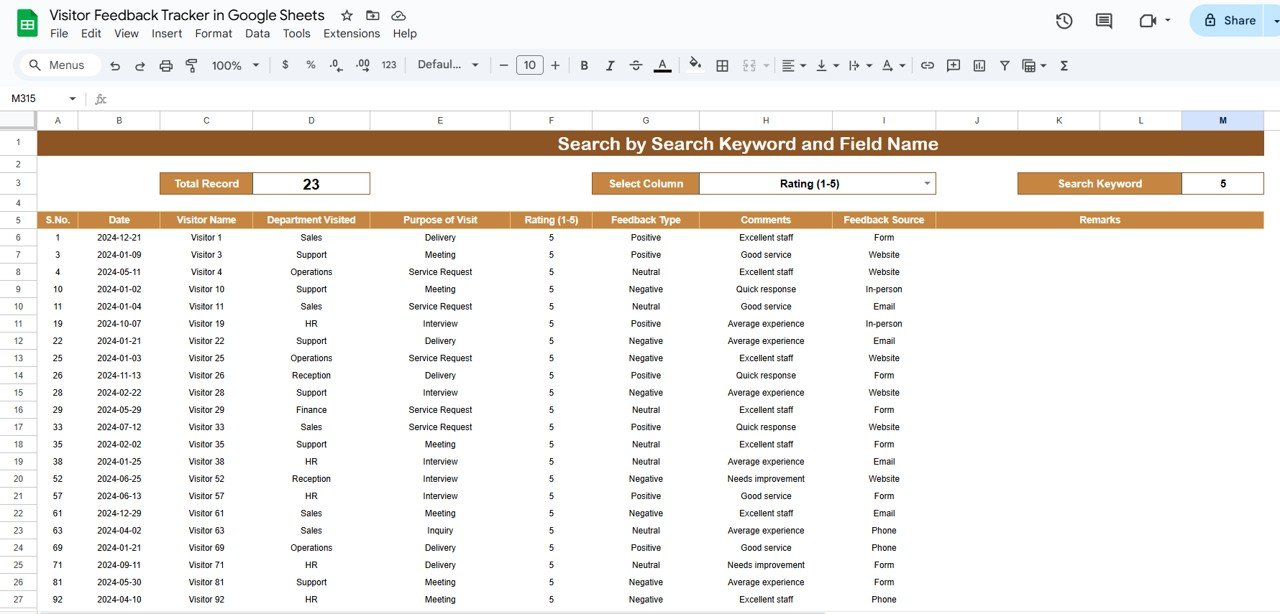
🔍 2. Search Sheet Tab
Searching for a specific comment or complaint has never been easier.
Search by Keyword or Field Name – Instantly locate feedback by visitor name, department, feedback type, or source.
Quick Retrieval – Access records for immediate follow-up or performance reviews.
⚡ This feature ensures no feedback goes unnoticed and enables timely responses to visitor concerns.
📦 What’s Inside the Tracker
✅ Tracker Sheet – Interactive visual dashboard for instant insights
✅ Search Sheet – Quick feedback lookup by keyword or field
✅ Pre-Filled Sample Data – Understand the structure and start tracking instantly
✅ Auto-Updating Charts – All visuals refresh as data is entered
✅ Customizable Fields – Add or modify categories to fit your organization’s needs
🧑💼 Who Can Benefit from This Tracker
🎯 Facility Managers – Monitor feedback from different service areas and departments
🎯 Customer Experience Teams – Analyze trends to improve visitor engagement
🎯 HR & Administration – Ensure front-office efficiency and visitor satisfaction
🎯 Event Organizers – Collect feedback from attendees to refine future events
🎯 Hospitals, Museums & Offices – Centralize all visitor responses for quality improvement
🧪 How to Use the Visitor Feedback Tracker
Enter Feedback Data: Record each visitor’s feedback in the data section.
Analyze Insights: Review the visual charts for satisfaction and visit trends.
Search Records: Use the Search Sheet to locate specific comments quickly.
Identify Issues: Find departments or purposes with lower satisfaction scores.
Act on Feedback: Share insights with staff and take corrective action.
💡 Within minutes, you’ll have a complete feedback analysis system that ensures no visitor opinion is ignored.
🌟 Why Choose This Tracker
🧾 Centralized feedback system – Manage all feedback in one location
📊 Real-time visual dashboards – Automatic updates as new feedback is entered
🕵️ Quick search and retrieval – Filter data to find what matters most
💬 Data-driven decision making – Identify areas for improvement instantly
⚙️ Fully customizable – Adapt categories, charts, and layouts easily
🌍 Collaborative Google Sheets environment – Multiple users can update in real time
The Visitor Feedback Tracker in Google Sheets empowers organizations to enhance service quality, improve operational efficiency, and build lasting relationships with their visitors. 🌟
🔗 Click here to read the Detailed blog post
Watch the step-by-step video Demo:
🔗 Visit our YouTube channel to learn step-by-step video tutorials
Compatibility and Requirements
- Works in Google Sheets. You need a free Google account and a web browser.
- Several people can update the same sheet at the same time. Google explains how the charts are built in Add and edit a chart or graph.
Frequently Asked Questions
Which sheets are included?
Two sheets: the Tracker Sheet with the charts, and the Search Sheet for finding feedback records. Sample data is pre-filled so you can see how the structure works.
Which charts does the Tracker Sheet show?
Feedback Type Distribution, Feedback Source Distribution, Average Visitor Rating by Department, # of Visits by Purpose and Average Rating by Purpose of Visit.
How do I find a specific comment?
Open the Search Sheet and search by keyword or field name, such as visitor name, department, feedback type or source.
Do the charts update when I add feedback?
Yes. The charts refresh as you enter new data, so you do not need to rebuild them.
Is there an Excel version?
Yes. See the Visitor Feedback Tracker in Excel.
Related Feedback and Visitor Templates
- Visitor Feedback Tracker in Excel: the same tracker for Excel
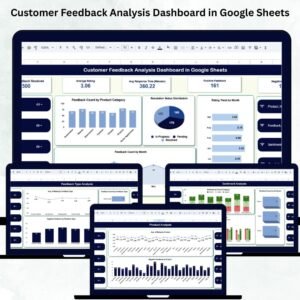
- Customer Feedback Analysis Dashboard in Google Sheets: a dashboard view of customer feedback
- Customer Service Quality Feedback Tracker in Google Sheets: feedback on service quality
- Office Visitor Request Tracker in Google Sheets: log what visitors ask for
- Supplier Feedback Tracker in Google Sheets: the same approach for suppliers
Browse all Google Sheets trackers.


























Reviews
There are no reviews yet.