



Keeping your vendor records up to date is essential for smooth procurement, compliance, and supply chain management. The Vendor Registration Tracker in Google Sheets is a ready-to-use, smartly designed template that enables you to track vendor details, registration statuses, and critical trends — all in one place.
Whether you’re managing a handful of suppliers or a global network of service providers, this template helps you streamline your registration process, stay compliant, and make informed decisions based on real-time vendor data.

✨ Key Features of the Vendor Registration Tracker Template
📊 Interactive Dashboard with Charts
Visualize vendor insights with dynamic charts including:
Vendor Count by Industry Type
Vendor Count by Status (Active, Inactive, Pending)
Vendor Count by State and Country
Vendor Count by Company
Vendor Registrations by Month
📝 Comprehensive Data Section
Capture key vendor information in one place:
Company Name
Industry Type
Registration Date
Contact Person
Email & Phone
Country & State
Active Status (Yes/No)
Remarks for additional notes
📁 Single Sheet Simplicity
All charts and data management are contained within one sheet, making it incredibly easy to update, navigate, and maintain.
📌 Benefits of Using This Vendor Registration Tracker
✅ Centralized Vendor Management
Track every vendor’s status, contact info, and registration details in one consolidated dashboard.
✅ Real-Time Data Updates
Any time you add or update vendor records, charts auto-refresh to reflect the changes — no need for manual recalculations.
✅ Trend Analysis with Monthly Registrations
Track how many vendors were onboarded month by month and spot patterns to optimize future outreach.
✅ Customizable for Any Business Size or Industry
Add new columns or KPIs such as vendor ratings, service categories, or onboarding documents — fully adaptable.
✅ Built-in Filters for Fast Sorting
Use Google Sheets’ filter views to isolate vendors by status, country, or industry, instantly.
🔧 How to Use the Vendor Registration Tracker
🧾 Enter all vendor details in the Data Section
✅ Mark each vendor as Active, Inactive, or Pending
🌍 Assign each vendor’s Country, State, and Industry Type
📈 Review the dashboard charts to analyze your vendor landscape
✍️ Use the Remarks column to track pending documents or special agreements
Need to track vendors by performance or contract value? Simply add new columns and link them to additional visual charts.
🧑💼 Who Is This For?
Perfect for:
✅ Procurement Teams
✅ Vendor Management Specialists
✅ Facility or Plant Managers
✅ Admins in Large Enterprises
✅ Startups tracking new vendor onboarding
✅ NGOs and Government Departments
Whether you’re working locally or across borders, this template gives your team the structure and visibility they need.
🏆 Why Customers Love It
📌 Zero Learning Curve – Easy to update and manage
📉 Eliminates Manual Tracking – Charts and insights auto-generate
🌐 Works Anywhere – Google Sheets cloud-accessible
🔐 Secure & Shareable – Collaborate with teams instantly
🛠️ No Add-ons Required – Works right out of the box
Read the detailed blog post
Watch the step-by-step video Demo:
🎥 Watch the step-by-step tutorial on our YouTube Channel
What’s Included
- One Google Sheets tab that holds both the vendor data section and the dashboard charts
- Data fields for company name, industry type, registration date, contact person, email and phone, country and state, active status and remarks
- Charts for vendor count by industry type, by status, by state and country and by company, plus registrations by month
Compatibility and Requirements
- Works in Google Sheets with a free Google account and a web browser.
- Make a copy to your own Google Drive, then share it with your team if you want to work on it together.
- New to Sheets? Google’s guide How to use Google Sheets covers the basics.
- Google’s guide Add & edit a chart or graph explains how to change or add charts.
Frequently Asked Questions
What vendor details does the tracker store?
Company name, industry type, registration date, contact person, email and phone, country and state, active status and remarks.
Which statuses can I use?
Active, Inactive and Pending.
Do the charts update on their own?
Yes. When you add or edit a vendor record, the charts refresh to show the change.
Can I add more fields?
Yes. You can add columns such as vendor ratings, service categories or onboarding documents, and link them to new charts.
Related Vendor Templates
- Vendor Registration Tracker in Excel: the same tracker in Excel
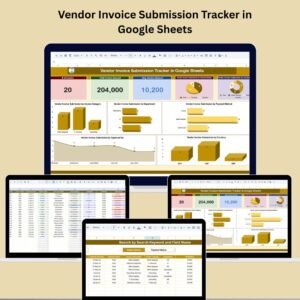
- Vendor Invoice Submission Tracker in Google Sheets: follow vendor invoices
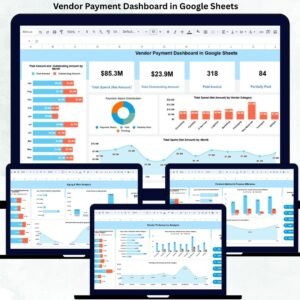
- Vendor Payment Dashboard in Google Sheets: see what you pay each vendor
- Supplier Feedback Tracker in Google Sheets: record feedback on suppliers
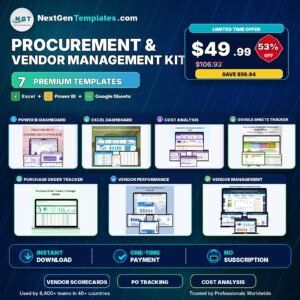
- Procurement and Vendor Management Kit: 7 procurement templates in one bundle
Browse all Google Sheets tracker templates.

Reviews
There are no reviews yet.