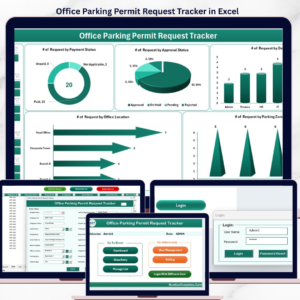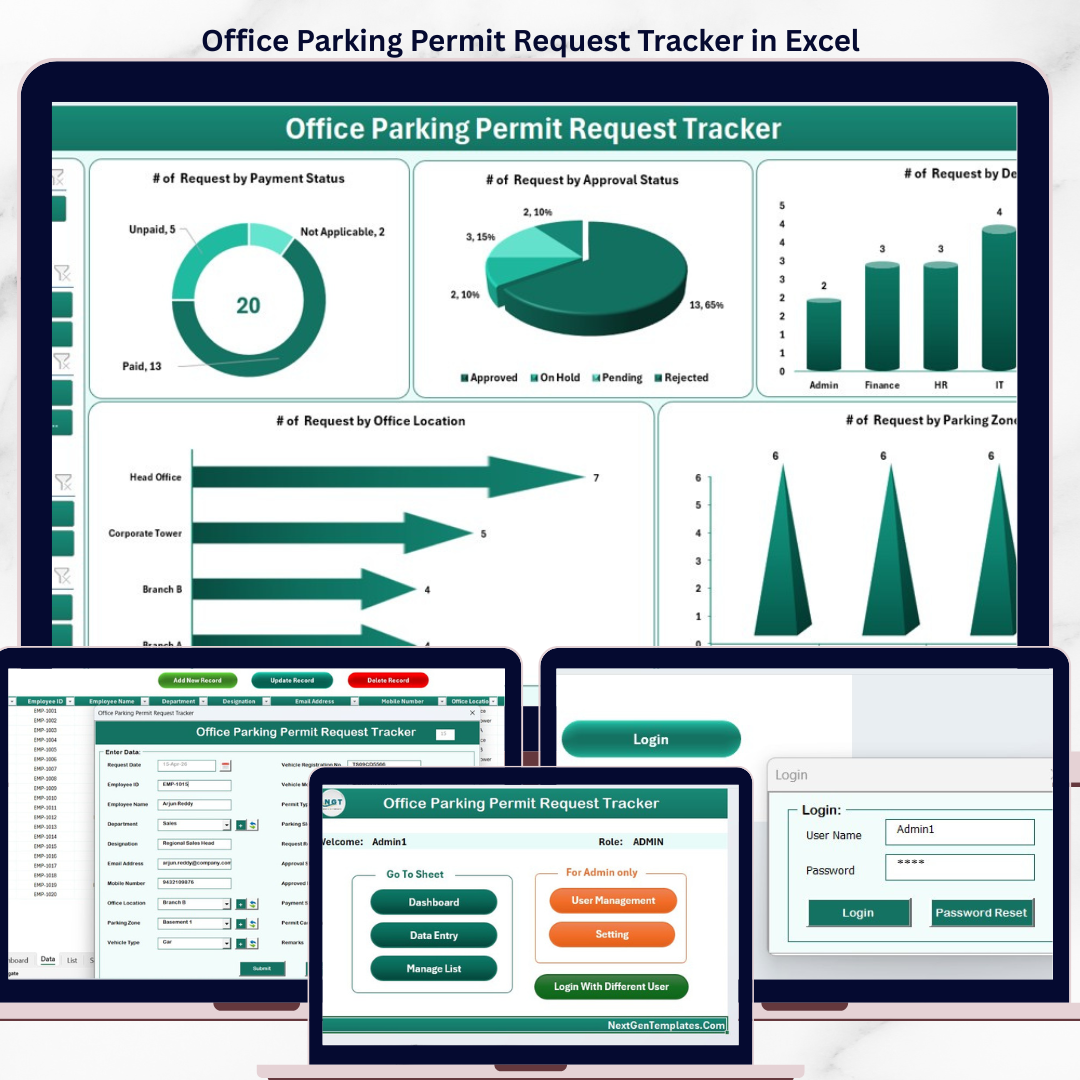
The Office Parking Permit Request Tracker in Excel manages parking permit requests across 8 purpose-built worksheets, with a password-protected Login Form, a VBA-powered Data Entry form (Add / Update / Delete), a Dashboard page with 4 slicers and 5 auto-refreshing charts, plus a dedicated User Management sheet. Replace the sample records and every KPI, chart, and filter updates in under 10 minutes.
🌍 Join 8,400+ teams in 40+ countries using NextGenTemplates to replace paid facility-management SaaS with one-time-purchase Excel Dashboard Templates, Google Sheets, Power BI, and HTML templates.
✅ Instant download · One-time payment · No subscription · No per-user fees · Lifetime access
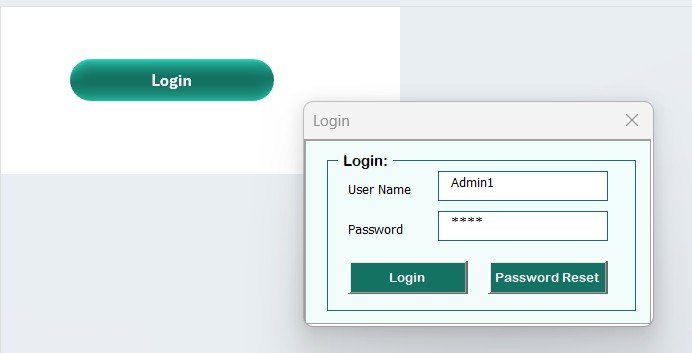
Office Parking Permit Request Tracker in Excel — Login Form
🔑 Key Features of the Office Parking Permit Request Tracker in Excel
🔹 8 integrated worksheets — Login Form, Home Page, Dashboard, Data Sheet, List Sheet, Support Sheet, Settings Sheet, and User Management Sheet — all linked through VBA code and structured references so new permit requests flow automatically into the dashboard.
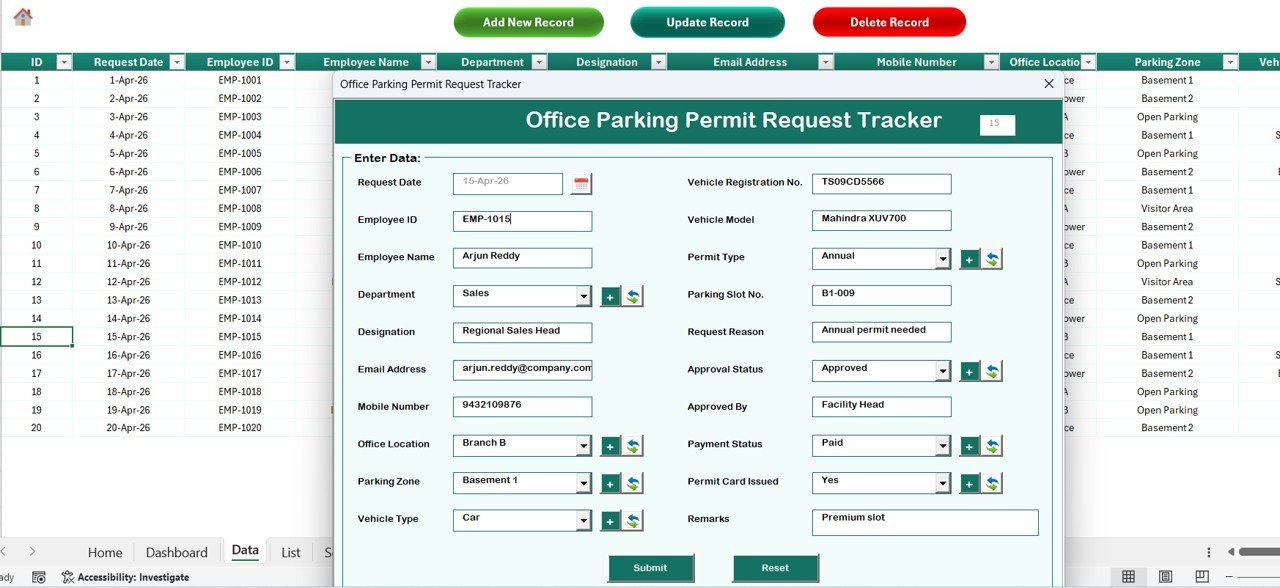
🔹 VBA-driven Data Entry form with three action buttons on the Data Sheet — Add New Record, Update Record, and Delete Record. Click any Permit ID and update or delete it in two clicks; no manual row editing required.
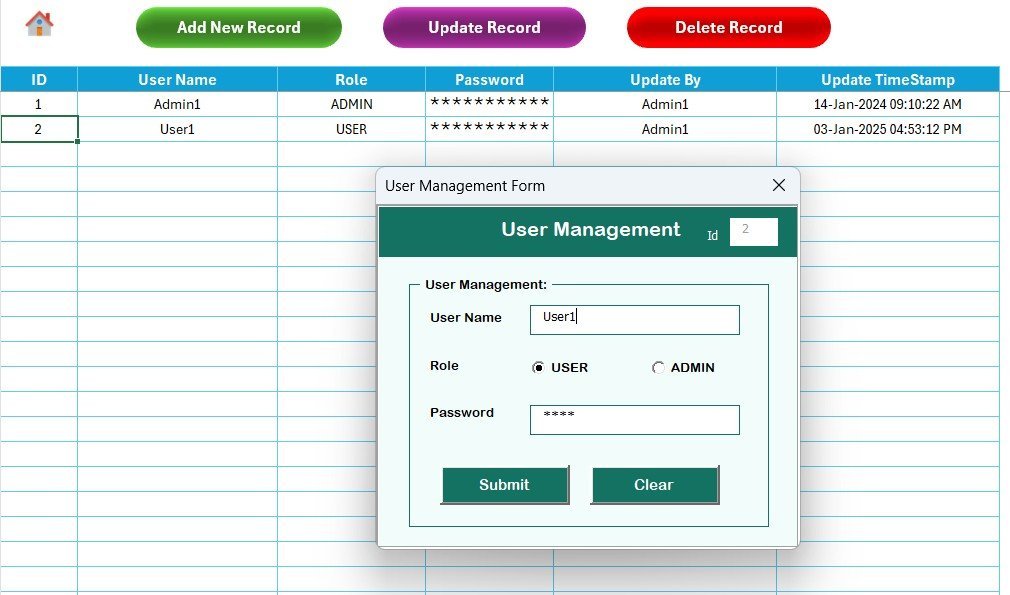
🔹 Login-protected access with a dedicated User Management sheet where you assign usernames, passwords, and roles. Stops casual viewing of sensitive vehicle and employee permit data.
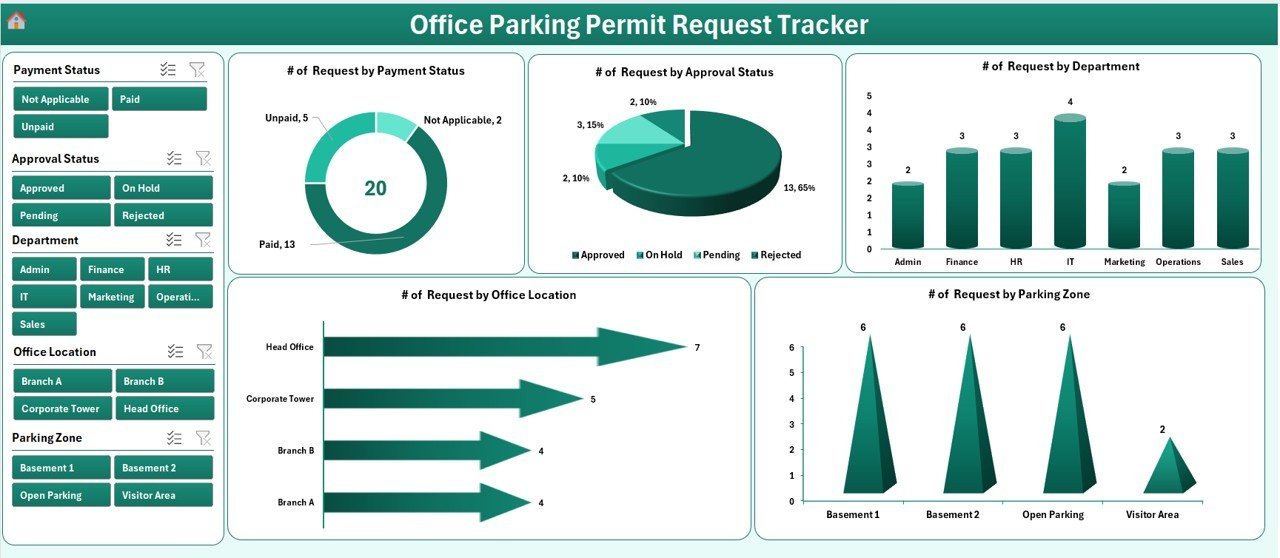
🔹 Interactive Dashboard with 4 slicers and 5 charts — slice permit data by Department, Permit Type, Status, and Vehicle Type. All 5 charts auto-refresh the moment you submit a new request through the form.
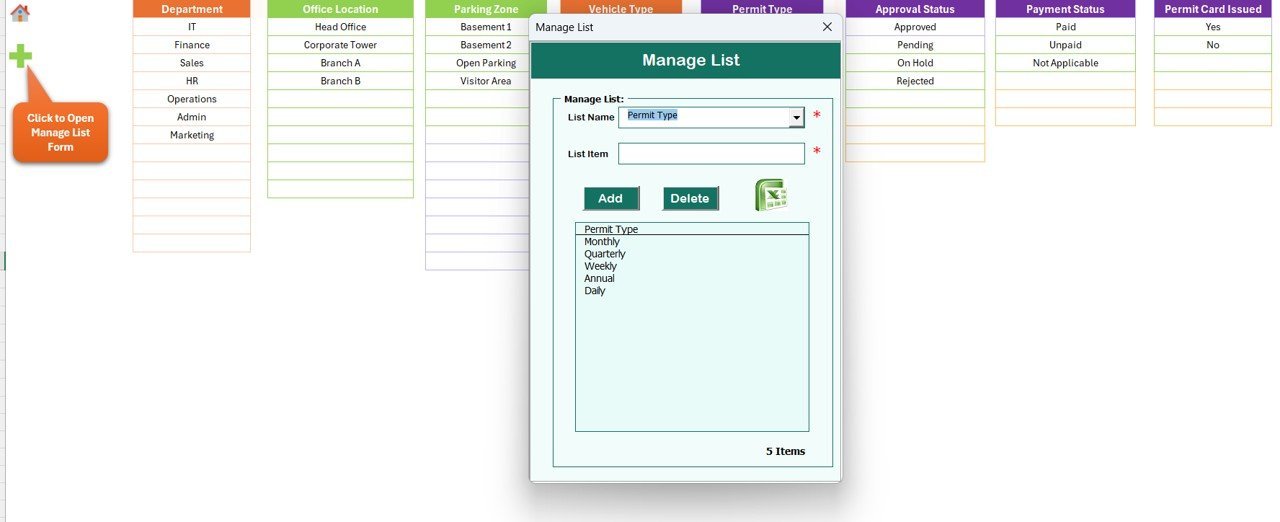
🔹 Dropdown-driven entry — the List Sheet feeds every combo box on the data entry form (Departments, Permit Types, Status values, Vehicle Types). Add a new value to the List Sheet and it appears in the form immediately.
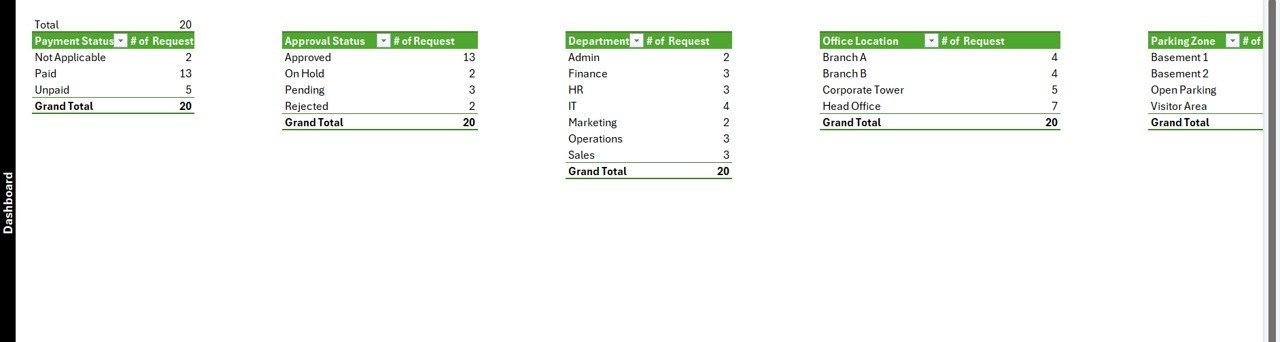
🔹 Hidden Support Sheet with pivot tables that power the dashboard charts — you never touch it. Hide it for end users so they only interact with the front-end pages.
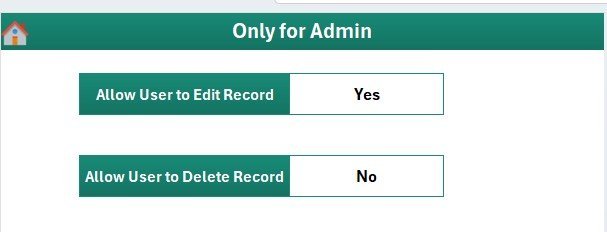
🔹 Settings Sheet for organisation logo, contact details, and approval workflow notes. Personalise the workbook in under 2 minutes.
🔹 Works in Excel 2016, 2019, 2021, and Microsoft 365 on Windows. VBA macros required — Mac compatibility is limited because of UserForm rendering differences.
📦 What’s Inside the Office Parking Permit Request Tracker in Excel
The workbook contains 8 sheets organised in the order users navigate them:
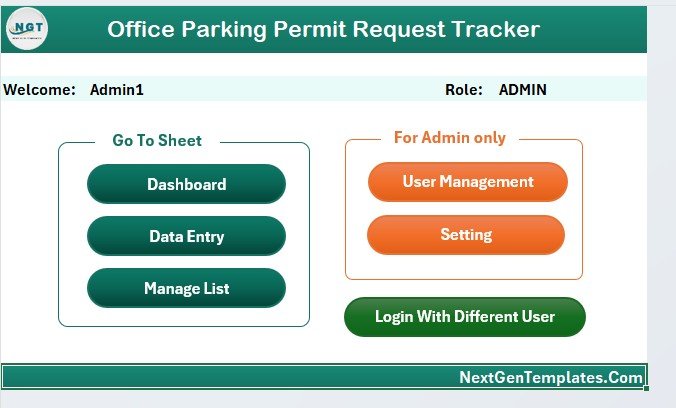
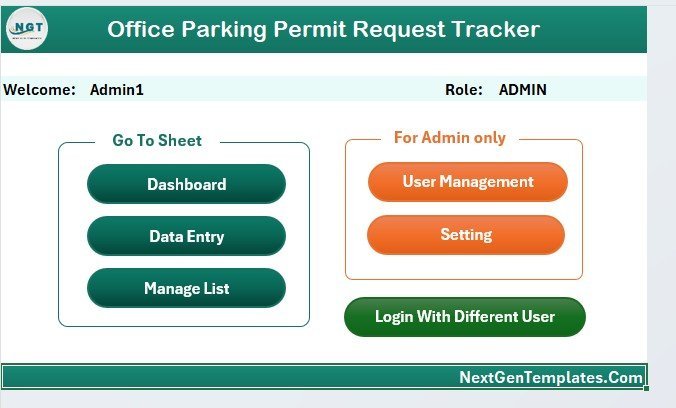
Home Page — central navigation hub
🔹 1. Login Form — entry-point password screen. Validates against the User Management sheet before opening the workbook.
🔹 2. Home Page — central navigation with one-click buttons to every sheet. The first thing users see after logging in.
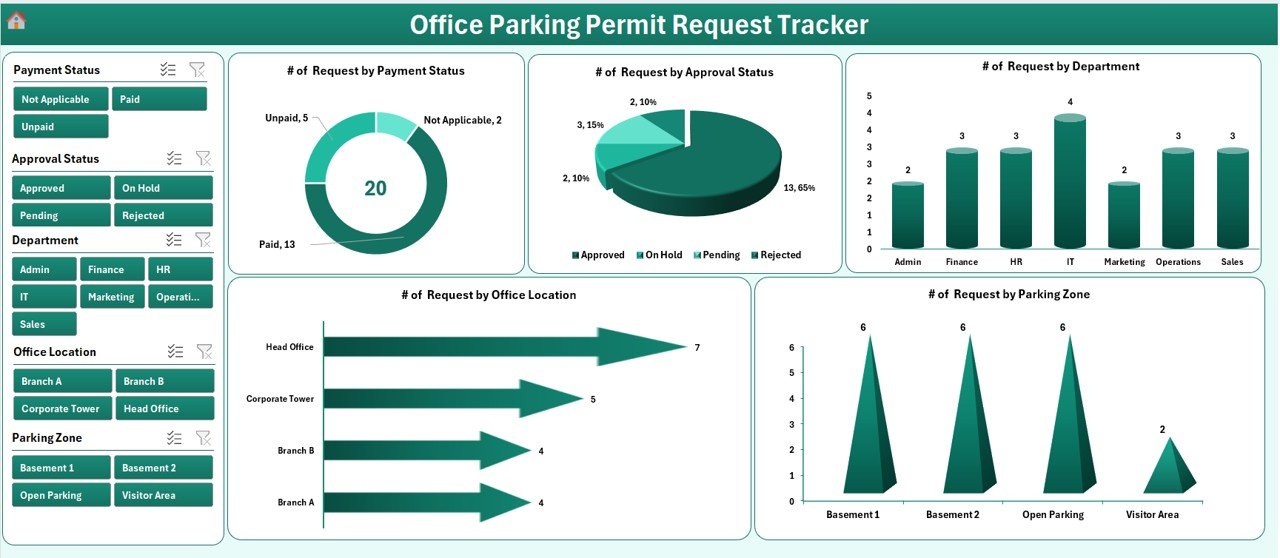
Dashboard with 4 slicers and 5 auto-refresh charts
🔹 3. Dashboard — KPI summary plus 4 slicers (Department, Permit Type, Status, Vehicle Type) and 5 charts visualising request volume, approval rate, permit-type mix, status distribution, and department-wise breakdown.
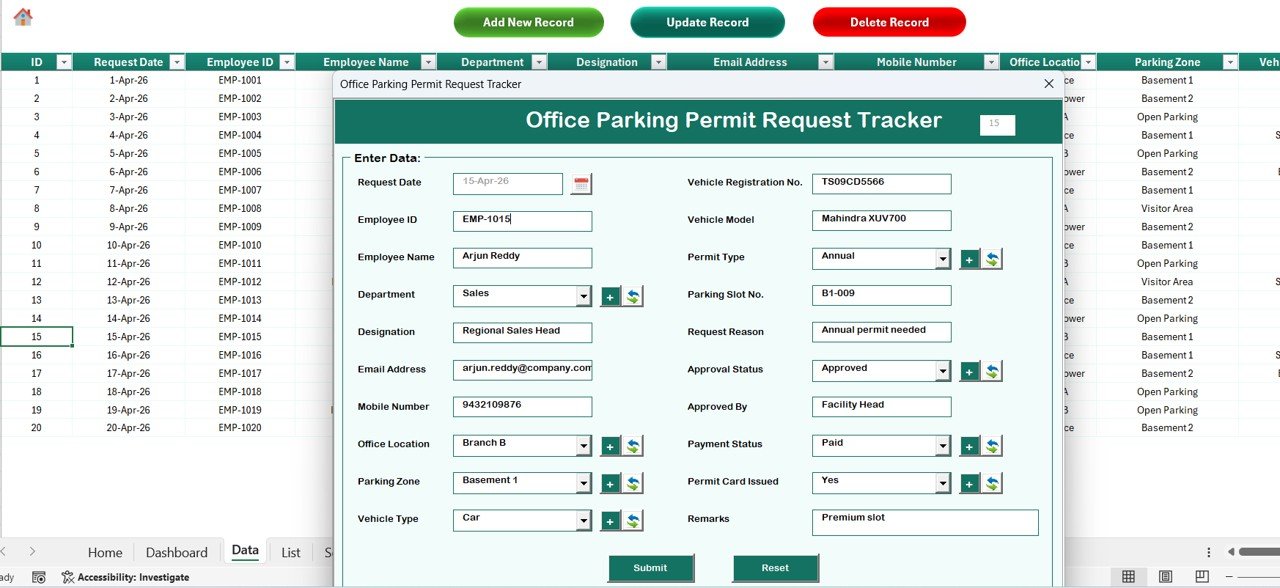
Data Sheet — Add / Update / Delete buttons drive the VBA UserForm
🔹 4. Data Sheet — the master record table with Add New Record, Update Record, and Delete Record buttons that launch the VBA Data Entry form.
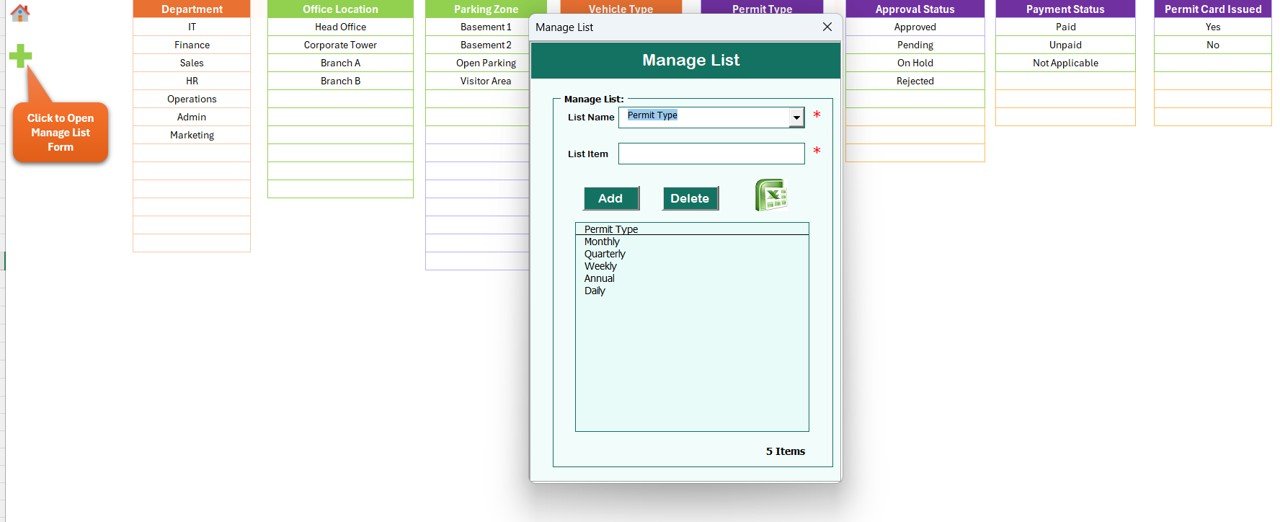
VBA Data Entry Form — used for Add, Update, and Delete operations
🔹 5. List Sheet — single source of truth for every dropdown value used inside the Data Entry form combo boxes.
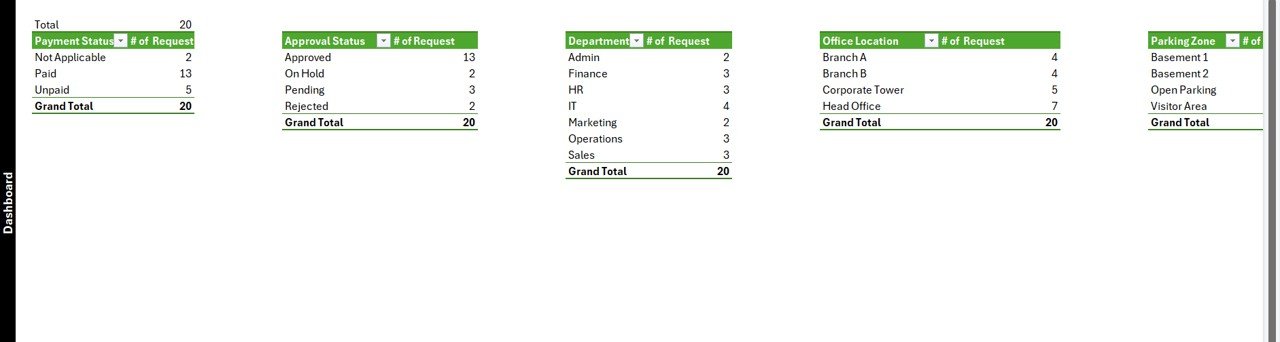
List Sheet — feeds every combo box in the form
🔹 6. Support Sheet — hidden pivot tables that drive the dashboard charts. No user interaction needed.
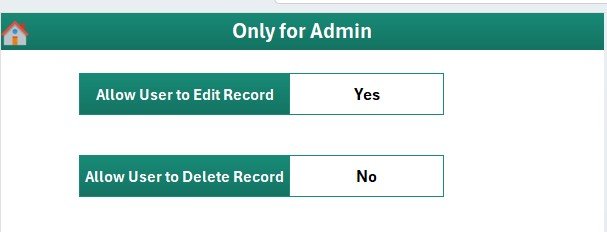
Settings Sheet — branding and workflow configuration
🔹 7. Settings Sheet — branding, contact details, and approval-workflow notes.
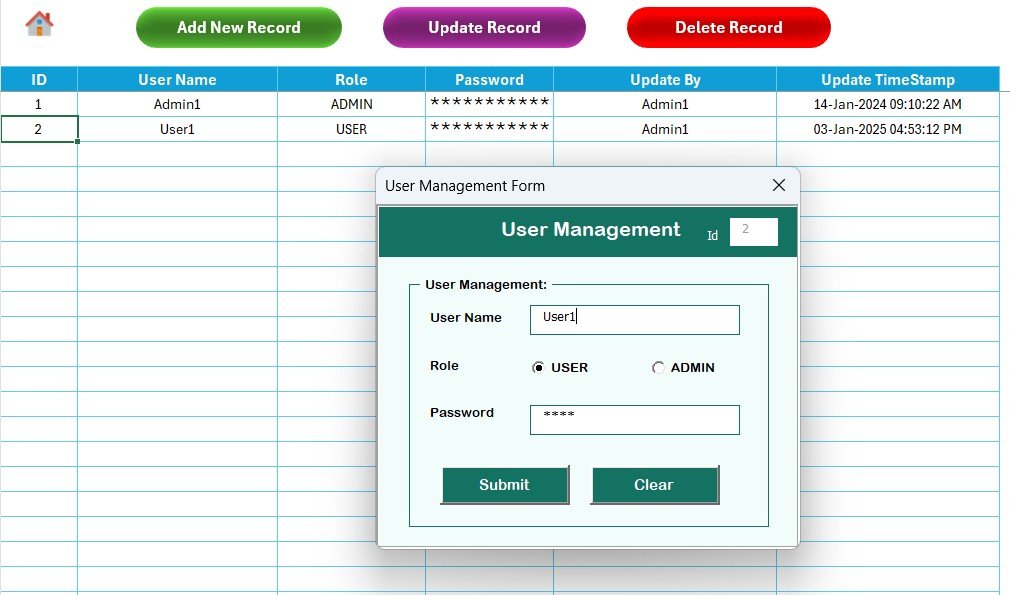
User Management Sheet — usernames, passwords, and roles
🔹 8. User Management Sheet — define users, passwords, and access roles. Add or remove users without touching VBA code.
📊 Office Parking Permit Request Tracker vs. Google Sheets Equivalent vs. Paid Facility-Management SaaS — Where This Fits
| Feature | Office Parking Permit Request Tracker in Excel | Google Sheets equivalent | Paid SaaS (e.g., Wayleadr / ParkOffice / SpotHero Business) |
|---|---|---|---|
| Cost | $6.99 one-time ✅ | $6.99 one-time | $3–$8 per stall per month ($1,800–$4,800/yr at 50 stalls) |
| Platform | Microsoft Excel (offline, works without internet) ✅ | Google Sheets (browser-only) | Cloud SaaS — vendor lock-in |
| Setup time | Under 10 minutes ✅ | Under 10 minutes | 2–6 weeks (vendor onboarding + training) |
| VBA Data Entry form (Add/Update/Delete) | Yes — built-in UserForm ✅ | Apps Script form simulation | Yes (web form) |
| Login + role-based access | Yes — User Management sheet ✅ | Sheet protection only | Yes (SSO / SOC 2) |
| Slicer-driven dashboard | 4 slicers, 5 charts, auto-refresh ✅ | Pivot filter views | Pre-built dashboards |
| Customisable fields | Fully editable — own your code ✅ | Fully editable | Vendor-controlled fields |
| Year-1 cost at 50 parking stalls | $6.99 ✅ | $6.99 | $1,800 – $4,800 |
| Mobile access | Excel mobile (read mostly) | Yes (browser + mobile app) ✅ | Yes (native app) |
For office managers who want a slicer-driven parking permit workflow without a per-stall subscription, the Office Parking Permit Request Tracker in Excel sits in the sweet spot — VBA login, Add/Update/Delete UserForm, and an interactive dashboard for the price of a single SaaS day pass.
👥 Who This Template Is For — and Who It’s Not For
✅ This template is built for:
- Office managers and admin teams at companies with 20–500 employees managing on-site parking permits
- Facilities coordinators tracking permit issuance, renewals, and visitor parking requests
- HR / Operations leads who want a login-protected request log without buying a parking-management SaaS subscription
- Coworking spaces and shared offices that need to allocate limited stalls fairly across tenants
- Property managers handling parking permit applications across multiple buildings or sites
❌ This template is NOT for:
- Enterprise teams that require SOC 2 compliance, SSO, or audit-trail logs across 1,000+ stalls
- Public car parks needing real-time gate-barrier integration or automatic licence-plate recognition
- Mac-only users — the VBA UserForm features depend on Windows Excel
- Anyone who needs a mobile-first end-user experience for permit holders to apply on their phones
⚙️ How to Use the Office Parking Permit Request Tracker in Excel
- Download and unzip the file, then open the .xlsm workbook in Microsoft Excel and click “Enable Macros” when prompted.
- Set up users on the User Management sheet — add usernames, passwords, and roles for each person who will access the tracker.
- Customise dropdowns on the List Sheet — enter your own Departments, Permit Types, Status values, and Vehicle Types.
- Brand the Settings sheet with your organisation name, logo path, and approval-workflow notes.
- Log in through the Login Form to reach the Home Page, then open the Data Sheet and click “Add New Record” to enter your first permit request.
- Track and analyse — open the Dashboard, slice by Department or Status, and review the 5 charts that update in real time as new requests are added.
💼 Real-World Use Cases
Aanya runs admin at a 120-person tech company in Bengaluru. Their building has 45 reserved stalls and 200+ employees who alternate between on-site and hybrid days. She uses the Office Parking Permit Request Tracker in Excel to log every permit request, approve or reject through the Status field, and present a monthly stalls-utilisation chart to facilities — without buying a $4,000/year parking-management SaaS.
Marco manages a coworking space in Lisbon with 80 members and 18 underground stalls. He uses the tracker to allocate weekly permits fairly, slice by member tier, and renew permits monthly through the Update Record button. The dashboard lets him show landlord reports proving stall utilisation in under 30 seconds.
Priya is the HR-Ops lead at a 60-person creative agency in Mumbai. She uses the User Management sheet to give the front-desk team read-only access while keeping edit rights with herself. The slicer-driven dashboard helps her reply to permit-renewal queries in Slack with screenshots in under a minute.
❓ Frequently Asked Questions
What sheets are included in the Office Parking Permit Request Tracker in Excel?
The Office Parking Permit Request Tracker in Excel includes 8 sheets — Login Form, Home Page, Dashboard, Data Sheet, List Sheet, Support Sheet, Settings Sheet, and User Management Sheet — all wired together through VBA so adding a record updates the dashboard automatically.
How does the VBA Data Entry form work in this tracker?
Three buttons on the Data Sheet — Add, Update, Delete — open the same UserForm. Add inserts a new permit request; Update prefills the form when you click an existing Permit ID; Delete confirms before removing the row. No manual data entry on the sheet itself.
How long does setup take for the Office Parking Permit Request Tracker?
Setup of the Office Parking Permit Request Tracker in Excel takes under 10 minutes — open the file, enable macros, edit the List Sheet dropdowns, configure users on the User Management sheet, and personalise the Settings sheet. The Dashboard works without any further configuration.
How does this compare to paid parking-management SaaS like Wayleadr or ParkOffice?
Paid parking-management SaaS typically costs $3–$8 per stall per month — about $1,800 to $4,800 per year for 50 stalls. The Office Parking Permit Request Tracker in Excel is $6.99 one-time with no recurring fees, no per-user pricing, and full ownership of your code and data.
Does the Office Parking Permit Request Tracker work on Mac?
The Office Parking Permit Request Tracker uses VBA UserForms which render reliably only in Excel for Windows (2016, 2019, 2021, Microsoft 365). Mac Excel does not fully support UserForm controls, so we recommend Windows. The Google Sheets equivalent works on any device.
Can I add custom fields and dropdowns to the tracker?
Yes. All combo-box values come from the List Sheet, so adding a new Department, Permit Type, Vehicle Type, or Status takes one row. For new fields, edit the UserForm in the VBA editor — full source code is included and unprotected.
Is the Office Parking Permit Request Tracker a one-time purchase?
Yes. The Office Parking Permit Request Tracker in Excel is $6.99 one-time, instant download, no subscription, no per-user fees, and lifetime access. You also get free updates whenever the template is revised.
👤 About the Author
Built by PK — Microsoft Certified Professional with 15+ years of Excel, Google Sheets, and Power BI experience. Founder of NextGenTemplates, reaching 300K+ subscribers across YouTube channels (@PK-AnExcelExpert, @NextGenTemplates, @NeoTechNavigators). Every template is hand-built and tested before release.
🔗 Explore Related Templates
🔹 Also available as: Office Parking Permit Request Tracker in Google Sheets — same architecture, browser-based, mobile-friendly.
🔹 Equipment Borrowing Request Tracker in Excel — same VBA login + UserForm + slicer dashboard pattern, applied to equipment requests.
🔹 Resource Booking Tracker in Excel — sister template for booking meeting rooms, desks, and shared assets.
🔹 Training Material Request Tracker in Excel — track training-material requests with the same login-protected workflow.
🔹 Browse all Excel Tracker Templates on NextGenTemplates.
📖 Click here to read the Detailed Blog Post
🎥 Visit our YouTube channel for step-by-step video tutorials
👉 YouTube.com/@NextGenTemplates