



The Vehicle Maintenance Checklist in Excel is an essential tool designed to help vehicle owners, fleet managers, and automotive service providers track and manage regular vehicle maintenance. This easy-to-use, customizable Excel template ensures that your vehicle stays in optimal condition by organizing important tasks such as oil changes, tire rotations, brake inspections, and more.
Whether you’re maintaining a single vehicle or managing a fleet, this checklist helps you stay on top of maintenance schedules, avoid costly repairs, and improve the longevity and performance of your vehicle. From routine maintenance to unexpected repairs, this template helps keep your vehicle’s maintenance history organized and easily accessible for future reference.
Key Features of the Vehicle Maintenance Checklist in Excel
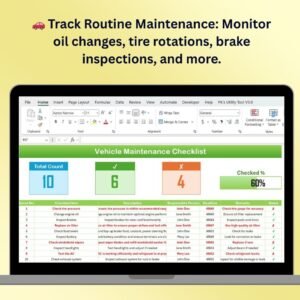
🚗 Track Routine Vehicle Maintenance
Monitor regular vehicle maintenance tasks such as oil changes, tire checks, fluid levels, and brake inspections. The checklist helps you stay on top of scheduled maintenance to prevent breakdowns and extend the life of your vehicle.
📅 Set Custom Maintenance Schedules
Customize the checklist to set reminders for each maintenance task based on your vehicle’s usage, mileage, and manufacturer recommendations. Ensure you never miss an important maintenance appointment.
🔧 Monitor Vehicle Health & Performance
Track the condition of key components such as the engine, brakes, transmission, and tires. The template helps you identify potential issues before they become expensive repairs, ensuring your vehicle operates smoothly.
💰 Cost Tracking & Budgeting
Record and track the cost of each maintenance task, from oil changes to major repairs. Use the data to budget for future maintenance and track spending on vehicle upkeep over time.
📊 Visual Maintenance Progress
Use visual indicators such as checkboxes and color-coded sections to track the completion of maintenance tasks. Easily identify overdue or upcoming tasks and stay organized.
🖥️ Interactive & Customizable Template
The checklist is designed with user-friendliness in mind. With dropdowns, clear categories, and interactive features, the template is fully customizable to fit the unique needs of your vehicle(s).
Why You’ll Love the Vehicle Maintenance Checklist in Excel

✅ Ensure Vehicle Longevity
By staying on top of routine maintenance and addressing issues early, you can extend the lifespan of your vehicle and prevent major repairs.
✅ Simplify Vehicle Maintenance Management
Track all maintenance tasks, costs, and schedules in one place, making it easier to stay organized and on top of your vehicle’s upkeep.
✅ Save Money on Repairs
Catch potential issues early before they lead to expensive repairs, helping you save money in the long run.
✅ Track Costs & Budget Effectively
Record and manage the costs of each maintenance task, helping you budget effectively for future vehicle expenses.
✅ Fully Customizable for Your Vehicles
Tailor the checklist to your specific vehicles, whether it’s a single car, a fleet of vehicles, or different types of vehicles requiring various maintenance schedules.
What’s Inside the Vehicle Maintenance Checklist in Excel?
- Routine Maintenance Tracking: Track scheduled tasks like oil changes, tire rotations, and brake inspections.
- Vehicle Health Monitoring: Keep track of the condition of key components such as the engine, brakes, and tires.
- Cost Tracking & Budgeting: Monitor maintenance costs and plan for future expenses.
- Customizable Schedules & Reminders: Set up custom reminders based on your vehicle’s needs and usage.
- Visual Progress Indicators: Use color-coded sections and checkboxes to track completed tasks and overdue items.
How to Use the Vehicle Maintenance Checklist in Excel
1️⃣ Download the Template: Get immediate access to the Vehicle Maintenance Checklist Template in Excel.
2️⃣ Input Your Vehicle Data: Enter your vehicle’s information, including mileage, maintenance history, and upcoming tasks.
3️⃣ Track & Monitor Maintenance: Use the checklist to track regular and scheduled maintenance tasks and stay on top of upcoming due dates.
4️⃣ Record Costs & Budget: Track the cost of each maintenance task and manage your vehicle maintenance budget.
5️⃣ Stay Organized: Use the template’s visual progress indicators to easily see which tasks are completed and which need attention.
Who Can Benefit from the Vehicle Maintenance Checklist in Excel?
🔹 Vehicle Owners & Drivers
🔹 Fleet Managers
🔹 Car Dealerships & Service Centers
🔹 Automotive Service Providers
🔹 Drivers Looking to Extend Vehicle Lifespan
🔹 Anyone Looking to Track Vehicle Maintenance Efficiently
Ensure your vehicle is always running smoothly and prevent unexpected repair costs with the Vehicle Maintenance Checklist in Excel. Track maintenance tasks, record costs, and monitor the health of your vehicle with this essential tool.
Click here to read the Detailed blog post
Visit our YouTube channel to learn step-by-step video tutorials
Youtube.com/@PKAnExcelExpert
Compatibility and Requirements
- Works in Microsoft Excel desktop (Excel 2016 or later, or Microsoft 365).
- Microsoft’s guide Use conditional formatting to highlight information explains the Excel feature this file is built on.
Frequently Asked Questions
Which maintenance tasks does the checklist cover?
Routine jobs such as oil changes, tire checks and rotations, fluid levels and brake inspections, along with the condition of the engine, brakes, transmission and tires.
Can I track what each job costs?
Yes. Record the cost of each task, from oil changes to major repairs, and use the totals to budget for future upkeep.
How do I see which tasks are done or overdue?
Checkboxes and color-coded sections show completed, upcoming and overdue tasks.
Can I use it for more than one vehicle?
Yes. You can tailor the categories and schedules for a single car, a fleet or different vehicle types.
Related Vehicle and Fleet Templates
- Vehicle Maintenance Checklist in Google Sheets: the same vehicle checklist in Google Sheets
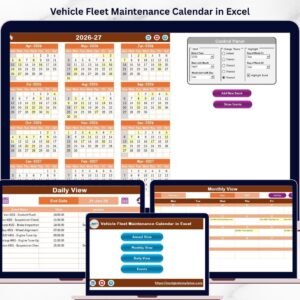
- Vehicle Fleet Maintenance Calendar in Excel: schedule fleet maintenance on a calendar
- Fleet Maintenance Calendar in Excel: a fleet maintenance calendar in Excel
- Fleet Management Dashboard in Excel: a full fleet management dashboard in Excel
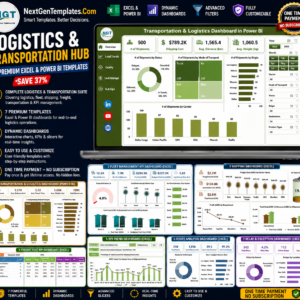
- Logistics and Transportation Hub: logistics and transport templates in one bundle
Browse all Excel checklists or the Excel logistics templates.






























Reviews
There are no reviews yet.